Product Overview
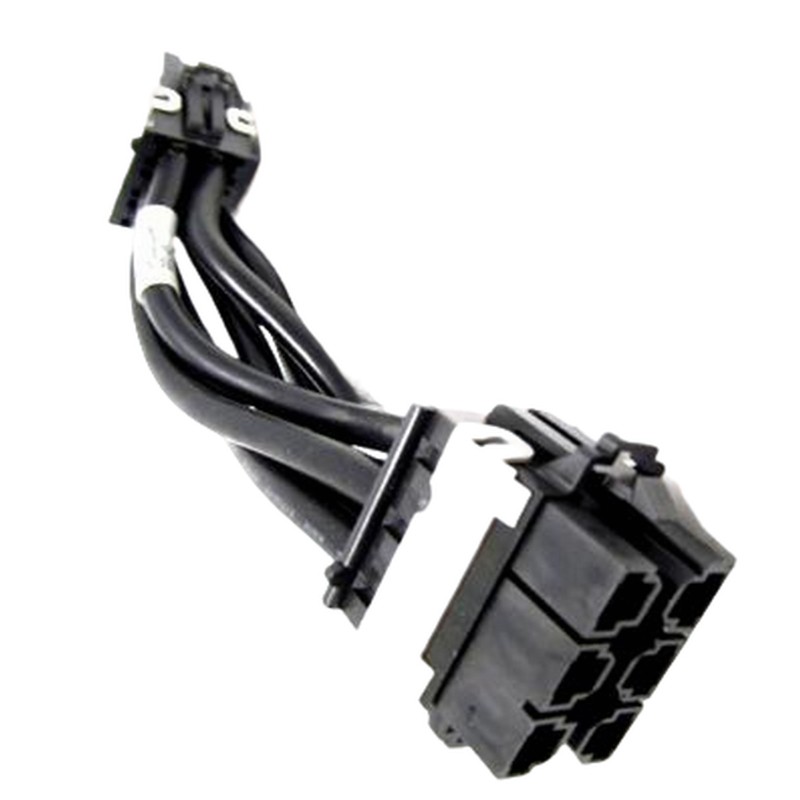
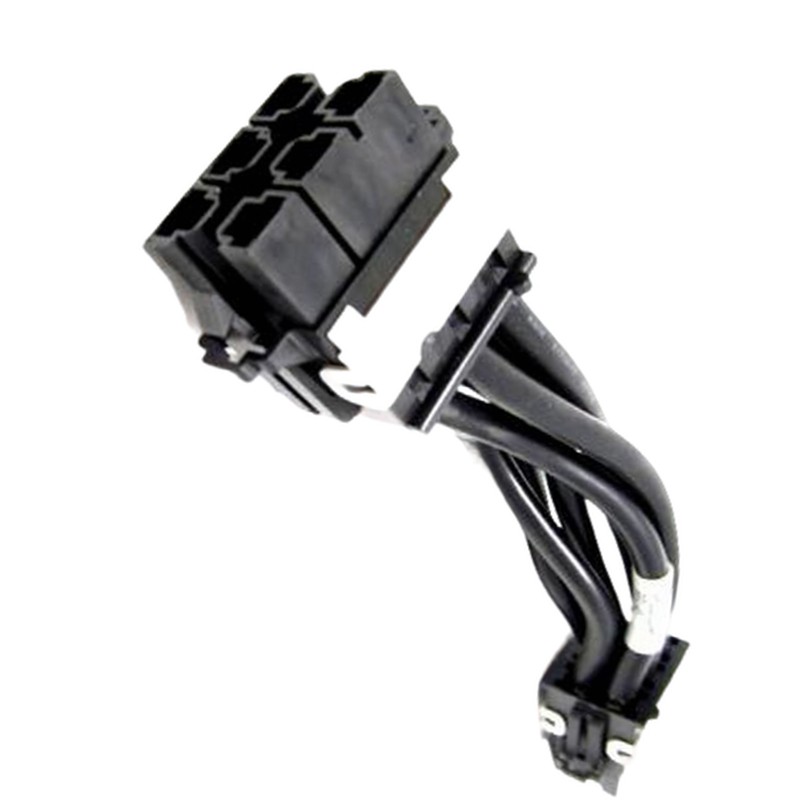
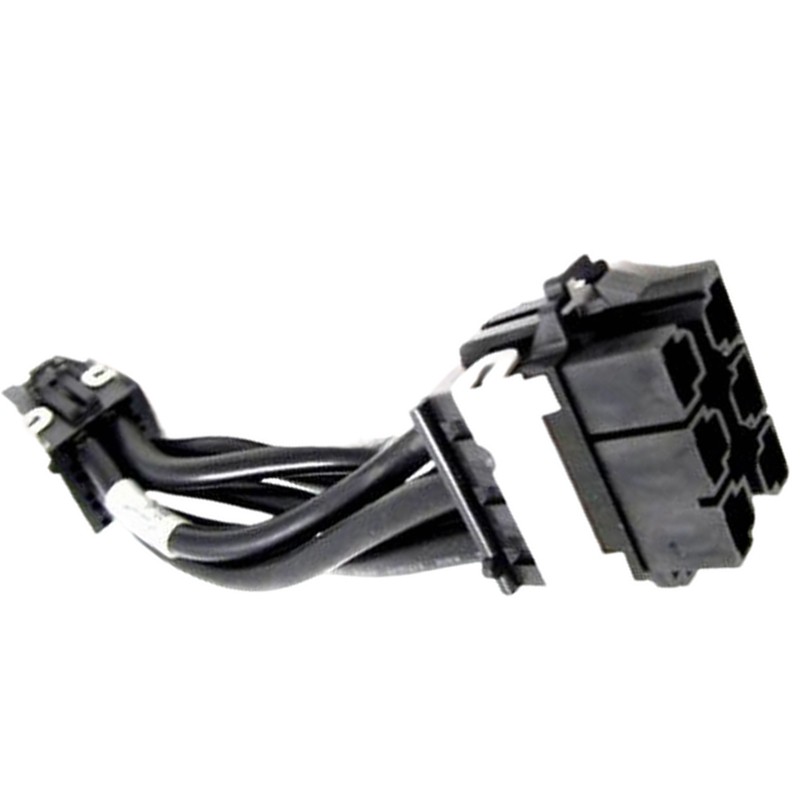
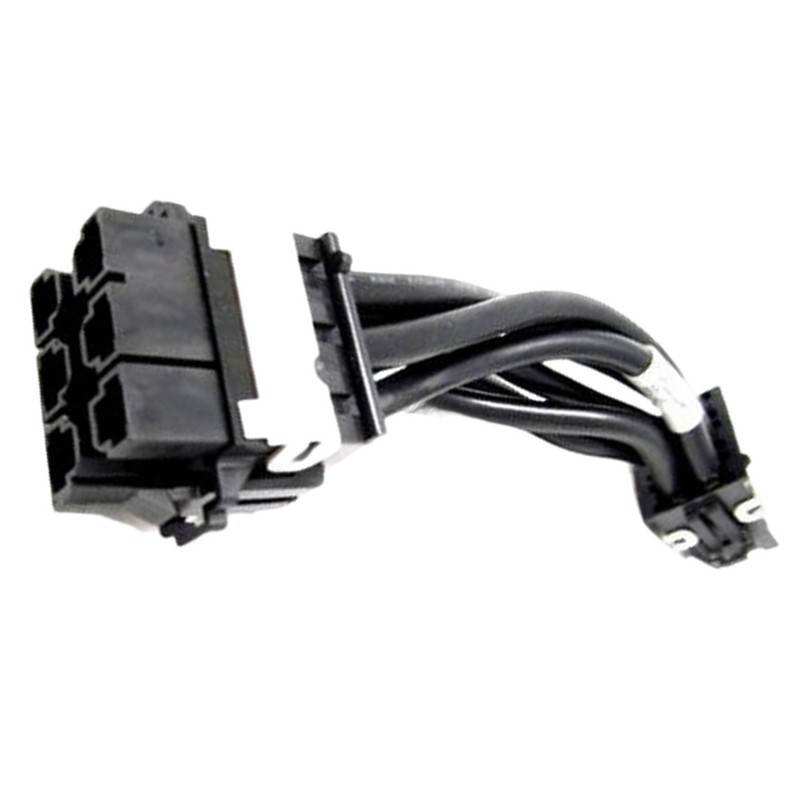
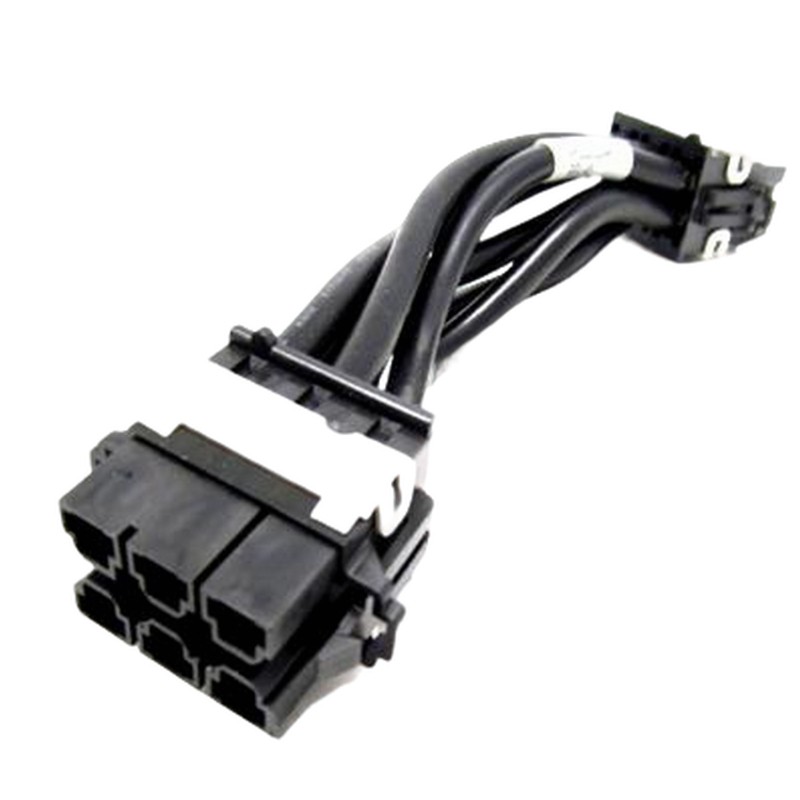
HP Internal Power Cable Assembly for ProLiant DL785 G5 / DL785 G6 (AH233-2004A) — a reliable, OEM-grade internal power cable engineered to ensure stable power delivery inside enterprise rack servers. Ideal for system builders, data center technicians, and IT procurement teams looking for a direct-fit replacement or spare part.
Key Features and Benefits
Durable, Server-Grade Construction
Built to HP specifications, this internal power cable assembly offers robust construction and consistent performance under continuous load. The cable delivers dependable connections that reduce downtime and maintain server health.
Compatibility and Fit
Specifically designed for use with the HP ProLiant DL785 G5 and DL785 G6 series, part number AH233-2004A. This ensures plug-and-play compatibility and eliminates fitment guesswork during maintenance or upgrades.
Technical Specifications
Basic Product Data
- Product Type: Internal Power Cable / Cable Assembly
- Manufacturer: HP (Hewlett-Packard Enterprise)
- Manufacturer Part Number (MPN): AH233-2004A
- Target Systems: ProLiant DL785 G5, DL785 G6
Electrical and Mechanical Details
The cable assembly is engineered for high-current server environments and follows HP’s connector pinout and insulation standards. It offers secure latching connectors and a cable jacket rated for prolonged operation in dense rack configurations.
Cable Characteristics
- High-quality conductor materials for low-resistance power transfer
- Shielding and insulation to minimize electromagnetic interference
- Locking connectors to prevent accidental disconnection
- Appropriate length for internal routing inside chassis
Safety Tips
- Avoid forcing connectors — confirm alignment before insertion.
- Keep cable loops neat to maintain optimal airflow and cooling.
- Use manufacturer-approved replacement parts to preserve system reliability.
Performance & Reliability
This HP cable assembly is manufactured to deliver enterprise-level reliability. It helps maintain stable power rails within the ProLiant DL785 chassis, supporting multi-CPU and high-memory configurations commonly used in virtualization, database, and HPC workloads.
Longevity Factors
- Quality connectors reduce wear through multiple service cycles
- Durable sleeving protects the conductors from abrasion
- Proper installation preserves cooling efficiency and component life
AH233-2004A: OEM internal power cable for HP ProLiant DL785 G5 / G6
Key technical features and construction
- OEM grade harness manufactured to HP mechanical and electrical tolerances.
- Multi-conductor cable with conductors sized to limit voltage drop under rated loads.
- Heat-resistant insulation optimized for continuous operation in server environments.
- Robust, keyed connectors to prevent mis-mating and ensure correct polarity.
- Optimized length and routing form to maintain OEM airflow patterns and to fit factory tie-offs.
- Optional signal lines for fan speed monitoring or presence detection where applicable.
Compatibility matrix and system-level considerations
Compatibility extends across the DL785 G5 and G6 revisions that share the same internal connector architecture. Before ordering or installing the AH233-2004A, verify the server chassis revision, internal backplane and power distribution modules. Differences between chassis sub-revisions can include connector orientation, mounting clip locations and small pinout variations; procurement and service teams should cross-reference service tags, spare part listings and official HP parts tables to confirm fitment.
Checklist to confirm compatibility
- Confirm chassis model: ProLiant DL785 G5 or DL785 G6.
- Record system Service Tag and HW revision from system management utilities or chassis stickers.
- Compare current harness part number and connector shape to AH233-2004A images or diagrams.
- Reference the HP maintenance and replacement guide for connector pinouts and harness routing diagrams.
Electrical specifications, pinout and signal mapping
Understanding the electrical characteristics is essential for safe installation and troubleshooting. The AH233-2004A harness carries power rails and associated returns necessary for fan tray operation and potentially low-voltage monitoring signals. Exact conductor gauges, rated currents and pin assignments can vary by revision; always consult the official service manual or HP technical documentation for the specific chassis revision you are servicing.
Typical electrical attributes
- Conductor type: multi-strand copper designed for flexibility and current capacity.
- Insulation rating: high-temperature thermoplastic to resist prolonged elevated ambient temperatures.
- Connectors: OEM keyed multipin housings with retention latches to ensure solid contact.
- Current handling: sized to support multiple fan rails with margin for inrush currents during spin-up.
- Grounding: integrated return conductors and chassis bonding points when required by the server design.
Mechanical design, routing and airflow impact
In high-density servers like the DL785, mechanical layout and cable routing affect thermal performance. AH233-2004A is manufactured with a routing length and shape that nest within factory channels and snaps, reducing the risk of airflow obstruction. The harness should be routed along factory tie points and kept clear of CPU heatsink towers, DIMM banks and expansion card airflow corridors to preserve thermal efficiency.
Best routing practices
- Follow factory cable channels and clips to minimize interference with airflow.
- Use manufacturer-recommended tie points—avoid over-tightening cable ties that compress conductors.
- Keep slack neat and away from fans and heat sinks to prevent vibration-induced wear.
- When servicing, replace any damaged snap clips to maintain the original routing geometry.
Diagnostics, troubleshooting and failure modes
Harness-related failures often present as fan errors, abnormal temperature readings, or system alerts that reference fan channels or power distribution. A stepwise diagnostic approach helps isolate harness-related faults from fan module failures or motherboard issues.
Troubleshooting workflow
- Review system logs and management alerts for specific fault codes.
- Perform visual inspection for melted insulation, discoloration, or burnt odors near connectors.
- Reseat harness connectors and power-cycle the system to verify whether the fault persists.
- Swap harnesses with a verified-good spare when available to isolate the faulty component.
- Measure voltages at the harness interface only if qualified and following appropriate safety protocols.
Common symptom-to-cause mapping
- Intermittent fan speed reporting — weak contact on tach/presence pin or partial conductor break.
- Single fan channel failure — possible missing power rail or connector pin failure localized to that pin.
- Burnt smell or heat discoloration — immediate removal and inspection; investigate root cause such as overcurrent or connector damage.
Recommended inspection schedule
- Quarterly visual inspections in production environments with high utilization.
- Post-service inspections after any component replacement or internal reconfiguration.
- Ad hoc inspections when environmental conditions (e.g., elevated datacenter temperatures) exceed normal thresholds.
Record keeping and spare-part management
Document part numbers, lot numbers and installation dates. Maintain a small number of OEM AH233-2004A spares sized to your MTTR and criticality of the server cluster. Label spares with purchase and lot details to support traceability and warranty claims.
How to verify authenticity and fit-for-purpose
- Request manufacturer or authorized reseller documentation confirming the AH233-2004A part number and revision.
- Inspect packaging for HP labeling, barcodes and anti-tamper seals where applicable.
- Ask for visual references—clear photographs of connectors and harness routing—to compare to installed hardware.
- When possible, purchase through HP’s spare-part catalog or an authorized HP parts distributor to preserve warranty and support relationships.
Comparison with similar HP harnesses and variants
HP often produces multiple harness variants for close-fit configurations. Differences can include connector types, presence/absence of monitoring lines, and cable length. When substituting, match pinout and mechanical routing exactly. Minor differences in gauge or insulation rating may cause long-term operational issues if substituted carelessly.
Variant selection rules
- Never assume visual similarity equals electrical equivalence—use part numbers and pinouts to confirm.
- Match length and connector orientation to avoid routing conflicts that affect cooling.
- Prefer parts that explicitly list compatibility with the DL785 G5/G6 series.
Environmental compliance, recycling and end-of-life
Dispose of retired harnesses in accordance with local e-waste regulations. Many harnesses contain recyclable metals and plastics; coordinate with certified e-waste processors to reclaim materials and to document proper disposal for compliance purposes.
End-of-life procedures
- Disconnect and isolate harnesses from powered chassis prior to removal.
- Segregate cables by material type where recycling partners require separation.
- Maintain disposal records and certificates from recycling partners for audit trails.
Metadata and structured data tips
Use Product schema markup: include brand (HP), mpn (AH233-2004A), compatibility array (ProLiant DL785 G5, DL785 G6), image, SKU and availability. Provide a concise meta description that includes the part number and primary compatibility to improve click-through from search engine results pages (SERPs).





 Contact Us
 Information
 Catalog
 Solid State Drives (SSD)
 Network Switches
 Hard Disk Drives
 HBA & Controllers
 PC & Servers
 PC & Server Memory
 CPU & Processors
 Network Routers
 Power Supplies
 Tape Drives & Libraries
 Network Devices
 Computer & Network Cables