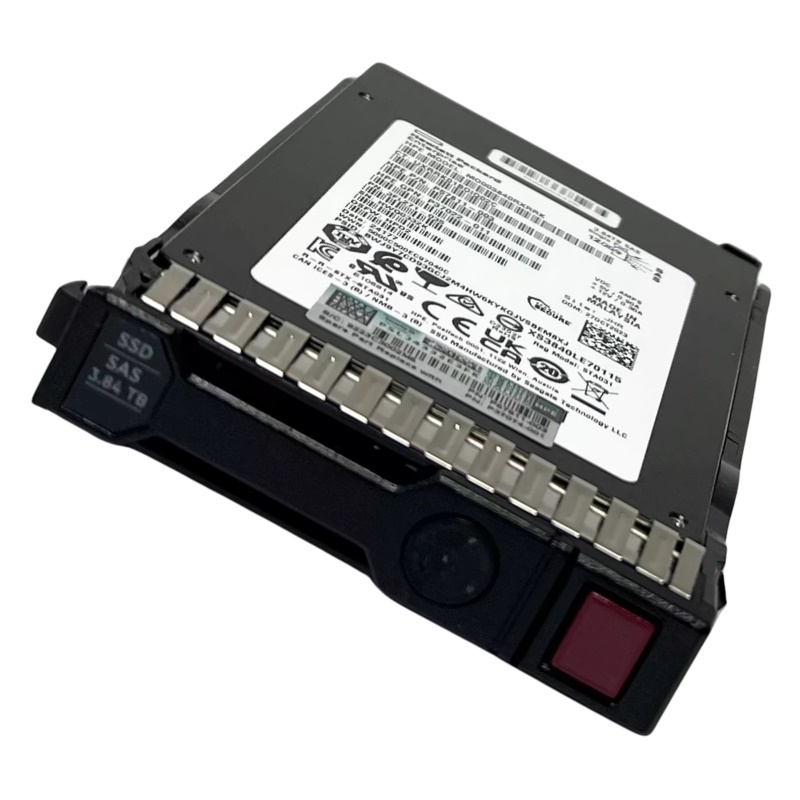
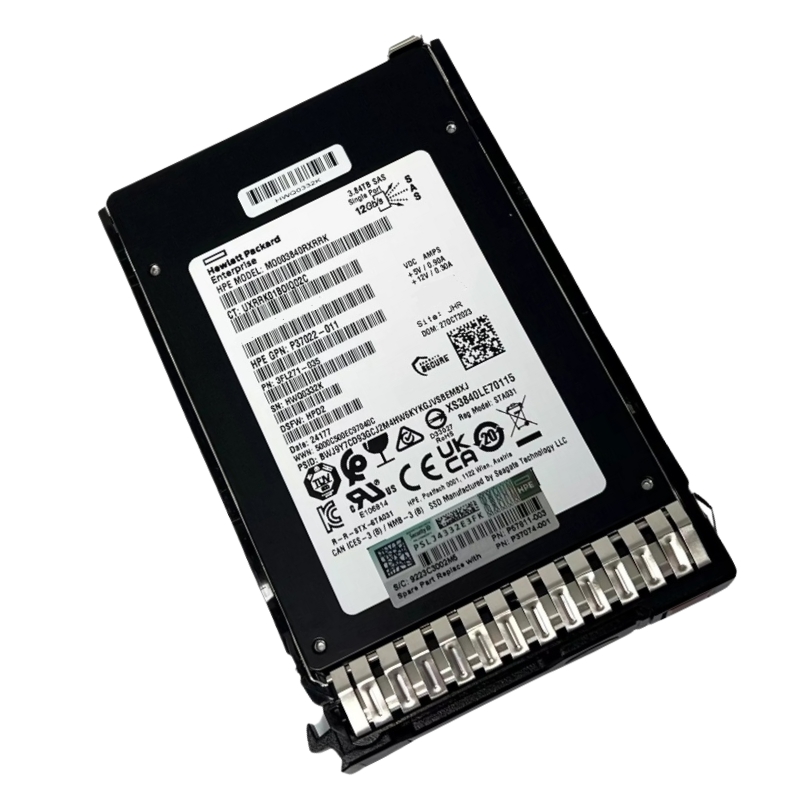
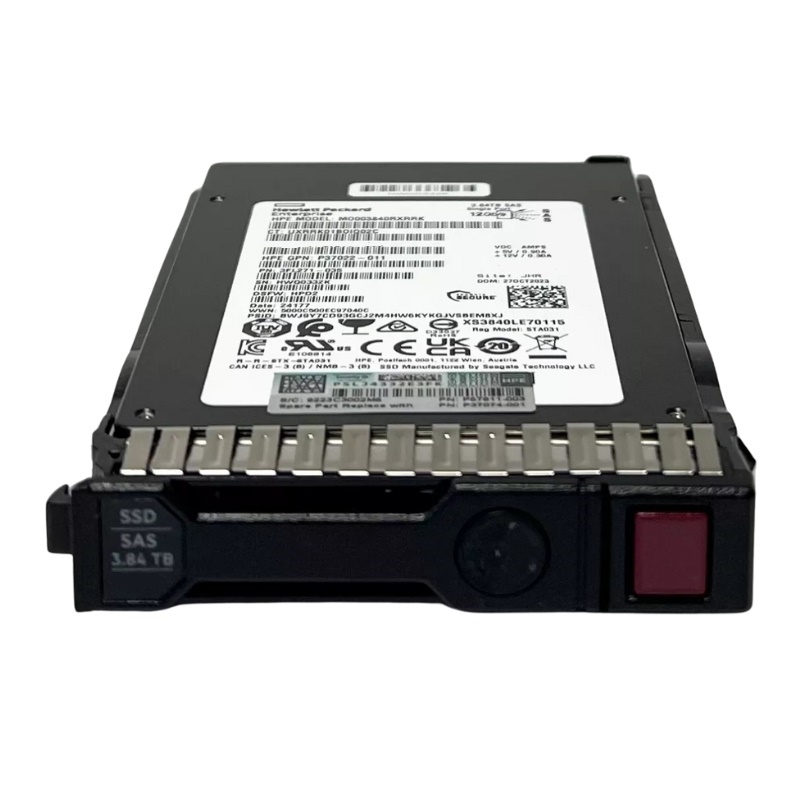
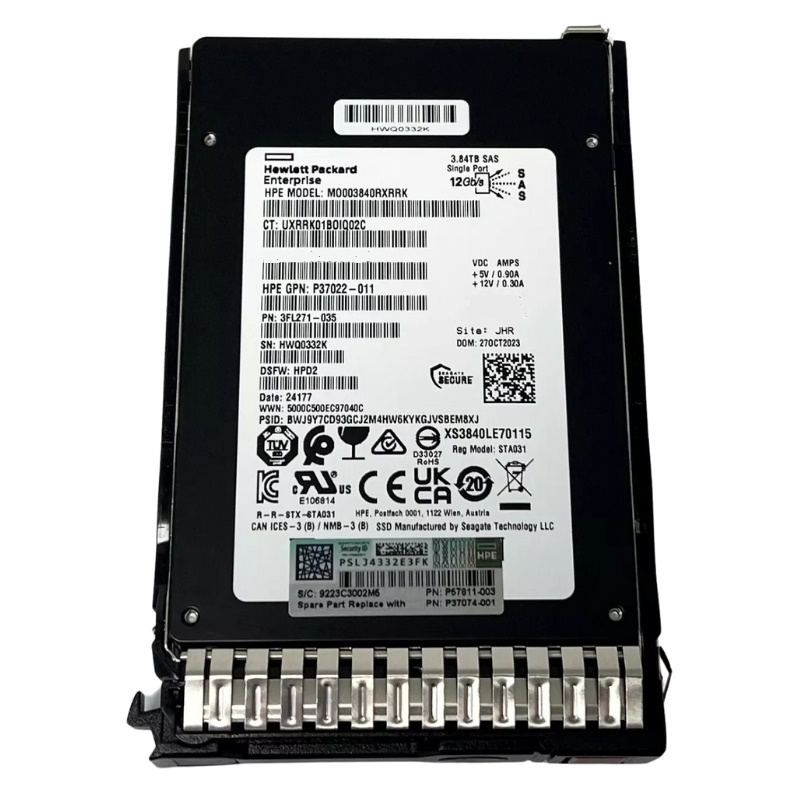
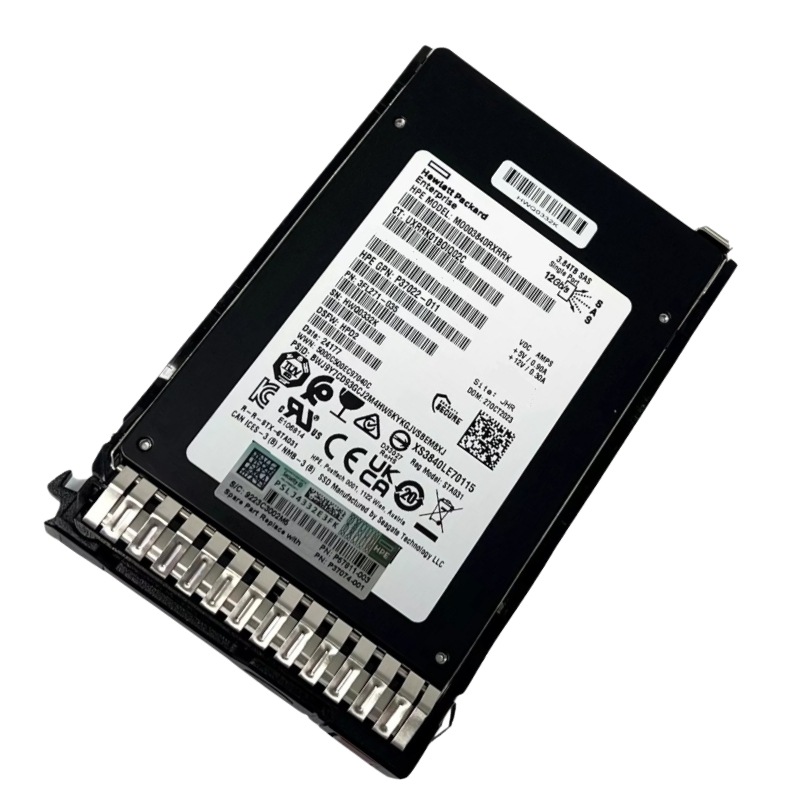
MO003840JXBFU HPE SC 3.84TB SSD RI SAS 12GBPS MV
- — Free Ground Shipping
- — Min. 6-month Replacement Warranty
- — Genuine/Authentic Products
- — Easy Return and Exchange
- — Different Payment Methods
- — Best Price
- — We Guarantee Price Matching
- — Tax-Exempt Facilities
- — 24/7 Live Chat, Phone Support
- — Visa, MasterCard, Discover, and Amex
- — JCB, Diners Club, UnionPay
- — PayPal, ACH/Bank Transfer (11% Off)
- — Apple Pay, Amazon Pay, Google Pay
- — Buy Now, Pay Later - Affirm, Afterpay
- — GOV/EDU/Institutions PO's Accepted
- — Invoices
- — Deliver Anywhere
- — Express Delivery in the USA and Worldwide
- — Ship to -APO -FPO
- — For USA - Free Ground Shipping
- — Worldwide - from $30
Overview HPE MO003840JXBFU 3.84TB SAS 12G SSD
The HPE 3.84TB SAS 12G Read Intensive SSD delivers exceptional speed and reliability for modern Gen10 and Gen10 Plus servers. Designed with advanced TLC NAND technology and a dual-port SAS interface, this enterprise-grade drive enhances read-focused workloads with stability and efficiency.
Manufacturer Details and Model Information
- Brand: Hewlett Packard Enterprise (HPE)
- Model Number: MO003840JXBFU
- Drive Type: Enterprise Solid State Drive (SSD)
Storage Capacity and Physical Attributes
This SSD offers an outstanding 3.84TB storage capacity, delivering the perfect balance between large-scale data storage and rapid accessibility. Its small form factor (SFF) design ensures easy integration into compact server bays without compromising performance.
- Capacity: 3.84 Terabytes
- Form Factor: SFF (Small Form Factor)
- Height: 15mm
- Plug Design: Hot-pluggable for convenient maintenance
Advanced Interface and Connection Technology
Engineered for high-throughput data environments, this model supports a 12Gb/s SAS interface, allowing robust dual-port connectivity that ensures redundancy and uninterrupted data transmission.
- Interface Type: SAS 12Gb/s
- Port Configuration: Dual-port architecture for high availability
- Carrier Type: SC (Smart Carrier) compatible
Performance Specifications
With outstanding I/O performance, the HPE 3.84TB SSD is built to handle demanding enterprise workloads that rely heavily on read-intensive operations. From virtualized systems to cloud data storage, it maintains consistent output under pressure.
Read and Write Capabilities
- Random Read Performance: Up to 110,000 IOPS
- Random Write Performance: Up to 78,000 IOPS
- Sequential Read Speed: Up to 1,080 MB/s
- Sequential Write Speed: Up to 1,030 MB/s
Ideal Use Cases and Workload Optimization
This SSD is tailored for read-intensive applications such as data analytics, web hosting, virtualization, and large-scale database queries. It ensures minimal latency and efficient data retrieval even in 24/7 operational environments.
- Perfect for read-heavy server tasks
- Suited for high-performance computing clusters
- Reliable choice for virtualized infrastructures
- Excellent for scalable enterprise storage systems
Reliability and Design Benefits
The HPE 3.84TB SAS SSD features enterprise-level endurance and consistent performance under continuous workloads. Its TLC (Triple-Level Cell) flash memory offers an excellent balance of speed, cost-efficiency, and durability.
- Enterprise-grade endurance for sustained operations
- Optimized for read-intensive workloads
- Hot-plug functionality for simplified replacement
- Enhanced data integrity through dual SAS connections
HPE MO003840JXBFU 3.84TB — Category Overview
The HPE MO003840JXBFU 3.84TB Solid State Drive (Read Intensive, SAS 12Gb/s) represents a focused category of enterprise storage optimized for read-heavy workloads in modern data centers. This continuous category description covers the drive's intended applications, deployment patterns, performance characteristics, integration considerations, and procurement guidance — written to help system architects, storage administrators, integrators, and e-commerce category pages maximize discoverability and clarity for buyers and technical stakeholders.
Key Category Focus and Search Intent
This category targets searchers and buyers looking for high-capacity, reliable SSDs designed for read-intensive applications. Common search intents include:
- Technical comparison: "HPE MO003840JXBFU vs other HPE SAS SSDs"
- Use-case research: "best SSD for read-intensive databases"
- Procurement intent: "buy HPE 3.84TB SAS SSD 12Gb/s"
- Compatibility checks: "HPE MO003840JXBFU compatibility with HPE ProLiant and HPE storage arrays"
Product Category Breakdown
Organize the category into meaningful subcategories to align with buyer journeys and semantics. Typical subcategory groupings include:
By Workload Type
- Read-Intensive Enterprise Applications — analytics, OLAP, content delivery, caching.
- Mixed Workloads — lightly write-biased clusters that still prioritize read throughput and low latency.
- Edge and Remote Office Deployments — scenarios requiring durability and predictable read performance in constrained environments.
By Storage Topology
- Standalone Server Drives — direct-install into server bays for application-local storage.
- Shared Storage Arrays — used inside HPE arrays and JBOD shelves that support SAS 12Gb/s connectivity.
- Hybrid Cache Tiers — placed at the front of a tiering architecture to accelerate read performance above lower-cost HDD tiers.
Technical Characteristics and Benefits
The language in this section is purposefully descriptive and relatable to both technical and procurement audiences. It explains how the drive's characteristics deliver practical benefits for real-world systems.
Read-Intensive NAND and Endurance Profile
Read-intensive SSDs are optimized with firmware and NAND selection to prioritize read performance and predictable latency while offering write endurance suitable for caching and read-mostly datasets. Typical benefits include:
- Lower-cost per GB than high-endurance variants while still meeting enterprise reliability thresholds.
- Firmware tuned for read caching, consistent I/O completion times, and background maintenance tasks (e.g., wear-leveling and garbage collection) tuned to minimize impact on foreground reads.
Capacity and Density
A 3.84TB capacity point fits a category of drives designed to increase usable flash density in 2.5-inch and similar enterprise form factors. Benefits of higher-capacity SSDs in this class:
- Fewer drive slots used per TB, simplifying rack-level capacity planning.
- Reduced overhead for RAID or erasure coding schemes that require distributed parity or replication.
- Lower power and cooling per TB compared with equivalent HDD capacity tiers.
Reliability and Data Integrity
Enterprise-class SSDs are engineered to meet strict quality and longevity metrics. Expect features such as:
- Power-loss protection mechanisms for in-flight data integrity.
- End-to-end data path protection and advanced error-correcting code (ECC).
- S.M.A.R.T. telemetry and predictive failure indicators to integrate with infrastructure monitoring stacks.
Typical Use Cases and Deployment Scenarios
The HPE MO003840JXBFU 3.84TB category excels where read performance, capacity efficiency, and enterprise manageability intersect. Below are canonical use cases with practical rationale.
Database Read-Heavy Workloads
Analytical databases and read-mostly OLAP workloads benefit from fast random read throughput and low-latency sequential reads. Deploying these SSDs for primary or cache layers improves query response times and concurrency.
- Accelerates large-scale BI queries and dashboarding tools.
- Reduces I/O contention on mixed-storage tiers.
Virtual Desktop Infrastructure (VDI) and User Profiles
VDI environments with large numbers of mostly-read user profiles see improved login times and session responsiveness when served from read-optimized SSD tiers.
Content Delivery and Media Streaming
High-capacity, read-optimized drives are ideal for caching popular content, media assets, and software repositories where fast, repeated reads mirror real-world usage patterns.
Cache Tiers for Hybrid Storage Arrays
Place read-intensive SSDs ahead of mechanical drives to absorb frequent reads and reduce seek overhead, improving overall array latency and throughput at lower cost than using all-flash arrays for all tiers.
Compatibility, Integration, and Firmware Considerations
Successful deployment depends on verifying platform compatibility and maintaining the right firmware levels for performance and stability. This section outlines integration checkpoints and recommended practices.
Compatibility Checklist
- Confirm HPE server or storage array compatibility lists and HCL (Hardware Compatibility List).
- Verify Bay/Drive tray sizing and caddy compatibility for the targeted server model.
- Check the storage controller firmware and driver versions for SAS 12Gb/s support and multipathing.
Firmware and Lifecycle Management
Maintain a firmware update policy that balances the need for bug fixes and performance updates against the operational risk of in-service updates. Recommended steps:
- Maintain current backups and snapshots before firmware updates.
- Test firmware updates in a staging environment that mimics production load.
- Monitor post-update telemetry and SMART health indicators closely for at least a business cycle.
Telemetry and Monitoring
Integrate SSD telemetry into centralized monitoring systems for proactive wear and failure detection. Track these metrics:
- Remaining life percentage (if available) and total host writes.
- Reallocated sectors, ECC correction statistics, and media errors.
- Temperature and power cycles (to identify thermal issues or unstable power delivery).
Performance Tuning and Best Practices
Achieve predictable, high-performance results by following enterprise best practices for SSD deployment and workload alignment.
RAID and Data Protection Strategies
Choosing the right RAID level or erasure coding scheme depends on capacity efficiency and rebuild behavior. Consider:
- RAID configurations that limit rebuild impact on read operations for read-heavy workloads.
- Using smaller stripe sizes for random-read-optimized applications, but balancing against metadata overhead and rebuild complexity.
Over-Provisioning and Spare Space
Enterprise SSDs often benefit from reserved spare capacity. Over-provisioning offers:
- Improved write amplification control and long-term performance stability.
- Longer effective device life under bursty or unexpected write patterns.
Quality of Service (QoS) and Workload Isolation
Implement I/O throttling and QoS at the storage controller or hypervisor layer to prevent noisy-neighbor issues in consolidated environments. This preserves predictable latency for mission-critical read flows.
Security, Compliance, and Data Protection
Modern enterprises require drives and storage solutions to support data protection and regulatory controls. Within this category, look for features and practices such as:
Encryption and Secure Erase
- Hardware-based encryption support (if available) to protect data-at-rest.
- Secure erase or crypto-erase functions that meet regulatory disposition requirements.
Auditability and Forensics
Retain logs and S.M.A.R.T. history in centralized systems for audit trails. This helps meet compliance requirements for retention and incident investigation.
Procurement Guide and Total Cost of Ownership (TCO)
Purchasing enterprise SSDs requires balancing acquisition cost against performance, lifespan, and operational expense. This procurement guide highlights the main levers affecting TCO.
Cost-per-GB vs. Operational Savings
While cost-per-GB for SSDs remains higher than HDDs at high capacities, the operational savings—reduced power, cooling, rack space, and superior performance—often justify premium spend in performance-sensitive tiers. Consider:
- Reduced rack density and associated cooling costs per usable TB.
- Higher consolidation ratios translating to fewer physical servers and lower licensing or management overhead.
Warranty, Support, and Service Contracts
Ensure the warranty terms and available support options align with your operational requirements. Key items:
- Length of warranty and whether it covers endurance-related failures.
- RMA and advance replacement policies for business-critical systems.
- Availability of vendor-provided firmware and compatibility support for lifecycle management.
Vendor and OEM Labeling Considerations
Some integrations require OEM-labeled media for guaranteed compatibility and support. Verify whether your purchase must be HPE-branded for full platform warranty and support entitlement.
Comparisons and Alternatives
Buyers often compare read-intensive SAS SSDs to other flash options. This section frames decision criteria and alternative categories.
Read-Intensive SAS SSDs vs. Mixed/Write-Intensive SSDs
- Read-Intensive: Cost-effective for read-heavy workloads, lower endurance requirements, firmware tuned for reads.
- Mixed/Write-Intensive: Higher endurance and typically higher cost per GB; better for write-heavy databases and transactional systems.
SAS SSDs vs. NVMe SSDs
NVMe delivers higher parallelism and lower latency but requires NVMe-capable controllers and platform support. SAS remains an excellent, widely compatible choice for existing HBA and storage architectures that prioritize enterprise features such as expanders and long-distance SAS topologies.
When to choose SAS over NVMe
- Existing SAS infrastructure and controller investments.
- Need for multi-path SAS expanders or legacy array compatibility.
- When migration timelines or budget constrain wholesale NVMe adoption.
Deployment Checklist — Step-by-Step
Use this checklist when deploying drives from this category into production. It helps minimize integration issues and accelerates time-to-value.
- Verify part number and firmware compatibility against the HPE HCL.
- Confirm physical insertion method and drive bay sizing in the target server or array.
- Install drives in a test or staging cluster and run baseline I/O tests to validate performance expectations.
- Apply documented firmware updates following vendor-recommended procedures and maintain pre- and post-update backups.
- Integrate drive telemetry with centralized monitoring and set alert thresholds for health and life metrics.
- Document placement, RAID configuration, and maintenance windows for future audits and operations teams.
On-Page Content Structure
- Use <h2> for main section headers and <h3>–<h5> for subsections to preserve hierarchy (avoid <h1> in category body per site templates).
- Include clear, keyword-focused headings such as "HPE 3.84TB SAS SSD", "Read Intensive Enterprise Drive", and "12Gb/s SAS Storage" to match common queries.
- Provide concise spec highlights at the top of the page (capacity, interface, workload profile) followed by deeper technical explanations and use cases.
Structured Data and Internal Linking
Enhance crawlability and rich result potential by:
- Exposing product schema (Product, Offer, Review) for individual SKUs.
- Linking to related categories (e.g., "HPE SAS SSDs 1.92TB–7.68TB", "HPE Enterprise Storage Arrays") and complementary accessories such as drive caddies and HBAs.
- Providing comparison tables and downloadable spec sheets (PDFs) to increase time-on-page and lower bounce rates.
Content Variants and Long-Form Assets
Repurpose the technical content into FAQs, buyer guides, and comparison pages to attract varied search intents and provide deeper buyer education:
- FAQ: "Is a 3.84TB SAS SSD right for my database tier?"
- Buyer’s guide: "Choosing between read-intensive and mixed-use SSDs"
- Technical whitepaper: "Best practices for SSD lifecycle and firmware management in HPE environments"
Frequently Asked Questions (FAQ)
What is a "read-intensive" SSD and who should use it?
Read-intensive SSDs are engineered to prioritize read throughput and low-latency performance for workloads where read operations significantly outnumber writes. Organizations running analytics, large-scale content repositories, and caching layers typically benefit most.
How do I verify compatibility with my HPE server or array?
Check the HPE Hardware Compatibility List (HCL) and match the part number or OEM-validated SKU against your server or storage model. Confirm controller firmware supports SAS 12Gb/s and review vendor notes on carriage or caddy compatibility.
What maintenance steps are recommended for enterprise SSDs?
Monitor SMART telemetry, implement scheduled firmware review cycles, and adopt over-provisioning where appropriate. Use vendor-supplied management tools to retrieve drive health and performance metrics.
Can I mix read-intensive and mixed-use SSDs in the same RAID group?
While technically possible, mixing drives with different endurance and performance characteristics can complicate performance predictability and rebuild behavior. For critical tiers, standardize on similar drive classes or maintain separate tiers for different workloads.
Conversion-Focused Messaging and Calls-to-Action
For category pages aiming to convert visitors into buyers or leads, incorporate the following elements:
- Clear CTA buttons near spec highlights: "Check Compatibility", "Request Quote", "Download Spec Sheet".
- Trust signals: warranty summary, support SLA, OEM authenticity badge.
- Comparison widget: allow visitors to compare the MO003840JXBFU to similar capacities and interfaces.
Secure Disposal Checklist
- Execute vendor-recommended secure erase or crypto-erase functions.
- Keep records of erased media for compliance audits.
- Follow local environmental regulations for electronic waste disposal and consider vendor take-back programs where available.
Decision Points for Buyers
Before placing an order, align procurement decisions with:
- Workload profile and expected read/write mix.
- Compatibility with existing HPE infrastructure and firmware policies.
- Support and warranty entitlements required by the business.
Next Steps
Use the compatibility tools provided by your HPE support portal and validate drives in a staging environment to ensure the expected performance and interoperability. When in doubt, consult HPE documentation or your hardware reseller for clarity on OEM labeling and field-service implications.

Related Resources (suggested internal links)
- HPE Enterprise SSDs category
- Storage controllers and SAS HBAs
- Best practices for SSD firmware management
- Data center storage tiering strategies