Your go-to destination for cutting-edge server products

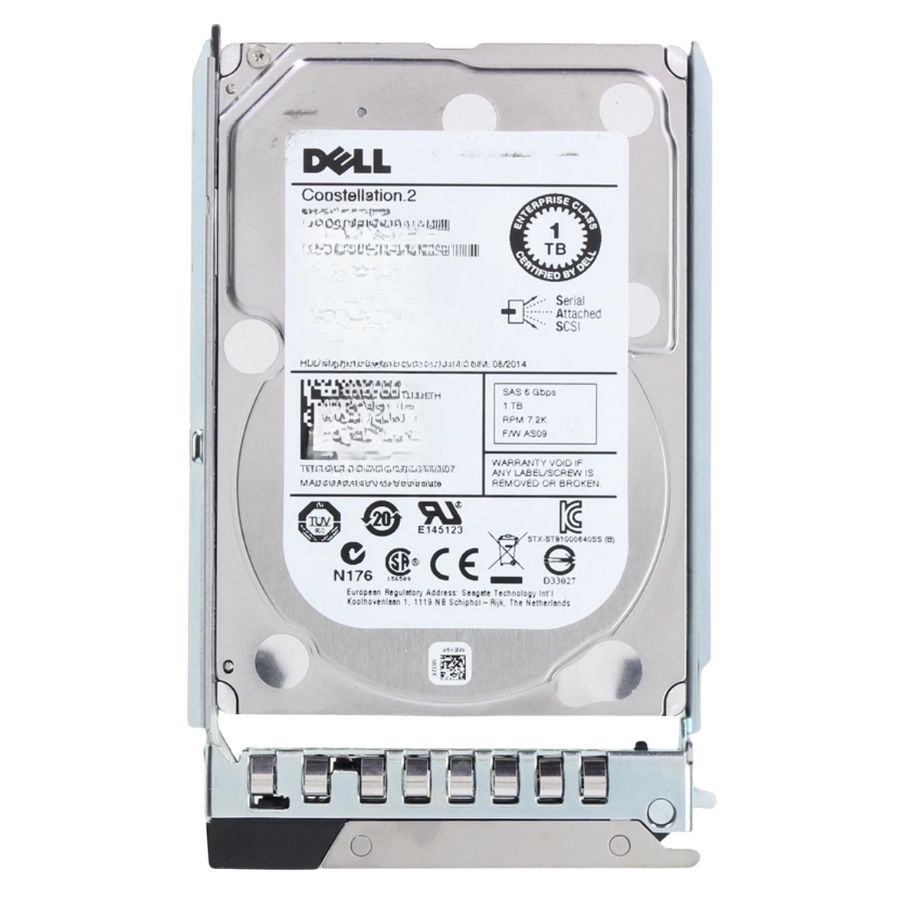
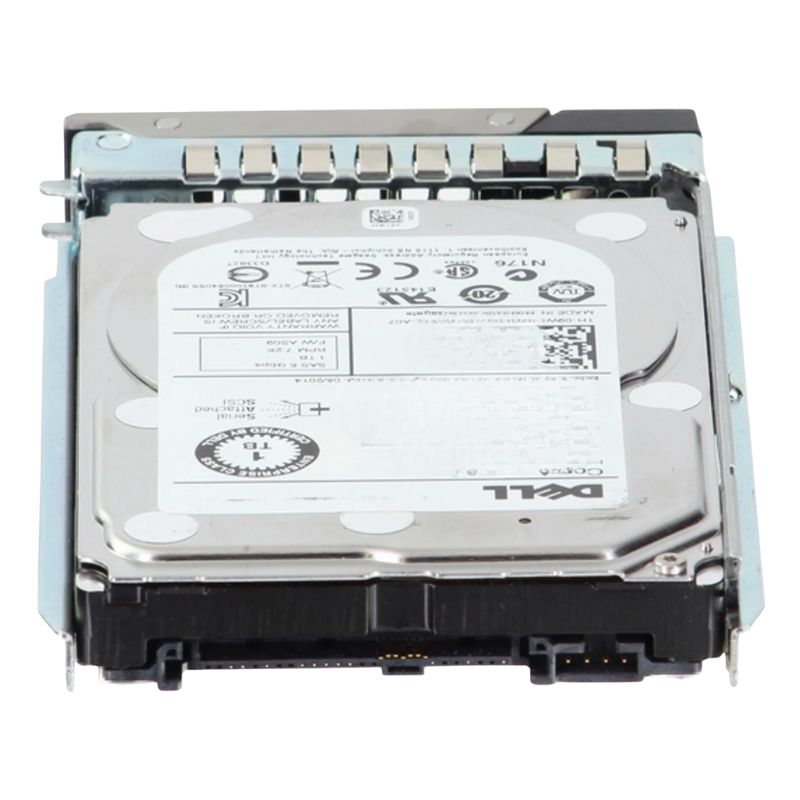
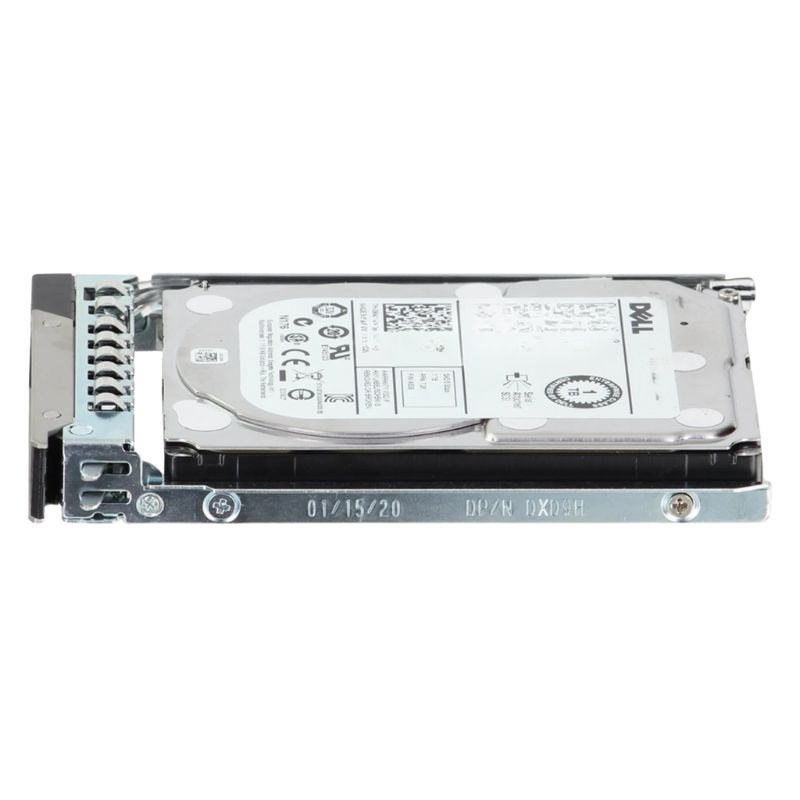
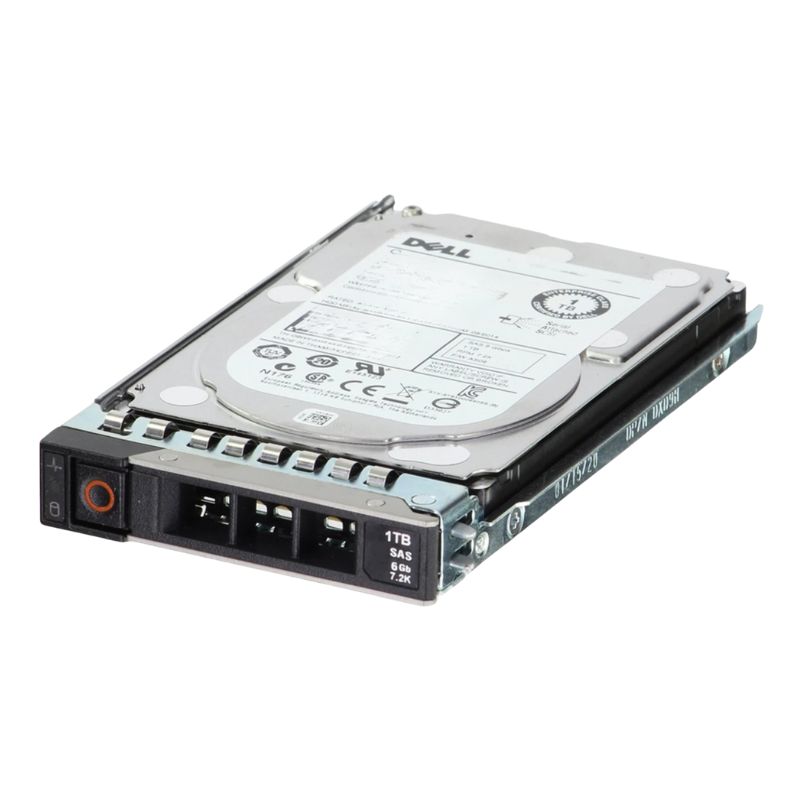
0GPP3G Dell 1TB 7.2K RPM SAS 6GBPS Hard Disk drive

0GPP3G
* Product may have slight variations vs. image
Hover on image to enlarge

Brief Overview of 0GPP3G

Dell 0GPP3G 1TB 7.2 RPM 64MB Buffer Near Line SAS 6GBPS 3.5 Inch Hard Disk drive. Excellent Refurbished with 1 year replacement warranty

$54.00
$40.00
You save: $14.00 (26%)
Ask a question
Price in points: 40 points
+
Quote
Additional 7% discount at checkout
SKU/MPN0GPP3GAvailability✅ In StockProcessing TimeUsually ships same day ManufacturerDell Product/Item ConditionExcellent Refurbished ServerOrbit Replacement Warranty1 Year Warranty
Google Top Quality Store Customer Reviews
Our Advantages
Payment Options
  • — Visa, MasterCard, Discover, and Amex
  • — JCB, Diners Club, UnionPay
  • — PayPal, ACH/Bank Transfer (11% Off)
  • — Apple Pay, Amazon Pay, Google Pay
  • — Buy Now, Pay Later - Affirm, Afterpay
  • — GOV/EDU/Institutions PO's Accepted 
  • — Invoices
Delivery
  • — Deliver Anywhere
  • — Express Delivery in the USA and Worldwide
  • — Ship to -APO -FPO
  • For USA - Free Ground Shipping
  • — Worldwide - from $30
Description

Product Overview: Dell 1TB 7.2K Nearline SAS 6Gbps 3.5-Inch HDD with Tray for PowerEdge

Optimize your Dell infrastructure with a dependable 1TB 7200 RPM Nearline SAS hard disk drive designed for PowerEdge servers. This enterprise-grade 3.5-inch drive combines generous capacity, stable performance, and proven durability—ideal for archival storage, backup targets, bulk data repositories, and mixed workload environments. The included tray (caddy) streamlines hot-swap operations and simplifies maintenance in compatible Dell systems.

  • Reliable 24×7 operation for data center and business workloads
  • Nearline SAS (NL-SAS) 6 Gb/s interface for robust, dual-port connectivity
  • Balanced blend of capacity and throughput for cost-effective scaling
  • 3.5-inch form factor compatible with a wide range of Dell servers and enclosures
  • Tray included for quick installation and secure fit in hot-plug bays

Key Specifications

Core Technical Details

  • Storage Capacity: 1 TB (1000 GB)
  • Spindle Speed: 7,200 RPM (7.2K)
  • Host Interface: Nearline Serial Attached SCSI (SAS) 6 Gb/s
  • External Transfer Rate: up to 600 MB/s
  • Cache/Buffer: 64 MB
  • Form Factor: 3.5-inch, hot-plug with Dell tray

Expansion & Connectivity

  • Interfaces: 1 × Serial Attached SCSI 2 (SAS 6 Gb/s)
  • Drive Bay Fit: Internal 3.5-inch hot-swap bay
  • Dual-Port SAS: Redundant pathing for high availability (when supported by backplane)

Workload Fit & Use Cases

Ideal Scenarios

  • File servers, departmental shares, and media libraries
  • Backup repositories and secondary storage tiers
  • Archive and compliance data retention
  • Virtualization environments with tiered storage strategies
  • Bulk object storage and scale-out applications

Performance Considerations

  • 7200 RPM spindle speed and 64 MB cache support consistent sequential throughput
  • Best suited for read-heavy/mixed workloads rather than ultra-high IOPS
  • Leverages SAS backplanes for improved queue depths and reliability

Compatibility Matrix

This 3.5-inch NL-SAS drive with Dell tray is suitable for the following Dell PowerEdge servers and PowerVault enclosures (configuration, firmware, and backplane support may be required):

PowerEdge Rack Servers

  • PowerEdge R210 II
  • PowerEdge R220
  • PowerEdge R310
  • PowerEdge R320
  • PowerEdge R410
  • PowerEdge R415
  • PowerEdge R420
  • PowerEdge R430
  • PowerEdge R510
  • PowerEdge R515
  • PowerEdge R520
  • PowerEdge R530
  • PowerEdge R720
  • PowerEdge R720xd

PowerEdge Tower Servers

  • PowerEdge T110 II
  • PowerEdge T310
  • PowerEdge T320
  • PowerEdge T420
  • PowerEdge T430
  • PowerEdge T620
  • PowerEdge T630

PowerEdge Cloud/Scale Platforms

  • PowerEdge C5220
  • PowerEdge C6105
  • PowerEdge C6220
  • PowerEdge VRTX (with appropriate 3.5" bays/backplane)

PowerVault Storage

  • PowerVault MD1200
  • PowerVault MD3200

Deployment Guidance

Installation At a Glance

  • Confirm your server backplane supports 3.5-inch NL-SAS 6 Gb/s drives
  • Insert the drive with tray into an available hot-swap bay until latched
  • Initialize and format the disk via the RAID controller or OS tools
  • Apply latest controller/firmware updates for stability and performance

Best Practices for Reliability

  • Use enterprise RAID levels (RAID 6 / RAID 10) for data protection
  • Enable proactive monitoring (SMART, controller alerts)
  • Maintain adequate airflow and adhere to recommended operating temps
  • Schedule regular backups and verify restore procedures

Detailed Feature Breakdown

Mechanical & Physical

  • 3.5-inch form factor for high-density capacity per bay
  • Tray/caddy ensures precise alignment and secure retention
  • Hot-plug capable in supported Dell chassis

Interface & Signaling

  • Nearline SAS 6 Gb/s with backward compatibility in many environments
  • Dual-port connectivity for multipath redundancy (where supported)
  • Enterprise-grade command queuing and error recovery

Performance Highlights

  • Up to 600 MB/s external data transfer rate
  • 64 MB cache for improved sequential reads/writes
  • Optimized for sustained throughput and dependable latency

Concise Bullet Specification Recap

  • Capacity: 1 TB (1000 GB)
  • Speed: 7,200 RPM
  • Interface: Nearline SAS 6 Gb/s (Serial Attached SCSI 2)
  • Buffer: 64 MB
  • Form Factor: 3.5-inch, hot-plug with tray
  • External Transfer Rate: up to 600 MB/s
  • Bay Compatibility: 1 × internal 3.5-inch
  • Dell Platforms: PowerEdge and PowerVault models listed above

Dell 0GPP3G 1TB Nearline SAS 6Gbps 3.5-Inch Drive — Core Highlights

The Dell 0GPP3G is a 1TB enterprise hard disk drive designed for balanced capacity and reliability. Built on a 3.5-inch form factor with Nearline SAS (NL-SAS) connectivity, it delivers 7,200 RPM spindle speed and a 64MB buffer to sustain sequential throughput and predictable latency in mixed read-heavy workloads. Its 6Gbps SAS interface adds dual-port capability, end-to-end data integrity, and robust enclosure management—attributes that distinguish NL-SAS from SATA for business-critical deployments.

  • Capacity: 1TB formatted for enterprise storage
  • Spindle speed: 7,200 RPM for steady performance
  • Cache buffer: 64MB to smooth bursty I/O
  • Interface: Dual-port Nearline SAS, 6Gb/s signaling
  • Form factor: 3.5-inch, hot-swap capable in Dell carriers
  • Use cases: Archival tiers, backup targets, bulk file stores, surveillance, and log retention

Understanding Nearline SAS vs. SATA for Enterprise Arrays

Nearline SAS blends the capacity economics of “nearline” drives with the manageability of SAS. Unlike consumer-grade SATA, NL-SAS benefits from dual-ported links for multipath access, improved error recovery behavior, and tighter integration with backplanes and expanders. These features enable higher availability in RAID groups and scale-out JBOD shelves.

  • Dual-Port Redundancy: Two active data paths reduce single-cable and single-controller risks.
  • Command Queuing & TLER-like Behavior: Enterprise time-limited recoveries prevent array stalls.
  • SES/Enclosure Management: Firmware shares drive telemetry with chassis for proactive alerts.
  • Better Backplane Compatibility: Optimized for SAS expanders common in Dell PowerEdge/PowerVault.

Typical Dell Ecosystem Targets

  • PowerEdge rack servers with 3.5″ SAS backplanes (hot-swap)
  • PowerVault JBODs/JBOD-like expansion shelves with SAS expander modules
  • Dell PERC RAID controllers supporting SAS 6Gbps and mixed nearline arrays

Note: Always check controller firmware, backplane model, and bay compatibility for sector format and drive size support before deployment.

Use-Case Blueprints for the 1TB NL-SAS Tier

File and Object Storage

For network file shares, departmental archives, and object stores, the 0GPP3G provides a cost-effective capacity point. Pair in RAID-6 or erasure-coded pools for resiliency. Caching layers—NVMe or SSD—can absorb random I/O while NL-SAS handles sequential warm data.

  • NAS archives and user home directories
  • Object buckets for logs, media, and compliance copies
  • Data lake “cold” partitions and historical snapshots

Backup, Snapshots, and Replication Targets

Backup streams are predominantly sequential, aligning with nearline characteristics. The dual-port SAS interface supports reliable connectivity to backup servers with multipathing. Data domains such as daily incrementals and weekly fulls benefit from the drive’s steady throughput and power efficiency.

Surveillance and Continuous Video Recording

Video workloads write large sequential files at consistent rates. The 7.2K RPM profile matches these demands while remaining cost-effective per TB. Use staggered spin-up and power policies to protect PSU budgets in dense arrays.

Edge and Branch Deployments

In remote sites with limited rack space, a 1TB NL-SAS drive offers enough capacity for local caching, offline copies, or branch file services. The SAS backplane integration and error-handling improve resilience outside primary data centers.

Performance Planning and RAID Design

Achieving predictable performance requires aligning RAID levels and stripe sizes to workload patterns. The Dell 0GPP3G thrives in sequential and near-sequential traffic; subsystem design should emphasize streaming efficiency and parity protection levels appropriate to capacity density.

Recommended RAID Levels

  • RAID-1/10: For small sets with higher write rates and simpler rebuilds.
  • RAID-5: Capacity-efficient for read-heavy file stores; plan for rebuild windows.
  • RAID-6: Adds an extra parity disk to mitigate dual-failure risks in multi-drive pools.

Stripe Size and Cache Policy

  • Choose larger stripe sizes for large files and backup streams.
  • Enable controller read-ahead for sequential workloads.
  • Use write-back with battery/flash-backed cache; fall back to write-through during cache protection events.

Rebuild and Patrol Read Strategy

  • Schedule patrol reads off-peak to surface latent sector errors early.
  • Maintain firmware parity across the set to harmonize error-handling characteristics.
  • Document MTTDL assumptions and simulate degraded-mode performance.

Data Integrity, Reliability, and Monitoring

Enterprise SAS employs end-to-end CRC protection and robust error reporting. Coupled with PERC/RAID firmware, the environment can capture predictive failure signals well before an outage.

SMART/SCSI Health Telemetry

  • Track reallocated sectors and pending sector counts.
  • Review temperature excursions and spin retry logs.
  • Integrate alerts into centralized monitoring (SNMP, email, webhooks).

Firmware and Microcode Lifecycle

Use Dell-qualified firmware for the 0GPP3G to ensure enclosure LED behaviors, SES mapping, and controller integration work as expected. Schedule maintenance windows for staged drive firmware updates to avoid simultaneous restarts in large arrays.

Power, Cooling, and Acoustic Considerations

Nearline drives draw modest power relative to performance SAS (10K/15K). In dense racks, cumulative heat is non-trivial, so airflow planning and fan curves matter. The 0GPP3G supports power management states that can be orchestrated by the controller for off-peak windows.

  • Use balanced fan profiles to keep inlet temperature within spec.
  • Implement staggered spin-up to prevent inrush current spikes.
  • Audit acoustic limits for office-adjacent network closets.

Best-Practice Swap Checklist

  • Verify the failed member in the RAID utility; label slots and bays.
  • Insert the replacement 0GPP3G firmly until latch clicks; confirm detection in logs.
  • Monitor rebuild progress; throttle background tasks if front-end latency is sensitive.

Capacity Planning and Tiering Strategy

1TB per spindle is ideal for organizations seeking small, granular increments in capacity. It simplifies partial expansions and reduces the blast radius of any single-drive incident compared to higher-density nearline disks.

Hybrid Tier Architectures

  • NVMe/SSD for hot data and metadata indices.
  • 0GPP3G NL-SAS for warm archival, snapshots, and reference datasets.
  • Cloud/object replication for offsite disaster recovery.

Data Lifecycle Policies

  • Automate tier moves by access age (last-access timestamps).
  • Apply WORM/immutability for compliance logs on nearline tiers.
  • Use deduplication/compression where CPU overhead is acceptable.

Security Hardening for Enterprise Drives

Protecting data at rest and in transit is critical even for nearline repositories. While the NL-SAS interface provides transport integrity, additional measures keep content safe during service events and decommissioning.

Controller-Level Protections

  • Enable RAID controller authentication and role-based access.
  • Turn on secure boot/UEFI protections where supported.
  • Use signed firmware packages for drive updates.

Sanitization and End-of-Life

  • Use cryptographic erase if self-encrypting variants are present (model dependent).
  • Fallback to multi-pass sanitize commands defined by SCSI standards.
  • Document chain of custody and verify sanitize logs before asset disposal.

Migration and Mixed-Media Considerations

When adding 0GPP3G drives to existing arrays, align sector format, queue policies, and patrol schedules. In mixed media (SSD + NL-SAS) groups, isolate tiers rather than mixing inside a single virtual disk to preserve predictable behavior.

Controller and Backplane Alignment

  • Confirm SAS expander firmware is on a supported baseline.
  • Keep PERC driver versions consistent across hosts participating in the same storage fabric.
  • Use validated backplane part numbers for optimal LED/fault signaling.

Operational Runbook for the 0GPP3G

Pre-Deployment Checklist

  • Validate bay/caddy type and screw alignment.
  • Check controller compatibility, queue depth, and sector emulation (512e vs native).
  • Record serial numbers and asset tags for CMDB entry.

Post-Deployment Validation

  • Run burn-in tests with sequential and random patterns.
  • Confirm SES enclosure mapping and slot identification in logs.
  • Baseline latency, throughput, and temperature metrics for trend analysis.

Ongoing Maintenance

  • Quarterly firmware review and staged updates.
  • Patrol reads scheduled during maintenance windows.
  • Capacity threshold alerts at 70%, 85%, and 95% utilization.

Procurement Tips and Lifecycle Management

When sourcing Dell 0GPP3G units, prioritize Dell-labeled and qualified firmware to guarantee enclosure management alignment and warranty coverage paths. Maintain a small onsite sparing pool to minimize MTTR during incidents.

Inventory Strategy

  • Keep at least N+1 spares per RAID group type and capacity.
  • Rotate cold spares into service periodically to verify health.
  • Track batch/lot numbers for correlation with any discovered anomalies.

Version Control

  • Document exact firmware revisions at time of installation.
  • Stage firmware rollouts across non-critical arrays first.
  • Update a shared runbook after each change window with observed behavior.

Best Practices for Longevity

Drive lifespan is impacted by temperature, vibration, power cycles, and airflow quality. Standardizing on preventive maintenance and environmental monitoring will lengthen service life and reduce unpredictable slowdowns.

  • Maintain inlet temperatures within recommended ranges.
  • Replace worn or noisy fans to curb vibration.
  • Use UPS and PDU with surge protection; log power events.
  • Keep firmware within vendor-supported windows.

Documentation and Labeling Standards

Clear documentation avoids human error during swaps and expansions. Label trays with slot, RAID group, and serial number. Update CMDB items with each move and maintain tamper-evident records for compliance.

  • QR codes on carriers linking to the asset record
  • Sticker color scheme by array or tier
  • Procedure cards for on-site technicians

Capacity Efficiency and Data Protection Techniques

Optimize every terabyte by combining the 0GPP3G with compression/dedupe where appropriate and robust snapshotting practices.

  • Leverage filesystem compression for log archives and document libraries.
  • Set snapshot retention aligned to RPO/RTO goals.
  • Use immutable snapshots or object-lock for compliance workloads.

Vibration and Multi-Drive Enclosure Guidance

Large enclosures generate cumulative vibration that can affect seek accuracy. Ensure proper rail installation, balanced fan operation, and firmware with tuned seek profiles. If drive count is high, prefer RAID-6 for added parity against concurrent error events during rebuild.

Spares Qualification and Testing

Even OEM-qualified drives can exhibit variance. Burn-in spares with both read/write sweeps and mixed workload tests. Tag any drives that show borderline metrics and rotate them into non-critical roles or RMA as appropriate.

Cost-Benefit Analysis for Small Capacity Nearline Drives

While higher-capacity media offer stronger TB/$ ratios, 1TB nearline drives like the 0GPP3G can lower operational risk by reducing rebuild windows and enabling more granular provisioning. For many SMBs and branch deployments, this can translate into fewer disruptive maintenance events and simpler capacity planning.

Interoperability with Software-Defined Storage

NL-SAS remains a mainstream choice for SDS stacks that aggregate JBODs into resilient pools. Features like multipathing, SES visibility, and stable latency under sequential loads make the 0GPP3G a dependable component for open-source and commercial SDS platforms—provided the HBA and expander firmware meet vendor HCLs.

Monitoring Dashboards and Alert Hygiene

Dashboards should highlight drive health, path errors, rebuild ETA, thermal headroom, and capacity trends. Alert hygiene—clear thresholds, deduplicated messages, and escalation paths—ensures the right people are notified without alert fatigue.

Sustainability and Responsible Disposal

Extend useful life with appropriate workloads and transfer still-healthy pulls to lab or test environments. At end-of-life, sanitize, then recycle via certified e-waste partners. Maintain documentation for audit trails and environmental reporting.

Editorial Summary for Category Buyers

The Dell 0GPP3G 1TB NL-SAS 6Gbps 3.5″ hard drive offers enterprise-class connectivity, predictable 7.2K performance, and a practical capacity point for archival tiers, backups, and branch storage. With dual-port SAS, 64MB cache, and robust integration across PowerEdge and PowerVault ecosystems, it fits neatly into cost-aware yet reliability-focused storage strategies. Proper RAID design, firmware discipline, and proactive monitoring transform this drive into a durable, low-drama component of your storage stack.


Features
Product/Item Condition:
Excellent Refurbished
ServerOrbit Replacement Warranty:
1 Year Warranty