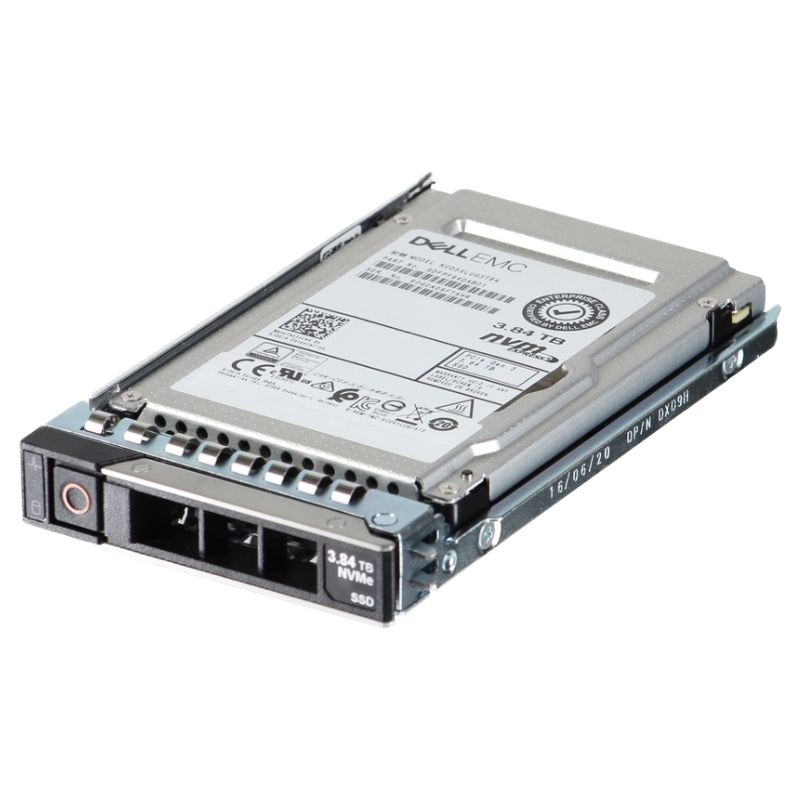
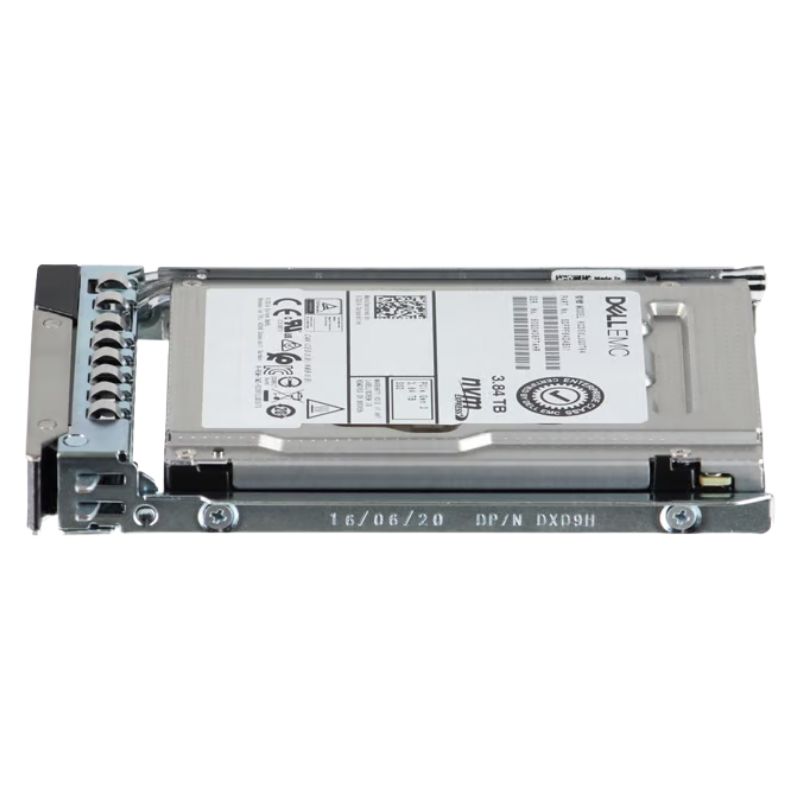
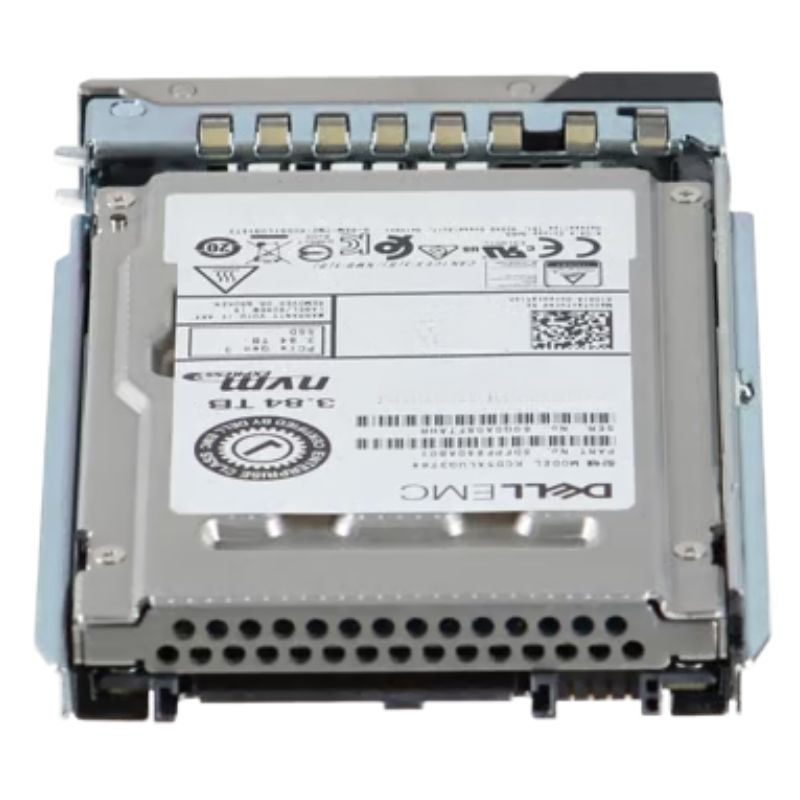
Dell 345-BJBH — 3.84 TB PCIe Gen4 NVMe U.2 Enterprise SSD (Read-Intensive)
The Dell 345-BJBH is a high-performance, enterprise-grade U.2 solid state drive engineered for modern PowerEdge servers. With a 3.84 TB capacity, PCIe 4.0 NVMe interface and 3D TLC NAND, this read-intensive (RI) SSD delivers low latency, consistent throughput, and the durability required for heavy-read workloads such as virtualization, database query acceleration, caching, and high-performance storage tiers.
Key Specifications and Technical Highlights
- Manufacturer: Dell
- Part Number / SKU: 345-BJBH
- Product Type: Solid State Drive (SSD)
- Sub-type: PCIe Gen4 NVMe
- Storage Capacity: 3.84 TB
- Interface: PCIe 4.0 x4, NVMe protocol
- Form Factor: U.2 (2.5-inch SFF)
- NAND: 3D TLC NAND Flash (TLC)
- Endurance: Read-Intensive class, 1 DWPD (drive writes per day)
- Target Use: Enterprise read-heavy applications, caching, boot and hot data tiers
Performance & Reliability Advantages
Built to exploit PCIe Gen4 bandwidth, the 345-BJBH brings measurable gains in random I/O and sequential throughput versus previous generation NVMe drives. The U.2 form factor provides a serviceable, hot-swap capable storage option ideal for dense server deployments. Combined with 3D TLC NAND and Dell's enterprise firmware tuning, this SSD balances cost, capacity, and endurance to serve read-dominated workloads economically without sacrificing reliability.
Compatibility — PowerEdge Servers
The Dell 345-BJBH is validated for many PowerEdge platforms. It integrates seamlessly with Dell server backplanes and storage controllers for plug-and-play deployment across these models:
- PowerEdge C6420, C6525, C6620
- PowerEdge R440, R640, R670, R770
- PowerEdge R6415, R6515, R6615, R7615
- PowerEdge R650, R650xs, R660, R660xs
- PowerEdge R6525, R6625, R7525, R7625
- PowerEdge R740xd, R7415, R7425, R750, R750xa
- PowerEdge R760, R760xa, R760xd2
- PowerEdge R840, R940, R940xa, R960
- PowerEdge T550, T560
- PowerEdge Xe8640, Xe9640, Xe9680
- PowerEdge Xr7620
Drive Maintenance, Monitoring & Lifecycle
Enterprise deployments require proactive lifecycle management. The 345-BJBH supports standard NVMe health reporting and SMART attributes so that management systems can aggregate drive telemetry, track wear, and plan replacements. For predictable operation, maintain spare inventory and use Dell's diagnostic utilities to interpret health codes and error logs.
Security & Data Protection
While the 345-BJBH focuses on read-intensive performance, enterprise drives typically support basic NVMe security features. For environments needing stronger data-at-rest protection, pair the drive with server- or controller-level encryption (SEDs) or OS-level encryption solutions to meet regulatory and compliance requirements.
Specification Snapshot (Quick Reference)
- Model: Dell 345-BJBH
- Capacity: 3.84 TB
- Interface: PCIe 4.0 NVMe
- Form Factor: U.2 (2.5" SFF)
- NAND: 3D TLC
- Endurance: Read-Intensive (1 DWPD)
- Intended Platforms: Dell PowerEdge server family (see compatibility list above)
Dell 345-BJBH — Overview of the 3.84 TB PCIe Gen4 NVMe U.2 SFF SSD
The Dell 345-BJBH is a high-capacity, enterprise-grade solid state drive engineered for modern data center workloads. Presented as a 3.84 TB NVMe device in a U.2 2.5-inch small form factor (SFF), it leverages PCIe Gen4 bandwidth and advanced TLC NAND to deliver very low latency, high IOPS, and consistent throughput for read-intensive applications. With an endurance rating of 1 DWPD (drive writes per day) and a focus on read-intensive (RI) workloads, this drive is optimized for database reads, virtual desktop infrastructure (VDI), web caching, and large-scale analytics when installed in Dell PowerEdge 14G, 15G, 16G and 17G servers.
Performance Characteristics and Real-World Benefits
Although exact benchmark numbers vary by test environment and firmware revisions, enterprise Gen4 NVMe drives in this class typically exhibit:
- High random read IOPS: Crucial for OLTP databases and metadata-heavy workloads.
- Solid sequential throughput: Important for bulk reads, large file delivery, and streaming analytics.
- Sustained performance under load: Enterprise firmware and over-provisioning reduce write amplification and preserve read performance even in mixed I/O patterns.
Read-Intensive Optimization
The 1 DWPD endurance and the TLC NAND profile mean the drive is tuned primarily for read-heavy scenarios. Organizations will benefit in workloads that have far more reads than writes — such as report generation, content delivery, and read-heavy virtualization — while preserving TCO by avoiding higher-cost, higher-endurance drive classes when they are not required.
Typical Application Examples
- Database read replicas: Use the drive to host read-only replicas serving analytics and reporting queries.
- VDI boot storms: High random read capabilities speed up VM boot times during high-concurrency events.
- Web and CDN caching: Reduce backend load by caching frequently accessed objects on low-latency NVMe storage.
- Data lakes and analytics: Use as a fast layer for frequently scanned datasets prior to longer-term object or cold storage.
Form Factor & Serviceability: U.2 2.5-inch SFF Benefits
The U.2 2.5" SFF profile offers a practical balance between density and serviceability:
- Hot-swap ready: Facilitates easy replacement in production racks with minimal downtime.
- Standardized bay usage: Works with existing tool-less drive carriers in Dell servers, easing upgrades.
- Airflow and thermal fit: The 2.5" SFF allows predictable chassis airflow when compared to M.2 drives that may have localized thermal hotspots.
Hot-Swap and Data Center Operations
Because the drive fits into hot-swap trays and U.2 carriers, field technicians can replace or add capacity without powering down hosts, an important characteristic for 24x7 production environments. Pairing with Dell iDRAC alerts and SNMP traps can allow proactive replacement based on SMART telemetry or Dell EMC integrative health checks.
Security, Data Integrity & Enterprise Management
Security Features
- SED support: Many enterprise SSDs can be purchased with Self-Encrypting Drive (SED) options — check product SKUs for FIPS or AES-256 support.
- Secure erase: Cryptographic erase and secure erase functions accelerate decommissioning while maintaining regulatory compliance.
- Power-loss protection: Enterprise controllers often include firmware strategies to protect metadata during sudden power events.
Data Integrity and SMART Monitoring
Enterprise NVMe drives report SMART telemetry and vendor-specific health metrics through NVMe Management Interface (NVMe-MI) and standard tools. Typical indicators include:
- Available spare percentage
- Media and controller temperature
- Total host writes and reads
- Unrecoverable read/write error counters
Monitoring these metrics via Dell OpenManage or third-party monitoring platforms enables predictive maintenance and reduces unplanned downtime.
Operational Best Practices and Deployment Guidance
Firmware & Lifecycle Management
- Always apply Dell-validated firmware for the 345-BJBH to ensure compatibility with PowerEdge platforms.
- Coordinate firmware updates with change windows and validate with a subset of hosts before broad rollout.
Thermal Management
High-performance NVMe drives can run hotter than SATA/SAS equivalents. To optimize thermal characteristics:
- Ensure server fans and air baffles are in place per Dell configuration guidelines.
- Avoid populating neighboring bays with components that can create hot spots without proper airflow allowances.
- Use chassis-level monitoring to correlate drive temperatures with fan speeds and ambient inlet temperatures.
Over-Provisioning and Endurance Planning
Even though a 1 DWPD rating indicates suitability for read-heavy applications, planning for endurance is crucial:
- Consider reserving ~7-20% additional over-provisioning at the array level to retain consistent performance under write amplification events.
- Monitor total bytes written (TBW) and DWPD to forecast replacement windows, especially in environments with bursts of write activity.
RAID, Software-Defined Storage and NVMe Considerations
When integrating NVMe devices with RAID or SDS:
- Prefer NVMe-aware software RAID/HBA layers or use host-managed solutions like NVMe-oF when scaling beyond single-host configurations.
- Traditional hardware RAID controllers designed for SAS/SATA may not take full advantage of NVMe parallelism — architect storage layers accordingly.
- For hyperconverged or distributed storage systems, use NVMe as a performance tier with capacity tiering to HDD or object storage for colder data.
Comparisons — Where the 345-BJBH Fits in the Storage Stack
Against SATA/SAS SSDs
- Latency: NVMe typically offers much lower latency than SATA/SAS SSDs due to more efficient protocols and direct PCIe connectivity.
- Throughput: PCIe Gen4 NVMe surpasses the bandwidth limitations of SATA/SAS interfaces.
- Use-case fit: Use NVMe for hot data and I/O-sensitive workloads; SATA/SAS remains cost-effective for colder or write-heavy (if endurance preferred) tiers.
Against Higher-Endurance NVMe (e.g., 3 DWPD or 10 DWPD)
- Higher-endurance models are better suited to write-heavy transactional environments such as intensive OLTP, logging, and mail servers.
- The 345-BJBH provides a balance: excellent read performance at a lower cost-per-GB than ultra-endurance parts, making it a cost-efficient pick for predominantly read workloads.
Use-Case Architectures and Deployment Recipes
High-Performance Read Replica Architecture
Deploy the 345-BJBH in read replica instances to serve analytics and reporting queries. Pair with adequate DRAM and CPU to eliminate compute bottlenecks, and use network segmentation to prioritize replica query traffic.
VDI Storage Tiering Strategy
- Boot/OS disk tier: Use 345-BJBH for boot disks to accelerate login and boot storms.
- User data: Place on a lower-cost capacity tier with occasional caching to NVMe for frequently accessed files.
- Profile management: Use FSLogix or similar profile management to minimize constant writes to NVMe drives and preserve endurance.
Web Cache & CDN Edge Node Pattern
For edge caching, a 3.84 TB NVMe drive stores a significant working set while serving low-latency reads. Combine with robust network interface cards and tuned kernel network stacks to fully exploit the drive’s throughput.
Deployment Checklist — Pre-Installation & Post-Installation
Pre-Installation
- Verify the server’s backplane supports U.2 NVMe and PCIe Gen4 lanes.
- Confirm firmware and BIOS/UEFI versions are at or above Dell’s recommended baseline.
- Plan drive firmware and management tool updates during maintenance windows.
- Review duty-cycle expectations and confirm 1 DWPD is sufficient for projected writes.
Post-Installation
- Register the device in Dell OpenManage or your monitoring system and baseline SMART/health telemetry.
- Run an initial health scan and a controlled I/O test to validate performance objectives.
- Document serial numbers and place the drive into the asset inventory for lifecycle tracking.
Maintenance, Troubleshooting & Support
Common Issues and Quick Remedies
- Drive not detected: Check U.2 cable/backplane seating, ensure BIOS NVMe support is enabled, and verify the server has the correct drive carrier installed.
- Thermal throttling: Confirm airflow, inspect fan speeds, and check ambient inlet temps. Consider relocating devices in the chassis to improve airflow.
- SMART warnings: Assess the specific telemetry counter, run vendor diagnostics, and involve Dell Support if predictive failure indicators are present.
Warranty and RMA Considerations
Dell enterprise SSDs are typically covered by manufacturer warranty terms that vary by region and SKU. When purchasing, verify the warranty duration and RMA process. Keep the following ready when contacting support:
- Drive serial number and model
- Server model and iDRAC logs
- Observed SMART telemetry and error logs
- Firmware revision and installation date
Migration Strategies and Data Mobility
Migrating data to NVMe requires planning to maintain availability and to maximize the performance benefits:
- Blue/green migrations: Stage new NVMe-backed hosts and shift traffic gradually to validate behavior under production load.
- Application-aware migration: For databases, use replica promotion strategies to cut over without downtime.
- Snapshot and replication: Use array-agnostic snapshots and replication tools to move data with consistency guarantees.
Automation Considerations
- Automate firmware checks and staged updates using vendor orchestration tools to ensure consistency across server fleets.
- Scripted inventory via iDRAC and CMDB integration keeps asset and lifecycle data synchronized.
- Leverage predictive alerts to schedule proactive replacements before failure impacts SLA-bound workloads.
Compliance, Data Protection and End-of-Life Processes
Data Sanitization
When decommissioning drives, follow regulatory and organizational data sanitization policies. Prefer cryptographic secure erase where supported, or validated wiping procedures that produce verifiable logs for auditability.
Regulatory Considerations
For regulated industries, verify the drive’s certified options (e.g., FIPS for encryption) and maintain records for chain-of-custody when disks are retired.
Common Frequently Asked Questions (FAQ)
Is the 345-BJBH suitable for write-heavy workloads?
Not ideally. The drive is classified as read-intensive with 1 DWPD endurance. For heavy write workloads (constant transactional writes, logging), evaluate higher DWPD NVMe models to extend device lifetime and reduce replacement frequency.
Can the drive be used as a boot device?
Yes, when the server BIOS/UEFI supports NVMe boot from U.2 devices and the drive firmware is compatible. Confirm with the Dell server firmware compatibility matrix and update BIOS if necessary.
How does U.2 compare to M.2 NVMe?
- Serviceability: U.2 is hot-swap capable and easier to service in servers.
- Thermals: U.2 drives benefit from chassis airflow and are less susceptible to throttling when properly installed.
- Density: M.2 can offer higher motherboard-level density but complicates serviceability and thermal management in racks.
Do I need a special RAID controller?
NVMe drives are often used without traditional RAID controllers; software RAID, NVMe-aware HBAs, or distributed storage layers are common. If a RAID-like redundancy is required, implement it at the software layer (MDADM, ZFS, Ceph) or use a storage appliance that supports NVMe devices.
Procurement Tips and SKU Selection
When ordering, verify the specific SKU for SED/encryption options, warranty length, and region-specific compatibility. Ask the vendor for Dell-validated kits that ensure the 345-BJBH is recognized by your chosen PowerEdge configuration and included in support contracts.





 Contact Us
 Information
 Catalog
 Solid State Drives (SSD)
 Network Switches
 Hard Disk Drives
 HBA & Controllers
 PC & Servers
 PC & Server Memory
 CPU & Processors
 Network Routers
 Power Supplies
 Tape Drives & Libraries
 Network Devices
 Computer & Network Cables