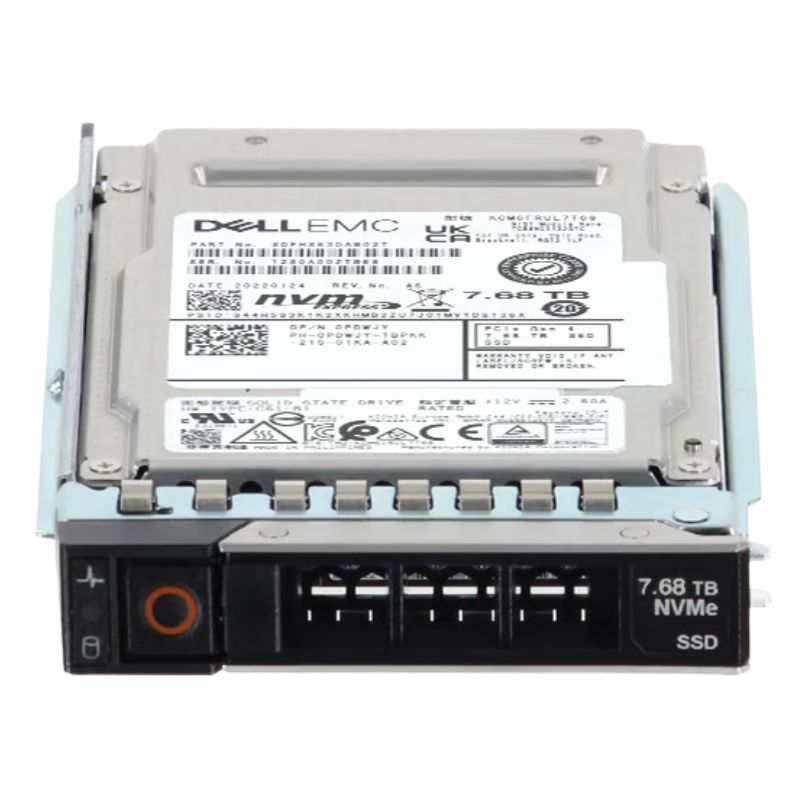
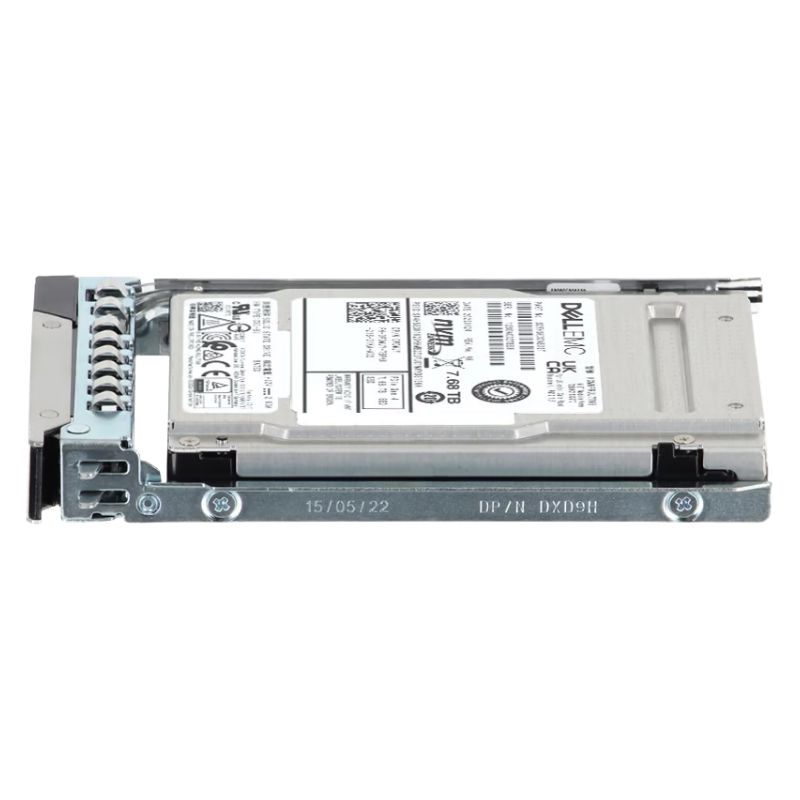
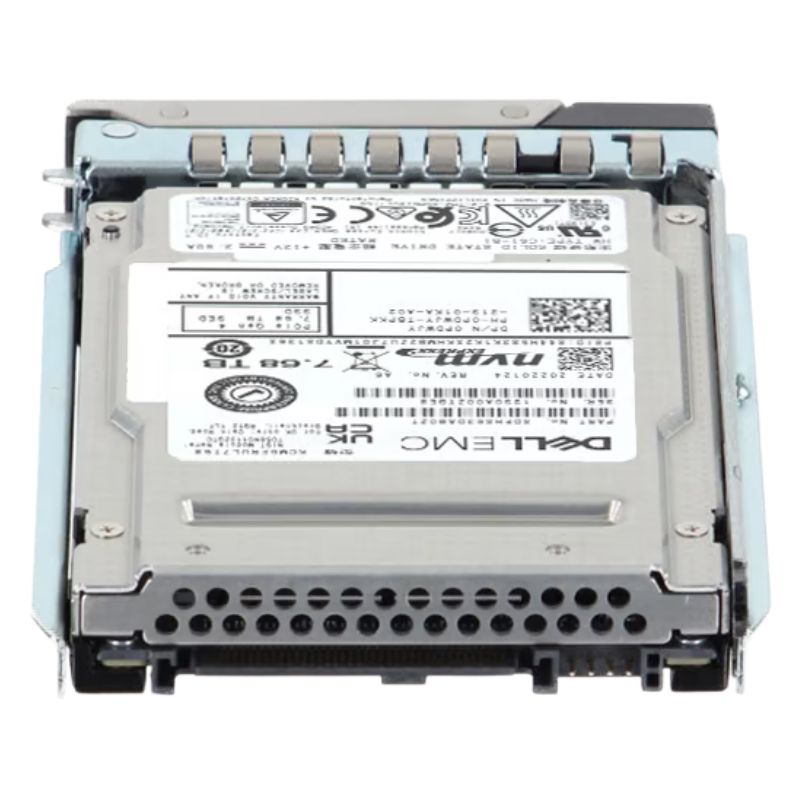
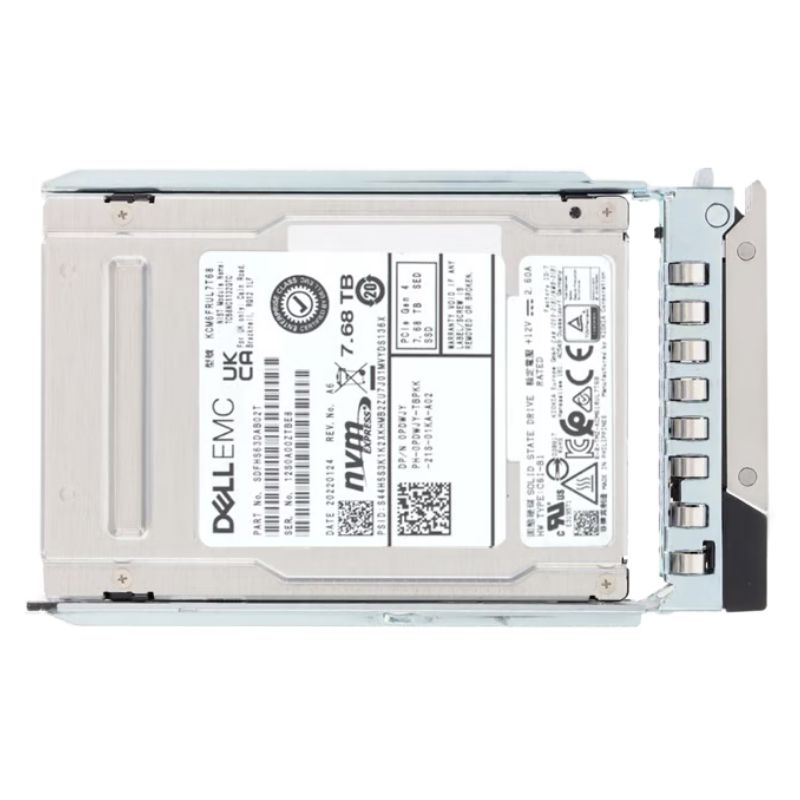
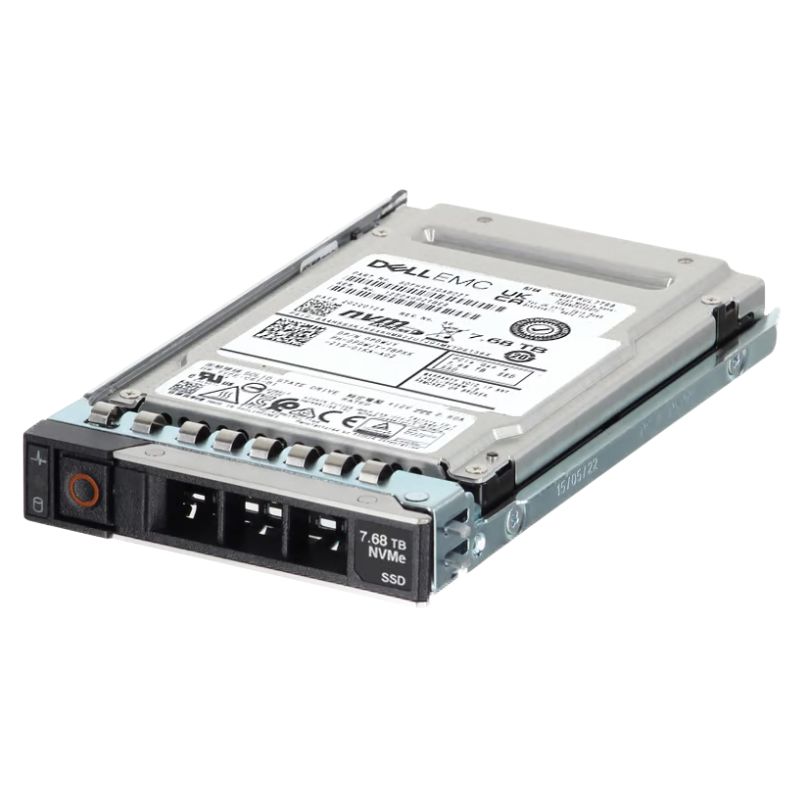
Dell 345-BJDM — 7.68TB PCIe Gen4 NVMe U.2 2.5" Read-Intensive SSD
Product snapshot and classification
The Dell 345-BJDM is a high-density internal solid-state drive engineered for read-intensive workloads. Built on PCI Express 4.0 x4 with NVMe protocol and packaged in a U.2 2.5-inch (15mm) form factor, this SSD delivers enterprise-class capacity and reliability while using read-optimized TLC NAND and a 1 DWPD endurance rating.
Key specifications at a glance
- Manufacturer: Dell
- Part / SKU: 345-BJDM
- Product type: Internal Solid State Drive (SSD)
- Interface: PCIe Gen4 x4 (NVMe)
- Form factor: U.2, 2.5 inch, 15 mm
- Capacity: 7.68 TB
- NAND type: TLC (read-intensive)
- Endurance: 1 DWPD (designed for read-heavy environments)
- Compatible bay: Single internal 2.5" bay
Performance and behavior
Optimized for read-dominant applications, the 345-BJDM leverages PCIe Gen4 bandwidth to reduce latency and increase throughput compared to Gen3 counterparts. While write endurance is tuned conservatively (1 DWPD), the drive excels at sustained sequential reads, high IOPS read bursts, and workloads where fast random reads matter most—making it ideal for large-scale analytics, media streaming, and content delivery systems.
Why choose a read-intensive TLC NVMe SSD?
- Cost-effective capacity: TLC NAND balances price and density, enabling multi-terabyte storage without enterprise TLC price premiums.
- Fast access: NVMe over PCIe Gen4 reduces command overhead and delivers lower access latency than SATA/SAS alternatives.
- Enterprise reliability: U.2 form factor and Dell’s testing/validation ensure server compatibility and hot-swap readiness in supported chassis.
Compatibility and validated platforms
This drive is factory-qualified for a broad range of Dell PowerEdge servers. Installing a validated U.2 NVMe SSD simplifies deployment and reduces compatibility troubleshooting in rack and dense-compute systems.
Supported Dell PowerEdge models
- PowerEdge C6420, C6525, C6620
- PowerEdge R440, R640, R660xs, R670, R740xd, R840, R940, R960
- PowerEdge R6415, R6515, R6525, R6615, R6625, R7615, R7625
- PowerEdge R7415, R7425, R7515, R7525
- PowerEdge R760, R760xa, R770
- PowerEdge R940xa, T560
- PowerEdge Xe9640, Xe9680, Xr7620
Product overview — enterprise-grade NVMe storage for Dell PowerEdge
The Dell 345-BJDM is a high-capacity, enterprise internal solid state drive built for modern data centers and production servers. With a 7.68 TB raw capacity in a U.2 2.5-inch form factor and a PCIe Gen 4.0 x4 NVMe interface, this drive is purpose-designed for read-intensive workloads and large-scale storage consolidation in Dell PowerEdge platforms. The 345-BJDM combines the low latency and high I/O density of NVMe with the space efficiency of 2.5" U.2 drives, making it a compact, hot-pluggable option for accelerating databases, caching tiers, virtual desktop infrastructure (VDI), and read-heavy analytics.
Key technical highlights
- Capacity: 7.68 TB enterprise-class SSD suitable for large datasets and tiered storage arrays.
- Interface: PCIe Gen 4.0 ×4 (NVMe) for high throughput and low latency.
- Form factor: U.2 (15mm) 2.5-inch, hot-plug capable in compatible Dell drive bays.
- NAND type: Read-intensive TLC (Triple-Level Cell) optimized for workloads dominated by reads and modest write demands.
- Endurance: 1 DWPD (Drive Writes Per Day) class endurance rating, targeted to read-heavy enterprise scenarios.
- Server compatibility: Built and validated for many Dell PowerEdge generations (14G, 15G, 16G, 17G) and PowerVault arrays (check platform firmware and adapter compatibility prior to deployment).
Performance characteristics and what to expect
Product listings for this model emphasize read-intensive optimization and a PCIe Gen4 x4 NVMe link. That architecture prioritizes read throughput and low latency rather than peak write endurance or maximum sustained write throughput associated with mixed-use or write-intensive drives. The drive's design trade-offs include:
- High random & sequential read performance: Excellent for heavy read patterns and caching roles.
- Moderate write performance and endurance: Specified at ~1 DWPD—adequate for read-heavy enterprise tasks but not intended as a primary target for heavy write-cache or write-intensive transactional logging without tiering strategies.
- Efficient power & thermal profile: 2.5" U.2 enterprise SSDs balance performance with thermal and power constraints of rack servers; still, NVMe drives can require careful airflow planning under sustained heavy I/O.
Storage architecture considerations
When deploying multiple NVMe drives per server, architects should think in terms of NVMe lanes, CPU affinity, and queuing. NVMe devices scale better with more CPU cores and proper NVMe driver support (Linux NVMe driver or Windows StorNVMe). Consider these design points:
- Distribute heavy I/O across multiple NVMe devices rather than overloading a single drive to avoid localized thermal throttling.
- Pay attention to platform NVMe/PCIe slot allocations (some servers share lanes between devices) to prevent bottlenecks.
- Prefer PCIe Gen4-capable hosts to unlock the full bandwidth potential of Gen4 U.2 SSDs; on Gen3 hosts the drive will operate compatibly but at Gen3 bandwidth limits.
Endurance, reliability & enterprise features
Endurance ratings such as 1 DWPD provide a predictable, workload-aligned model: a drive rated at 1 DWPD and 7.68 TB capacity can tolerate daily writes equivalent to its full capacity for the warranty term without exceeding manufacturer-specified limits. For many read-heavy implementations this is more than sufficient, but for write-intensive databases or logging systems, choose higher-DWPD mixed-use drives or adopt RAID/tiering strategies to protect the fleet.
Data protection & enterprise management capabilities
Dell-branded enterprise SSDs often include features that help with data center manageability:
- SMART telemetry: Drive health attributes (temperature, wear, spare capacity) that integrate with server management frameworks (iDRAC / OpenManage) for proactive monitoring.
- Power-Loss Protection: Devices may include capacitive-backed write caches or firmware techniques to minimize data loss on sudden power failures—evaluate the vendor spec to confirm PLP behavior for your model.
- Secure erase & encryption: Some enterprise SSDs support secure erase and hardware-based encryption (T10 or vendor-specific)—verify if encryption is natively supported or if it’s handled at the system level.
Firmware & maintenance
Firmware updates can improve performance, fix bugs, and improve compatibility with server platforms. When deploying the 345-BJDM:
- Source firmware revisions from Dell or an authorized distributor to avoid mismatches.
- Plan firmware updates during maintenance windows; firmware upgrades may require device downtime or operating system support for in-line upgrades.
- Use Dell OpenManage or the vendor's management tools to monitor SMART and firmware status across a fleet for centralized maintenance.
Thermal management & physical considerations
U.2 NVMe drives in dense server trays generate heat during extended operations, particularly under sustained reads or writes. Although read-intensive drives typically run cooler than write-heavy counterparts, you should still account for:
- Chassis airflow: Maintain recommended front-to-back airflow and install only the approved number of drives per server if the vendor specifies thermal limits.
- Drive sleds: Use authentic Dell drive sleds which are tuned for correct spacing and heat dissipation.
- Monitoring: Leverage server thermal sensors and drive SMART temperature attributes to detect hotspots before throttling or failures occur.
Deploying NVMe in RAID and software-defined storage
NVMe drives present two common deployment patterns: Raw NVMe devices used directly by applications or hypervisors, and NVMe used behind RAID or NVMe-oF (NVMe over Fabrics) solutions. Consider:
- Hardware RAID vs. Software RAID: Not all hardware RAID controllers support NVMe drives in the same way; some systems operate NVMe in passthrough mode or use NVMe-aware RAID frameworks. Check your PERC or HBA documentation for NVMe support and recommended configurations.
- Software-defined storage: NVMe devices are often preferred in software-defined stacks (Ceph, vSAN, NVMe-oF) that can exploit parallelism and low latency across many devices.
- Tiering strategies: Use the 345-BJDM as a read tier or cache in front of bulk SAS/SATA capacity tiers to achieve a balance of performance and cost.
Operational best practices
To maximize lifespan and reliability:
- Monitor SMART and firmware alerts through Dell OpenManage or equivalent monitoring solutions.
- Maintain firmware at vendor-recommended levels after testing in a staging environment.
- Implement lifecycle replacement policies based on SMART wear indicators and DWPD planning rather than calendar-only replacement.
- Design for redundancy—use RAID or distributed storage with replication so that single-drive failures do not interrupt services.
Procurement & spare planning
When stocking spares, keep a small pool of identical part-number drives per datacenter region. Having matching firmware and vendor part numbers simplifies replacements and reduces troubleshooting time. For inventory considerations, note that some vendors label the same physical module under multiple OEM part numbers; ensure you request Dell-labeled units if you rely on vendor-specific firmware/support.





 Contact Us
 Information
 Catalog
 Solid State Drives (SSD)
 Network Switches
 Hard Disk Drives
 HBA & Controllers
 PC & Servers
 PC & Server Memory
 CPU & Processors
 Network Routers
 Power Supplies
 Tape Drives & Libraries
 Network Devices
 Computer & Network Cables