Product Overview
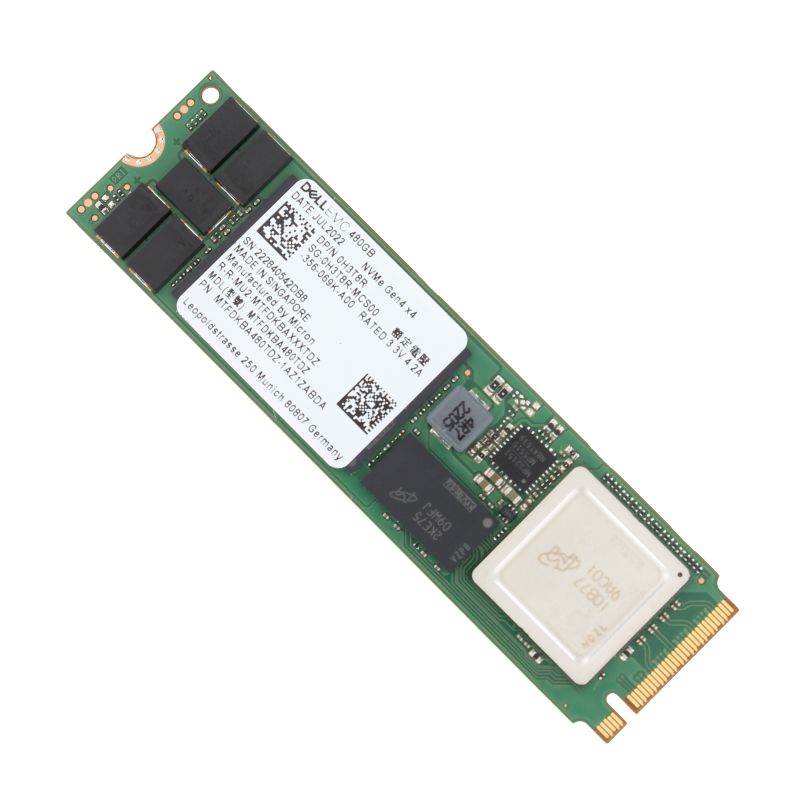
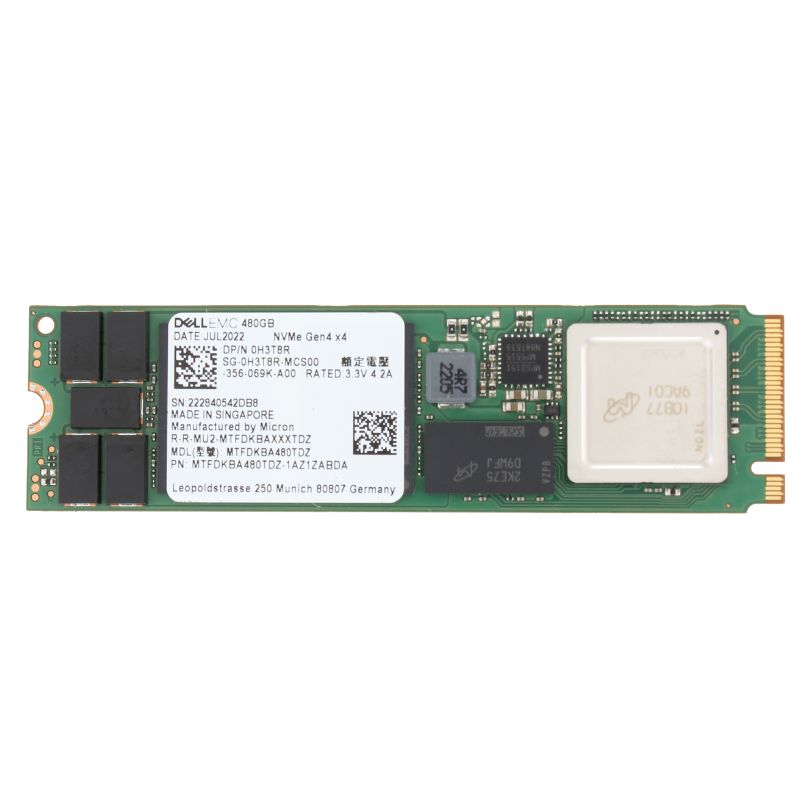
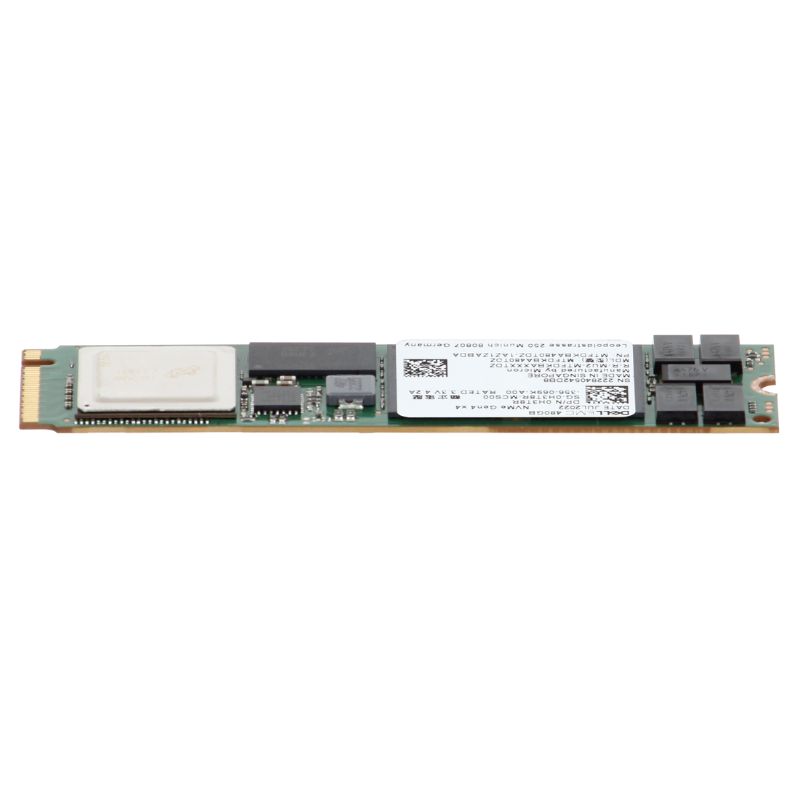
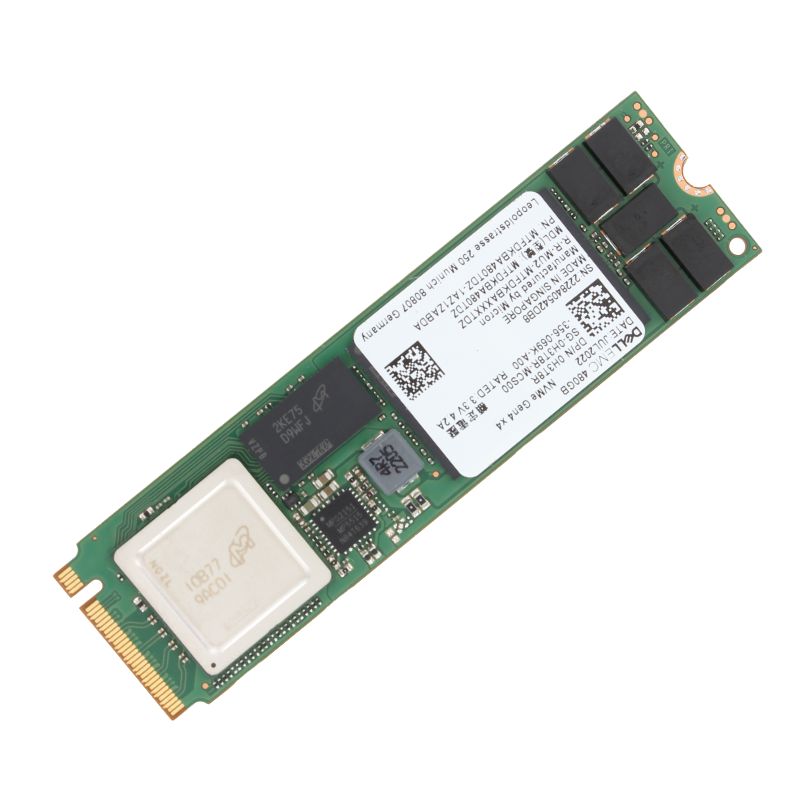
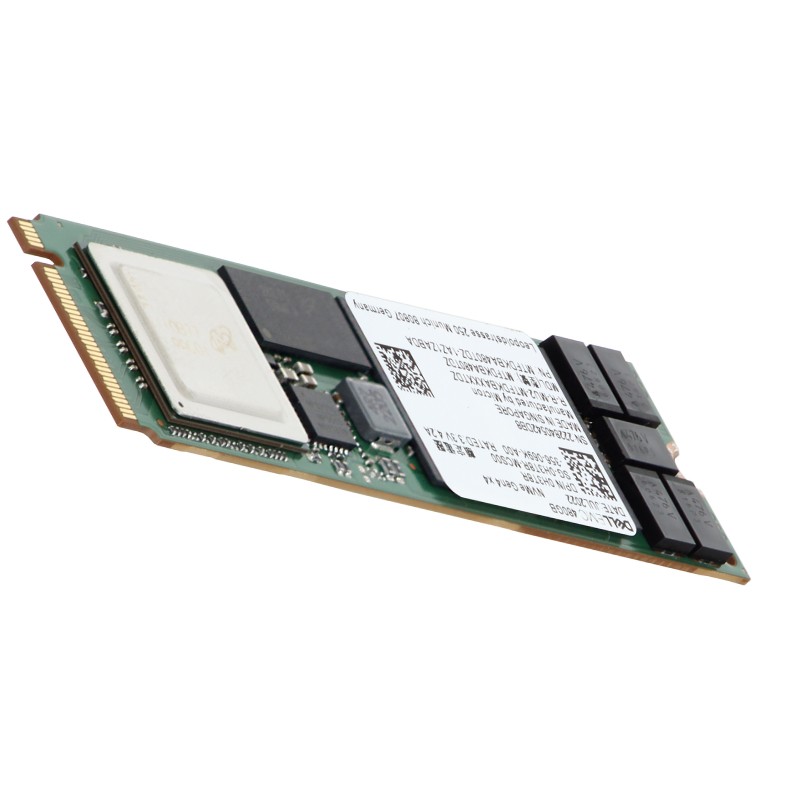
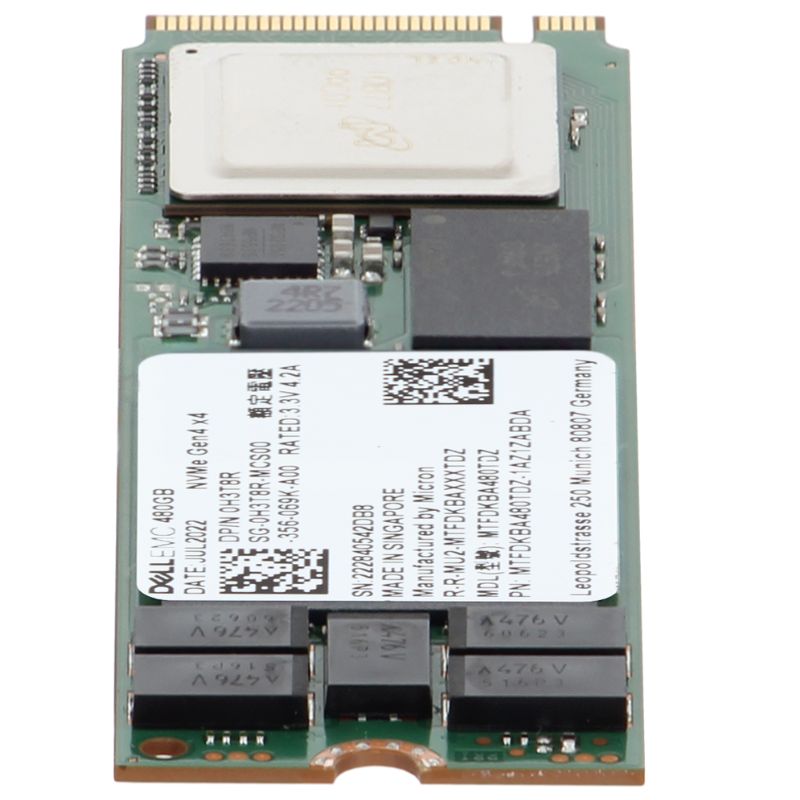
The DELL 345-BJSF 480GB M.2 (2280) PCIe 4.0 x4 NVMe SSD is a high-performance, enterprise-grade solid state drive engineered for DELL PowerEdge 14G, 15G, 16G, and 17G servers. Designed with read-intensive endurance, it ensures reliable storage for mission-critical workloads while maintaining exceptional efficiency. Built with advanced 176-layer 3D TLC NAND technology, this drive delivers superior data access speed, optimized latency, and dependable enterprise-class durability.
General Information
- Brand: DELL
- Part Number: 345-BJSF
- Category: Internal NVMe Enterprise Solid State Drive
- Intended Use: Data center and server-grade workloads
Technical Specifications
This SSD is purpose-built to handle enterprise storage requirements while maintaining stability and scalability across a variety of server generations. Below are the technical highlights:
- Drive Type: Internal Solid State Drive
- Endurance Classification: Read-intensive
- Storage Capacity: 480GB
- Memory Architecture: 176-layer 3D TLC NAND
- Form Factor: M.2 (2280)
- Bus Interface: PCIe 4.0 x4 (NVMe protocol)
Performance Characteristics
The DELL 480GB M.2 PCIe 4.0 x4 NVMe SSD is optimized for speed and endurance in enterprise computing environments, ensuring low latency and high throughput under demanding workloads.
- Drive Writes Per Day (DWPD): 1
- Total Bytes Written (TBW): 800 TB
- Sequential Read Speed: Up to 5000 MB/s
- Sequential Write Speed: Up to 700 MB/s
- Random Read IOPS: 280,000
- Random Write IOPS: 40,000
- 70/30 Random Read/Write IOPS: 50,000
- Latency: 80 µs (Read), 30 µs (Write)
Expansion and Connectivity
With advanced PCIe 4.0 x4 NVMe support, this SSD ensures seamless integration and scalability in DELL server infrastructure. Its M.2 (2280) form factor makes it suitable for a wide variety of enterprise server configurations.
- Interface: PCIe 4.0 x4 NVMe
- Bay Compatibility: M.2 (2280)
Key Advantages
- Engineered for enterprise workloads with read-intensive applications
- Enhanced reliability through advanced 176-layer 3D TLC NAND flash
- Superior sequential read throughput up to 5000 MB/s
- Low latency ensuring fast responsiveness in real-time operations
- Fully compatible with PowerEdge 14G, 15G, 16G, and 17G servers
- Backed by DELL’s enterprise-class quality assurance and validation
Use Case Scenarios
The DELL 345-BJSF 480GB M.2 PCIe 4.0 NVMe SSD is ideal for organizations that demand speed, reliability, and scalability. Perfect for:
- Database query acceleration
- Virtualization and cloud workloads
- Data analytics applications
- Content delivery networks
- Enterprise-level file storage
- High-transaction environments
DELL 345-BJSF 480GB M.2 (2280) PCIe 4.0 x4 NVMe — Enterprise Read-Intensive SSD Category
Discover the DELL 345-BJSF 480GB M.2 (2280) PCIe 4.0 x4 NVMe solid state drive — a purpose-built, enterprise-class storage solution engineered for read-intensive workloads in modern Dell PowerEdge 14G, 15G, 16G and 17G servers. This category highlights high-performance M.2 NVMe drives that deliver fast random reads, low latency, and enterprise reliability while keeping total cost of ownership (TCO) optimized for large-scale deployments, virtualization, caching, and read-heavy database applications.
Key characteristics of this category
- Form factor: M.2 2280 — compact, hot-pluggable via compatible server adapters in PowerEdge platforms.
- Interface: PCIe 4.0 x4 with NVMe protocol — enables substantially higher throughput and lower command latency than SATA or older PCIe revisions.
- Capacity: 480GB — balanced capacity for OS, cache, and read-optimized application data.
- Flash type: Read-intensive TLC (Triple-Level Cell) — optimized for high read cycles with controlled write endurance tailored to read-dominant use cases.
- Enterprise class: Firmware, power-loss protection features, and consistent performance profiles built for data-center reliability and predictable service-level objectives (SLOs).
Performance profile and technical advantages
Drives in this subcategory are tuned to deliver exceptional read performance while maintaining good write endurance for administrative and burst write operations. Leveraging PCIe 4.0 x4 lanes and the NVMe command set, these SSDs provide a high queue depth handling capability and low I/O wait times — crucial for latency-sensitive services such as DNS, web serving, content delivery, and read-cached database queries.
Throughput and IOPS
Typical characteristics you can expect from high-quality M.2 PCIe 4.0 x4 NVMe read-intensive SSDs include:
- High sequential read throughput (often in the multiple GB/s range, dependent on controller and server configuration).
- Strong random read IOPS at low latency — beneficial for applications performing many small I/O operations per second.
- Predictable performance under mixed workloads because firmware prioritizes steady-state read latency.
Endurance and reliability
Read-intensive TLC offers an optimized balance: higher capacity per die compared to SLC/MLC and improved endurance metrics compared to consumer-grade TLC. In enterprise deployments, manufacturers apply robust firmware, error correction, and overprovisioning strategies to ensure data integrity. Expect features such as:
- Power-loss protection or write-back cache protection to reduce risk of data corruption in sudden outages.
- Advanced ECC (error-correcting codes) and wear-leveling algorithms for consistent lifetime behaviour.
- SMART telemetry and health reporting compatible with server management utilities, enabling pro-active maintenance.
Compatibility with Dell PowerEdge 14G, 15G, 16G and 17G Servers
This category is curated specifically for administrators running Dell PowerEdge 14G through 17G platforms. These generations commonly support NVMe storage either natively on the motherboard or via server-specific adapters and risers. Important compatibility considerations include:
- Confirming BIOS/UEFI version: updated firmware may be required to recognize PCIe 4.0 devices and NVMe boot volumes.
- Checking adapter/riser slots: some PowerEdge configurations use onboard M.2 sockets, others require a PCIe-to-M.2 carrier or specialized Dell drive sleds.
- Verifying thermal and airflow requirements: M.2 NVMe drives can run warmer under sustained load; ensure the server chassis airflow supports M.2 installation locations.
Recommended deployment modes in PowerEdge servers
- OS / Boot drive: Use a 480GB M.2 NVMe for compact, fast boot volumes in hypervisor or physical server roles.
- Cache layer: Ideal as a read cache tier in a tiered storage architecture, accelerating reads for frequently accessed objects.
- Hot data store: High-performance read-optimized services (e.g., content delivery nodes, analytics indexes).
Use cases and workload suitability
Understanding where a read-intensive 480GB PCIe 4.0 x4 NVMe drive shines will help you design efficient storage tiers. Typical workload scenarios include:
Virtualization and hyperconverged infrastructure
In virtualized environments, read-heavy virtual desktops (VDI boot storms), template deployments, and frequently accessed VM images benefit greatly from low-latency NVMe boot or cache devices. Using these M.2 NVMe drives as local cache or metadata stores reduces read amplification on shared backend arrays.
Database acceleration
Databases with read-dominant patterns (analytics read replicas, reporting nodes, or read-only indexes) gain significant performance improvements by placing hot datasets on NVMe media. Faster random reads translate directly to reduced query response times.
Content delivery and web services
Content servers, static website hosts, and API gateways that serve many small files or objects find NVMe read latency reduction particularly valuable. The 480GB capacity offers an efficient balance between cache size and cost.
Detailed specification best-practices
When selecting an M.2 NVMe drive for enterprise deployment, evaluate the following technical specification areas to match your operational goals:
- Sequential & random read/write numbers: Compare published MB/s and IOPS numbers across realistic queue depths and block sizes.
- Endurance rating (TBW / DWPD): While read-intensive drives target lower DWPD than mixed-use drives, ensure TBW meets your expected write volume over the planned life cycle.
- Latency SLA: Prefer drives with documented steady-state latency behaviour under load to avoid unpredictable spikes.
- Power consumption: Lower idle and active power improves data center power efficiency; consider power profiles if your server deployment is density-constrained.
- Supported command sets and NVMe features: NVMe namespaces, namespaces management, TRIM, and NVMe power states can be relevant for long-term performance and maintenance.
Integration with server management and monitoring
Enterprise SSDs in this category usually provide SMART attributes and vendor-specific telemetry that integrates with server management tools (like Dell OpenManage). Use these utilities to:
- Monitor drive health and predicted remaining life.
- Alert on temperature or error thresholds.
- Collect performance baselines to detect regressions after firmware updates or workload changes.
Configuration tips
- When used as OS/boot media, enable NVMe boot in UEFI and configure secure boot/UEFI drivers as appropriate.
- For caching layers, tune cache block sizes and retention policies to match application access patterns; smaller blocks favor many small random reads.
- Set overprovisioning via firmware tools when available to increase endurance and performance stability.
Maintenance & firmware updates
Keep a documented process for firmware updates and health checks:
- Test firmware updates in a staging environment before mass roll-out.
- Schedule periodic SMART data collection and log archival for forensic and capacity-planning purposes.
- Have spare units available for quick replacement to maintain uptime SLAs.
Buying considerations and procurement checklist
When procuring drives in this category, ensure purchasing decisions align with both performance goals and long-term maintenance strategy. A practical procurement checklist includes:
- Validate part numbers and Dell compatibility statements for the 14G–17G PowerEdge generations.
- Confirm warranty terms, RMA procedures, and vendor support SLAs.
- Assess firmware support lifecycle and availability of signed firmware images for secure environments.
- Request published performance numbers at relevant queue depths and realistic block sizes rather than relying only on peak figures.
- Consider bulk purchase discounts, spares provisioning, and consolidation opportunities to reduce logistics complexity.
Security, data integrity and compliance
Enterprise SSDs are more than raw speed; they must satisfy security and data integrity needs. Typical features and practices to look for include:
- SED (Self-Encrypting Drive) options: Hardware-based encryption for data-at-rest protection and quick crypto-erase lifecycle operations.
- Secure firmware signing: Ensures only vendor-authorized firmware executes on the drive.
- Audit-ready SMART logs: Support for logging and export of telemetry for compliance audits and forensic investigations.
Optimization strategies for maximum ROI
To extract the highest return from a fleet of 480GB M.2 NVMe read-intensive drives, apply these optimization techniques:
- Tiering: Use NVMe for hot reads, maintain colder archives on HDD or lower-cost SSD tiers.
- Compression and deduplication: When appropriate, use storage stack features to reduce effective footprint and increase usable capacity.
- Workload shaping: Schedule heavy background writes and GC tasks during off-peak windows to avoid impacting read latency.
- Monitoring: Implement continuous health and performance dashboards to proactively replace drives nearing endurance thresholds.
Real-world deployment examples
Organizations deploy 480GB M.2 PCIe 4.0 x4 NVMe drives in several high-value roles:
- Edge caching servers: Reduce origin fetch latency by caching popular objects on NVMe for rapid reads.
- Read-replica databases: Host read replicas for analytics and reporting workloads to offload primary clusters.
- Bootstrap/boot volumes for stateless compute: Use fast local NVMe to reduce VM boot times and speed up autoscaling operations.
Technical checklist before deployment
Use the following checklist to verify readiness and avoid common pitfalls:
- Confirm server BIOS/UEFI version supports NVMe and PCIe 4.0 where applicable.
- Validate that the M.2 socket or adapter supports 2280 form factor and PCIe x4 signaling.
- Test a representative workload in staging to gather latency and throughput baselines before production rollout.
- Ensure monitoring and alerting for SMART attributes, temperature, and TBW thresholds.
- Document firmware versions and maintain an update schedule with rollback plans.
Warranty, support and lifecycle considerations
Enterprise drives typically come with multi-year warranties and vendor support options. When buying, evaluate the following:
- Length of warranty and coverage (e.g., 3 years with proactive replacement).
- Availability of on-site or depot RMA services depending on business continuity needs.
- Firmware support lifecycle — confirm manufacturer provides security and performance updates throughout the drive’s useful life.
Suggested page assets and on-page elements
Enhance the category page with these elements to drive conversions and assist technical buyers:
- Downloadable PDF: compatibility matrix for PowerEdge generations and adapter part numbers.
- Specification table: published MB/s, IOPS, TBW/DWPD, power draw, temperature range, MTBF.
- How-to video: physical installation in a PowerEdge chassis and BIOS configuration for NVMe boot.
- Related products: compatible heat spreaders, M.2-to-PCIe adapter cards, and Dell-certified drive sleds.
- Customer reviews and benchmark snapshots: real-world read latency and throughput metrics under typical workloads.
Callouts for procurement managers and system architects
Procurement and architecture teams should treat these SSDs as part of an overall storage strategy. Typical guidance includes:
- Balance capacity vs. performance — 480GB fits many boot/caching roles but may be insufficient for very large hot datasets; consider larger NVMe capacities or combined tiers if needed.
- Consolidate drive firmware management across the fleet to simplify updates and audits.
- Budget for spares proportional to failure-rate expectations and SLAs; maintain at least one spare per X servers depending on criticality.





 Contact Us
 Information
 Catalog
 Solid State Drives (SSD)
 Network Switches
 Hard Disk Drives
 HBA & Controllers
 PC & Servers
 PC & Server Memory
 CPU & Processors
 Network Routers
 Power Supplies
 Tape Drives & Libraries
 Network Devices
 Computer & Network Cables