(7% discount is applied at checkout)
Cart is empty
Your go-to destination for cutting-edge server products
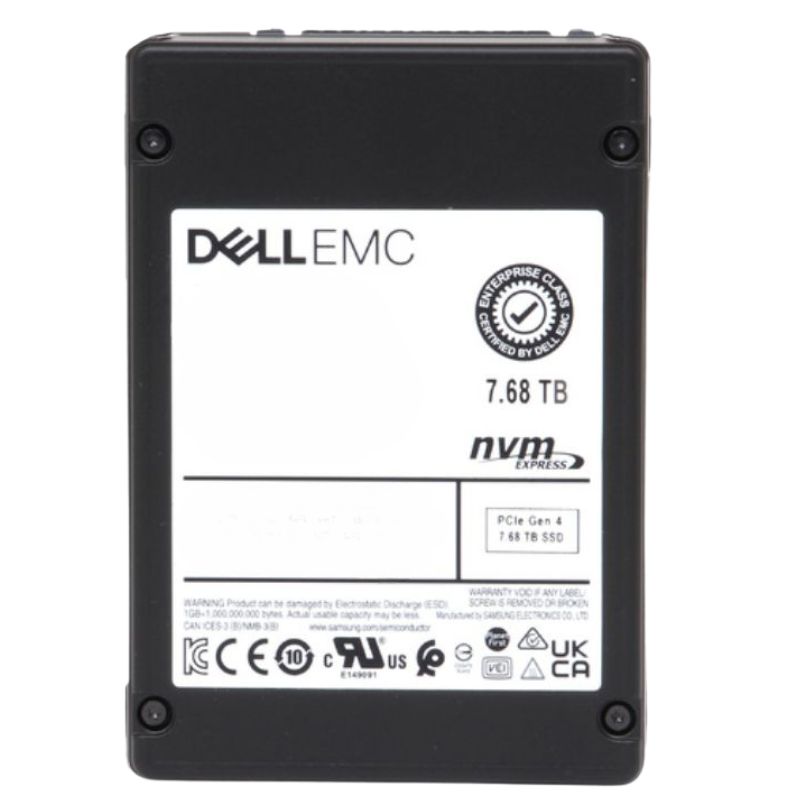


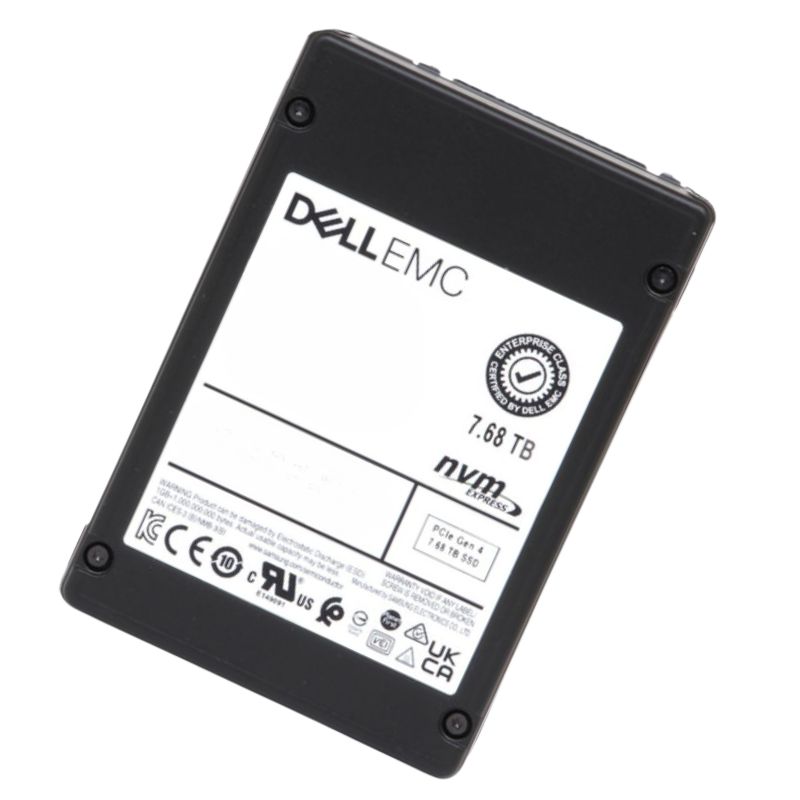
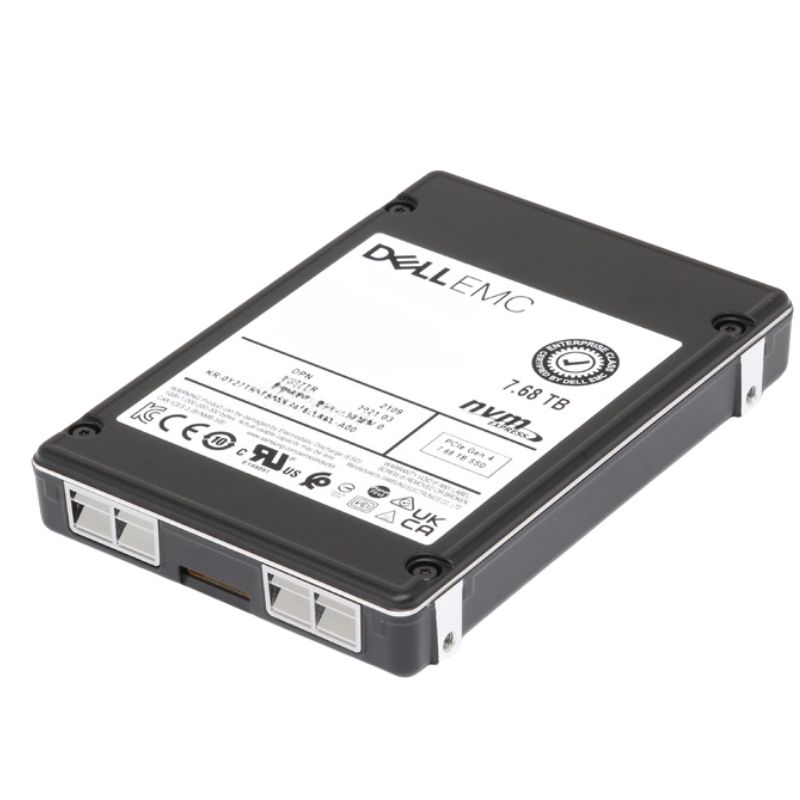
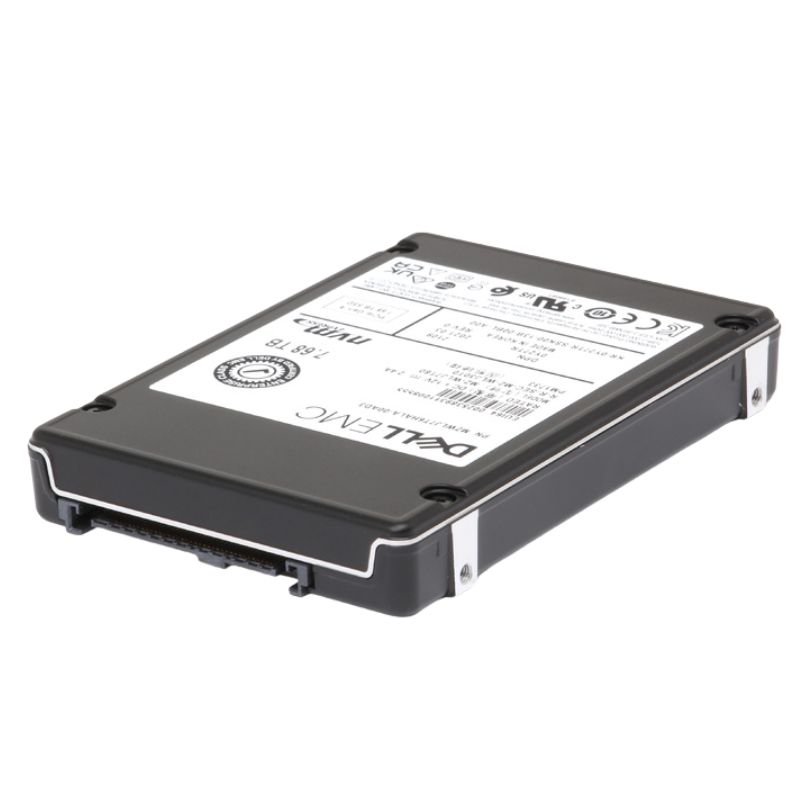
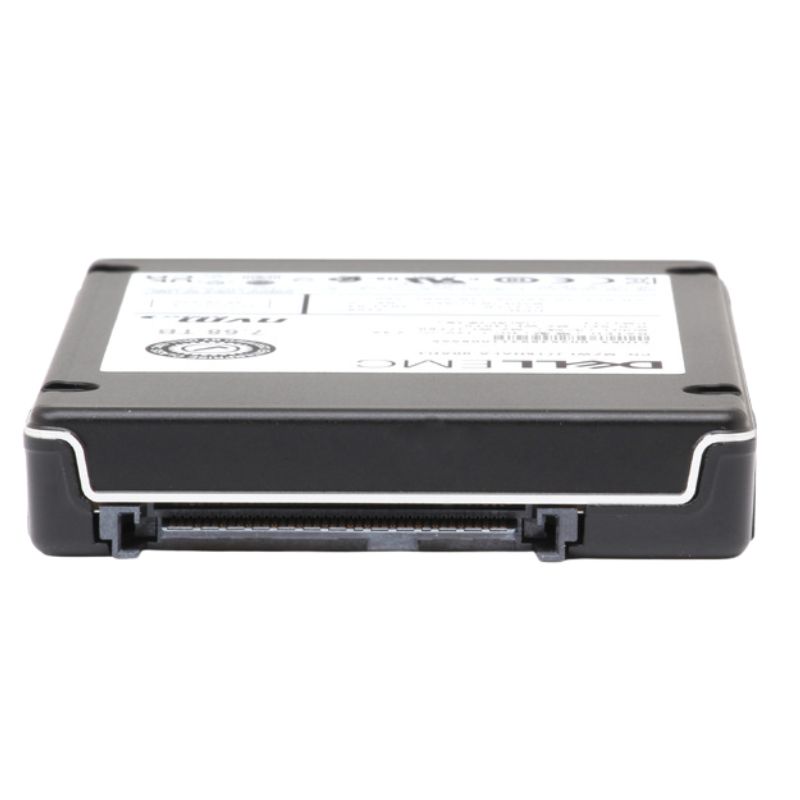
Dell 345-BKVP 7.68TB PCI-E Gen 4.0 X4 NVMe U.2 SFF 2.5 Inch Read-intensive TLC 1dwpd Enterprise Internal Solid State Drive. New Sealed in Box (NIB) with 1 year Warranty
Engineered for enterprise-grade reliability, this internal solid-state drive delivers remarkable storage capabilities. It is meticulously designed to integrate with modern server infrastructures, providing a robust solution for data-intensive applications.
Gain a deeper understanding of the drive's core architecture and the advanced technology that powers its operation.
This SSD is validated and certified to operate flawlessly within a extensive array of Dell PowerEdge server generations, ensuring peak performance and reliability.
Leverage this drive's read-intensive design to accelerate a multitude of enterprise operations and data services.
For procurement and verification purposes, the manufacturer part number for this component is 345-BKVP.
The Dell 345-BKVP 7.68TB PCI-E Gen 4.0 X4 NVMe U.2 SFF 2.5 Inch Read-intensive TLC 1 DWPD Enterprise Internal Solid State Drive represents a high-capacity, low-latency storage class engineered for scale-out data center workloads that demand fast random reads, sustained sequential throughput, and predictable QoS. Designed in the U.2 small form factor (SFF) for hot-plug server bays and storage enclosures, this drive pairs the bandwidth advantages of PCIe Gen4 NVMe with enterprise-grade NAND and controller features tuned for read-dominant applications, delivering an optimized combination of capacity, endurance, and manageability for modern infrastructure.
The 345-BKVP is purpose-built for environments where read performance and capacity per U.2 bay are more important than heavy write endurance. Typical deployments include:
Measured performance for the Dell 345-BKVP centers on read-centric metrics. Typical real-world expectations include high random read IOPS at low microsecond latencies, strong sequential read throughput, and acceptable write throughput for bursts and background housekeeping. The PCIe Gen4 x4 NVMe interface increases aggregate bandwidth available to the controller and reduces queue depth bottlenecks in multi-threaded server workloads.
Random read IOPS are the primary strength: the drive is tuned to maintain sub-millisecond latencies under sustained read loads, making it well suited for latency-sensitive services such as search, metadata access, and read caches. Write IOPS will be lower due to TLC characteristics and the 1 DWPD endurance target, so plan write-heavy tenants accordingly or deploy mixed-use tiers for write bursts.
Sequential reads leverage Gen4 lane speeds to push high MB/s throughput for large-file access patterns, backups, and object streaming where sustained bandwidth matters more than random IOPS.
The Dell 345-BKVP's endurance rating of 1 DWPD indicates the drive is designed primarily for read-dominant environments but still supports enterprise reliability measures:
TLC NAND provides better cost per TB than higher endurance SLC/MLC options but comes with lower program/erase cycles. The 1 DWPD rating reflects that tradeoff: this class is optimized where reads dominate and writes are comparatively light or distributed. For write-intensive database logging, high-frequency snapshots, or data-center tasks that perform frequent full-drive rewrites, consider higher DWPD drives in the same family or use tiering to shift writes away from the read-optimized pool.
As an NVMe U.2 drive, the 345-BKVP installs into standard 2.5" U.2 drive bays used by servers, storage drawers, and some blade chassis. It supports hot swap in systems that expose U.2 backplanes and is compatible with NVMe-aware RAID and software stacks that handle block devices over NVMe namespaces.
Enterprise SSDs benefit from firmware tuned for datacenter patterns. Keep firmware current to obtain stability and performance improvements; however, when updating firmware in large fleets, use staged rollouts with rollback plans because firmware changes can affect host-side behavior and monitoring. Use vendor tools for bulk firmware management and to read drive telemetry for fleet health metrics.
Modern Linux kernels, Windows Server, and hypervisors (VMware ESXi, Microsoft Hyper-V) include NVMe drivers and namespace support. For best results:
Proactive maintenance helps extract maximum lifetime and predictable performance from the Dell 345-BKVP drives. Incorporate the drive into the broader observability stack and follow best practices for fleet management.
Because the drive is read-optimized, plan for predictable replacement windows based on telemetry rather than reactive replacements after failures. For capacity growth, consider:
NVMe U.2 SSDs can run hot under sustained high throughput. The Dell 345-BKVP includes thermal management features, but chassis design and airflow remain critical.
Gen4 SSDs may consume more power than Gen3 peers at peak throughput. For rack-level power planning, account for sustained and peak power draws per bay; where power efficiency is a priority, consider balancing Gen4 drives with efficiency-tuned models or use power budgeting in server firmware.
Data protection at rest and in transit is important in enterprise environments. The drive supports common enterprise features to help meet compliance and security policies.
Leverage drive telemetry, audit logs, and host OS logging to maintain evidentiary trails for compliance programs. For regulated industries, pair hardware encryption with key management solutions to meet audit requirements.
The Dell 345-BKVP positions itself as a cost-effective option for read-heavy tiers of storage. When evaluating total cost of ownership (TCO), consider both acquisition price and operational costs.
TLC NAND and the 1 DWPD endurance rating lower the upfront price per terabyte compared to higher-endurance enterprise drives. For large capacity deployments focused on reads, this improves CAPEX efficiency.
Understanding where the 345-BKVP fits in a multi-tier storage architecture helps maximize value. Use it alongside higher-endurance SSDs and HDDs to build cost-and-performance balanced systems.
Choose the 345-BKVP when:
Consider alternative SKUs if:
Successful use of the Dell 345-BKVP in production comes down to matching the right workload, designing proper monitoring, and applying configuration best practices.
In virtualized stacks, use this drive as a shared datastore for predominantly read VMs, or as a caching layer for slow capacity tiers. In container platforms, designate read-intensive volumes and caches on the NVMe tier, while write-heavy persistent volumes map to higher DWPD storage.
Raw NAND capacity differs from usable formatted capacity; filesystem overhead, RAID metadata, and vendor reserved blocks reduce the user-visible capacity. Confirm formatted capacity with the vendor and account for any provisioning reserved for spare blocks.
Yes, but be cautious mixing NVMe generations or capacities in the same RAID set or performance tier. Mixing Gen3 and Gen4 will typically cause Gen4 drives to negotiate down to Gen3 speeds if the host or backplane does not support Gen4 per bay. When mixing capacities, be aware of RAID or pooling behavior that may mirror or stripe across unequal disks and alter usable space.
Enterprise drives implement power-loss protection strategies—either through onboard capacitors to flush volatile caches or through firmware atomic commit techniques. Verify the specific protection features of your purchased SKU in the vendor data sheet and test in controlled environments if your application cannot tolerate metadata corruption.
Deploying clusters of Dell 345-BKVP drives as boot pools for large VDI farms reduces login storms and improves user experience during peak startup times. Because boot images are read-dominant after initial provisioning, the read-optimized drive class lowers infrastructure cost relative to higher-endurance SSDs while still delivering sub-millisecond reads for thousands of simultaneous sessions.
In a search index architecture, keep the active index shards on the 345-BKVP tier to maximize query throughput and minimize latency, while pushing aged or rarely searched shards to cheaper HDD or cloud cold storage.
Where possible, test representative workloads in a staging environment to quantify the Dell 345-BKVP's performance and endurance under your specific access patterns. Use results to tune caching, queue depths, and overprovisioning. When designing scale-out architectures, model both steady-state behavior and transient peaks (backups, analytics windows) to choose appropriate complementary tiers for writes and cold data.
Leverage Dell support options and reference architectures when deploying large fleets. Enterprise support contracts can mitigate replacement downtime and provide firmware management assistance. When buying at scale, ask about long-term supply and consistent BOM/firmware to avoid heterogeneous fleets that complicate operations.
The Dell 345-BKVP 7.68TB PCI-E Gen 4.0 X4 NVMe U.2 SFF 2.5 Inch Read-intensive TLC 1 DWPD Enterprise Internal SSD is engineered to deliver a balanced mix of capacity, read performance, and cost efficiency for modern data centers. When matched to the correct workload profiles and supported by good monitoring and lifecycle practices, it can substantially reduce the cost per TB and rack footprint of read-heavy services while preserving enterprise reliability and manageability.


 Contact Us
 Information
 Catalog
 Solid State Drives (SSD)
 Network Switches
 Hard Disk Drives
 HBA & Controllers
 PC & Servers
 PC & Server Memory
 CPU & Processors
 Network Routers
 Power Supplies
 Tape Drives & Libraries
 Network Devices
 Computer & Network Cables