(7% discount is applied at checkout)
Cart is empty
Your go-to destination for cutting-edge server products
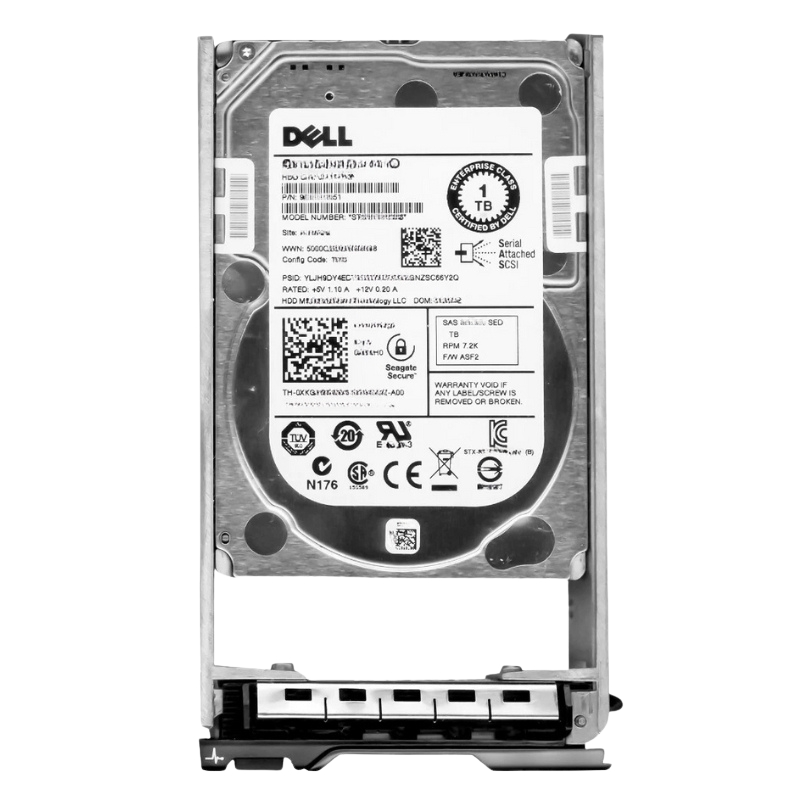


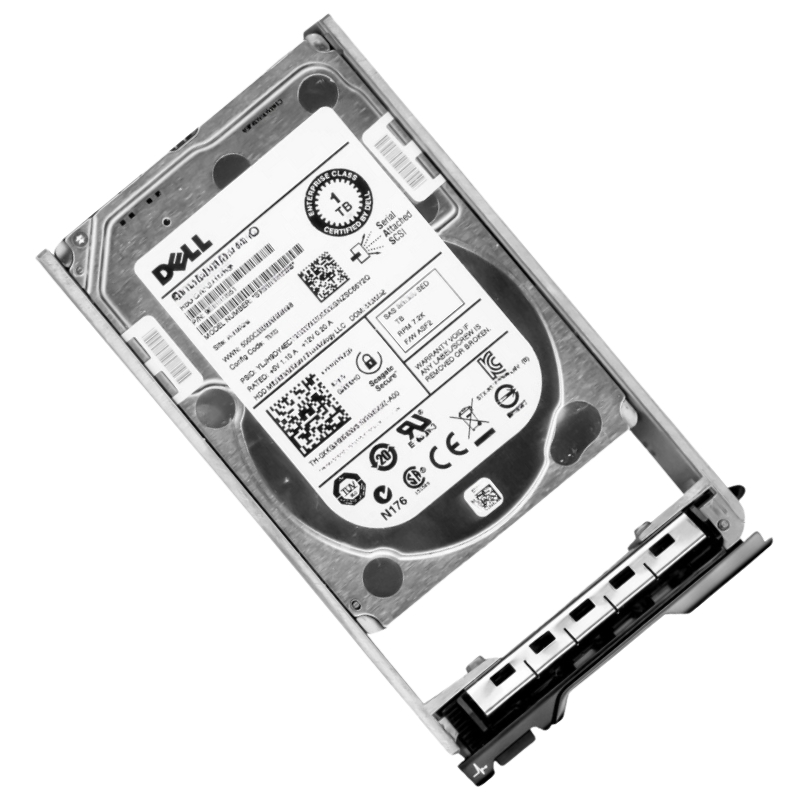
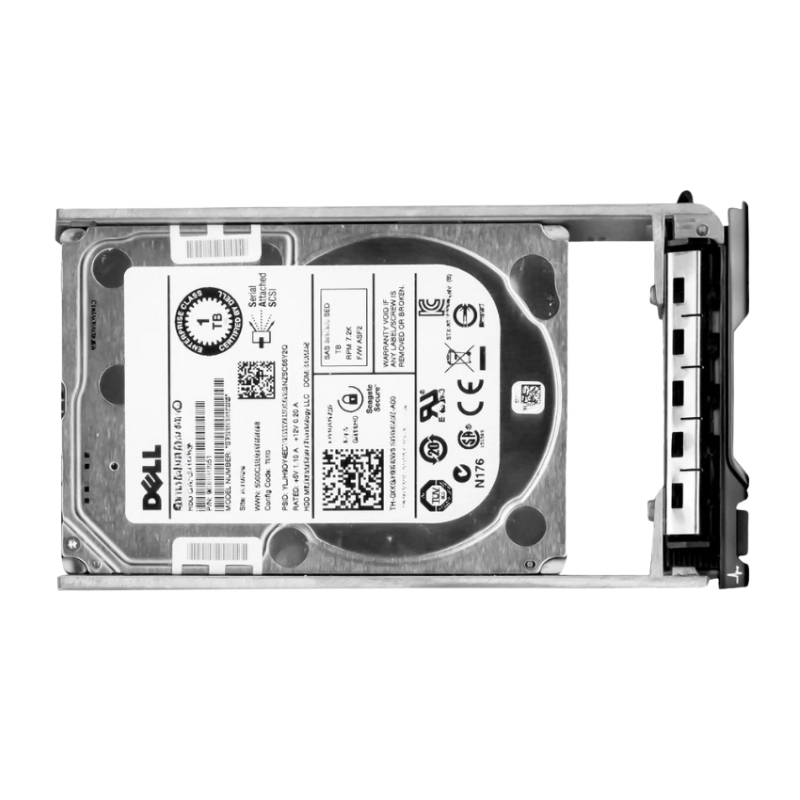
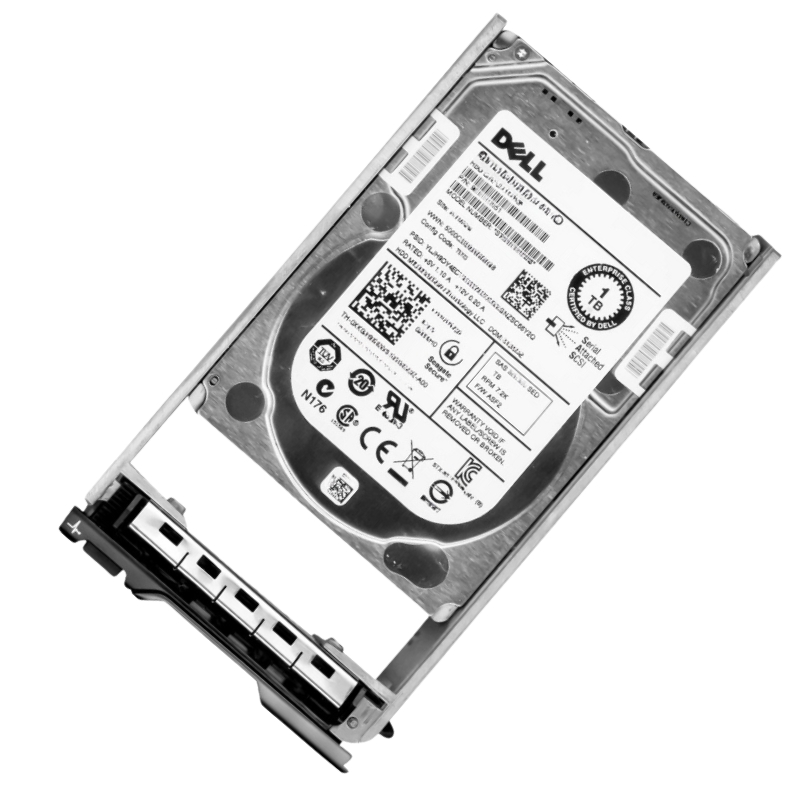
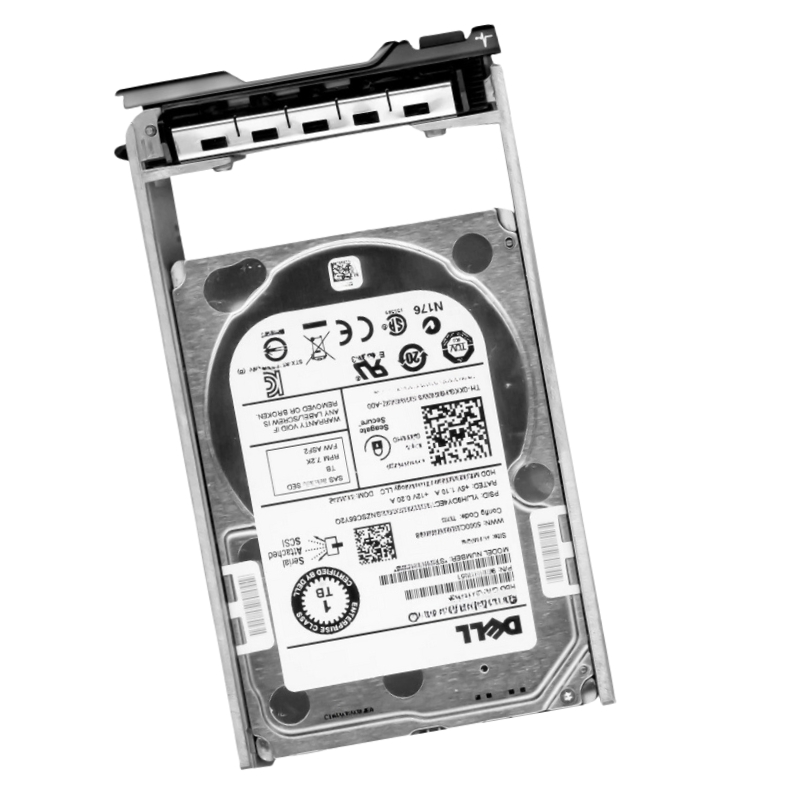
Dell 400-ALUL 1TB 7.2K RPM Near Line SAS 12GBPS 2.5Inch (In 3.5Inch Hybrid With Tray) HDD. New Sealed in Box (NIB) with 1 Year Warranty.
This robust storage unit is engineered for enterprise-grade server systems, delivering dependable data retention and rapid access speeds. It represents a pivotal component for expanding storage capacity within data center environments.
Product naming conventions such as "400-ALUL" and explicit technical markers including "1TB", "7.2K RPM", "Near Line SAS", "12Gbps", "2.5-inch" (with a 3.5-inch hybrid tray) are essential for compatibility, procurement, and inventory control. These identifiers signal:
Core Specifications and Manufacturer Details
Produced by a leading brand in enterprise computing, this component is identified by the unique manufacturer part number 3400-ALUL. It is classified as an internal Hard Disk Drive (HDD), specifically a 1TB 7200RPM SAS-12GBPS model that includes a specialized hybrid mounting tray.
Categorized as an internal Nearline hard drive, this unit strikes an optimal balance between performance and archival storage. Its physical configuration is a 2.5-inch drive pre-installed within a 3.5-inch hybrid carrier, facilitating versatile installation across various server chassis.
The drive leverages a high-speed SAS 12Gbps interface, ensuring exceptional data throughput with an external transfer rate of up to 1.2 Gbps. This interface is presented through a single dedicated port, designed for seamless integration into compatible backplanes.
Operational performance is anchored by a rotational velocity of 7200 revolutions per minute (RPM). This speed is engineered to provide a swift response time for data requests, making it suitable for a variety of server applications beyond mere archival storage.
This hard drive is pre-configured for immediate deployment in a wide array of Dell server and storage arrays. The inclusion of a hybrid carrier ensures effortless mounting in bays designed for either 2.5-inch or 3.5-inch form factors.
The drive is validated for optimal performance and reliability in the following Dell platforms:
Ideal for roles demanding high-capacity storage with reliable performance, this drive is perfectly suited for:
The Dell 400-ALUL 1TB 7,200 RPM Near Line SAS 12Gbps 2.5-inch hard disk drive (shipped in a 3.5-inch hybrid tray) occupies a specific and vital niche in enterprise storage: high-density, cost-efficient nearline capacity with SAS performance and reliability expectations. This category emphasizes drives that balance capacity and affordability while offering the SAS (Serial Attached SCSI) interface's robustness, multi-path support, and enterprise-grade management features. Typical buyers are storage architects, systems administrators, and procurement teams looking to expand bulk capacity for archival, backup, and infrequently accessed ("cold" or "warm") datasets without sacrificing availability or integration into RAID and SAN environments.
Nearline SAS drives at 7.2K RPM are optimized for sequential read and write patterns common in backup, archive, cold object stores, and large-block streaming tasks. They deliver consistent sustained throughput for large files and moderate random I/O performance suitable for read-heavy warm workloads. When used in RAID arrays, array-level caching and controller features often mitigate random I/O penalties, making these drives a practical choice for tiered storage architectures.
These drives will not match the ultra-low latencies and high IOPS of enterprise SSDs, but they provide acceptable random IOPS for background processes, cold-data access, and sequential data retrieval. Expect predictable seek times and rotational latency typical of 7.2K rotational media — ideal for workloads that emphasize capacity and throughput over sub-millisecond response times.
The 12Gbps SAS interface offers double the link bandwidth of 6Gbps SAS/SATA, enabling faster sequential transfers and better headroom for multiple simultaneous streams. This is particularly relevant in dense enclosures and modern RAID controllers that can saturate older interfaces during rebuilds or large data migrations. Enterprise features such as dual-porting (on many SAS drives), robust error recovery, and advanced controller integration make SAS preferable for mission-aware storage arrays.
The form factor distinction is important: the drive mechanisms are 2.5 inches (physically smaller), but Dell supplies them in a 3.5-inch hybrid tray or carrier so they fit in legacy or wide-range chassis designed for 3.5-inch drives. This hybrid approach provides flexibility — administrators can deploy higher-density 2.5-inch mechanisms into older 3.5-inch bays without mechanical adaptation. When planning upgrades or replacements, verify bay latching, backplane pinouts, and tray front-bezel fitment to ensure tool-less hot-swap operations and accurate drive status reporting from system firmware.
Enterprise-class nearline drives typically publish Mean Time Between Failures (MTBF) and annual workload ratings in terabytes written (TBW) or workload rate limits (e.g., random IOPS or percentage duty cycles). For nearline SAS drives, MTBF values and workload ratings are tuned to continuous operation in data centers, with design considerations for thermal tolerance, vibration resistance, and error-correction capabilities. Administrators should review manufacturer or vendor documentation for exact MTBF figures, annual workload rating (e.g., 180TB/yr or similar), and recommended operating conditions.
These drives are engineered with ramp-load technology, rotational vibration sensors, and firmware optimizations to sustain data integrity under dense rack conditions. Enterprise arrays with many spinning disks require drives that maintain read/write reliability when adjacent drives introduce vibration. Additionally, advanced error-correcting codes (ECC) and consistent media scanning help maintain data integrity over the lifecycle of the drive.
The primary use case is backup and archival where budget-per-terabyte matters most. Backups, snapshots, long retention snapshots, compliance archives, and media asset libraries are classic deployments. Used in disk-to-disk backup appliances, object-storage nodes, and tape-replacement strategies, these drives reduce costs while remaining accessible for occasional restores.
In object stores or large-scale content repositories, nearline SAS drives enable dense storage nodes that host rarely accessed but still critical objects (e.g., infrequently requested media files, compliance logs). When combined with erasure coding and replication, they deliver a reliable and cost-effective tier.
Organizations expanding capacity shelves or adding lower-tier nodes to compute clusters often use these drives to increase usable space without migrating to cloud storage or more expensive flash tiers. They function well in capacity shelves attached to SANs or in JBOD expansions behind enterprise controllers.
Newly received drives should be staged and validated before deployment. Burn-in or drive validation procedures — including SMART checks, full-surface read scans, and firmware updates — help identify DOA units and reduce early failure risk. Where possible, apply the vendor-approved firmware version that matches controller HCL guidance.
RAID level selection depends on the balance between redundancy, capacity overhead, and rebuild duration. Large-capacity arrays increase rebuild time; planning for RAID 6 or erasure-coded schemes helps maintain redundancy during prolonged rebuilds. Configure spare drives, monitor rebuild I/O impact, and use controllers that support background rebuild throttling to limit application disruption.
Dense drive populations require careful power and thermal planning. Calculate total drive power consumption during peak usage and allocate power budgets and UPS sizing accordingly. Ensure chassis airflow is unobstructed and temperature sensors are monitored through the server management interface to prevent thermal-induced failures.
Regular SMART (Self-Monitoring, Analysis and Reporting Technology) checks should be part of the drive monitoring regimen. Configure alert thresholds for reallocated sector counts, pending sector counts, and other predictive indicators. Integrate drive health data into centralized monitoring systems (e.g., Nagios, Zabbix, or vendor-specific management tools) to automate failure prediction and preemptively replace at-risk drives.
Maintain an update cadence for drive and controller firmware, ensuring compatibility. Firmware updates can improve performance stability, fix latent bugs, and address security or manageability issues. Carefully stage firmware changes in test environments when possible to avoid unintended interactions with storage arrays.
When drives reach end-of-life or are retired, follow secure erase and data sanitization protocols compliant with organizational and regulatory requirements. Options include vendor-provided secure erase utilities, degaussing (where applicable), or physical destruction depending on the sensitivity of stored data.
Evaluate drives not just by purchase price per TB but by total cost of ownership: power consumption, cooling costs, management overhead, expected failure rates, and impact on rebuild time (which can affect business continuity). Nearline SAS drives usually present a favorable cost-per-GB for capacity tiers, but consider operational costs over a multi-year lifecycle.
While SATA nearline drives may offer slightly lower cost per gigabyte, SAS provides enterprise features such as multi-path support, stronger error recovery, and improved management integration. In mixed environments where controller and SAN features are SAS-centric, SAS nearline drives are often the better long-term choice despite marginally higher acquisition costs.
10K and 15K RPM drives favor transactional workloads with higher random IOPS and lower latency, making them suitable for databases and transactional VM hosts. Nearline 7.2K drives prioritize capacity and throughput for sequential workloads; they are not intended to replace high-RPM enterprise drives where low-latency I/O is critical.
Combining nearline HDDs with SSD caching tiers can deliver responsive metadata and random I/O acceleration while preserving HDD-based capacity for large sequential data. Hybrid architectures, when configured correctly, give the best of both worlds: low cost per GB and acceptable responsiveness for a wide range of workloads.
Modern nearline drives use high areal density platters and advanced magnetic recording technologies to maximize gigabytes per platter. Servo systems, actuator assemblies, and head designs are calibrated for stability and repeatable reads across the platter surface. These mechanical advances allow 1TB and higher capacities in compact 2.5-inch assemblies.
Enterprise drives implement error recovery controls and time-limited error recovery to balance correction efforts against system-level timeouts. This avoids scenarios where long error recovery stalls a RAID controller and triggers premature failovers. Proper integration with RAID controllers ensures controllers can initiate timely rebuilds or retries without disruptive error handling.
Drives expose spin-up power and power management configurations to avoid inrush currents during large-scale boot sequences. Staggered spin-up and load/unload ramp strategies help maintain stable power draw and reduce the risk of overloading power supplies during system startup.
Some enterprise HDDs include self-encrypting drive (SED) options or support secure erase commands that meet compliance requirements for data sanitization. If regulatory compliance (such as GDPR, HIPAA, or industry-specific standards) is required, verify SED support or plan for validated cryptographic and sanitization workflows.
Combine RAID levels, erasure coding, and replication across fault domains to protect data on capacity-oriented nearline drives. Consider cross-site replication or immutable object storage layers for critical archives and retention policies that meet regulatory and business continuity objectives.


 Contact Us
 Information
 Catalog
 Solid State Drives (SSD)
 Network Switches
 Hard Disk Drives
 HBA & Controllers
 PC & Servers
 PC & Server Memory
 CPU & Processors
 Network Routers
 Power Supplies
 Tape Drives & Libraries
 Network Devices
 Computer & Network Cables