(7% discount is applied at checkout)
Cart is empty
Your go-to destination for cutting-edge server products
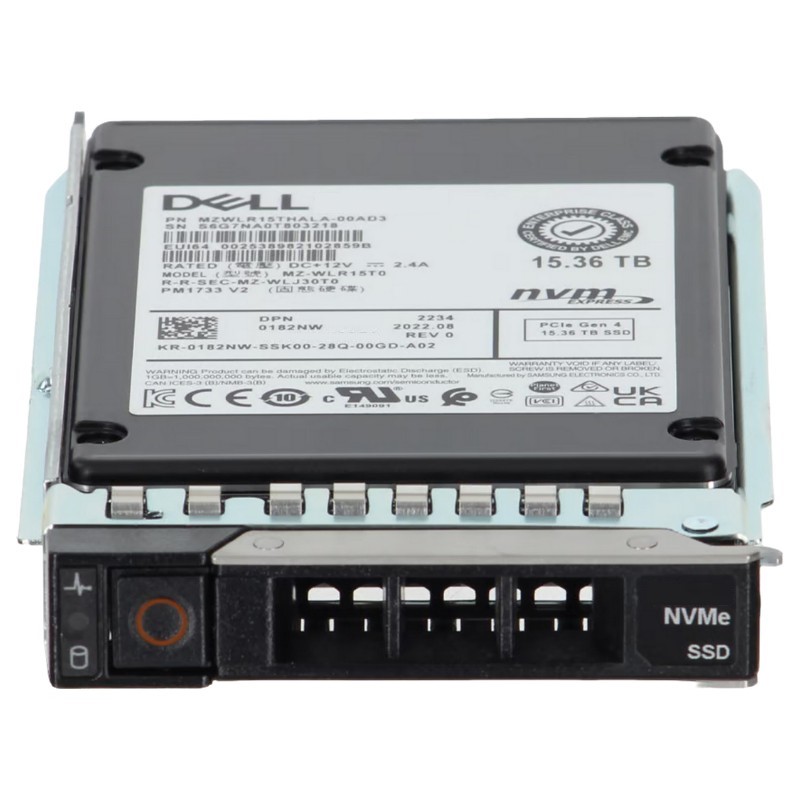


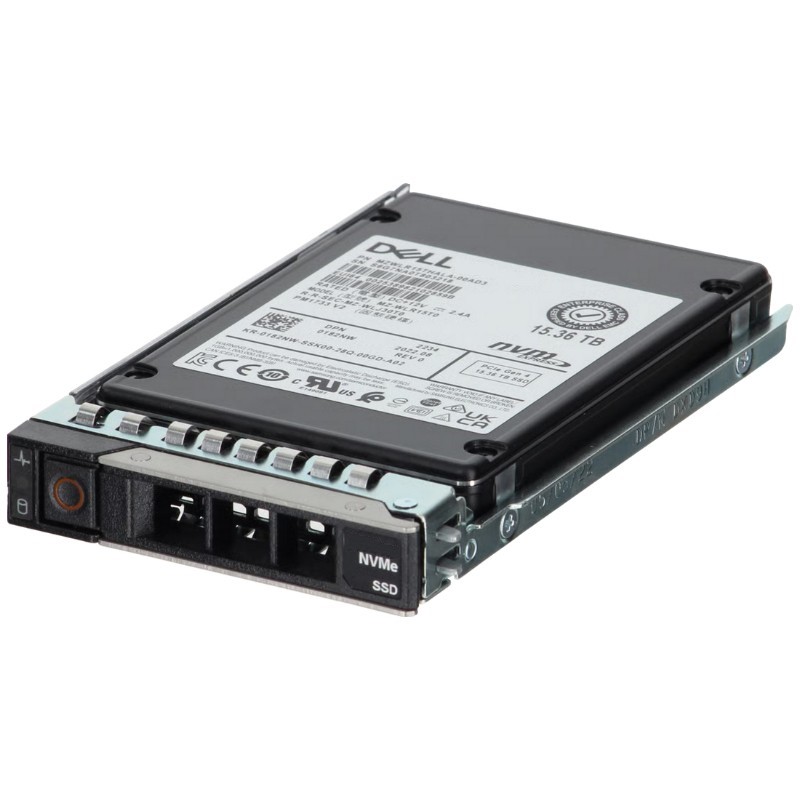
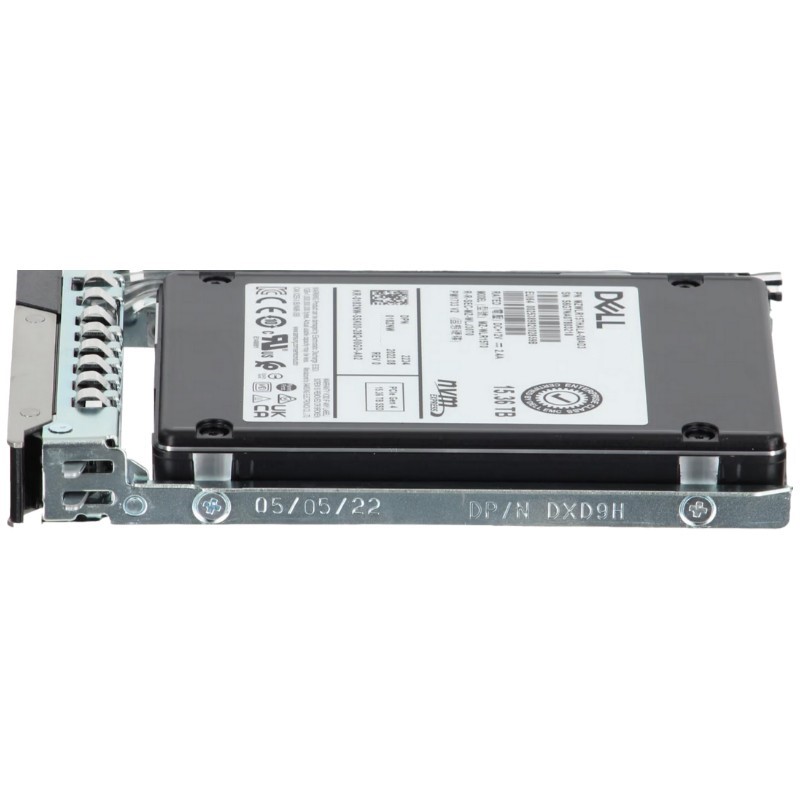
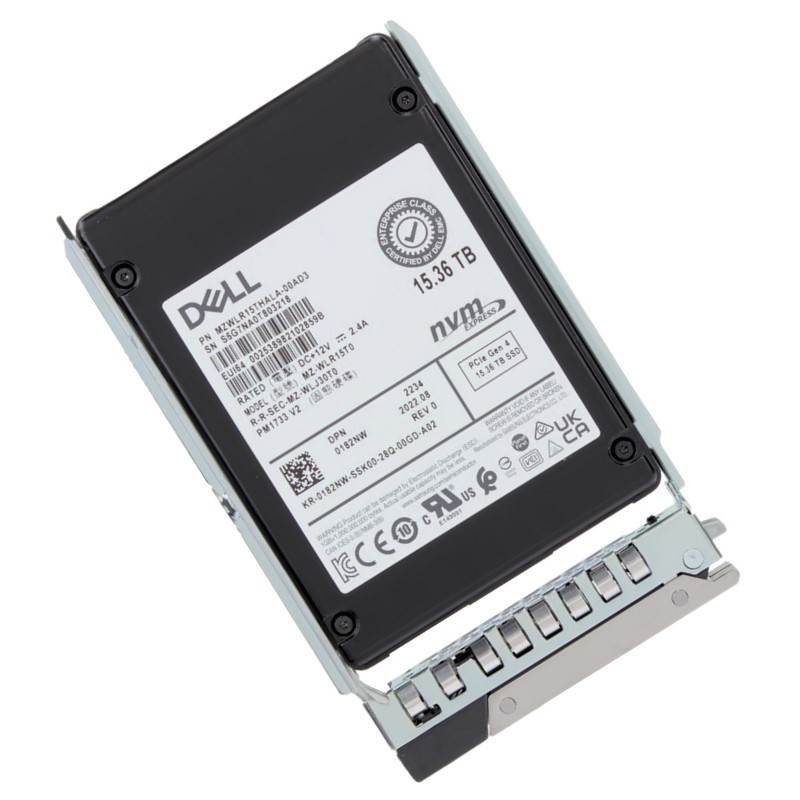
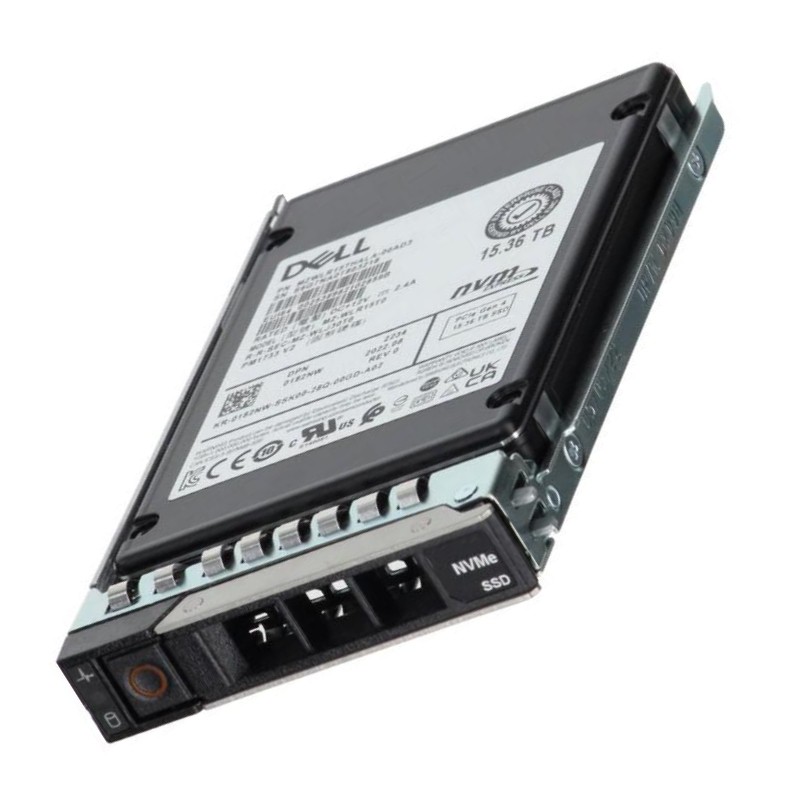
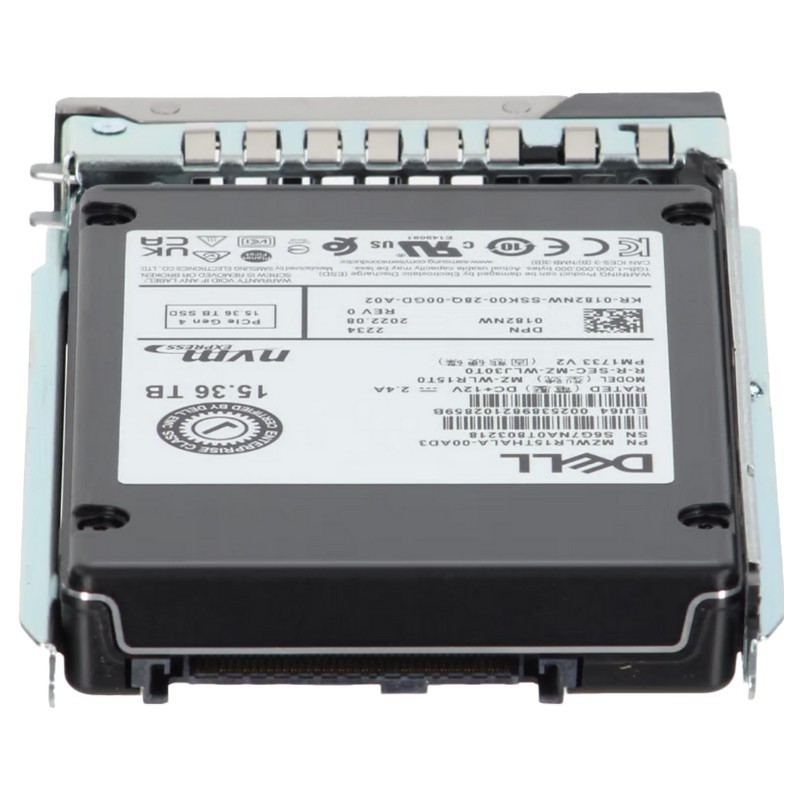
Dell 400-BMVE 15.36TB PCI-E Gen4 NVMe 3D TLC Nand U.2 Read Intensive 1DWPD SFF Enterprise Solid State Drive. New Sealed in Box (NIB) with 1 year Warranty
Engineered for high-capacity data center operations, this enterprise-grade solid-state drive delivers exceptional performance and reliability in demanding server environments.
Designed For Modern Data Centers And Enterprise Workloads, The 400-BMVE Dell 15.36TB PCI-E Gen4 NVMe Drive Represents A Purpose-Built Read-Intensive Storage Solution That Balances Massive Capacity With High Throughput, Low Latency, And Enterprise-Grade Reliability. This Category Covers The Drive's Core Specifications, Performance Characteristics, Deployment Scenarios, Compatibility Considerations, Management And Monitoring Practices, And Best-Practice Guidelines For Sizing, Integration, And Lifecycle Management.
The Drive Uses The PCI-Express Gen4 Interface Implemented Over NVMe Protocol, Delivering A Substantial Increase In Bandwidth Compared To Previous Generations. PCIe Gen4 Doubles Lane Throughput Over Gen3, Enabling Higher Concurrent I/O And Better Utilization Of Modern Server CPUs And Storage Stacks. For Enterprise Applications That Require High Read Bandwidth — Such As Large-Scale Content Delivery, Database Read Caching, And Virtual Desktop Infrastructure (VDI) — The PCIe Gen4 Interface Provides Measurable Latency And Throughput Advantages.
The U.2 (2.5-inch) Small Form Factor Offers A Standardized, Hot-Swappable Form Factor Suitable For Rack Servers And Storage Arrays. U.2 Enables High Density In 1U/2U Servers And Contemporary Storage Chassis, Making The 400-BMVE A Good Fit For Cloud Infrastructure, Hyperconverged Systems, And High-Density Database Racks. The SFF Design Prioritizes Serviceability And Compatibility With Existing Backplanes And Hot-swap Trays.
Using 3D Triple-Level Cell (TLC) NAND, The Drive Achieves A Balance Between Cost Per Terabyte And Endurance For Read-Heavy Workloads. 3D NAND Architectures Stack Memory Cells Vertically, Increasing Capacity And Lowering Cost Relative To Planar Designs, While TLC Stores Three Bits Per Cell — A Common Choice For Enterprise Read-Intensive SSDs Where High Write Endurance Is Less Critical Than Read Performance And Storage Density.
The 1 Drive Write Per Day (1DWPD) Endurance Rating Indicates The Drive Is Engineered For Read-Dominant Environments Where Writes Are Predictable And Limited. This Endurance Tier Targets Use Cases Like Content Distribution, Large-Scale Caching, Analytics Where Reads Vastly Outnumber Writes, And Workloads That Require High Random Read IOPS With Reasonable Write Durability. Understanding The 1DWPD Rating Is Critical For Correctly Sizing Deployments To Avoid Over-provisioning Or Under-estimating Drive Lifetime.
Sequential Read Throughput Often Reaches The Upper Limits Enabled By PCIe Gen4 For A U.2 Form Factor, Making The Drive Well-Suited For Large File Reads, Backup/Restore Operations, And Media Streaming. Random Read IOPS Are A Core Strength Of NVMe Drives; The Low Queue Depth, High Parallelism, And Efficient Protocol Stack Deliver Substantially Better IOPS/Watt Than Spinning Media. When Evaluating Throughput, Consider Host Platform Limitations, CPU Affinity, NVMe Driver Versions, And NVMe Multipathing That Can Affect End-to-end Performance.
NVMe On PCIe Gen4 Provides Significantly Lower Latency Compared To SATA Or SAS SSDs, Especially Under Concurrency. Latency In Read-Intensive Drives Remains Predictable Even As Queue Depths Increase; This Is Important For High-frequency Transactional Systems, Distributed Databases, And Microservice Architectures Where Response Time Is A Key SLA. Latency Performance Also Depends On The Host OS, NVMe Driver, CPU Core Assignment, And Interrupt Handling Strategies.
Enterprise Drives Are Designed For Consistent Performance Over Time. The 400-BMVE Includes Features To Reduce Performance Jitter Such As Internal Write Buffering, Firmware-Driven Garbage Collection, And Intelligent Thermal Management. For Applications Sensitive To Tail Latency, Implementing Host-Side QoS Tuning, Proper Over-Provisioning, And Monitoring Of Controller Temperature And Background Tasks Is Recommended To Preserve Steady Read Performance.
For Content Delivery Networks (CDNs), Video On Demand (VOD), And Streaming Services, Read Bandwidth And Concurrent Read IOPS Are Paramount. The 15.36TB Capacity Allows Hosting Large Media Libraries On A Small Number Of Drives, Reducing Chassis Complexity And Simplifying Management. Combined With PCIe Gen4 Throughput, These Drives Help Reduce Cache Miss Penalties And Improve End-User Experience.
Deploying 400-BMVE Drives As Read Caches In Front Of Slower Tiered Storage (SATA/HDD) Can Dramatically Improve Throughput For Read-Heavy Workloads. Their Large Capacity Means A Bigger Working Set Fits In Fast Storage, Reducing Backend Network And Disk Pressure. Use Cases Include Analytics Pre-fetch, Database Read Replicas, And Search Indices Where Read Latency Directly Impacts Application Performance.
VDI Environments Experience Spiky Read Demands During Boot Storms; High Read IOPS And Low Latency From NVMe Drives Help Smooth Boot Times And Improve User Experience. The 1DWPD Endurance Rating Fits VDI Scenarios Where Reads Outweigh Writes And Large Capacity Supports Many User Images Or Pools On Each Host.
Analytical Workloads Often Need Fast Sequential And Random Reads Against Very Large Datasets. With 15.36TB Per Drive, Data Architects Can Store A Significant Portion Of Hot Data Close To Compute Nodes. This Reduces Network Round Trips For Remote Storage And Cuts Query Latency, Making Dashboards And Reporting Timelier.
Before Deployment, Verify That Target Servers And Storage Chassis Support U.2 NVMe Drives And PCIe Gen4 Signaling. Many Modern Dell PowerEdge Platforms And Industry Servers Provide U.2 Backplane Support; However, Some Systems May Offer NVMe Over M.2 Or Add-in Cards Instead. For Maximum Performance, Confirm That The Server's CPU And Chipset Provide Native PCIe Gen4 Lanes To The Drive Slot, Because Shared Switches Or Older Chipsets Can Reduce Achievable Bandwidth.
Enterprise SSD Firmware Is Continuously Updated To Improve Stability, Performance, And Interoperability. Maintain Up-to-Date NVMe Driver Releases For Your Operating System — Whether Linux, Windows Server, Or Virtualization Hypervisors — And Apply Vendor-Provided Firmware Updates According To Change-Management Policies. Carefully Test Firmware Updates In A Staging Environment, As Changes Can Affect Performance, Latency, And SMART Telemetry.
When Designing For High Availability, Consider NVMe Multipathing Solutions And Host Bus Adapter (HBA) Configurations That Support Failover And Load Balancing. Multipathing Across NVMe Fabrics Or Redundant Hosts Requires Compatible Software And Drivers; Architecting Proper Paths Helps Prevent Single Points Of Failure And Maintains Continuous Read Access For Critical Applications.
While Many Organizations Continue To Use Traditional RAID For Block Storage, NVMe And Modern Software Defined Storage Solutions Also Use Erasure Coding For Space-Efficient Data Protection. When Implementing RAID Or Erasure Coding, Account For The Drive's Read-Write Profile And Endurance Rating: Read-Intensive Drives Are Optimized For Heavy Reads, So RAID Rebuild Policies, Scrubbing, And Background Resyncs Should Be Configured To Avoid Excessive Writes That Could Degrade Drive Lifespan.
NVMe Devices Provide Rich Telemetry Via SMART Attributes And Vendor-Specific Logs. Monitoring Parameters Such As Media Errors, Power Cycles, Unsafe Shutdowns, Remaining Life Percentage, And Temperature Helps Predict Failures And Plan Replacements. Integrate Telemetry Into Existing Monitoring Systems (For Example, Prometheus, Nagios, Or Commercial Tools) To Automate Alerts And Drive Proactive Maintenance.
High Performance NVMe Drives Can Produce Significant Heat Under Sustained Load. Ensure Adequate Chassis Airflow, Correct Drive Orientation, And Ambient Temperature Controls In Racks. Use Server Thermal Monitoring To Trigger Throttling Or Alerts If Temperatures Exceed Safe Operating Limits. Proper Cooling Preserves Performance Consistency And Lengthens Component Life.
The 15.36TB Capacity Reflects A Strategic Tradeoff Between Capacity Density And Cost. While Higher Capacity NVMe Drives Reduce The Number Of Devices Required Per Rack—Lowering Management Overhead And Physical Footprint—They May Have Different Cost Profiles Versus SATA Or HDD Options. Evaluate Total Cost Of Ownership (TCO) Based On Power, Cooling, Management, And Expected Replacement Rates, Not Only Initial Purchase Price.
When Sizing Storage For Read-Intensive Workloads, Focus On The Hot Working Set Size — The Portion Of Data Frequently Read — And Provision Enough NVMe Capacity To Keep That Working Set Cached Or Local. Factor In Future Growth, Snapshot Retention, And Analytics Windows That May Temporarily Increase Storage Demand. Use Monitoring Data To Iterate On Sizing And Avoid Excessive Over-provisioning That Raises Costs Unnecessarily.
High-Capacity U.2 Drives Allow Data Center Architects To Achieve Higher Usable Capacity Per Rack Unit. Fewer Drives Per Chassis Translate To Reduced Power And Cooling At Scale, But Also Concentrate Risk: A Single Drive Failure May Represent A Larger Share Of A Node's Usable Capacity. Balance Density Gains With Redundancy Strategies And Failure Domain Considerations.
Enterprise SSDs Often Support Hardware-Based Encryption Standards, Enabling Data-at-Rest Protection Without Impacting Performance. Check For TCG Opal, Self-Encrypting Drive (SED) Capabilities, And Integration With Key Management Systems (KMS) Or Enterprise Vaults. Proper Encryption Practice Can Simplify Regulatory Compliance For Sensitive Workloads.
To Preserve Data Integrity, Enterprise Drives May Include Power Loss Protection Features And Internal Capacitor Backups That Flush Critical Metadata To NAND During Unexpected Power Events. Verify Whether The Drive Implements Such Safeguards, And Factor This Into Application Design And Backups To Minimize Risk Of Corruption From Sudden Outages.
When Decommissioning Drives, Follow Industry Guidelines For Secure Erase Or Physical Destruction. Many Enterprises Require Cryptographic Erase Procedures Or Multiple Overwrite Passes To Ensure Data Cannot Be Recovered. Maintain Chain-Of-Custody Records And Audit Logs To Support Compliance With Data Protection Regulations And Corporate Policies.
Before Wide-Scale Rollout, Run Pilot Deployments That Simulate Production Workloads. Evaluate Performance Under Expected Read Patterns, Observe Latency Under Peak Loads, And Validate Compatibility With Backup, Monitoring, And Orchestration Systems. Pilots Uncover Environmental Or Configuration Issues That Could Affect Large-Scale Deployments.
Create A Compatibility Matrix That Documents The Firmware Version, NVMe Driver, BIOS/UEFI, And Operating System For Each Server Class. This Matrix Simplifies Troubleshooting And Ensures That When Applying Updates, Teams Can Quickly Verify Supported Combinations. Use Vendor Documentation To Populate The Matrix Initially, Then Update With Field Observations.
Even With High Reliability, Implement Robust Backup And Snapshot Strategies. Read-Intensive Drives Reduce The Strain On Backends For Read Workloads, But They Do Not Replace The Need For Regular Backups. Plan Snapshot Schedules That Minimize Write Spikes During Snapshot Creation And Ensure Restores Are Tested Regularly.
Validate Under Combined Loads: Application IO, Backup Jobs, And Maintenance Tasks Run Concurrently In Production. Ensure That The Drive's Performance Remains Within Acceptable Ranges When The Node Is Under Typical Multi-tenant Conditions. Capture Telemetry During Validation To Correlate Observed Behaviors With Host And Drive States.
Integrate NVMe Drives As The Top Tier In A Multi-tiered Storage Architecture. Use Policy Engines Or Software Defined Storage To Move Data Between NVMe, SATA SSD, And HDD Tiers Based On Access Patterns. Properly Configured Tiering Preserves Cost Efficiency While Delivering Performance Where It Matters Most.
Combine 400-BMVE Drives With In-Memory Caches, NVMe Over Fabrics, Or Software Caching Layers To Maximize Throughput. Evaluate The Impact On Consistency And Failure Modes When Adding Layers That May Change Read Paths Or Introduce Additional Caching Complexity.
NVMe SSDs Consume Far Less Power Than Rotational Disk Drives At Comparable Performance Levels. When Calculating Total Energy Use, Include Power For Cooling And Ancillary Equipment. Deploying High-Capacity NVMe Drives Can Lower Power Per Terabyte And Reduce Data Center Carbon Footprint Over Time.
Adhere To Local Regulations And Industry Best Practices For Disposal And Recycling Of Electronic Components. Many Vendors Offer Take-Back Programs Or Certified Recycling Partners To Ensure Environmental Compliance And Data Sanitization During Disposal.


 Contact Us
 Information
 Catalog
 Solid State Drives (SSD)
 Network Switches
 Hard Disk Drives
 HBA & Controllers
 PC & Servers
 PC & Server Memory
 CPU & Processors
 Network Routers
 Power Supplies
 Tape Drives & Libraries
 Network Devices
 Computer & Network Cables