(7% discount is applied at checkout)
Cart is empty
Your go-to destination for cutting-edge server products
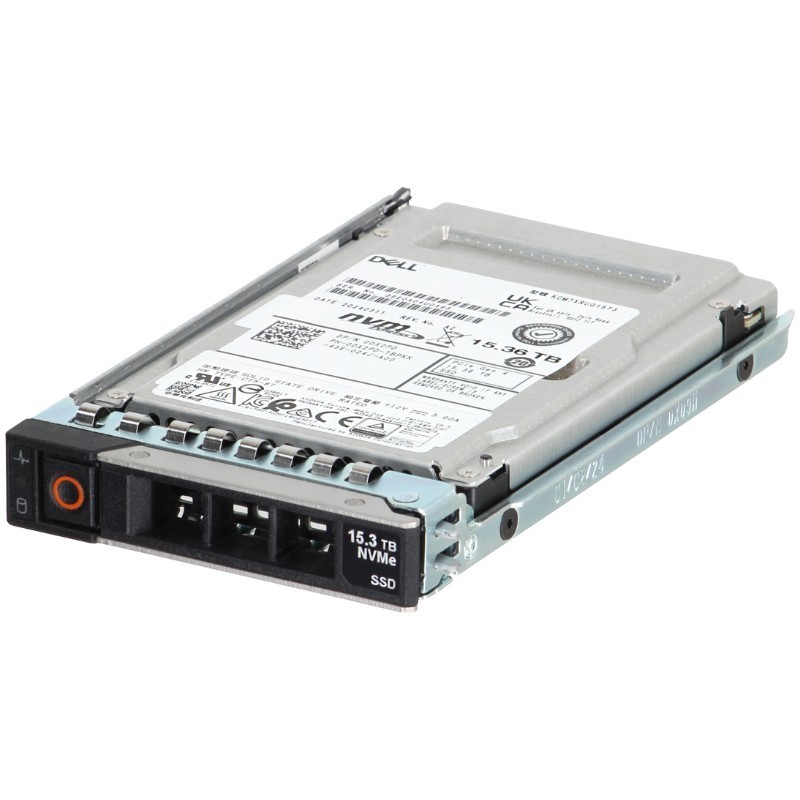


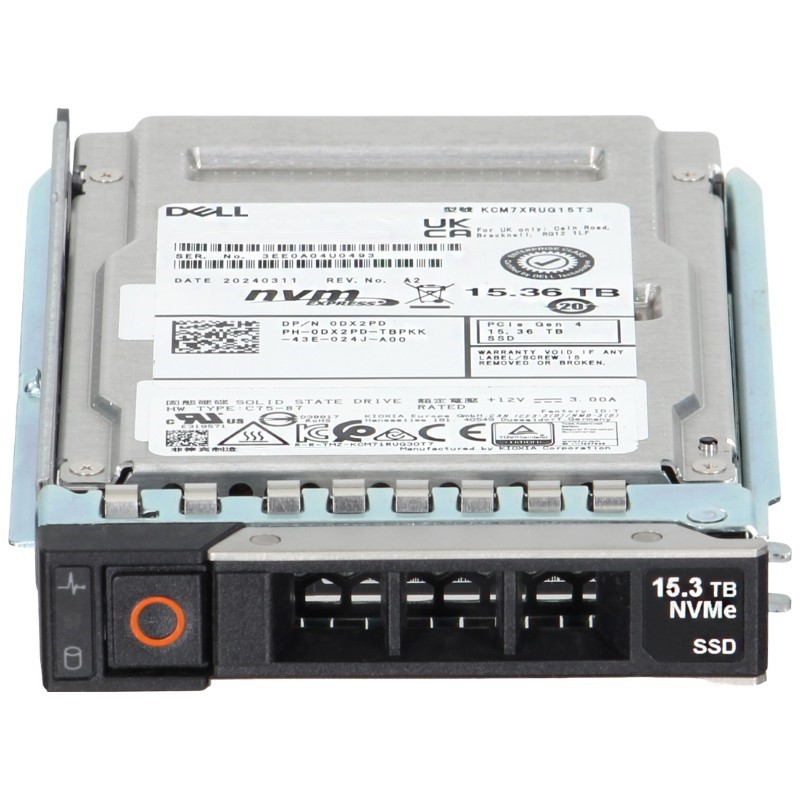
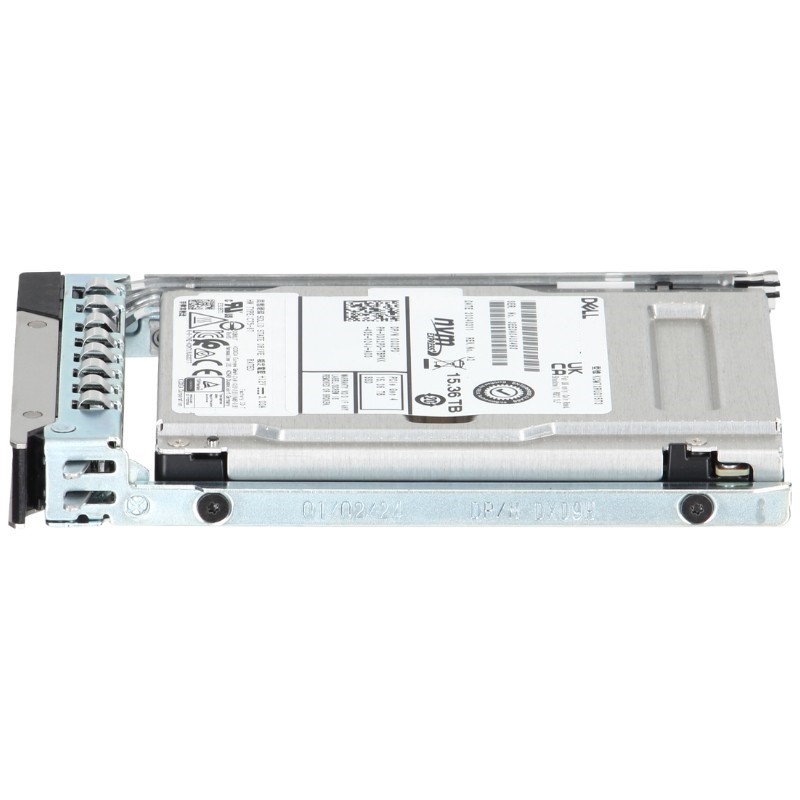
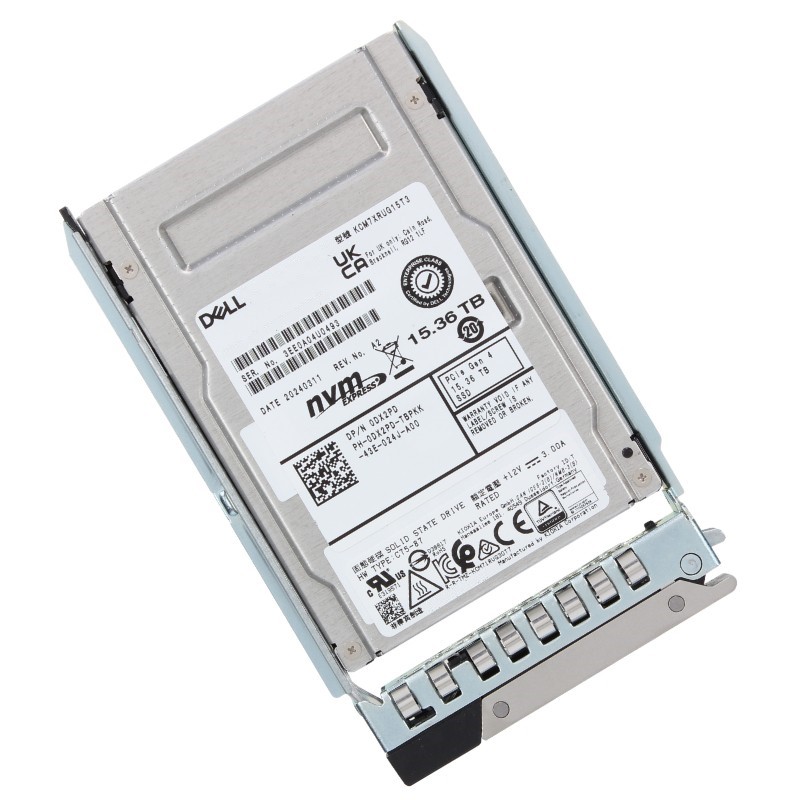
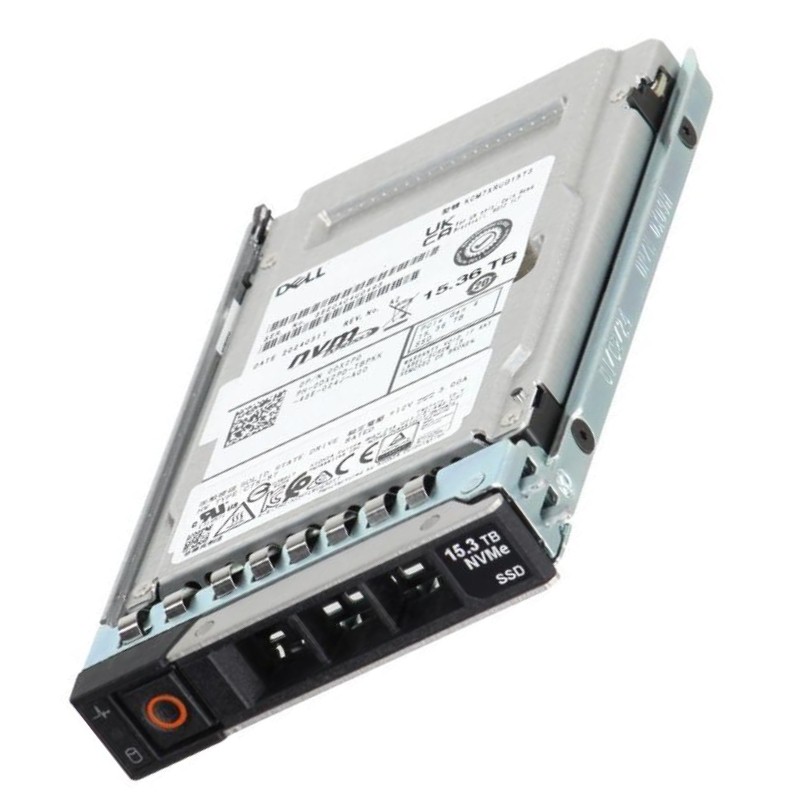
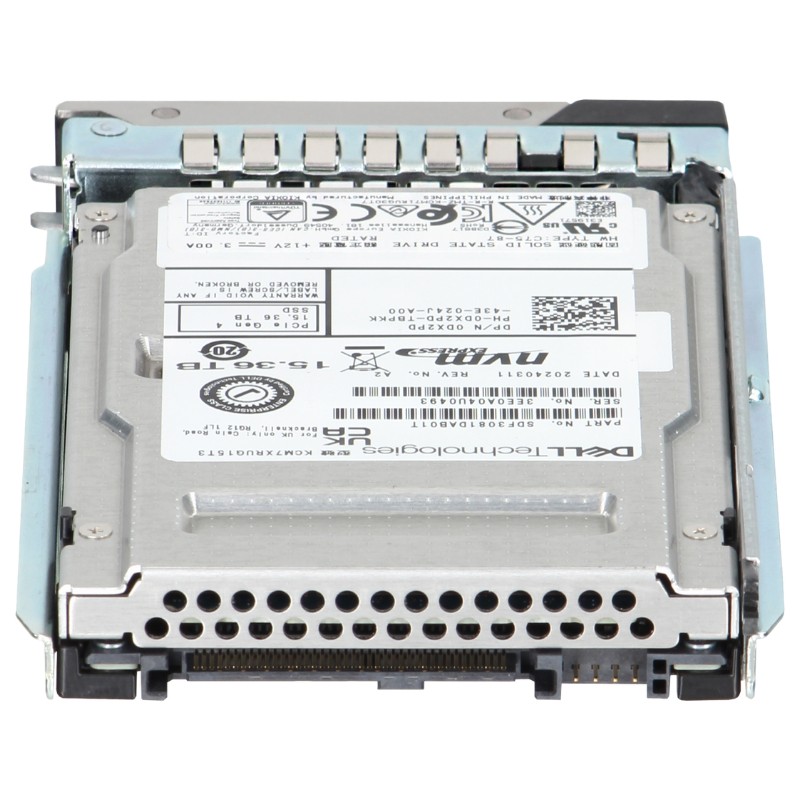
Dell 400-BMVL 15.36TB PCI-E Gen4 NVMe 3D TLC Nand U.2 Read Intensive 1DWPD SFF Enterprise Solid State Drive. New Sealed in Box (NIB) with 1 year Warranty
This high-performance storage unit is engineered for demanding server applications, providing exceptional reliability and rapid data access speeds.
The Dell 400-BMVL 15.36TB PCIe Gen4 NVMe 2.5-inch U.2 solid state drive is engineered for demanding enterprise workloads where sustained read performance, large capacity, and data center compatibility are mission-critical. Marketed as a read-intensive, 1 drive write per day (1 DWPD) endurance class device, this drive strikes a balance between cost-efficiency and enterprise-grade reliability. Designed specifically to fit Dell PowerEdge server platforms across the 14th, 15th, 16th and 17th generation families, the 400-BMVL drive integrates tray compatibility and rack-ready mounting to simplify installation and maintenance at scale.
This SSD follows the 2.5-inch U.2 form factor, allowing hot-swap capability in modern server backplanes. The U.2 interface maps NVMe lanes over PCIe Gen4 x4, providing significantly higher theoretical throughput and lower latency than previous-generation SATA or SAS SSDs. The PCIe Gen4 NVMe interface enables large sequential and random read bandwidths which are essential for read-heavy database operations, analytics, and virtualization workloads.
At 15.36TB raw capacity, the 400-BMVL falls into the high-capacity enterprise SSD tier. This capacity is ideal for consolidating active datasets, caching layers, large-scale index storage, and read-optimized content repositories. The drive’s capacity allows systems architects to reduce the number of drives required per storage pool, lowering overheads for power, cooling, and backplane slots while simplifying RAID or erasure coding strategies.
Rated for 1 DWPD, the drive is targeted at read-intensive workloads where write amplification is limited and data is predominantly read more than written. Typical use cases include content delivery, search indexes, large-scale caching, virtual desktop infrastructure (VDI) read-cache tiers, and data warehousing. The endurance rating ensures predictable lifetime behavior for such workloads while keeping cost per TB favorable compared with higher-endurance enterprise drives.
Leveraging PCIe Gen4 bandwidth and NVMe command efficiency, the 400-BMVL is designed to deliver high IOPS for small random reads and high sequential read throughput for bulk data access. Important performance attributes include low tail latencies, consistent Quality of Service (QoS) under mixed queues, and improved multi-queue scalability which is vital for multi-core server architectures and highly parallel applications.
Enterprise-class error correction, wear-leveling algorithms, and over-provisioning are embedded to preserve data integrity and prolong effective drive life. The SSD supports advanced internal mechanisms such as power-loss protection, secure firmware design, and persistent internal metadata to avoid data corruption in abrupt power events. Combined with Dell’s system-level diagnostics and firmware management, these reliability features help meet enterprise availability targets.
The 400-BMVL is validated for hardware compatibility across PowerEdge server lines—14th through 17th generation—ensuring correct backplane pinout, tray mounting, and firmware interoperability. This reduces the risk of carrier or caddy mismatches and avoids performance throttling due to unsupported BIOS or RAID controller settings. Dell’s compatibility validation often includes integration with server management tools like iDRAC, enabling drive-level health telemetry to be surfaced to administrators.
Each drive ships with a tray or uses an OEM-specific carrier to guarantee full compatibility with hot-swap bays. The tray ensures that mechanical mounting, connector alignment, and ejector mechanisms operate correctly within PowerEdge drive cages. OEM trays may also include labeling areas, activity LEDs, and keyed locks to prevent accidental removal. When purchasing equivalent drives, always confirm tray compatibility for a flawless physical installation experience.
Read-heavy media streaming and content delivery networks (CDNs) benefit from the drive’s high capacity and read-optimized endurance profile. Hosting large media libraries, serving static assets, and delivering video-on-demand content require steady read throughput with minimal latency; the 400-BMVL addresses these requirements with large sequential read capability and predictable tail latency.
Search engines, log analytics, and OLAP workloads typically perform frequent read operations over large datasets. The drive’s storage density allows more of the working set to remain on high-speed NVMe storage, reducing expensive retrievals from slower tiers. Low latency for random reads also accelerates query response times and improves analytics throughput.
In VDI deployments, read operations dominate once base images are provisioned. Using high-capacity read-intensive NVMe drives for profile and image storage reduces boot storms and login slumps. Consolidating multiple VM images on fewer but larger drives simplifies storage management and can lower amortized cost per desktop.
Read replicas and caching layers of modern distributed databases (for example, read-optimized replicas of OLTP systems or Redis-like caches backed by persistent storage) profit from the combination of high capacity and read-centric endurance. These drives provide ample room for replicas and caches while minimizing the need to tier data to spinning disk.
When designing storage tiers using the 400-BMVL, account for RAID or erasure coding overhead, reserve space for internal over-provisioning, and enable headroom for growth and firmware updates. For RAID6 or erasure-coded pools, effective usable capacity will be reduced by parity overhead; plan based on usable TB rather than raw TB. Evaluate average dataset growth, peak read throughput, and expected lifetime writes to ensure the 1 DWPD endurance is adequate for projected write patterns.
Enterprise deployments commonly place drives in RAID configurations to achieve redundancy, performance, and rebuild resiliency. While RAID provides protection from drive failures, rebuilds on high-capacity drives can be lengthy and stressful. Consider adopting erasure coding, distributed replication, or thinner rebuild strategies that leverage parallel rebuild paths and limit rebuild impact on production read latency. Additionally, ensure your RAID controller or software-defined storage solution is tuned for NVMe properties to avoid unnecessary timeouts or degraded performance modes.
The 400-BMVL is ideal for a fast read tier in a multi-tiered storage architecture. Use it as the primary hot tier backed by higher-capacity but slower HDD tiers for cold storage. Intelligent tiering, cache warming, and persistent memory integration can further optimize cost/performance balance. Policies that promote frequently-accessed objects into the NVMe tier will maximize ROI.
To achieve optimal performance, ensure server BIOS, NVMe driver stacks, and RAID or NVMe-oF firmware are up-to-date and validated for Gen4 operation. New firmware often contains performance enhancements, bug fixes, and thermal/power management updates that influence latency and throughput. Validate firmware updates in a staging environment before production rollout to avoid unexpected behavior.
High-performance NVMe drives generate heat under sustained workloads. Proper airflow, server fan curves, and chassis ventilation are necessary to maintain drive temperatures within manufacturer specifications. Overheating can trigger thermal throttling which reduces performance; design cooling paths to minimize temperature spikes during both idle and peak operation. Consider adding temperature monitoring thresholds to alert when drives approach critical temperature bands.
NVMe supports deep submission and completion queues, and well-designed applications can exploit multiple queues for parallelism. Tune I/O queue depths and scheduler behavior within the OS and storage stack to match server CPU core counts and application concurrency. Avoid excessive single-threaded queue contention; instead use NVMe multi-queue capabilities for scalable performance across many cores.
Align partitions and filesystems to the internal block structure and erase block size of the SSD to reduce write amplification and maintain predictable performance. Modern filesystems designed for SSDs (for example XFS or ext4 with proper mount options) can reduce overhead. For database workloads, consider using raw volumes or tuned block device parameters rather than adding unnecessary filesystem layers that could introduce latency.
Use predictive indicators such as reallocated sectors, rising write amplification, and increasing corrected error rates to schedule replacements before catastrophic failure. Dell PowerEdge servers typically support hot-swap replacement, allowing drives to be removed and replaced with minimal downtime. Ensure the replacement drive is the same capacity and firmware family to avoid compatibility issues during rebuilds and parity reconstruction.
The drive may support hardware-based encryption (Self-Encrypting Drive — SED) and cryptographic erasure commands to quickly sanitize drives at decommissioning. Hardware encryption reduces CPU overhead for encryption tasks and helps meet regulatory requirements such as GDPR or industry-specific standards. Confirm that encryption features are enabled and managed with enterprise key management systems for compliance and audit trails.
To reduce the risk of firmware-level attacks, integrate drive firmware management with server secure boot processes and attestation mechanisms. Validate vendor-signed firmware and ensure that updates are distributed through secure and auditable channels. Regularly review firmware version baselines and maintain an inventory for compliance reporting.
Enterprise SSDs are commonly classified by their endurance: read-intensive, mixed-use, and write-intensive. The 400-BMVL’s 1 DWPD rating places it firmly in the read-intensive class, optimized for read-dominant workloads. Mixed-use drives (e.g., 3 DWPD or higher) are preferred when write volumes are moderate, while write-intensive drives (10 DWPD+) are chosen for heavy write workloads such as data logging or high-frequency transactional databases. Choosing the correct class avoids premature wear or overpaying for unnecessary endurance.
PCIe Gen4 NVMe drives bring double the per-lane bandwidth compared with Gen3, allowing significantly greater throughput for both sequential and random operations. Compared to SATA SSDs, NVMe reduces latency and increases IOPS dramatically. For scale-up systems needing maximum per-drive performance, Gen4 NVMe is a clear winner. However, for archival or cost-sensitive cold storage, SATA or high-capacity HDDs remain cost-effective choices.
When a drive is replaced, rebuild operations can stress the remaining drives. Throttle rebuild concurrency if rebuilds impact production latency, and consider using background rebuild priorities. Where possible, distribute rebuilds across multiple nodes in a cluster to parallelize recovery and reduce risk to availability.
Maintain an accurate inventory including serial numbers, firmware versions, purchase date, and assigned server. Use barcodes or RFID tagging for rapid identification during maintenance windows. A centralized CMDB (Configuration Management Database) can track drive ownership, warranty status, and lifecycle events.
Automate health checks, firmware rollouts, and capacity reporting via orchestration tools. Integrate NVMe health telemetry into centralized monitoring and alerting to enable automated playbooks for replacement or throttling adjustments. Automated workflows reduce human error and accelerate mean time to repair for large fleets.
Plan for the electrical and cooling load of high-density NVMe deployments. Drives operating at peak throughput draw more power and increase chassis thermal output—budget for redundant power supplies and proper airflow design. Consider variable fan curves tied to drive temperatures to balance acoustics and cooling efficiency.


 Contact Us
 Information
 Catalog
 Solid State Drives (SSD)
 Network Switches
 Hard Disk Drives
 HBA & Controllers
 PC & Servers
 PC & Server Memory
 CPU & Processors
 Network Routers
 Power Supplies
 Tape Drives & Libraries
 Network Devices
 Computer & Network Cables