(7% discount is applied at checkout)
Cart is empty
Your go-to destination for cutting-edge server products
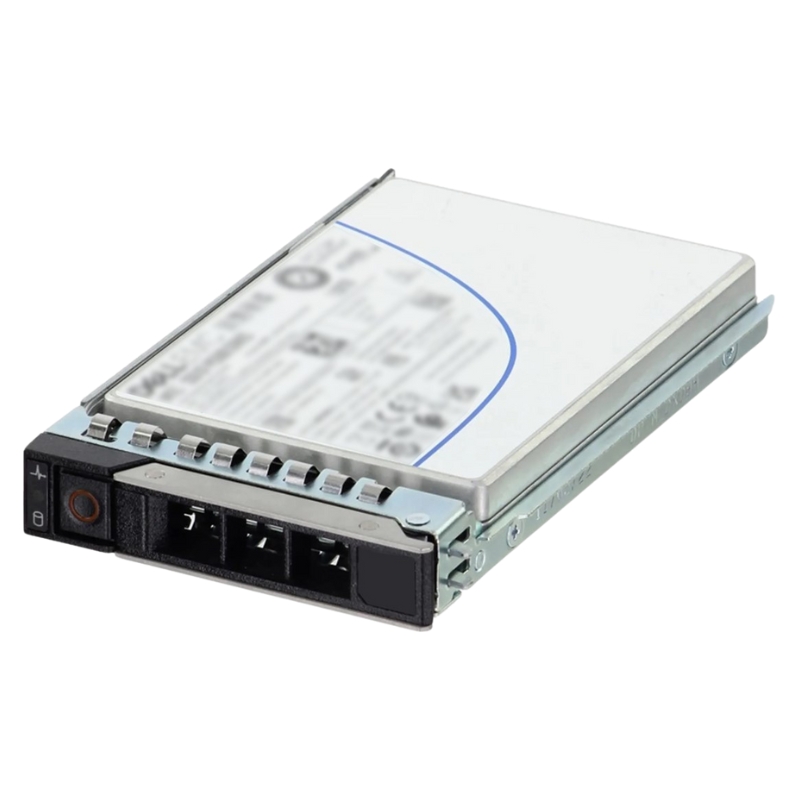


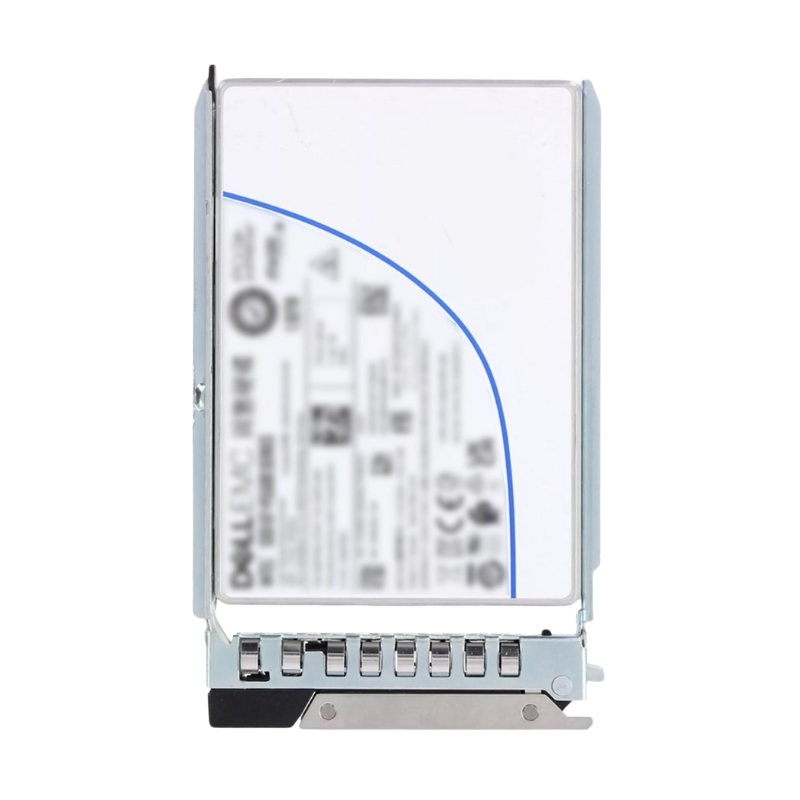
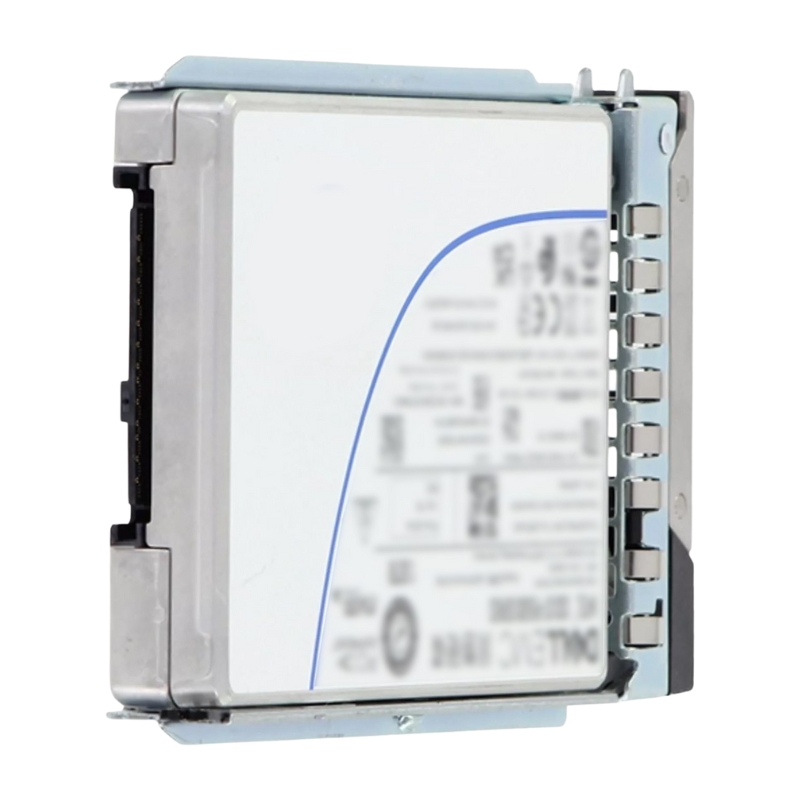
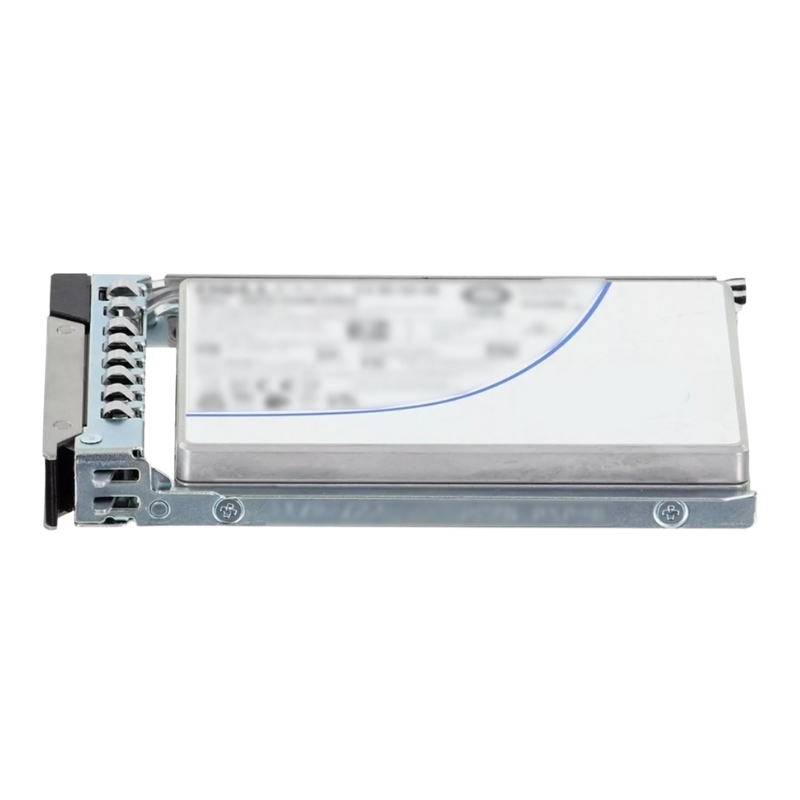
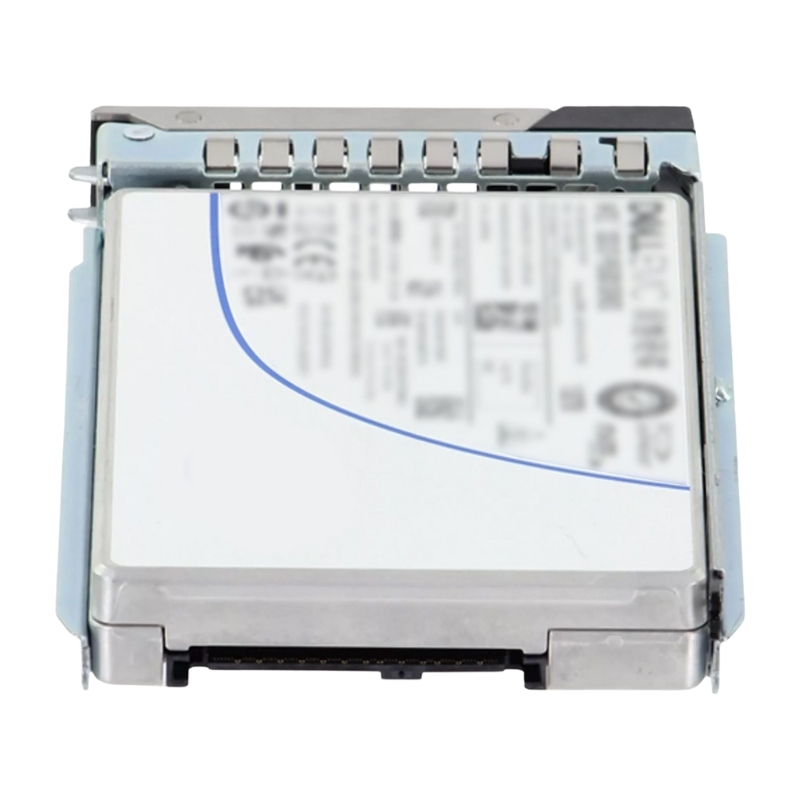
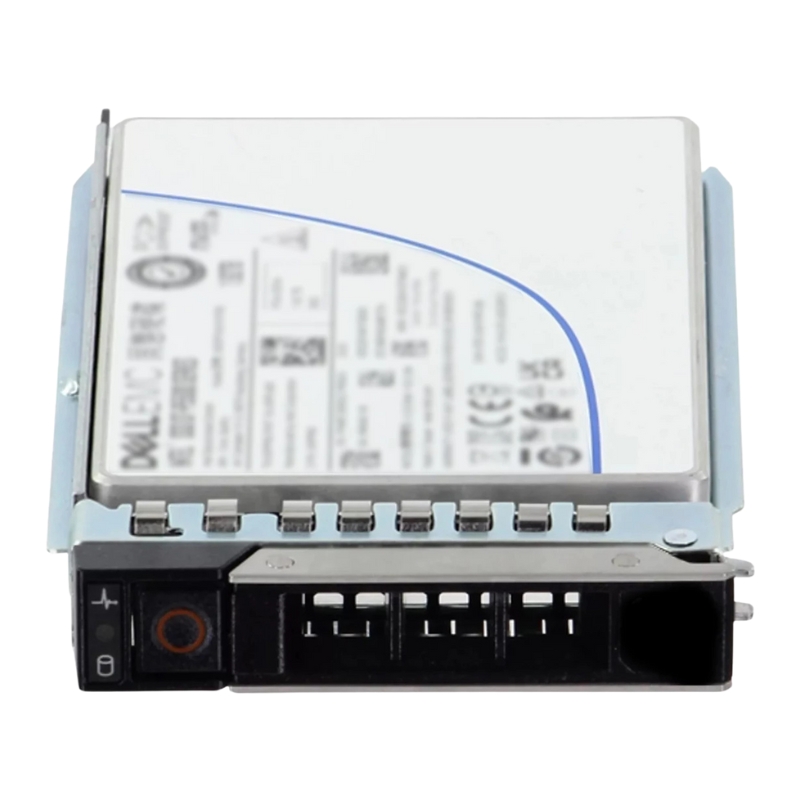
Dell 400-BRPL 3.2TB Mixed Use PCI-E 2.5 Inch Gen4 Solid State Drive. Excellent Refurbished with 1 year replacement warranty
The Dell 400-BRPL 3.2TB Mixed Use PCIe Gen4 NVMe SSD delivers next-generation storage performance, designed to meet the demands of modern enterprise environments. Built for PowerEdge 14G, 15G, and 16G servers, this drive ensures faster data access, consistent reliability, and optimized endurance for both read-intensive and write-intensive workloads.
With a 3.2TB total capacity, the Dell 400-BRPL SSD supports heavy data transactions, database operations, and storage virtualization without bottlenecks. It’s engineered for enterprises seeking scalable and flexible storage solutions.
Featuring a compact 2.5-inch U.2 form factor with a 15mm Z-height, this SSD fits perfectly into server storage bays. Its size ensures compatibility across multiple Dell PowerEdge generations, making upgrades effortless.
Equipped with the PCIe 4.0 interface and compliant with NVMe 1.4 protocol, the drive supports 64 GT/s bandwidth (Gen4 1x4, 2x2), enabling enterprises to handle massive data sets with lightning speed and minimal latency.
Using advanced BiCS Flash TLC (Triple-Level Cell) technology, the drive delivers an ideal balance of endurance, performance, and storage efficiency, ensuring reliable operation even under heavy workloads.
The Dell 400-BRPL SSD is optimized for seamless integration with Dell PowerEdge servers across the 14G, 15G, and 16G families. This ensures enterprises achieve peak performance without facing compatibility issues.
The Dell 400-BRPL 3.2TB Mixed Use PCI-E 2.5 Inch Gen4 Solid State Drive is designed for organizations that need a balanced blend of performance, endurance, and reliability in a 2.5-inch enterprise form factor. As a mixed-use SSD purpose-built for contemporary data center and professional workstation workloads, it supports a wide range of reads and writes across databases, virtualization platforms, analytics pipelines, and high-demand application hosting. The PCI Express Gen4 interface unlocks faster sequential throughput and lower latency compared to older interfaces, helping infrastructure planners remove storage bottlenecks without overhauling entire platforms. In environments where stable, predictable I/O is as important as peak speed, this drive aims to deliver consistent service levels across diverse workload profiles.
Beyond raw performance, the drive’s mixed-use positioning signals a carefully tuned endurance profile. Rather than being optimized exclusively for read-heavy scenarios or for write-intensive logging alone, it targets the middle ground, making it a pragmatic choice for general server consolidation, VDI golden images and linked clones, mid-tier transactional databases, and mixed analytics tasks. IT teams can deploy it broadly across clusters and still meet SLA expectations for latency and availability. The 2.5-inch form factor helps standardize spares and simplifies scaling inside Dell PowerEdge servers and compatible enclosures, while the enterprise firmware feature set focuses on data protection, integrity, and operational observability.
Choosing a mixed-use SSD is often about striking the right balance. The Dell 400-BRPL 3.2TB model addresses multi-tenant applications, microservices, and departmental servers that simultaneously perform reads and writes in relatively equal proportions. Teams supporting web front ends backed by relational or NoSQL databases can rely on predictable latency during peak traffic, while DevOps pipelines benefit from fast artifact storage and frequent CI writes. For virtualization hosts, a mixed-use SSD helps avoid performance cliffs when the I/O profile shifts throughout the day—from backup windows to patching cycles to business-hour transactions.
Mixed-use drives target a mid-range endurance class that supports daily writes well above typical read-heavy devices while keeping cost-per-gigabyte reasonable. Firmware-level write management, over-provisioning strategies, and enterprise-grade NAND selection work together to sustain performance as the drive fills and ages. For operators, this means fewer surprises when workload patterns evolve or when consolidation efforts place more concurrent applications on the same storage tier.
Read-intensive SSDs often deliver outstanding cost efficiency for content delivery and archival query layers but may not be appropriate when sustained writes are part of the profile. Write-intensive models provide exceptional durability for logging, high-frequency trading journals, or telemetry ingestion but raise costs for general-purpose servers. Mixed-use SSDs live between those extremes, enabling broad deployment with confidence.
The Dell 400-BRPL adopts a 2.5-inch enterprise form factor widely used across Dell’s server ecosystem and many third-party chassis. This form factor allows dense packing within front-accessible bays, simple hot-swap servicing, and compatibility with existing backplanes designed for PCIe/NVMe connectivity. For data center operators, standardizing on 2.5-inch sleds simplifies capacity growth and reduces the number of spare part types required on site.
By leveraging PCIe Gen4, this SSD can take advantage of significantly higher bandwidth ceilings than SATA/SAS or earlier PCIe generations. For workloads sensitive to tail latency—such as transactional APIs and synchronous replication—lower command overhead and faster queue handling translate into snappier application response times. Gen4 connectivity is also future-minded: organizations modernizing servers can preserve storage performance headroom for years, delaying the need for another disruptive refresh.
While the identifier focuses on PCIe, the underlying protocol typically used with this interface is NVMe, which streamlines the path from application to flash through efficient queueing and command processing. NVMe’s lightweight design reduces CPU cycles per I/O compared to legacy protocols, enabling more application work per server and potentially lower licensing or cloud consumption costs where those are tied to CPU utilization.
Enterprise 2.5-inch NVMe drives are commonly delivered in U.2 or U.3 variants for backplane compatibility. In many Dell PowerEdge systems, using the correct backplane and midplane wiring ensures the drive can be recognized at Gen4 speeds and hot-swap functionality is preserved. Careful matching of backplane, controller, and cabling spec helps extract full performance while avoiding negotiated downlinks to Gen3 or lower.
The 3.2TB nominal capacity fits a sweet spot between smaller boot or cache drives and very large capacity tiers. It is large enough to host multiple virtual machine datastores, mid-sized databases, or working sets for analytics tools, yet compact enough to be deployed in quantity across multiple nodes. In clustered storage designs, uniform 3.2TB nodes make capacity forecasting and rebuild planning more predictable.
Allocating too little capacity can inflate write amplification and erode endurance. Conversely, oversizing can waste budget that might be better spent on redundant nodes or faster networking. Many administrators find 3.2TB drives strike a practical balance: enough room for growth and snapshots, with reasonable rebuild windows. When paired with RAID or erasure coding, they deliver resilient storage pools that keep maintenance windows manageable.
Frequent snapshots are common in virtual environments and DevOps workflows. With 3.2TB per drive, teams can maintain multiple restore points while leaving headroom for transactional growth. For backup, local staging to the SSD before offloading to object storage or tape can accelerate backup windows and reduce application impact.
Thin provisioning at the hypervisor or storage layer allows efficient capacity utilization but requires monitoring of actual usage vs. allocated space. On mixed-use drives, maintaining a buffer of free capacity preserves steady write speeds and helps garbage collection operate efficiently. Capacity alerts and automated remediation—such as provisioning additional drives—prevent performance dips and write pressure during peak times.
Enterprise SSDs like the Dell 400-BRPL are engineered with data integrity as a top priority. From power-loss protection to end-to-end error detection, the firmware and hardware are built to safeguard data during both normal operation and unexpected events. In multi-tenant environments or regulatory contexts where data integrity is essential, these safeguards help reduce operational risk.
Capacitor-backed flush mechanisms are a staple feature in enterprise drives. In the event of sudden power interruption, the drive attempts to commit in-flight data to non-volatile storage, helping maintain file system integrity and transactional consistency. For organizations with strict RPO/RTO requirements, this feature reduces the risk of corruption and lengthy recovery procedures.
End-to-end data protection typically involves checksums and error correction that verify data integrity from the host interface through the controller and NAND. This ensures that silent corruption is detected and corrected where possible. The result is higher confidence in stored data over long retention periods, even when drives are deployed in large numbers.
Quality of Service (QoS) matters as much as peak throughput in shared environments. Enterprise firmware is tuned to deliver consistent latency across mixed random and sequential workloads, minimizing jitter that can otherwise cause user-visible delays or cascading slowdowns in service meshes. Predictable latency also simplifies capacity planning for microservices and queue-based systems.
While specific performance numbers depend on platform, firmware, queue depth, and workload profile, the PCIe Gen4, 2.5-inch NVMe architecture is capable of high IOPS and throughput with low latency. Real-world tuning ensures those capabilities translate into application gains. Storage architects should consider queue depths, I/O sizes, and thread counts that reflect each application’s native behavior.
Sequential workloads—like large file transfers or media transcoding—excel on PCIe Gen4 NVMe due to bandwidth headroom. Random I/O workloads—like OLTP or metadata-heavy operations—benefit from the protocol’s parallelism and low overhead. Mixed-use drives are tuned to provide balanced performance when sequential and random I/O occur simultaneously, such as during background replication while users remain active.
NVMe supports multiple queues and high queue depths, allowing operating systems and applications to dispatch many requests in parallel. Tuning hypervisors or database engines to utilize appropriate queue depths helps saturate available lanes without creating excessive context switching. Monitoring tail latencies ensures concurrency settings remain optimized as data grows.
Modern filesystems and storage stacks can be tuned for NVMe media. Aligning block sizes with application I/O patterns and enabling TRIM/UNMAP where appropriate can reduce write amplification. For databases, separating log and data volumes or pinning hot tablespaces to faster media can deliver noticeable gains while keeping capacity efficient.
The Dell 400-BRPL is designed to integrate cleanly with Dell servers and management tools. This includes compatibility with relevant backplanes, sleds, and server BIOS features that expose NVMe devices for monitoring. For IT teams standardizing on Dell, the drive offers a consistent experience across models and generations, easing mixed-generation cluster upgrades.
Proactive lifecycle management reduces unplanned downtime. Enterprise SSDs support firmware updates that address stability improvements or feature refinements. In managed fleets, coordinated rolling updates keep performance consistent and mitigate rare edge cases. Administrators should schedule updates during maintenance windows and track compliance across racks and data centers.
SMART attributes and vendor-specific telemetry expose health indicators like wear levels, temperature, error rates, and spare blocks. Monitoring tools can alert on thresholds, enabling drive replacement before service impact. Trending these metrics supports capacity planning and helps forecast when groups of drives may approach their wear limits.
Standardizing on a single 2.5-inch mixed-use capacity like 3.2TB simplifies sparing. Keeping a calculated number of cold spares on hand minimizes mean time to repair. Documented RMA procedures and tested imaging or secure erase workflows accelerate replacement while honoring data handling policies.
Security features on enterprise SSDs are essential in regulated industries or multi-tenant hosting. The Dell 400-BRPL platform is typically paired with firmware options that support secure erase functions, sanitization routines, and alignment with organizational data handling policies. When combined with server-level security (TPM, secure boot) and application-layer encryption, it forms part of a defense-in-depth posture.
When drives are repurposed or retired, sanitization procedures ensure no residual data remains. Operational runbooks should define who authorizes erasure, what verification steps are required, and how certificates of erasure are recorded. These practices not only maintain compliance but also streamline audits.
Limiting who can physically access and logically manage drives reduces risk. In larger organizations, standard change processes govern when a drive can be added, removed, or reconfigured. Documented workflows and peer review prevent misconfigurations that could compromise performance or availability.
Many organizations implement encryption at rest using OS-level or hypervisor-level tools. When paired with enterprise SSDs, encryption performance is generally strong thanks to modern CPUs and NVMe efficiency. Key management policies—covering generation, rotation, recovery, and access—must be clearly defined to avoid operational pitfalls.
Thermal management is central to sustaining performance in dense servers. 2.5-inch NVMe drives operate within defined temperature envelopes and are typically cooled by chassis airflow. Adequate intake temperatures, unobstructed airflow, and regular filter maintenance help prevent throttling. Power budgets should account for peak draw during sustained writes or rebuilds.
Front-bay placement offers direct airflow across the drive’s heatsink and controller. In high-density servers with mixed NVMe and compute loads, balancing heat sources across the chassis can reduce hotspots. Monitoring drive temperatures provides early warning if fans or airflow guides need adjustment.
PCIe Gen4 enables higher throughput without proportionally increasing power usage when configurations are tuned properly. For operators tracking performance per watt, consolidating workloads onto fewer, faster drives can reduce overall energy consumption and rack footprint while maintaining service quality.
Not all deployments live in climate-controlled data centers. In branch offices or edge locations, ensure the hosting platform meets environmental specifications and has adequate dust control and power conditioning. Monitoring and alerting become even more important in these contexts to avoid degraded performance from thermal events.
The Dell 400-BRPL 3.2TB mixed-use drive can be deployed in numerous patterns depending on throughput, capacity, and resilience requirements. While specific topologies vary, a few reference patterns are common in practice and help guide initial sizing and procurement decisions.
Deploy multiple 3.2TB drives per host to create resilient datastores for hypervisors. Use RAID1 or RAID10 for latency-sensitive VMs. This pattern keeps storage close to compute, lowering network dependency for critical applications and simplifying small-scale clusters.
For larger environments, pooling drives into NVMe-oF targets can centralize capacity while retaining NVMe performance characteristics over the network. The 3.2TB capacity provides modular building blocks for scaling out performance and capacity in lockstep.
Build specialized nodes where mixed-use SSDs host primary datasets and logs on separate volumes for isolation. Use replication for high availability and enable filesystem or storage layer snapshots for point-in-time recovery. Monitor write intensity to ensure endurance planning remains on track as data grows.
Endurance is a core dimension of SSD selection. Mixed-use devices are tuned for a balanced write budget relative to capacity. While exact metrics depend on firmware and NAND specifics, operational best practices can maximize longevity and preserve performance across the drive’s life.
Write amplification occurs when more data is written to flash than the host originally requested, typically due to garbage collection and block erasures. Keeping ample free space, aligning writes, and minimizing unnecessary small random writes reduce amplification and extend drive life.
Maintaining headroom improves sustained write performance. Administrators frequently reserve a percentage of capacity unallocated to help the controller manage blocks efficiently. This practice is particularly useful in environments with heavy snapshot churn or log generation.
Track SMART wear metrics to forecast replacement timelines. Trend analysis reveals whether workloads are consuming endurance as expected. When indicators approach thresholds, plan migrations during maintenance windows and rotate in spares to avoid reactive swaps.
Operational discipline maximizes the reliability of any storage tier. Standardized runbooks, well-defined alerts, and documented recovery steps allow small teams to manage large fleets effectively. Mixed-use NVMe thrives when provisioning, monitoring, and lifecycle steps are consistent across nodes.
Codify partition schemes, filesystem types, mount options, and queue depth settings in automation tools. Golden images reduce drift, shorten onboarding time for new servers, and prevent inconsistencies that cause performance anomalies.
Latency spikes and increasing correctable error counts can indicate emerging issues long before failures. Configure alerts on moving averages and trending patterns. Correlate with thermal and power data to pinpoint root causes quickly.
Set thresholds for free capacity at both the drive and volume levels. When thresholds are crossed, trigger automated actions such as snapshot pruning, log rotation, or capacity expansion. These steps avert emergency situations during peak workload periods.
Ensuring platform compatibility is essential for extracting the most from PCIe Gen4 drives. Confirm that the host server supports NVMe boot or data drives as intended, and that backplanes are wired for Gen4 operation. BIOS settings, firmware levels, and driver versions should be validated during staging.
Major hypervisors and operating systems have mature NVMe stacks. Verify recommended driver versions and settings, enable features like NVMe multipath where appropriate, and confirm that monitoring agents capture relevant SMART data for fleet-wide visibility.
Traditional RAID can deliver simple mirroring or striping for local resilience. In clustered environments, software-defined storage may provide replication or erasure coding that spans nodes. Choose the model that aligns with your recovery time objectives, network capabilities, and operational model.
Maintain a compatibility matrix that includes server BIOS, storage backplane firmware, NVMe driver revisions, and management agents. Test upgrades in a non-production ring before rolling out widely, and document any performance changes or notable improvements.
As data grows and new services come online, scaling storage with minimal disruption becomes a competitive advantage. The 3.2TB capacity lends itself to gradual expansion—adding a small set of drives to each node or growing a centralized pool tier by tier. Because the drives share a common form factor and interface, scale-out plans remain straightforward.
Populate additional bays within a server to add capacity and IOPS linearly. Ensure sufficient PCIe lanes, thermal headroom, and power supply margin. Balance bays across backplanes to avoid congestion on a single link or expander path.
Add identically configured hosts to a cluster to increase aggregate throughput and resilience. This approach helps maintain consistent performance profiles and simplifies troubleshooting because each node behaves similarly under load.
Combine mixed-use NVMe with high-capacity media to construct cost-optimized hierarchies. Keep hot datasets and indexes on Gen4 NVMe while colder data migrates to capacity-oriented tiers. Intelligent tiering policies ensure the most active data benefits from low-latency media without overprovisioning NVMe everywhere.
Different applications place different demands on storage. Fine-tuning configurations for each use case yields better outcomes than a one-size-fits-all approach. The Dell 400-BRPL, with its mixed-use tuning and NVMe performance, supports a broad spectrum of stacks.
For SQL engines, locate transaction logs and tempdb/pg_xlog equivalents on isolated volumes to minimize contention. Enable page compression or row compression where supported to reduce write pressure. Consider read-intensive replicas for reporting to offload the primary volume.
Key-value and document stores benefit from fast commit paths and steady tail latency. Configure compaction strategies thoughtfully to avoid write spikes during business hours, and maintain ample free capacity to smooth compaction I/O.
Search indices and columnar analytics engines often mix sequential and random I/O. Pin write-heavy temporary areas to dedicated volumes, and schedule index maintenance during low-traffic windows. Monitor merge and compaction jobs to prevent surprise latency events.
Comprehensive data protection spans local redundancy, backups, and disaster recovery. Mixed-use NVMe serves as a reliable foundation when paired with disciplined practices that ensure rapid recovery from accidental deletions, corruption, or site-level outages.
Mirror or stripe-mirror configurations deliver strong read performance and resilience against single-drive failures. Regularly test rebuild times and verify that airflow and power supplies handle the additional load during reconstruction.
Combine frequent snapshots with periodic backups to secondary storage. Asynchronous replication between sites or clusters protects against localized incidents. Verify restore procedures, and run drills that simulate partial data loss to ensure processes are battle-tested.
Plan rolling maintenance that preserves availability. Cluster-aware applications can shift load while a node undergoes firmware updates or drive swaps. Document and rehearse these steps to remove uncertainty during live operations.
Total cost of ownership for storage includes hardware acquisition, power and cooling, rack space, software licensing, and operational overhead. The Dell 400-BRPL 3.2TB mixed-use drive aims to reduce indirect costs by sustaining performance that enables workload consolidation, lowering the number of servers required for a given service level.
2.5-inch NVMe drives deliver high capacity density. In multi-bay 1U and 2U servers, operators can achieve significant capacity per rack unit while maintaining PCIe Gen4 performance characteristics. This density reduces the footprint of storage clusters and simplifies growth planning.
Because NVMe reduces storage stack overhead, some workloads may accomplish more work per CPU socket. In environments with per-core or per-socket licensing, this can indirectly lower software costs by allowing consolidation of services without oversizing compute.
Standardizing on a common mixed-use NVMe capacity streamlines spares management, documentation, and automation. The result is less time spent on bespoke configurations and more predictable rollouts across environments.
Before rolling into production, structured testing verifies that the storage configuration meets expectations. Synthetic benchmarks establish baselines, while application-level tests confirm behavior under realistic load patterns. Documenting results supports future comparisons and helps detect regressions after firmware or OS updates.
Use benchmarking tools to simulate random and sequential I/O with varying block sizes and queue depths. Measure not only average throughput but also 95th and 99th percentile latencies. Keep test configurations consistent so results remain comparable over time.
Replay production traffic traces where possible. For databases, run representative transaction mixes and batch jobs; for virtualization, test VM boot storms and rolling updates; for analytics, execute typical query chains and data refreshes. Monitor the entire stack to attribute bottlenecks correctly.
After go-live, schedule periodic validation. This can be as simple as running lightweight synthetic tests during maintenance windows or as thorough as red-team drills that test failover and rebuild processes. Baselines make it easier to spot performance drift early.
Enterprise drives have finite endurance and component aging characteristics. Lifecycle planning avoids unplanned downtime and budget surprises by forecasting replacements and aligning them with broader platform refresh cycles. The goal is to maintain consistent performance and availability throughout the asset’s life.
Define SMART thresholds and wear levels that trigger preemptive replacement. Align replacements with scheduled patch cycles to minimize disruption. Keep metadata about each drive’s deployment history, firmware level, and observed workload intensity to refine forecasts.
When repurposing drives within the organization, run approved sanitization routines and verify results. Update asset tags, inventory systems, and monitoring agents so the drive’s new role is tracked accurately. Consistent processes reduce the risk of stale alerts or misrouted RMAs.
Maintain living documentation that captures deployment standards, troubleshooting checklists, and known good configurations. As staff changes occur, this body of knowledge ensures continuity and reduces the onboarding curve for new team members.
Modernizing storage with efficient NVMe media contributes to sustainability goals. Fewer servers can deliver the same or better performance, cutting power consumption and heat output. Consolidation also reduces the number of auxiliary components—switch ports, cabling, and PDUs—needed to support a given workload footprint.
Right-sizing capacity and performance prevents overprovisioning that wastes energy. Mixed-use NVMe pairs high performance with pragmatic endurance, enabling operators to meet service levels without oversizing to compensate for latency variability.
At end of life, follow responsible e-waste processes that recover materials and ensure data is irrecoverably sanitized. Partnering with certified recyclers supports corporate sustainability reporting and reduces environmental impact.
Use telemetry to track real utilization, idle time, and workload cycles. Adjust consolidation ratios and placement policies based on evidence rather than assumptions. Over time, these optimizations can produce meaningful reductions in power and cooling costs.
Successful deployments are methodical. The following checklist summarizes key steps to ensure the Dell 400-BRPL 3.2TB mixed-use Gen4 NVMe SSD integrates cleanly into production environments:
After go-live, real-world usage patterns will reveal additional tuning opportunities. Adjust queue depths, revisit compaction schedules, refine snapshot frequency, and evaluate encryption overhead. Incremental improvements compound over time, yielding a storage tier that feels faster, more reliable, and more cost-efficient.
Storage, networking, and application teams should share dashboards and agree on SLOs. When everyone works from the same metrics, identifying bottlenecks and prioritizing fixes becomes straightforward. This collaboration is especially valuable when planning capacity expansions or platform refreshes.
Treat your mixed-use NVMe tier as a living system. Periodically revisit assumptions about workload mixes, growth rates, and resilience needs. Proactive adjustments keep the platform aligned with business priorities and ensure the Dell 400-BRPL 3.2TB drive continues to deliver value throughout its lifecycle.
Organizations running varied workloads—virtualized applications, moderate transactional databases, analytics staging areas, and developer platforms—gain the most from a mixed-use Gen4 NVMe tier. Teams seeking predictable latency and robust enterprise features in a familiar form factor will find the Dell 400-BRPL 3.2TB model a pragmatic, versatile choice.
Map current workloads, identify storage-bound services, and estimate growth over the next one to three years. Use a pilot deployment to validate assumptions, then scale methodically. Keep documentation current, track telemetry, and iterate on settings to maximize returns from your NVMe investment.
After the initial rollout, schedule periodic reviews to re-baseline performance, confirm firmware currency, and validate data protection processes. As applications evolve, the flexibility of a mixed-use NVMe foundation ensures your storage keeps pace with business needs.


 Contact Us
 Information
 Catalog
 Solid State Drives (SSD)
 Network Switches
 Hard Disk Drives
 HBA & Controllers
 PC & Servers
 PC & Server Memory
 CPU & Processors
 Network Routers
 Power Supplies
 Tape Drives & Libraries
 Network Devices
 Computer & Network Cables