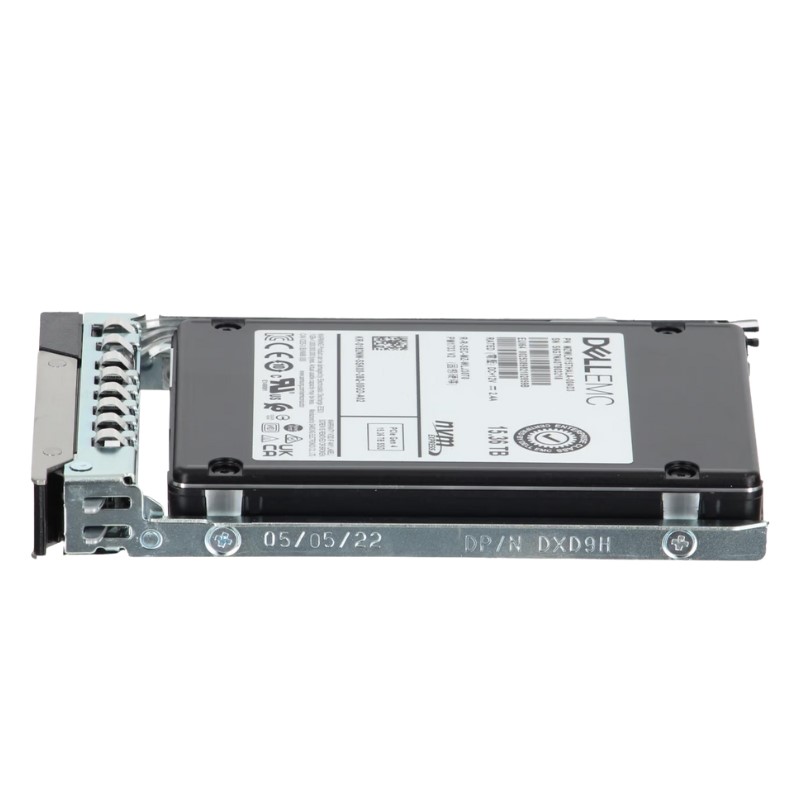
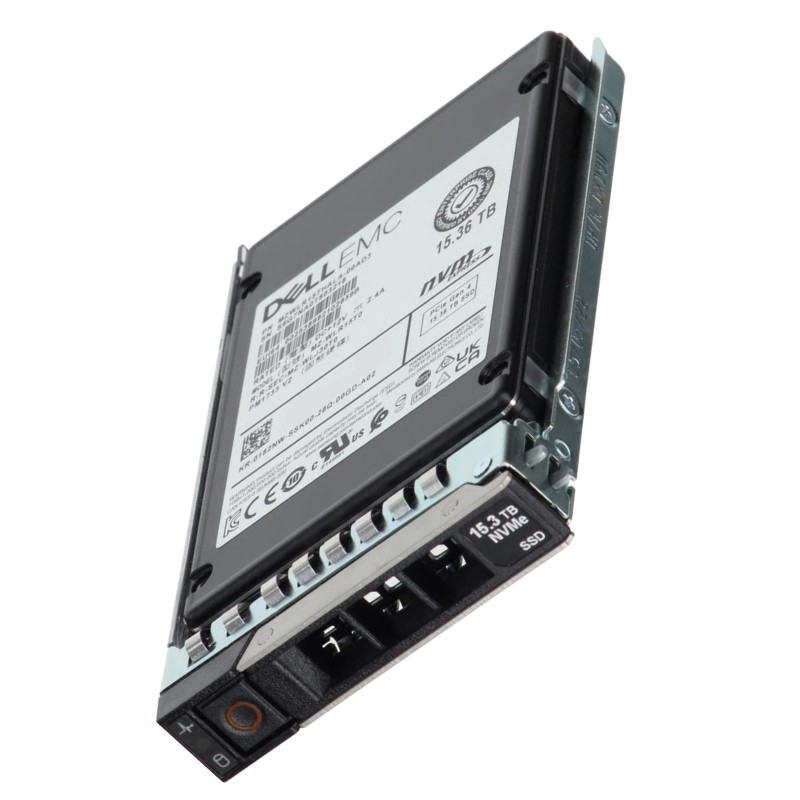
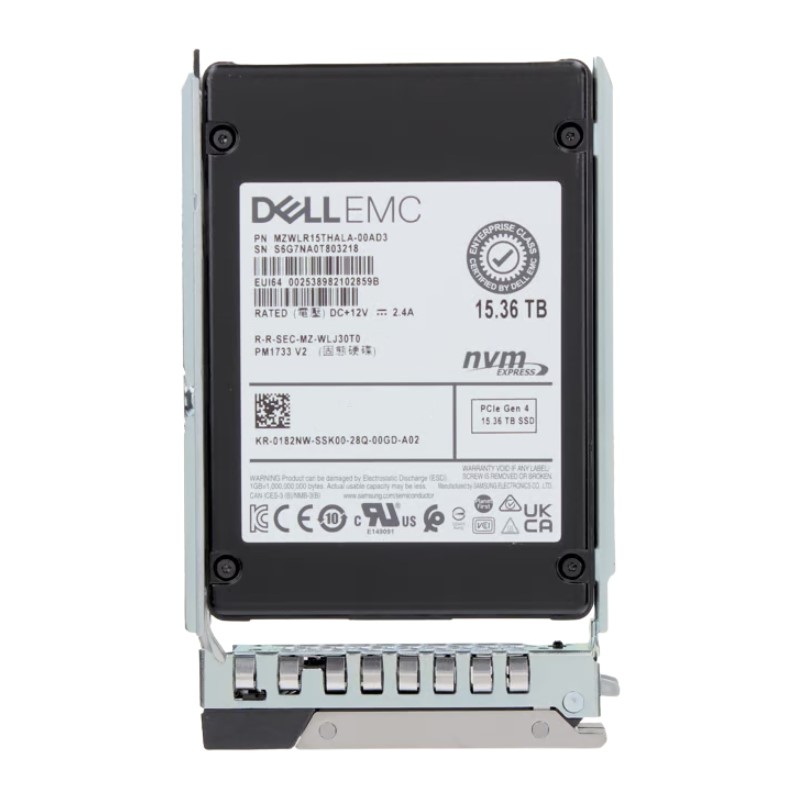
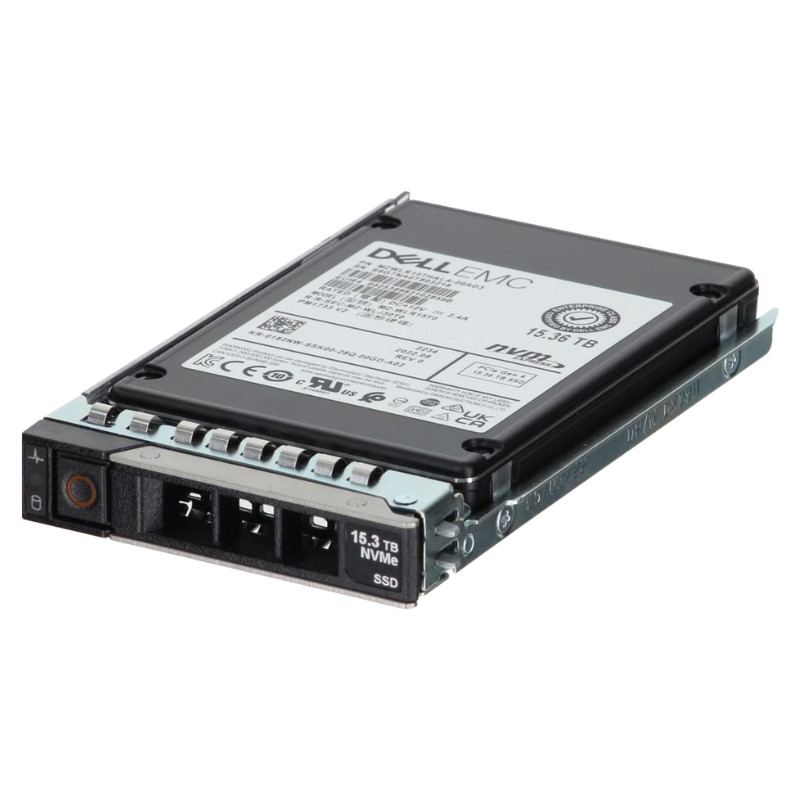
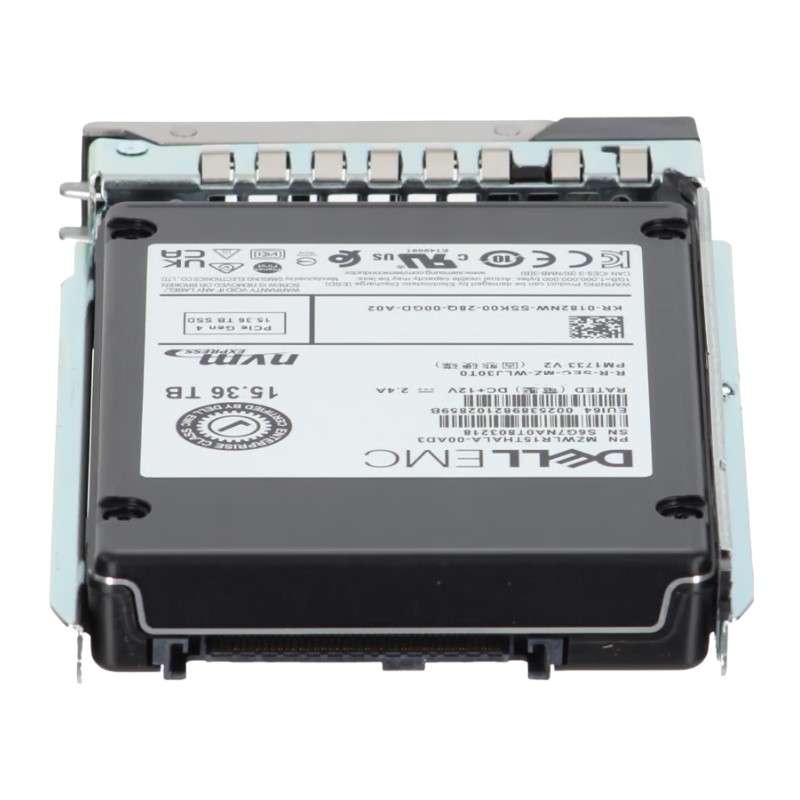
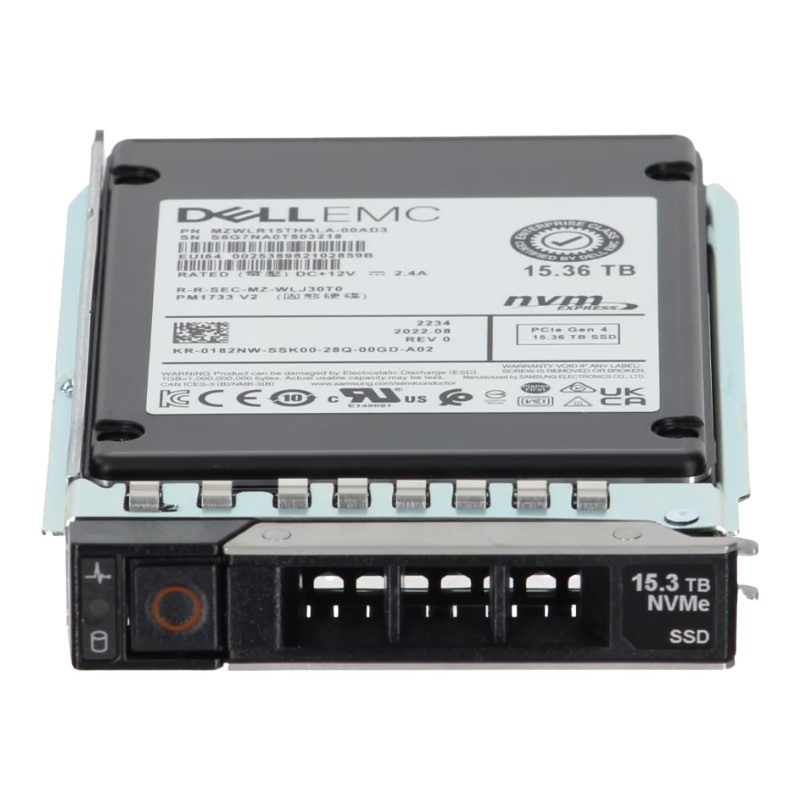
Dell 400-BRZZ 15.36TB PCIe Gen4 NVMe U.2 Enterprise SSD
The Dell 400-BRZZ 15.36TB PCIe Gen4 NVMe SSD is a high-capacity, read-intensive
enterprise-grade solid state drive engineered to deliver consistent performance, faster
throughput, and exceptional scalability for data-heavy workloads. Designed for
Dell PowerEdge servers of the 14G, 15G, 16G, and 17G generations, this U.2
2.5-inch SSD ensures optimized storage efficiency while maintaining data integrity and
reliability for modern data centers.
Key Highlights of Dell 400-BRZZ SSD
- Massive 15.36TB capacity tailored for enterprise storage expansion.
- PCIe Gen4 NVMe interface for accelerated data transfer and reduced latency.
- Durable 3D TLC NAND flash technology for improved efficiency.
- Optimized for read-intensive workloads with a 1DWPD endurance rating.
- Compact 2.5-inch U.2 form factor ensuring easy integration into servers.
- Reliable compatibility with Dell’s enterprise-grade infrastructure.
General Information
Crafted to support complex IT environments, this drive enhances operational efficiency while
offering seamless scalability. Below are the general details:
- Manufacturer: Dell
- Part Number: 400-BRZZ
- Category: Enterprise Solid State Drive
- Use Case: Read-intensive applications, data-driven workloads, cloud storage
Technical Specifications
Interface & Protocol
Utilizing the PCIe Gen4 NVMe protocol, this SSD delivers lower latency and
faster response times compared to SATA or SAS storage solutions, ensuring smooth data access
for enterprise environments.
Storage & Form Factor
- Capacity: 15.36TB
- Form Factor: U.2 2.5-inch drive
- Flash Memory Type: Advanced 3D TLC NAND
- Endurance: Read Intensive (1 Drive Write Per Day)
Advantages of Choosing Dell Enterprise SSDs
Enterprise applications require drives that deliver not only speed but also
durability, data security, and high availability. The Dell 400-BRZZ offers
exactly that by reducing latency, enhancing throughput, and delivering consistent results even
under demanding conditions.
Performance Benefits
- Maximized throughput with PCIe Gen4 bandwidth.
- Stable performance for data-heavy read-intensive tasks.
- Reduced system bottlenecks in multi-user environments.
- Lower latency for business-critical operations.
Reliability Features
- Backed by Dell’s rigorous enterprise validation testing.
- Enhanced durability with 3D TLC NAND architecture.
- Consistent read performance for long-term data workloads.
- Optimized to work seamlessly with Dell PowerEdge servers.
Compatibility with Dell PowerEdge Servers
This SSD is engineered for direct compatibility with multiple generations of
Dell PowerEdge systems, making it an ideal storage solution for
IT infrastructure upgrades and expansions.
Supported Server Generations
- Dell PowerEdge 14th Generation (14G)
- Dell PowerEdge 15th Generation (15G)
- Dell PowerEdge 16th Generation (16G)
- Dell PowerEdge 17th Generation (17G)
Workload Optimization
The read-intensive design makes this SSD a perfect choice for enterprise
applications such as:
- Database management and analytics
- Virtualization and VDI workloads
- Web hosting and cloud platforms
- Data warehousing and big data processing
- Business intelligence and real-time insights
Why Businesses Choose the Dell 400-BRZZ 15.36TB SSD
Scalability
As data volumes continue to expand, enterprises require storage drives that can scale
effortlessly. This SSD provides high-density storage capacity in a
compact form factor, supporting seamless scalability.
Energy Efficiency
Lower power consumption reduces heat output, ensuring optimized energy savings
without sacrificing performance.
Data Integrity
The use of Dell’s enterprise validation standards ensures data consistency, protection,
and minimized downtime in mission-critical operations.
Summary of Benefits
- High-capacity 15.36TB storage for enterprise applications
- Advanced PCIe Gen4 NVMe interface with rapid throughput
- Optimized for read-intensive workloads (1 DWPD)
- Seamless integration with Dell PowerEdge server generations
- Durable 3D TLC NAND for long-lasting performance
Dell 400-BRZZ 15.36TB PCIe NVMe Gen4 U.2 — Overview of the Category
The Dell 400-BRZZ 15.36TB PCI-E NVMe Gen4 U.2 Read Intensive 2.5-inch 1DWPD Enterprise Solid State Drive sits firmly in the high-capacity, high-throughput tier of enterprise storage media. This category covers U.2 (2.5") NVMe drives optimized for read-dominant workloads, combining large raw capacity, Gen4 PCIe bandwidth, and endurance tuned for content delivery, analytics, virtualization boot volumes, and large-scale cold/hot dataset access. These drives are engineered to deliver consistent low-latency reads while balancing write endurance metrics appropriate for read-intensive environments (1 drive write per day — 1DWPD).
Intended Use Cases and Read-Intensive Workloads
Content Delivery Networks (CDNs) and Media Streaming
For CDNs, video-on-demand platforms, and streaming providers, sustained read performance and predictable latency are paramount. Drives in this category provide:
- Large capacity for caching high-resolution video libraries (up to 15.36TB per drive).
- Gen4 NVMe throughput for many concurrent read streams without bottlenecks.
- Low read latency that improves startup time, adaptive bitrate switching, and QoE (quality of experience).
Big Data Analytics, AI Inference, and Index Serving
Analytics pipelines and inference-serving layers often require fast random/sequential reads across large indexes. Read-focused NVMe U.2 drives accelerate:
- Index lookups for search and recommendation systems.
- Large dataset slices for feature extraction and model inference where reads dominate writes.
- High parallelism for many simultaneous queries, improving throughput on multi-core servers.
Virtual Desktop Infrastructure (VDI) and Boot/OS Drives
In VDI clusters and stateless boot environments, many systems read the same images repeatedly. The Dell 400-BRZZ class drives support:
- Rapid virtual machine boot storms mitigation through strong random read IOPS.
- Predictable performance during peak logon events.
- Capacity to host many VM images on a single drive for dense server designs.
Key Features and Value Propositions
Gen4 PCIe NVMe — Bandwidth and Latency
The Gen4 PCIe interface delivers up to double the raw bandwidth of Gen3 (per lane), enabling higher sequential transfer rates and improved multi-queue performance. For read-heavy enterprise scenarios, this translates into:
- Improved sequential throughput for large object retrieval and backups.
- Lower queue depth dependency for high single-threaded read performance.
- Better headroom for future scaling of host controllers and NVMe fabrics.
U.2 2.5-inch Form Factor — Hot-Swap & Rack Compatibility
The U.2 2.5" form factor provides a balance of density and serviceability. Common advantages include:
- Hot-swap capability for data center maintenance without downtime.
- Broad compatibility with server backplanes (2.5" NVMe bays and drive trays).
- High density in 1U/2U chassis designs enabling more capacity per rack unit.
Read-Intensive Endurance (1DWPD) — Cost-Efficient Longevity
Rated at 1 drive write per day (1DWPD), these drives are optimized to maximize cost-efficiency for workloads where reads far outnumber writes. The advantages:
- Lower $/GB pricing compared to heavy-write enterprise SSDs.
- Sufficient endurance for caching layers, archival hot pools, and read-heavy indexes.
- Predictable lifespan metrics for capacity planning and TCO modeling.
Technical Specifications — What to Expect
Capacity, Interface, and Physical Attributes
A typical product in this class—Dell 400-BRZZ 15.36TB—offers specifications that enterprise architects should compare carefully before procurement:
- Raw Capacity: 15.36TB (usable capacity varies with over-provisioning and firmware).
- Interface: PCIe NVMe Gen4 x4 via a U.2 connector.
- Form Factor: 2.5" U.2 (15mm typical thickness for enterprise NAND arrays).
- Endurance Rating: 1 DWPD (drive writes per day) suitable for read-heavy workloads.
- Controller and NAND: Enterprise-grade NVMe controller with TLC or QLC NAND variants (vendor-specific).
Performance Metrics — Random IOPS and Sequential Throughput
Performance depends on firmware tuning and host environment, but typical expectations include:
- Random Read IOPS: Very high (hundreds of thousands) at low queue depths for small block sizes—beneficial for database index scans and metadata operations.
- Sequential Read Throughput: Multi-Gigabytes-per-second class possible when paired with Gen4 host lanes and adequate CPU/memory resources.
- Write Performance: Tuned for read-intensity; sustained write throughput is lower than write-optimized enterprise SSDs but sufficient for occasional writes like logging or checkpointing.
Power, Thermal, and Environmental Characteristics
U.2 NVMe drives designed for data centers disclose operational values that are important for rack and thermal design:
- Typical Power Draw: Idle and active power metrics; Gen4 controllers can consume more power during peak transfers.
- Thermal Profiles: Recommended airflow and heat-sink compatibility; many Dell drives rely on server backplane cooling.
- Operating Temperatures: Enterprise operating ranges (e.g., 0°C to 55°C) — confirm specific drive datasheet for exact numbers.
Reliability and Data Integrity Features
End-to-End Data Protection and ECC
Enterprise NVMe SSDs include robust data integrity measures:
- Error Correcting Code (ECC) to detect and repair bit errors in NAND.
- End-to-end data protection across the controller and host interface to reduce silent data corruption risk.
- Power-loss protection (PLP) or power-loss data protection capacitors to flush volatile caches to persistent media on sudden power loss (implementation varies by model).
SMART Monitoring, Telemetry, and Predictive Failure Analysis
Modern enterprise drives expose SMART attributes and vendor telemetry for predictive maintenance:
- SMART attributes for wear leveling, spare block usage, and corrected error counts.
- Telemetry compatible with server management frameworks (iDRAC, SMASH, Redfish, or vendor-specific APIs).
- Predictive failure algorithms that allow pro-active replacement before catastrophic failure.
Deployment, Integration, and Best Practices
Compatibility Checklist
When planning deployment of Dell 400-BRZZ class drives, validate these integration points:
- Server backplane supports U.2 NVMe drives and provides required Gen4 PCIe lanes.
- BIOS/firmware versions on servers and RAID/HBA adapters are compatible with NVMe boot and passthrough modes.
- Operating system and hypervisor NVMe drivers are up-to-date for optimal performance and feature support.
- Backplane airflow and chassis cooling meet thermal requirements for sustained high throughput.
RAID, NVMe Fabrics, and Software-Defined Storage
Enterprise administrators should decide on the storage architecture:
- NVMe over Fabrics (NVMe-oF): For scale-out architectures, these drives can be pooled via RDMA or TCP fabrics to present block storage across the network with minimal latency overhead.
- RAID Considerations: Traditional RAID controllers sometimes require NVMe-aware RAID solutions (RAID over NVMe) or software RAID layers (e.g., mdadm, ZFS with NVMe). Evaluate rebuild times and failure domain strategies because high-capacity SSDs can increase rebuild durations.
- Software-Defined Storage: Integration with SDS platforms (Ceph, VMware vSAN, Red Hat Gluster/Ceph) requires performance balancing and careful placement policies for read-heavy pools.
Firmware Management and Security Updates
Always maintain firmware hygiene:
- Use vendor-supplied firmware updates to patch security vulnerabilities, fix performance regressions, and enhance compatibility.
- Follow change-control processes: test updates in staging, schedule updates during maintenance windows, and maintain rollback plans.
- Monitor vendor advisories for product-specific errata and firmware patches for Dell 400-BRZZ class devices.
Security, Encryption, and Compliance
Self-Encrypting Drive (SED) Options
Many enterprise NVMe U.2 drives support hardware-based encryption (SED). Advantages include:
- On-drive AES-256 encryption that offloads cryptographic work from the host CPU.
- Secure erase capabilities for rapid removal of sensitive data when decommissioning hardware.
- Integration with key management systems (KMIP-compatible or vendor-specific) for enterprise key lifecycle management.
Regulatory and Data Residency Considerations
For sectors with strict compliance needs (finance, healthcare, government), pay attention to:
- Drive certification statuses and whether audits require documented encryption and erase procedures.
- Long-term retention policies and secure disposal to meet GDPR, HIPAA, or local data protection rules.
- Chain-of-custody and asset tracking for storage devices holding regulated data.
Comparisons: Where the Dell 400-BRZZ Fits Versus Alternatives
Read-Intensive vs. Mixed-Use vs. Write-Intensive SSDs
Understand the trade-offs:
- Read-Intensive (1DWPD): Lower cost/$GB, tuned firmware for read throughput, suitable for CDN, streaming, and index-serving tasks.
- Mixed-Use (3–5 DWPD): Balanced performance for workloads with a blend of reads and frequent writes (databases with heavy update rates).
- Write-Intensive (10+ DWPD): Highest endurance for transactional databases, logging appliances, and write-heavy caching layers; higher $/GB.
Form Factor & Interface Alternatives
When comparing U.2 to other form factors:
- M.2 (NVMe): Lower cost and compact; often used in edge servers and workstations but less serviceable and sometimes limited in thermal headroom.
- U.3 and EDSFF: Emerging form factors for higher scale and NVMe ecosystem convergence; EDSFF enables greater thermal dissipation and density for hyperscale deployments.
- JBOD/NVMe Full-Height Cards: For ultra-high throughput, add-in cards (AIC) provide direct PCIe access but reduce hot-swap convenience.
Procurement, Cost Considerations, and Total Cost of Ownership (TCO)
CapEx vs OpEx Trade-offs
While per-drive acquisition cost for a 15.36TB NVMe Gen4 U.2 SSD is higher than consumer SSDs or SATA enterprise drives, evaluating TCO requires modeling:
- Density: fewer drives required to reach target capacity reduces rack space and ancillary costs (cabling, trays).
- Performance: higher throughput reduces the need for additional servers or host resources to meet SLAs.
- Endurance fit: matching endurance to workload avoids overpaying for write-heavy devices when not necessary.
Bulk Purchasing and Lifecycle Planning
Enterprises should negotiate support bundles and spares:
- Volume discounts and extended warranty/advance replacement options from Dell or authorized distributors.
- Establish spare pool strategy: keep a percentage of drives as hot spares to minimize RTO in case of failures.
- Lifecycle replacement: plan refresh cycles aligned with firmware support windows and performance obsolescence (typically 3–5 years in enterprise environments).
Troubleshooting and Common Pitfalls
Performance Degradation Causes
If you observe unexpected slowdowns, check:
- Thermal throttling due to insufficient airflow or obstructions in the rack.
- Firmware mismatches between host and drive resulting in suboptimal queuing behavior.
- I/O scheduler or driver misconfiguration causing serialized requests or high CPU wait times.
- Overloaded NVMe fabrics or NIC contention in NVMe-oF deployments.
Data Loss and Recovery Considerations
To protect against data loss:
- Use replication or erasure coding across fault domains rather than relying solely on single-drive redundancy.
- Maintain regular backups and snapshot policies tailored to recovery point objectives (RPO) and recovery time objectives (RTO).
- Test restore procedures periodically—drive replacement alone does not guarantee rapid recovery if rebuild strategies are flawed.
Real-World Deployment Examples and Architecture Patterns
High-Density Cache Tier in Hybrid Storage
Deploy these drives as an upper cache layer in hybrid arrays where SSDs serve as a read cache for larger, slower HDD-based capacity tiers. Benefits:
- Reduced load on spinning disks for frequently accessed objects.
- Improved throughput for user-facing applications without full flash conversion cost.
- Policy-driven caching that respects TTL and access frequency to maximize hit rates.
Dedicated Read Pools for Analytics Clusters
Analytics clusters that perform complex queries over large datasets can benefit from dedicated read pools:
- Provision read pools with Dell 400-BRZZ drives to accelerate scan-heavy operations.
- Use parallelized query engines to exploit the drive’s strong random read performance.
- Design retention policies that migrate cold data to cheaper capacity once access frequency drops.
Actionable Deployment Checklist
Before Purchase
- Verify server U.2 bay compatibility and Gen4 PCIe lane availability.
- Confirm workload write profile to ensure 1DWPD is adequate.
- Request vendor datasheet for explicit power, thermal, and firmware details.
At Installation
- Stage firmware updates in a lab environment prior to production rollout.
- Implement SMART and telemetry collection from day one.
- Test booting and performance under expected concurrency levels.
During Operation
- Monitor life-used counters and schedule replacements before end-of-life thresholds.
- Maintain spare inventory and advanced RMA coverage if available.
- Document firmware levels, host driver versions, and any vendor advisory actions taken.
Glossary and Terminology
U.2
A 2.5" enterprise form factor that uses a U.2 connector to carry PCIe lanes and NVMe signaling, enabling hot-swap serviceability.
DWPD
Drive Writes Per Day — a metric expressing endurance relative to drive capacity (1DWPD means the drive can be fully overwritten once per day for the warranty period).
Gen4 PCIe
PCI Express Generation 4 — provides higher per-lane bandwidth compared to Gen3, enabling superior sequential and parallel transfer rates for NVMe SSDs.
Vendor & Support Notes
Firmware & Lifecycle Support
Align procurement with a vendor support contract that covers firmware updates, advance replacement options, and clear SLAs for RMA. Confirm the warranty window and whether the product includes optional extended support for multi-year deployments.
Compatibility Matrix
Always consult Dell's official compatibility matrix and the server vendor’s release notes for validated platforms. Third-party resellers may ship similar parts; ensure part-number parity and firmware alignment to avoid mismatch issues.
Final Practical Tips (No Summary Statement)
- Prioritize matching endurance and performance to your workload profiles to avoid overspending on unnecessary write endurance.
- Use these drives to consolidate read-heavy datasets and reduce the number of servers required for the same workload, improving rack-level density and operational simplicity.
- Maintain strict firmware and telemetry hygiene to keep performance deterministic and to spot early signs of wear or failure.





 Contact Us
 Information
 Catalog
 Solid State Drives (SSD)
 Network Switches
 Hard Disk Drives
 HBA & Controllers
 PC & Servers
 PC & Server Memory
 CPU & Processors
 Network Routers
 Power Supplies
 Tape Drives & Libraries
 Network Devices
 Computer & Network Cables