(7% discount is applied at checkout)
Cart is empty
Your go-to destination for cutting-edge server products
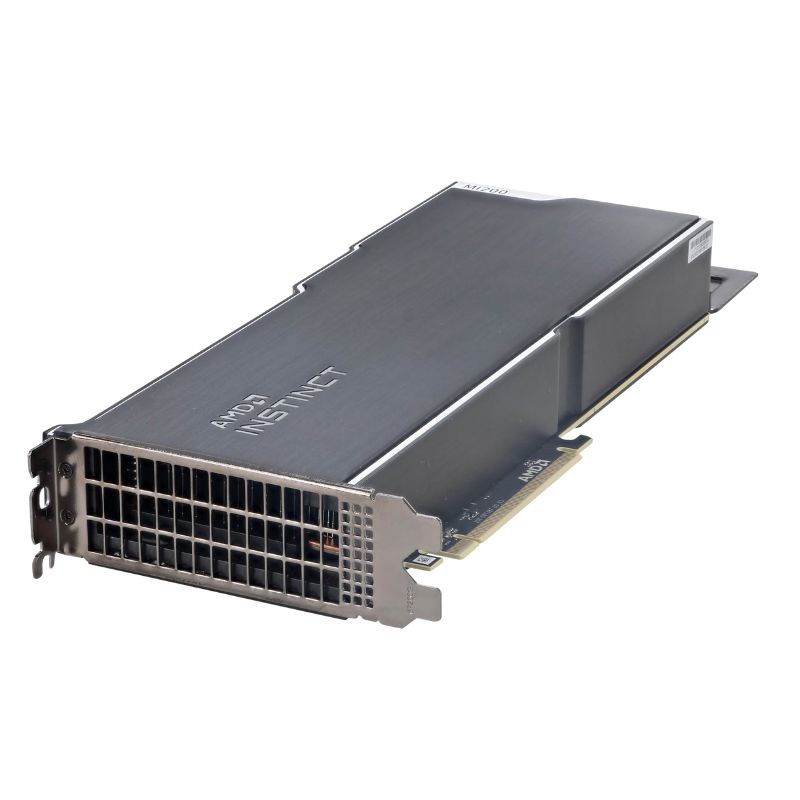


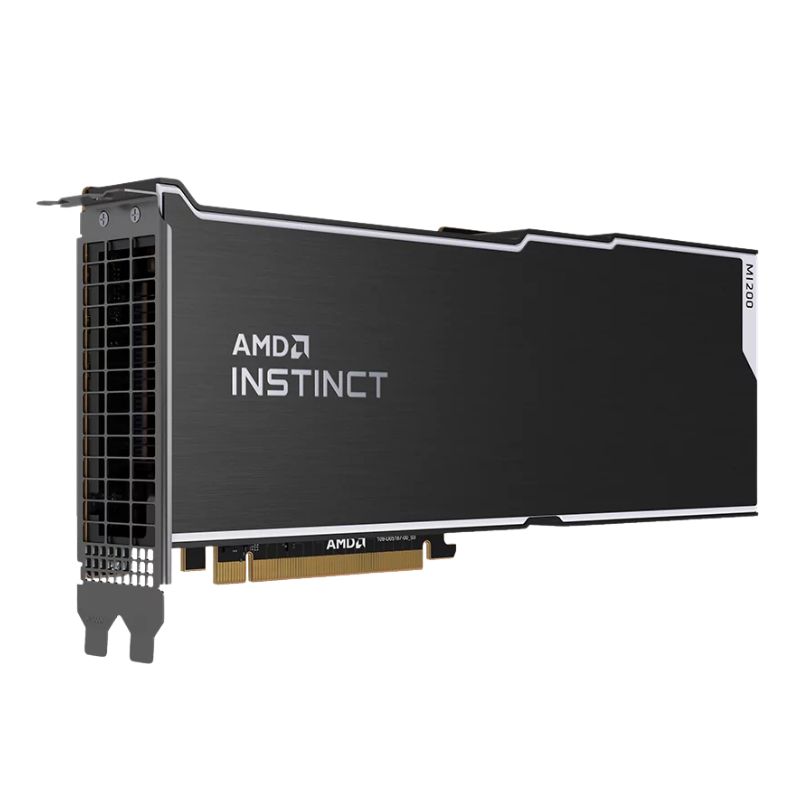
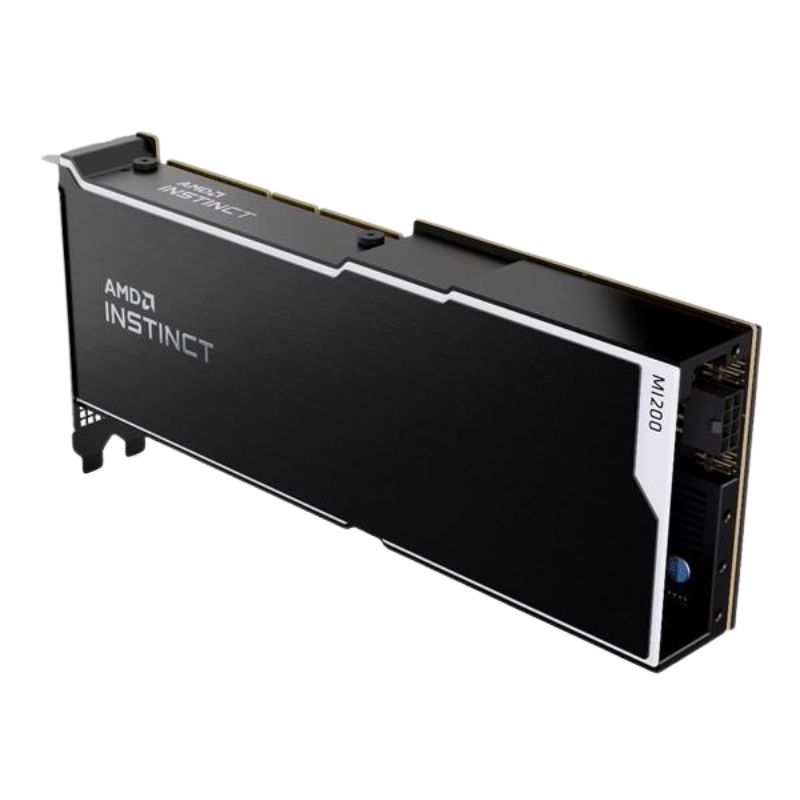
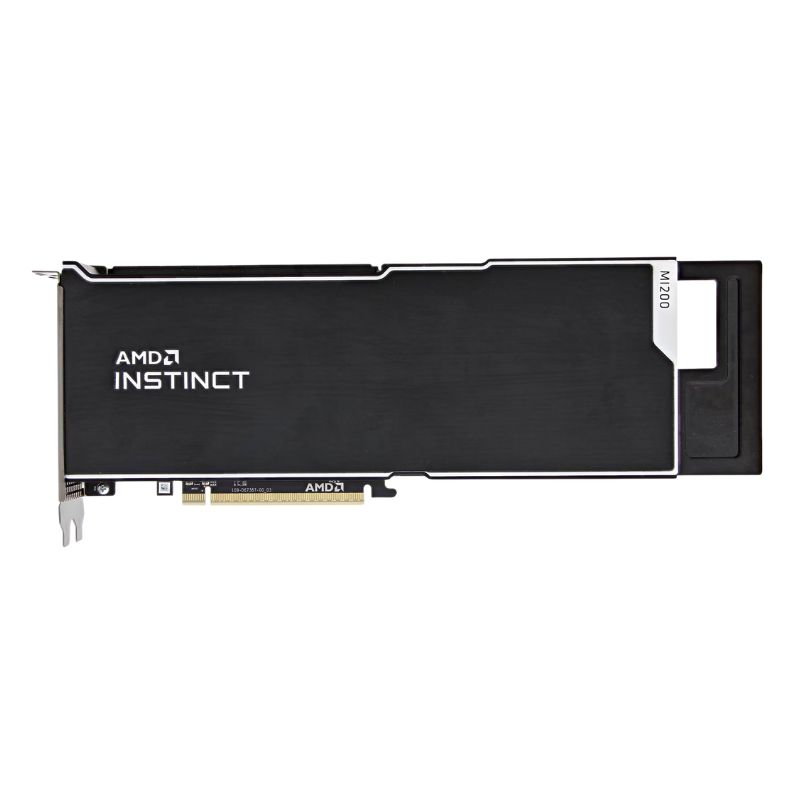
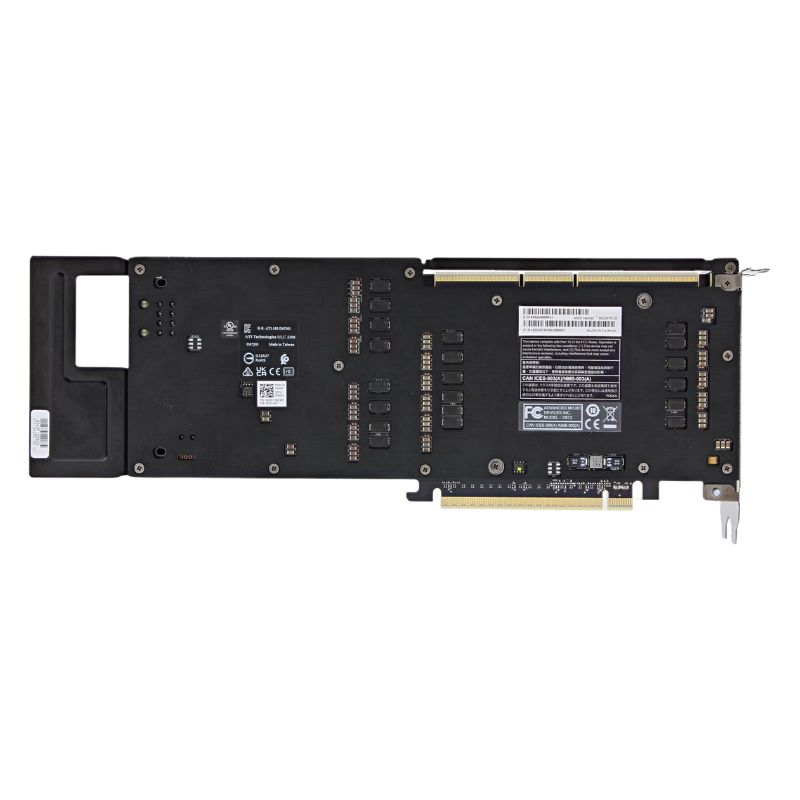
Dell 414F2 AMD MI210 300W PCI-E 64GB Passive Double Wide Full Height GPU. Excellent Refurbished with 1 Year Replacement Warranty
The Dell 414F2 AMD MI210 is a high-efficiency 64GB HBM2E graphics card built for professional and enterprise-level performance. With a 300W PCI-E interface and a double-wide, full-height passive cooling design, this GPU delivers outstanding computational power and reliability for demanding workloads.
The Dell 414F2 AMD MI210 GPU integrates seamlessly with several enterprise-grade Dell PowerEdge servers, ensuring smooth installation and maximum performance optimization.
The Dell 414F2 listing identifies a class of high-density accelerator cards built around the AMD Instinct MI210 GPU. This category represents enterprise-grade, PCIe-based compute accelerators engineered for datacenter deployment, high-performance computing (HPC), deep learning training and inference, scientific simulation, and large-scale data analytics. As a double-wide, full-height passive-cooled card with 64 gigabytes of high-bandwidth memory, the Dell 414F2 occupies a specific niche: customers who require large on-board memory capacity, very high memory bandwidth, and the flexibility to deploy in rack servers and engineered systems that provide sufficient chassis airflow and power provisioning. The product is commonly sold as a customer-installable part or factory option for compatible Dell PowerEdge platforms and is also distributed as an OEM component to system integrators and resellers.
At the heart of the 414F2 is the AMD Instinct MI210 GPU, a CDNA2-family accelerator designed for FP64, FP32 and lower-precision matrix operations, backed by 64 GB of HBM2e memory. The combination of a large HBM2e pool and a wide memory bus gives this accelerator very high sustained memory throughput, making it suitable for models and datasets that must be held in device memory to avoid CPU–GPU round trips. For procurement teams, the MI210’s memory profile is the primary differentiator versus mainstream datacenter GPUs: where 16 GB or 32 GB devices force frequent data partitioning, a 64 GB card drastically reduces inter-stage memory management complexity and can accelerate workflows that operate on large tensors or multi-gigabyte simulation datasets.
The Dell 414F2 is implemented as a PCI Express 4.0 x16 card and is specified as a dual-slot (double-wide), full-height form factor requiring a 300-watt operational power envelope. That physical and electrical profile determines the server chassis compatibility matrix: it will fit in standard full-height PCIe slots, but because it is passive cooled and double-wide, the system must provide direct front-to-back airflow and sufficient PSUs and power connectors to support a 300 W device per slot. For buyers, verifying the server’s thermal design power (TDP) budget and connector availability before ordering is essential.
The MI210 architecture is tuned for high-throughput compute. With thousands of stream processors and dozens of compute units, the architecture yields significant vector and matrix throughput for floating-point workloads. The card supports high peak performance for FP32 and FP64 vector and matrix operations and accelerates mixed-precision matrix math, which is critical for modern AI training and inference pipelines. These architectural features translate into real-world gains across deep learning, linear algebra kernels, and scientific solvers that can exploit wide parallelism. For teams developing optimized kernels, the MI210’s raw core counts and matrix execution units provide a compelling platform for scaling performance.
One of the most load-bearing advantages of 64 GB HBM2e on a 4096-bit bus is massive sustained memory bandwidth. The MI210 offers memory bandwidth on the order of multiple terabytes per second, enabling large models and datasets to be streamed through compute units quickly without memory becoming the bottleneck. Additionally, on-device ECC for the HBM memory ensures higher reliability and data integrity for long-running HPC jobs and production AI pipelines. For enterprise customers, memory ECC reduces the risk of silent data corruption and supports regulatory and audit requirements for scientific and financial computations.
For customers who need multi-GPU scaling within a single server, the MI210 family supports AMD’s Infinity Fabric Link connection. When configured with the appropriate interconnect parts and server board support, these accelerators can communicate across a high-bandwidth fabric, enabling tighter coupling than PCIe alone. This improves scaling efficiency for large-model training and multi-GPU HPC computation, reducing latency and improving synchronization performance between GPUs in the same node. Architects designing 2- to 4-GPU systems should verify that their chosen server platform supports Infinity Fabric Link or comparable NVLink-like interconnects for optimal scale-up performance.
AMD’s ROCm software stack is the primary development environment for MI210-based accelerators. ROCm provides device drivers, runtime libraries, and optimized math libraries to accelerate deep learning frameworks, HPC codes, and custom kernels. Customers should plan for driver lifecycle management, kernel recompilation if migrating from other vendors, and compatibility testing for their frameworks of choice. Enterprises deploying at scale often incorporate driver validation into automated configuration management pipelines to guarantee performance parity and avoid unexpected regressions after updates.
Most major machine learning frameworks have steadily improved AMD support through ROCm-compatible builds, but porting and tuning can still require attention. Where possible, teams should use ROCm-validated versions of frameworks such as PyTorch and TensorFlow and adopt containerized deployment to isolate driver dependencies. Numeric differences between architectures may require validation against reference outputs for scientific applications. The presence of large, 64 GB device memory often simplifies data partitioning logic and reduces the need for complex distributed strategies at the application level, but application teams must still profile and tune to extract maximum throughput from the MI210’s compute and memory subsystems.
For single-node deep learning workloads, the MI210’s combination of high compute throughput and large on-card memory is especially useful for training large language models and vision transformers where batch sizes or model parameters would otherwise require sharding across multiple smaller devices. On the inference side, the 64 GB memory capacity allows for serving larger models per GPU and reduces inter-GPU coordination overhead, improving tail latency for complex models when colocated on a single server.
Scientific workloads such as computational fluid dynamics, weather modeling and molecular dynamics benefit from the MI210’s double-precision (FP64) performance profile and high memory bandwidth. Simulations that require large meshes or datasets in device memory run more efficiently with 64 GB HBM2e than with smaller-memory accelerators, often providing meaningful time-to-solution improvements and allowing scientists to run higher-resolution experiments within the same time and compute budget.
While the MI210 is designed primarily as a raw compute accelerator, deployment scenarios involving GPU virtualization and multi-tenant sharing require additional software layers. Organizations that plan to partition GPU capacity across multiple users or containers should evaluate hypervisor support, vendor-provided virtualization toolkits, and third-party orchestration platforms. In some cases, the best option is to use the MI210 as a dedicated workload accelerator within a node and rely on container-level isolation rather than hardware-level partitioning. This approach preserves peak performance and simplifies scheduler-level enforcement of resource usage.
Because each 414F2 card can consume up to 300 watts under peak load, system integrators must ensure supplying servers and racks with sufficient PSU capacity and cabling. Power headroom should include the base CPU and memory consumption, I/O devices, storage, and cooling fans. In multi-GPU nodes, account for the cumulative peak demand and provision redundant power paths to avoid single-point failures that could cause performance degradation or downtime during peak computations.
Passive accelerators demand validated airflow across the card’s heat spreader. During system provisioning, engineers should perform thermal validation using worst-case workloads to confirm fan curves and inlet temperatures keep the GPU within recommended operating limits. Integrating telemetry from the server management controller and the GPU driver allows teams to create automated alerts and preventive maintenance schedules. For racks with dense passive GPU populations, consider higher-capacity rack cooling units or dedicated hot-aisle containment to improve thermal stability and maintain performance consistency.
From a lifecycle standpoint, passive cards are often easier to service at the node level because their reliability profile is improved by the lack of fans on the board. Nevertheless, replacement planning should consider the procurement lead time for these specialized accelerators and the fact that some variants are sold as OEM-specific SKUs (for example, Dell part numbers). Maintain an inventory of spare parts and a documented compatibility matrix that maps firmware, BIOS, and driver versions to deployed server images to streamline replacements and minimize downtime.
Choose the MI210-based 414F2 card if your workloads require substantial device memory and high memory bandwidth paired with strong double-precision and mixed-precision performance. If your workload is memory-light but throughput-hungry for lower-precision inferencing, smaller, actively cooled accelerators or accelerator families optimized for inference density may offer better rack-level efficiency. Conversely, if you need extreme inter-GPU bandwidth for very large multi-node training clusters, evaluate systems that offer direct GPU-to-GPU fabric links at the node or cluster level and confirm whether the chosen configuration supports Infinity Fabric Link or similar high-bandwidth interconnects. These trade-offs influence total cost of ownership (TCO) and time-to-solution in measurable ways.
High-capacity HBM2e GPUs occupy a premium price tier. Procurement teams should evaluate purchase vs. lease, right-sizing the fleet for workload variability, and considering reserved capacity for burst periods. Lifecycle costs include power, cooling, driver validation labor and potential server retrofits to accommodate passive double-wide cards. In many cases, conducting a feature-to-cost analysis that models expected utilization and electricity costs across the server fleet yields the clearest economic picture for whether a 64 GB passive accelerator is the right choice. Dell, third-party resellers and system integrators offer both new and refurbished units, and part numbers differ by market and factory installation options, so always confirm the exact Dell SKU (for example OEM part identifiers) when raising procurement orders.
To validate end-to-end performance, run a combination of microbenchmarks and application-level tests. Memory bandwidth and latency tests quantify the benefits of HBM2e for your codes, while matrix multiply and GEMM-style tests show peak throughput potential. For AI workloads, end-to-end training runs with representative datasets and batch sizes are the most meaningful measure. Use ROCm profiling tools and system-level telemetry to identify where bottlenecks occur: whether on the host CPU, PCIe fabric, or inside the GPU arrays. Comparative benchmarks against similarly provisioned nodes will reveal where further tuning or rebalancing is necessary to reach expected throughput.
Benchmark outputs should be translated into operational capacity metrics: jobs per hour, average GPU utilization, and expected throughput under steady-state operation. From these metrics, derive queue wait time expectations, required cluster size for target SLAs, and energy consumption per job. Because passive double-wide cards place greater emphasis on airflow, include thermal stability measurements in capacity planning to avoid overestimating sustained performance in poorly cooled environments. Include a margin for driver and firmware updates that may change observed performance over time.


 Contact Us
 Information
 Catalog
 Solid State Drives (SSD)
 Network Switches
 Hard Disk Drives
 HBA & Controllers
 PC & Servers
 PC & Server Memory
 CPU & Processors
 Network Routers
 Power Supplies
 Tape Drives & Libraries
 Network Devices
 Computer & Network Cables