(7% discount is applied at checkout)
Cart is empty
Your go-to destination for cutting-edge server products
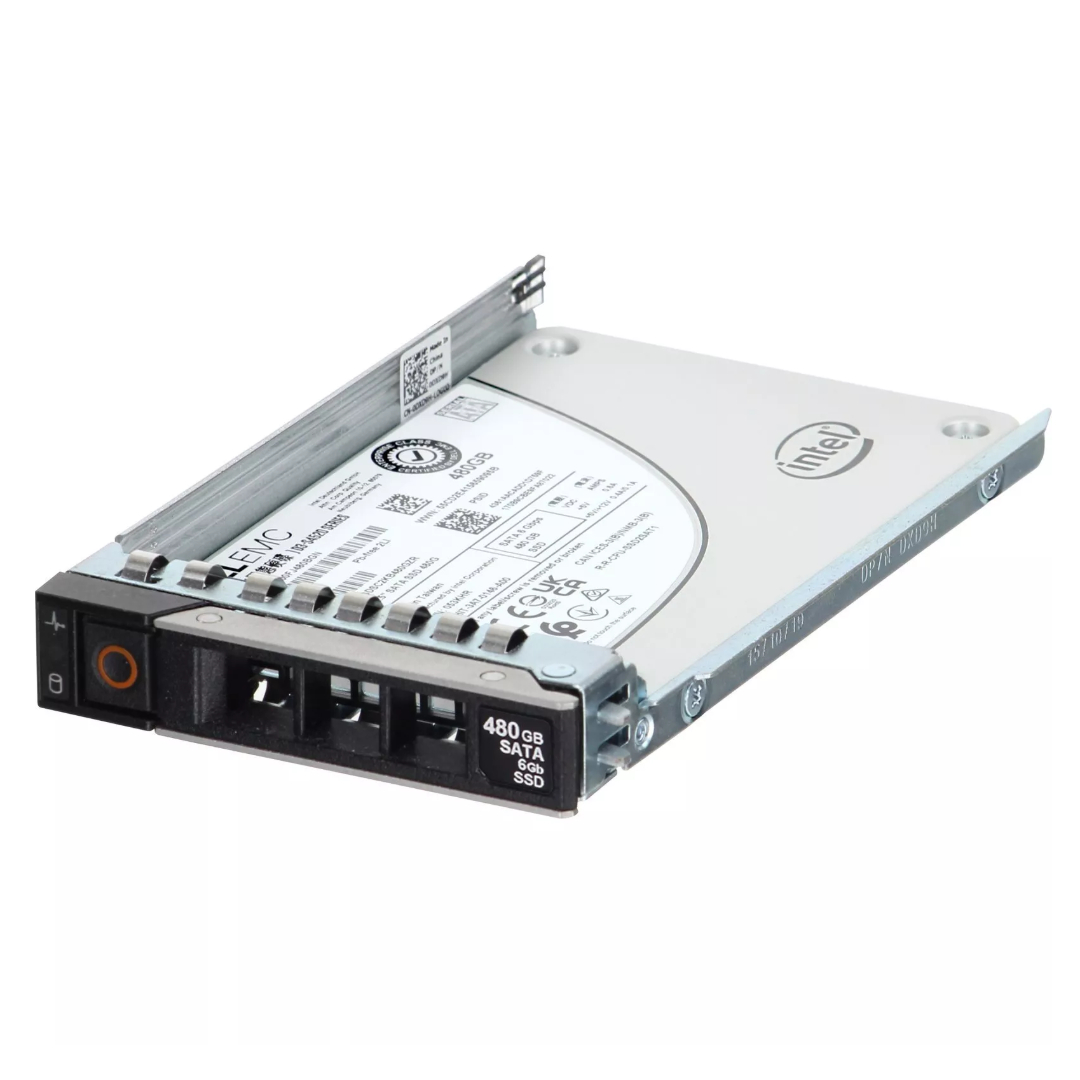


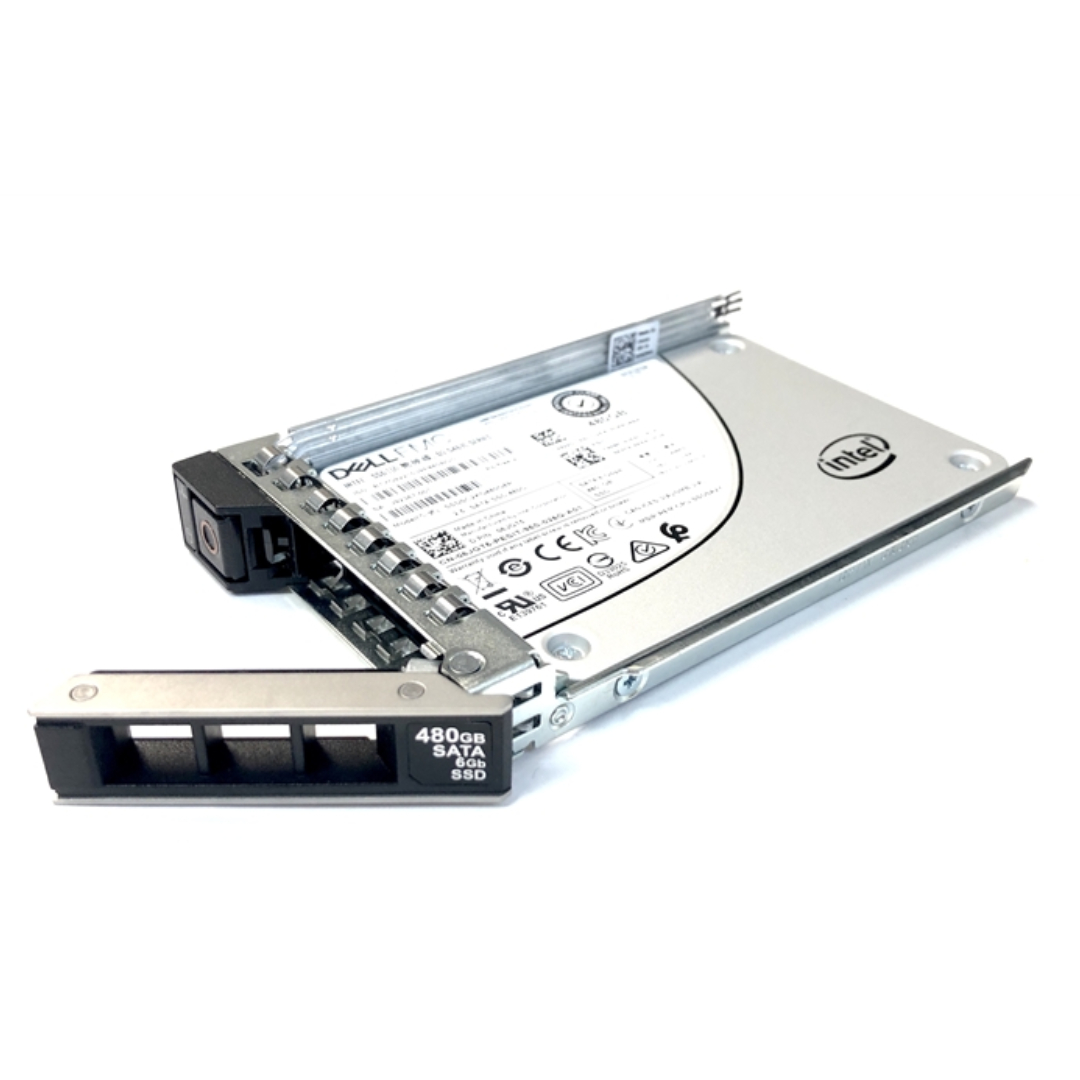
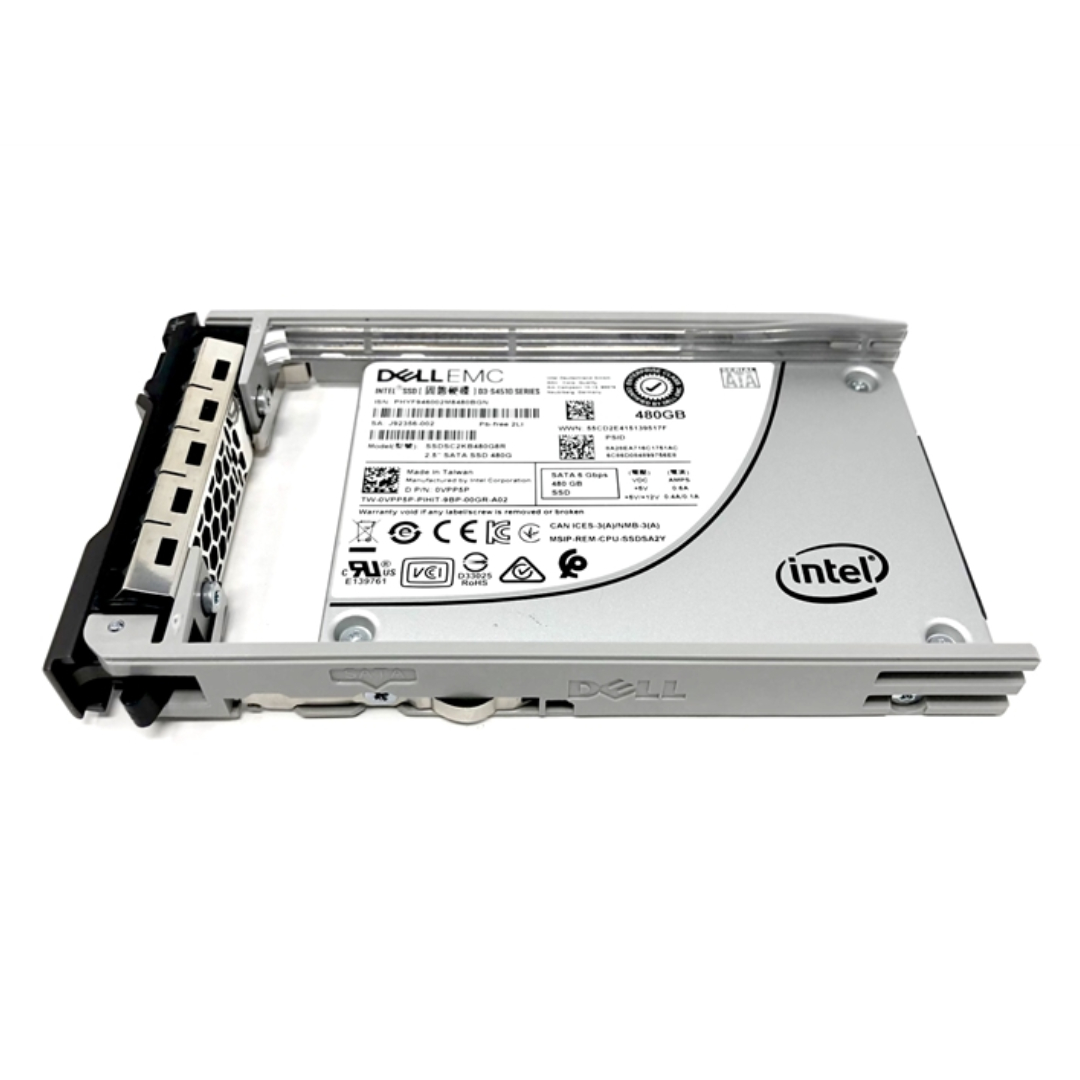
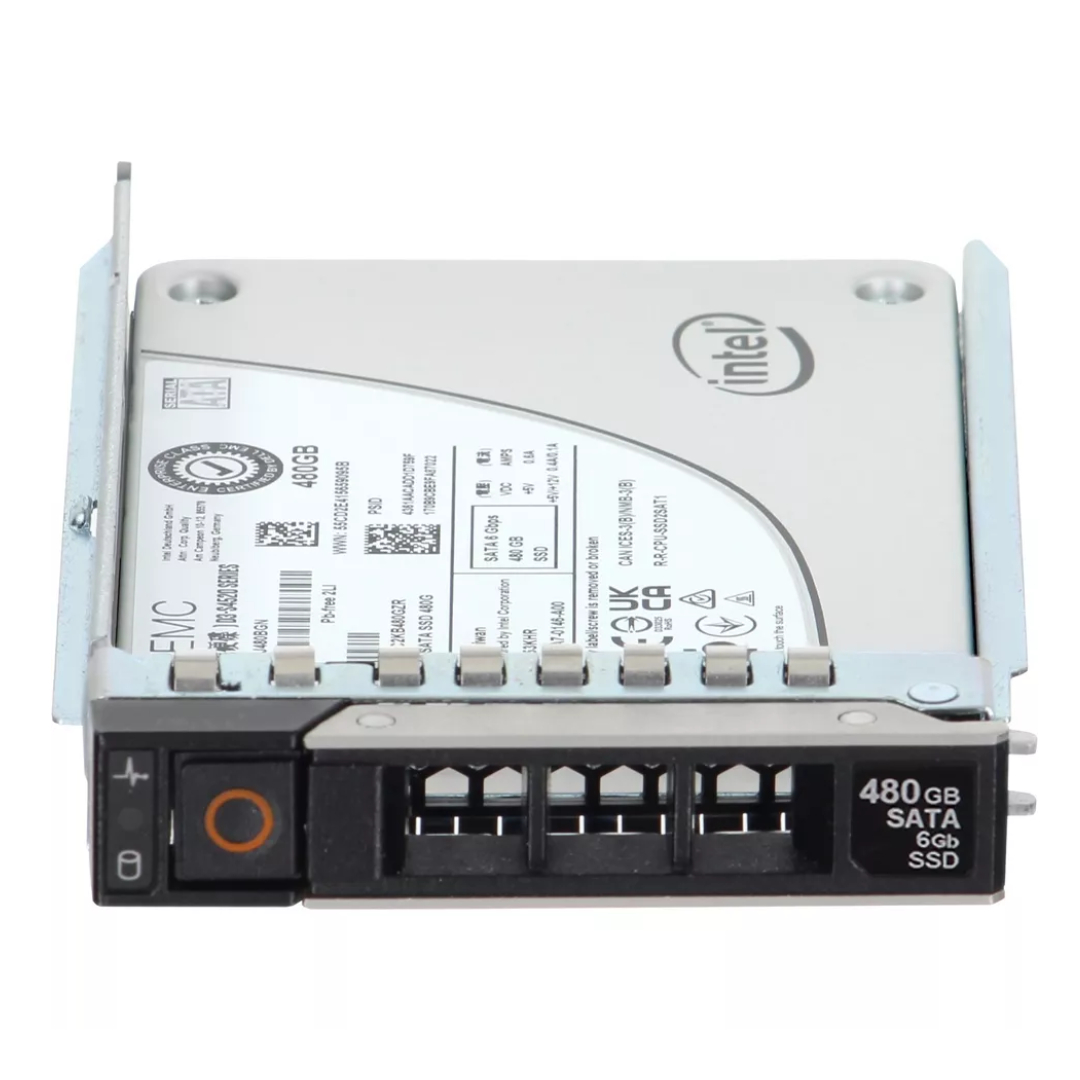
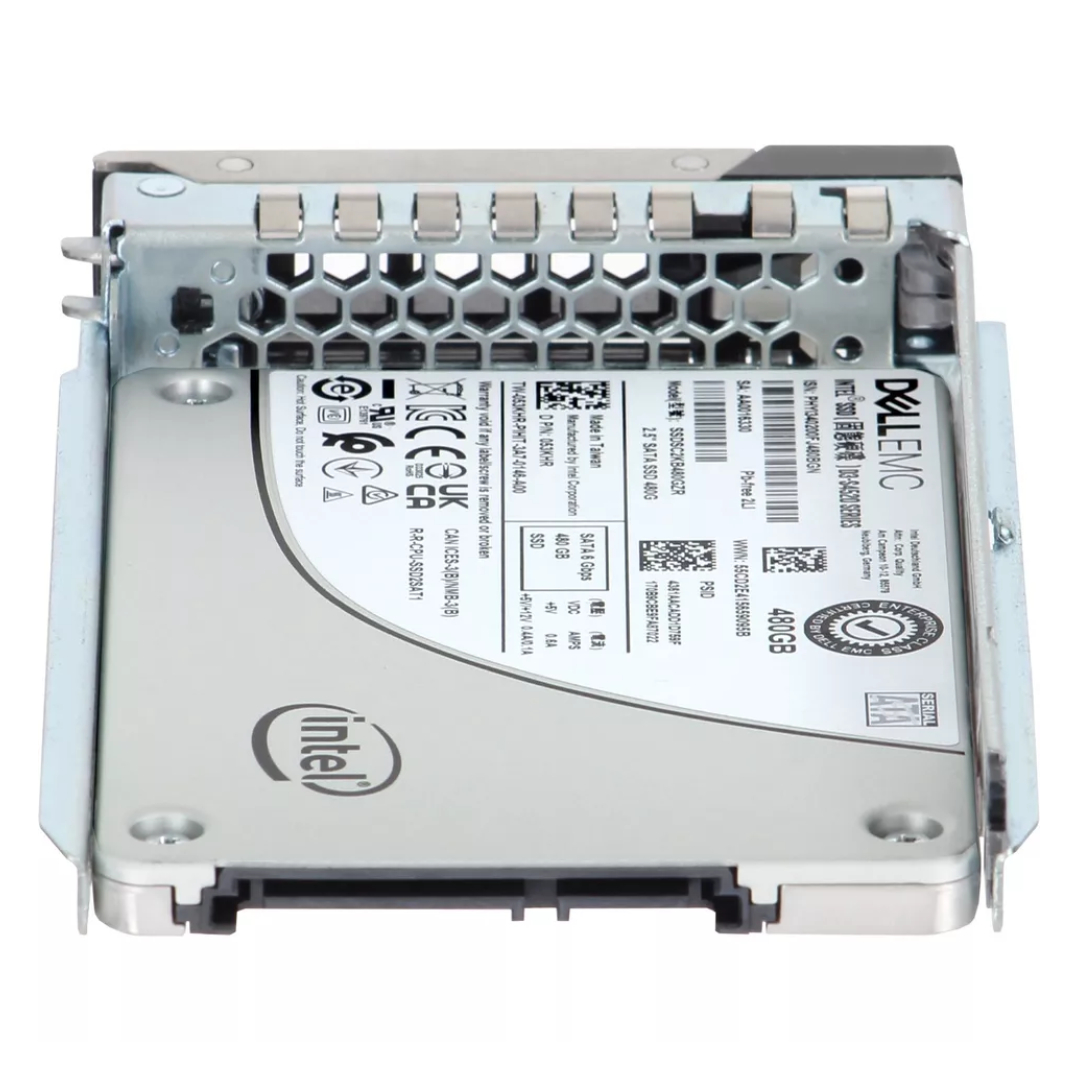
Dell 64TMJ 480GB SATA 6GBPS MLC Read Intensive 512N SSD. New Sealed in Box (NIB) with 1 year Replacement Warranty
| SKU/MPN | Warranty | Price | Condition | You save |
|---|---|---|---|---|
| 64TMJ | 1 Year Warranty | $498.00 | New Sealed in Box (NIB) | You save: $174.30 (26%) |
| 64TMJ | 1 Year Warranty | $185.00 | Excellent Refurbished | You save: $64.75 (26%) |
The Dell 64TMJ 480GB Read-Intensive MLC SATA 6Gbps 2.5-inch hot-plug solid state drive represents a balanced enterprise solution optimized for read-heavy workloads that are common in virtualization, database query acceleration, web hosting, and large-scale caching layers. Built with multi-level cell (MLC) NAND and engineered firmware, this drive delivers the predictable throughput and low latency that PowerEdge servers demand while offering endurance characteristics tuned for predominantly read operations rather than constant write amplification. The drive’s SATA 6Gbps interface and 2.5-inch hot-plug form factor make it simple to deploy into standard drive bays and carrier trays used across Dell PowerEdge systems, enabling straightforward upgrades and replacements without extended downtime.
At the core of the 64TMJ offering is a 480GB capacity tier that balances usable space and cost per gigabyte for workloads where read performance and consistent access times influence application responsiveness more than raw write endurance. The drive communicates over the SATA III (6Gbps) bus and uses enterprise-grade MLC NAND organized to support 512e sector emulation for compatibility with a wide range of operating systems and RAID controllers. From a system integrator’s perspective, the 2.5-inch hot-plug design with optional carrier adapters allows the unit to be installed in dense blade, rack, and tower PowerEdge configurations, preserving server uptime during replacements or field refreshes.
“Read-intensive” is an endurance classification indicating that the drive is engineered to tolerate a much higher ratio of read operations to writes while delivering sustained read throughput and a low variance in latency. This makes the 64TMJ particularly appropriate for working sets that are frequently accessed but infrequently updated, such as boot volumes, index stores, log analytics views, and many virtualization images. In practice, choosing a read-intensive SSD reduces acquisition cost relative to write-optimized models while still achieving dramatic performance improvements over traditional spinning media. System designers should still review expected write amplification in their workloads; where heavy write streams exist, a mixed-use or write-intensive SSD family is a better fit.
In real deployments the noticeable benefits of moving to the 64TMJ family come from significantly lower access latencies, higher IOPS for small random reads, and a reduction in service jitter during peak demand periods. Applications that benefit immediately include read-oriented databases, content delivery caches, hypervisor image stores, and analytics engines that execute many small I/O transactions. Because the drive is optimized around read efficiency, sequential read throughput and single-threaded read latency are where the performance gains are most pronounced, while write latency and raw write endurance are sized to meet the expectations for read-dominant environments rather than sustained heavy write cycles.
Enterprise SSDs like the Dell 64TMJ are tuned to minimize tail-latency and maintain stable IOPS across common queue depths used by server workloads. This predictable behavior is essential for multi-tenant hosts and latency-sensitive services because a single errant I/O does not disproportionately increase response time for neighboring virtual machines or services. The controller logic, firmware QoS policies, and overprovisioning reserved by the manufacturer all collaborate to keep performance consistent as drive utilization grows, so long as the drive is used within its read-intensive design envelope. Monitoring queue depth and I/O patterns in production will help administrators confirm that the drive is well matched to the workload.
Compatibility with Dell PowerEdge servers is a primary consideration for anyone specifying the 64TMJ. This model is frequently supplied with firmware and mechanical carriers intended for specific PowerEdge generations; many reseller listings and compatibility notes reference use in PowerEdge G13 and similar platforms, and the drive is commonly available with the carrier kits for 2.5-inch bays used in rack and tower servers. While the drive’s electrical and protocol characteristics make it broadly compatible with systems that accept 2.5-inch SATA enterprise drives, always cross-reference the Dell part numbers and firmware compatibility for your exact server model and generation before procurement or field replacement to avoid firmware mismatches.
Using Dell-certified firmware is an important step for long-term stability. OEM firmware often contains drive-level adjustments for thermal throttling, error handling, and integration with the server’s management stack. For PowerEdge platforms, drives shipped as Dell parts typically have firmware that works cooperatively with the iDRAC/BMC health telemetry and drive firmware update channels. When drives are sourced from third-party resellers, confirm whether they are Dell-branded, OEM-flash compatible, or shipped with generic firmware; in some cases Dell will recommend updating to a Dell-approved firmware revision to ensure the drive reports health correctly and participates in predictable rebuild behavior within hardware RAID arrays.
Because the 64TMJ comes in a hot-plug 2.5-inch format, physical installation into front-loading drive bays is usually a quick operation. Best practices include performing the drive replacement within a maintenance window unless the OS and RAID stack clearly support online addition/removal, verifying the drive carrier/latch seating to prevent vibration or contact issues, confirming the drive shows a healthy SMART state before placing it into service, and setting server thermal profiles to account for changes in airflow when mixing SSDs with legacy spinning disks. If your chassis uses a 3.5-inch hybrid carrier, ensure the drive is properly mounted in the adapter and that the adapter is compatible with the specific PowerEdge sled mechanism.
The strongest use cases for the Dell 64TMJ are those where read density and low latency directly translate to user or application performance. Virtual Desktop Infrastructure (VDI) gold image storage benefits from fast boot storms and reduced logon times. Content delivery nodes and web servers see fewer cache misses and higher request throughput. Analytics engines gain from faster hot table scans and index lookups. In consolidated environments, using read-intensive SSDs as a tier between DRAM and spinning media can dramatically change application response characteristics and enable higher consolidation ratios without an equivalent increase in processor count or main memory. Designing the tiering strategy should consider the typical read/write mix, average I/O size, and access patterns to decide whether the 480GB capacity fits as a primary working set or as a cache layer.
When organizations want to combine cost efficiency with dramatic performance improvements, the 64TMJ often sits in a hybrid tier: SSD for active data and HDD for archival or cold data. Software RAID, tiering engines, and caching layers can use the SSD as a high-performance read cache while writes are coalesced and moved to lower-cost media. In hyperconverged or scale-out appliances, the SSD can be reserved for read caching with write persistence handled by higher endurance devices, letting architects tune cost, capacity, and performance independently. The 480GB capacity should be evaluated relative to working set size; if the active dataset exceeds the SSD tier, cache hit rates may drop and you may need to expand SSD capacity or adjust cache policy.
RAID levels that prioritize redundancy and read performance, such as RAID 10 or RAID 6, are common pairings for read-intensive SSDs. When planning RAID groups, remember that SSD rebuilds are both faster and more I/O intensive than HDD rebuilds; the RAID controller and the drives’ firmware must manage the background activity to prevent undue impact on foreground read performance. Because the 64TMJ is a read-intensive class device, rebuild windows for write-heavy arrays should be carefully planned to avoid excessive wear. Verify the supported RAID modes and recommended rebuild throttle settings from Dell or your RAID controller vendor to ensure balanced protection and performance during maintenance operations.
Proactive monitoring is crucial to realize the full value of enterprise SSDs. Track SMART attributes, warning thresholds, and endurance metrics exposed by the drive and the server management stack to predict end-of-life events before they impact availability. For drives deployed in dense enclosures, thermal planning is important because sustained high throughput increases internal temperatures and may trigger firmware thermal throttling. Enterprise firmwares include throttling and temperature-based behavior to protect NAND lifespan, which preserves data integrity at the cost of temporary throughput reduction. Establishing lifecycle replacement policies that account for drive-hours, write wear metrics, and SMART warnings minimizes unexpected failures and keeps service levels consistent.
Even highly reliable SSDs are part of a larger data protection strategy. Maintain regular backups and leverage snapshots for point-in-time recovery, particularly for databases and mission-critical systems. When SSDs are used for caching, ensure that the cache coherence and persistence model of your software stack protects against data loss in the event of power or controller failure. Using battery or supercapacitor protected controllers, mirrored write caches, or software replication can provide the additional safety net required for write-sensitive workloads even when the underlying storage tier is read-optimized. Review the interaction between controller write caches, battery backup units, and SSD internal power-loss protection features to model recovery scenarios accurately.
Applying firmware updates is part of responsible SSD ownership. Firmware updates may address performance regressions, compatibility fixes with server platforms, or microcode corrections that improve drive longevity. Coordinate firmware updates with maintenance windows, verify vendor-published release notes for fixes and cautions, and, when possible, test updates on a staging host before applying them in production. Because Dell often provides tailored firmware revisions for drives intended for PowerEdge servers, prefer OEM-validated firmware and use the vendor’s update tooling where available to ensure the drive remains integrated with the server’s health reporting systems.


 Contact Us
 Information
 Catalog
 Solid State Drives (SSD)
 Network Switches
 Hard Disk Drives
 HBA & Controllers
 PC & Servers
 PC & Server Memory
 CPU & Processors
 Network Routers
 Power Supplies
 Tape Drives & Libraries
 Network Devices
 Computer & Network Cables