(7% discount is applied at checkout)
Cart is empty
Your go-to destination for cutting-edge server products
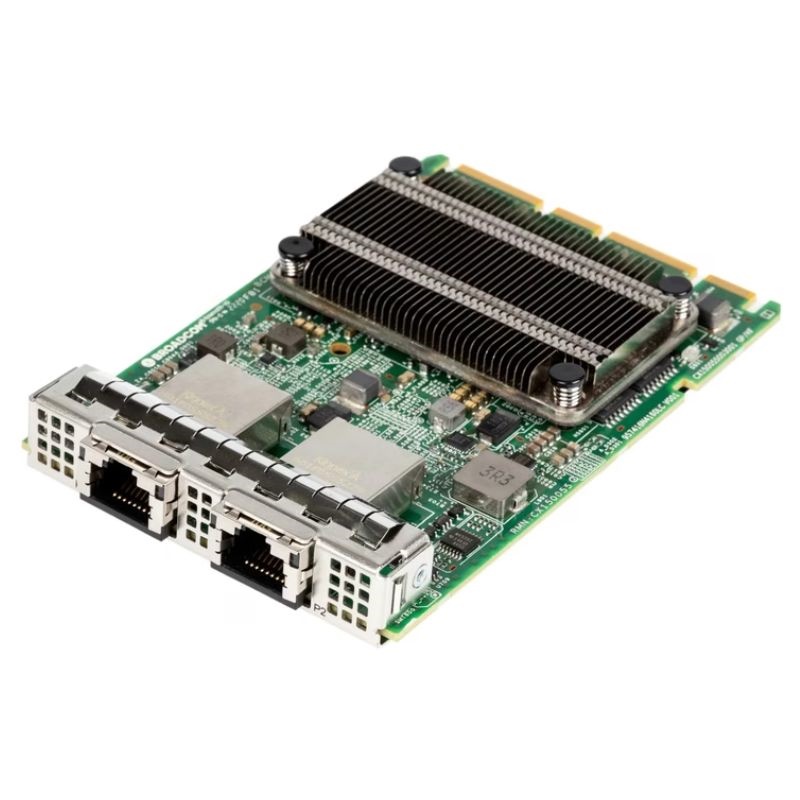


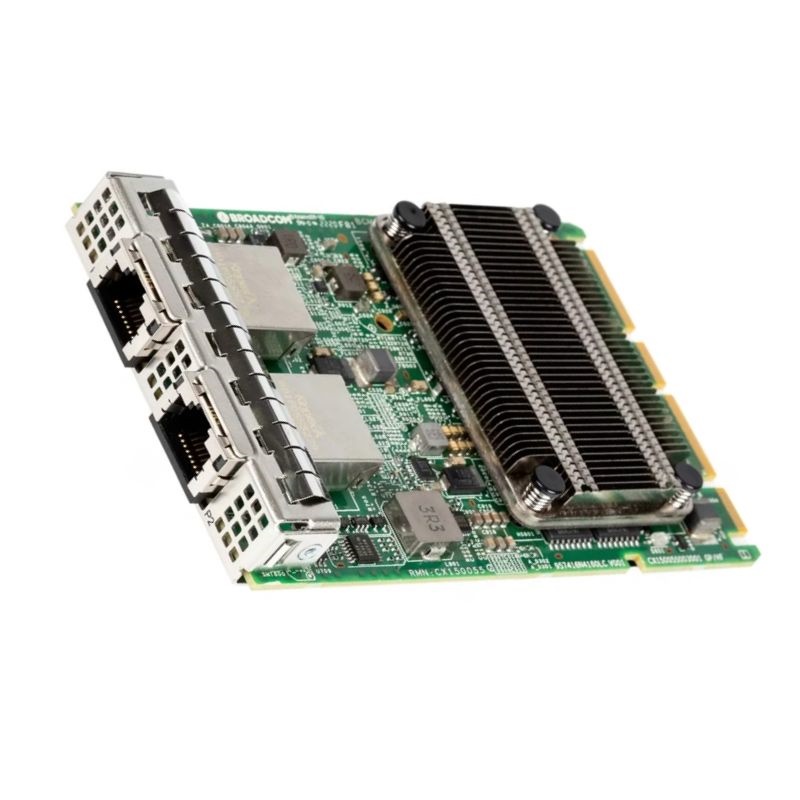
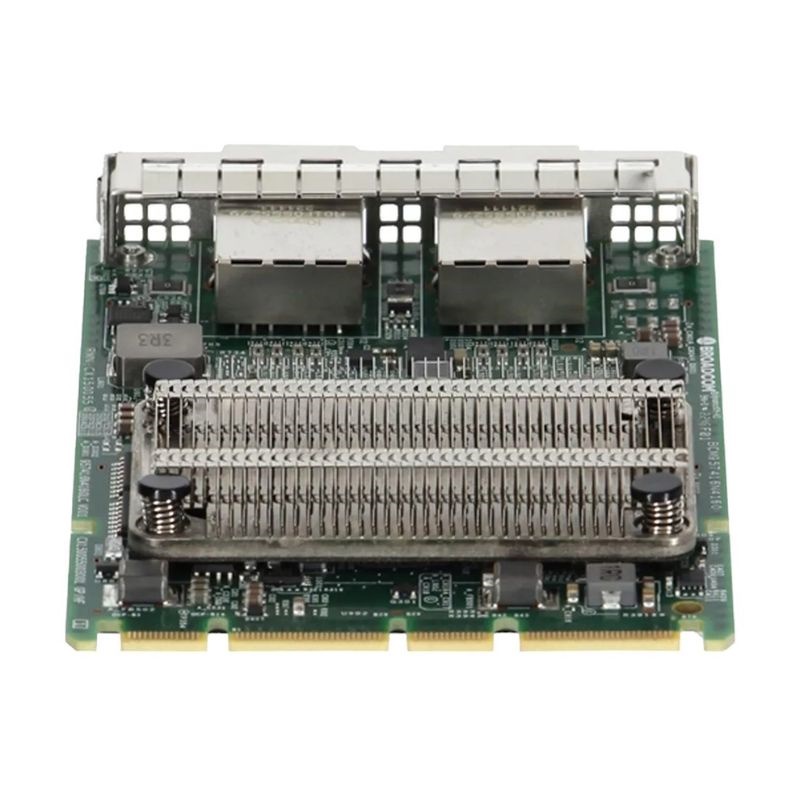
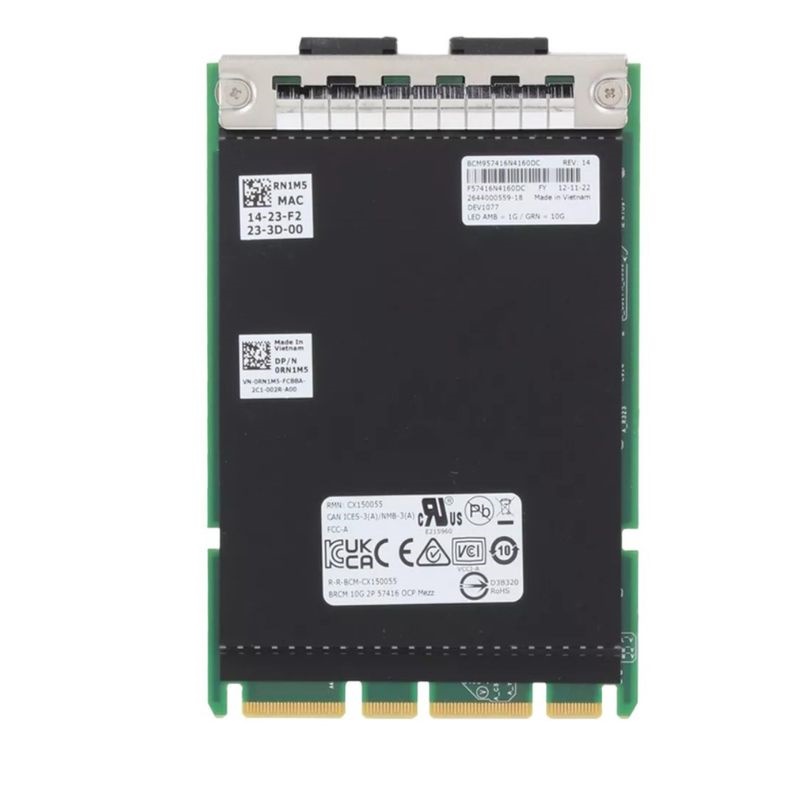
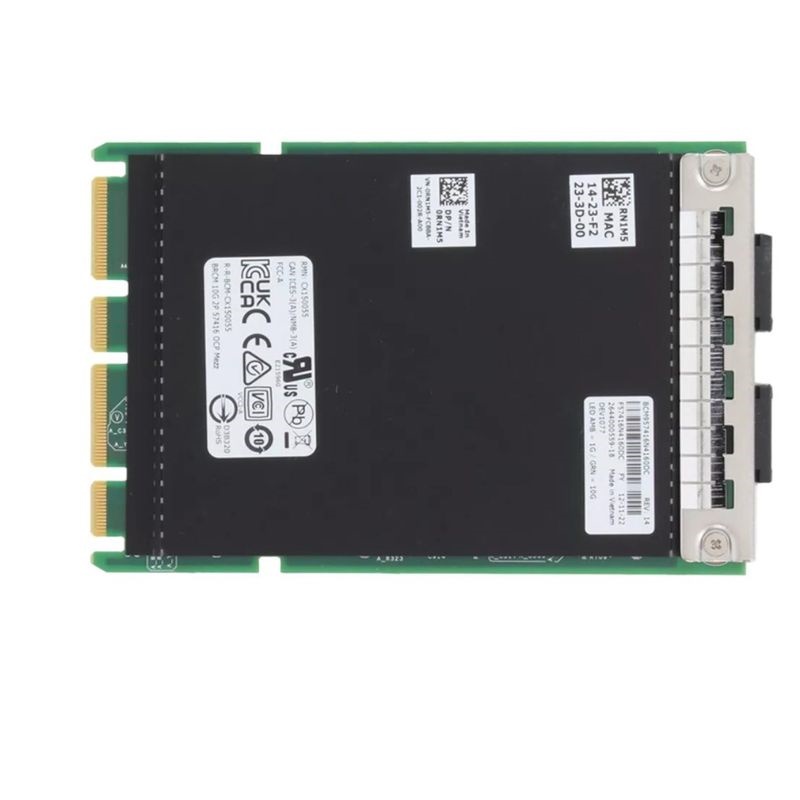
Dell 540-BCOP Broadcom 2 Ports 10GbE BASE-T OCP Network Interface Card. Excellent Refurbished with 1 year replacement warranty
Dell 540-BCOP Dual Port 10GbE BASE-T OCP NIC
The Dell 540-BCOP Broadcom 57416 Dual Port 10GbE BASE-T OCP Network Interface Card is engineered to deliver exceptional network performance, high bandwidth, and stable connectivity. Designed to integrate seamlessly with Dell PowerEdge servers, this dual-port adapter ensures reliable data transfer for demanding enterprise workloads.
This server adapter is a trusted solution for IT administrators seeking dependable wired networking. With BASE-T Ethernet technology, it supports existing copper cabling, reducing deployment costs while improving scalability. Its dual-port configuration maximizes redundancy and enables load balancing, which is critical for enterprise-grade uptime.
The following specifications highlight the powerful capabilities of the Dell 540-BCOP Broadcom NIC:
Supporting high-speed transfers, the adapter enables seamless integration into data centers. It is engineered for cloud solutions, virtualization, storage networking, and mission-critical workloads that demand low latency and consistent throughput.
The Dell 540-BCOP Broadcom NIC has broad compatibility across many Dell PowerEdge systems. This ensures flexibility and a smooth upgrade path for IT environments.
The Dell 540-BCOP Broadcom 57416 OCP NIC 3.0 is a go-to solution for industries that rely on secure, high-speed, and uninterrupted network connections.
With OCP 3.0 architecture, this adapter is future-ready and ensures compatibility with emerging server technologies. Its dual-port 10GbE design supports increasing bandwidth requirements without bottlenecks.
The Dell 540-BCOP Broadcom 2-port 10GbE BASE-T OCP Network Interface Card sits at the intersection of high-performance Ethernet, simplified copper cabling, and server-dense form factors. As a dual-port 10-gigabit adapter built around a Broadcom Ethernet controller and delivered in an OCP (Open Compute Project) mezzanine form factor for compatible Dell PowerEdge platforms, it is engineered for data center operators, virtualization hosts, hyperconverged nodes, and scale-out storage systems that prefer RJ-45 copper connectivity over fiber. This category page explores how the 540-BCOP class of adapters fits into modern infrastructure, what to expect during deployment, and how to optimize performance, reliability, and total cost of ownership when standardizing on 10GBASE-T using OCP NICs.
Organizations often need the bandwidth uplift of 10GbE without committing to optical transceivers or DACs. 10GBASE-T provides 10-gigabit throughput across widely available twisted-pair copper cabling—typically Cat6a for 100-meter runs—using common RJ-45 connectors. OCP NICs, meanwhile, help OEM servers achieve higher density and streamlined serviceability by integrating the adapter as a mezzanine card. The Dell 540-BCOP category fulfills both goals: it offers copper-based 10GbE in a compact OCP footprint with the enterprise manageability, offloads, and virtualization features you expect from Broadcom-based adapters.
While specific low-level details can vary by sub-revision and server generation, the Dell 540-BCOP Broadcom dual-port 10GBASE-T OCP NIC category typically emphasizes the following pillars:
10GBASE-T is often selected because it leverages existing copper infrastructure. Many facilities already have Cat6 or Cat6a runs terminated with RJ-45 jacks. This allows incremental upgrades from 1GbE to 10GbE without recabling fiber, lowering project friction. Additionally, BASE-T switches offer flexible multi-gig downshifts, easing mixed-speed transitions and staged cutovers. Where fiber transceiver cost or lead time is a concern, 10GBASE-T can reduce both budget and logistics complexity.
OCP NICs attach to dedicated mezzanine slots on supported servers, freeing traditional PCIe slots for GPUs, HBAs, or storage controllers. The result is a cleaner internal topology and a reduced cabling footprint at the rear of the chassis. The Dell 540-BCOP category leverages this mezzanine approach to expose RJ-45 ports through the server’s rear panel while drawing power and PCIe lanes from the OCP connector. Always confirm the target server’s OCP slot specification and generation before procurement; model-specific brackets and alignment may differ by chassis generation.
Mezzanine placement can substantially improve airflow compared to add-in cards situated near hot-running CPUs or memory banks. For 10GBASE-T specifically, PHY components may dissipate more heat than optical counterparts; the OCP slot’s airflow channeling ensures stable operation under sustained 10-gig workloads. Maintain clean filters and ensure that populated OCP slots correspond to server thermal profiles recommended by the manufacturer, especially in high-temperature or dust-prone environments.
Power budgets matter in dense racks. While 10GBASE-T NICs typically consume more power than SFP+ DAC or fiber options at 10G speeds, modern Broadcom silicon includes energy-efficient Ethernet features, downlink rate negotiation, and PHY optimizations that reduce consumption during idle and low-throughput periods. Pairing the adapter with Cat6a cabling kept within recommended length limits can also help mitigate unnecessary PHY strain.
The 540-BCOP category focuses on copper. RJ-45 connectors simplify moves, adds, and changes without specialty optics. For 10-gigabit operation, Cat6a is broadly recommended for full 100-meter channel lengths; Cat6 may support 10GbE at shorter distances under ideal conditions. Ensure cable quality, termination integrity, and adherence to bend radius guidelines. Patch panels and keystone jacks in the link path should also be rated for 10GBASE-T to prevent crosstalk and insertion loss that could trigger downshifts to 1GbE.
Dual-speed and multi-speed negotiation ease integration with mixed switching environments. When attached to legacy or multi-gig switches, the NIC may downshift to 5G/2.5G/1G speeds if the switch supports NBASE-T profiles; otherwise it will negotiate 1G or 100M based on capabilities. Administrators can set preferred speeds and duplex modes through the OS driver or network manager, but leaving autonegotiation enabled is the most common practice for production stability.
Broadcom-based NICs within the Dell 540-BCOP category incorporate offloads designed to shift repetitive packet work from the CPU to the NIC, especially at 10-gigabit line rates where per-packet processing can become a bottleneck. Offloads commonly include TCP/UDP checksum, large send/segment offload (LSO/TSO), large receive/generic receive offload (LRO/GRO, OS-dependent), Receive Side Scaling (RSS), and interrupt moderation. These features collectively reduce CPU overhead, minimize context switches, and stabilize throughput under heavy east-west traffic typical of virtualized clusters and microservices.
10GBASE-T PHYs typically have marginally higher latency than SFP+ DAC or fiber links, mainly due to encoding/decoding overhead. For most enterprise workloads—virtualization, file services, backups, and general application hosting—this difference is negligible. For ultra-low-latency trading or HPC applications, SFP+ might be preferred; however, with recent silicon improvements and careful tuning (interrupt moderation, CPU pinning, offload configuration), 10GBASE-T can achieve predictable, sub-millisecond network performance that fits the needs of broad enterprise categories.
RSS distributes incoming traffic across multiple queues tied to CPU cores, allowing parallel processing at 10G rates. On Linux, confirm that the ethtool -l and ethtool -x settings align with your NUMA topology; pin queues to cores local to the OCP slot’s PCIe root complex. In Windows Server, enable Dynamic Virtual Machine Queue (DVMQ) and ensure that the maximum number of queues matches the host’s core availability. Proper queue mapping mitigates receive livelock and optimizes cache locality.
Dual-port 10GbE maps neatly to virtualization patterns. One port can dedicate bandwidth to guest traffic while the other handles live migration, storage replication, or management. Broadcom-based NICs in this category commonly support SR-IOV (Single Root I/O Virtualization), enabling guest VMs to access virtual functions that bypass parts of the hypervisor data path. This reduces CPU overhead and improves throughput consistency. In containerized environments, CNI plugins benefit from consistent bandwidth and offloads; for high-density clusters, pair the adapter with a QoS policy to prevent noisy neighbor effects.
ethtool for queue tuning, and consider macvtap or SR-IOV virtual functions for performance-critical guests. Align IRQs with local NUMA nodes.Trust boundaries remain critical. VLAN tagging lets you segment the dual ports into multiple logical networks, separating management, storage, and tenant traffic. Many enterprises implement upstream ACLs, 802.1X port controls, and DHCP snooping at the switch level; the NIC then enforces VLAN tags at the host boundary. Secure firmware models—when paired with signed drivers—help protect the boot chain. For compliance-sensitive environments, document driver/firmware versions and institute regular audits as part of change management.
Overlay networks (VXLAN, Geneve) are increasingly common. While encapsulation introduces additional overhead, modern CPUs and the NIC offload suite work together to retain line-rate performance in many scenarios. Where available, enable checksum offload for encapsulated traffic and validate MTU settings end-to-end so encapsulated frames avoid fragmentation. Properly sizing MTU—often 9000 bytes (jumbo)—can improve overlay efficiency, but only if every hop supports it.
To achieve stable performance, match NIC drivers with validated firmware revisions provided for your server generation. Use your server’s lifecycle management tools to stage updates in maintenance windows and roll them cluster-wide. When mixing OS versions, keep a compatibility matrix to avoid feature drift; for instance, older kernels might support fewer queues or different offload semantics. Test new driver drops in a non-production environment before broad deployment.
Dual-port configurations allow a variety of resilience patterns. Active/standby bonds reduce failover time when a switch, cable, or transceiver path fails. Active/active LACP can offer aggregated throughput and distribution across switch uplinks; ensure both the NIC and upstream switches are configured consistently. Where maintenance windows are tight, design bonds that tolerate one link being taken down for patching without interrupting east-west cluster traffic.
VDI brokers and connection servers generate significant control traffic, while desktops themselves consume steady data streams. Assign one 10GbE port to the VDI network and the other to management and storage. Enable QoS to prioritize PCoIP/Blast/HDX flows and monitor end-user latency; ensure uplinks are not oversubscribed during login storms.
Backup windows can be compressed by directing backup traffic over a dedicated 10GbE interface. Jumbo frames and TCP tuning may increase throughput for large sequential transfers. Use a separate VLAN or even a physically isolated switch to prevent contention with production flows.
Transactional databases benefit from predictable, low-jitter network behavior. Keep replication, heartbeat, and client traffic segmented. For analytics clusters, high fan-in shuffle phases require stable receive-side scaling; validate queue balance during peak jobs and tune interrupt coalescing accordingly.
Choosing between copper and SFP+ depends on budget, environment, and performance goals. 10GBASE-T excels where copper cabling is already present, RJ-45 familiarity lowers operational friction, and incremental upgrades are preferred. SFP+ shines in ultra-low-latency environments or where structured fiber is already deployed. The Dell 540-BCOP category focuses on ease of deployment and broad compatibility, providing a pragmatic balance for mainstream enterprise and edge scenarios.
Transceiver costs can dominate SFP+ deployments; 10GBASE-T avoids optics and relies on cabling that many facilities already stock. Over a multi-year lifecycle, the operational simplicity of RJ-45—spares, field tech familiarity, switch port flexibility—can reduce soft costs. If power efficiency is paramount, consider port-level power policies and energy-efficient Ethernet to curb consumption during idle periods.
Enterprises seldom remain static. The 540-BCOP category allows several migration vectors: scale-out by adding more dual-port NICs in larger servers, scale-up by bonding ports and increasing queue counts, or transition to higher-speed backbones while keeping 10GbE at the edge. Multi-gig intermediate speeds at the switch grant breathing room when upgrading closets one row at a time.
For environments standardizing on the Dell 540-BCOP category, stock a small pool of spare OCP NICs and certified Cat6a patch cords. Keep a laminated quick-reference that maps logical port names (for example, enoX or NIC2) to physical rear panel ports to accelerate incident response. During planned maintenance, rotate spare NICs into production to ensure firmware stays current across the fleet and no unit sits on a shelf indefinitely.
Include the OCP NIC in server build documents with screenshots of BIOS/UEFI NIC options, expected PCIe topology, and sample OS network configuration files. For virtualized clusters, add a “last known good” reference of ESXi/Windows/Linux driver versions. For audit compliance, record NIC serial numbers and port MAC addresses in your CMDB to streamline RMA and security investigations.
RJ-45 connectors are robust but not invulnerable. Avoid repeated insertions beyond the rated cycle, and use snagless boots to reduce strain. In tight racks, angled patch panels can reduce cable bend stress. Keep cables away from power cords to avoid EMI where possible, and test questionable runs with a certifier capable of 10GBASE-T validation. Thermal hotspots can accelerate connector oxidation; periodic visual inspection can preempt failures.
Jumbo frames can unlock better throughput for large sequential transfers, reducing CPU interrupts by lowering packet counts. However, MTU must be consistent end-to-end—including NIC, switch ports, LAG members, and any overlay endpoints. Test with and without jumbo frames under representative workloads and document the chosen MTU in your network standards to prevent accidental fragmentation when new devices are introduced.
Keep NIC firmware aligned with your vulnerability management cadence. Even when vulnerabilities target switch or OS layers, keeping the NIC stack modern helps maintain compatibility with mitigations. Segment management interfaces onto dedicated VLANs and restrict NIC administrative utilities to authorized jump hosts. For forensics, preserve NIC logs and maintain a change journal of driver toggles, offload settings, and queue configurations.
Whether your environment aligns to ISO 27001, SOC 2, PCI DSS, HIPAA, or other frameworks, map NIC settings to control requirements. For example, document VLAN segmentation policies, access control on administrative tooling, and patch management SLAs. Demonstrating that the network edge—down to the adapter level—is governed by policy strengthens audit confidence.
At the edge, simplicity is king. The Dell 540-BCOP category’s reliance on RJ-45 ports means on-site personnel can swap cables or change ports without dealing with optics or DACs. Dual-port redundancy allows small sites to withstand a single cable or switch failure without service interruption. For remote lights-out sites, pair the NIC with an out-of-band management network to preserve control during main network incidents.
Edge servers often run a mixture of local services, caching, and telemetry aggregation. Assign one port for local services and the other for upstream backhaul to keep traffic engineering predictable. Where WAN acceleration or SD-WAN appliances interpose, verify that MTU and TCP offloads are compatible to avoid hidden fragmentation or checksum recalculations.
10GBASE-T is broadly interoperable across switch vendors. Confirm that the chosen switch line cards support 10GBASE-T on the desired ports and that features like LACP, LLDP, 802.1Q VLANs, and storm control are enabled per your standards. If using multi-gig switches to support a mix of 10G and 2.5G/1G clients, validate autonegotiation behavior between the NIC and each switch model, and document any vendor-specific quirks in your runbooks.
Enable LLDP to advertise NIC port identities, VLANs, and link parameters. When troubleshooting mismatches, LLDP neighbors give fast visibility into switchport profiles and can reduce mean time to resolution. Many data center teams integrate LLDP information into their CMDB to keep end-to-end cable maps fresh.
When building a cost model, compare the total solution price, not just the adapter. Include switch port licensing, cabling, optics (if any), installation labor, and operational complexity. For the 540-BCOP 10GBASE-T category, savings often come from reusing copper plant and minimizing specialized inventory. Add a power budget line item for PHY consumption, and quantify how energy-efficient Ethernet and low-utilization workloads can recapture those watts over time. Many operators find the breakeven point favors 10GBASE-T in mixed or retrofit environments.
A common path is a phased upgrade by rack or row. Replace 1GbE NICs with dual-port 10GbE OCP NICs in a maintenance cycle, migrate critical VLANs first, and allow less critical services to follow. With autonegotiation, the new NIC can fall back to 1GbE where switches have not yet been upgraded. Over time, as more 10GBASE-T switch ports come online, raise link speeds and re-balance teams to equalize throughput. This minimizes disruption and capital spikes.
Adopt a standard such as NIC-A and NIC-B matching silkscreen or rear panel order. Mirror labels at the switch end—e.g., R22-NIC-A—to simplify incident triage.
Default to 1500 unless all devices on a path are validated for jumbo frames. If jumbo is enabled, standardize on 9000 MTU and document exceptions.
Copper-based networking can extend the useful life of existing cabling plant, reducing material turnover. Maintain efficient cooling paths and power management features to trim ongoing energy usage. When retiring adapters, follow e-waste guidelines and purge any logs or configuration data that could reveal network architecture.
Server generations and chassis designs differ. Match the OCP NIC to your specific server’s mezzanine slot type and bracket. Confirm that the NIC’s firmware bundle aligns with your management suite and hypervisor roadmap. When in doubt, cross-reference part numbers, service tags, and supported OS matrices to avoid last-minute surprises during installs.
Ultimately, network adapters exist to serve applications. In VMs or containers, the benefits of the 540-BCOP 10GBASE-T OCP NIC translate into faster data access, reduced backup windows, smoother live migrations, and headroom for traffic bursts. With careful tuning—queues aligned to CPU cores, well-designed QoS, and validated cabling—end-users experience fewer slowdowns and more consistent performance across peak periods.
Dual 10GbE ports give ample capacity for most mid-market and many enterprise workloads. If telemetry shows sustained peaks, add NICs, redistribute services, or upgrade aggregation switches over time. The RJ-45 foundation lets you scale at the pace of business without adopting new transceiver ecosystems prematurely.
Some teams use 10GBASE-T NICs at the server edge while uplinking switches via fiber to core or spine layers. This hybrid approach balances copper’s ease of use at the rack with fiber’s efficiency for inter-switch connectivity. The 540-BCOP category integrates naturally here, providing reliable edge bandwidth while deferring fiber runs to where they add the most value.
Always confirm OCP slot generation, chassis bracket requirements, and validated firmware/driver bundles for your exact server model and operating system. The Dell 540-BCOP category comprises Broadcom-based dual-port 10GBASE-T OCP NICs intended for specific server generations; verifying these details up front ensures a smooth deployment and predictable performance.


 Contact Us
 Information
 Catalog
 Solid State Drives (SSD)
 Network Switches
 Hard Disk Drives
 HBA & Controllers
 PC & Servers
 PC & Server Memory
 CPU & Processors
 Network Routers
 Power Supplies
 Tape Drives & Libraries
 Network Devices
 Computer & Network Cables