(7% discount is applied at checkout)
Cart is empty
Your go-to destination for cutting-edge server products
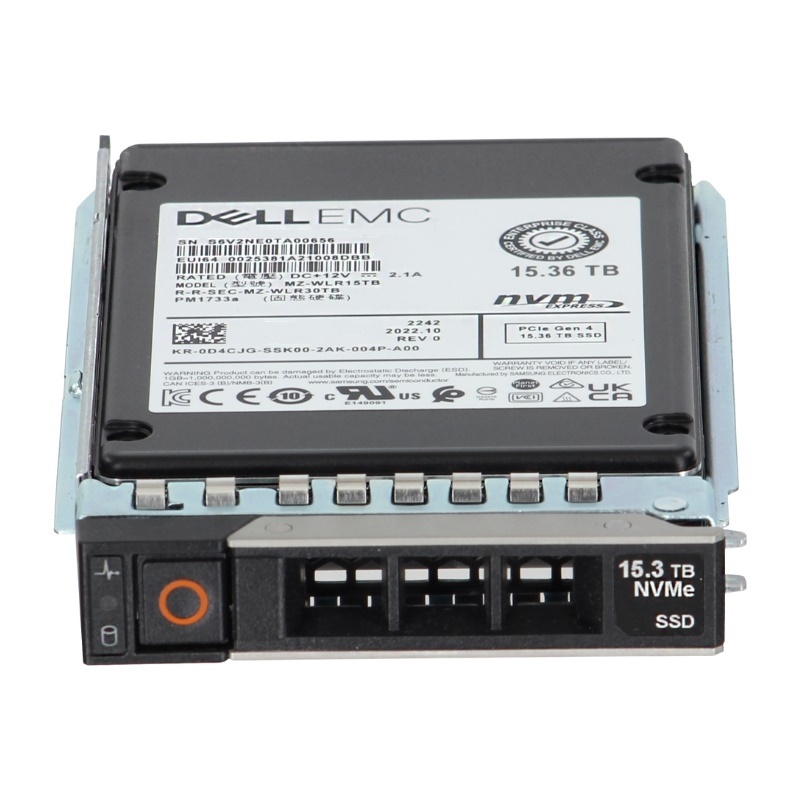


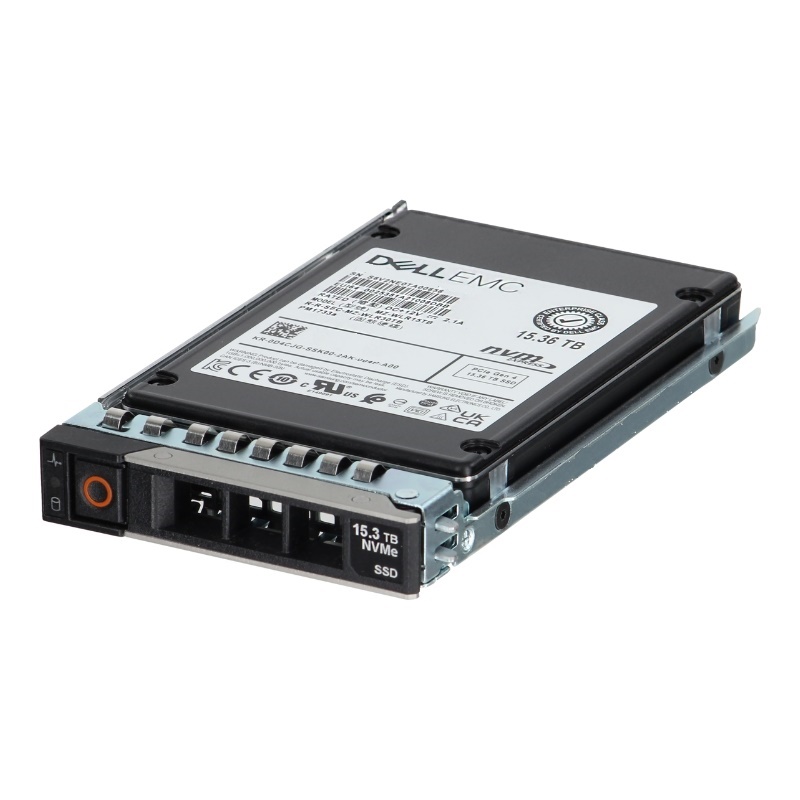
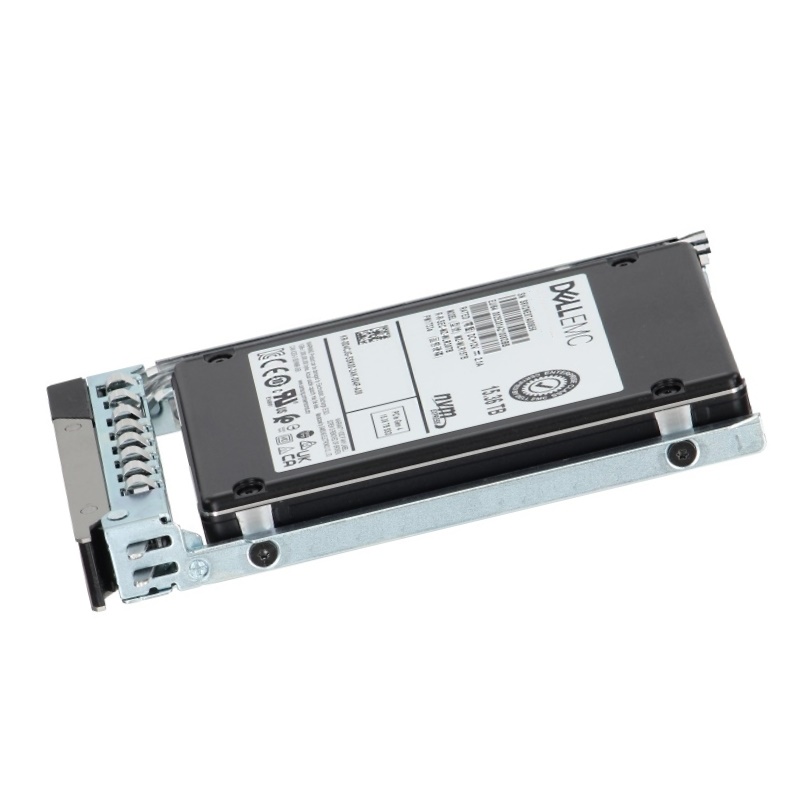
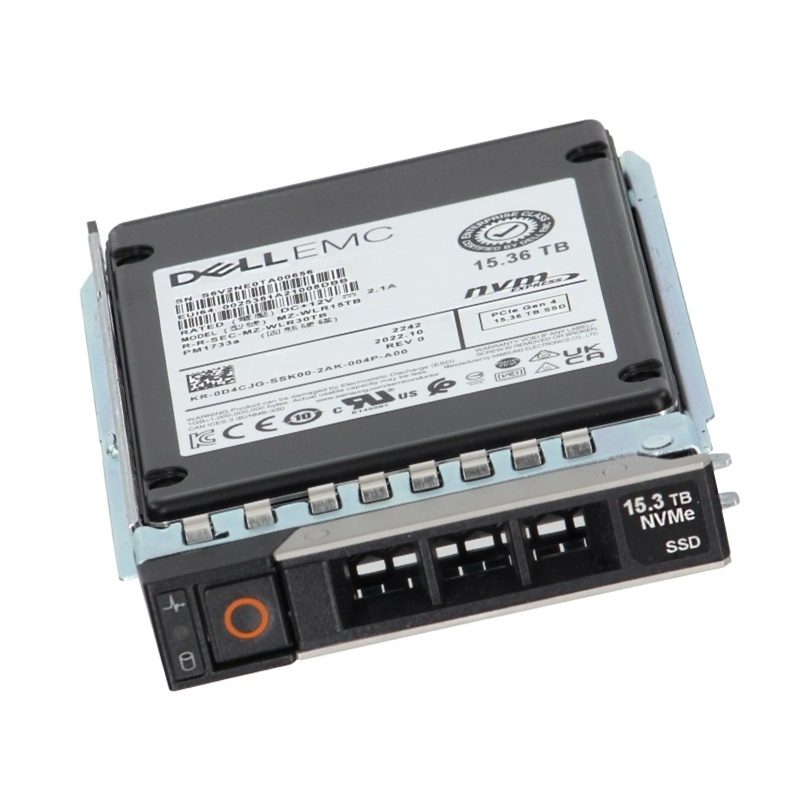
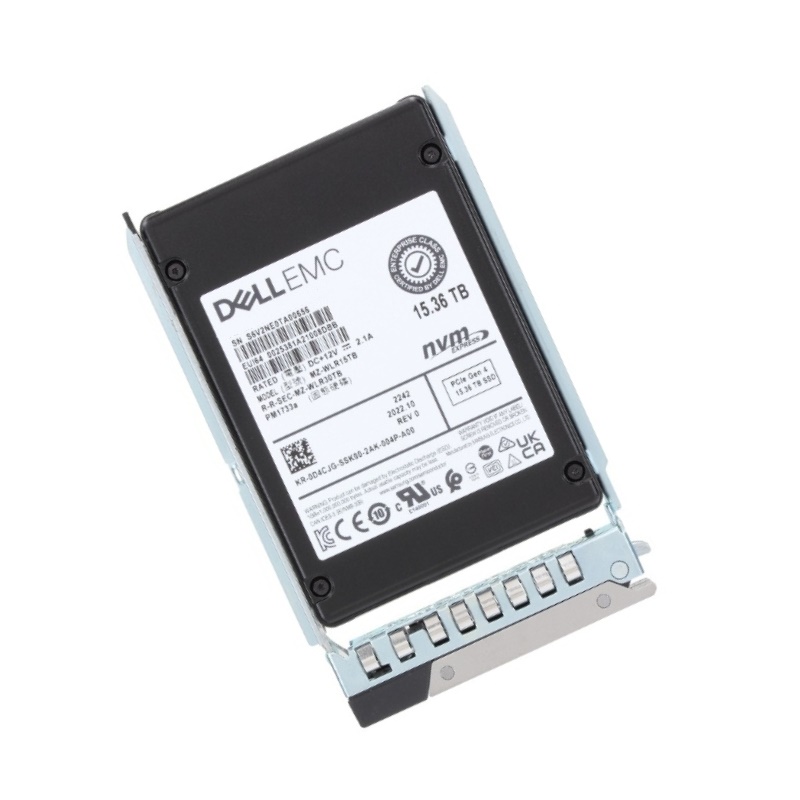
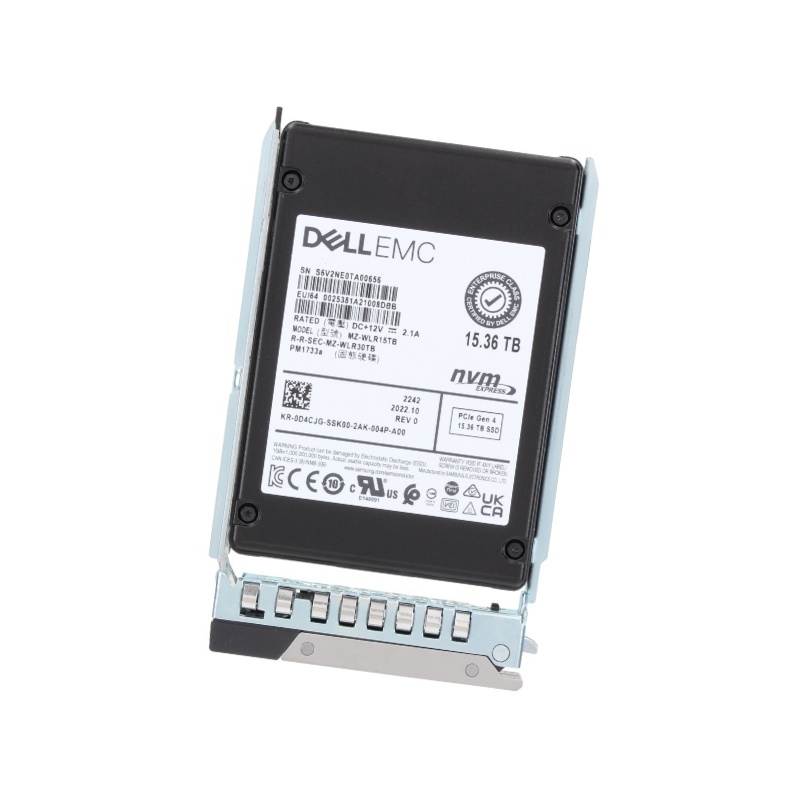
Dell 59YH1 NVMe 15.36TB Pcie Read Intensive Tlc 2.5-inch U.2 Solid State Drive. New Sealed in Box (NIB) with 1 Year Warranty
The Dell 59YH1 NVMe 15.36TB PCIe Read Intensive TLC 2.5-inch U.2 Solid State Drive is engineered for enterprise-grade performance, offering exceptional reliability, rapid data access, and optimized storage efficiency. Designed for demanding workloads, this SSD ensures consistent speed and durability for mission-critical applications.
The Dell 59YH1 NVMe 15.36TB PCIe Read-Intensive TLC 2.5-inch U.2 Solid State Drive represents a class of enterprise storage designed to deliver high-capacity, low-latency, and energy-efficient storage for read-heavy workloads. This category page section focuses on the product family and subcategory—NVMe U.2 SSDs with read-intensive TLC NAND in a 2.5-inch U.2 (SFF-8639 / U.2) form factor—emphasizing their strengths, typical deployment scenarios, technical considerations, and buyer guidance.
NVMe is the native protocol for flash storage over PCIe, offering dramatically lower queue latency and higher parallelism compared with legacy SATA or SAS interfaces. Drives in this category leverage the PCIe bus and the NVMe protocol to deliver improved transactional performance, higher IOPS for mixed and small-block reads, and better CPU efficiency under heavy concurrent access patterns.
The U.2 (2.5-inch) form factor provides a familiar mechanical and cooling footprint for enterprise servers and storage trays while bringing NVMe performance to hot-swap bays. U.2 is particularly useful in datacenter racks and multi-bay enclosures where serviceability, density, and compatibility with existing drive backplanes matter. This form factor makes it easy to combine high capacity (like 15.36TB) with chassis-level manageability.
Triple-Level Cell (TLC) NAND stores three bits per cell and provides an economical capacity-to-cost ratio. When paired with firmware and controller optimizations for read-intensive workloads, TLC can deliver excellent read performance and a reliable lifespan for applications that perform proportionally more reads than writes. Drives labeled “read-intensive” typically prioritize read performance, wear-leveling strategies, and over-provisioning tailored to read-heavy use cases.
15.36TB capacity places this drive in the high-density tier of enterprise SSDs. Such capacity enables consolidating more data per drive bay, reducing chassis footprint for large archives, object stores, and content repositories. High-capacity NVMe SSDs allow organizations to scale storage with fewer drives—simplifying management and potentially reducing total power and cooling overhead compared to large arrays of smaller drives.
Read-intensive SSDs are engineered with firmware tuned to favor endurance metrics and performance patterns that align with read-dominant workloads. That often means lower write endurance ratings compared to mixed-use or write-intensive SSDs; however, the trade-off is favorable cost-per-GB and superior read throughput. When selecting drives from this category, match the endurance characteristics to your workload write rate so you don’t over- or under-provision endurance.
NVMe U.2 SSDs provide deterministic low tail latencies for read operations, which improves application responsiveness and overall quality of service (QoS). This is critical for latency-sensitive systems such as search indexes, real-time analytics, and interactive web services. Evaluate vendor QoS guarantees, tail-latency performance data, and how the drive behaves under sustained multi-tenant access.
Enterprise NVMe SSDs commonly include features such as power-management modes, thermal throttling protection, and enterprise-class error correction. Many drives also incorporate power-loss protection mechanisms and SMART telemetry for proactive monitoring. When deploying many high-capacity NVMe drives, ensure your host platform and cooling system can sustain their thermal and power envelope.
Analytical queries and OLAP-style reads that scan large datasets benefit from high-capacity NVMe drives. Placing frequently accessed partitions or indices on read-optimized SSDs yields faster query response and shorter ETL windows.
VDI boot storms and read-heavy VM workloads can take advantage of NVMe's parallelism and low queue latency. Read-intensive SSDs help ensure smooth user login experiences and deliver predictable multi-user performance.
Database replicas used for reporting and read scaling often perform far more reads than writes—making read-optimized SSDs a cost-effective choice. Similarly, microservice architectures with read-heavy service components will see reduced latency and improved throughput.
The U.2 2.5-inch configuration provides hot-swapability and better cooling than many M.2 implementations, making it preferable in server bays. U.3 is an emerging spec that offers multi-protocol support—if your environment requires protocol flexibility, compare U.2 and U.3 options. M.2 is denser at the board level, but U.2 is superior for serviceability and enterprise management.
Read-intensive TLC SSDs are typically less expensive per TB than mixed-use or write-intensive drives that use higher-endurance NAND or SLC caching strategies. For workloads dominated by reads, read-intensive drives provide an optimal balance of capacity and cost. For heavy write workloads—such as logging, backup staging, or database transaction logs—consider drives with higher DWPD (drive writes per day) or write-optimized media.
NVMe delivers far greater parallel I/O performance and lower latency compared to SATA or SAS-based SSDs. NVMe remains the best choice when low latency and high IOPS are required. SATA/SAS drives can still be attractive where compatibility with existing legacy systems and lower raw throughput needs are the priority.
Verify your server or storage array supports U.2 NVMe drives in hot-swap bays and that appropriate backplanes and cables are present. Check BIOS/UEFI, firmware, and HBA (host bus adapter) compatibility for NVMe boot or passthrough scenarios. Confirm that your OS and hypervisor support NVMe features and consider driver or firmware updates as part of integration planning.
Carefully map expected write amplification and daily write volumes from your application to the drive's endurance rating. Read-intensive drives typically specify endurance suited for read-centric operations—calculate projected writes across the drive fleet and plan for replacement cycles accordingly. When comparing endurance metrics, use consistent units (e.g., DWPD or TBW) to make apples-to-apples comparisons.
Run representative benchmarks based on your workload—include both random and sequential read patterns and test at realistic queue depths. Production-style testing is essential to validate that the drive’s performance and QoS will meet application SLAs. Synthetic tests help for initial comparisons, but real workload traces provide the most accurate insight.
Enterprise SSDs often include features like TCG Opal or AES-based hardware encryption and secure erase capabilities. If regulatory or data residency concerns apply, ensure the drive and associated management tools support necessary encryption standards and key management workflows.
Modern NVMe SSDs expose robust SMART attributes and vendor-specific telemetry for monitoring health and predicting failures. Integrate these metrics into your monitoring stack to automate alerts for wear, temperature, and reallocated sectors. Drive-level telemetry supports proactive maintenance and helps avoid unexpected downtime.
High-capacity NVMe drives in dense chassis produce measurable heat; ensure rack airflow and system fans are configured to maintain recommended operating temperatures. Consider thermal monitoring to detect early signs of throttling and plan placement to maximize airflow across drive bays.
Keep firmware up to date to benefit from performance improvements and bug fixes. However, validate firmware updates in a staging environment before fleet-wide rollout. Maintain an asset register with purchase and firmware history to plan for future refresh cycles and warranty claims.
Do not rely on individual drives for data durability—use RAID or erasure coding strategies appropriate for NVMe-based arrays. Design redundancy at the system level and implement robust backup or replication policies to protect against hardware and software failures.


 Contact Us
 Information
 Catalog
 Solid State Drives (SSD)
 Network Switches
 Hard Disk Drives
 HBA & Controllers
 PC & Servers
 PC & Server Memory
 CPU & Processors
 Network Routers
 Power Supplies
 Tape Drives & Libraries
 Network Devices
 Computer & Network Cables