(7% discount is applied at checkout)
Cart is empty
Your go-to destination for cutting-edge server products
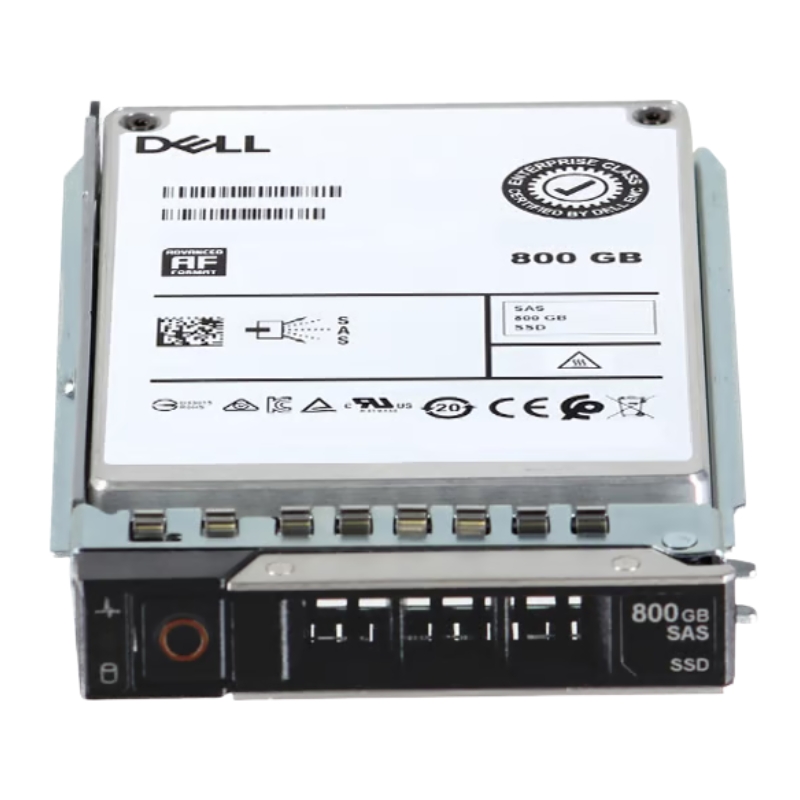


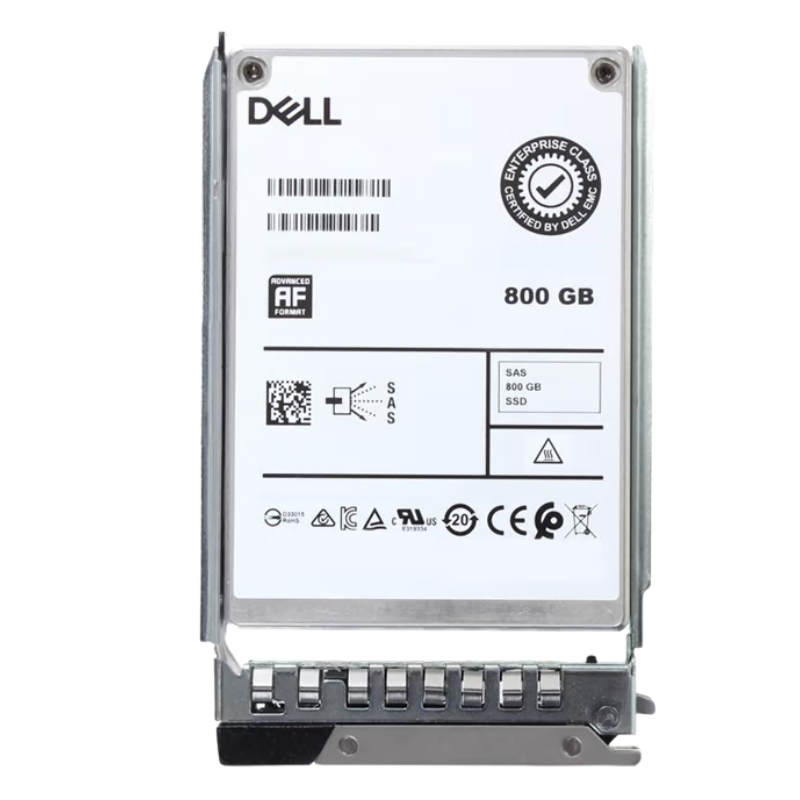
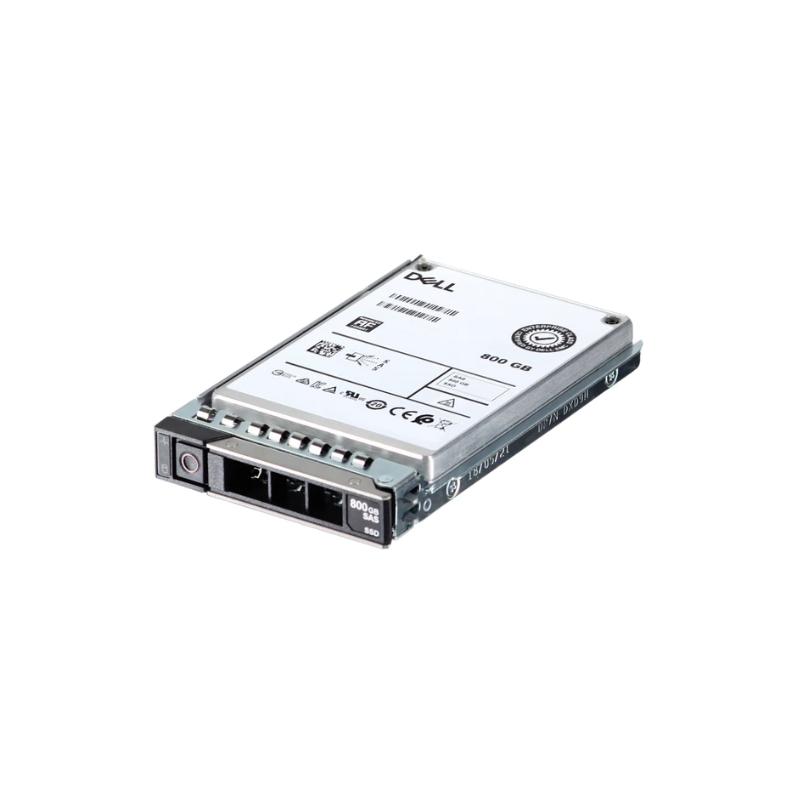
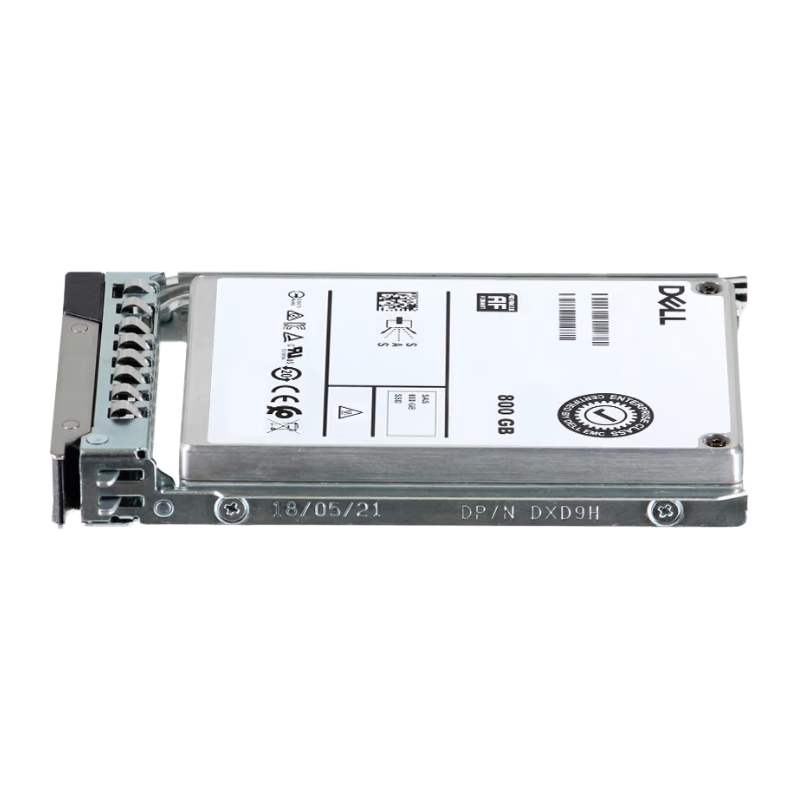
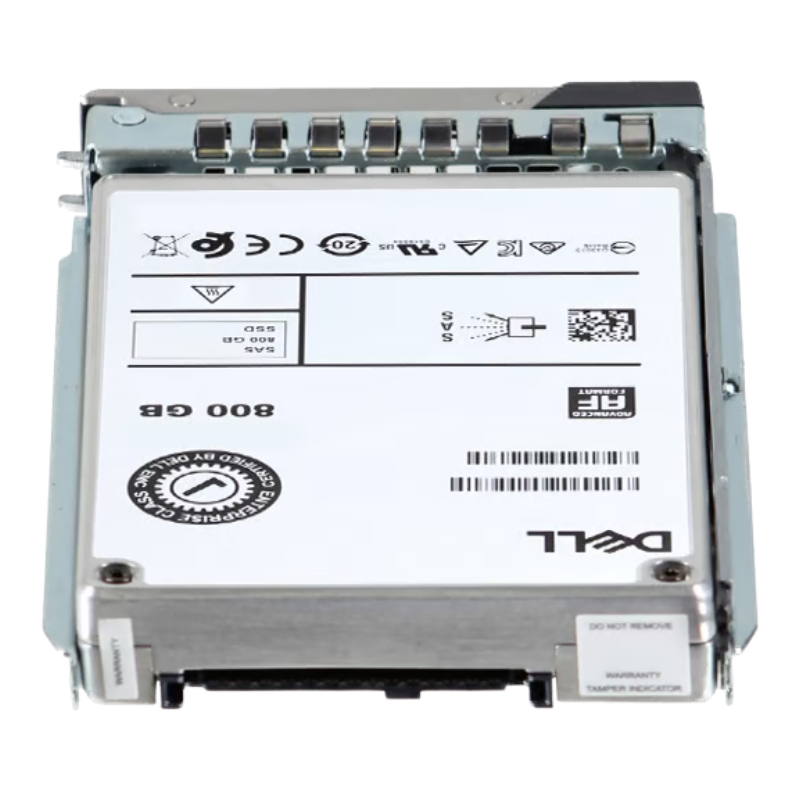
Dell 719JX 800GB SAS Hot Swap SSD 12GBPS Solid State Drive. Excellent Refurbished with 1 year replacement warranty
The Dell 719JX 800GB Mixed Use MLC SAS 12Gbps 2.5-inch hot-swap solid state drive represents a balanced storage tier tailored to modern data center demands. Positioned between read-intensive and write-intensive arrays, this Mixed Use MLC (Multi-Level Cell) SSD category delivers a pragmatic blend of endurance, sustained throughput, and cost efficiency. For enterprises operating Dell PowerEdge servers, this family of drives is engineered to harmonize with server RAID controllers, firmware ecosystems, and Dell’s hot-swap trays, offering predictable performance for virtualization hosts, database working sets, and mixed-IO application stacks. In this category description we explore the product’s technical profile, ideal use cases, performance characteristics, compatibility notes, deployment best practices, lifecycle considerations, and purchasing guidance that will help buyers make confident procurement decisions.
At its core, the 719JX 800GB SSD uses MLC NAND flash optimized for mixed workload endurance. The 2.5-inch form factor and SAS 12Gbps interface make it suitable for modern enterprise-class backplanes, providing dual-port connectivity options and robust link stability. Typical specifications for this product line include 800 gigabytes of usable capacity, support for 512e emulation or sector formats common in enterprise environments, and power-loss protection features designed to reduce the risk of data corruption during unexpected outages. The drive’s firmware manages wear-leveling and background garbage collection to maintain consistent performance over time, while enterprise-grade controllers deliver low-latency access and predictable IOPS under mixed read/write patterns.
SAS 12Gbps connectivity ensures that the drive can fully leverage high-throughput server architectures, especially when paired with compatible HBA or RAID controllers in PowerEdge servers. The 2.5-inch hot-swap design simplifies maintenance and serviceability — drives can be replaced without powering down the host, a crucial capability for mission-critical deployments. Physical compatibility extends to Dell’s standard drive caddies and sleds used across many generations of PowerEdge chassis, and the electrical and firmware handshake with Dell-compatible backplanes reduces integration friction during large-scale rollouts.
Mixed Use MLC NAND provides a compromise between raw endurance and cost-per-gigabyte. Compared to read-optimized consumer SSDs, MLC enterprise drives exhibit higher write endurance ratings (measured in drive writes per day, or DWPD) and are commonly equipped with features such as power-loss protection capacitors, error-correcting code (ECC), and enhanced thermal management. These mechanisms collectively increase mean time between failures (MTBF) and reduce the likelihood of silent data corruption. When right-sized for workload (for example, placing write-heavy logs on higher-DWPD drives and keeping the 719JX for general-purpose VM storage), organizations often realize serviceable lifespans that meet typical refresh cycles of three to five years.
Performance behavior for the 719JX category varies with workload pattern, queue depth, and the host controller configuration, but it consistently delivers strong random I/O performance relative to spinning media. Compared to SATA or lower-tier SSDs, the SAS 12Gbps link reduces latency and increases bandwidth headroom for concurrent workloads. In mixed-use scenarios — typical of virtualization, email servers, and web application backends — the drive exhibits competitive IOPS at moderate queue depths, with read latency optimized to accelerate data retrieval and write throughput that sustains transactional workloads without excessive stalls. The firmware’s background tasks are tuned to run during idle windows, minimizing interference with peak activity and preserving application responsiveness.
Benchmarks for this category should reflect real operational conditions: mixed read/write ratios, realistic block sizes (frequently 4K–32K for transactional systems), and representative queue depths. Synthetic tests will demonstrate peak theoretical capabilities, but application-level benchmarks (database transaction rates, VM boot storms, or mailserver throughput) will reveal the drive’s true value for production use. When validating the drive in a lab, include sustained-write tests to evaluate thermal throttling and controller behavior over long intervals, and verify how firmware features like over-provisioning and adaptive garbage collection influence sustained performance numbers.
The 719JX 800GB Mixed Use SSD is ideally suited for mixed-IO environments. Typical placements include virtualization hosts serving dozens of small-to-medium VMs, application servers with both read and write activity, caching layers in tiered storage architectures, and moderate-scale database workloads where a balance of latency and endurance is required. It is also effective for boot volumes, system images, and working datasets where consistent response times improve end-user experience. For write-heavy logging or telemetry ingestion systems that generate large volumes of sequential writes, consider supplementing with higher endurance drives; for cold archival storage, choose lower-cost high-capacity HDDs instead.
Organizations implementing tiered storage can use the 719JX drives as the middle tier, positioned between ultra-low-latency NVMe cache layers and high-capacity HDD arrays. In such architectures, the mixed-use SSD provides a performant and cost-conscious tier for frequently accessed but not mission-critical datasets. Automated tiering software or storage controllers can migrate hot blocks to the 719JX tier and demote cold data to slower media, maximizing cost-efficiency while retaining responsiveness where it matters most. This strategy also reduces wear on higher-cost NVMe cache drives by absorbing a large portion of the frequently accessed dataset.
Compatibility is a key strength for drives designed for Dell systems. The 719JX family typically undergoes validation against a range of PowerEdge models and supported RAID controllers from Dell EMC to ensure firmware interoperability and predictable behavior within the vendor’s ecosystem. When planning a deployment, confirm the server generation, BIOS/UEFI revisions, and RAID controller firmware versions to avoid unexpected incompatibilities. Dell’s compatibility matrices and release notes should be consulted for the specific PowerEdge platforms in use. In many cases, drives will be listed as “Dell-certified” or “validated,” but purchasing from trusted channels and checking firmware compatibility before mass deployment reduces integration risk.
Firmware management is an essential part of lifecycle operations for enterprise SSDs. Dell often provides vendor-specific firmware updates and firmware bundles that should be applied following best-practice maintenance windows. Firmware updates may include performance optimizations, security fixes, or adjustments to wear-leveling behavior. Maintain a controlled update process: test firmware in staging, monitor SMART attributes post-update, and keep detailed records of firmware versions across the fleet. Disk health telemetry exposed through SMART attributes and OEM-specific logs should be integrated into monitoring tools to alert on early signs of wear or electronic faults.
Enterprise SSDs such as the 719JX are expected to operate within specific thermal envelopes. Proper airflow and chassis cooling are necessary to avoid thermal throttling that could reduce throughput and increase latency under sustained load. The power profile of a SAS 12Gbps 2.5-inch SSD is generally modest, but in dense server configurations the aggregate power and thermal load become significant. Ensure that rack and server cooling plans account for SSD density and that ambient temperatures align with manufacturer specifications to preserve performance and reliability. Data integrity features like power-loss protection and robust ECC are crucial; they reduce the probability of incomplete writes and help preserve filesystem consistency after abrupt power events.
SMART attributes and vendor-specific telemetry provide early indicators of wear, reallocated sectors, and internal error rates. Integrating these signals into centralized monitoring platforms allows IT teams to perform predictive replacements before failures impact availability. The 719JX line exposes attributes that relate to NAND health, media error counts, and cumulative host writes; tracking trends rather than single-threshold events yields the most reliable predictions. Combine SMART monitoring with firmware logging and RAID controller alerts to create a comprehensive disk-health monitoring strategy.
Deployment best practices start with appropriate sizing: right-size the number of drives per host to match capacity, performance, and redundancy needs. Over-provisioning within the SSD (leaving a portion of capacity unallocated) can markedly improve performance consistency and prolong drive lifespan by giving the controller more spare blocks for wear-leveling. When configuring RAID levels, consider the trade-off between capacity and redundancy; RAID 10 often provides superior performance for mixed workloads, while RAID 6 yields higher effective capacity at the cost of write amplification during rebuilds. For critical systems, test rebuild times and I/O impact during a drive failure to ensure recovery windows meet service-level objectives.
Automated provisioning—using scripts or orchestration tools—reduces human error and ensures consistent drive configuration across large clusters. Leverage vendor tools for RAID configuration and firmware updates where possible, and integrate provisioning into infrastructure-as-code pipelines. When adding drives to existing arrays, account for the potential need to rebalance or rebuild data and schedule such operations during low-usage periods to minimize user impact. Document each drive’s serial numbers, firmware versions, and deployment location for traceability and warranty claims.


 Contact Us
 Information
 Catalog
 Solid State Drives (SSD)
 Network Switches
 Hard Disk Drives
 HBA & Controllers
 PC & Servers
 PC & Server Memory
 CPU & Processors
 Network Routers
 Power Supplies
 Tape Drives & Libraries
 Network Devices
 Computer & Network Cables