(7% discount is applied at checkout)
Cart is empty
Your go-to destination for cutting-edge server products
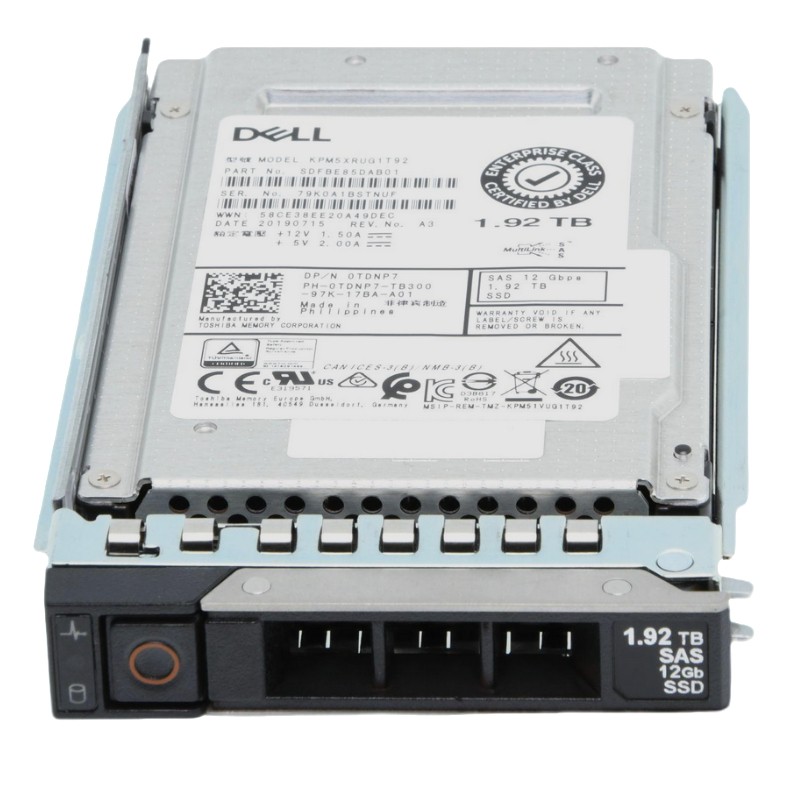


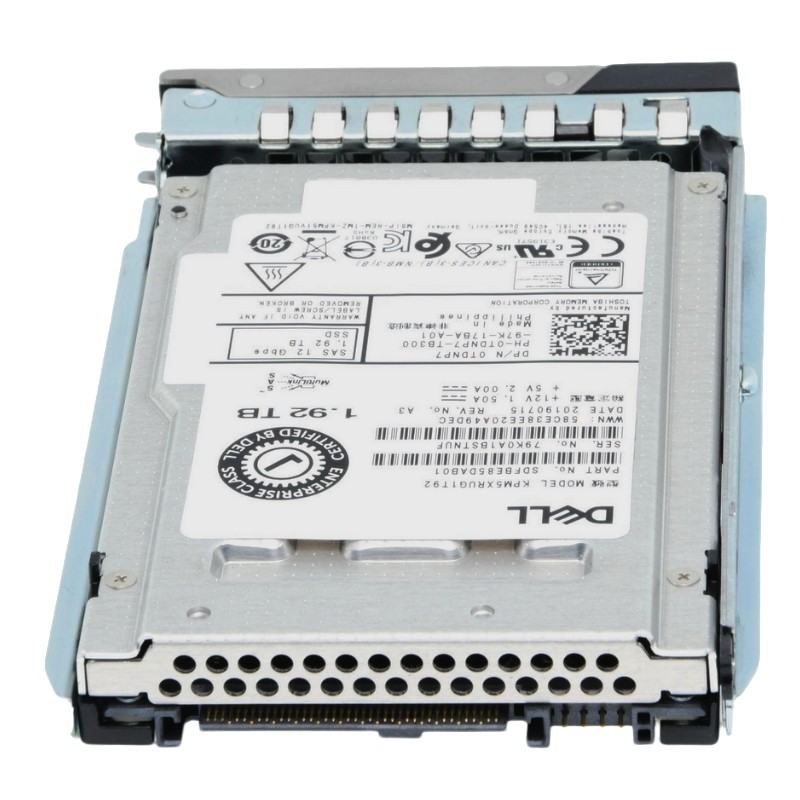
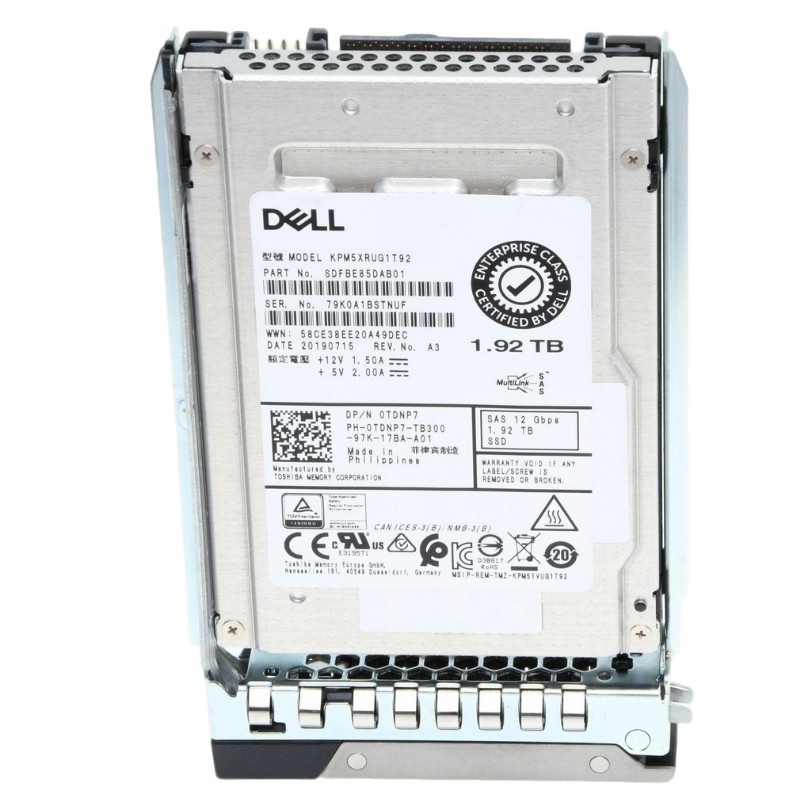
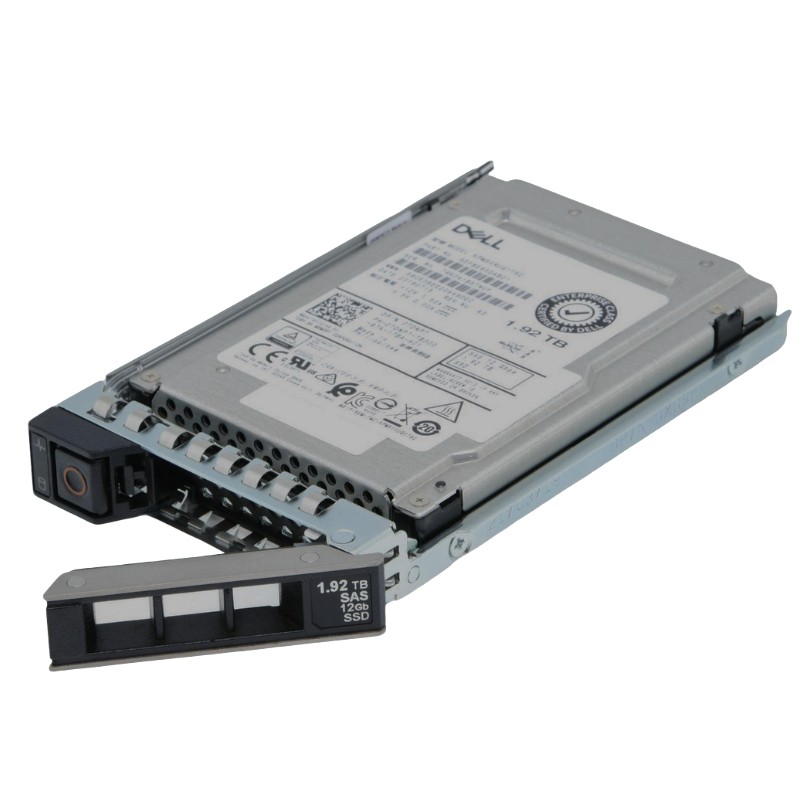
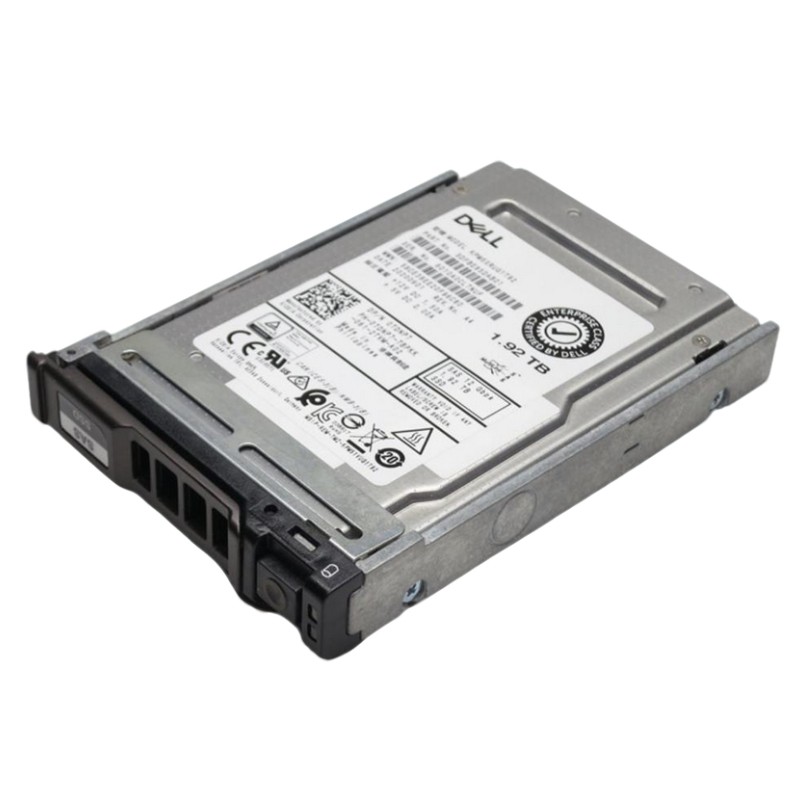
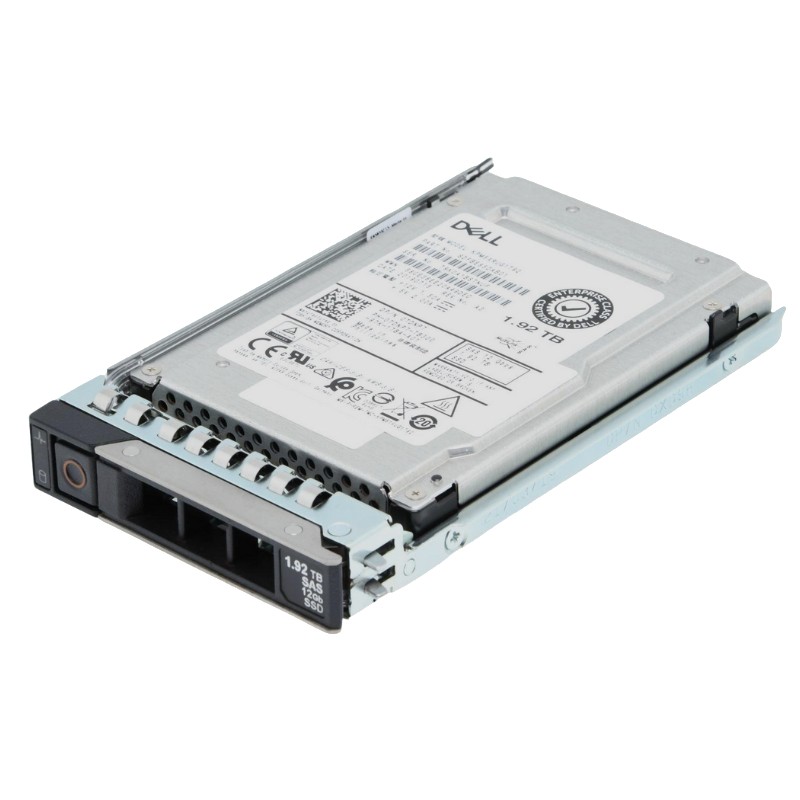
Dell 8G4YC 1.92TB SAS-12GBPS Read Intensive 512e SFF Form Factor Hot-Plug with tray for 14G Poweredge Server SSD. Excellent Refurbished with 1 year replacement warranty
| SKU/MPN | Warranty | Price | Condition | You save |
|---|---|---|---|---|
| 8G4YC | 1 Year Warranty | $1,425.00 | New Sealed in Box (NIB) | You save: $498.75 (26%) |
| 8G4YC | 1 Year Warranty | $522.00 | Excellent Refurbished | You save: $182.70 (26%) |
Explaining the Dell 8G4YC 1.92TB SAS-12GBPS Read Intensive 512e SFF Form Factor Hot-Plug with tray for 14G PowerEdge Server SSD requires a careful balance of technical clarity and practical guidance. This category encompasses enterprise-grade solid state storage specifically engineered for 14th generation Dell PowerEdge servers, optimized for heavy read workloads while maintaining the endurance and reliability expected in data center environments. The drive’s 1.92TB capacity fits high-density storage patterns in modern applications where latency-sensitive reads dominate, including database indexing, content delivery, virtualization boot stores, and analytics. The SAS-12Gbps interface provides a full-duplex, host-attached connection that integrates smoothly with enterprise RAID controllers and multipath I/O configurations. The SFF (small form factor) design ensures compatibility with 2.5-inch bays on PowerEdge 14G chassis, and the hot-plug tray simplifies serviceability: drives can be replaced without powering down the server, reducing downtime and preserving availability for business-critical systems.
The SAS-12Gbps connection on the Dell 8G4YC SSD is a defining characteristic for high-throughput, low-latency enterprise systems. Unlike SATA interfaces that prioritize simplicity and cost-efficiency, SAS offers advanced command queuing, dual-port failover options on compatible backplanes, and extended enterprise-level features for error handling and link management. SAS links at 12Gbps enable sustained sequential transfers and improved random I/O responsiveness compared with older SAS generations, which is particularly beneficial for read-intensive environments where cached and pre-fetched data must be served rapidly. The 512e sector emulation (512-byte emulation on 4K physical sectors) ensures compatibility with legacy operating systems and applications that expect 512-byte logical sectors, while still benefiting from modern physical sector efficiencies. This combination of interface, sector emulation, and SFF footprint makes the Dell 8G4YC drive a versatile option for IT architects designing resilient, high-performance storage tiers within PowerEdge-based infrastructures.
Physical compatibility is often the first concern for procurement and systems teams. The SFF form factor for this Dell SSD is aligned with 2.5-inch drive bays found in PowerEdge 14G servers, and the ship-with tray design provides a direct, tool-free insertion and retention mechanism that matches Dell’s midplane and backplane connectors. The drive’s hot-plug capability means service technicians can remove and insert drives while the server remains online, supporting clustered services, virtualization hosts, and storage nodes that require continuous operation. When planning upgrades or replacements, verify the server’s firmware and controller compatibility matrix to ensure that the drive’s features like power management, link negotiation, and SMART reporting are fully recognized. In multi-bay configurations, thermal considerations require attention to airflow patterns and drive blanking panels; the optimized tray design helps maintain predictable chassis airflow for the cooling zones around the drive bays.
Read-intensive SSDs such as the Dell 8G4YC are engineered for environments where read operations significantly outnumber writes. Typical profiles include large-scale read caches for hybrid storage arrays, front-end database read replicas, virtual desktop infrastructure images that are read frequently but written less often, content delivery networks serving static assets, and analytics engines performing read-heavy query workloads. The drive’s internal firmware and NAND management algorithms bias wear-leveling and garbage collection strategies toward sustaining consistent read performance while minimizing write amplification. This design means predictable tail latency, which is crucial for user-facing applications where spikes in response time can degrade experience. In mixed-use environments, these drives can be paired with higher-endurance write-optimized SSDs in tiered storage schemes to balance cost, capacity, and endurance across an overall storage architecture.
Enterprise SSDs differ from consumer models largely through their controllers and firmware stacks. The Dell 8G4YC drive integrates firmware tuned for error correction, background scrubbing, and power-loss protection features that preserve data integrity during abrupt power events when supported by appropriate enterprise power supplies and controller capacitors. The drive supports SMART attributes and vendor-specific telemetry that allow monitoring tools to track health, predict failures, and schedule proactive replacements. Firmware updates should be applied in accordance with Dell’s recommended procedures and compatibility notes; controller firmware and RAID adapter drivers must be matched to ensure the drive’s advanced features are fully available. Additionally, the drive’s firmware often includes reserved over-provisioning to maintain consistent performance as the NAND ages, and it cooperates with storage management suites that handle firmware rollouts in large server fleets to minimize disruption.
Performance assessment of the Dell 8G4YC 1.92TB drive must consider three interrelated metrics: latency, IOPS (input/output operations per second), and throughput. Read-intensive SSDs are typically optimized to deliver low and consistent read latencies across a wide range of queue depths. In real-world deployments, predictable latency is often more valuable than peak throughput because it determines the user experience for interactive applications. IOPS performance will scale with controller efficiency and the server’s storage stack; under multi-threaded workloads, the drive’s ability to process queued commands and maintain throughput without dramatic spikes in latency is essential. Throughput for sequential reads will be constrained by SAS-12Gbps channels and the controller’s internal parallelism across NAND channels. For architects, the right choice for application tiers often combines several drives in RAID or erasure-coded arrays, leveraging their aggregated IOPS and redundancy to meet service-level objectives while preventing individual drive bottlenecks.
Integration into RAID arrays remains a common approach to build redundancy and scale performance. The Dell 8G4YC functions well in RAID levels that emphasize read performance, such as RAID 10 for combined performance and redundancy or RAID 6 where higher capacity efficiency is desired with fault tolerance. Multipath I/O solutions provide additional resiliency by enabling path failover in environments with dual controllers or HBA configurations. When using RAID, consider the implications of rebuild times; read-intensive SSDs reduce some rebuild stress relative to HDDs but also require careful planning for endurance consumption during rebuilds. Implementing snapshot and replication strategies at the software layer can complement hardware RAID, providing point-in-time protection and facilitating disaster recovery. For mission-critical datasets, pairing the Dell 8G4YC with intelligent caching layers and tiering policies reduces unnecessary wear and preserves performance for hot datasets.
Thermal behavior is a practical concern when deploying multiple SFF drives in dense racks. Although SSDs typically dissipate less heat than spinning disks, sustained high I/O and certain controller operations generate heat that can affect adjacent components and influence overall chassis cooling requirements. The hot-plug tray design contributes to predictable air channeling when the server is configured with Dell’s intended bay fillers and airflow guides. Power management features such as aggressive link power management can reduce energy consumption during idle windows, but they must be balanced against wake latencies and the performance expectations of the deployed applications. For large-scale deployments, incorporate thermal sensors and power telemetry into your monitoring stack so that alerts can trigger corrective actions before performance throttling occurs. Regular cleaning of air filters and adherence to recommended rack airflow practices will help maintain optimal thermal conditions for the drives.
Ensuring smooth integration requires confirming compatibility across firmware, RAID controllers, and server BIOS revisions. The Dell 8G4YC is intended for Dell PowerEdge 14G platforms, but system administrators should validate the drive’s part number and firmware revision against Dell’s published compatibility matrix and support advisories. Additionally, confirm that the storage controller supports SAS-12Gbps link speeds and that any HBA or RAID adapter drivers are up to date. For mixed fleets, test interoperability with other drive models to ensure uniform behavior in RAID sets, and avoid mixing drives with markedly different performance or endurance characteristics in the same array to prevent uneven wear and performance imbalance. Backup and test restoration procedures are essential prior to any large-scale rollout or firmware update to prevent data loss should an unexpected issue arise.
Selecting the right SSD category involves assessing trade-offs between performance, endurance, and cost. Read-intensive models like the Dell 8G4YC are optimized for workloads with heavy read-to-write ratios, offering an economical choice where capacity and read performance are the primary concerns. Write-optimized drives increase provisioned endurance at a higher price point and are better suited for log-heavy databases, big data ingest nodes, and high-frequency write caches. Mixed-use drives aim for balanced capabilities and are appropriate when workloads have a roughly equal mix of reads and writes. When designing storage tiers, combining drive classes in hierarchical or software-defined storage architectures mitigates risk: read-intensive drives serve hot-read caches while write-optimized drives absorb sustained writes. Assess total cost of ownership by calculating replacement cadence, power consumption, and the operational burden of managing multiple drive types in the same environment.
To extract maximum value from the Dell 8G4YC SSD, apply workload-aware optimization. Use filesystem and application-level caching strategically to reduce unnecessary writes. Allocate over-provisioned space and avoid near-full filesystem states, as these conditions increase write amplification and reduce performance headroom. Schedule bulk write operations, such as large-scale backups or compaction jobs, during maintenance windows and consider offloading them to write-optimized tiers where possible. Keep RAID stripe sizes and controller cache policies aligned with the most common I/O size for your applications; mismatch can lead to decreased efficiency and increased wear. Regularly review telemetry trends for early signs of performance degradation and implement a rolling replacement policy that staggers drive retirement to maintain consistent capacity and performance across arrays.
In practice, enterprises deploy read-intensive SAS SSDs in a variety of topologies. Common patterns include using these drives as dedicated read cache layers in hybrid arrays where capacity HDD tiers are paired with SSD caches to accelerate hot datasets. Another pattern is dedicating a bank of SFF SSDs to virtualization hosts where numerous virtual machine images require high read concurrency during boot storms and boot cycles. In content delivery scenarios, read-intensive SSDs reduce latency and improve throughput when serving frequently accessed objects. Analytics clusters utilize these drives to hold index and hot partition data that requires consistent read throughput. In each case, success depends on aligning the drive’s strengths—low latency reads and predictable behavior—with the application’s access patterns and integrating them into a broader storage strategy.


 Contact Us
 Information
 Catalog
 Solid State Drives (SSD)
 Network Switches
 Hard Disk Drives
 HBA & Controllers
 PC & Servers
 PC & Server Memory
 CPU & Processors
 Network Routers
 Power Supplies
 Tape Drives & Libraries
 Network Devices
 Computer & Network Cables