(7% discount is applied at checkout)
Cart is empty
Your go-to destination for cutting-edge server products
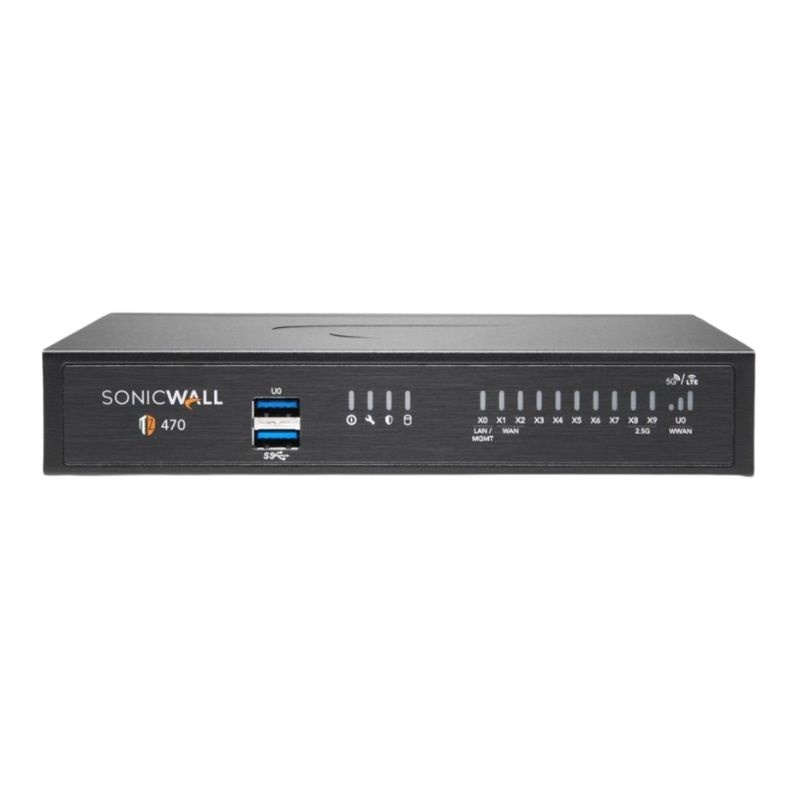


Dell AB433092 TZ470 2.5 GBPS Ethernet Next-Generation Desktop Firewall. New Sealed in Box (NIB) with 1 Year Replacement Warranty
Dell AB433092 TZ470 Network Security Appliance
The Dell AB433092 TZ470 is a next-generation desktop firewall engineered to deliver fast, secure, and efficient protection for businesses that demand reliable security. Designed with advanced Ethernet connectivity and zero-touch deployment, this security appliance helps organizations safeguard networks against modern cyber threats while maintaining superior performance.
Equipped with next-gen throughput levels, the Dell TZ470 supports business-grade networking requirements without bottlenecks. Its advanced firewall processing ensures rapid traffic inspection and high-speed VPN capabilities, allowing secure remote access and reliable network operations.
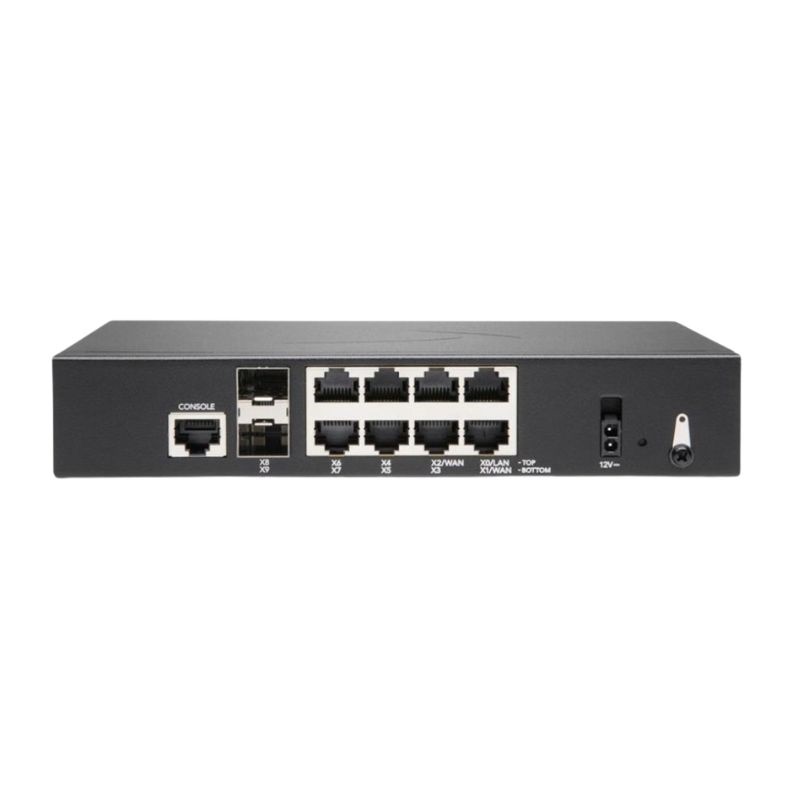
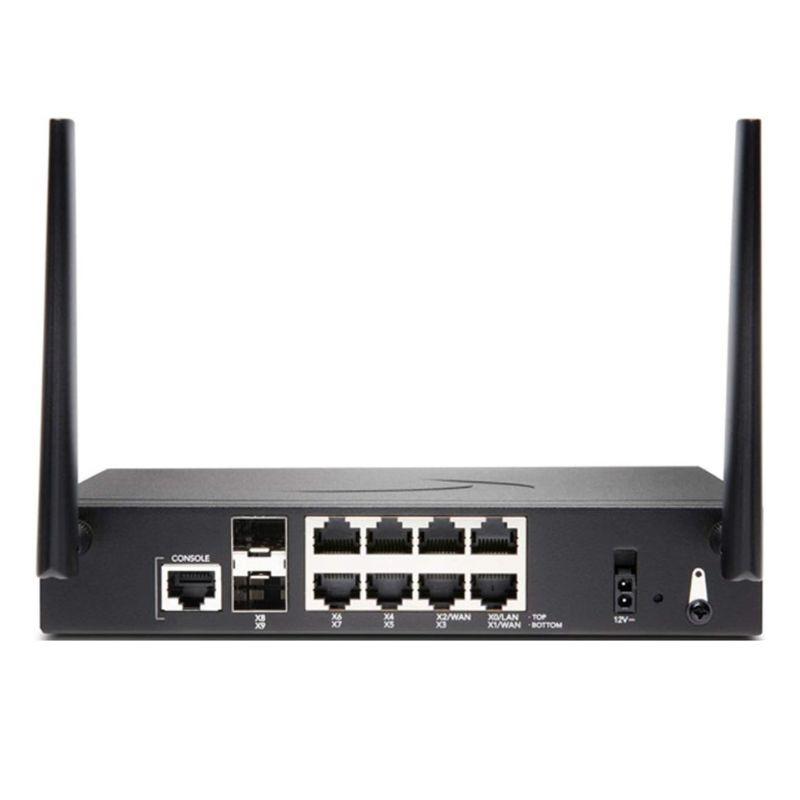
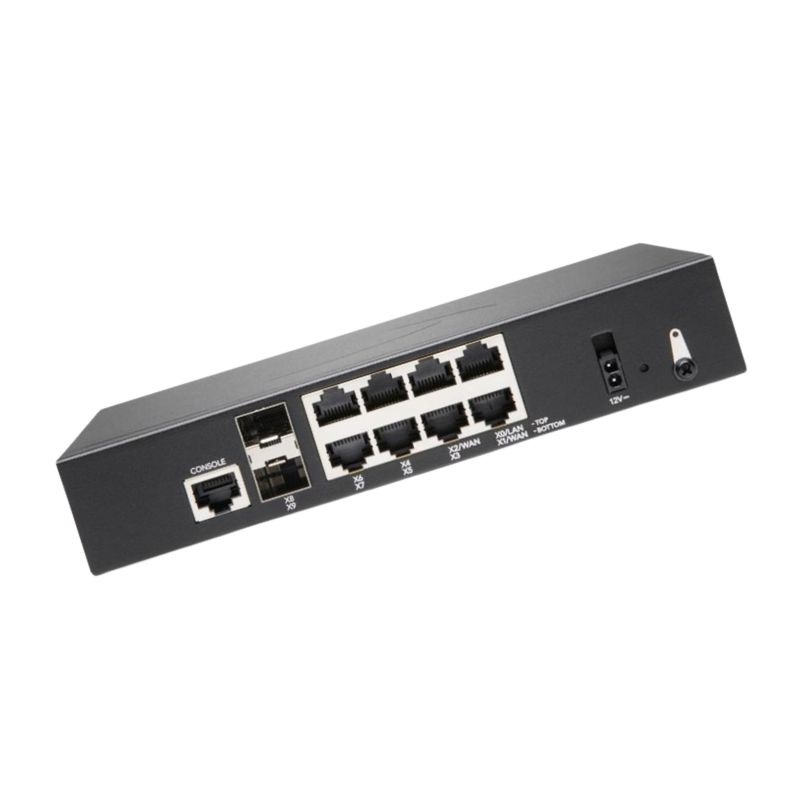
This firewall comes equipped with a wide range of interfaces to accommodate modern networking environments. Its flexible port arrangement supports both Gigabit and 2.5 Gigabit Ethernet, ensuring compatibility with current and upcoming infrastructures.
Remote configuration and secure management are simplified with a variety of supported protocols. IT teams can configure, update, and monitor the firewall efficiently through both standard and secure methods.
The Dell TZ470 operates on SonicOS 7, delivering advanced networking features, intuitive management, and seamless integration with Dell’s ecosystem of security solutions. This robust OS ensures smooth operation while adapting to complex business security needs.
Designed for efficiency, the Dell AB433092 TZ470 firewall consumes minimal power, making it both eco-friendly and cost-effective for long-term usage.
The Dell TZ470 incorporates state-of-the-art firewall capabilities that align with today’s cybersecurity demands. Its layered protection shields against malware, unauthorized access, and sophisticated intrusion attempts while allowing legitimate traffic to flow smoothly.
For organizations looking for an advanced yet affordable network security solution, the Dell TZ470 delivers enterprise-level performance in a desktop form factor. It balances high-speed throughput, flexible connectivity, and robust security features, making it a reliable choice for growing businesses.
The Dell AB433092 TZ470 combines reliable Ethernet performance, robust security protocols, and scalable design to provide complete protection for business networks. Whether used in small offices or branch setups, it ensures uninterrupted performance while safeguarding sensitive data.
The Dell AB433092 TZ470 2.5 Gbps Ethernet Next-Generation Desktop Firewall category brings together compact, security-rich appliances designed to safeguard small to mid-size offices, distributed branches, and high-performance home workspaces. These next-gen devices blend multi-gigabit connectivity with deep inspection to block modern threats without throttling everyday productivity. In this category description, you’ll find a thorough exploration of capabilities, deployment patterns, licensing approaches, optimization tips, buying considerations, and best practices tailored to the AB433092 TZ470 class of desktop firewalls. Use this resource to evaluate whether a 2.5 GbE-equipped next-generation firewall (NGFW) is the right fit for your network and to understand how to configure, scale, and maintain it for resilient protection and consistent user experience.
Modern networks carry video meetings, cloud apps, collaboration tools, and device telemetry simultaneously. A firewall that tops out at 1 Gbps can force compromises—either bypass deep inspection to preserve speed or enable security and accept bottlenecks. The AB433092 TZ470 class resolves this tension with multi-gigabit Ethernet, so you can run more security services concurrently while supporting faster WAN tiers and higher-throughput LANs.
Cloud adoption and high-definition collaboration made 1 Gbps WAN links feel tight. A 2.5 GbE-capable desktop firewall provides a smooth step-up without overhauling your switching layer: many modern switches and NICs auto-negotiate 1/2.5 GbE over existing Cat5e/Cat6 cabling. With that flexibility, you can turn on more security services, segment traffic confidently, and still meet performance expectations for SaaS, backup, and voice/video.
Next-gen inspection goes beyond basic stateful firewalling. The TZ470-class approach pairs signature-driven protection with behavioral analysis and frequent intelligence updates to help stop known and emerging threats.
The category emphasizes identity as a cornerstone of effective policy. Rather than relying on raw IPs, the firewall can tie rules to users, groups, or devices, creating context-rich enforcement that follows people and endpoints wherever they connect.
Security outcomes improve when configuration is approachable and repeatable. The AB433092 TZ470 category emphasizes intuitive policy builders, wizards for common roles, and dashboards that highlight what matters most.
A 20–60 user office leans heavily on video calling, CRM, and cloud storage. With 2.5 GbE support, the firewall can absorb a faster fiber or cable package without re-architecting the LAN. Policies focus on application identification, employee roles, and acceptable-use rules for risky websites. TLS inspection is applied selectively to business apps while privacy-sensitive categories (such as banking or healthcare portals) are exempted.
Payment terminals and point-of-sale systems need strict isolation from guest Wi-Fi and corporate browsing. The TZ470-class device segments networks into dedicated zones, applies IPS signatures targeting POS malware, and routes back-office cloud apps over the best-performing link via SD-WAN. Centralized templates ensure every new store inherits the same controls from day one.
Consultants bounce between client sites and home offices. VPN profiles with multi-factor authentication protect access to internal tools. Device posture checks ensure unmanaged endpoints don’t traverse sensitive zones. DNS filtering and anti-phishing features help keep risky links from becoming incidents, and bandwidth shaping preserves crisp video meetings during peak load.
An executive workstation, conference room, and smart-home devices share a fast WAN link. The firewall’s 2.5 GbE interface allows deep inspection while supporting UHD streaming, large file transfers, and frequent video calls. Per-device access rules limit IoT exposure, and scheduled policies tighten access after hours.
Applications don’t always use standard ports. The AB433092 TZ470 category uses signatures and heuristics to identify applications regardless of port hopping or encryption. With this context, you can allow collaboration suites, throttle recreational streaming during business hours, and block data exfiltration tools outright.
Intrusion prevention signatures are continuously updated to address emerging techniques. When you can’t patch an internal system immediately, IPS provides a compensating control—blocking exploit patterns before they reach vulnerable hosts. Dashboards highlight top signatures triggering in your environment, guiding patch priorities.
Outbound connections to known-bad hosts are a red flag. Reputation services score destinations based on global telemetry. When combined with DNS and URL filtering, this reduces exposure to drive-by downloads and command-and-control communications.
Most traffic is now encrypted. Selective TLS inspection lets you enforce policy inside encrypted flows while respecting privacy. Use category-based exclusions and legal-compliance profiles to balance risk reduction with user expectations and regulations.
Unknown files and suspicious behaviors can be executed in a controlled environment to observe malicious intent. Cloud analysis improves detection rates without requiring heavy local resources. Verdicts inform block lists and can propagate across all managed sites.
Create logical security zones—WAN, LAN, Guest, IoT, Voice, and VPN. Apply default-deny between zones and craft explicit allowances. This structure simplifies audits and minimizes blast radius if a device is compromised.
Combine broadband and 5G or a second cable/fiber circuit. SD-WAN policies steer critical apps down the lowest-latency path, while bulk transfers use the cheaper link. If one circuit drops, failover is automatic and policy-driven.
For sites that demand maximum uptime, deploy two appliances in failover mode. Shared state and synchronized configuration shorten recovery windows and preserve sessions for many protocols.
Throughput varies with features enabled. Plan for peaks—video meetings, software updates, and backup syncs often coincide. The 2.5 GbE port ensures your firewall isn’t the first choke point as you adopt faster WAN services or add multi-gig switches.
Translate business requirements into enforceable, auditable rules. For example, “Only finance staff may access accounting systems from corporate laptops” becomes a combination of identity, device posture, and network zone policies.
Right-size your logging so you can reconstruct incidents without overwhelming storage. Export to a SIEM for correlation across endpoints, servers, and cloud applications. Use retention policies that align with legal and regulatory expectations.
Develop a transparent approach to TLS inspection. Inform users, obtain necessary approvals, and apply category exemptions to protect personal banking or medical sessions while still inspecting high-risk destinations.
Start with deny-by-default between zones. Then add specific allow rules based on application, user group, and device posture. This reduces accidental overexposure and simplifies audits.
Abstract hosts, networks, services, and apps into reusable objects. Changing an object’s definition automatically updates every policy that references it, cutting mistakes during maintenance.
Begin with IT staff and a pilot group. Triage break/fix issues, tune exceptions, and then expand to a broader audience. Communicate clearly with end users about what’s inspected and why.
New firmware can deliver detection improvements, stability fixes, and performance gains. Schedule maintenance windows and review release notes to plan safe rollouts.
With multiple branches or customers, standardization is powerful. Create a base template for zones, VLANs, core rules, and monitoring. Derive per-site variants only where necessary.
Focus on panels that reveal risk and user experience: top threats blocked, applications by bandwidth, sites with repeated malware detections, and SD-WAN path changes. Trend these weekly to spot anomalies and policy drift.
Consider a Monday morning scenario: cloud backup catches up, developers pull large repositories, and everyone joins stand-ups on video. A multi-gig-capable firewall helps ensure that security services remain active while maintaining smooth collaboration. The extra headroom also buffers against seasonal peaks, software distribution pushes, and marketing livestreams.
With 2.5 GbE at the edge, you can introduce multi-gig switches gradually. Many devices will negotiate at their best rate without requiring new cabling. Over time, this enables faster Wi-Fi access points, quicker file server access, and lower contention for power users.
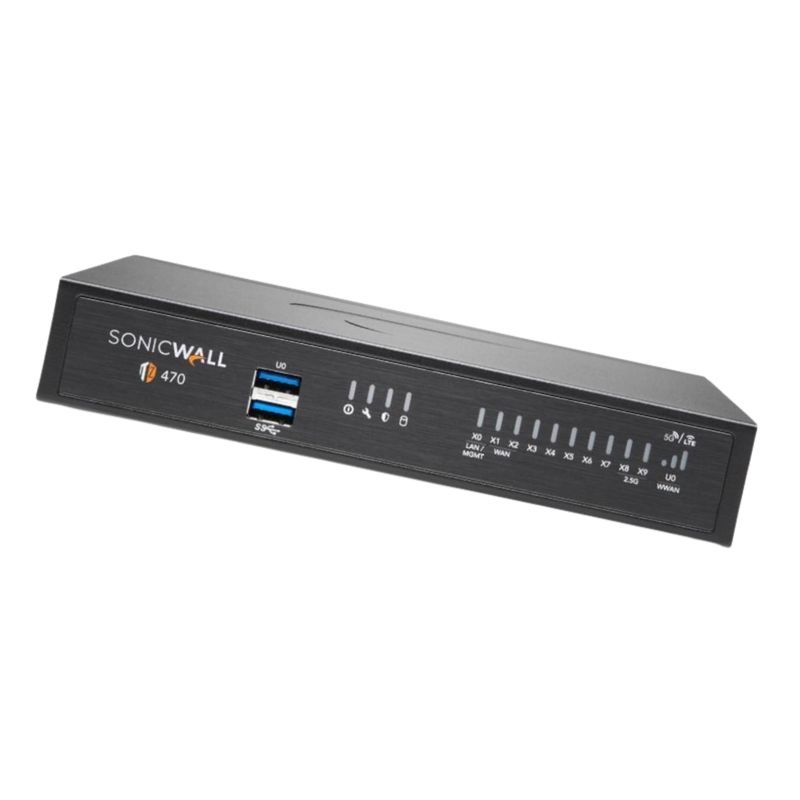
The category highlights small, acoustically considerate appliances suitable for conference rooms and open offices. Front-facing ports simplify patching, and clear status LEDs make quick checks easy for on-site staff.
Technology works best alongside informed behavior. Provide short, recurring tips: recognize phishing tells, report unusual prompts for MFA codes, and avoid unapproved file-sharing apps. Pair user education with firewall-enforced controls for defense-in-depth.
Offer a dedicated guest SSID that maps to the Guest zone with strict egress policies. For contractors, assign time-bound accounts tied to their work orders. Audit logs should clearly record contractor access and activity.
Document the next three years: user counts, new applications, additional branches, and expected WAN upgrades. The 2.5 GbE capability gives you latitude to support faster services and more inspection depth as needs evolve.
When retiring an appliance, wipe configs and logs securely. Maintain a record of serial numbers, last firmware, and disposition for asset management and compliance.
An application-aware firewall that integrates IPS, URL filtering, malware protection, and identity context into policy decisions.
Inspection beyond headers into payload and behavior to identify applications, threats, and anomalies.
A signature and behavior-driven engine that blocks exploit attempts and protocol abuses inline.
Software-defined control over multiple WAN links, steering traffic based on performance and policy.
Decrypting, inspecting, and re-encrypting traffic according to policy to enforce security controls inside encrypted sessions.
Blocking connections to destinations known for malicious activity based on global threat intelligence.
Deploy the firewall with baseline IPS, malware protection, and URL filtering. Establish zones and identity integration. Turn on basic reporting and weekly reviews.
Enable application-aware policies and begin TLS inspection pilots. Add SD-WAN if you have multiple circuits. Expand reporting with executive summaries and compliance exports.
Tune IPS, refine QoS, and tighten role-based access. Adopt high availability for critical locations. Automate backups and alerting through your ITSM.
Introduce device posture checks, conditional access, and deeper sandbox integrations. Leverage automation hooks for incident response and change workflows.
Desktop firewalls typically sip power compared to rack-mount alternatives. Consolidating legacy routers and security boxes into a single NGFW can lower energy consumption and simplify e-waste management at refresh time.
Clear labeling, standardized cabling, and consistent templates reduce travel, truck rolls, and misconfiguration waste. Documentation pays dividends each time you onboard a new site or technician.
Summarize risk reduction (“X % decrease in access to newly registered domains”), business enablement (“consistent video call quality across all branches”), and compliance alignment (“logging coverage expanded to all IoT segments”). This narrative connects firewall investments directly to business outcomes.


 Contact Us
 Information
 Catalog
 Solid State Drives (SSD)
 Network Switches
 Hard Disk Drives
 HBA & Controllers
 PC & Servers
 PC & Server Memory
 CPU & Processors
 Network Routers
 Power Supplies
 Tape Drives & Libraries
 Network Devices
 Computer & Network Cables