(7% discount is applied at checkout)
Cart is empty
Your go-to destination for cutting-edge server products
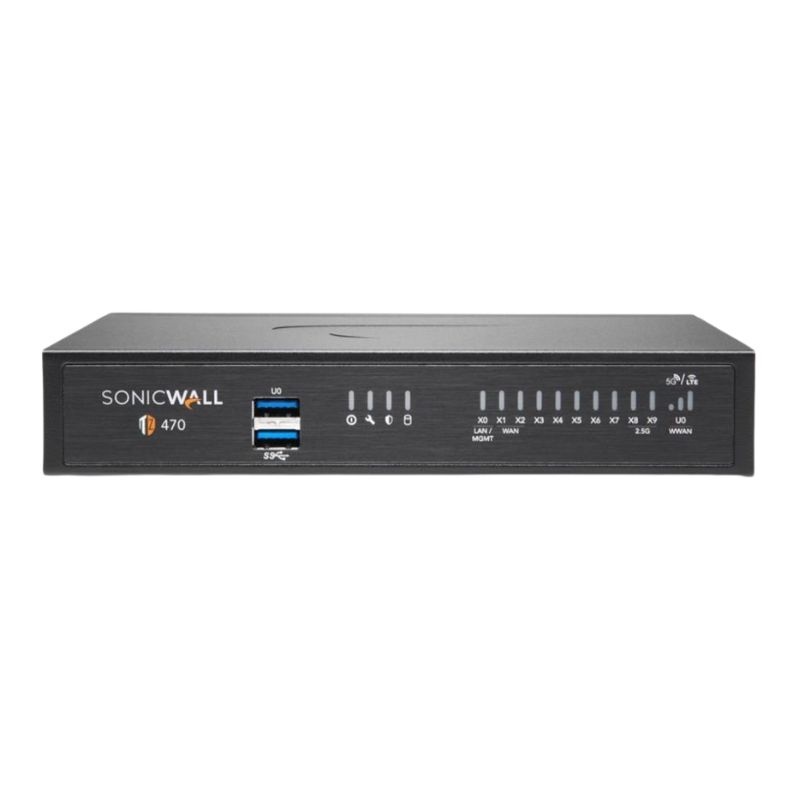


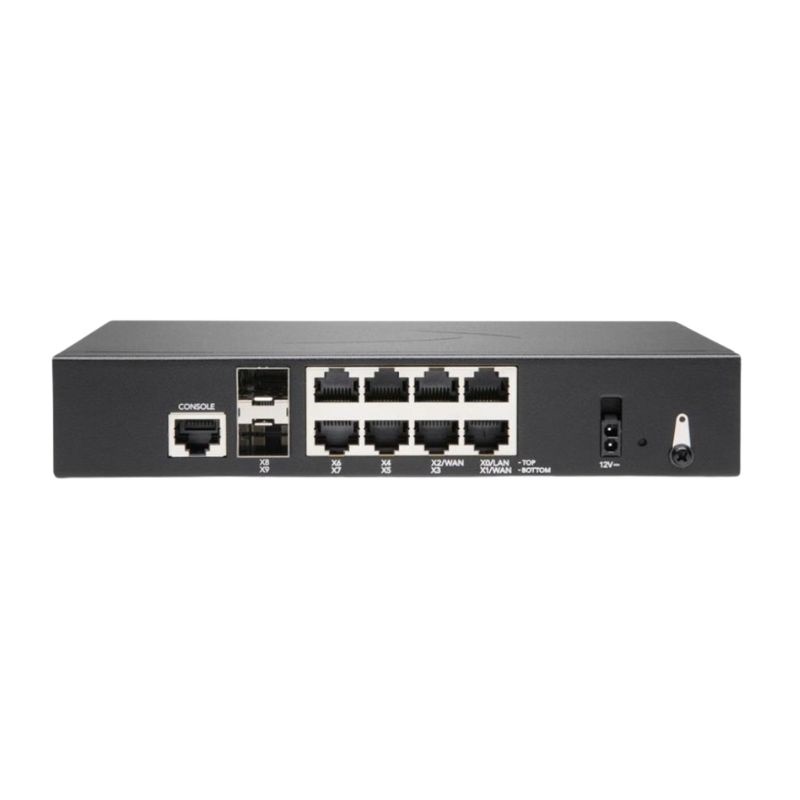
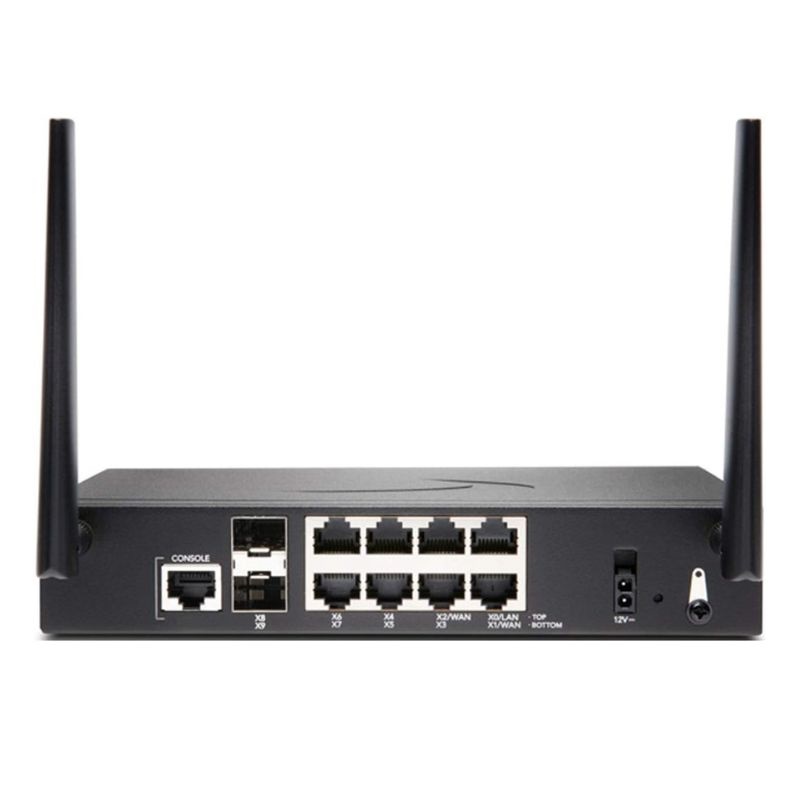
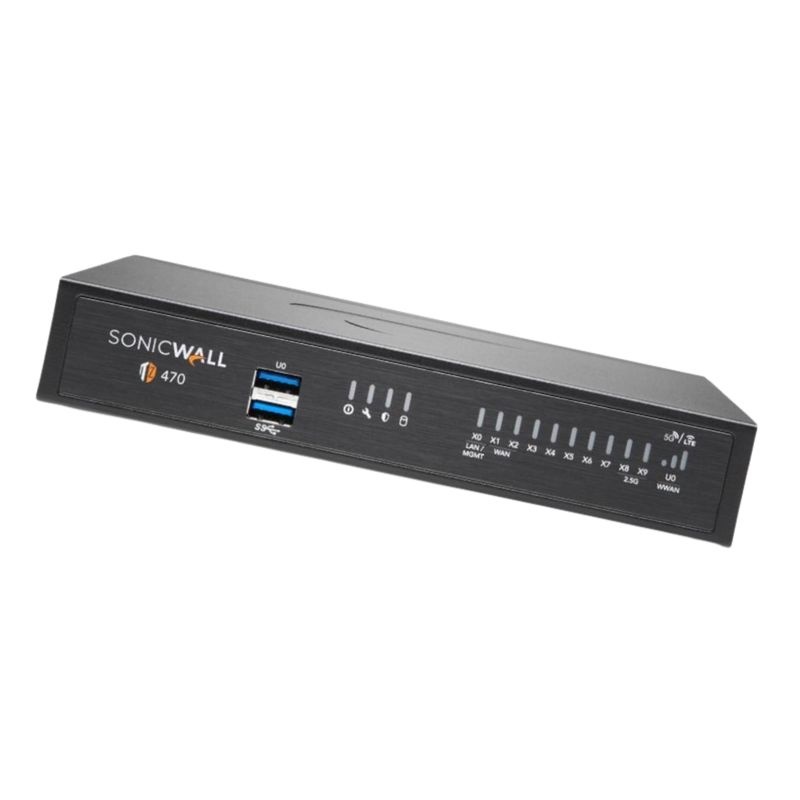
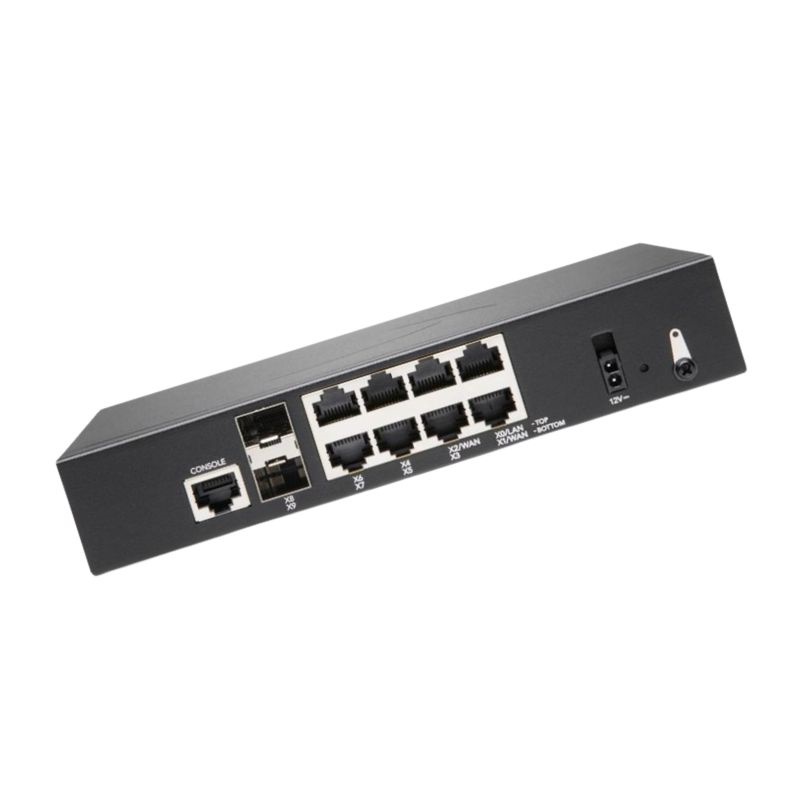
Dell AB433093 TZ470 High Availability Desktop Firewall Appliance. New Sealed in Box (NIB) with 1 Year Warranty
Product Overview of Dell AB433093 TZ470 HA Unit
The Dell AB433093 TZ470 High Availability Firewall serves as a secondary device designed to guarantee uninterrupted network connectivity. By supporting advanced protocols and efficient throughput speeds, this desktop firewall helps maintain business continuity in demanding environments.
Built for seamless data flow and fast communication, the unit ensures secure transactions and strong protection. With support for IPS and VPN throughput, it is ideal for enterprises requiring dependable performance:
The Dell AB433093 TZ470 is crafted with multiple interfaces, delivering flexibility for expanding infrastructure:
This firewall supports various remote configuration standards to simplify network administration:
The system requires SonicOS 7, Dell’s advanced network security operating system known for scalability and intuitive management.
The firewall’s desktop form factor provides a compact yet durable structure, making it suitable for small to medium-sized businesses that need high availability without sacrificing space. It is designed with precision to support high network demands.
Energy efficiency is a highlight of this model, keeping operational costs lower without compromising performance:
The Dell AB433093 TZ470 is ideal for organizations that prioritize strong, uninterrupted networking solutions. Its adaptability makes it suitable for:
With multiple port options and SonicOS 7 support, the firewall can grow alongside your business, ensuring long-term relevance and scalability.
The inclusion of 1GbE and 2.5G SFP+ interfaces provides diverse networking possibilities, offering a future-ready approach for businesses scaling up operations.
The Dell AB433093 TZ470 2.5 Gbps High Availability Ethernet Desktop Firewall category focuses on compact, branch-grade security appliances engineered for modern small to midsize networks that require reliable throughput, always-on protection, and simplified administration. Positioned between entry-level and enterprise rack-mount devices, this class of firewall blends advanced inspection, VPN, and high-availability (HA) features with a desktop footprint and quiet operation. Organizations leverage these units to safeguard internet gateways, segment local resources, support hybrid work with fast remote access, and enforce consistent policy without sacrificing speed or usability. Typical deployments include retail stores, distributed offices, clinics, classrooms, professional services suites, and home-office labs that demand business-class uptime and layered defenses.
As a category, these firewalls center on four pillars: performance around a 2.5 Gbps firewall rating for responsive browsing and SaaS; high availability to mitigate single-point failures and enable seamless failover; deep security through application visibility, intrusion prevention, malware filtering, and encrypted traffic handling; and operational simplicity with intuitive management, cloud-assisted updates, and wizard-driven setup. Buyers will find a blend of Ethernet WAN/LAN ports, optional PoE on select variants, robust VPN options, and granular controls to shape how bandwidth is consumed by apps, users, and devices across wired and wireless segments.
Beyond the raw throughput rating, the Dell AB433093 TZ470 2.5 Gbps HA Ethernet Desktop Firewall category emphasizes a balanced approach: powerful enough to enforce next-gen policies at the edge, yet simple enough to roll out and maintain without a dedicated security team. Its desktop form factor reduces space and cooling needs, while high-availability readiness supports stringent uptime targets. Comprehensive logging and reporting give administrators visibility into threats, usage, and compliance, enabling data-driven decisions and faster troubleshooting. Cloud-based management options, where available, allow secure remote administration and zero-touch provisioning for distributed fleets. The result is consistent protection, predictable performance, and lifecycle efficiency across the branch perimeter.
The intended audience spans IT generalists, MSPs, value-added resellers, and security-conscious small teams. Vertical uses include recording studios protecting IP, retail chains enforcing content policies, healthcare offices segmenting clinical systems, and schools filtering student traffic. The category aligns especially well with organizations modernizing from legacy stateful firewalls to next-gen inspection and app-aware controls without jumping into large chassis or fully cloud-native gateways.
Desktop firewalls in the TZ470 2.5 Gbps tier balance silicon acceleration with general-purpose compute. Multi-core CPUs pair with hardware offload paths for cryptographic operations and packet classification, enabling the appliance to maintain policy enforcement even as encrypted traffic dominates. Abundant memory supports concurrent sessions, inspection caches, and log buffers. Cooling is optimized for quiet environments; many units use efficient fans or heat-sinks to sustain performance with minimal noise.
It is common to see at least one dedicated WAN port, several switched LAN ports, and configurable interfaces that can be assigned to custom zones. Administrators can group ports into bridges, create VLAN sub-interfaces for segmentation, or dedicate a physical interface to a DMZ. Some variants support link probing to detect upstream issues and trigger failover, while policy-based routing can steer critical applications over the most reliable path.
With 2.5 Gbps-class capability, these firewalls comfortably handle symmetrical gigabit fiber, large cable packages, or fixed wireless alternatives. If the ISP modem presents a 2.5G handoff, the firewall can negotiate at the highest supported rate to minimize bottlenecks. For LAN side, administrators may trunk to a multi-gig switch or segment traffic into VLANs for departments, IoT, and guest access.
High availability is a standout attribute in this category. Two identical desktop firewalls can be paired to provide redundancy for hardware, power, and software processes. In an active/standby design, the secondary unit continuously synchronizes configuration and session state, ready to assume the gateway role within moments of failure detection. Stateful redundancy preserves user sessions, minimizing disruption to calls, streams, and transactions. Health checks monitor interfaces, routes, and services, while preemption controls allow the primary unit to resume leadership after recovery if desired.
The inspection pipeline for the Dell AB433093 TZ470 2.5 Gbps HA Ethernet Desktop Firewall category integrates multiple layers. Traditional stateful filtering enforces basic allow/deny rules, while next-generation modules interpret application signatures and behaviors to distinguish business tools from risky or shadow IT. Intrusion prevention systems (IPS) match traffic patterns against evolving threat signatures. Gateway anti-malware and sandbox integration help block known and unknown payloads. URL filtering curates access to appropriate websites by category, risk score, or custom blacklist. SSL/TLS inspection enables policy-driven decryption and scanning of encrypted sessions, with granular bypass options for privacy or performance.
App control translates traffic metadata, heuristics, and signatures into readable dashboards—zooming beyond IPs and ports to recognizable services: collaboration suites, CRM, storage sync, gaming, or streaming. Administrators can throttle recreational apps while prioritizing collaboration tools, or permit only sanctioned file-sharing services. Policy objects referencing users, groups, or device types make rules easier to read and maintain.
The 2.5 Gbps class rating signals capacity to handle gigabit-scale internet with headroom. Real-world performance depends on enabled features—deep inspection, TLS decryption, and content scanning all consume compute resources. Sizing should consider peak concurrency, mix of applications, and VPN usage. Where decryption is strategic, these appliances remain responsive for dozens to hundreds of users, particularly when policies are tuned and exclusion lists are sensible.
For single-site offices with up to a few hundred users or devices, a 2.5 Gbps desktop firewall matches fiber circuits and cloud-heavy usage. Multi-site rollouts often standardize this class at branches for consistency, while data-center hubs use larger rack-mount models. If your roadmap includes heavy TLS decryption for all user traffic and high-bitrate media collaboration, consider reserved headroom of at least 30–50% over observed peak loads.
These firewalls support a spectrum of VPN options to connect sites and users securely. Site-to-site tunnels link branch networks to headquarters or cloud resources with policy-based or route-based configurations. For remote staff, client VPN (e.g., SSL or IPsec) offers device authentication, split tunneling controls, and posture checks. Administrators can define per-user or per-group access, leverage multi-factor authentication, and monitor session health and throughput in real time.
Effective segmentation shrinks attack surfaces and enhances performance. The category supports multiple zones—LAN, WAN, WLAN, DMZ, Guest, and IoT—and VLAN sub-interfaces to isolate devices by risk and function. Inter-zone rules define who can talk to whom, while NAT controls how private addresses reach the internet. Identity-aware policies map traffic to users or groups for precise access decisions that follow people across devices.
Maintain tidy object groups (subnets, FQDNs, apps) and write rules from most-specific to least-specific. Use descriptive comments and revision history. Audit dormant rules regularly and tag exceptions with review dates to avoid policy sprawl. Employ schedules to reduce exposure of administrative services after hours.
URL filtering and safe-search enforcement help organizations align browsing with policy and regulations. Education customers can block adult content and anonymizers, while healthcare and finance teams can restrict data-exfiltration destinations. Logging provides a defensible record of enforcement; reports can be scheduled for stakeholders and compliance audits. When privacy requirements dictate, bypass lists and role-based visibility ensure sensitive categories remain exempt from decryption while still monitored at a high level.
The Dell AB433093 TZ470 2.5 Gbps HA Ethernet Desktop Firewall category adapts to varied topologies, from single-WAN broadband to multi-WAN with cellular backup. Branch networks typically front the ISP modem with the firewall, then connect to a distribution switch and access points. For small suites, the built-in LAN ports may suffice; larger floors rely on VLANs to distribute policy and scale port density. In retail, the firewall often anchors a secured enclave for point-of-sale devices, separate from guest Wi-Fi and staff PCs, with strict egress filters and monitoring.
Pairing fiber with a cable or 5G modem ensures continuity if a provider experiences an outage. Policy-based routing prioritizes critical apps over the most stable link, while noncritical traffic can spill over. Health probes and SLAs automatically switch flows on latency or packet-loss thresholds. When used with HA, the architecture withstands device, link, and provider failures.
Branch offices often rely on SaaS and public cloud services. Firewalls in this category can integrate with cloud identity providers for user-based policy, enforce CASB-adjacent controls at the network edge, and establish IPsec tunnels to virtual gateways in cloud VPCs. These patterns reduce hair-pinning through data centers and deliver direct, secure internet access with uniform threat prevention.
Voice and video quality hinge on low jitter and consistent bandwidth. Traffic shaping in this category recognizes popular collaboration platforms and real-time protocols, assigning higher priority and guaranteed minimums. Administrators can reserve lanes for conferencing and throttle bulk transfers during business hours. Packet inspection also curbs abusive or non-work streaming that would otherwise erode call quality.
Retail: Protects point-of-sale and inventory systems, isolates guest Wi-Fi, and enforces content policy for staff devices. Healthcare: Segregates clinical equipment, supports secure patient portal access, and aligns with privacy expectations through selective decryption. Education: Filters content by age group, supports 1:1 device initiatives, and prioritizes video classrooms. Professional Services: Keeps client data safe, supports secure remote desktop access, and reports on app usage for governance. Manufacturing: Segments OT/IoT devices, restricts outbound protocols, and provides secure tunnels from plant floors to HQ analytics.
As organizations shift workloads to SaaS and public cloud, the branch firewall remains a first line of defense and a policy enforcement point. Direct internet access simplifies routing and reduces latency, while the inspection stack blocks threats before they reach endpoints. When paired with cloud identity and endpoint protection, the category forms a cohesive Zero Trust-aligned edge.
Upgrading to the Dell AB433093 TZ470 2.5 Gbps HA Ethernet Desktop Firewall category often yields immediate wins: improved visibility, stronger threat prevention, and support for high-speed circuits. Begin with a rule inventory from the legacy device, consolidate duplicates, and remove obsolete entries. Introduce app-based policies gradually, starting with monitoring mode to learn traffic patterns. Plan cutover with a rollback window, and keep both appliances accessible via out-of-band management during transition.
In complex environments, a phased approach reduces risk: place the new firewall inline in monitor-only mode or behind the legacy gateway for selective subnets. Validate reporting and false-positive rates. Once confidence is high, make the 2.5 Gbps firewall authoritative for NAT and routing, decommissioning the old platform methodically.
Choosing desktop firewalls can support sustainability goals. Lower idle and peak wattage reduce operating costs and carbon footprint. Longer service lives, replaceable power supplies, and responsible end-of-life recycling further improve environmental impact. Remote management lowers travel, and zero-touch provisioning reduces shipping complexity by sending devices directly to branches.
The Dell AB433093 TZ470 2.5 Gbps High Availability Ethernet Desktop Firewall category distinguishes itself through a combination of multi-gig readiness, strong HA capabilities for a compact form factor, and comprehensive next-gen inspection. Buyers seeking predictable performance on modern fiber circuits, straightforward deployment, and layered defense will find this class compelling for branch and small campus edge roles.
Internet speeds have outpaced many legacy firewalls. A 2.5 Gbps-capable gateway prevents the security stack from becoming the choke point. Even when deep inspection trims raw throughput, the platform continues to deliver a responsive user experience with analytical headroom for growth. This future-proofing minimizes premature upgrades and supports the next generation of SaaS, UHD streaming for training, and cloud backups.
A redundancy model where a secondary unit mirrors the primary’s configuration and state, assuming control during failure or maintenance to reduce downtime.
Signature- and behavior-based engine that detects and blocks exploits, scans, and malicious payloads within network traffic.
Visibility and enforcement based on application identity rather than just ports or IP addresses, enabling granular policy.
Decrypting and inspecting encrypted traffic at the gateway to reveal threats concealed within HTTPS or other secure protocols.
Mechanisms to prioritize, rate-limit, and reserve bandwidth for specific traffic classes to maintain user experience for critical apps.
A desktop firewall in the 2.5 Gbps category delivers enterprise-grade protection without the cost and complexity of large rack appliances. It fits constrained spaces, runs cool and quiet, and can be deployed at scale with cloud-assisted tools. High availability transforms a small box into a resilient edge platform capable of meeting demanding SLAs. For organizations standardizing security across many small locations, this class is a practical cornerstone for a modern, secure network edge.
Whether you start with a single unit or roll out dozens, consistent templates and API-driven automation support growth. As broadband speeds rise and applications evolve, the 2.5 Gbps foundation provides the elasticity to adopt deeper inspection and richer analytics without an immediate hardware swap. This protects your investment while keeping users productive and data safe.


 Contact Us
 Information
 Catalog
 Solid State Drives (SSD)
 Network Switches
 Hard Disk Drives
 HBA & Controllers
 PC & Servers
 PC & Server Memory
 CPU & Processors
 Network Routers
 Power Supplies
 Tape Drives & Libraries
 Network Devices
 Computer & Network Cables