Your go-to destination for cutting-edge server products
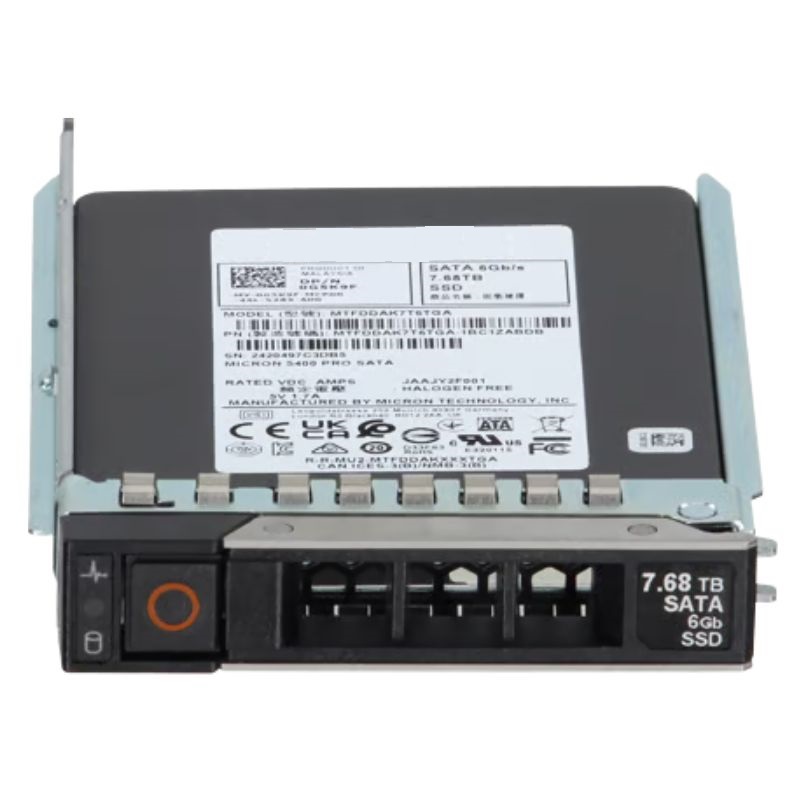
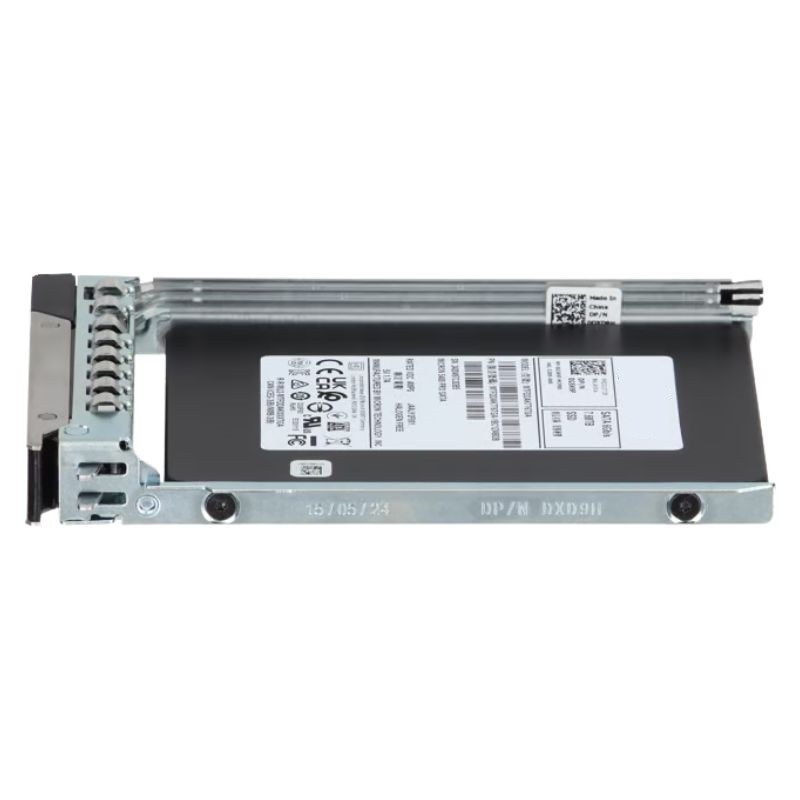
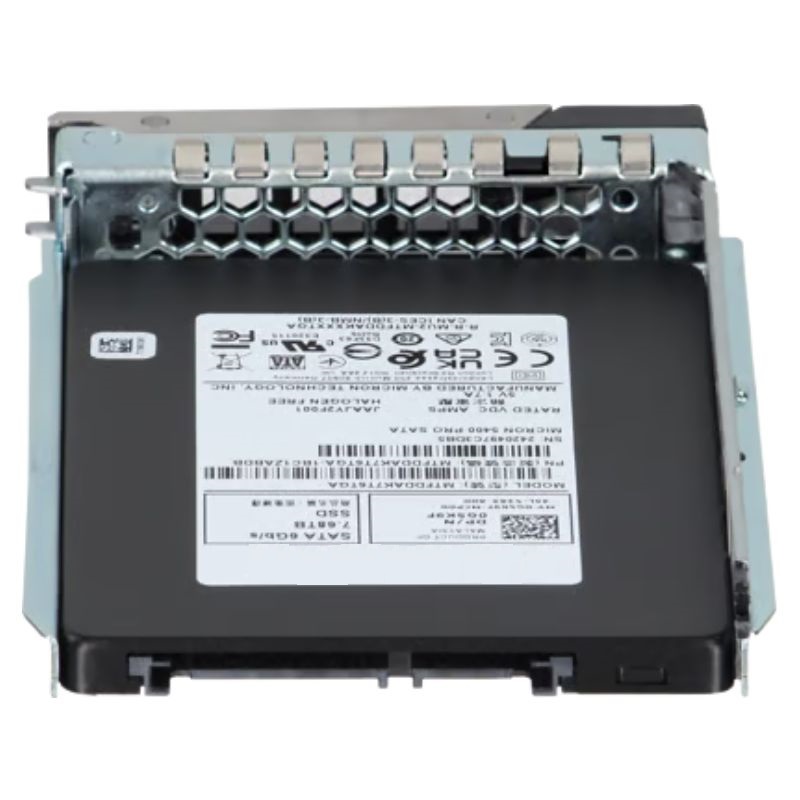
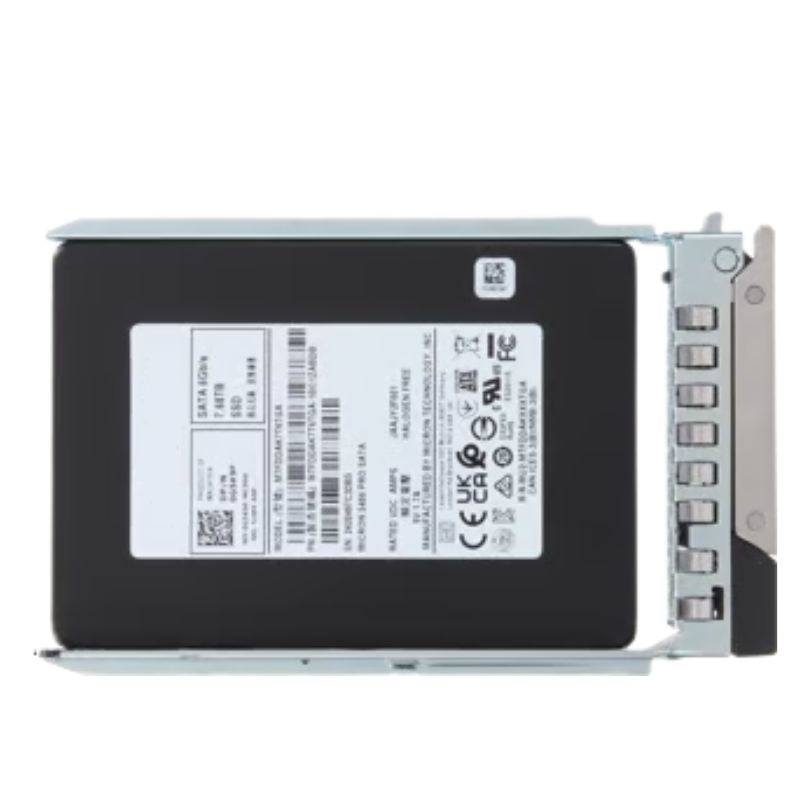
Dell G5K9F 7.68TB SATA 6GBPS 2.5 Inch Read Intensive SSD.

G5K9F
* Product may have slight variations vs. image
Hover on image to enlarge

Brief Overview of G5K9F

Dell G5K9F 7.68TB SATA 6GBPS 2.5 Inch Read Intensive TLC Solid State Drive. Excellent Refurbished with 1 year replacement warranty

$1,923.75
$1,425.00
You save: $498.75 (26%)
Ask a question
Price in points: 1425 points
+
Quote

Additional 7% discount at checkout

SKU/MPNG5K9FAvailability✅ In StockProcessing TimeUsually ships same day ManufacturerDell Product/Item ConditionExcellent Refurbished ServerOrbit Replacement Warranty1 Year Warranty
Google Top Quality Store Customer Reviews
Our Advantages
Payment Options
  • — Visa, MasterCard, Discover, and Amex
  • — JCB, Diners Club, UnionPay
  • — PayPal, ACH/Bank Transfer (11% Off)
  • — Apple Pay, Amazon Pay, Google Pay
  • — Buy Now, Pay Later - Affirm, Afterpay
  • — GOV/EDU/Institutions PO's Accepted 
  • — Invoices
Delivery
  • — Deliver Anywhere
  • — Express Delivery in the USA and Worldwide
  • — Ship to -APO -FPO
  • For USA - Free Ground Shipping
  • — Worldwide - from $30
Description

Essential Specifications of the Dell G5K9F Enterprise SSD

This Dell-certified storage component is engineered for high-capacity, read-centric operations within data center environments. It represents a robust solution for expanding the storage capabilities of compatible Dell PowerEdge server systems.

Primary Product Details

  • Manufacturer Brand: Dell Technologies
  • Model Identifier: G5K9F
  • Component Classification: Solid State Drive (SSD)
  • Interface Protocol: SATA III (6 Gbps)

Comprehensive Technical Attributes

Storage Capacity and Physical Design

  • Total Storage Space: 7.68 Terabytes
  • NAND Flash Variety: Triple-Level Cell (TLC) Technology
  • Physical Dimensions: 2.5-inch industry-standard form factor
  • Drive Usage Profile: Optimized for Read-Intensive Applications
  • Hot-Swap Capable: Yes, supports hot-plug replacement

Interface and Integration

  • Host Connection: Single SATA 6 Gb/s interface port
  • Installation Bay Type: Fits a single 2.5-inch hot-swap bay

Measured Performance Metrics

Sequential Data Throughput

  • Sustained Read Speed: Up to 550 MB per second
  • Sustained Write Speed: Up to 520 MB per second

Random Input/Output Operations

  • Random Read (4K): 98,000 IOPS
  • Random Write (4K): 27,000 IOPS

Durability and Operational Longevity

Reliability Statistics

  • Mean Time Between Failures (MTBF): 2 million hours

Compatible Dell Server Systems

PowerEdge Rack Servers

R Series Models
  • PowerEdge R640, R740, R740xd
  • PowerEdge R6515, R6525
  • PowerEdge R7515, R7525
  • PowerEdge R7415, R7425
  • PowerEdge R940, R940xa

Compute-Dense and Storage Platforms

Additional Supported Systems
  • PowerEdge C6420
  • PowerEdge C6525
  • PowerVault NX3240
  • BSN Recorder Node

Product category overview: Dell G5K9F 7.68TB Read-Intensive TLC SATA SSD

The Dell G5K9F 7.68 TB Read Intensive TLC SATA 6Gbps 2.5-inch Hot Plug Solid State Drive (SSD) is a purpose-built storage solution certified for Dell 14th generation PowerEdge servers. Engineered for workloads that prioritize fast read throughput and predictable performance, this drive combines dense NAND capacity, SATA interface compatibility and enterprise-grade reliability features to give businesses an efficient, lower-cost-per-GB option for read-heavy applications. It ships with a Dell-compatible tray for straightforward hot-swap installation in standard 2.5-inch drive bays.

Key technical highlights

Capacity and form factor

The G5K9F model delivers 7.68 TB of formatted capacity in a 2.5-inch form factor. This high-density configuration allows IT teams to maximize storage per chassis while preserving drive bay space for flexibility in hybrid configurations (SSD + HDD).

Interface and connectivity

This SSD uses the SATA 6Gbps (SATA III) interface — a widely supported standard across enterprise servers and storage enclosures. The SATA interface provides broad compatibility and simple integration with Dell PowerEdge 14G backplanes and controller architectures designed for SATA drives.

NAND type and endurance class

The drive is built with TLC (Triple-Level Cell) NAND optimized for read-intensive use. TLC increases per-die density versus SLC/MLC, reducing cost per gigabyte. The "Read Intensive" endurance class indicates the drive's write endurance and warranty scope are tuned for environments where read activity dominates and writes are comparatively lower and more predictable.

Hot-plug capability and tray

Hot-plug capability allows the drive to be inserted and removed without powering down the server, minimizing maintenance windows. The included Dell-compatible tray ensures the drive seats correctly, meets drive-cage locking mechanisms and is recognized by server firmware for diagnostics and inventory.

Performance characteristics

Read performance

Read throughput is the primary strength of this subcategory. Sequential and random read performance numbers are tuned to deliver high IOPS and low read latency for applications that require rapid data retrieval. This makes the G5K9F ideal for read-heavy caches, file servers, and analytics where consistent read response reduces application latency and improves end-user experience.

Write performance and behavior

While write performance is competent, it is not the primary optimization point. The drive may employ write acceleration mechanisms such as DRAM or SLC caching to smooth out short bursts of write activity. For sustained heavy write workloads, higher-endurance SSDs (e.g., Write Intensive or mixed-use NVMe) are more appropriate. Understand your workload's read/write ratio before selecting this drive.

Latency and QoS

Enterprise SATA SSDs like the G5K9F provide predictable latency and better Quality of Service (QoS) than spinning media. Predictable tail latency is particularly important for multi-tenant virtual environments and latency-sensitive database queries.

Compatibility and certification

Dell PowerEdge 14G compatibility

This model is Dell-certified for 14th generation PowerEdge servers. Certification means Dell has validated firmware compatibility, thermal behaviour and server-level reporting so the drive can be monitored via iDRAC and integrated into the server's lifecycle management and support procedures.

Controller and backplane considerations

  • Compatible with Dell SATA backplanes and many RAID controllers operating in SATA mode.
  • When using hardware RAID, follow the controller vendor's compatibility and optional firmware matrix to avoid issues with features such as TRIM passthrough or NCQ behavior.
  • Some Dell controllers may flag non-certified or third-party drives; using Dell-certified models helps ensure full health reporting and support from Dell.

Firmware and driver support

Firmware on Dell-certified drives is often tailored to Dell's server firmware and backplane characteristics. Keep server firmware, RAID controller firmware and OS storage drivers up to date to avoid unexpected behaviour and to benefit from performance optimizations and bug fixes.

Deployment scenarios and best practices

Architectural use cases

Typical deployments for the Dell G5K9F include:

  • Read-heavy web and content delivery: Use as content caches or file stores where high read throughput reduces response times.
  • Analytic nodes: Read-optimized storage for datasets that are read frequently and updated in batch windows.
  • Virtual desktop infrastructure (VDI) read caches: Accelerate boot storms by caching commonly read OS images.
  • Replication targets and reporting servers: Stores replica copies and reporting datasets that require quick access but have fewer writes.

RAID recommendations

Selecting a RAID level depends on desired balance of performance, capacity and fault tolerance:

  • RAID 1/10: For low-latency reads and improved redundancy—ideal for small sets of high-priority data.
  • RAID 5/6: For capacity efficiency in read-dominant workloads—RAID 5/6 leverages parity to reduce overhead but requires consideration for rebuild times and impact on performance during reconstruction.
  • Software-defined storage pools: Drives can be pooled in hyperconverged or SDS solutions where replication and erasure coding handle protection at the software layer.

Note: Rebuild times for high-capacity SATA drives can be long. Use hybrid approaches (SSD + NVMe cache) or smaller RAID stripe widths to limit rebuild impact.

Thermal and power considerations

High-capacity SSDs generate heat under sustained I/O. Ensure adequate chassis airflow, respect Dell's recommended drive placement, and monitor drive temperature via iDRAC or server management agents. Power draw is typically lower than equivalent spindle drives, but planning for peak power draw during drive initialization and rebuilds is important.

Operational management and monitoring

Health reporting and SMART

Dell-certified SSDs expose SMART attributes and vendor-specific telemetry to aid proactive maintenance. Monitor:

  • Raw read/write error counts
  • Remaining life estimators (percentage used)
  • Wear-leveling statistics and media error indicators
  • Temperature and power cycle counts

Integrate drive telemetry into centralized monitoring systems (Nagios, Zabbix, Prometheus, or commercial alternatives) and configure alerts for early warning signs such as high media wear, increasing BERs or persistent temperature elevation.

Firmware updating and lifecycle

Keep drive firmware up to date but follow change management best practices:

  • Test firmware updates in a lab or staging environment before production rollout.
  • Schedule updates during maintenance windows because some updates require drive offline operations.
  • Check Dell advisories and compatibility notices for server firmware or RAID controller constraints.

Comparisons and decision factors

Vs. NVMe SSDs

NVMe SSDs usually offer significantly higher IOPS and lower latency than SATA SSDs. However:

  • NVMe solutions cost more per GB and may require server slots or adapters that raise total solution cost.
  • SATA SSDs like the G5K9F provide broad compatibility and easier integration into existing 2.5" drive cages on PowerEdge servers.
  • For read-dominant, cost-sensitive deployments where ultimate latency is not required, a SATA read-intensive SSD can be the pragmatic choice.

Vs. SAS HDDs

Compared to high-capacity SAS/NL-SAS spinning disks, the G5K9F offers:

  • Faster random access and lower latency.
  • Lower power draw under sustained I/O and no mechanical failure modes such as head crashes.
  • Higher cost per GB than HDDs, but much better performance for read-heavy workloads and improved consolidation ratios.

Vs. Write-Intensive SSDs

Write-intensive SSDs are right for heavy, sustained write environments—database log volumes, heavy caching layers or transactional systems. The Dell G5K9F is tuned differently: choose write-intensive models when TBW and DWPD ratings are central to the workload’s health and SLAs.

Cost considerations and total cost of ownership (TCO)

CapEx vs OpEx trade-offs

When selecting the G5K9F, consider acquisition cost per gigabyte versus the performance gains and operational savings:

  • Reduced physical device count per chassis lowers management overhead and shortens backup windows.
  • Lower power and cooling requirements compared to spinning disks can reduce operational expenses in data centers.
  • Potentially lower licensing or storage-socket costs if your software licensing is per-node or per-storage-unit rather than per-GB.

Right-sizing and lifecycle planning

Avoid over-provisioning while leaving room for growth: measure workload patterns and forecast storage needs to choose an optimal mix of SSD capacities and RAID levels. Factor in replacement cycles, expected TBW consumption and warranty periods when calculating multi-year TCO.

Regulatory and environmental compliance

Dell-certified enterprise drives typically comply with relevant safety, EMC and environmental directives. If your deployment has compliance constraints (e.g., data residency, encryption requirements, energy-efficiency rules), request compliance documentation or certifications from your supplier.


Buying guide — what to confirm before purchase

Checklist

  • Confirm Dell PowerEdge 14G model compatibility and backplane drive type (SATA vs SAS)
  • Validate firmware revision and ask about the availability of vendor or Dell-driven updates
  • Confirm the warranty period and RMA terms for enterprise deployments
  • Verify endurance specifications (TBW/DWPD) match the expected write load
  • Request temperature and shock/vibration tolerances if the hardware will be used in non-standard environments
  • Decide whether encryption/SED capabilities are required and request the correct SKU

Common troubleshooting and support tips

Drive not recognized

  • Check the tray seating and bay latch; reseat the drive and verify drive activity LEDs.
  • Check iDRAC and server BIOS logs for drive errors or firmware inconsistencies.
  • Verify controller mode — some backplanes and controllers require specific modes for SATA pass-through.

Increased error rates or SMART warnings

  • Document and export SMART data; create a support ticket with Dell if the drive is under warranty.
  • Isolate the drive from production where possible and replace following your RMA process.
Features
Product/Item Condition:
Excellent Refurbished
ServerOrbit Replacement Warranty:
1 Year Warranty