(7% discount is applied at checkout)
Cart is empty
Your go-to destination for cutting-edge server products
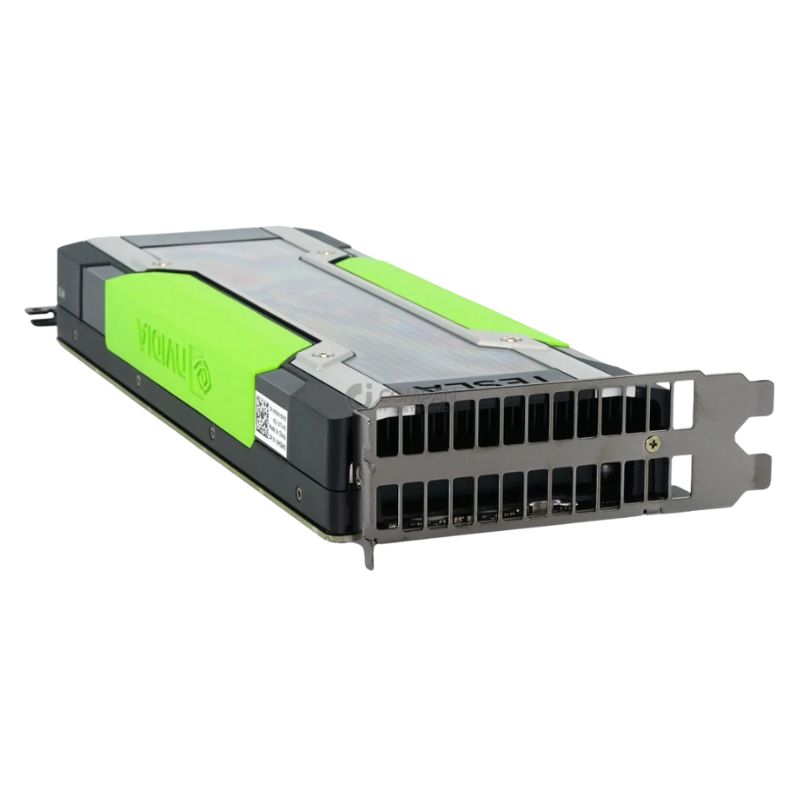


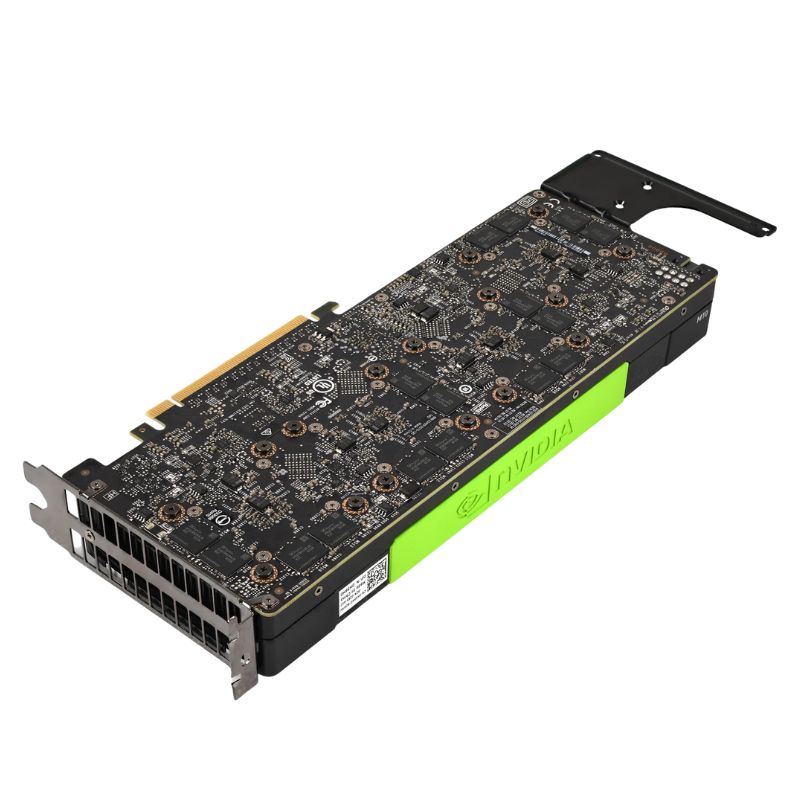
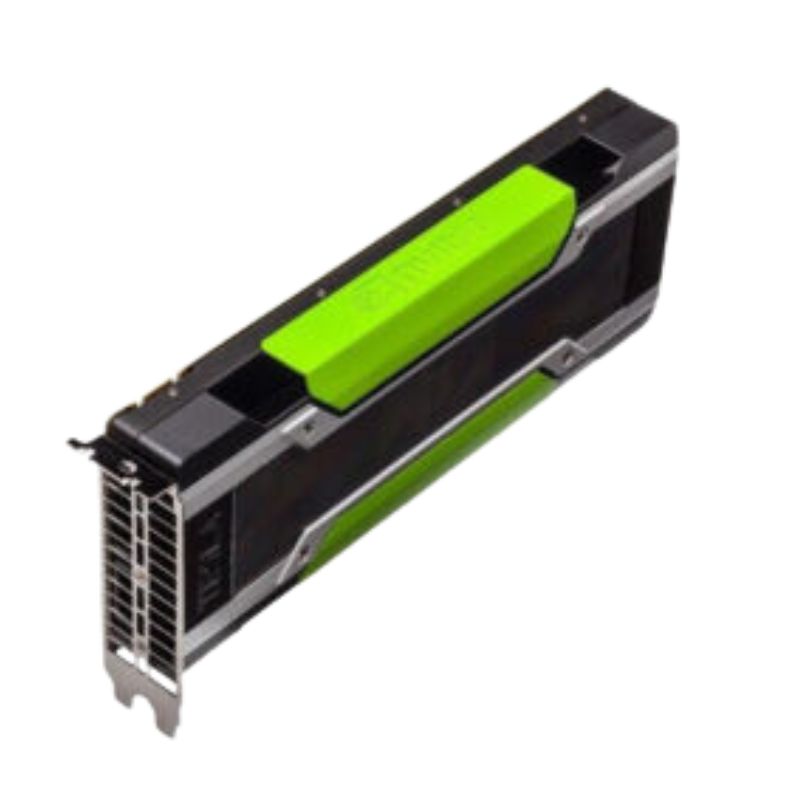
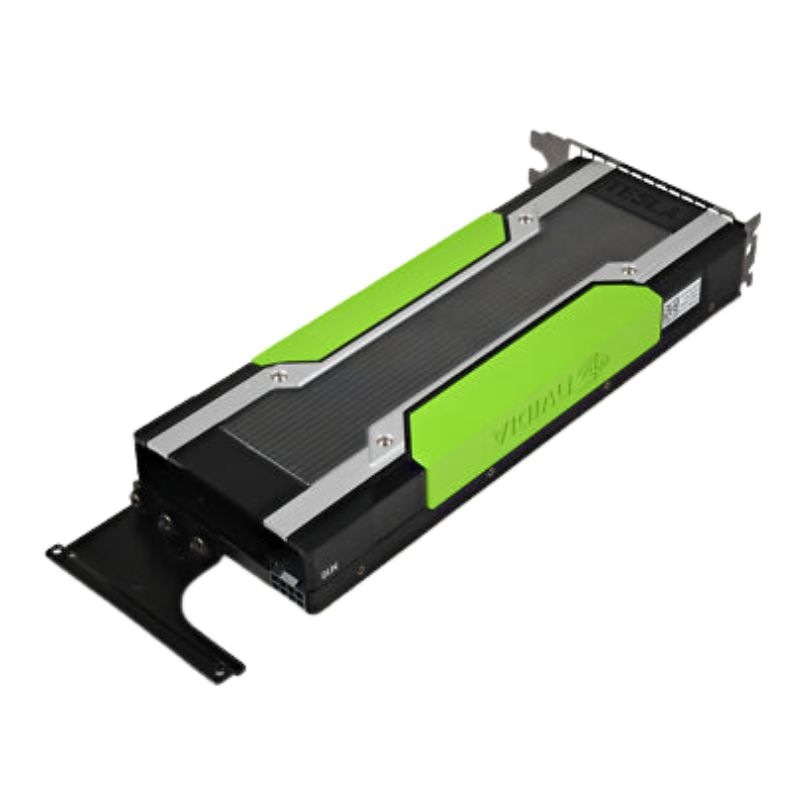
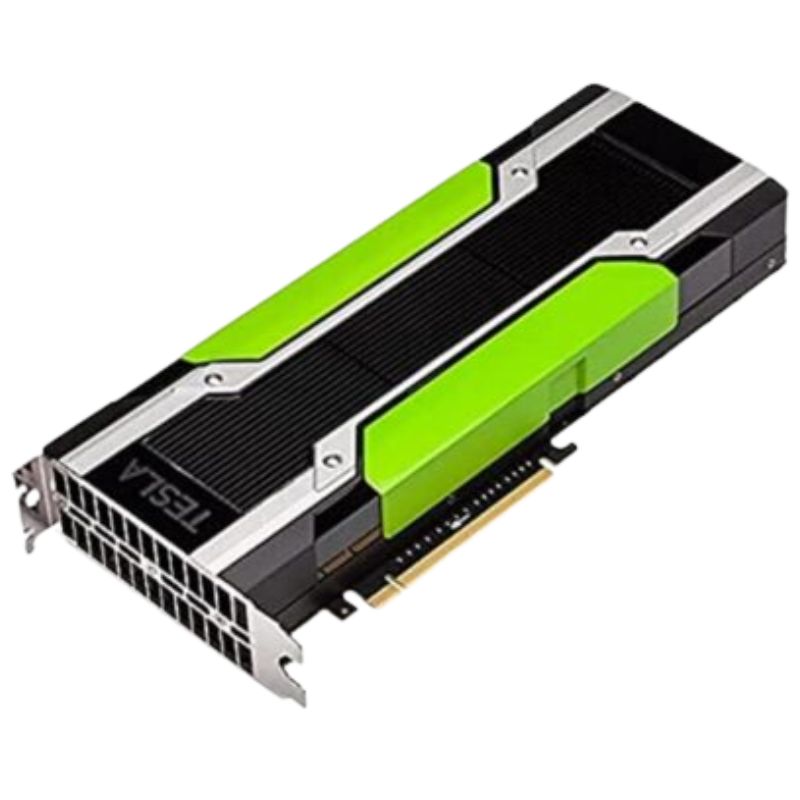
Dell H56H0 Nvidia 32GB GDDR5 Tesla M10 PCI-e x16 GPU Graphics Card. Excellent Refurbished with 1 year replacement warranty
The DELL H56H0 Nvidia Tesla M10 is a high-performance graphics card designed to deliver exceptional computational power for demanding workloads. Built for professionals and enterprises, this card excels in virtualization, rendering, and AI-driven tasks, providing reliable and consistent results.
The Dell H56H0 NVIDIA Tesla M10 PCIe x16 32GB GDDR5 graphics card is engineered to support demanding enterprise virtualization environments. Designed for large-scale deployments, virtual desktop infrastructures, and multi-user workloads, this GPU helps data centers achieve improved density, smoother graphical delivery, and consistent performance across hundreds of concurrent sessions. Its architecture is optimized for reliability, long-term durability, and sustained throughput even during peak workloads.
The Tesla M10 stands out for its ability to deliver multiple virtual GPUs (vGPUs) per physical device, ensuring that every user receives responsive graphical acceleration. Its 32GB GDDR5 memory is strategically allocated to support heavy multitasking, complex UI rendering, and GPU-accelerated applications in cloud-based ecosystems.
A defining advantage of the Dell H56H0 model is its consistency across numerous sessions, allowing organizations to deploy immersive software, real-time dashboards, or design tools without performance drops. Administrators can fine-tune vGPU profiles to meet end-user requirements and maintain maximum density per server.
Configurable vGPU profiles for balancing memory and compute resources
Predictable throughput designed for persistent VDI workloads
Reduced latency for remote applications and streamed desktops
With compatibility across multiple Dell PowerEdge platforms, the Tesla M10 card is widely implemented in corporate offices, universities, and cloud hosting facilities. Whether powering remote learning labs or enterprise VDI clusters, it ensures smooth visualization and efficient hardware utilization.
The 32GB GDDR5 memory integrated into the Tesla M10 enables efficient memory latency management and improved application responsiveness. Combined with the PCI-Express x16 interface, the graphics card transfers data rapidly between GPU and host system, enabling steady performance across distributed workloads.
Built for continuous operation in data-intensive server environments, the Dell H56H0 Tesla M10 remains stable even under multi-shift usage. Its robust architecture prevents throttling, thermal instability, and unexpected slowdowns—crucial for mission-critical tasks.
Despite supporting extensive computing operations, the Tesla M10 is engineered to consume power efficiently. This helps reduce operational costs, cooling demands, and strain on server infrastructure, making it a long-term high-value investment.
Optimized power-to-performance ratio
Helps maintain cooler data center temperatures
Supports extended system uptime without efficiency loss
Users benefiting from GPU virtualization can run multimedia applications, rendering tools, engineering software, and analytical dashboards without disruptions. The memory bandwidth and architecture allow parallel operations to execute with minimal interference.
The Dell H56H0 NVIDIA Tesla M10 PCIe graphics card is widely supported across enterprise-grade systems, enabling IT teams to deploy it seamlessly in existing infrastructures. Its straightforward integration ensures minimal configuration time while maximizing graphical acceleration immediately after deployment.
The Tesla M10 is frequently selected for delivering a uniform experience to dozens of simultaneous virtual desktop users. Companies using Autodesk applications, Adobe Creative tools, office productivity suites, or cloud-hosted software gain improved response times and smoother performance.
Thanks to its multi-GPU design, it supports dense deployments in rack servers without compromising airflow or thermal stability. Organizations aiming to consolidate hardware can rely on the Tesla M10 to maintain peak efficiency.
Ideal for rack-mounted servers in controlled environments
Designed for balanced thermal performance in dense clusters
Compatible with high-availability configurations
As virtualization trends shift towards cloud-first architectures, the Tesla M10 remains a dependable option for flexible scaling, making it suitable for businesses aiming to support remote work and hybrid infrastructures for years to come.
The Dell H56H0, featuring the Nvidia Tesla M10 graphics processor, represents a specialized class of computing hardware designed not for gaming, but for enterprise-grade virtualized graphics and compute acceleration. This PCI-e x16 form factor card is engineered to deliver exceptional performance in multi-user environments, where multiple users require simultaneous access to GPU-accelerated applications without compromising performance or stability.
At the heart of the Dell H56H0 lies the Nvidia Tesla M10 GPU, built on the Maxwell architecture. This architecture is renowned for its exceptional performance-per-watt efficiency, a critical factor in data center and enterprise deployments where power and cooling are significant operational costs. The M10 is not a single, monolithic GPU for one user but is instead partitioned to serve multiple users concurrently.
The Maxwell SM introduces significant design improvements over its predecessor, Kepler. It features a dedicated shared memory pool and improved scheduling logic, allowing for more concurrent threads and higher instruction-level parallelism. This translates to more efficient processing of the diverse workloads encountered in virtual desktop environments.
Equipped with a substantial 32GB of GDDR5 memory, the Tesla M10 provides ample frame buffer space. This memory is not pooled but is typically divided to support multiple virtual machines (VMs). For instance, in a typical configuration, the 32GB can be split to provide 2GB of dedicated memory for each of 16 users, ensuring that each user's session has isolated and protected memory resources, preventing one user from impacting another.
The card utilizes a full PCI-e x16 3.0 slot, providing a high-bandwidth pathway to the system's CPU and RAM. This is essential for minimizing latency in virtualized scenarios, where GPU commands, textures, and other data must be rapidly shuttled between the host system and the GPU. The high bandwidth ensures a smooth, responsive user experience even for graphically demanding applications.
The Dell H56H0 Tesla M10 is purpose-built for specific enterprise and professional scenarios where GPU acceleration needs to be delivered to multiple users from a single, centralized server.
VDI is the cornerstone application for the Tesla M10. It allows IT departments to host desktop operating systems (like Windows 10/11) on a central server, with end-users accessing their personalized desktop environment from thin clients, laptops, or zero clients.
For power users who require more graphics muscle than a standard VDI provides, the Tesla M10 can be configured to deliver virtual workstation performance. Using Nvidia GRID vGPU (virtual GPU) technology, the physical GPU is partitioned, and a dedicated vGPU profile is assigned to each VM.
Users of applications like SOLIDWORKS, AutoCAD, or Siemens NX can leverage the M10's GPU acceleration for smoother model rotation, panning, and zooming, even within a virtualized environment.
While not a compute-focused card like the Tesla K80, the M10 can still accelerate certain visualization and analytics workloads, helping to render complex graphs and data models interactively.
Graphic designers using Adobe Photoshop or Illustrator can experience faster filter rendering and smoother canvas manipulation, improving productivity in a centralized workflow.
Understanding the raw specifications of the Dell H56H0 Tesla M10 is key to planning a successful deployment and setting realistic performance expectations.
The 32GB of GDDR5 memory operates on a 256-bit wide memory interface. GDDR5, while older than GDDR6 or HBM2, provides more than sufficient bandwidth for the multi-user, professional workloads the M10 is designed for. The memory is ECC (Error Correcting Code) capable, which is a critical feature for data integrity in enterprise and data center environments. ECC detects and corrects single-bit memory errors, preventing system crashes and data corruption.
The Tesla M10 is equipped with 1024 CUDA cores. These cores are the parallel processors that handle the computational heavy lifting. The base clock speed typically operates around 1030 MHz. It's important to note that in a virtualized and shared environment, these cores are divided among the active users. Nvidia vGPU scheduler manages access to these cores, ensuring fair and efficient time-slicing so that no single user can monopolize the GPU's resources.
The Dell H56H0 conforms to a full-height, dual-slot PCI-e card design. This is a standard form factor compatible with most server chassis and workstation cases. Its length is typical for a server-grade card, so it's always advisable to verify clearance within your specific server model.
The Tesla M10 has a TDP of approximately 225-250W. This is a significant power draw and necessitates proper system cooling and a robust power supply. Servers designed for GPU acceleration will have the necessary power delivery (typically via one or two 8-pin PCI-e power connectors) and airflow to handle this thermal load. Passive cooling means the card relies on the server's system fans to push air across its large heatsink, making it unsuitable for a standard, poorly-ventilated desktop PC.
Unlike consumer graphics cards, H56H0 the Tesla M10 features no physical display outputs (no HDMI, DisplayPort, or DVI). This is a defining characteristic of "headless" GPUs designed for server use. The graphics output is not sent to a physical port on the card but is instead encoded and streamed over the network via protocols like PCoIP (Teradici), Blast Extreme (VMware), or HDX (Citrix) to the end-user's device. This is the fundamental technology that enables remote visualization.
The hardware is only one half of the equation. The true power of the Tesla M10 is unlocked by Nvidia GRID virtual GPU (vGPU) software, which is tightly integrated with leading hypervisors. A vGPU is a software representation of a physical GPU. The GRID software slices the physical Tesla M10 GPU into multiple, secure virtual GPUs. Each vGPU has its own dedicated portion of video memory (frame buffer) and a guaranteed share of the GPU's processing power. These vGPUs are then assigned directly to individual virtual machines, just like you would assign vCPUs or .Licensing is a critical component. To use the GRID vGPU functionality, you must purchase and apply the appropriate Nvidia GRID vPC or vApps licenses. These are separate from the hardware cost and are typically licensed on a concurrent-user basis.
Administrators can assign different vGPU profiles to VMs based on user requirements. For the Tesla M10, common profiles include:
These profiles are optimized for professional graphics applications and provide features like Nvidia Quadro virtual workstation capabilities. Examples include. The choice of profile directly impacts the number of users a single M10 card can support. Using B-2 profiles, you can support 16 users (32GB / 2GB per user), while using B-4 profiles would support 8 users per card.
Once deployed, monitoring the health and performance of the GPUs is essential.
H56H0 This is a powerful command-line utility included with the drivers. It can be used from the hypervisor host to monitor GPU utilization, memory usage, temperature, and the current state of all vGPUs. It is the primary tool for administrators to get real-time and historical performance data.
VMware vCenter and Citrix Studio provide integrated dashboards that can show vGPU utilization per VM, helping administrators identify bottlenecks and balance loads across multiple Tesla M10 cards in a server.
It's important to position the Tesla M10 within the broader landscape of Nvidia professional and compute GPU offerings.
While a high-end GeForce card might have more raw horsepower for a single user, it is fundamentally unsuited for a multi-user VDI environment. GeForce cards lack the vGPU technology, ECC memory, and official driver support for hypervisors. Using them in a server often leads to instability and is not a supported configuration by Nvidia or the hypervisor vendors.
Yes, with caveats. H56H0 For environments where the primary goal is to provide a basic-to-medium graphics-accelerated VDI experience for a large number of users (e.g., general office work, call centers, light browsing), the Tesla M10 offers an excellent balance of performance, user density, and total cost of ownership. However, for users requiring support for modern graphics APIs (DirectX 12, Vulkan) or the highest levels of performance for 3D design, newer GPU generations like Ampere or Ada Lovelace-based virtual GPUs are the recommended path.
The PCIe x16 interface guarantees reliable and rapid data transfer between the GPU and host system, optimizing performance in demanding computational environments. This connectivity standard ensures compatibility with modern servers and workstations, facilitating easy integration into existing setups.


 Contact Us
 Information
 Catalog
 Solid State Drives (SSD)
 Network Switches
 Hard Disk Drives
 HBA & Controllers
 PC & Servers
 PC & Server Memory
 CPU & Processors
 Network Routers
 Power Supplies
 Tape Drives & Libraries
 Network Devices
 Computer & Network Cables