(7% discount is applied at checkout)
Cart is empty
Your go-to destination for cutting-edge server products
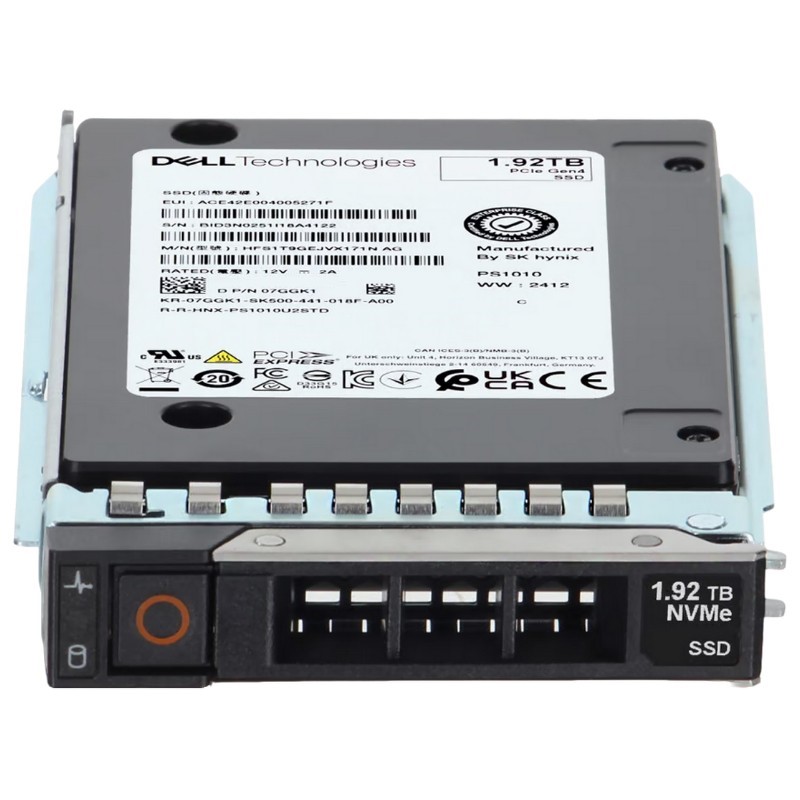


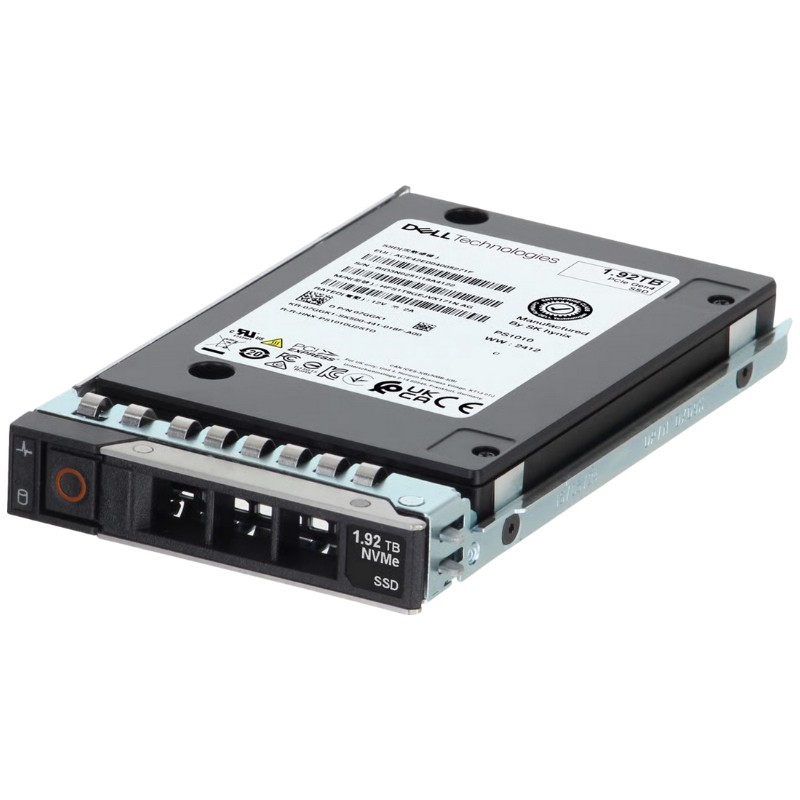
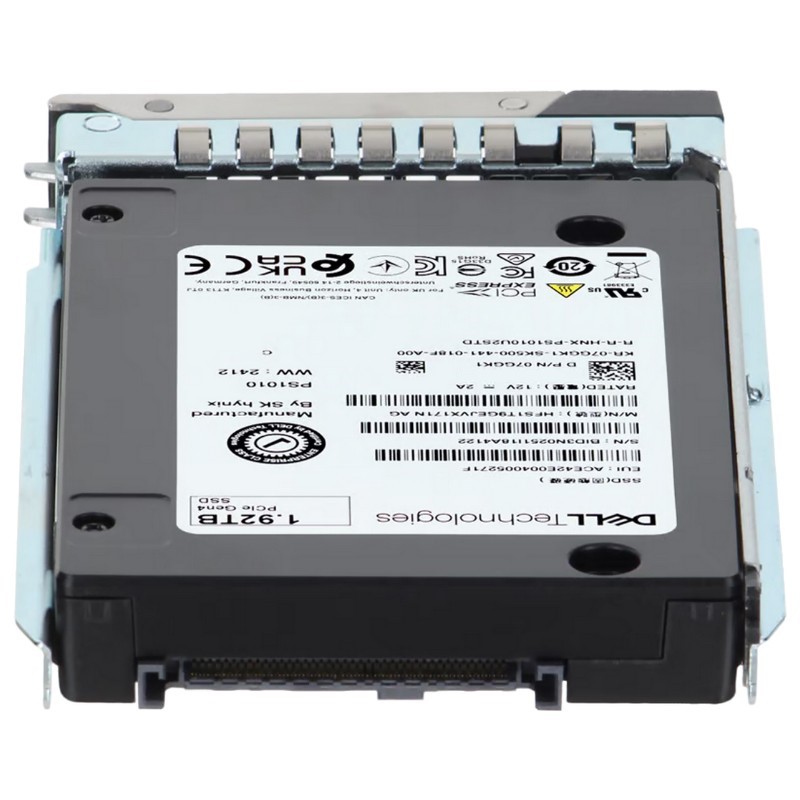
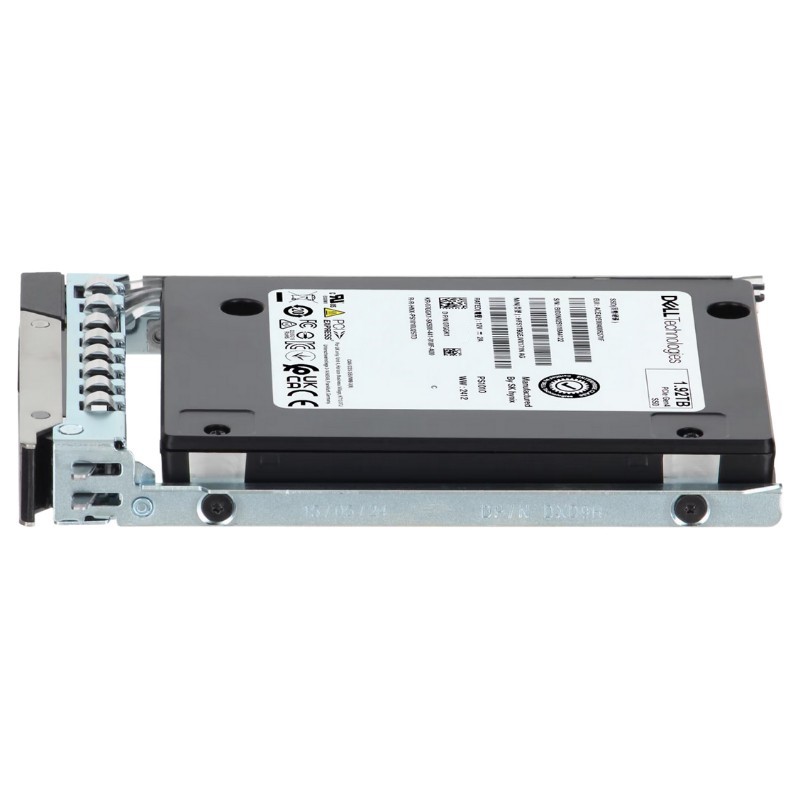
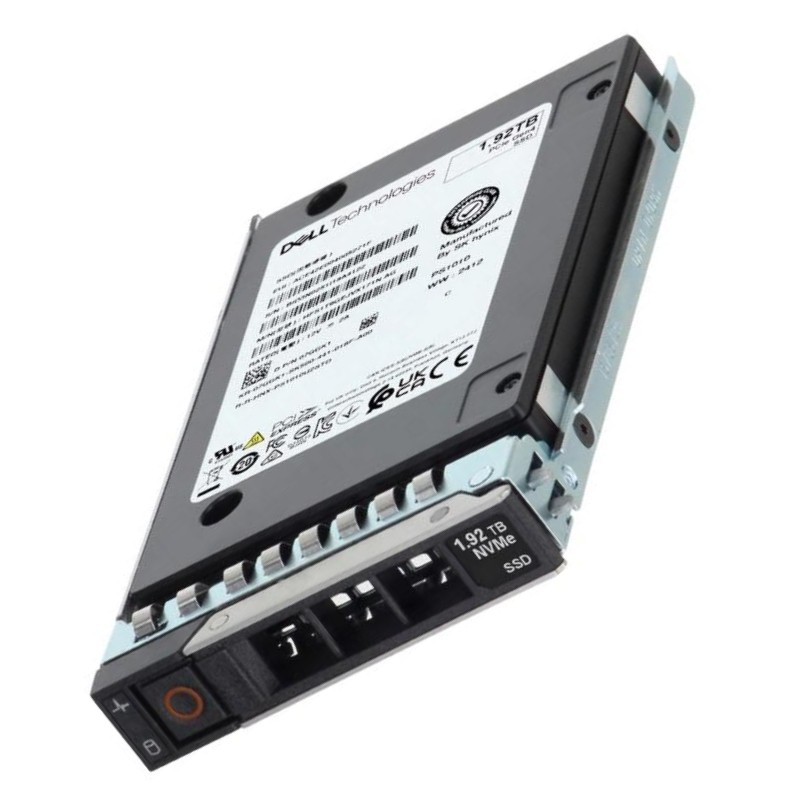
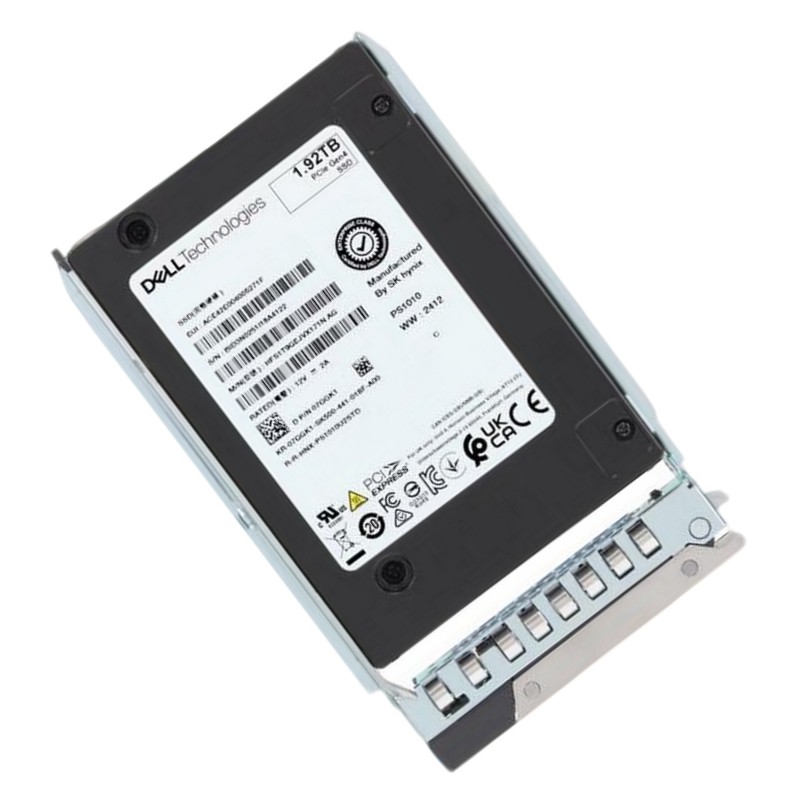
Dell T3NRP 1.92TB PCIe Gen4 NVMe 2.5inch U.2 Read Intensive Internal Solid State Drive. Excellent Refurbished with 1 year replacement warranty
Engineered for high-velocity data environments, this internal solid-state drive delivers exceptional read performance for demanding server applications.
The T3NRP Dell 1.92TB PCIe Gen4 NVMe 2.5-inch U.2 Read-Intensive internal solid state drive with tray is designed specifically for modern enterprise-class Dell PowerEdge servers, spanning the 14th, 15th, 16th, and 17th generation platforms. Engineered for mission-critical read-heavy workloads, this drive blends high random read IOPS, low latency, and enterprise reliability with a form factor and tray assembly that plug directly into Dell backplanes. The result is an optimum balance of performance and endurance for applications such as database analytics, virtualization read caches, web serving, data warehousing, and large-scale content delivery.
This read-intensive SSD category is purpose-built for use cases where reads dominate write activity. Typical deployments include read-heavy databases, OLAP analytics engines, large-scale indexing and search services, content delivery networks (CDN) caches, and virtual desktop infrastructure (VDI) boot storms. The drive is also ideal as an accelerated read cache layer in hybrid storage architectures, where it fronts slower HDD capacity tiers to dramatically reduce average read latency and boost throughput for user queries and analytic scans.
Adopting T3NRP 1.92TB NVMe U.2 drives yields immediate benefits: faster query response times, improved concurrency for many users, reduced I/O wait for compute nodes, and lower energy consumption per I/O compared with equivalent HDD or SAS alternatives. Because the drive uses the PCIe Gen4 NVMe interface, it delivers substantial increases in bandwidth and IOPS over previous generations, letting administrators consolidate workloads, reduce rack-level hardware, and simplify storage tiers while maintaining predictable performance under sustained read loads.
The drive’s 2.5-inch U.2 form factor and included Dell tray means plug-and-play compatibility with Dell PowerEdge server chassis that support U.2 devices. The tray conforms to Dell’s carrier design standards—locking latch, LED drive activity slot compatibility, and hot-swap readiness—so technicians can insert or remove drives without powering down supported systems. This carrier ensures proper alignment to the server backplane pins and secures the drive for vibration tolerance in rack environments.
While marketed across 14g to 17g PowerEdge models, compatibility varies by chassis and backplane configuration. Some server configurations use direct-attached NVMe backplanes with native PCIe lanes to each drive bay; others may use U.2 to NVMe bridges or mixed SAS/NVMe bays. Administrators should confirm the server’s backplane type—native NVMe, U.2 bridge, or SAS expander—because performance and hot-plug behavior depend on the backplane and BIOS/firmware implementation. When used in native NVMe bays, the drive achieves the lowest possible latency and highest throughput available on the platform.
The included tray features the mechanical design that matches Dell’s drive carrier specifications: retention clip, front bezel alignment, and LED windows. This facilitates identification and status monitoring without opening the chassis. The carrier also aids airflow channeling within the chassis, directing front-to-back airflow across the drive body to maintain safe operating temperatures during high sustained reads—critical in dense server deployments.
The T3NRP drive uses the PCIe Gen4 physical interface combined with the NVMe protocol. Gen4 doubles per-lane throughput relative to Gen3, enabling higher aggregate sequential bandwidth and improved parallelism for multi-queue NVMe operations. NVMe provides a streamlined command set and deep queue depths that reduce CPU overhead per I/O compared with legacy protocols like SATA or SAS, enabling better CPU utilization and higher effective throughput at the application layer.
Read-intensive drives are tuned to maximize random read IOPS and sustain high read throughput while offering moderate write performance and lower write endurance than mixed-use or write-intensive enterprise SSDs. Typical benefits include millisecond-sub microsecond read latencies under light loads and predictable latency under heavy concurrent read operations. While sequential throughput can be excellent on Gen4 NVMe, the real advantage for read-intensive workloads is the high sustained random read performance, enabling faster lookups, index scans, and parallel read operations that modern databases and analytics engines exploit.
Enterprise NVMe drives, including this category, are designed to provide consistent quality of service (QoS) so that latency does not spike unpredictably under load. This consistency matters in multi-tenant environments and latency-sensitive applications. Built-in features such as thermal throttling thresholds, dynamic over-provisioning, and firmware optimizations help maintain predictable I/O response times across extended operation windows.
Read-intensive SSDs intentionally trade off some write endurance for better cost/performance on read workloads. Endurance specifications—usually expressed as TBW (terabytes written) or DWPD (drive writes per day)—are calibrated to match expected write activity for their target workloads. Enterprise reliability metrics like MTBF (mean time between failures), UBER (uncorrectable bit error rate), and power loss protection features are also critical; drives in this category typically integrate capacitive or firmware strategies to reduce write re-ordering risk during unexpected power events.
Firmware is a major differentiator in enterprise SSDs. Firmware updates can improve performance, fix bugs, and add security features. Dell-qualified drives typically ship with validated firmware images compatible with corresponding PowerEdge server BIOS levels. On the security side, hardware encryption (if present) and secure erase capabilities help meet compliance requirements for data sanitization and secure decommissioning. Administrators should follow Dell’s recommended firmware update procedures and use signed firmware when available to maintain platform integrity.
High density NVMe deployments concentrate heat; therefore thermal management is paramount. The drive and its carrier are designed to work within Dell’s airflow design, but administrators must still validate airflow profiles when populating many NVMe bays. Unimpeded front-to-back airflow, proper blanking panels for empty bays, and adequate rear-tier cooling are essential to prevent sustained thermal throttling, which can degrade performance and shorten component life.
Some server configurations add thermal retention features or dedicated heatsinks for NVMe drives. Whether the T3NRP drive needs an auxiliary heatsink depends on chassis airflow, ambient temperature in the data center, and bay density. Monitoring in-service temperature and observing any transient or sustained throttling events during stress tests is a best practice before commissioning drives into production.
Because the drive ships with a Dell tray, installation is typically straightforward: power the system down only if the server model requires it, or follow hot-swap procedures for supported platforms to add or replace drives while the system remains online. The tray allows tool-less insertion into compatible bays. For safety and data integrity, technicians should follow Dell's hot-swap LED indicators and server management notifications to verify drive readiness before introducing it to RAID arrays or software volume managers.
Unlike SAS/SATA drives that frequently use hardware RAID controllers, NVMe drives often operate in a controllerless model for direct-attached NVMe or are aggregated via NVMe over Fabrics (NVMe-oF) and software RAID solutions. In Dell PowerEdge servers, NVMe drives may be managed by the platform’s NVMe backplane or by a RAID/HBA combination that supports NVMe pass-through. Administrators should design arrays with awareness of the NVMe paradigm: it favors software-defined storage stacks, host-based RAID, or vendor-supported NVMe aggregation solutions to ensure redundancy and performance across devices.
Collecting periodic telemetry points—write amplification, media wear percent, spare capacity, uncorrectable error counters, and temperature—allows storage administrators to forecast replacements and capacity expansions. Trending helps identify outliers and spot potential configuration issues such as hot bays or inconsistent cooling. Using these signals to trigger automated procurement workflows or service tickets helps organizations maintain high availability without manual constant oversight.
Although the drive is marketed for 14g through 17g PowerEdge servers, administrators should validate specific chassis and backplane models before mass deployment. Firmware interplay between the server BIOS, the backplane firmware, and the drive’s firmware can affect enumeration, hot-plug behavior, and thermal management. Dell publishes compatibility matrices and validated firmware combinations; following these reduces the risk of compatibility issues and the need for time-consuming rollbacks.
U.2 NVMe drives provide the full performance and manageability of NVMe while retaining a hot-swappable, serviceable 2.5-inch form factor that fits existing server bays and trays. Compared to M.2 NVMe, U.2 supports full hot-swap capability and easier serviceability at the rack level. Against SAS and SATA, NVMe presents far superior parallelism and lower latency; however, SAS/SATA still offer lower cost/GB for capacity tiers. In hybrid architectures, U.2 NVMe devices excel as performance tiers or cache layers, while SAS/SATA HDDs remain cost-effective for bulk archival storage.
Deploy these drives as part of a tiered storage strategy: use NVMe U.2 devices as the hot tier for indexes, active datasets, and caching layers, while relegating cold datasets to high-capacity HDD tiers. When deploying at scale, use host-level software caching or storage virtualization to present aggregated NVMe capacity to applications while abstracting physical device replacement and scaling. Architect redundancy at the application or software layer—mirroring, replication, or erasure coding—rather than relying solely on hardware RAID for NVMe arrays, which aligns with modern cloud-native storage paradigms.
Before retiring drives, use secure erase procedures supported by NVMe to sanitize data in compliance with regulatory requirements. Some organizations prefer cryptographic erase if the drive supports hardware encryption, which renders data inaccessible almost instantly. Maintain a chain of custody for decommissioned drives and follow certified destruction or secure recycling procedures when physical disposal is required.


 Contact Us
 Information
 Catalog
 Solid State Drives (SSD)
 Network Switches
 Hard Disk Drives
 HBA & Controllers
 PC & Servers
 PC & Server Memory
 CPU & Processors
 Network Routers
 Power Supplies
 Tape Drives & Libraries
 Network Devices
 Computer & Network Cables