(7% discount is applied at checkout)
Cart is empty
Your go-to destination for cutting-edge server products
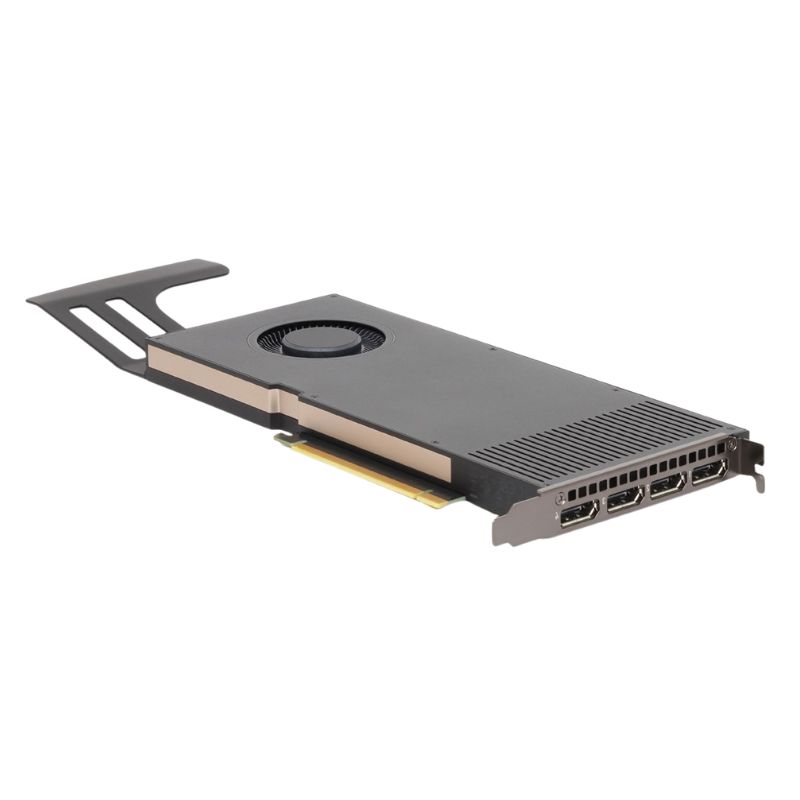


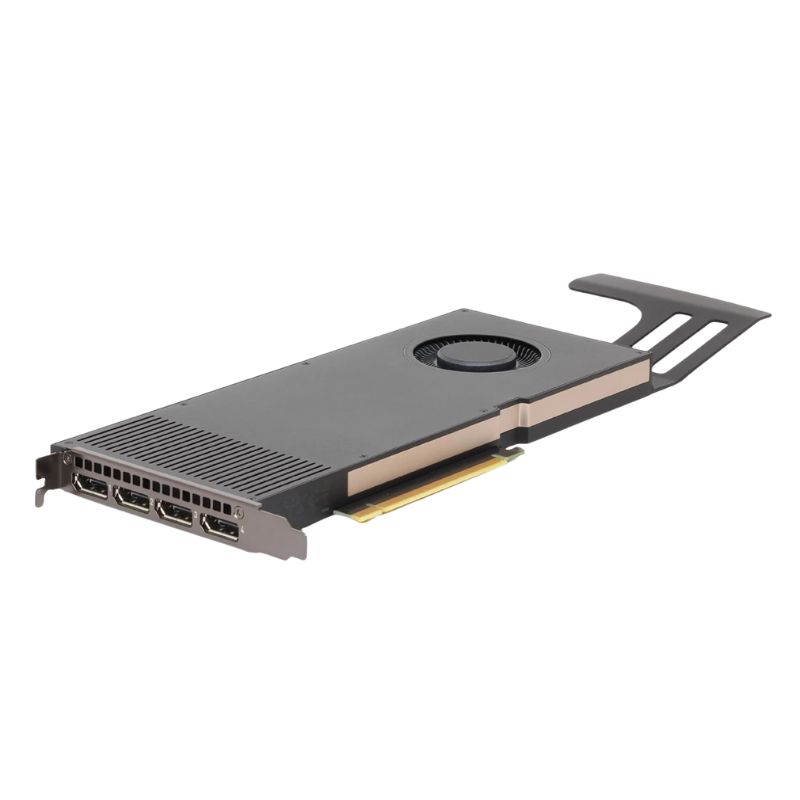
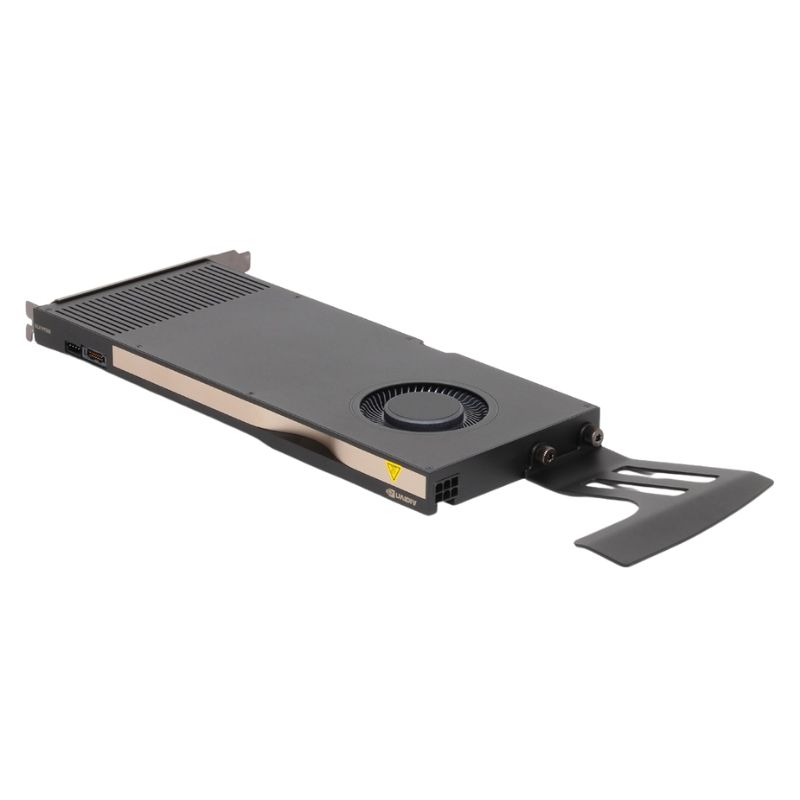
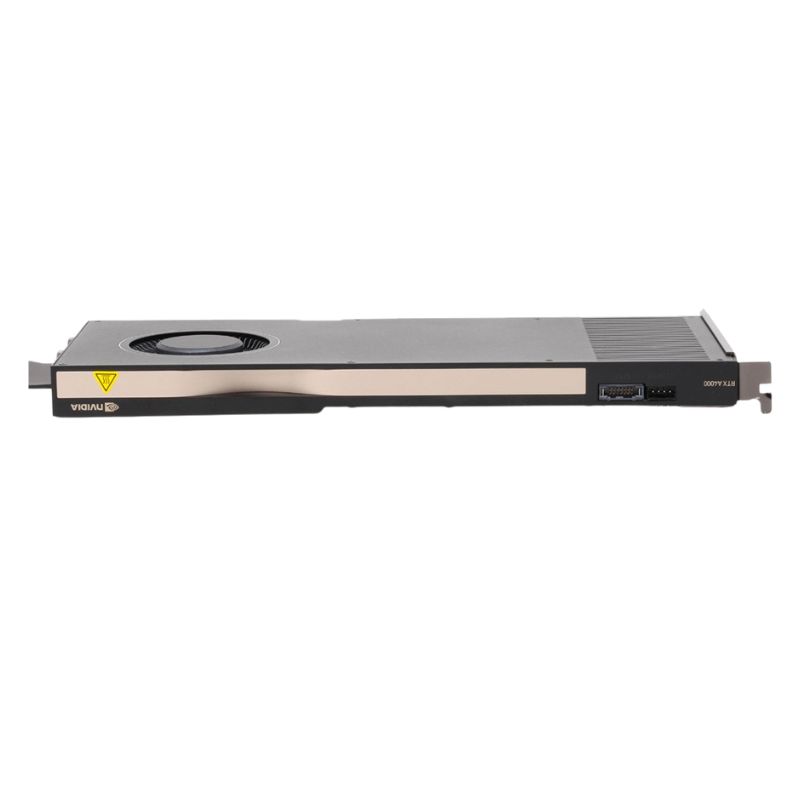
HPE 20X24AT Nvdia Rtx A4000 16GB 256-bit GDDR6 ECC 140W PCIE X16 4.0 4x Display Port. Excellent Refurbished with 1-Year Replacement Warranty
The HPE 20X24AT features the powerful NVIDIA RTX A4000 GPU architecture, engineered to deliver accelerated graphics rendering and unmatched reliability for creative and computational workloads.
Equipped with 16GB of GDDR6 ECC video memory, this GPU ensures rapid data transfer, reduced latency, and improved stability. The 256-bit memory interface delivers exceptional throughput for high-demand workflows such as 3D design, AI model training, and visualization.
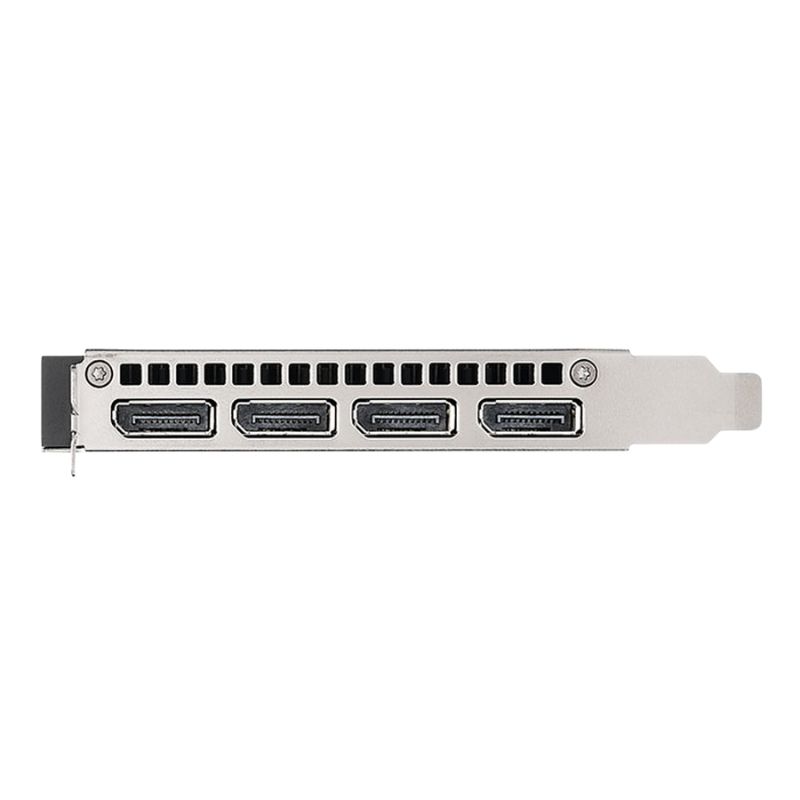
The HPE 20X24AT is fitted with four DisplayPort 1.4a outputs, enabling multiple high-resolution display connections simultaneously. Perfect for designers, developers, and analysts who rely on extended workspace setups.
Featuring an active thermal solution, this GPU maintains optimal temperature even during demanding tasks, ensuring consistent and reliable performance throughout long sessions.
The HPE 20X24AT series represents a class of professional graphics accelerators built around the NVIDIA RTX A4000 GPU architecture, purpose-engineered for demanding workstation and server-class workflows. This category focuses on the HPE-branded implementation of the NVIDIA RTX A4000 with 16GB of GDDR6 ECC memory, a 256-bit memory interface, a 140W thermal envelope, PCI Express x16 Gen4 connectivity, and four DisplayPort outputs. The copy below is crafted to help buyers, resellers, systems integrators, and technical decision-makers understand the capabilities, integration considerations, and practical deployment scenarios for this card family. Emphasis is placed on both the hardware characteristics and the real-world benefits that matter to professional users: predictability, data integrity, multi-display productivity, GPU-accelerated compute and rendering, and ISV confidence.
One of the most visible advantages of the HPE 20X24AT variant is the inclusion of 16 gigabytes of GDDR6 memory with ECC (error-correcting code). ECC memory reduces the risk of silent bit flips, which can be critical in long-running simulations, precise scientific computation, architectural and engineering visualizations, and mission-critical enterprise rendering pipelines. The 16GB capacity provides a generous frame buffer for large models, high-resolution textures, multi-layer timelines, and data-parallel compute tasks. This capacity also enables comfortable multitasking across GPU-accelerated creative and analytical applications without constant swapping or memory contention.
The 256-bit memory interface contributes to a strong memory bandwidth profile, which in practice improves performance when moving large buffers of vertex data, textures, or tensor workloads. For workflows that depend on rapid data movement between the GPU and its memory—such as real-time rendering, compositing, and GPU-accelerated denoising—memory bandwidth is often as important as raw compute capability. The HPE implementation pairs that interface with optimized cooling and power delivery to keep memory throughput consistent during sustained workloads.
The card’s 140 watt thermal design power balances performance and compatibility with many modern workstation and server power budgets. A 140W TDP allows the card to deliver strong real-time rasterization and ray-tracing performance while remaining within the thermal and electrical constraints of a broad range of professional systems. System integrators will appreciate the ability to deploy multiple GPUs in dense workstations or rack systems without the excessive power and cooling burdens that accompany higher-wattage accelerators. That said, enclosure airflow and system cooling remain decisive factors: to preserve sustained performance it's important to plan for proper ventilation and, where applicable, use chassis fans, targeted airflow ducts, or rack cooling strategies.
PCI Express Gen4 x16 doubles the theoretical peak bandwidth available with PCIe Gen3, and this extra throughput benefits applications that stream data to and from host memory or between GPUs, particularly in multi-GPU configurations employing peer-to-peer transfers. The PCIe 4.0 interface also future-proofs investments by aligning the card with modern workstation and server platforms that offer higher I/O bandwidth, enabling faster dataset staging and lower CPU-to-GPU bottlenecks for data-centric workloads.
With four DisplayPort connectors, the HPE 20X24AT supports rich multi-display setups without the need for additional adapters. This is ideal for design studios, command centers, financial trading desks, medical imaging suites, and immersive development environments where multiple high-resolution displays improve productivity and situational awareness. Support for high-resolution panels and high refresh rates makes the card suitable for both pixel-accurate color workflows and responsive viewport interactions in large assemblies.
Engineers and architects benefit from the card’s combination of GPU memory, bandwidth, and driver stability. Complex CAD assemblies and Building Information Modeling (BIM) scenes with numerous parts and heavy geometry tend to be sensitive to both memory footprint and deterministic rendering behavior. The HPE variant targets certified workflows, enabling predictable viewport performance, faster model manipulation, and confident iteration cycles when working with professional applications from leading ISVs. Users will notice improved responsiveness during panning, zooming, and sectioning of large models.
GPU-accelerated rendering engines take direct advantage of the RTX architecture’s ray tracing and AI-accelerated denoising capabilities. The card accelerates final-frame renders and interactive previews, particularly when using renderers optimized for NVIDIA RTX cores. Visual effects artists and product designers who need to iterate rapidly on lighting and materials will find the card supports complex scenes, volumetrics, and physically based rendering workflows without excessive reliance on CPU-based render farms for every test.
For professional video editors and colorists, the card’s memory and GPU acceleration translate to smoother timeline playback, faster export times, and reliable acceleration for effects that leverage GPU compute. Working with multi-format high-resolution footage becomes more tractable when the GPU can hold large frames in memory and process effects in real time. The multiple DisplayPort outputs also facilitate extended timelines, reference monitors, and dedicated scopes across separate screens.
While the A4000 sits below the highest-end datacenter accelerators, its architecture includes tensor acceleration and CUDA compute capability that make it suitable for development, prototyping, and inference workloads. Researchers and ML engineers can use the card for model training on smaller datasets, for transfer learning, or for running inference at lower power and cost than full-scale server GPUs. The ECC memory enhances numerical reliability for long training runs and repeatable experiments.
The HPE-branded card is also well-suited to virtualized or remote workstation deployments when paired with compatible virtualization stacks. Organizations looking to centralize graphics workloads can provision GPU-backed virtual machines that allow remote users to run CAD, visualization, and creative applications from lightweight clients. The card’s combination of memory size, compute performance, and driver support helps maintain interactive performance over remote protocols.
Although the card’s 140W power profile is moderate relative to higher-wattage GPUs, integrators must still verify chassis clearance, slot availability, and motherboard BIOS support when fitting the card into existing systems. Workstations and servers vary in power rail design, auxiliary power connectors, and available airflow; system manufacturers often provide compatibility lists or quick specs to confirm that a particular HPE GPU variant has been validated for a given model. When retrofitting older systems, it’s prudent to confirm that the power supply can provide the additional headroom and that the PCIe slot is electrically x16 to avoid unintended performance limits.
Thermal management is central to sustained GPU throughput. The operating environment, whether a crowded rack or a single-user workstation, affects the card’s ability to maintain boost clocks under sustained load. Proper airflow pathways that direct cool air across the GPU heatsink and exhaust warm air from the enclosure extend the card’s longevity and preserve predictable performance during long renders or simulation runs. For high-density multi-GPU setups, consider chassis fan curves, ducting, and ambient temperature thresholds when planning deployments.
One advantage of purchasing an HPE-branded professional GPU is the alignment with certified drivers and support channels. ISV certifications ensure that the card operates with documented stability and performance in major professional applications. Users who depend on software such as engineering suites, visualization platforms, or proprietary enterprise software should verify certification statements and recommended driver versions. HPE support offerings may include tested driver bundles and firmware specifically tuned for HPE hardware, which simplifies manageability in production environments.
Match the GPU memory capacity to the largest models or timelines you expect to handle. If you routinely work with extremely large datasets, high-resolution textures, or multiple concurrent displays at very high resolutions, the 16GB frame buffer is an important baseline. For teams that share hardware across distinct workflows, compute a realistic peak usage scenario rather than average usage to ensure that the card will not become a bottleneck during peak workloads.
GPU performance is interconnected with the rest of the system. A powerful accelerator can be limited by a slow CPU, insufficient system memory, or storage that can’t stream assets fast enough. Ensure that the overall balance of CPU cores, system RAM, NVMe or fast SSD storage, and network connectivity supports the GPU’s throughput. In virtualized setups, plan for adequate network bandwidth and storage throughput so that remote users experience consistent interactivity.
If your workflow relies heavily on multiple displays for reference, timeline, or tool palettes, leverage the four DisplayPort outputs. Verify the supported resolutions and refresh rates for your target monitors and configure display routing and color management to match professional color pipelines when necessary. For color-critical work, pair the GPU with calibrated monitors and color management workflows to preserve fidelity from viewport to final render.


 Contact Us
 Information
 Catalog
 Solid State Drives (SSD)
 Network Switches
 Hard Disk Drives
 HBA & Controllers
 PC & Servers
 PC & Server Memory
 CPU & Processors
 Network Routers
 Power Supplies
 Tape Drives & Libraries
 Network Devices
 Computer & Network Cables