Your go-to destination for cutting-edge server products
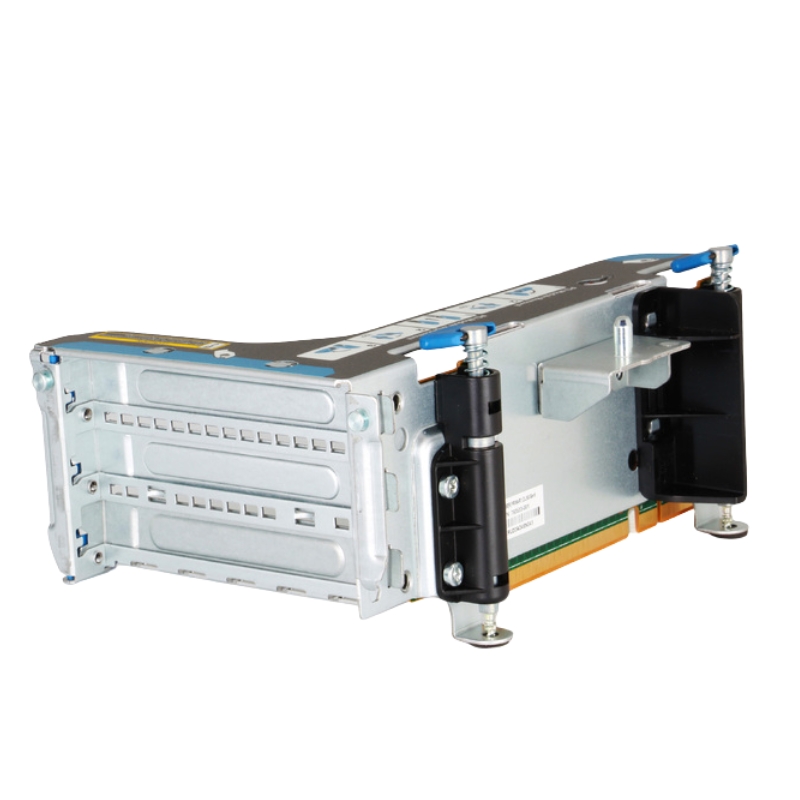
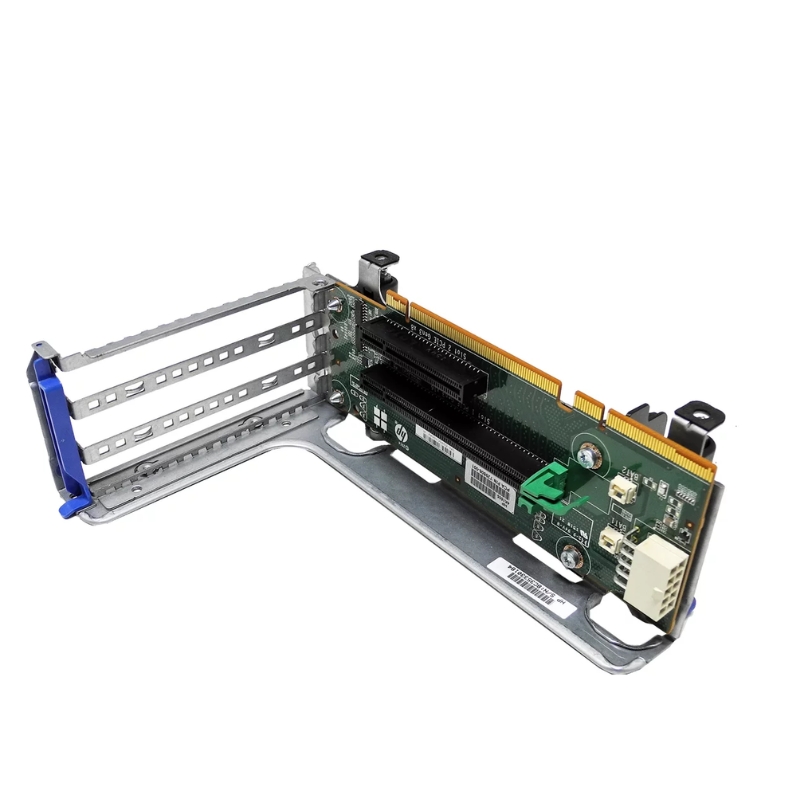
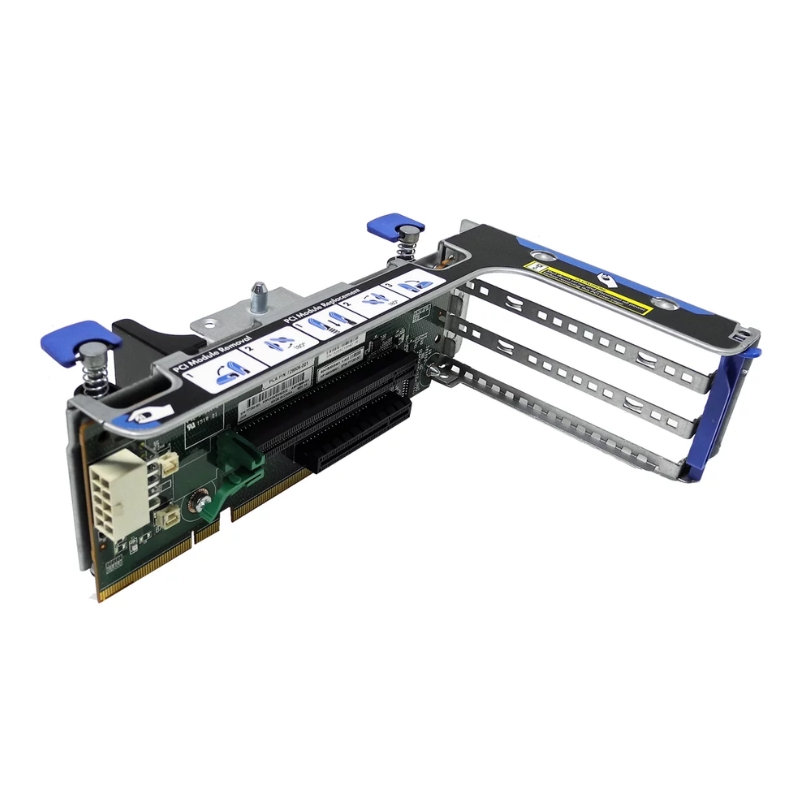
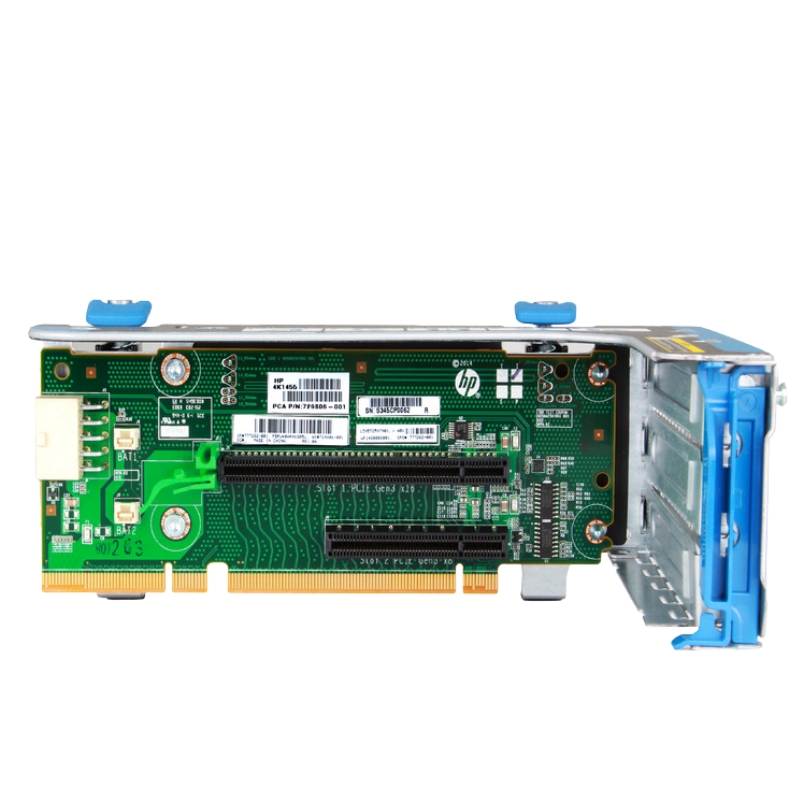
729806-001 HPE DL380 Gen9 Primary 2 Slot GPU Ready Riser Card.

729806-001
* Product may have slight variations vs. image
Hover on image to enlarge

Brief Overview of 729806-001

HPE 729806-001 DL380 Gen9 Primary 2 Slot GPU Ready Riser Card. New (System) Pull with 1 year replacement warranty

$222.75
$165.00
You save: $57.75 (26%)
Ask a question
Price in points: 165 points
+
Quote

Additional 7% discount at checkout

SKU/MPN729806-001Availability✅ In StockProcessing TimeUsually ships same day ManufacturerHPE Product/Item ConditionNew (System) Pull ServerOrbit Replacement Warranty1 Year Warranty
Google Top Quality Store Customer Reviews
Our Advantages
Payment Options
  • — Visa, MasterCard, Discover, and Amex
  • — JCB, Diners Club, UnionPay
  • — PayPal, ACH/Bank Transfer (11% Off)
  • — Apple Pay, Amazon Pay, Google Pay
  • — Buy Now, Pay Later - Affirm, Afterpay
  • — GOV/EDU/Institutions PO's Accepted 
  • — Invoices
Delivery
  • — Deliver Anywhere
  • — Express Delivery in the USA and Worldwide
  • — Ship to -APO -FPO
  • For USA - Free Ground Shipping
  • — Worldwide - from $30
Description

HP 729806-001 DL380 Gen9 Primary 2-Slot GPU Ready Riser Card

The HP 729806-001 Riser Card is a high-quality hardware component designed to expand server functionality, specifically engineered for the ProLiant DL380 Gen9 Server. With this riser card, businesses can integrate advanced GPU and expansion cards into their infrastructure, enabling improved computing performance and system flexibility.

Technical Specifications

  • Part Number: 729806-001
  • Assembly Number: 719078-001
  • Supported Server: HP ProLiant DL380 Gen9
  • Slot Support: Primary 2-Slot GPU Ready

Summary of Delivery Contents

  • 1x HP 719078-001 Riser Card Assembly
  • Fully compatible with HP DL380 Gen9
  • Designed for GPU-ready server expansion

Key Features and Benefits

The HPE 729806-001 riser card delivers specific advantages to datacenter and edge deployments that require GPU acceleration within the DL380 Gen9 platform footprint:

  • 2-slot GPU-ready design: Supports insertion of dual-slot GPU or accelerator cards while maintaining chassis clearance.
  • Optimized for DL380 Gen9: Physically and electrically matched to HPE ProLiant DL380 Gen9 server architecture for plug-and-play integration.
  • Robust signal integrity: Engineered traces, connectors and shielding to ensure reliable PCIe lanes for high-bandwidth devices.
  • Maintainable form factor: Tool-less or low-tool accessibility in many configurations and compatibility with HPE service procedures.
  • Thermal management compatibility: Works with the DL380 Gen9 cooling layout to avoid hotspots and preserve GPU performance under sustained load.
  • Firmware and platform compatibility: Recognized by HPE System ROM and iLO firmware, enabling monitoring and firmware-level management.

Form factor and mechanical

  • Compatibility: HPE ProLiant DL380 Gen9 2U chassis
  • Slot capacity: Primary riser providing two physical expansion slots suitable for dual-slot GPU cards
  • Mounting: Rear-mounted bracket and board standoffs designed for the DL380 Gen9 chassis
  • Connectors: HPE proprietary motherboard connector to riser backplane; standard PCIe x16 mechanical slot(s)
  • Dimensions: OEM-specific riser card dimensions (refer to HPE product drawings for precise measures)

Electrical and interface

  • PCI Express lanes: Supports full-length x16 electrical interface depending on system configuration and processor/platform
  • PCIe generation: Gen3-capable when used in Gen9 systems with compatible CPUs and firmware
  • Power handling: Designed to support GPUs within the DL380 Gen9 power and chassis constraints; additional power cables or PSU upgrades may be required for higher-TDP cards
  • Signal integrity features: Controlled impedance traces, ground planes and shielding to reduce electromagnetic interference (EMI)

Thermal and environmental

  • Operating temperature: Meets HPE server class environmental specifications
  • Airflow compatibility: Works with default DL380 Gen9 fan and airflow profiles; for high-power GPUs confirm thermal profile adjustments
  • MTBF and reliability: Manufactured to enterprise component reliability standards

Compatibility Matrix

Compatibility is critical when fitting GPUs into enterprise servers. Use this matrix as a starting checklist; always verify with HPE documentation, system ROM release notes and the GPU vendor’s server compatibility list.

Server platforms

Primarily tested and intended for:

  • HPE ProLiant DL380 Gen9 (various sub-versions)
  • HPE ProLiant DL360 Gen9 (limited compatibility depending on chassis layout — consult HPE)

GPU / accelerator cards

The riser supports two-slot full-height GPUs that conform to the DL380 Gen9 power, thermal and mechanical limits. Typical supported GPU families include (subject to power/firmware checks):

  • NVIDIA Tesla / Quadro / RTX server-class accelerators (validate TDP and power connectors)
  • AMD Radeon Pro / Instinct accelerators (ensure driver/firmware support)
  • Other PCIe accelerators: FPGA PCIe boards, AI inference cards, and specialized NIC offload cards when mechanically compatible

Compatibility Details

Designed exclusively for enterprise-grade computing, this riser card is compatible with HP ProLiant DL380 Gen9 Servers. Its structure ensures flawless installation and seamless interaction with server hardware components.

  • Supports GPU-ready configurations
  • Ensures secure connection with PCIe expansion slots
  • Ideal for enhancing virtualization, AI, and HPC workloads

Performance and Use Cases

With the HPE 729806-001 riser card installed, DL380 Gen9 systems can serve a broad set of workloads that benefit from GPU acceleration. Below are common scenarios and considerations for each.

High-performance compute (HPC)

HPC environments often rely on parallel compute and GPU offload for tasks such as numerical simulation, CFD, and molecular dynamics. The riser enables dense GPU consolidation in a 2U form factor, helping HPC clusters increase compute-per-rack efficiency. Check that the GPU’s double-precision performance matches application needs and that the cluster’s cooling matches the increased thermal output.

Machine learning and AI inference

Training and inference workloads can be accelerated with server GPUs. For distributed training, balance PCIe topology and CPU resources, while for inference, lower-power GPUs may be more cost-effective. Consider PCIe bandwidth and memory requirements when selecting GPUs.

Virtualization and VDI

GPU passthrough and shared GPU virtualization enable virtual desktop infrastructure (VDI) and GPU-accelerated virtual machines. Ensure hypervisor compatibility (VMware ESXi, Microsoft Hyper-V, KVM) and that the platform firmware supports SR-IOV or mediated passthrough as required by the virtualization stack.

Media encoding, rendering and visualization

GPUs accelerate video encoding/decoding, 3D rendering and remote visualization. For media workloads, verify that GPUs support the necessary codecs and that drivers are certified with your workflow software (e.g., Adobe, Autodesk, Blender).

Airflow, Cooling and Thermal Management

The addition of dual-slot GPUs to a DL380 Gen9 server introduces higher heat density. Proper cooling ensures the GPUs sustain peak performance and reduces risk of thermal throttling.

Airflow strategies

  • Preserve front-to-rear airflow by using appropriate blanking panels and avoiding cable obstructions.
  • Use HPE-approved fan modules and maintain firmware-controlled fan profiles for appropriate RPM scaling.
  • Consider rack-level cooling adjustments if multiple GPU-populated servers are deployed in a single cabinet.

Monitoring and alerting

Use HPE iLO and vendor GPU management tools to track temperatures, power draw and thermal events. Set thresholds for notification and automate remediation actions where possible (e.g., temporary workload migration).

Procurement and Lifecycle Considerations

Purchasing the correct riser card for your DL380 Gen9 environment requires attention to lifecycle support, part numbers and warranty coverage. HPE retains multiple SKUs and revisions; always order using the validated part number and confirm OEM packaging where needed.

Common Issues & Troubleshooting

Even with careful planning, deployments may encounter issues. Here are common symptoms and suggested diagnostics.

Symptom: GPU not detected after installation

  • Confirm riser is fully seated and secured.
  • Check BIOS/UEFI for PCIe slot enable/disable settings.
  • Review iLO system logs for PCIe enumeration errors.
  • Try reseating the GPU and verifying auxiliary power cables are connected.

Symptom: System instability or POST errors

  • Ensure System ROM/iLO firmware are up to date.
  • Check PSU capacity and power distribution; high-TDP GPUs may require upgraded PSUs.
  • Isolate the GPU by testing in another slot or system to determine if the card or riser is at fault.

Symptom: Excessive temperature or throttling

  • Confirm airflow obstructions are removed and blanking panels are used correctly.
  • Monitor fan profiles and increase allowable fan speed thresholds if required.
  • Consider moving to GPUs with lower thermal design power (TDP) for denser deployments.

Regulatory, Safety and ESD Precautions

Handling server components requires compliance with ESD and safety procedures:

  • Use grounded ESD wrist straps and anti-static mats when handling the riser and GPUs.
  • Do not power on the system with access panels removed except as directed for diagnostics.
  • Follow local regulatory and enterprise safety protocols for rack power and grounding.
Features
Product/Item Condition:
New (System) Pull
ServerOrbit Replacement Warranty:
1 Year Warranty