(7% discount is applied at checkout)
Cart is empty
Your go-to destination for cutting-edge server products
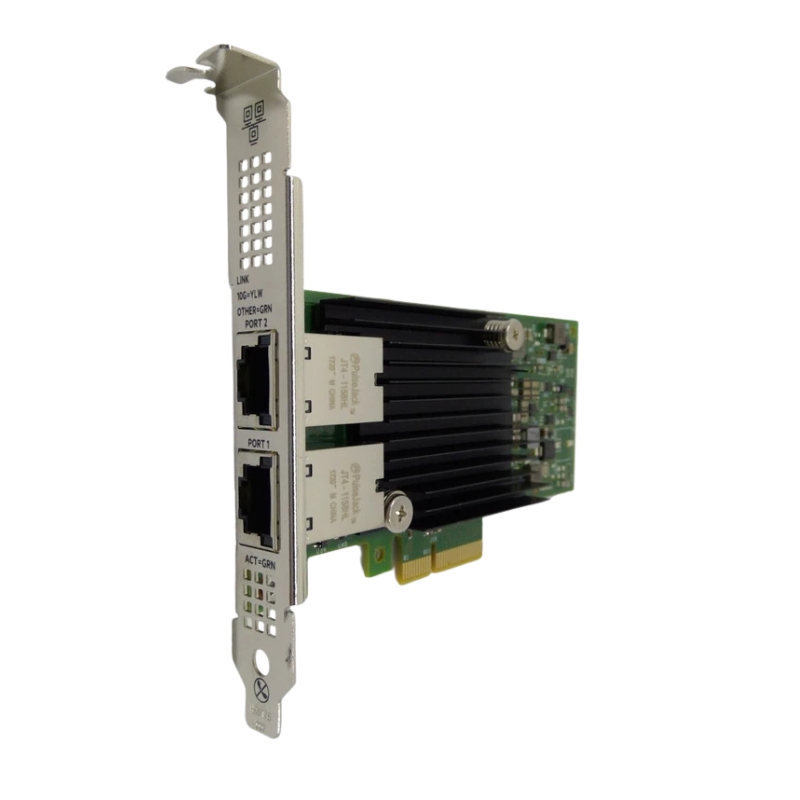


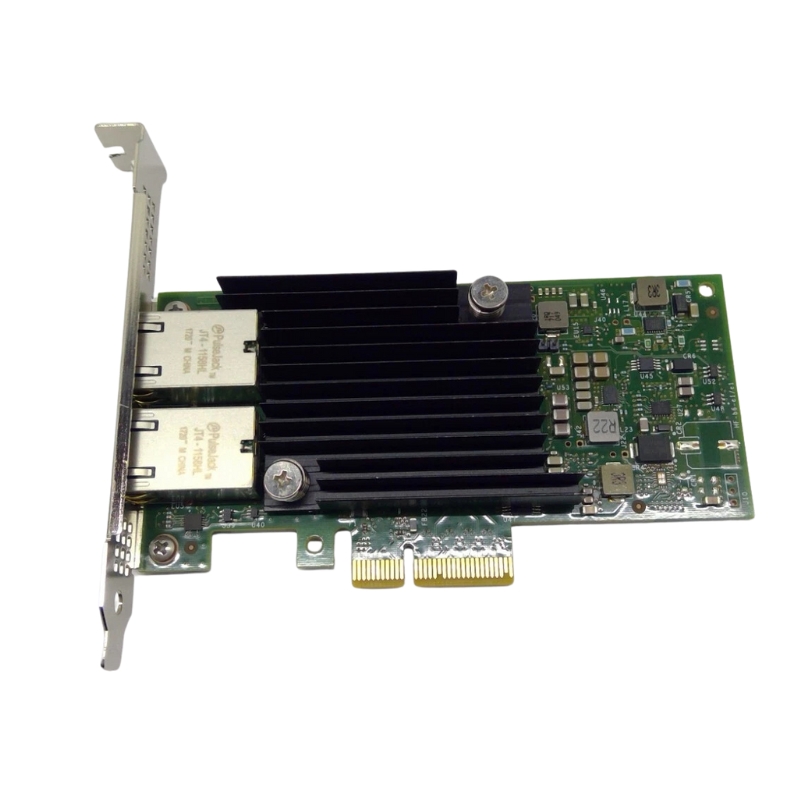
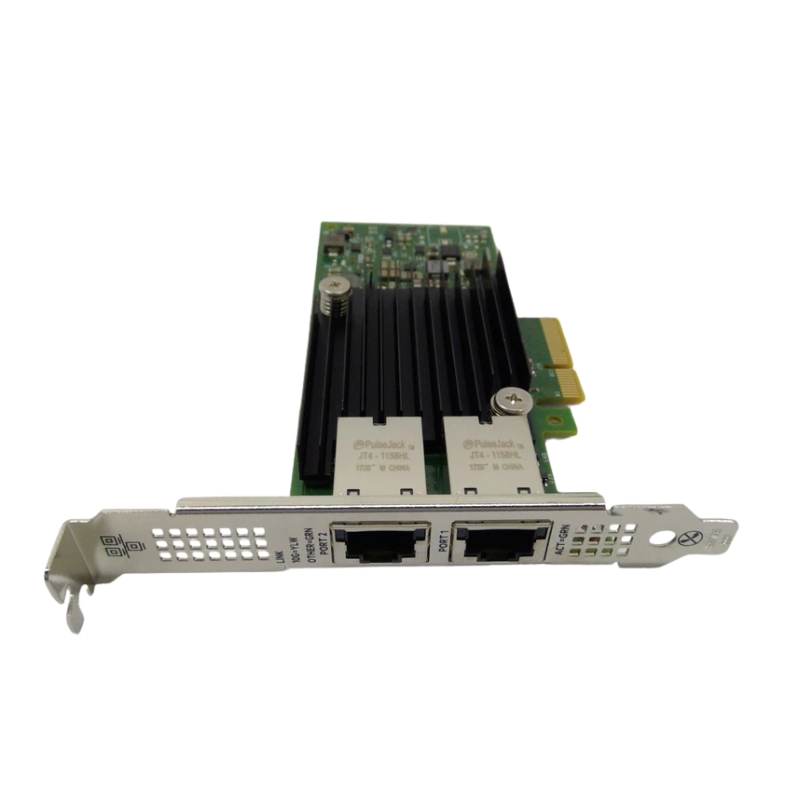
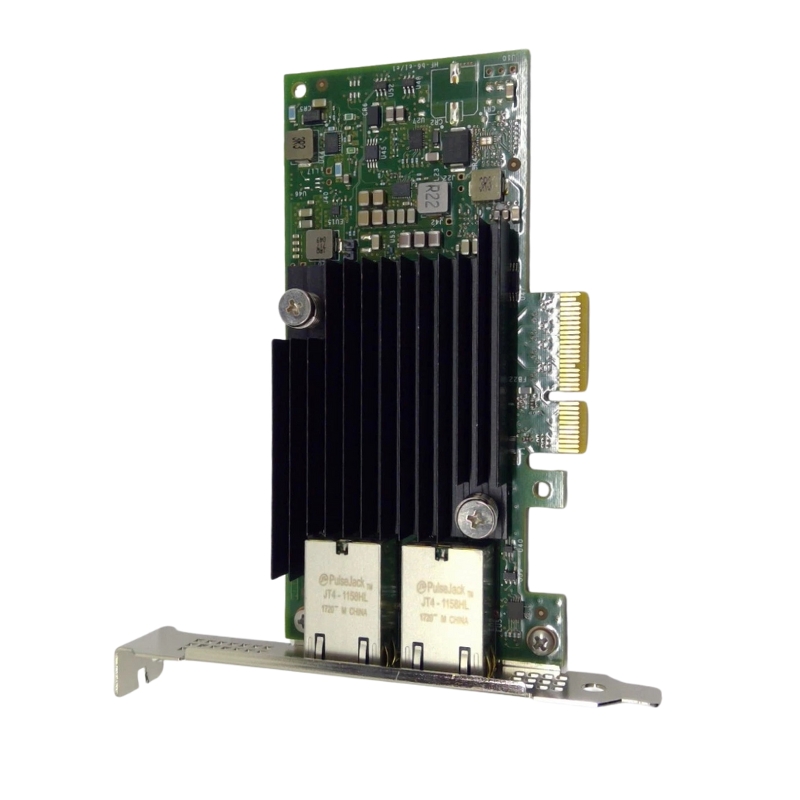
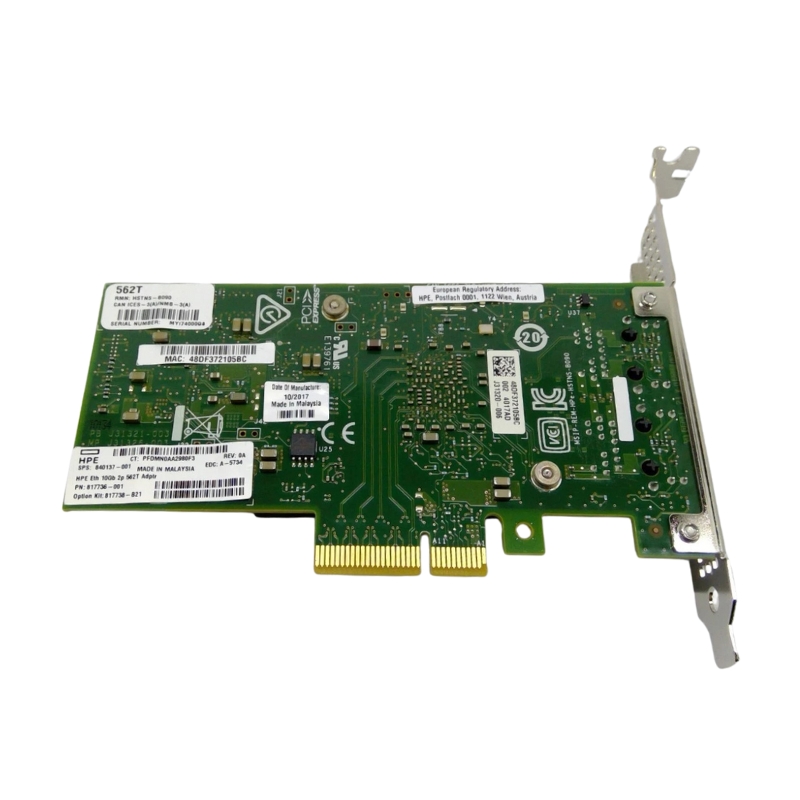
HPE 817736-001 2 Ports 562T 10Gb/s PCI-Express 3.0 x4 High-Profile Network Adapter. Factory-Sealed New in Original Box (FSB) With 3 Years Warranty
The HPE 817736-001 562T network adapter is designed to provide high-speed connectivity, exceptional performance, and reliable data transfer for enterprise-grade servers. Featuring dual 10 Gigabit Ethernet ports and built on PCI-Express 3.0 x4 technology, this adapter offers advanced networking capabilities for businesses that require seamless scalability and efficiency.
This adapter delivers multiple advantages for data centers and enterprise networking environments:
Equipped with two 10 Gigabit Ethernet ports, the HPE 817736-001 enables flexible network configurations, load balancing, and redundancy for uninterrupted operations.
Its PCI-Express 3.0 x4 interface ensures low latency and maximum throughput, making it compatible with a wide range of HPE servers and enterprise-grade systems.
Designed in a high-profile format, this network card is suitable for standard enterprise server chassis, offering stable installation and consistent performance.
Hewlett Packard Enterprise is renowned for robust server hardware and networking solutions. The HPE 817736-001 562T adapter ensures:
The HPE 817736-001 dual-port adapter is fully compatible with various HPE ProLiant servers and supports leading operating systems, ensuring smooth deployment in enterprise infrastructures.
This adapter is optimized for HPE ProLiant server families, providing seamless plug-and-play functionality and reliable high-speed networking.
The HPE 817736-001 2 Ports 562T 10Gb/s PCI-Express 3.0 x4 High-Profile Network Adapter occupies a focused category within enterprise networking: dual-port 10 Gigabit Ethernet server NICs designed for high-throughput, low-latency data center and virtualization environments. This category prioritizes balanced performance, broad operating system support, and rugged reliability for 24/7 server deployments. Buyers who search for HPE 562T, HPE 10Gb NIC, PCIe 3.0 x4 network card, or the part number 817736-001 are typically comparing server-grade adapters to meet demands across virtualization, storage networking, hyperconverged infrastructure (HCI), database clusters, and high-performance compute (HPC) front-end connectivity.
Adapters in this category implement the PCI-Express 3.0 physical interface with a x4 lane requirement. PCIe 3.0 x4 provides a reliable lane bandwidth ceiling suitable for two 10GbE ports without saturating host resources in most real-world server workloads. The standard ensures compatibility with a wide range of HPE ProLiant and other server motherboards that accept full-height, high-profile cards.
As a dual-port 10Gb/s adapter, the 562T family supports two physical 10G links that can operate independently, aggregate via link aggregation (LACP), or be partitioned into virtual interfaces depending on software features. Typical throughput considerations include bidirectional aggregate bandwidth up to 20 Gbps (10 Gbps per port), with line-rate performance for most packet sizes when proper CPU and memory resources are available.
The high-profile designation indicates that this adapter is intended for standard full-height server chassis (tall bracket), providing stable mounting and compatibility with rack and tower servers. Some vendors provide half-height (low-profile) brackets as optional accessories; however, the high-profile card is the default and recommended for systems with full-height expansion slots.
Modern HPE 10Gb adapters include hardware offloads that shift CPU-intensive tasks to the NIC silicon. Typical offload capabilities in this category:
These offloads reduce host CPU utilization for network-heavy workloads — particularly beneficial for virtualization hosts running many VMs or containers.
The category commonly includes virtualization-friendly features such as single-root I/O virtualization (SR-IOV) and VLAN tagging. SR-IOV allows creation of multiple virtual functions (VFs) that can be mapped directly to virtual machines for near-native I/O performance. When evaluating cards, look for explicit SR-IOV support and the maximum number of VFs — a crucial parameter for dense virtualization deployments.
HPE server adapters are optimized for typical data center thermal envelopes. Expect:
This category maintains wide software support across enterprise OSes: multiple Linux distributions (Red Hat Enterprise Linux, CentOS/AlmaLinux, Ubuntu Server, SUSE), Microsoft Windows Server editions, VMware ESXi, and BSD variants. When selecting a specific adapter make/model, verify driver support and recommended firmware versions on the vendor’s compatibility matrix for your OS level — especially for production environments that require vendor-validated drivers and firmware.
Enterprise NICs commonly provide command-line and GUI utilities for:
Integrating NIC monitoring into existing infrastructure (SNMP, IPMI, or vendor tools) is standard practice for proactive troubleshooting and capacity planning.
Dual 10GbE adapters are ideal for hosts running multiple virtual machines or virtual desktop infrastructure (VDI). Use cases include:
When paired with iSCSI, NFS, or SMB storage, 10GbE links dramatically reduce storage latency and increase throughput compared to 1GbE. In HCI clusters (e.g., VMware vSAN, Nutanix), dual ports can be used to separate replication and data traffic or to form redundant multipath links for resiliency.
Low-latency, high-bandwidth NICs benefit database clusters and compute nodes that exchange high volumes of data. Deploy the 562T category in front-end roles for database application servers, caching layers, or to isolate east-west traffic in distributed compute fabrics.
Depending on the physical PHY (SFP+, RJ45, or other), the adapter may require:
Modern NICs expose multiple hardware queues; optimal settings depend on CPU core counts and interrupt handling:
Enabling jumbo frames (e.g., MTU 9000) can improve throughput and reduce CPU load for large-payload flows, especially iSCSI or NFS workloads. Ensure the entire network path (switches, routers, other NICs) supports the chosen MTU to avoid fragmentation issues.
Interrupt moderation reduces CPU interrupts by batching events, lowering host CPU overhead at the cost of increased latency. For latency-sensitive applications (e.g., trading platforms, real-time telemetry), disable or fine-tune moderation. For throughput-heavy batch workloads, higher moderation values can be beneficial.
For virtual environments, verify support for:
Adapters in this category may expose features helpful for storage offload, such as iSCSI offload engines or better support for SMB multichannel. These features lower CPU cycles for storage traffic and can improve throughput for shared storage architectures.
Typical installation steps for a high-profile 10Gb NIC:
While adapters themselves are not typically hot-swappable, network redundancy (via teaming or multipathing) allows maintenance windows without service disruption. Establish redundant network paths before replacing NICs in production hosts.
10GbE remains a cost-effective and compatible choice for many server-to-switch links, management networks, and storage front-ends. Compare:
Choose 10Gb when budget, existing switch compatibility, and typical per-host throughput make higher speeds unnecessary.
While this category centers on HPE-branded adapters (part number 817736-001), there are comparable offerings from Broadcom, Intel, and Mellanox (NVIDIA) whose silicon is often rebranded by server OEMs. When interoperability and driver support are critical, prefer the vendor-recommended SKU for your server platform.
Symptoms such as unexpected reboots, link drops, or degraded performance often trace back to unsupported driver/firmware combinations. Keep drivers and firmware in sync with vendor release notes and cross-check against your OS and hypervisor compatibility documentation.
If NIC utilization is high but application throughput remains low, inspect CPU scheduling, interrupt distribution, and memory bandwidth. Offload features reduce CPU load but require correct configuration (e.g., enabling RSS, tuning queue counts).
Use VLANs, private VLANs, or separate physical NICs to segregate management, backup, and production traffic. For virtualization hosts, avoid exposing management interfaces to the same broadcast domain as tenant VMs.
Keep NIC firmware updated to mitigate vulnerabilities; obtain firmware only from trusted vendor channels. Where possible, enable secure boot and firmware signature validation features available in your platform.
Match the NIC port type to the correct cable or transceiver:
Deploy 10Gb switches, leaf/spine fabrics, or multi-gig uplinks on access switches to fully leverage the adapter’s capacity. Consider features like LACP, MLAG, and switch-level flow control to manage convergence and redundancy.


 Contact Us
 Information
 Catalog
 Solid State Drives (SSD)
 Network Switches
 Hard Disk Drives
 HBA & Controllers
 PC & Servers
 PC & Server Memory
 CPU & Processors
 Network Routers
 Power Supplies
 Tape Drives & Libraries
 Network Devices
 Computer & Network Cables