(7% discount is applied at checkout)
Cart is empty
Your go-to destination for cutting-edge server products
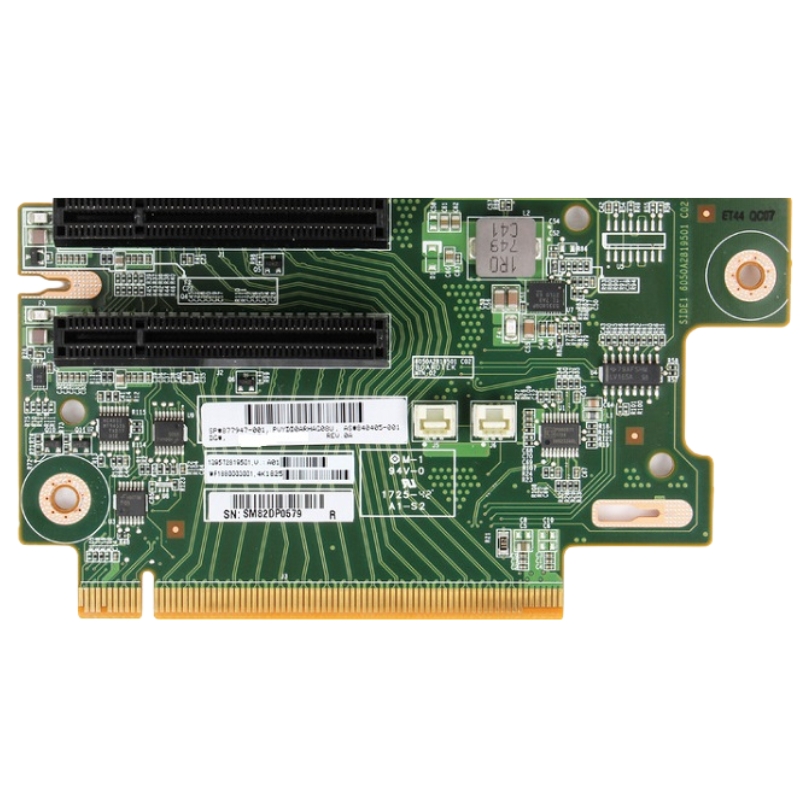


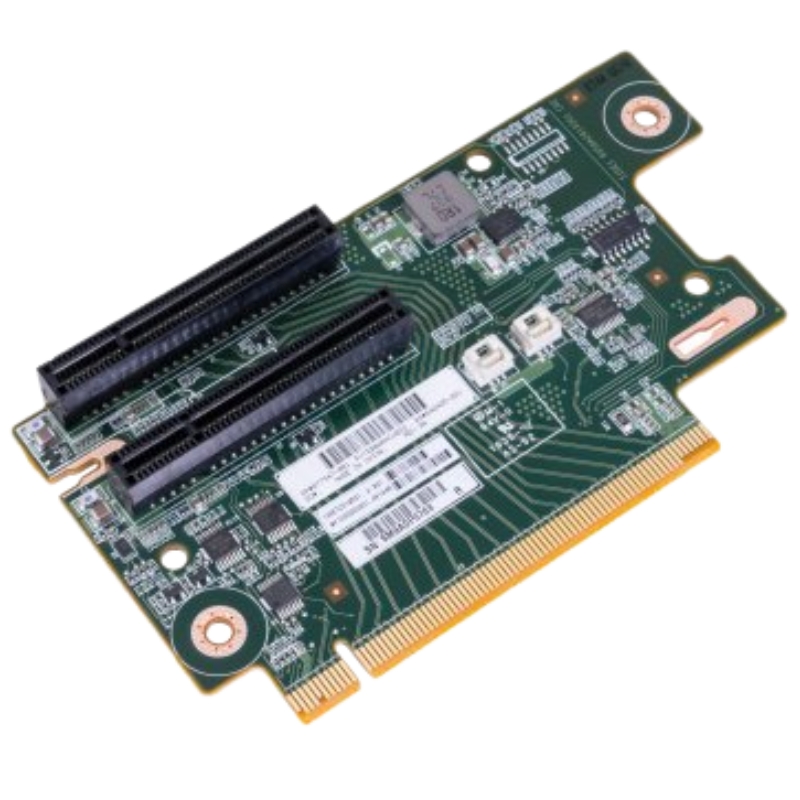
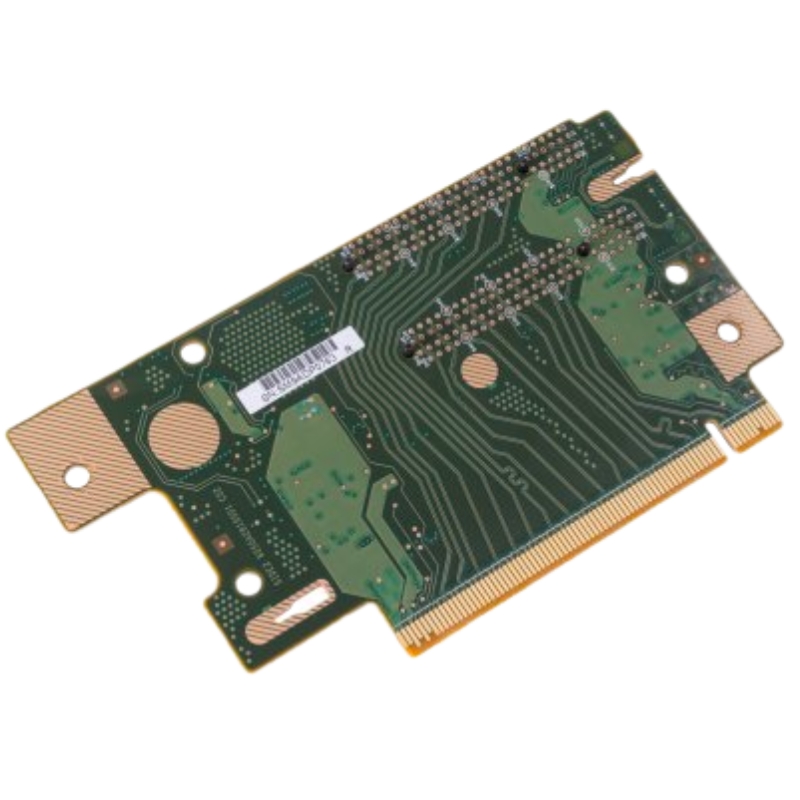
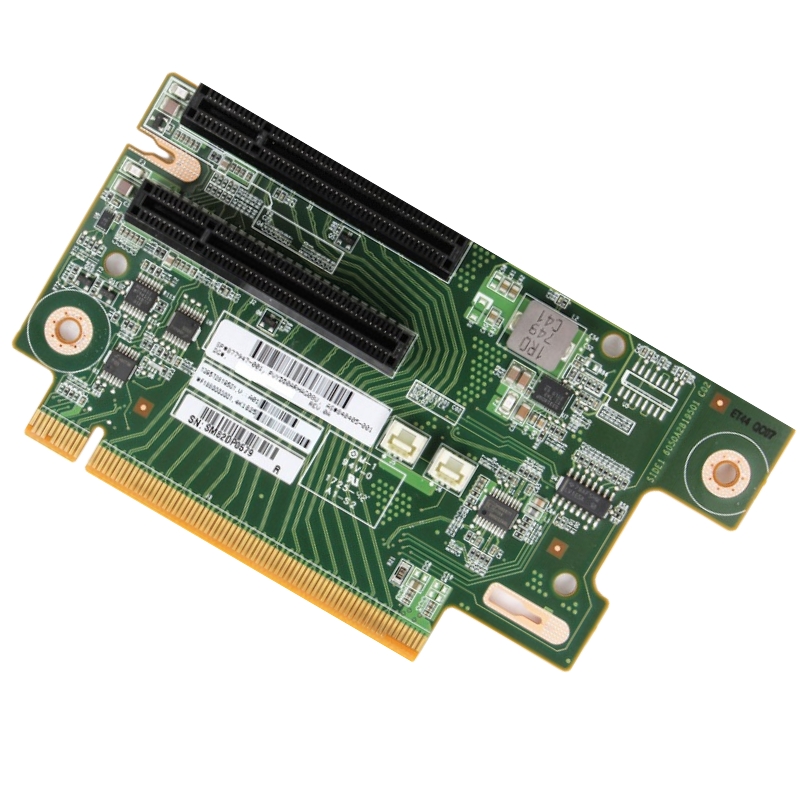
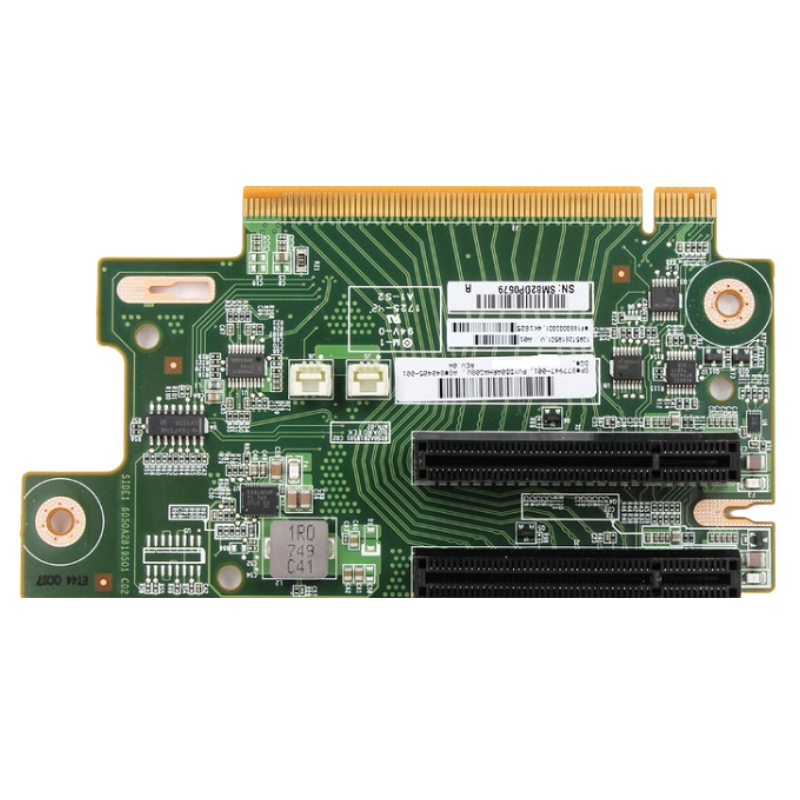
HPE 877947-001 DL38x Gen10 2x8 PCI-E Tertiary Riser board. Excellent Refurbished with 1 year replacement warranty
Designed to enhance system scalability, the HPE 877947-001 tertiary riser board enables dual 8-lane PCI-E connectivity, offering robust support for high-performance peripherals.
This riser board integrates seamlessly into the DL38x Gen10 chassis, enabling two additional x8 PCI Express slots for enhanced bandwidth and peripheral expansion.
Constructed with enterprise-grade components, the HPE 877947-001 riser board ensures long-term durability and consistent performance under demanding workloads.
Whether you're upgrading a data center or optimizing a virtualized environment, this tertiary riser board provides the connectivity needed for advanced configurations.
The riser board's design aligns with HPE's modular architecture strategy for the Gen10 line: to provide flexible I/O expansion while maintaining certified thermal profiles and predictable airflow patterns inside the server chassis. The tertiary riser sits in a predefined riser bay and connects to the system board using a dedicated riser connector. This precise mechanical and electrical integration avoids adaptive workarounds and ensures firmware-level compatibility for device enumeration, hot-swap-safe power sequencing, and management instrumentation like iLO visibility. OEM integration also considers mechanical retention, EMI shielding, and service access so that technicians can perform upgrades or replacements with minimal disruption to other components.
Mechanically, the HPE 877947-001 tertiary riser board follows a compact board outline optimized for the DL38x chassis. Reinforced mounting points and a keyed connector ensure proper installation orientation and long-term mechanical integrity. The riser retains a low profile to preserve drive bay and airflow clearances, and its bracket and shielding assembly are designed to fit the chassis' expansion slot openings. The board's PCB layout balances signal routing for PCIe lanes and includes measures for impedance control and thermal dissipation. These mechanical features reduce installation errors during field servicing and improve long-term durability in densely packed racks.
The tertiary riser implements two PCIe lanes, each delivering up to an x8 electrical interface. In Gen10 servers, PCIe 3.0 is the prevalent standard for this riser type, providing a balance between throughput and signal integrity across the riser connection. The board routes signals from the server motherboard riser connector to the two full-length or low-profile PCIe slots on the riser. Power delivery circuits are designed to meet the electrical demands of contemporary accelerator cards, RAID controllers, network adapters, and NVMe adapter cards. Careful attention to the power plane and decoupling ensures stable voltage rails under transient load conditions, which is critical for devices that draw sudden bursts of power such as GPU accelerators or NVMe controllers.
HPE provides a compatibility matrix for the DL38x Gen10 family that explicitly lists supported riser configurations. The tertiary riser 877947-001 is intended for server SKUs and chassis variants that accept a third riser card in an accessible riser bay. Compatibility extends to server boards with the matching riser connector and to firmware revisions that include riser enumeration tables. Users should cross-check the server's product number and chassis spec to confirm whether the tertiary riser is the correct option for their specific DL38x Gen10 model. In practice, IT procurement teams often order the riser as an upgrade kit for models that shipped with fewer expansion slots, enabling modular downgrades or upgrades as workloads change.
Adding the HPE 877947-001 tertiary riser board unlocks additional expansion slots that enable several high-value use cases. For virtualization hosts, extra PCIe slots allow installation of high-performance NVMe adapters to provide low-latency, high-throughput storage acceleration. For networking-focused deployments, the riser can host dual-port 10/25/40/100GbE network adapters, offloading packet processing and increasing uplink capacity for hyperconverged infrastructure. Compute acceleration use cases benefit by supporting machine learning inference cards, video transcoding engines, or FPGAs. The tertiary riser is also used for redundancy and fault-domain separation in multi-controller architectures, where multiple RAID controllers or HBAs are installed across different risers to reduce single points of failure.
When planning expansion with the tertiary riser, understanding lane allocation is essential. The riser provides two x8 electrical lane sets, which when populated with appropriate devices, deliver significant I/O throughput. However, overall system performance depends on how upstream lanes are allocated by the server's BIOS and system board. In some configurations, lanes shared between risers may be multiplexed or bifurcated, which impacts the available bandwidth per slot. Administrators should consult system technical documentation and perform workload profiling to ensure that devices installed in the tertiary riser will realize their expected performance rather than being constrained by upstream lane sharing or chipset limitations.
Low-latency communication and effective interrupt handling are critical to maximizing the value of high-performance peripherals. The tertiary riser maintains signal integrity for PCIe transactions, but OS-level drivers and firmware play key roles in managing interrupts and direct memory access patterns. Modern operating systems support MSI-X and advanced interrupt moderation techniques that reduce CPU overhead for network and storage adapters. To ensure optimal operation, updated drivers and vendor firmware for installed peripherals should be applied. HPE recommends firmware and driver bundles aligned with the server's Gen10 release train to maintain certified interoperability and predictable performance.
Unlike hot-swappable drives, riser boards and PCIe cards are not typically hot-swappable because they are directly connected to the motherboard and power planes. Attempting to insert or remove riser boards while the server is powered may damage connectors and connected devices and void warranties. Proper electrostatic discharge (ESD) precautions should be taken during handling to protect the board and attached components. When servicing, technicians should follow HPE's power-down and grounding procedures, and they should document riser replacements in change management systems to maintain accurate inventory and configuration records.
The tertiary riser accommodates a wide range of PCIe expansion cards, but it's essential to confirm electrical and mechanical compatibility for each device. Standard use cases include installing HBAs and RAID controllers from major vendors, enterprise-class network adapters supporting 10GbE, 25GbE, and higher, storage controllers with NVMe support, and various accelerator cards. Many modern adapters support x8 electrical interfaces, allowing them to operate at full bandwidth when placed in the riser. Cards that require auxiliary power or have unusual height/length profiles should be cross-checked against chassis constraints and power budgets before procurement.
Using NVMe adapters in the tertiary riser can significantly increase storage performance for database and caching workloads. However, administrators should evaluate how server boot order and drive mapping are affected, since adding NVMe devices may change the enumeration order presented to the OS and hypervisor. It is advisable to document the server's preferred boot device settings and, if necessary, use firmware options to lock boot order or set explicit device selections. This prevents unexpected changes in boot behavior after adding or removing storage adapters.
Network interface cards installed in the tertiary riser may provide hardware offload features such as TCP/IP offload, RDMA, iWARP, or RoCE. When leveraging offload capabilities, network administrators should coordinate driver and firmware versions with switch and fabric configurations to ensure end-to-end compatibility. Offload features can reduce CPU utilization and improve throughput for high-performance storage fabrics or database replication traffic, making the tertiary riser a strategic location for deploying network acceleration hardware.
While the tertiary riser supports accelerator cards, planners must consider physical size and power constraints. Many GPUs require full-height, full-length slots and auxiliary power connectors that are not always available or practical in the DL38x Gen10 chassis. Smaller form factor accelerators and inference-focused cards are more commonly used in tertiary risers. For GPU-heavy deployments, alternative server platforms designed explicitly for accelerator density may be preferred. When accelerators are used in a tertiary riser, ensure that cooling arrangements and power provisioning meet the card vendor's minimum requirements.
Intermittent faults such as sporadic device resets or link drops may be caused by thermal stress, marginal power delivery, or intermittent connector contacts. Environmental factors like high ambient temperature, dusty conditions, or excessive vibration can accelerate wear and cause transient errors. Regular preventive maintenance, including cleaning air paths and replacing failing fans, reduces the likelihood of such issues. For persistent intermittent problems, record detailed symptom patterns and timestamps, as correlated telemetry often reveals underlying causes related to workload bursts or scheduled tasks that coincide with fault events.
If diagnostic steps do not resolve riser-related issues, engaging HPE Support with system logs, firmware versions, and a description of attempted troubleshooting steps will expedite resolution. HPE's support channels can provide deep-dive diagnostics and replace suspect hardware under warranty or support contracts. When contacting support, include the server product number, serial number, riser part number, installed card details, and any HPE iLO system event log entries to help engineers replicate and analyze the issue faster.
Riser boards typically have long service lives if handled properly, and they retain resale value as spare parts for compatible server fleets. When retiring servers, consider harvesting functional risers for reuse or resale to lower overall hardware costs. Ensure any sold parts meet export compliance and data sanitization regulations if they were installed alongside storage controllers or devices that might retain configuration-sensitive information. Maintaining an accurate inventory of risers and other spare components streamlines refurbishment and redeployment efforts.
HPE designs riser components to comply with relevant environmental and regulatory standards for electronics, including RoHS and WEEE directives where applicable. Buyers should verify regulatory compliance based on their country of operation and maintain documentation for audits. Proper disposal or recycling of electronic components at end-of-life should follow local regulations to minimize environmental impact.
When evaluating expansion options for DL38x Gen10 servers, compare the tertiary riser against other available riser types that offer different lane counts or slot arrangements. Some environments require more lanes or full-length GPU slots that a tertiary riser may not provide, in which case selecting a server model or riser configuration tailored for accelerator density becomes necessary. For organizations constrained by budget, third-party riser boards or DIY modifications are sometimes proposed, but these approaches can void warranties and introduce compatibility risks. The recommended path for enterprises is to use OEM-certified risers such as the HPE 877947-001 to maintain supportability, documented interoperability, and predictable performance.
Deciding between adding a tertiary riser and purchasing new servers depends on capacity planning, lifecycle stage, and total cost of ownership. If an existing DL38x Gen10 server has spare riser bay capacity and adequate thermal and power headroom, adding the riser is often the most cost-effective approach to increase I/O capability. Conversely, if the server is at the end of life, lacks modern peripheral support, or if the workload requires significant CPU or memory upgrades, procuring new hardware may be a better long-term investment. Evaluate total cost including downtime, integration testing, and support implications when making the decision.
Before deploying risers across production systems, conduct compatibility testing with target cards, firmware versions, and operating systems. Use lab validation to confirm performance expectations and to develop deployment playbooks that detail installation steps, firmware update sequences, and verification checks. Document any BIOS settings or configuration options that need to be adjusted after riser installation so that field technicians can perform consistent, repeatable deployments across a fleet.


 Contact Us
 Information
 Catalog
 Solid State Drives (SSD)
 Network Switches
 Hard Disk Drives
 HBA & Controllers
 PC & Servers
 PC & Server Memory
 CPU & Processors
 Network Routers
 Power Supplies
 Tape Drives & Libraries
 Network Devices
 Computer & Network Cables