(7% discount is applied at checkout)
Cart is empty
Your go-to destination for cutting-edge server products


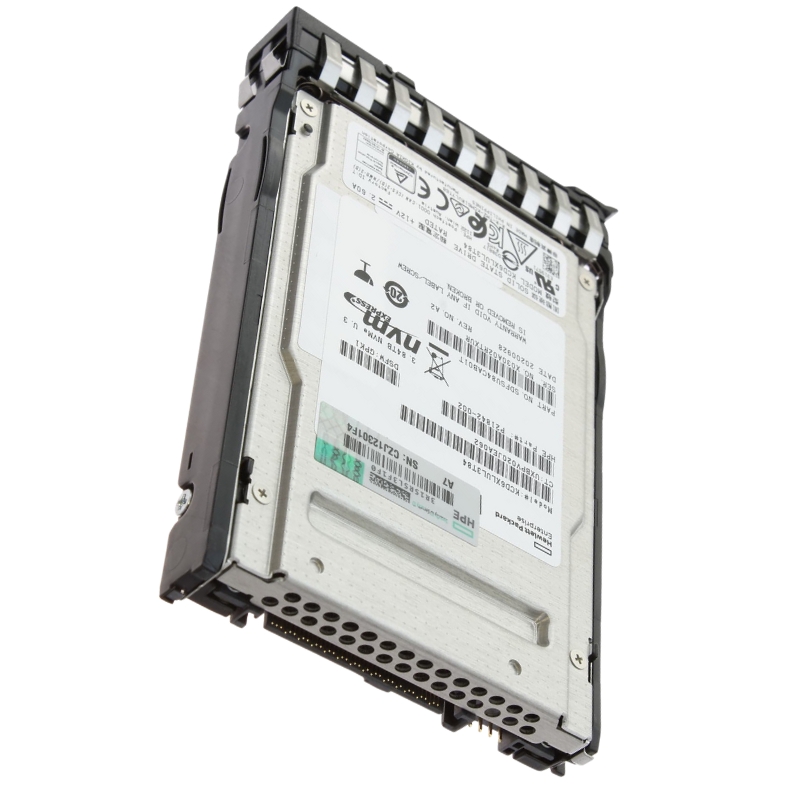
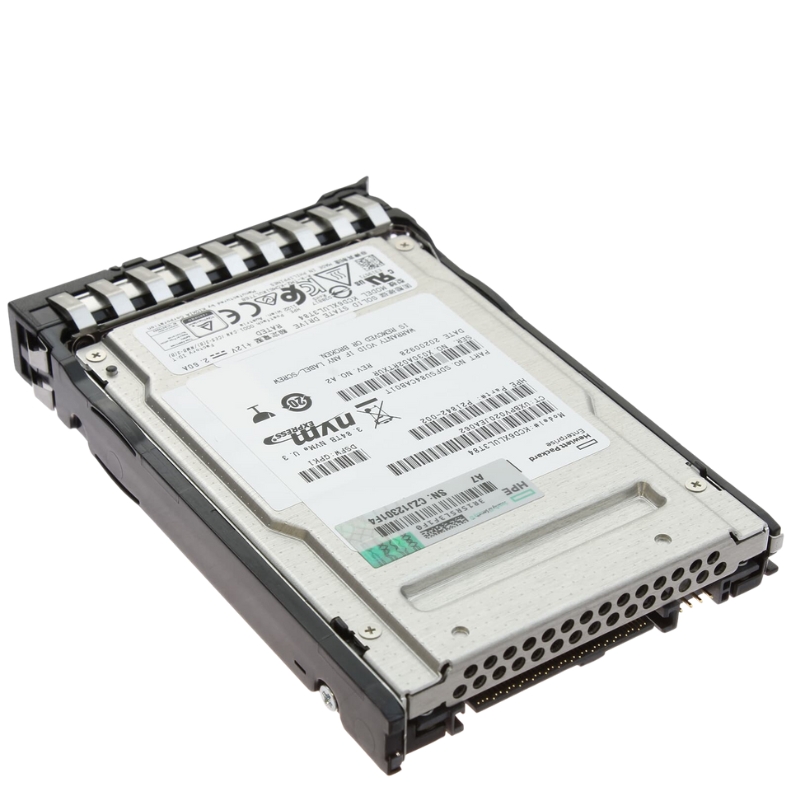
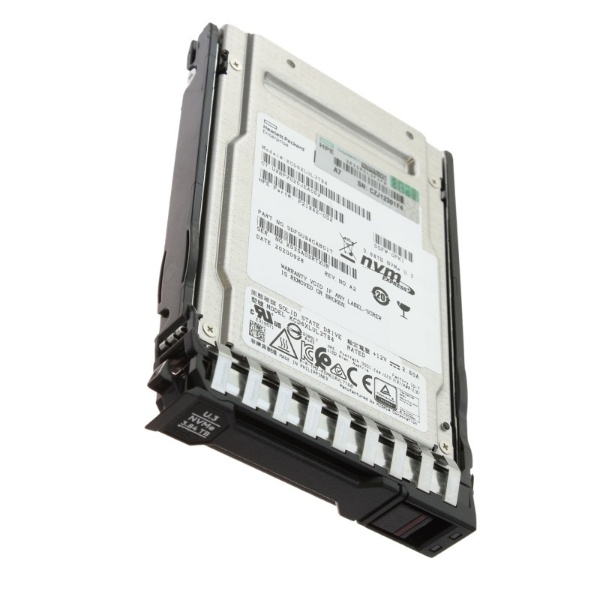
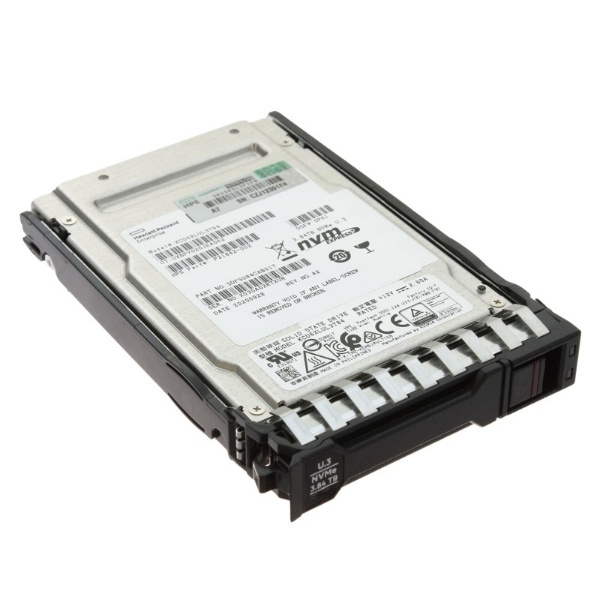
HPE P19817-X21 3.84TB PCI-Express Smart Carrier NVMe Hot Plug SSD. Excellent Refurbished with 1 year replacement warranty
Solid State Drives, commonly known as SSDs, have transformed the way computers, servers, and gaming systems perform. Unlike traditional hard disk drives (HDDs), SSDs rely on flash memory to store and retrieve data, which significantly increases read and write speeds. This results in faster boot times, quicker application loading, and improved system responsiveness. As a core component in modern computing, SSDs have become essential for professionals, gamers, and casual users who demand efficient storage solutions with reliable performance and durability.
At the heart of every Solid State Drive lies NAND flash memory—a type of non-volatile storage that retains data even when the power is off. This technology eliminates moving parts, unlike HDDs that rely on spinning disks and mechanical arms. The absence of mechanical components allows SSDs to operate silently, generate less heat, and offer increased resistance to physical shock. Moreover, SSDs utilize advanced controllers that manage data flow, wear leveling, and error correction, ensuring both performance consistency and long-term reliability.
SSDs are built using different NAND flash technologies, including SLC (Single-Level Cell), MLC (Multi-Level Cell), TLC (Triple-Level Cell), and QLC (Quad-Level Cell). Each type varies in performance, endurance, and cost. SLC NAND offers the highest performance and longevity but comes at a premium price. MLC provides a balance between speed and durability, making it popular for enterprise applications. TLC NAND, commonly found in consumer-grade SSDs, offers good performance at an affordable cost. QLC NAND, while slower, enables higher storage capacities and is ideal for read-heavy applications where cost-efficiency is a priority.
The controller serves as the brain of an SSD, managing how data is stored, retrieved, and maintained. A high-quality controller can dramatically improve performance, reliability, and lifespan. Many modern SSDs also include DRAM or SLC caching, which temporarily stores frequently accessed data for even faster access. This helps prevent performance drops during intensive workloads and ensures smooth multitasking across various applications.
SSDs come in multiple form factors and interface standards designed to suit different devices and performance needs. From compact M.2 drives to high-capacity 2.5-inch models, each form factor caters to specific installation requirements and system configurations.
The 2.5-inch SATA SSD is the most common form factor, designed to replace traditional laptop and desktop HDDs. Using the SATA III interface, these drives offer sequential read and write speeds up to 550 MB/s, which is several times faster than typical mechanical drives. They are an ideal upgrade option for older systems that lack NVMe or PCIe support but still deliver significant improvements in boot times, file transfers, and software loading.
M.2 NVMe SSDs are the go-to choice for enthusiasts and professionals seeking top-tier performance. These drives connect directly to the motherboard via PCI Express lanes, bypassing the limitations of SATA. NVMe (Non-Volatile Memory Express) is a communication protocol specifically optimized for flash storage, allowing much lower latency and higher input/output operations per second (IOPS). Depending on the PCIe generation—such as PCIe 3.0, PCIe 4.0, or PCIe 5.0—NVMe SSDs can deliver speeds from 3500 MB/s up to an astounding 14,000 MB/s in cutting-edge models.
PCIe Add-In Card SSDs are designed for high-performance desktops and workstations that demand extreme speed and endurance. Installed into a PCIe expansion slot, these drives can leverage multiple lanes for maximum bandwidth. AIC SSDs are commonly found in professional environments such as video editing studios, data centers, and research facilities, where massive data sets must be accessed and processed rapidly.
U.2 SSDs cater primarily to enterprise and server environments. They use the NVMe protocol and connect via a U.2 interface that provides excellent power and thermal management. These drives are engineered for sustained workloads, 24/7 uptime, and high endurance, making them indispensable in data-intensive infrastructures like cloud storage, virtualization, and database management systems.
When evaluating SSDs, several performance factors should be considered, including sequential speed, random read/write speed, endurance rating, and latency. Understanding these metrics helps users choose the right SSD for their needs, whether for gaming, business applications, or enterprise workloads.
Sequential performance measures how quickly an SSD can read or write large blocks of data. This metric is crucial for tasks like copying large files, video editing, or disk imaging. While SATA SSDs typically achieve speeds of 500–600 MB/s, NVMe SSDs can exceed 7000 MB/s, depending on the interface generation and design.
Random performance refers to how effectively an SSD can handle multiple small data requests simultaneously, which impacts everyday responsiveness. NVMe SSDs excel in this area, with IOPS counts reaching into the hundreds of thousands, providing instant file access and smoother multitasking. Lower latency translates into near-instant application launches and faster system responses, especially in high-demand computing environments.
SSD endurance is measured in terabytes written (TBW) or drive writes per day (DWPD). It indicates how much data can be written to the drive before memory cells begin to degrade. Enterprise-class SSDs generally offer higher TBW ratings, supporting continuous write operations over many years. Error-correcting code (ECC) and wear-leveling algorithms further enhance reliability by preventing data corruption and balancing write operations across the memory cells.
The transition from HDDs to SSDs represents one of the most significant advancements in data storage technology. SSDs offer multiple advantages that extend beyond performance, including power efficiency, durability, and noise reduction.
One of the most noticeable benefits of switching to an SSD is the dramatic reduction in boot and load times. Operating systems that once took minutes to start on an HDD can now boot in seconds. Applications launch almost instantly, and file transfers occur at lightning speed, enhancing productivity and user satisfaction across all use cases.
Because SSDs have no moving parts, they consume significantly less power compared to HDDs. This makes them ideal for laptops, ultrabooks, and mobile workstations where battery life is critical. Reduced energy consumption also translates to lower heat output, contributing to better system stability and longer hardware lifespan.
Mechanical hard drives are vulnerable to shock and vibration, which can cause physical damage and data loss. SSDs, on the other hand, are solid-state devices with no moving components, making them far more resilient to drops and impacts. This makes them particularly suitable for portable devices, field laptops, and industrial systems operating in challenging environments.
Without spinning platters or mechanical arms, SSDs operate silently. This not only enhances the user experience but also reduces wear and tear on system components. The lack of mechanical failure points means SSDs often outlast their HDD counterparts, providing years of consistent, maintenance-free performance.
SSDs have become indispensable across a wide range of industries and user categories. From high-performance gaming rigs to enterprise-grade data centers, their speed and reliability make them the preferred choice for diverse storage solutions.
For gamers, SSDs offer faster load times, reduced lag, and smoother gameplay. Modern AAA titles often require gigabytes of textures and assets to be streamed in real-time, which SSDs handle effortlessly. NVMe drives are particularly popular among gamers seeking to optimize their gaming experience with lightning-fast performance and near-instant level loading.
Creative professionals and engineers benefit immensely from SSD technology. Video editors, 3D designers, and architects rely on high-speed storage to manage massive files and render projects efficiently. SSDs ensure seamless playback of 4K and 8K video content, accelerated rendering, and smoother multitasking across demanding applications such as Adobe Premiere Pro, Autodesk Maya, and DaVinci Resolve.
In enterprise settings, SSDs play a crucial role in data centers, servers, and cloud computing environments. Their high IOPS and reliability make them ideal for virtualization, database management, and AI workloads. Enterprise SSDs often incorporate power loss protection, advanced error correction, and sustained write performance to ensure mission-critical data integrity and uptime.
For general users, upgrading to an SSD is one of the most impactful ways to enhance system performance. Tasks such as browsing, document editing, and multimedia playback feel significantly faster. Even budget-friendly SSDs can revitalize older laptops and desktops, extending their usability and delivering a smoother computing experience.
Selecting the right SSD depends on several factors, including capacity, interface, performance needs, and budget. With numerous options on the market, understanding key specifications helps ensure an informed purchase.
SSD capacities range from modest 120GB models to massive multi-terabyte drives. For casual users, a 500GB or 1TB SSD offers an excellent balance of cost and storage space. Power users, gamers, and content creators may prefer 2TB or larger drives to accommodate large software suites, games, and project files. Enterprise users typically deploy multiple high-capacity drives in RAID arrays for redundancy and scalability.
Before purchasing an SSD, it’s important to confirm system compatibility. Laptops and desktops with older SATA interfaces will benefit most from SATA SSDs, while newer systems with M.2 or PCIe slots can leverage the full potential of NVMe technology. Checking motherboard specifications ensures seamless installation and maximum performance.
Users should evaluate both speed and endurance metrics to match the SSD to their workload. High-performance NVMe drives are ideal for power users and professionals, while mainstream SATA models offer great value for general use. Reviewing TBW and DWPD ratings helps determine the expected lifespan of the drive, particularly for environments with heavy write demands.
Leading SSD manufacturers such as Samsung, Crucial, Western Digital, Kingston, Seagate, and Corsair have established reputations for quality and reliability. Most reputable brands back their products with multi-year warranties, offering additional peace of mind. When possible, opt for brands that provide firmware updates and management software to monitor drive health and optimize performance.
As technology evolves, SSDs continue to incorporate new features and innovations designed to enhance performance, security, and data management. These advancements make SSDs smarter, faster, and more efficient than ever before.
Many modern SSDs come equipped with built-in AES 256-bit hardware encryption to protect sensitive information from unauthorized access. These drives are compatible with data protection protocols such as TCG Opal and IEEE 1667, ensuring compliance with enterprise security standards. Hardware encryption provides secure storage without sacrificing performance, making it a must-have for professionals handling confidential data.
High-performance NVMe drives can generate significant heat during intensive workloads. To combat this, many SSDs now include integrated heatsinks or dynamic thermal throttling features that prevent overheating and maintain consistent speed. Proper thermal management extends the lifespan of the drive and ensures optimal reliability under sustained workloads.
Manufacturers provide dedicated SSD management tools that enable users to monitor health, update firmware, and optimize performance. These utilities often display SMART data, TBW usage, and temperature readings. Advanced features such as secure erase, cloning utilities, and over-provisioning management help maintain peak performance throughout the drive’s life.
The introduction of PCIe 5.0 SSDs marks a new era of ultra-fast storage, offering data transfer rates exceeding 13,000 MB/s. This leap in speed benefits applications requiring massive throughput, such as AI model training, high-resolution rendering, and data analytics. As computing power continues to evolve, SSD manufacturers are pushing boundaries to deliver even faster and more efficient storage solutions.
Solid State Drives have undergone multiple generational improvements since their introduction. Each generation delivers increased performance, reduced latency, and enhanced efficiency, catering to diverse computing environments and performance needs.
SATA SSDs remain a cost-effective option for users transitioning from HDDs. While limited by the SATA III interface’s 6Gbps bandwidth, they still provide a massive speed upgrade over mechanical drives. SATA SSDs are widely supported across desktops, laptops, and older systems, making them a universal choice for basic storage upgrades.
NVMe SSDs leverage PCIe lanes to deliver multiple times the bandwidth of SATA drives. Their parallel command architecture allows thousands of simultaneous data requests, drastically improving multitasking and application responsiveness. NVMe drives are the preferred choice for high-end gaming PCs, content creation workstations, and performance-critical enterprise setups.
With the arrival of PCIe 5.0, SSD performance has reached unprecedented levels. Doubling the bandwidth of PCIe 4.0, these drives cater to data-intensive workloads like 8K video editing, machine learning, and real-time simulations. As motherboard and CPU support continues to expand, PCIe 5.0 SSDs will soon become the standard for next-generation computing environments.
Beyond performance, SSDs also contribute to eco-friendly computing practices. Their energy-efficient design and long lifespan help reduce electronic waste and carbon footprint compared to traditional storage technologies.
SSDs consume significantly less electricity during operation, especially when idle. This lower power draw results in extended battery life for laptops and reduced overall energy use in data centers. Organizations adopting SSDs can benefit from lower operational costs and improved environmental sustainability.
Thanks to wear-leveling and advanced NAND management, SSDs offer a longer operational lifespan than HDDs. Fewer mechanical failures mean reduced replacement frequency, minimizing e-waste and contributing to a more sustainable computing ecosystem.
As demand for SSDs grows, manufacturers are exploring eco-friendly materials and recyclable components. Compact form factors like M.2 and U.2 drives require fewer raw materials to produce, further decreasing environmental impact. Some companies also implement take-back programs to recycle old SSDs responsibly.
The SSD market continues to evolve rapidly, driven by innovations in storage density, controller technology, and artificial intelligence integration. The next generation of SSDs promises to be even more efficient, secure, and versatile.
3D NAND technology stacks memory cells vertically to increase storage capacity without enlarging the physical footprint. Current SSDs utilize 176-layer or even 232-layer NAND, providing greater density and lower cost per gigabyte. Continued advancements in 3D NAND fabrication will further expand capacity while maintaining excellent endurance and performance.


 Contact Us
 Information
 Catalog
 Solid State Drives (SSD)
 Network Switches
 Hard Disk Drives
 HBA & Controllers
 PC & Servers
 PC & Server Memory
 CPU & Processors
 Network Routers
 Power Supplies
 Tape Drives & Libraries
 Network Devices
 Computer & Network Cables