(7% discount is applied at checkout)
Cart is empty
Your go-to destination for cutting-edge server products
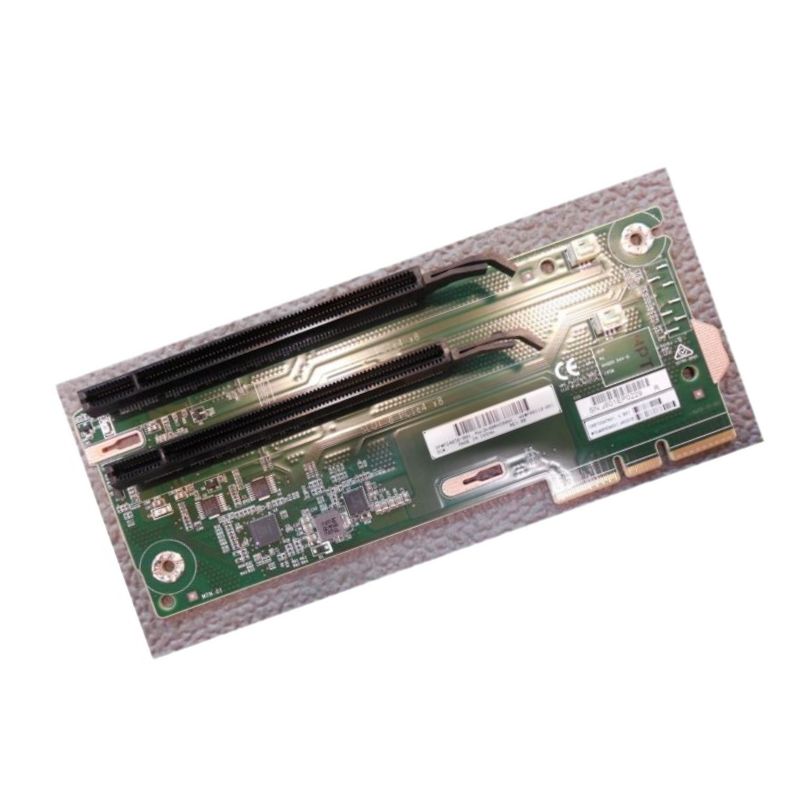


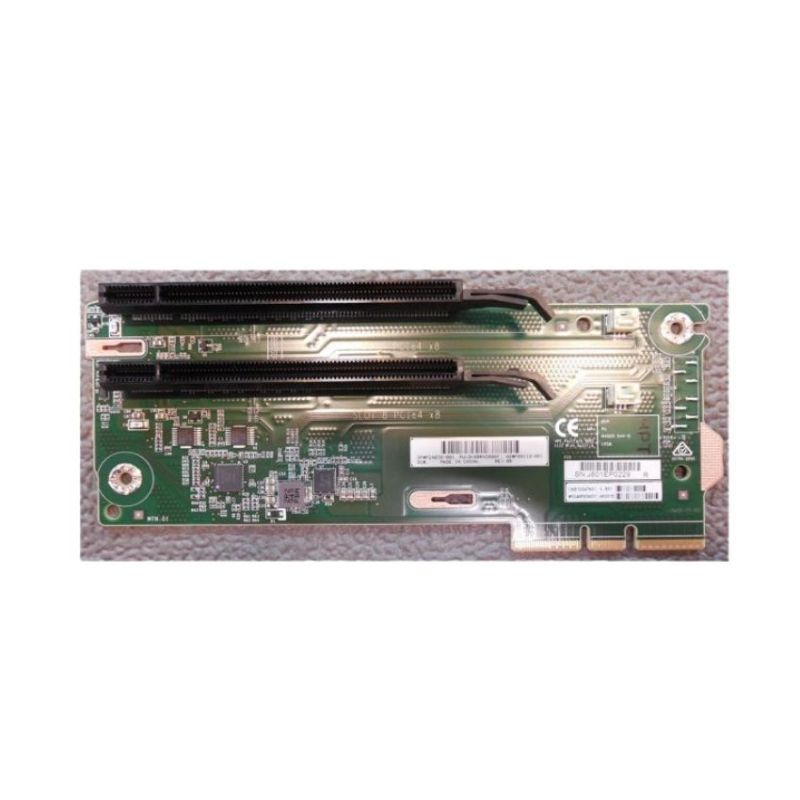
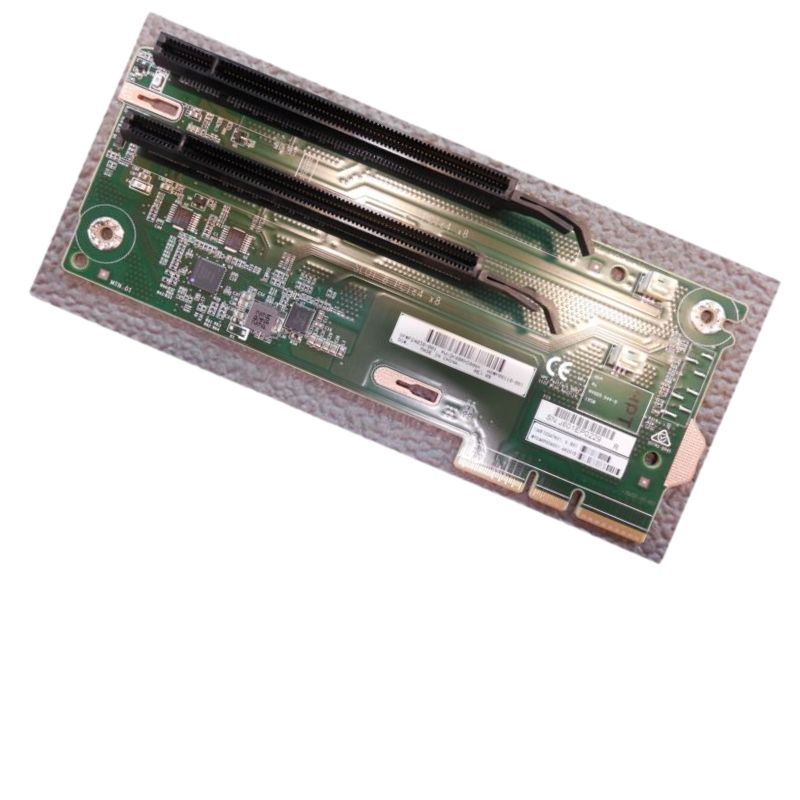
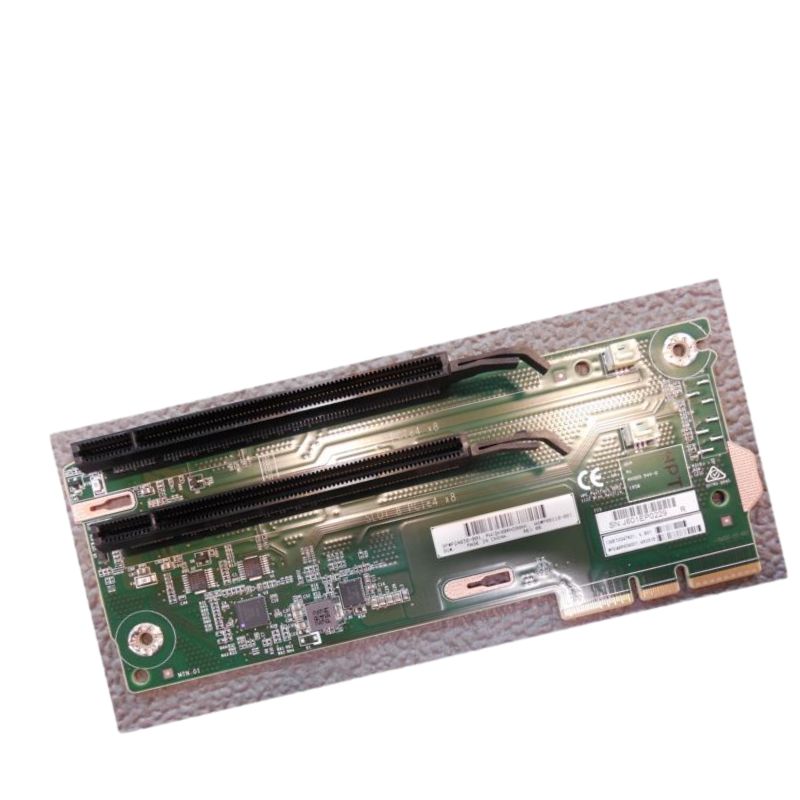
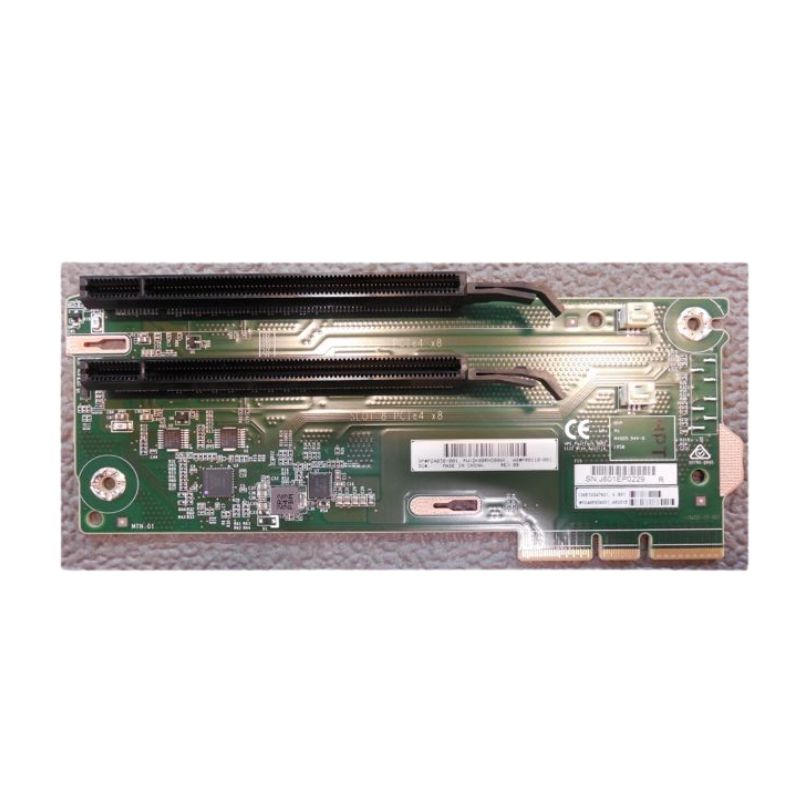
HPE P24038-001 DL Gen10 plus 2x16 Tertiary Riser. New (System) Pull with 1 year Replacement Warranty
The HPE P24038-001 tertiary riser is a purpose-built expansion component engineered for HPE ProLiant DL Gen10 Plus servers. Designed to deliver additional PCI Express lanes through two x16 connectors, this riser enables expanded I/O capacity for accelerated networking, NVMe storage adapters, and GPU or accelerator cards. Its compact, server-optimized form factor provides a dependable means to increase throughput while maintaining chassis compatibility and thermal integrity.
The P24038-001 is validated for select HPE ProLiant DL Gen10 Plus servers. Compatibility relies on the server’s motherboard riser slot type, BIOS or firmware revision, and physical chassis layout. For best results, pair the riser with systems that explicitly list P24038-001 or equivalent tertiary risers in their spare parts and options documentation.
This riser is intended for deployments that need additional I/O channels without replacing the main system board. It particularly benefits situations where multiple high-bandwidth peripherals are necessary.
While the riser provides x16 mechanical slots, sustained bandwidth depends on the server’s available PCIe lanes and the host chipset’s allocation. For maximum throughput, ensure host firmware and operating system drivers support the installed adapter types and lane configurations.
When purchasing replacements or spares, source parts from authorized HPE channels or certified resellers. Verify the manufacturer part number (P24038-001) and obtain genuine HPE packaging when warranty coverage is required.
Before deployment, cross-check the riser against the target server revision and system ROM/Firmware matrix. Some server lineups include alternate riser options with slightly different pinouts or physical brackets — selecting the incorrect riser can prevent successful installation.
The riser itself is a passive expansion card with no independent software stack, but devices attached via the riser (NICs, HBAs, accelerators) may introduce firmware or driver-level security considerations. Follow best practices to keep attached devices up to date and to harden the host environment.
When evaluating the P24038-001 against other tertiary risers, focus on slot count, lane allocation, mechanical fit, and firmware support. Some alternatives offer different slot mixes (e.g., x8/x8, x16/x8), lower-profile mechanical brackets, or integrated power feeds for specialized accelerators.
The HPE P24038-001 DL Gen10 Plus 2x16 Tertiary Riser category covers a focused line of server expansion hardware designed for HPE ProLiant Gen10 Plus systems. These tertiary risers provide additional PCIe expansion capacity, typically exposing two x16 electrical slots or equivalent lane assignments, enabling dense I/O, GPU, accelerator, and high-throughput network connectivity within blade and rack-mounted HPE servers. This category is intended for IT professionals, data center operators, systems integrators, and hardware resellers who need reliable, validated riser boards that maintain server vendor compatibility, signal integrity, mechanical fit, thermal profiles, and firmware interaction with HPE platform management.
The tertiary riser in this category typically maps to PCIe Gen3 or Gen4 lane counts depending on the specific server platform and CPU configuration. Each x16 slot can provide up to sixteen PCIe lanes electrically or may be bifurcated by the system board into dual x8 devices depending on motherboard lane routing. Critical technical characteristics include signal trace layout, matched-impedance routing, lane isolation to reduce crosstalk, and proper retention of lane negotiation capabilities so that connected devices are enumerated and configured at the correct generation and width.
Server administrators should confirm whether a particular P24038-001 riser supports PCIe Gen3 or Gen4 signaling for both x16 connectors. The physical connector and riser assembly may be backward compatible, but actual generation support depends on server CPU and chipset lanes as well as BIOS and firmware support. For maximum throughput and compatibility, pair the riser with CPUs and system boards that provide confirmed lane counts and PCIe generation levels.
The riser’s mechanical profile is engineered to fit the chassis’ tertiary riser bay, aligning mounting points, bracket edges, and connector orientation. Thermal considerations include maintaining unobstructed airflow through the server — bracket cutouts and component placement on the riser are optimized to prevent hotspots behind high-power cards (GPUs or NVMe HBAs). OEM risers often include thermal shrouds or specific component placement to comply with HPE’s thermal design guide.
The secondary and tertiary riser positions in HPE DL Gen10 Plus systems follow precise bracket dimensions. The P24038-001 riser respects these dimensions for secure screw mounts and proper alignment with rear I/O and expansion slot cutouts. Backplane connector styles, retention clips, and seating guides are HPE-specific and ensure a repeatable fit that reduces the risk of poor seating or damaged pins.
This riser category is most commonly compatible with multiple HPE ProLiant DL Gen10 Plus variants where tertiary expansion is exposed. Always reference the specific server quickspecs and maintenance manuals for part number cross-reference. Compatibility is a function of chassis revision and system board layout; some chassis revisions may require updated riser firmware or alternate part numbers for identical functional outcomes.
The number of PCIe lanes available to the tertiary riser depends on the installed CPU model and chipset. High-core-count CPUs often provide more PCIe lanes, enabling full x16 operation on each connector. When planning upgrades, confirm the CPU family (for example — generational servers may use different Intel or AMD platforms) and ensure the chosen CPU exposes the expected lane topology.
Slot population strategies should account for power draw and thermal profiles. Dual x16 slots can host two network interface cards (NICs), HBAs, or accelerators, but populated GPUs or accelerators may require additional power and cooling budgets. OEM risers aim to preserve signal integrity when multiple high-speed devices are present; however, slot bifurcation, shared lanes, and BIOS resource allocation are important considerations when mixing device types.
One of the most common uses of a 2x16 tertiary riser is to expand networking capabilities — installing dual 10/25/40/100 GbE NICs or converged network adapters (CNAs) to increase throughput and redundancy. For storage-heavy deployments, dual x16 slots can host NVMe-over-Fabrics adapters (NVMe-oF initiators or targets), SAS HBAs with high port counts, or RAID controllers delivering wide channel connectivity to dense storage arrays.
AI/ML inference and training on-premises often require additional PCIe slots for accelerators. The tertiary riser’s dual x16 footprint allows server integrators to install GPUs or FPGAs where space permits. Note that GPUs have stringent airflow and power requirements; selecting risers that maintain HPE-specified thermal clearances is vital to prevent thermal throttling or system-level warnings.
Virtualized environments benefit from extra NICs for tenant segmentation and bandwidth isolation. For edge computing where compact servers run multiple workloads, the tertiary riser offers a compact way to extend I/O without migrating to a larger chassis. When deploying in the field, consider that cable routing and remote site power capability will impact the choice of add-in cards.
HPE-branded P24038-001 risers have passed OEM validation tests covering signal integrity, mechanical fit, thermal performance, and firmware compatibility. Third-party risers marketed as compatible may look similar mechanically, but lack of vendor validation can lead to unexpected behavior — such as device mis-enumeration, degraded performance, or system management warnings. When procurement policies permit, prioritize OEM or vendor-authorized spare parts to minimize integration risk.
Quality checks for risers typically include visual inspection for solder quality and connector pin integrity, continuity testing of critical traces, power rail validation, and a functional test where the riser is populated with known-good cards to ensure devices are detected, pass PCIe link training, and remain stable under thermal load. Field testing may include burn-in tests under expected server workload patterns to ensure no latent failures.
Because PCIe topology and device enumeration are managed by the BIOS/UEFI and platform firmware, riser compatibility often requires specific firmware versions. HPE posts platform-specific firmware bundles that include BIOS, iLO, and firmware updates; consult those resources to ensure the server will initialize the riser and attached devices without errors.
When selecting a P24038-001 or an equivalent riser, cross-reference the server chassis maintenance guide for the OEM part number, confirm revision level and mechanical fit, and ensure the riser’s electrical specifications meet the intended use-case. Distinguish between primary, secondary, and tertiary risers in product listings as they are not interchangeable. If multiple riser variants exist for slight chassis revisions, choose the variant explicitly listed for the target chassis model and serial number series.
Maintain a small stock of validated risers as field spares; track part numbers, revision identifiers, and compatibility notes in asset management systems. For large-scale deployments, request vendor cross-reference sheets and EOL (end-of-life) notifications so replacement part strategies can be planned proactively. When retiring older Gen10 systems, consider bulk acquisitions of risers and spare parts if the installed base will be in use long-term.
OEM HPE P24038-001 risers emphasize validated compatibility, documented mechanical fit, and firmware alignment. Aftermarket risers may be less expensive, but they can introduce supportability and reliability risks. Evaluate trade-offs: cost savings versus potential downtime risk and extended troubleshooting time. In mission-critical environments, OEM parts are strongly recommended for predictable behavior.
To ensure the riser and attached devices deliver expected throughput, run real-world benchmarks aligned with workload patterns. For networking, use traffic generators to validate line-rate performance across installed NICs. For storage, use sequential and random IO tests with realistic block sizes to measure latency and throughput when HBAs or NVMe adapters are attached. Pay attention to PCIe link width and generation during testing — a card negotiated at x8 Gen3 will display different performance than x16 Gen4.
If a device connected through the P24038-001 riser is not detected, steps to diagnose include reseating the riser and card, checking for bent pins or foreign debris at connectors, confirming BIOS/UEFI recognizes the riser, verifying that the server’s CPU and chipset expose the required lanes, and reviewing iLO/system event logs for related errors. A firmware mismatch or outdated BIOS is a frequent root cause — update platform firmware per OEM recommendations.
Some HPE servers provide LED diagnostics and error codes that indicate riser or PCIe link issues. Consult the server maintenance guide for specific LED patterns, and capture these prior to opening an RMA ticket. Include part numbers and serial numbers for both the riser and the server to expedite vendor support.
Intermittent link stability often traces back to signal integrity issues, marginal connectors, or thermal throttling. Check for firmware updates for both the server platform and attached device, ensure proper seating and retention, and confirm the ambient and internal temperatures are within recommended limits. In environments with vibration or shock, secure mounting practices help maintain consistent connector engagement.
Use concise meta descriptions that communicate compatibility and benefit, for example: “Genuine HPE P24038-001 tertiary riser for ProLiant DL Gen10 Plus — dual x16 expansion, OEM-validated fit, ideal for network, storage, and accelerator cards.” Implement structured data (Product and Offer schemas) to expose SKU, part number, compatibility, warranty, and price to search engines. Include availability and condition fields to improve click-through rates for buyers searching for new or refurbished OEM parts.


 Contact Us
 Information
 Catalog
 Solid State Drives (SSD)
 Network Switches
 Hard Disk Drives
 HBA & Controllers
 PC & Servers
 PC & Server Memory
 CPU & Processors
 Network Routers
 Power Supplies
 Tape Drives & Libraries
 Network Devices
 Computer & Network Cables