(7% discount is applied at checkout)
Cart is empty
Your go-to destination for cutting-edge server products
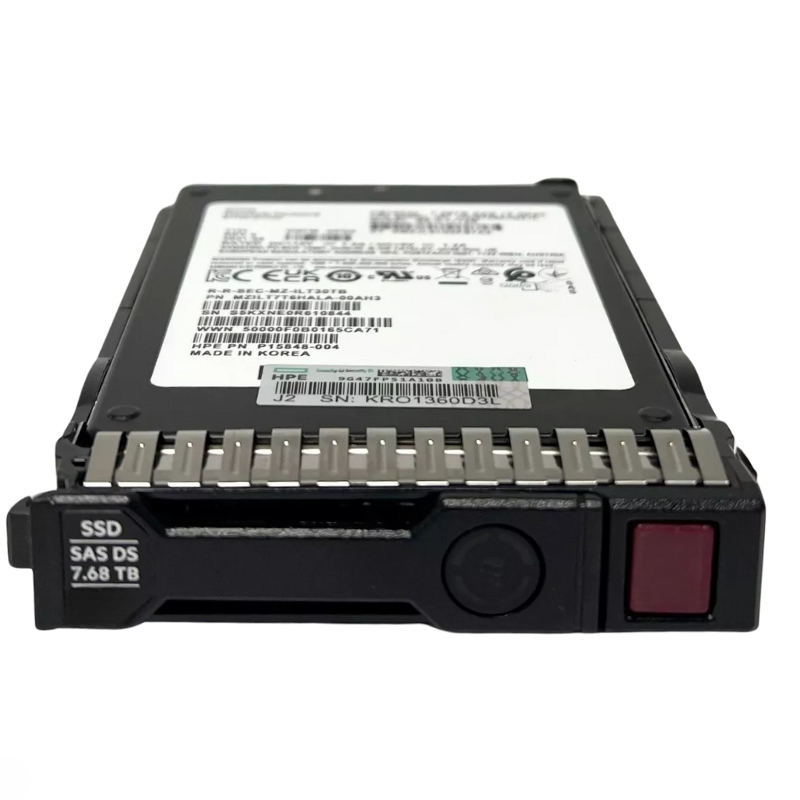


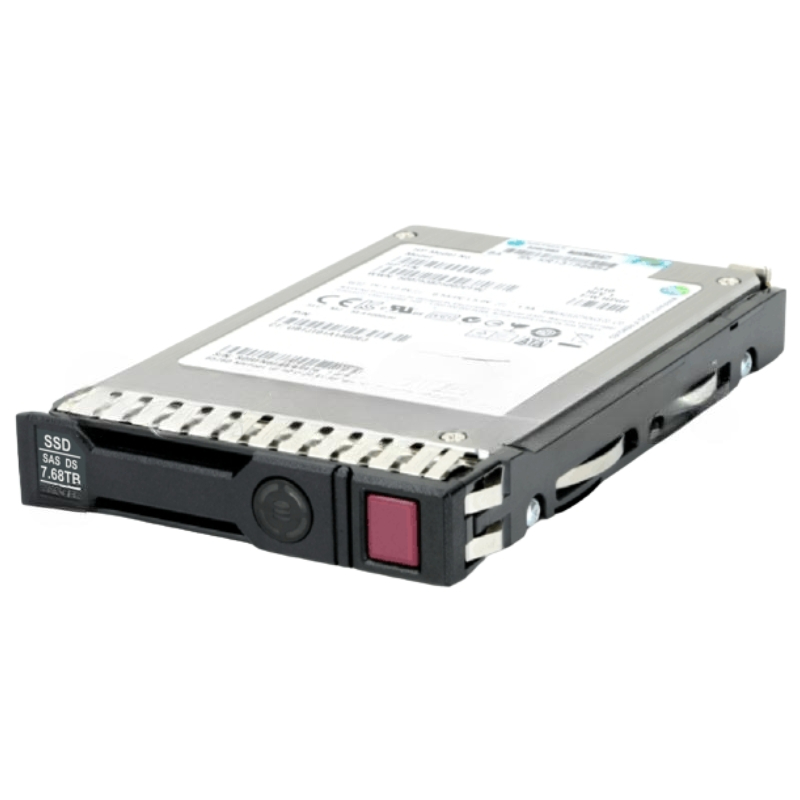
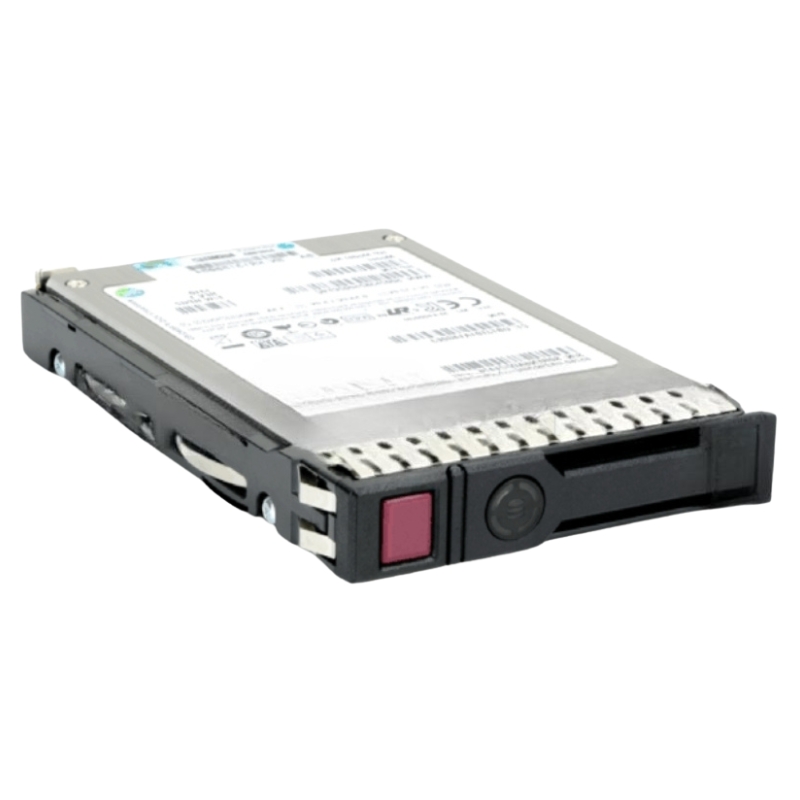
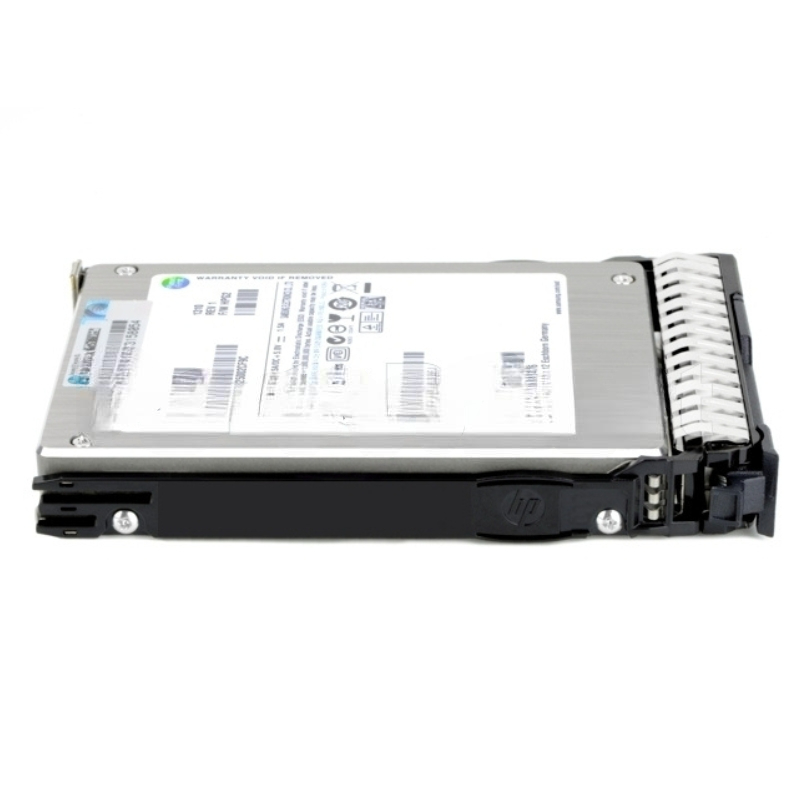
HPE P49039-B21 7.68TB SAS-12GBPS Read Intensive Sff SC Multi Vendor Hot Swap Digitally Signed SSD with Tray. Factory-Sealed New in Original Box (FSB) with 3 Years Warranty
| SKU/MPN | Warranty | Price | Condition | You save |
|---|---|---|---|---|
| P49039-B21 | 1 Year Warranty | $2,375.00 | Excellent Refurbished | You save: $831.25 (26%) |
| P49039-B21 | 1 Year Warranty | Contact us for a price | Factory-Sealed New in Original Box (FSB) |
The HPE P49039-B21 solid-state drive is a high-performance, enterprise-grade storage solution engineered for reliability, speed, and seamless integration with HPE ProLiant servers. Designed for read-intensive workloads, this digitally signed SSD ensures secure data handling and optimized efficiency.
Below are the essential technical specifics typically associated with the P49039-B21 class drives and how each impacts deployment decisions.
7.68TB capacity in a 2.5" SFF package strikes a practical balance between density and thermal/airflow considerations. For racks focused on maximizing usable storage while keeping drive bay footprint low, these drives allow high capacity per slot without the heat and power penalty of larger form factors. In virtualization clusters and storage arrays, mixing multiple 7.68TB drives in RAID configurations yields multi-TB usable volumes with fast read characteristics.
The SAS (Serial Attached SCSI) 12Gbps interface (SAS-3 generation) provides:
Enterprise reliability: SAS supports enhanced link management, error recovery, and robust protocol features such as TLR (Task Management), remove/reconnect semantics, and dual-port options on certain devices.
Throughput headroom: 12Gbps raw link speed ensures the drive can sustain high sequential reads and maintain IOPS during heavy workloads without becoming link-bound in most server environments.
Compatibility: SAS is widely supported in server backplanes and storage controllers used by HPE and many third-party vendors—reducing interface compatibility issues.
Read-intensive SSDs are characterized by firmware and overprovisioning tuned to prioritize read performance and provide predictable latencies under read-heavy access patterns. Endurance (TBW or DWPD) ratings will be lower than mixed-use or write-intensive models because the drive is optimized for workloads where writes are relatively infrequent. When planning deployments, match the endurance rating to your write workload (for example, if the environment performs frequent writes, a read-intensive drive may not be ideal).
Expect endurance values expressed in TBW (terabytes written) or DWPD (drive writes per day) tailored to read-dominant use cases—commonly sub-1 DWPD for many read-intensive enterprise SSDs. For archival or mostly static content, this is typically sufficient and more cost-effective than higher endurance SKUs.
Digital signing of firmware provides cryptographic assurance that the firmware image was produced and authorized by a vendor. For administrators this means:
Reduced risk of malicious firmware: Unauthorized firmware images are blocked, lowering exposure to firmware-level threats.
Predictable updates: Firmware updates must be verified and are often provided through vendor channels or certified multi-vendor utilities, simplifying validation steps for change control.
Compliance support: Organizations subject to strict change management and security standards can better demonstrate controls around firmware integrity.
A critical selling point for this category is multi-vendor compatibility. HPE-branded part numbers like P49039-B21 are frequently cross-referenced to models from other manufacturers certified to operate in HPE platforms. Multi-vendor interoperability reduces vendor lock-in, enables competitive pricing, and eases spare parts management across heterogeneous infrastructures.
When integrating these SSDs into an existing environment, check:
Backplane support: Ensure your server or enclosure backplane supports SAS 12Gbps and is compatible with 2.5" SFF trays.
Controller firmware: Storage controller firmware revisions can affect drive visibility, SMART reporting, and error handling—confirm certified firmware combinations listed by HPE.
Tray type: Drives are shipped with vendor-specific trays intended to fit HPE bays—verify that the tray latching, LEDs, and eject mechanism align with your server chassis to preserve hot-swap functionality and proper status reporting.
Always consult HPE compatibility matrices and vendor interoperability lists before large-scale rollouts. Certified combinations are tested for thermal behavior, backplane signaling, and firmware compatibility. For multi-vendor deployments, maintain a small test cluster to validate performance and management features (such as health telemetry and error reporting) before full production deployment.
Because these drives use digitally signed firmware, administrators should:
Use vendor-provided update tools or HPE Service Pack for ProLiant (SPP) where applicable.
Maintain a firmware baseline and change control records for compliance audits.
Test firmware updates in a staging environment to detect regressions in SMART metrics or compatibility with RAID controllers.
Understanding the performance profile of P49039-B21 style drives is essential for tiering, capacity planning, and SLA guarantees. Because these drives are read-optimized, focus on read IOPS, read latency, and sequential read throughput when sizing systems.
Read-intensive SSDs typically deliver very high random read IOPS and low read latencies (single-digit millisecond or microsecond range depending on workload and controller layer). When used behind enterprise RAID controllers, the effective IOPS and latency depend on controller queue depth, caching policies, and mixed workload characteristics. For predictable latency under concurrent workloads, pair drives with controllers that expose adequate queue depth and support NVMe/SAS translation optimizations where applicable.
Sequential read throughput is generally high thanks to both the SAS 12Gbps link and internal NAND parallelism. This makes the drives excellent choices for workloads involving large file reads, streaming analytics, or serving static content at scale.
To extract optimum performance:
Align block sizes: Match filesystem block allocation and the application IO pattern to avoid read amplification and to leverage the drive's internal architecture.
Use appropriate RAID levels: For read performance, RAID 10 often provides lower latency and better rebuild characteristics than RAID 6, though RAID 6 provides higher usable capacity—choose based on redundancy and performance tradeoffs.
Monitor SMART metrics: Early signs of degradation are often reported through SMART attributes—set up telemetry and alerting.
Overprovisioning: Use vendor recommendations for spare area to maintain steady performance and improve endurance under mixed workloads.
The hot-swap capability with included trays dramatically simplifies maintenance and reduces planned downtime. Drives in this category are typically designed to be removed and replaced while systems remain operational, provided the server and storage controllers are configured correctly.
Follow these best practices:
Confirm controller and OS support for hot removal before pulling a drive.
Use proper eject mechanisms and avoid forceful removal to protect the connector and backplane.
Allow the drive to fully spin down and the system to mark the drive as offline if required by your controller or RAID software.
Replace with an identically specified drive (capacity, SAS 12Gbps, firmware compatibility) to avoid rebuild complications.
Keep a small stock of spare drives of the same part number or cross-reference equivalents to ensure immediate replacement. Use automated spare assignment (hot spare configurations) in controllers to initiate rebuilds immediately after failure, reducing rebuild windows and exposure to secondary failures.
Enterprise SSDs in this category often include features and attributes that aid in meeting security and compliance obligations, though encryption and secure erase options may vary by vendor and firmware.
Digital signatures ensure firmware integrity and provide an audit trail for firmware provenance. In environments that require strong supply chain controls, digitally signed firmware is a critical factor in vendor selection.
While some models in similar categories include hardware encryption (SEDs), not every read-intensive drive ships with encryption enabled by default. When encryption is required, choose an SSD that explicitly supports TCG Opal or vendor SED implementations and ensure host controllers and management stacks can manage keys and perform secure erase operations in compliance with organizational policies.
Deciding where and how to place these drives in your storage hierarchy affects performance, resiliency, and rebuild time. Consider how they fit into caching tiers, front-end read caches, or as primary data stores for read-centric volumes.
For maximum read performance and fast rebuilds, RAID 10 is often recommended despite lower usable capacity versus RAID 6. RAID 6 provides greater capacity efficiency at the cost of more expensive rebuild I/O patterns. Evaluate the tradeoffs relative to your failure domain and rebuild time SLAs.
These SSDs make excellent read caching layers in hybrid arrays—serving hot reads while larger HDD tiers provide bulk capacity. When used as cache, ensure the caching software supports SAS devices and aligns caching policies with the read-intensive tuning of the drives.
Example: Configure drives as a dedicated read cache pool in front of spinning media. Use caching software that pins hot objects to the SSD layer and monitors hit ratios to validate SSD sizing. This accelerates read latency for frequently accessed datasets and improves user experience for content delivery systems.
Always obtain and retain vendor validation documents, firmware release notes, and compatibility certificates. Keep a change log for firmware updates and hardware swaps to help accelerate troubleshooting and warranty claims.


 Contact Us
 Information
 Catalog
 Solid State Drives (SSD)
 Network Switches
 Hard Disk Drives
 HBA & Controllers
 PC & Servers
 PC & Server Memory
 CPU & Processors
 Network Routers
 Power Supplies
 Tape Drives & Libraries
 Network Devices
 Computer & Network Cables