(7% discount is applied at checkout)
Cart is empty
Your go-to destination for cutting-edge server products
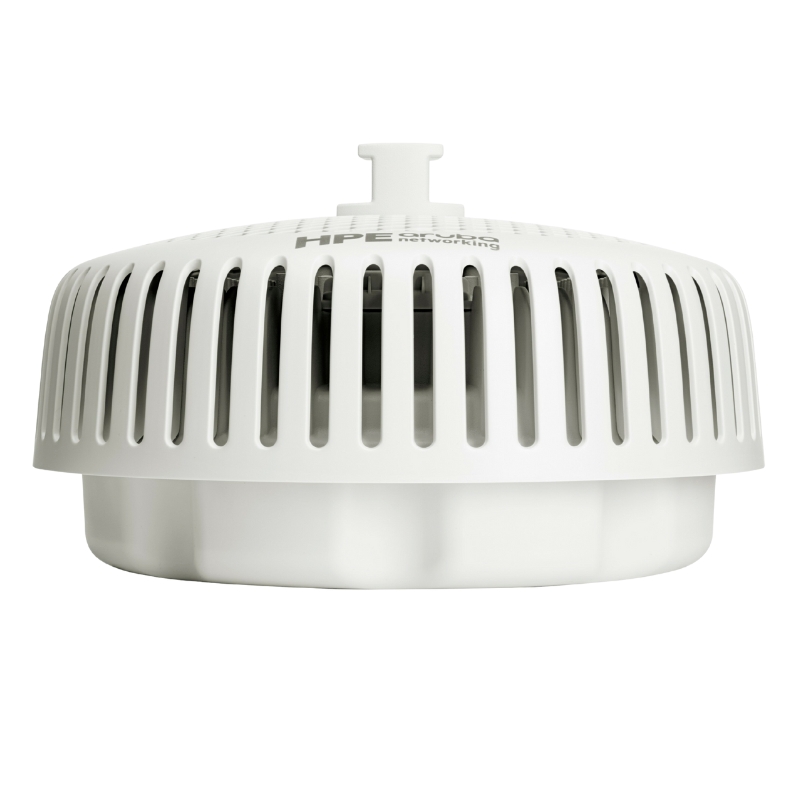


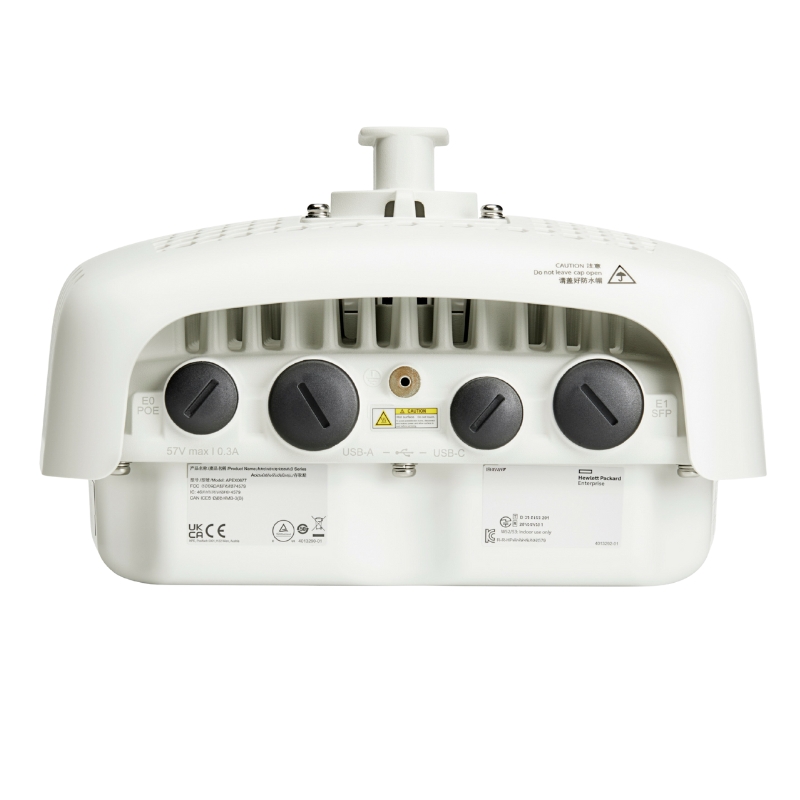
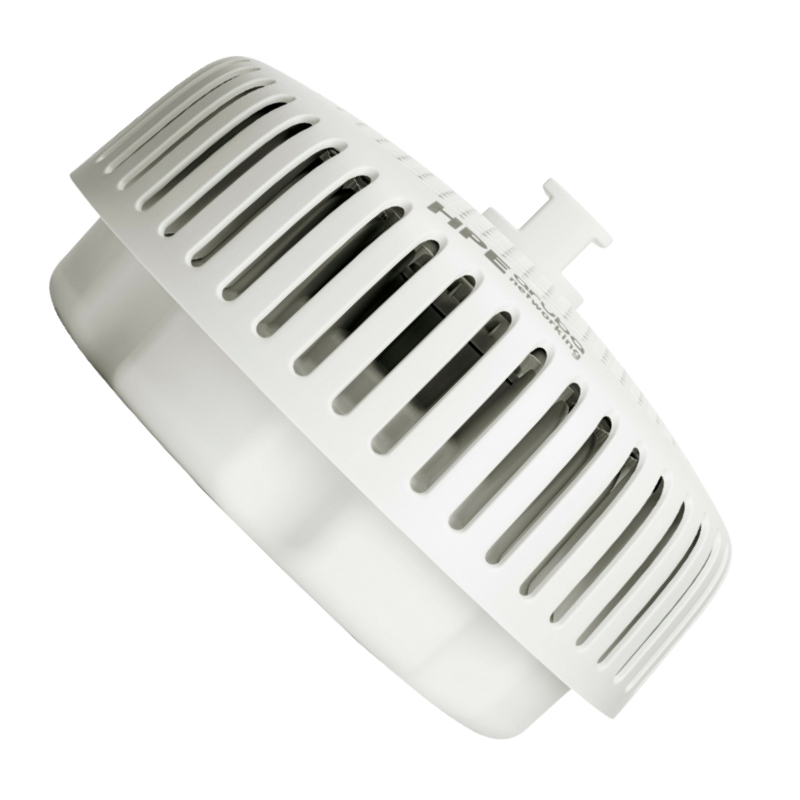
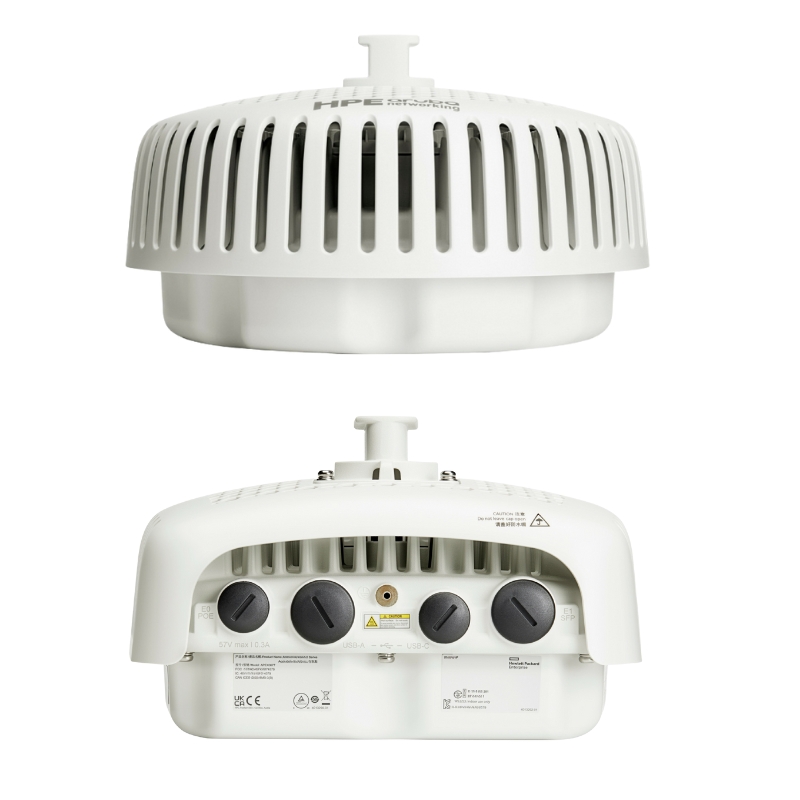
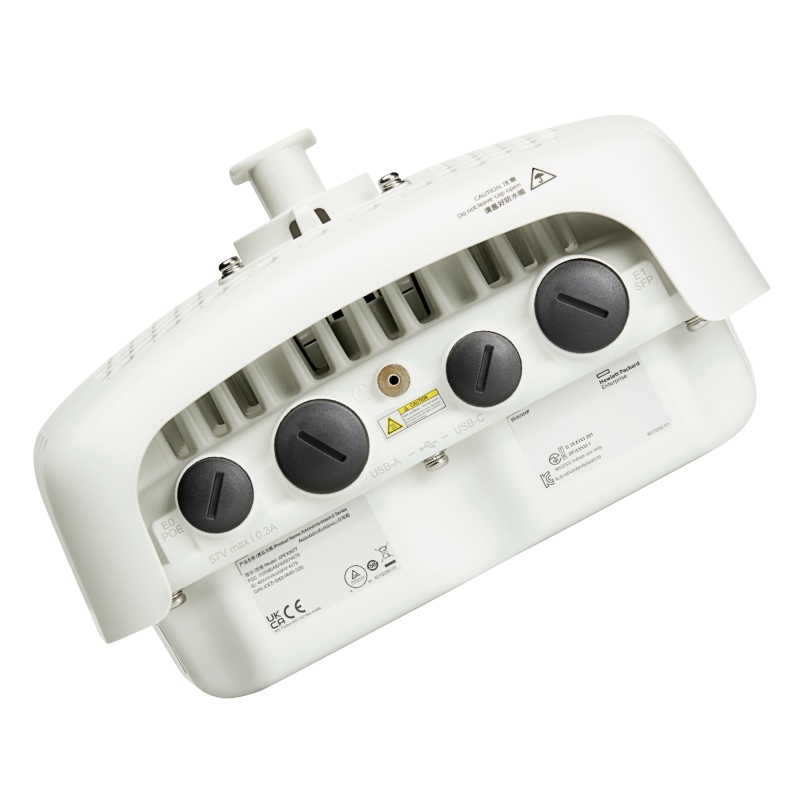
HPE S0P50-61001 Aruba Ap-675 (US) Tri Radio Wirless 2.5GBPS Directional Outdoor AP. Factory-Sealed New in Original Box (FSB) with 3 Years Warranty
The HPE S0P50-61001 Aruba Networking AP-675 (US) represents a significant leap forward in outdoor wireless infrastructure. Engineered for resilience and high performance, this tri-radio access point delivers robust Wi-Fi 6E connectivity, supporting the latest devices and applications in demanding external environments.
The HPE S0P50-61001 Aruba AP-675 (US) occupies a specialized category within outdoor enterprise Wi-Fi: tri-radio, 6 GHz-capable, directional access points engineered for high-density, high-interference, and long-reach scenarios. In this category description you’ll find practical guidance on where and why directional outdoor APs excel, how a tri-radio design improves real-world user experience, planning considerations for the U.S. regulatory domain, and what to expect in terms of installation, management, security, and lifecycle operations. The focus is on helping network architects, system integrators, and operations teams evaluate, deploy, and optimize this class of Aruba outdoor platform for business-critical connectivity.
Core Product Characteristics
This access point is architected for dedicated wireless functions and does not incorporate a general-purpose central processor. Its design focuses on optimized networking performance without the overhead of unnecessary processing hardware.
Boasts an IP66/67 ingress protection rating, certifying its resistance to dust and powerful water jets, making it ideal for deployment in harsh weather conditions.
Incorporates foundational security protocols directly within its hardware design, providing a secure baseline for network access from the moment of deployment.
Tri-radio outdoor APs in this category integrate three concurrent radios intended to serve clients across 2.4 GHz, 5 GHz, and 6 GHz bands, or to dedicate one radio to specialized tasks such as sensor functions, WIPS, or backhaul. The design goal is to increase usable spectrum and reduce contention, thereby lifting aggregate throughput and improving per-user experience under load. In many deployments, the third radio also enables intelligent band steering and policy-driven service allocation, so that legacy and modern clients coexist gracefully.
Where permitted and practical, the 6 GHz band is a standout for tri-radio outdoor APs. It offers wide channels and lower noise floors compared to 2.4 GHz and often 5 GHz. For point-in-time bursts—ticket scans at gates, mobile check-ins, outdoor collaborative learning—6 GHz provides headroom that keeps latency low and throughput consistent. While propagation characteristics at 6 GHz can be slightly more attenuative than 5 GHz, the directional antenna system helps counter this by concentrating energy in the intended coverage shape.
Enterprises rarely transition to 6 GHz overnight. This category of AP is engineered for a long coexistence period where 5 GHz remains the heavy lifter and 2.4 GHz supports specialized or legacy devices. Policy-driven band allocation allows you to harvest the best of each spectrum layer without leaving any user stranded.
Unlike omnidirectional outdoor APs that radiate broadly, the AP-675 class uses a directional pattern to focus energy into a defined sector. This approach improves SNR at the target area, mitigates bleed into adjacent spaces, and reduces unwanted associations from off-axis clients. It is especially effective when you need connectivity along a corridor, across a courtyard, down a pier, or across segmented stands.
Review the approximate horizontal and vertical beamwidths for planning (consult the latest datasheet for exact values). Place the AP so that the main lobe aligns with the intended user path, and adjust downtilt to land the strongest signal where devices are used. Use sidelobe behavior to your advantage by avoiding reflective surfaces and unnecessary overlaps with adjacent sectors.
This category emphasizes a multi-gigabit Ethernet uplink, commonly 2.5 GbE, to ensure the wired side is not the bottleneck. In dense outdoor deployments, aggregated client throughput can easily saturate 1 GbE, particularly when multiple wide channels are active across tri-radios. A 2.5 GbE uplink also gives headroom for growth as client capability advances.
For mission-critical sites, consider dual-homing to separate switches (where supported) or pairing the AP with a ruggedized aggregation switch that offers RSTP/MSTP and diverse fiber uplinks. Radio links can be policy-configured to shed nonessential SSIDs during failover events, preserving critical services first.
Directional outdoor APs like the AP-675 are designed for exposure to the elements. Typical characteristics of this category include weatherized enclosures, gaskets, and temperature ratings aimed at year-round service. When selecting for harsh environments, look for IP and NEMA style protections, wind survivability, and optional solar shields.
Implement a multi-layer protection scheme: grounded metal mounting, inline Ethernet surge arrestors, and properly spaced lightning rods where applicable. Maintain bonding continuity from the AP chassis to the site’s grounding system, keeping impedance low.
Modern outdoor enterprise APs enable robust security that mirrors indoor best practices. The AP-675 category aligns with WPA3 for strong cryptography and supports authentication frameworks that integrate with your identity and policy engines. Outdoor coverage does not mean reduced control—policies, segmentation, and monitoring extend seamlessly.
Tri-radio platforms can dedicate scanning resources to detect rogue APs, evil twin attempts, or deauthentication attacks. Policies can quarantine suspicious activity by shutting down switch ports, sending alerts, or triggering RF containment in compliance with local regulations.
Integrate device posture checks, MACsec on the uplink (where supported), and certificate-based onboarding to extend zero-trust concepts all the way to outdoor edges.
This category integrates with centralized orchestration for configuration, monitoring, and assurance. Whether using Aruba’s cloud platform or on-premises controllers, administrators can create uniform policies, push firmware, and visualize health in one place.
Field teams can install outdoor APs with minimal on-site configuration. On first boot, devices check in to the management plane, fetch their group assignments, and apply the appropriate WLAN templates. This reduces truck rolls and shortens deployment windows.
Directional tri-radio APs are most effective when combined with deliberate channel reuse, power control, and physical alignment. The following design patterns recur across successful deployments.
Divide large open spaces into sectors, each served by a directional AP with minimal overlap at the edges. Assign non-overlapping channels on 6 GHz first, then 5 GHz, and reserve 2.4 GHz for specific device classes. Calibrate EIRP to maintain a consistent edge-of-cell RSSI around −67 to −70 dBm for data and voice applications.
For gates and entrances with periodic surges, implement time-based or event-triggered policies that temporarily steer capable devices to 6 GHz, enable additional SSIDs, or raise minimum basic rates to increase airtime efficiency, then revert to baseline after the surge.
Aggregate multiple directional APs on a hardened edge switch with multi-gig access. Place the switch in a weatherproof cabinet, provide adequate ventilation or passive cooling, and feed diverse fiber uplinks back to the core. Use LACP where appropriate and ensure spanning tree parameters prefer intended topologies.
APs in the (US) regulatory domain must comply with FCC rules for transmit power, channels, and 6 GHz AFC or standard-power requirements (where applicable). While specifics vary by band and power class, the key takeaway is to design within permitted EIRP and DFS behavior and to keep accurate records of azimuth, tilt, and antenna gains used in the field.
Directional tri-radio APs are deployed to achieve predictable, high-quality outcomes. Establish KPIs tailored to your use cases and track them over time.
Raise minimum basic rates on 2.4/5 GHz to discourage slow clients, enable load balancing across radios, and use band steering to place modern clients on 6 GHz. Limit broadcast/multicast where feasible, and cache common services close to the edge to reduce chattiness.
Directional outdoor APs benefit from a robust accessory set to tailor installations to the environment.
Pre-label mounts, glands, and cables per sector, and record azimuth/downtilt on install sheets for faster future maintenance. Store spare gaskets and fasteners; outdoor hardware is easy to drop or misplace during elevated work.
Confirm that RF profiles and power settings match the outdoor template. Review recent policy pushes that might have changed min basic rates or band steering thresholds. Use historical analytics to correlate user complaints with spectrum scans and weather data.
Capacity planning is equal parts math and field validation. Start with client counts, device capabilities, and application profiles, then translate those into airtime and channel requirements.
Build a predictive model with conservative SNR targets, then verify with active surveys using representative devices. Adjust channel widths and power to maintain consistent performance at the edges of each sector without over-covering neighboring areas.
Beyond laptops and smartphones, outdoor APs support scanners, sensors, digital signage, and telemetry gateways. Directional coverage focuses these endpoints within known perimeters, which helps with security and policy enforcement.
Efficient outdoor networks conserve power and reduce operational costs. Directional patterns minimize wasted RF energy, while modern chipsets leverage TWT and scheduler efficiencies to reduce airtime contention—indirectly lowering energy per bit delivered.
While directional tri-radio outdoor APs are premium components, they often reduce total cost of ownership by cutting the number of units required for a given corridor or perimeter and lowering support tickets through improved reliability. Their 2.5 GbE uplink postpones switch refresh cycles by extracting more life from existing multi-gig edge gear.
When the requirement reads “tri-radio, directional, outdoor, 2.5 Gbps uplink,” the short list is clear—but still verify the details against your environment and compliance needs.
The (US) suffix indicates the regulatory domain for channel and power constraints. Always source region-appropriate models to ensure compliance and to unlock the full set of permitted channels and features. The S0P50-61001 identifier aids procurement and lifecycle tracking—use it consistently across BOMs, asset systems, and service tickets.
Many organizations still operate mixed estates. The directional AP-675 category is an effective bridge, enabling gradual client migration to 6 GHz while sustaining legacy performance on 5 GHz and 2.4 GHz.
After go-live, consistent operations keep outdoor sectors healthy. The more intentional your documentation, the easier it is to isolate anomalies when they appear.
Twice a year, survey sectors after foliage changes and weather cycles. Realign where necessary and revisit channel reuse if neighboring RF activity has shifted.
Bind roles to device identity and posture. For contractors operating outdoors, time-bounded access with device registration reduces risk and supports audit readiness.
For remote sites, pair the outdoor Wi-Fi edge with SD-WAN gateways that provide application-aware steering and WAN redundancy. This ensures that critical outdoor workflows continue even when WAN paths fluctuate.
Use directional tri-radio APs to extend Wi-Fi toward bus loops, stadium entrances, and outdoor study areas. Enforce student and guest roles with time-of-day policies. During events, temporarily dedicate 6 GHz capacity to media and operations staff.
Outdoor coverage supports patient transport, ambulance bays, and mobile carts moving between buildings. Segment clinical devices with strict QoS and use per-device PSKs where certificate onboarding isn’t feasible on specialized equipment.
Directional patterns reduce bleed into adjacent businesses while ensuring low-latency for POS tablets and loyalty app check-ins. Use application prioritization for transaction flows during meal rushes.
Cover loading docks and yard lanes where forklifts and scanners operate. Ensure antennas are aligned along travel paths and revisit aiming if racking or container stacks change seasonally.
As the coverage perimeter expands, sectorization scales linearly: add more directional APs with planned channel reuse. For extremely large sites, group sectors into zones with their own channel pools to minimize inter-zone interference. Edge switching aggregates each zone with multi-gig access and diverse uplinks.
Maintain a small stock of spare directional APs, brackets, and surge modules onsite or at a nearby depot. Outdoor incidents—impact damage, lightning, extreme weather—are rare but non-zero. Having spares on hand shortens MTTR dramatically. Keep imaging scripts or ZTP profiles ready so spares adopt the correct configuration immediately.
Mount APs on structural columns with 5–10° downtilt, align azimuths along queue paths, and assign non-contiguous channels to adjacent gates. Enable temporary event policies that increase min data rates and direct capable devices to 6 GHz during ingress peaks.
Use staggered sectors every 150–250 ft depending on materials and line-of-sight. Prioritize 5 GHz/6 GHz for rider devices and push telemetry sensors to 2.4 GHz. Maintain signage or barriers that discourage clients from congregating in the null areas between sectors.
Aim sectors down truck lanes; adjust tilt seasonally if stacked inventory changes RF line-of-sight. Reserve a dedicated SSID for scanners with strict QoS and roaming thresholds so transaction latency stays predictable.
After initial optimization, shift to continuous improvement. Revisit KPIs quarterly, rotate predictive models with fresh client analytics, and collect targeted user feedback during known peak intervals. Use data to justify incremental changes—e.g., narrowing channel width for improved reuse or redistributing SSIDs between radios as the 6 GHz cohort grows.
The HPE S0P50-61001 Aruba AP-675 (US) category—tri-radio, directional, 2.5 GbE outdoor—exists to solve hard problems: congested perimeters, long linear coverage, and mixed-client estates that must perform in all weather. By embracing sectorization, careful aiming, thoughtful band allocation, and disciplined operations, teams deploy fewer APs with better user experience and a cleaner RF footprint. Use the planning guidance, checklists, and patterns above as a blueprint to execute with confidence—today and as your outdoor requirements evolve.


 Contact Us
 Information
 Catalog
 Solid State Drives (SSD)
 Network Switches
 Hard Disk Drives
 HBA & Controllers
 PC & Servers
 PC & Server Memory
 CPU & Processors
 Network Routers
 Power Supplies
 Tape Drives & Libraries
 Network Devices
 Computer & Network Cables