(7% discount is applied at checkout)
Cart is empty
Your go-to destination for cutting-edge server products
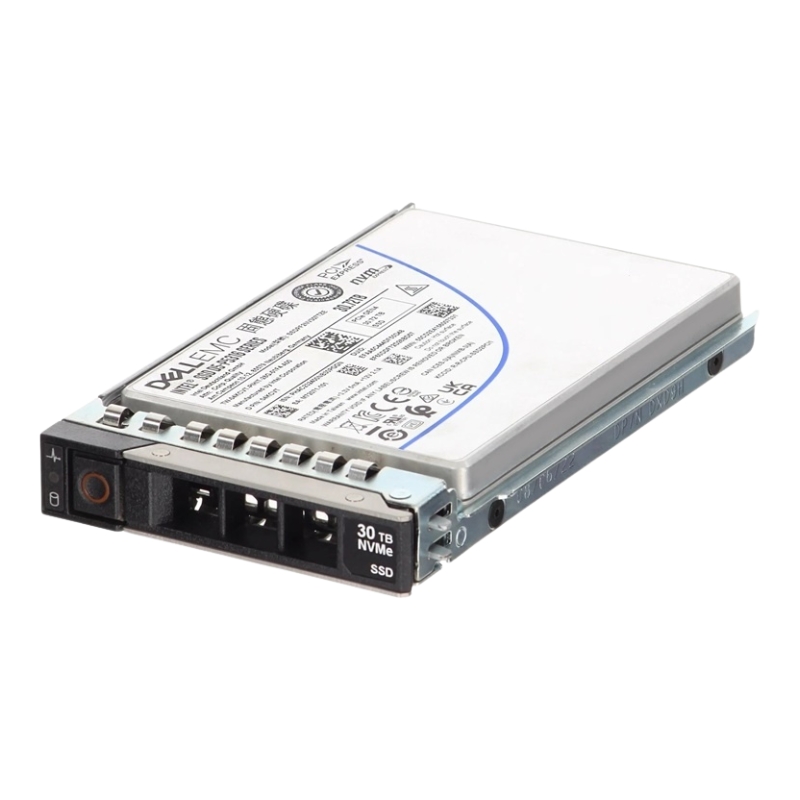


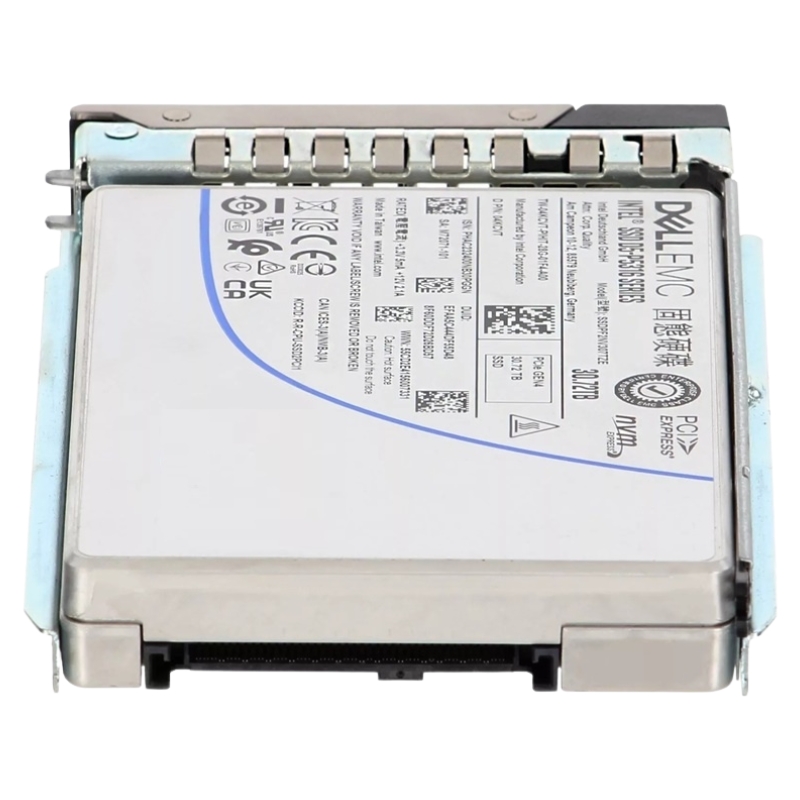
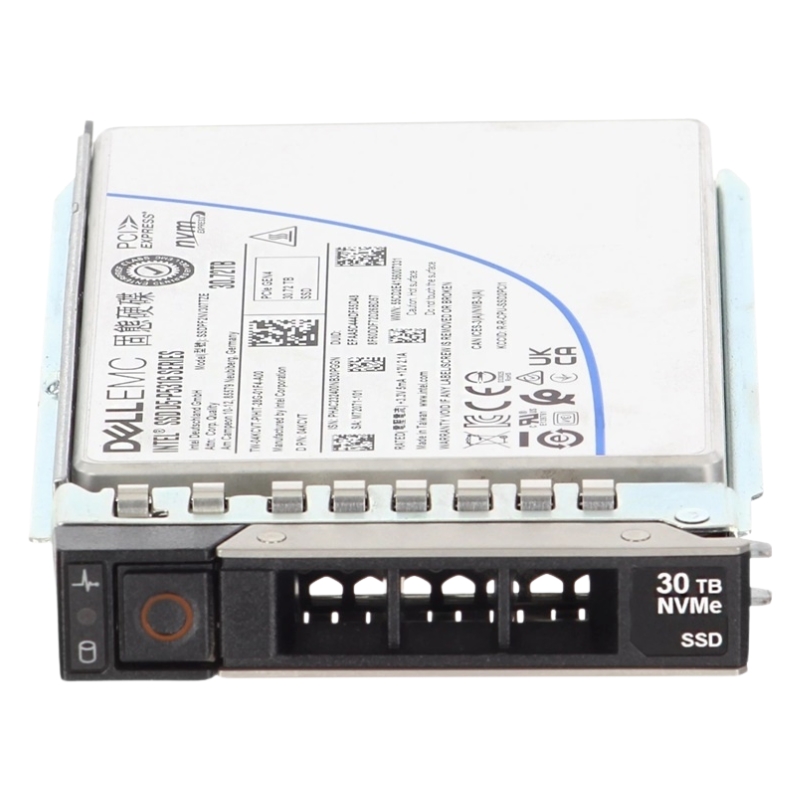
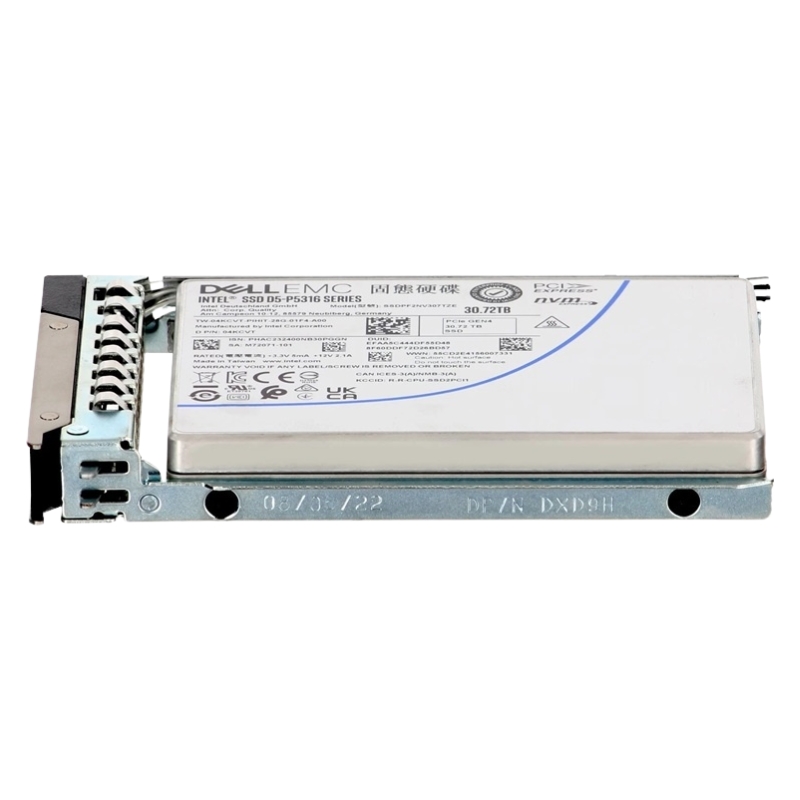
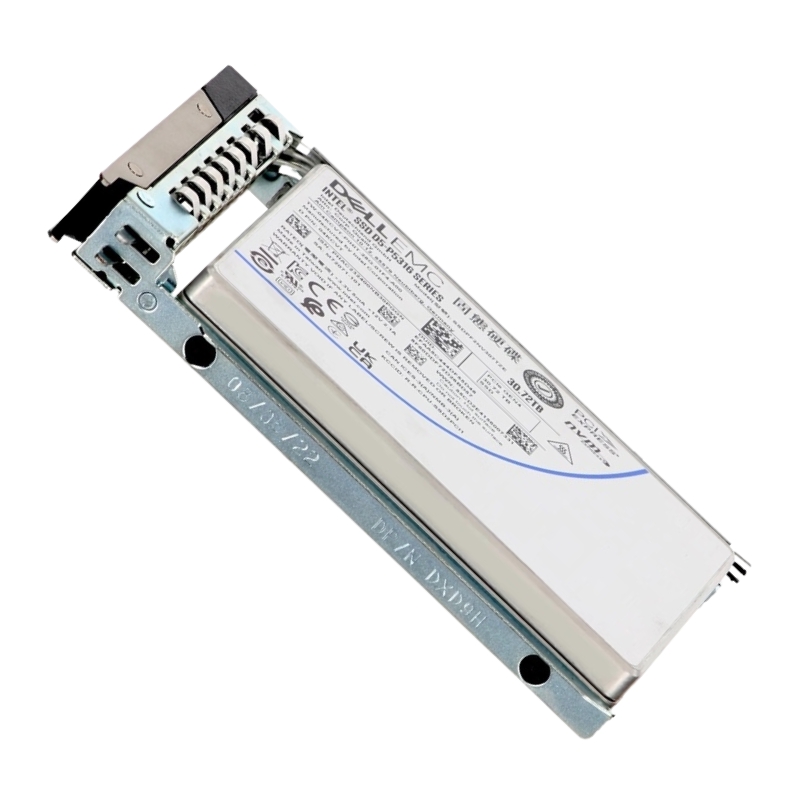
Dell 345-BGQG 30.72TB PCIE Gen4 4.0 X4 NVMe U.2 2.5 Inch Enterprise Class QLC 3d Nand Solid State Drive. New Sealed in Box (NIB) with 1 Year Warranty
The Dell 345-BGQG 30.72TB PCIe Gen4 x4 NVMe U.2 2.5-inch solid state drive represents a class of high-capacity, cost-optimized enterprise storage designed for modern Dell PowerEdge 14g, 15g, 16g and 17g server platforms. Built on QLC 3D NAND and leveraging the high-bandwidth, low-latency PCIe Gen4 NVMe interface in a U.2 form factor, this drive is engineered to deliver massive raw capacity in a small 2.5-inch SFF footprint while enabling organizations to consolidate datasets, scale storage density in dense arrays, and lower cost-per-terabyte for read-dominant workloads. The design intent of this category is to provide a practical balance between raw capacity and enterprise-grade features — including hot-plug compatibility, server tray support, and integration with Dell firmware and management tools — so system administrators can deploy high-density storage without redesigning their infrastructure or sacrificing manageability.
QLC (Quad-Level Cell) 3D NAND allows four bits to be stored per cell, which dramatically increases die density and reduces cost per gigabyte compared with TLC and SLC alternatives. For enterprises focused on deep capacity tiers, archival hot storage, large-scale content repositories, backup staging, and cold-to-warm data sets, QLC is a cost-effective medium. While QLC naturally trades some write endurance and raw sustained write performance compared with higher-end NAND types, modern drive controllers, firmware-level optimizations and overprovisioning strategies mitigate these limitations sufficiently for many real-world server workloads. In particular, the 30.72TB U.2 NVMe drive is well suited to read-intensive and mixed workloads where the predominant activity is reading, serving, or indexing large data volumes. This makes the device an excellent fit for object storage nodes, media streaming servers, large search indices, analytics datasets that are infrequently updated, and consolidated virtual machine image stores where capacity density matters more than sustained heavy write endurance.
The PCIe Gen4 x4 NVMe interface doubles the per-lane bandwidth of Gen3, enabling much higher sequential and random throughput for compatible host platforms. When coupled with a U.2 2.5-inch small form factor and enterprise-grade controller, the drive can deliver significantly reduced I/O latency and improved queue handling compared with SATA alternatives. The U.2 connector preserves hot-plug capability and mechanical compatibility with Dell PowerEdge hot-swap bays and trays, enabling seamless replacement, maintenance, and high-availability configurations commonly used in data center operations. For organizations running Dell PowerEdge 14g through 17g generations, this drive category is engineered to provide plug-and-play integration with chassis backplanes, RAID controllers that support NVMe passthrough or NVMe-aware fabrics, and Dell OpenManage for telemetry and health monitoring. Because Gen4 requires platform-level support to realize its full bandwidth, deploying these drives in Gen4-capable CPUs and motherboards ensures the highest performance; however, backward compatibility to Gen3 may be provided by some controllers, allowing the drives to function in legacy systems albeit at reduced throughput.
Choosing a 30.72TB QLC NVMe drive is a strategic decision based on workload profile, capacity planning, and total cost of ownership (TCO). This category is ideal where capacity density per rack, power and space efficiency, and a low cost per terabyte are top priorities. Examples include archival layers for active archives, content delivery caches with large object sets, large-scale databases that primarily read historical records, analytic staging where cold data is periodically scanned, and certain virtualization density scenarios where many read-heavy VM images coexist. Organizations that require frequent sustained heavy writes, constant high write throughput or workloads with extreme endurance requirements may opt for higher endurance TLC or enterprise-grade SLC/MLC alternatives; however, when used with appropriate write-optimization practices — such as write buffering, caching tiers, and staggered IO patterns — QLC NVMe drives can deliver excellent value while confidently handling typical enterprise read-intense tasks.
One of the most tangible advantages of 30.72TB U.2 drives is the dramatic increase in usable capacity per U space in server chassis and storage arrays. High-density NVMe shelves populated with QLC U.2 drives enable organizations to store petabytes within a compact physical footprint, reducing real estate and power costs compared with large numbers of lower-capacity drives. This density also simplifies architecture: fewer drives to manage, lower cumulative power draw when compared with spinning disk arrays of equivalent capacity, and simplified cooling designs when deployed in optimized Dell server configurations with proper airflow and thermal management.
Although QLC targets cost-efficiency, enterprise-class NVMe drives such as the Dell 345-BGQG typically include a set of features tailored for data center operation. These include robust firmware for error correction and wear leveling, power-loss protection mechanisms, telemetry support for SMART and NVMe namespace health indicators, secure erase capabilities, and integration with vendor management suites. For Dell PowerEdge servers, management integration is a key differentiator: drives that support Dell firmware, health reporting, and diagnostics provide seamless visibility through OpenManage and server management stacks, allowing system administrators to monitor utilization, temperature trends, spare capacity, bad block counts, and predictive replacement alerts. This manageability reduces the risk of unscheduled downtime and helps plan capacity growth with accurate, drive-level metrics.
Data protection and integrity are central to enterprise storage design. While the specific security capabilities of any given drive model can vary, enterprise NVMe drives commonly implement features such as cryptographic secure erase, AES-based encryption engines, hardware-assisted secure key storage, and support for namespace management that allows logical isolation of datasets. Error correction algorithms, end-to-end data path protection, and firmware-level background scrubbing help maintain data integrity over the lifespan of the device. In regulated or security-sensitive environments, the ability to perform secure decommissioning and rapid cryptographic erase reduces the risk of data remanence when drives are redeployed or retired. It is recommended to consult Dell's technical documentation for explicit feature sets and to ensure alignment with corporate security policies and compliance mandates.
Enterprise drives are only as reliable as their firmware and the vendor’s support model. The category of Dell 345-BGQG-class drives typically benefits from Dell’s firmware update channels and compatibility testing with PowerEdge platforms. Regularly applying certified firmware updates preserves performance, addresses edge-case bugs, and can introduce enhancements to wear-leveling or error handling. Enterprises should maintain a firmware update policy that balances stability with the need for critical fixes: testing in a staging environment before fleet-wide deployment reduces risk. Dell’s support contracts and compatibility matrices should be reviewed so that drives remain within supported configurations, ensuring warranty coverage and vendor assistance when issues arise.
QLC NVMe drives offer very attractive sequential read throughput and good random read IOPS due to the NVMe protocol and the parallelism of modern controllers. Write performance can be more variable because QLC cells typically require complex program/erase cycles; however, intelligent controllers use SLC/TLC caching layers, dynamic overprovisioning, and host-aware firmware to sustain performance under typical enterprise loads. In practice, read-dominant workloads will see the most benefit: large sequential reads for media streaming, content distribution, and bulk retrieval workflows will leverage the drive’s bandwidth efficiently. Random read-heavy operations, such as database lookups and metadata-heavy file systems, will also observe low latency and high IOPS compared with SATA HDD alternatives.
Writable endurance for QLC is lower than for TLC or SLC. To maximize the useful life of drives in this category, architects should design complementary strategies: place QLC drives in tiers where write amplification is minimized; use them as capacity tiers behind caching layers (DRAM or high-endurance NVMe cache drives) to absorb writes; implement application-level batching and write coalescing; and monitor host-side metrics to detect heavy-write workloads. Overprovisioning increases available spare area and extends endurance; many enterprise drives reserve a portion of capacity to ensure sustained performance and longevity. Administrators should also configure appropriate RAID or erasure coding schemes that consider rebuild duration and write amplification, since rebuilding large capacity drives can place short-term stress on the replacement drive and the array as a whole.
High-capacity NVMe drives can generate heat under heavy I/O. The U.2 2.5-inch form factor typically benefits from direct airflow in server bays and additional heat-sink designs on drive trays. Dell PowerEdge servers are engineered with optimized airflow channels; however, when densely populating bays with multiple high-capacity NVMe drives, it is essential to verify thermal profiles and ensure ambient conditions remain within recommended thresholds. Excess heat can lead to thermal throttling, which reduces sustained performance; conversely, well-cooled drives will maintain higher throughput for longer periods. Power consumption is generally lower than equivalent-capacity hard disk arrays but may be higher than certain lower-capacity NVMe drives; monitoring actual power usage and incorporating power budgeting into rack design preserves energy efficiency at scale.
This drive category is especially valuable for use cases that prioritize capacity density and read performance. Large-scale content repositories, media asset management systems, video-on-demand caches, object storage nodes for cold-to-warm data, and read-mostly analytics stores are primary examples. Additionally, backup staging where backup windows are read-intensive, and virtual machine image libraries for large-scale desktop virtualization or cloud images, can derive cost and space efficiencies from QLC NVMe. In hyperconverged and scale-out architectures where storage nodes are scaled horizontally, these drives help lower the per-node infrastructure footprint while providing a predictable, affordable tier for non-write-dominant data.
Effective architectures combine high-density QLC capacity tiers with higher-end TLC or SLC-based caching layers. A common pattern uses a small pool of high-endurance NVMe drives as a write/log or cache tier and a larger pool of QLC drives for long-term storage and capacity. Data that requires rapid ingestion or frequent modification remains on the cache tier; once stabilized, data migrates to the QLC tier for economical storage. Automated tiering, data lifecycle policies, and transparent caching enable this pattern without significant application changes. For organizations using object storage or distributed file systems, QLC drives can be assigned to nodes that serve as capacity-focused replication targets, while write-heavy nodes use higher-endurance media.
Dell PowerEdge servers from 14g through 17g generations encompass a wide range of platforms with NVMe-capable architectures, backplane designs and management integrations. The 345-BGQG category is positioned to be compatible with these platforms when the server’s backplane, RAID controller or NVMe adapter, and firmware support U.2 NVMe devices. System integrators and administrators should consult Dell compatibility lists and BIOS/firmware guidance to confirm support for specific model-year servers and chassis options. When correctly validated, the drive’s hot-plug capability, tray form factor and firmware interoperability enable straightforward maintenance and drive replacement workflows that align with enterprise uptime objectives.
Best practices for deploying 30.72TB QLC NVMe drives include pre-deployment testing, staged firmware upgrades, continuous health monitoring, and thoughtful capacity planning. Pre-deployment testing in a representative environment validates expected performance, rebuild characteristics, and thermal behavior. Firmware updates should be applied using vendor-recommended procedures and ideally within maintenance windows after validation. Monitoring tools such as Dell OpenManage or NVMe management utilities should be configured to collect SMART and telemetry metrics, which help predict failures and inform replacement schedules. Capacity planning must account for usable capacity after RAID or erasure coding overhead, and for the reserved overprovisioning area that supports sustained performance.
Enterprise operators should adopt replacement policies that consider the drive’s expected workload and observed wear metrics. Predictive replacement using telemetry is preferred to reactive replacement after failure. When replacing a drive in an array, ensure rebuild procedures match vendor guidance, as rebuilding very large-capacity drives can take extended time and stress other components; staggered rebuilds and adequate spare capacity in the array can help reduce rebuild impact. Maintain records of firmware versions, serial numbers, and lifecycle events to facilitate support interactions and warranty claims if necessary.
Configuring RAID or erasure coding with large-capacity NVMe drives requires attention to rebuild windows and the possibility of latent sector errors. Choosing the right redundancy level, such as RAID6 or erasure codes with higher fault tolerance, reduces the risk of data loss during rebuilds but impacts usable capacity. Assess the trade-offs between rebuild time, redundancy overhead, and performance impact to determine the appropriate protection for your environment. Modern distributed storage systems may prefer erasure coding across nodes rather than relying solely on traditional RAID to mitigate rebuild risks associated with very large drives.


 Contact Us
 Information
 Catalog
 Solid State Drives (SSD)
 Network Switches
 Hard Disk Drives
 HBA & Controllers
 PC & Servers
 PC & Server Memory
 CPU & Processors
 Network Routers
 Power Supplies
 Tape Drives & Libraries
 Network Devices
 Computer & Network Cables