Your go-to destination for cutting-edge server products
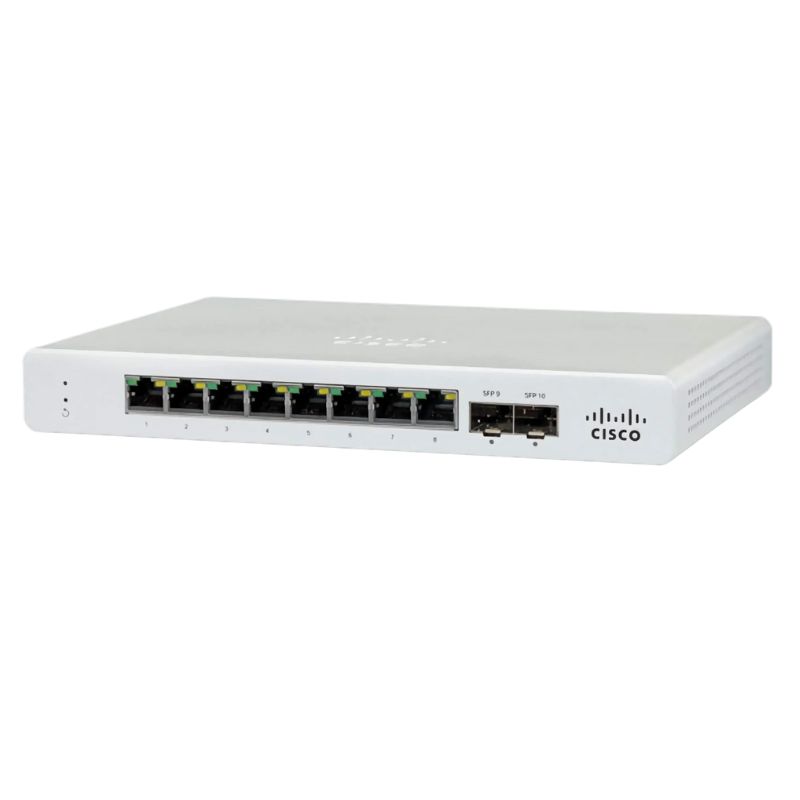
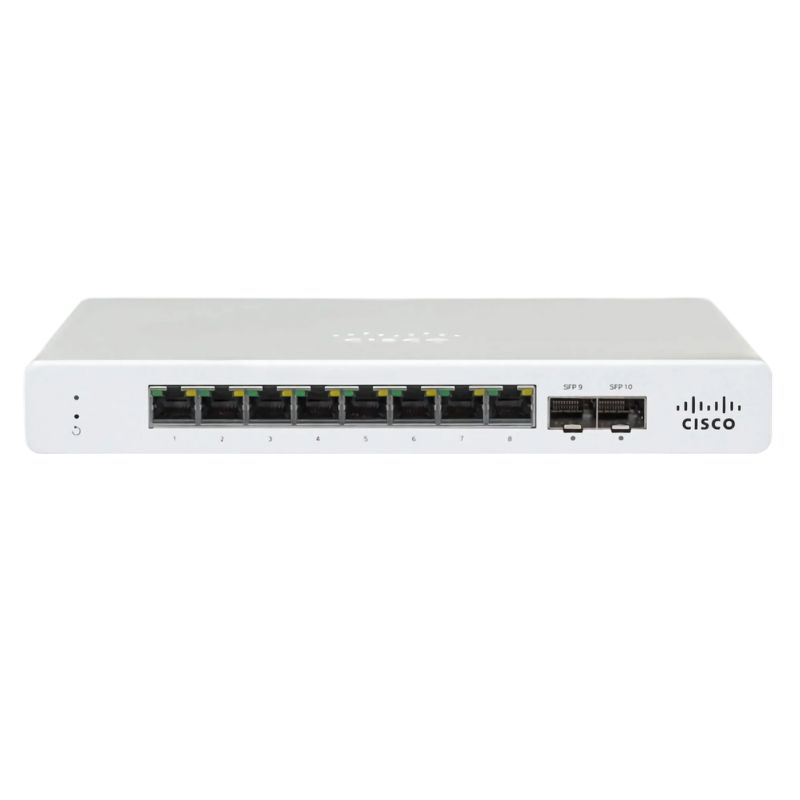
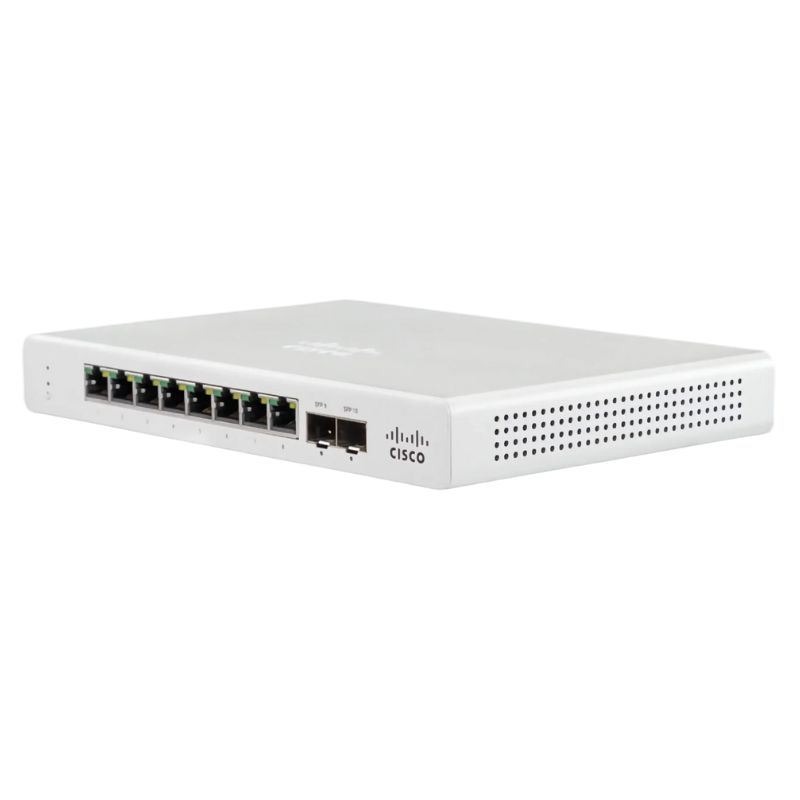
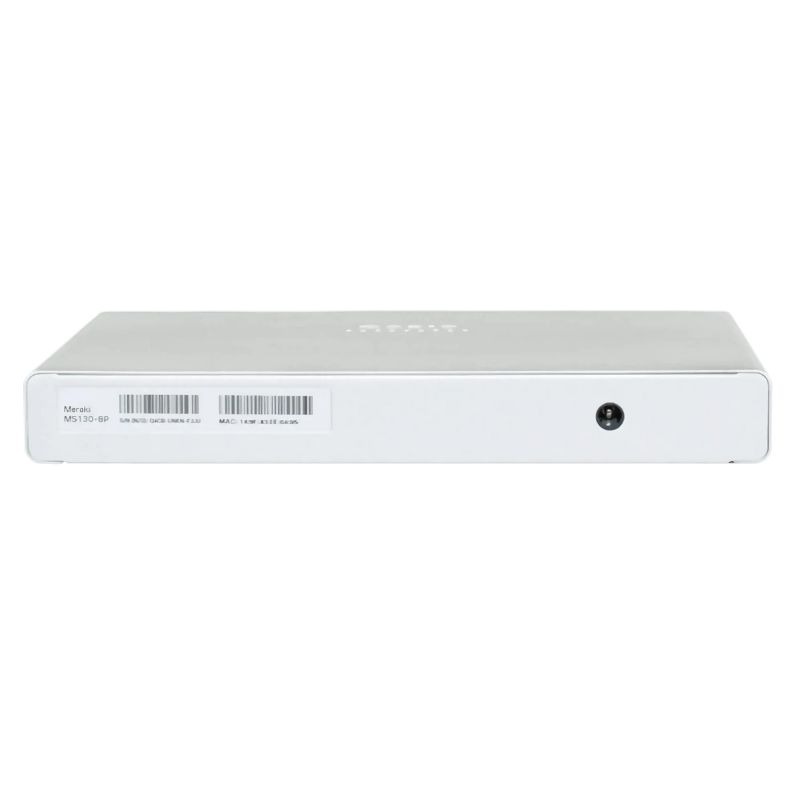
Cisco MS130-8P-I-HW Meraki 8 Ports Managed Switch.

MS130-8P-I-HW
* Product may have slight variations vs. image
Hover on image to enlarge

Brief Overview of MS130-8P-I-HW

Cisco MS130-8P-I-HW Meraki 8 Ports 10/100/1000 (poe+) + 2 Ports Gigabit SFP Managed Switch. Factory-Sealed New in Original Box (FSB) with 1 year replacement warranty

Contact us for a price
Ask a question

Additional 7% discount at checkout

SKU/MPNMS130-8P-I-HWAvailability✅ In StockProcessing TimeUsually ships same day ManufacturerCisco Product/Item ConditionFactory-Sealed New in Original Box (FSB) ServerOrbit Replacement Warranty1 Year Warranty
Google Top Quality Store Customer Reviews
Our Advantages
Payment Options
  • — Visa, MasterCard, Discover, and Amex
  • — JCB, Diners Club, UnionPay
  • — PayPal, ACH/Bank Transfer (11% Off)
  • — Apple Pay, Amazon Pay, Google Pay
  • — Buy Now, Pay Later - Affirm, Afterpay
  • — GOV/EDU/Institutions PO's Accepted 
  • — Invoices
Delivery
  • — Deliver Anywhere
  • — Express Delivery in the USA and Worldwide
  • — Ship to -APO -FPO
  • For USA - Free Ground Shipping
  • — Worldwide - from $30
Description

Cisco MS130-8P-I-HW Meraki 8-Port PoE+ Managed Switch with Dual SFP Uplinks

The Cisco MS130-8P-I-HW is a compact, cloud-managed Gigabit Ethernet switch designed for small offices, retail floors, classrooms, branch sites, and remote cabinets where silent operation, simplified management, and dependable performance are essential. With eight 10/100/1000 RJ-45 interfaces supporting PoE+ and two dedicated 1G SFP uplink bays, this fanless model balances power efficiency with enterprise-grade features such as VLANs, ACLs, DHCP snooping, and automated firmware updates.

  • Model: Cisco Meraki MS130-8P-I-HW (SKU: MS130-8P-I-HW)
  • Type: Managed Layer 2 switch, 8 x Gigabit PoE+ access + 2 x 1G SFP uplinks
  • Mounting: Desktop or wall-mountable, ultra-quiet fanless chassis
  • PoE Budget: 120 W total PoE+, compliant with IEEE 802.3af/at
  • Fabric: 20 Gbps switching capacity
  • Cloud: Meraki Dashboard management with automated updates and remote visibility
  • Monitoring: Status indicators for power, link/activity, and system state

Why This 8-Port PoE+ Switch Excels in Modern Edge Networks

Edge networks demand easy deployment, quiet operation, and enough PoE budget to power phones, Wi-Fi access points, cameras, and IoT sensors. The MS130-8P-I-HW delivers on all three fronts. Its 120 W PoE+ budget covers several 802.3at devices simultaneously, while two SFP uplinks offer clean backhaul to distribution or core switches. Cloud-based controls reduce onsite visits and streamline troubleshooting, making it ideal for distributed environments.

Key Advantages at a Glance

  • All-Gigabit Access: Eight 10/100/1000 RJ-45 ports ensure high-speed connectivity for endpoints.
  • PoE+ on Every Port: Deliver up to 30 W per port (budget permitting) to power APs, IP phones, and cameras.
  • Two 1G SFP Uplinks: Fiber or copper SFPs provide flexible aggregation and distance options.
  • Silent, Fanless Design: Perfect for desktops, meeting rooms, reception areas, and classrooms.
  • Cloud-First Management: Zero-touch provisioning, remote diagnostics, and automatic firmware updates.
  • Security Built-In: ACLs, 802.1X, DHCP snooping, and VLAN segmentation harden your edge.
  • Standards-Compliant: IEEE 802.3af/at PoE+, 802.1Q VLAN tagging, and 802.1X port authentication.

Primary Technical Specifications

Interfaces & Expansion

  • 8 × 1000BASE-T RJ-45 PoE+ access ports
  • 2 × 1000BASE-X SFP uplink slots

Power & Electrical

  • PoE+ Budget: 120 W total across PoE ports
  • Input/PSU: Internal power supply
  • Voltage: DC 54 V
  • Current: 3.7 A (required)
  • Standby Consumption: ~8 W

Performance & Control

  • Switching Capacity: 20 Gbps
  • Remote Protocols: SNMP, Syslog
  • Cloud Features: Auto firmware updates, centralized configuration, remote troubleshooting

Chassis & Indicators

  • Form Factor: Desktop or wall-mountable
  • Cooling: Fanless (silent operation)
  • LEDs: Power, Link/Activity, System status

Standards & Compliance

  • IEEE 802.3af PoE
  • IEEE 802.3at PoE+
  • IEEE 802.1Q VLAN tagging
  • IEEE 802.1X port-based network access control

Use Cases That Benefit Most from the MS130-8P-I-HW

  • Retail & Hospitality: Power Wi-Fi APs, security cameras, and POS terminals with simplified VLAN segmentation for staff, guest, and IoT networks.
  • Small Offices & Startups: Consolidate phones, laptops, and access points on one compact switch with remote visibility for IT partners.
  • Education & Nonprofits: Quiet, wall-mountable design suits classrooms, libraries, and offices where fan noise is not acceptable.
  • Branch & Kiosks: Cloud-managed provisioning enables centralized rollouts across many small locations.
  • Security Installations: PoE+ simplifies powering IP cameras and intercoms while ACLs and DHCP snooping harden the edge.

PoE+ Budget Planning: Practical Examples

With 120 W total, you can mix devices efficiently. For instance:

  • 4 × 802.11ac/ax access points at ~18–25 W each + 2–3 VoIP phones at ~7–9 W each
  • 6 × compact PTZ or bullet cameras at ~15–20 W each (budget permitting)
  • 8 × 802.3af devices (phones, sensors) averaging ~10–12 W while reserving headroom

Actual consumption varies by device and features (e.g., MIMO radios or IR LEDs). The Meraki Dashboard provides per-port power monitoring to validate budgets and detect over-subscription.

Cloud-Managed Simplicity with Enterprise Controls

Meraki’s cloud approach removes guesswork from deployment. Claim the device, assign a network, and push configuration using templates. Firmware is automatically staged and applied during maintenance windows, reducing operational overhead.

Management Highlights

  • Zero-touch provisioning for remote sites and non-technical staff installs
  • SNMP and Syslog integration for external observability platforms
  • Event logs, port schedules, and cable tests from the browser
  • Live tools: blink LEDs, cycle PoE on a port, or capture packets for diagnostics

Security & Segmentation at the Edge

Even small networks deserve robust security. The MS130-8P-I-HW implements foundational controls that reduce attack surface and limit lateral movement.

  • 802.1X Authentication: Enforce identity-based access at the port level.
  • DHCP Snooping: Block rogue DHCP servers and preserve IP integrity.
  • VLAN Tagging (802.1Q): Separate users, guests, and IoT devices for policy clarity.
  • Access Control Lists (ACLs): Apply layer-2/3 rules to restrict unwanted traffic flows.

Hardware Design Details

Built for small spaces, the fanless chassis keeps acoustics near-silent while the internal PSU eliminates external bricks and cable clutter. Status LEDs provide at-a-glance health checks for power, link/activity, and system condition. Wall brackets allow secure vertical installation; desktop feet keep the unit stable on flat surfaces.

Uplink Strategy with 1G SFP

The two 1000BASE-X SFP cages enable clean uplinks to aggregation layers. Choose copper or fiber SFP modules based on distance and EMI considerations. Dual uplinks also give you the flexibility to separate management and data planes or to connect to redundant upstream switches (depending on your topology).

Performance Considerations

  • Switching Capacity 20 Gbps: Adequate for an 8-port Gigabit access layer with headroom for uplinks.
  • Non-blocking Access: Gigabit to every desk, AP, or camera without artificial bottlenecks.
  • Low Standby Draw: ~8 W helps reduce overall energy costs when ports are idle.

Deployment Tips for Faster Rollouts

Before You Mount

  • Plan VLAN IDs and naming conventions (e.g., Data, Voice, Guest, IoT).
  • Estimate PoE draw per device; allocate 15–30% headroom for peak loads.
  • Label uplink SFPs (fiber vs. copper) and confirm transceiver compatibility.
  • Decide on wall vs. desktop placement for cable routing and serviceability.

Initial Configuration

  • Claim the serial in Meraki Dashboard and assign to the correct network.
  • Apply a switch template for consistent VLANs, QoS, and security features.
  • Enable 802.1X on user ports; add exceptions for devices without supplicants.
  • Turn on DHCP snooping and define trusted interfaces.

Operational Best Practices

  • Schedule firmware updates during off-hours via the dashboard.
  • Use per-port PoE cycle for remote resets of phones and APs.
  • Monitor power and traffic trends to right-size future expansions.
  • Export Syslog and SNMP to your NMS/SIEM for centralized insights.

Comparing the MS130-8P-I-HW to Typical Alternatives

  • Versus unmanaged 8-port PoE switches: Adds cloud management, VLANs, ACLs, 802.1X, DHCP snooping, and logs—crucial for security and compliance.
  • Versus larger access switches: Smaller, silent, and more energy-efficient while retaining enterprise features for edge spaces.
  • Versus Wi-Fi routers with PoE injectors: Centralizes power delivery with one 120 W budget, simplifies wiring, and provides per-port control.

Expanded Feature Overview

PoE+ Flexibility

  • Supports 802.3af (PoE) and 802.3at (PoE+) device classes.
  • Budget pooling across eight PoE ports to match real-world consumption.
  • Per-port enable/disable and power cycling for remote remediation.

Network Segmentation

  • 802.1Q VLAN tagging with intuitive dashboard configuration.
  • Voice VLANs for IP telephony with simplified QoS mapping.
  • Guest isolation on dedicated VLANs to protect internal assets.

Visibility & Troubleshooting

  • Port status, client identity, and live usage graphs in one place.
  • Event logs and alerts for link flaps, authentication failures, and DHCP anomalies.
  • Cable tests and packet captures from the browser reduce truck rolls.

Environmental and Acoustic Considerations

The fanless architecture keeps noise to a minimum—ideal for quiet zones such as reception desks and patient rooms. Lower standby power also contributes to greener operations and reduced heat output, which can be important in tight cabinets or wall enclosures.

Frequently Asked Questions

How many devices can be powered at once?

The switch provides a shared 120 W PoE+ budget. You can power up to eight PoE/PoE+ devices as long as their combined draw stays within 120 W. Use the dashboard to observe real-time consumption per port.

Do I need special transceivers for the SFP uplinks?

Use 1G SFP modules appropriate for your cabling and distance—either copper 1000BASE-T SFPs for short runs or fiber 1000BASE-SX/LX SFPs for longer distances. Always verify compatibility and supported optics in advance.

Is this switch noisy?

No. The chassis is fanless, making it suitable for desks, shelves, and wall-mount locations in sound-sensitive environments.

Does it support authentication at the port?

Yes. 802.1X port-based network access control allows you to authenticate endpoints and integrate with your RADIUS infrastructure.

Can I manage it remotely without a VPN?

Yes. The Meraki cloud dashboard provides out-of-band management, visibility, and updates over secure connections—no site-to-site VPN required for administration.

What about logging and monitoring?

SNMP and Syslog are available for integration with third-party monitoring tools, alongside native dashboard analytics.

Concise Bullet Summary for Quick Scanning

  • 8 × 10/100/1000 RJ-45 with PoE+ (802.3af/at)
  • 2 × 1G SFP uplink interfaces
  • 120 W total PoE+ budget; per-port power control
  • 20 Gbps switching capacity for non-blocking access
  • Meraki cloud management, auto firmware updates
  • Security: 802.1X, ACLs, DHCP snooping, VLANs
  • Fanless, desktop or wall-mountable enclosure
  • Indicators: Power, Link/Activity, Status
  • Internal power supply; DC 54 V, 3.7 A requirement
  • Low standby power draw around 8 W

Detailed Spec Snapshot

Main Information
  • Manufacturer: Cisco
  • Model/SKU: MS130-8P-I-HW
  • Category: Managed Gigabit Ethernet Switch
  • Port Count: 8 × PoE+ access + 2 × SFP uplinks
Connectivity
  • 8 × 1000BASE-T RJ-45 PoE+ interfaces
  • 2 × 1000BASE-X SFP slots
PoE & Power
  • 120 W shared PoE+ budget
  • Internal PSU, DC 54 V, 3.7 A
  • Standby consumption ~8 W
Performance
  • Switching capacity: 20 Gbps
  • Remote management protocols: SNMP, Syslog
Chassis & Indicators
  • Desktop or wall-mountable
  • Fanless cooling
  • LEDs: Power, Link/Activity, Status
Standards
  • IEEE 802.3af (PoE), IEEE 802.3at (PoE+)
  • IEEE 802.1Q (VLAN), IEEE 802.1X (Port Authentication)

Related Topics & Synonyms to Broaden Reach

  • Gigabit access layer, edge switching, branch switching
  • 802.3af/at power delivery, PoE injectors alternative, midspan replacement
  • Layer 2 VLAN segmentation, port authentication, network hardening
  • Remote configuration, zero-touch rollout, centralized monitoring

Ideal for Scalable, Secure, and Quiet Edge Deployments

Whether you are outfitting a small branch, a hospitality suite, a lobby, or an open office, the Cisco MS130-8P-I-HW offers the right mix of PoE+ power, silent operation, and cloud-first management. Its standards-based approach integrates cleanly with existing infrastructure while modern security features, automated updates, and insightful monitoring help keep your network resilient and easy to maintain.

Cisco MS130-8P-I-HW Meraki 8-Port Managed Switch

The Cisco MS130-8P-I-HW belongs to the compact, cloud-managed switching category designed for small offices, distributed branches, retail shops, classrooms, hospitality venues, healthcare clinics, and work-from-anywhere environments that require enterprise-grade reliability without the footprint of a full-size chassis. This class of managed switches focuses on silent or near-silent operation, simplified provisioning, robust security posture, and intelligent power delivery through PoE+ across eight auto-negotiating 10/100/1000 copper interfaces, with two additional dedicated Gigabit SFP uplink ports for fiber or long-run copper links. The result is a flexible edge platform that consolidates access switching, device power, segmentation, and basic QoS into one sleek desktop or wall-mountable unit.

In this category, usability meets performance: administrators expect zero-touch deployment, clear health telemetry, remote troubleshooting, and steady throughput to backhaul networks over optical or copper uplinks. The MS130-8P-I-HW answers these expectations with intuitive cloud management, streamlined policies, and pruned complexity. The 120 W PoE+ budget supports a mix of access points, IP phones, IoT sensors, signage, kiosks, and cameras at the edge, ensuring that a single switch can energize and connect an entire micro-site or floor zone while minimizing external power bricks and cable clutter.

Key Capabilities of the MS130-8P-I-HW Category

Compact managed switches with integrated PoE+ occupy a strategic sweet spot between unmanaged desktop hubs and full Layer-3 aggregation gear. They provide enterprise features that are right-sized for remote edges and focused on reliability, serviceability, and security. The Cisco Meraki approach adds cloud visibility and policy consistency across distributed locations, reducing onsite visits and manual configuration drift. Core capabilities in this category include:

  • Eight Gigabit Ethernet access ports with PoE+ for unified data and power delivery to edge devices.
  • Two dedicated SFP uplinks for fiber or extended copper runs to distribution or core switches.
  • 120 W PoE+ power budget centrally powering a variety of 802.3af/at endpoints.
  • Cloud-based management that enables zero-touch provisioning, inventory, monitoring, and change control.
  • Traffic shaping and basic QoS to prioritize collaboration apps, voice services, and real-time video.
  • Security-minded features like port isolation, MAC control, guest VLANs, and secure management plane.
  • Compact, fan-conscious design that is desktop-friendly and supports wall mounting when space is limited.

Hardware Design and Build Qualities

The MS130-8P-I-HW embodies the industrial design principles of modern access switching: durable metal chassis, efficient thermal pathways, clear port labeling, and a minimal footprint. The desktop-class enclosure fits on shelves, under counters, or within small equipment cubbies. For structured installations, wall mounting provides secure placement near powered devices, reducing cable lengths and installation time. The PoE power supply is engineered to sustain simultaneous loads while providing headroom for common endpoint mixes.

Port Layout and LED Indicators

The front panel arranges eight RJ-45 copper ports for easy identification and two SFP slots for optical modules. Status LEDs convey link, speed, and PoE delivery state. Clear iconography helps technicians validate connectivity at a glance, accelerating troubleshooting and maintenance tasks during off-hours or in noisy retail spaces where a quick visual check is essential.

Thermals and Acoustics

Compact enterprise switches in this class typically leverage efficient heat sinks, controlled airflow, and low-noise operation so they can run in customer-facing areas. The design supports steady performance within published environmental ranges and helps keep workspaces comfortable.

Mounting Options
  • Desktop placement for instant drop-in deployments and ad-hoc labs.
  • Wall mounting to reclaim counter space and position closer to endpoints.
  • Under-desk arrangements using appropriate brackets to secure cables and avoid accidental disconnections.

PoE+ Powering Strategy and Device Mix

With a 120 W PoE+ budget, the MS130-8P-I-HW supports a thoughtful mix of 802.3af (up to ~15.4 W per port at PSE) and 802.3at (up to ~30 W per port at PSE) endpoints. Real-world draw depends on cable length, device capabilities, and duty cycles. Administrators can distribute power based on business priorities, ensuring that critical devices remain energized during peak hours or when total demand approaches budget limits.

Example Power Allocation Scenarios

  • Wi-Fi-first office: 4 × APs @ 18 W, 4 × VoIP phones @ 7 W ⇒ ~100 W total, leaving headroom for burst.
  • Retail footprint: 3 × cameras @ 12 W, 2 × APs @ 17 W, 3 × phones @ 6 W ⇒ ~100 W total with seasonal wiggle room.
  • IoT-heavy site: Mix of sensors and controllers at sub-5 W, plus 2 × APs @ 17 W ⇒ ~60–80 W typical, ample reserve.

PoE Policy and Priority

Policy settings allow administrators to define port-level priorities. When the total budget nears limits, lower-priority endpoints can be gracefully shed while mission-critical APs or safety cameras keep power. Scheduled PoE can cycle power to endpoints after hours, reducing idle draw and enabling fresh boots for devices that benefit from daily restarts.

PoE Troubleshooting Tips
  • Check the negotiated PoE class and measured draw to confirm device expectations.
  • Use shorter, high-quality cabling for high-draw APs to minimize voltage drop.
  • Stage rollouts by powering one high-watt device at a time to watch cumulative budget.

Management and Operations Experience

Cloud-managed switches in this category emphasize simplicity without sacrificing control. From the dashboard, admins can claim a device, assign it to a network, push a baseline template, and achieve a consistent posture across many remote sites. Visual topology maps, client identification, event logs, and per-port analytics streamline day-to-day operations. Firmware updates can be scheduled during maintenance windows and rolled back if needed, aligning with change-management best practices.

Zero-Touch Provisioning Workflow

  1. Pre-stage the switch in inventory with an assigned site or template.
  2. Ship to a non-technical user who simply connects WAN and power.
  3. The switch checks in, applies config, and advertises status for final validation.

Template-Driven Consistency

Configuration templates encode VLANs, PoE policies, port descriptions, QoS rules, and tagging. Multi-site operators apply a single template across dozens or hundreds of edges to eliminate human error and ensure that policy changes roll out uniformly. Overrides allow site-specific tweaks—like a unique uplink VLAN or a custom camera port description—without breaking inheritance.

Integrated Visibility
  • Port utilization graphs reveal peaks and troughs to right-size uplinks.
  • Client inventories help locate rogue devices and trace MAC history.
  • Event and change logs document what changed, when, and by whom.

Security and Access Control

Security at the edge starts with the switch. This category provides layered features that protect users, endpoints, and the management plane. Granular port states, authentication methods, and segmentation align with zero-trust principles—only the right devices on the right VLANs, with least privilege, and clear audit trails.

Foundational Controls

  • 802.1X and MAC-based authentication to validate clients and place them into appropriate VLANs.
  • Guest or quarantine VLANs for unknown or non-compliant devices.
  • Port isolation to block lateral movement between endpoints on the same switch.
  • Storm control and broadcast containment to stabilize congested segments.

Management Plane Protection

Secure management access, role-based admin permissions, and logging safeguard the control surface. MFA for administrators and granular RBAC ensure that on-call engineers can make necessary changes while sensitive functions remain restricted. Alerting and configuration archives support incident response and post-event forensics.

Segmentation and Policy Hygiene
  • Separate voice, data, IoT, and guest VLANs for cleaner policy and troubleshooting.
  • Documented port descriptions (“AP-Lobby-N”, “Cam-POS-1”) reduce confusion during remote support.
  • Disable unused ports; enable link-only PoE where feasible to minimize exposure.

Performance, Throughput, and Uplinks

At the access layer, consistent Gigabit performance is critical for Wi-Fi backhaul, voice calls, point-of-sale transactions, and camera streams. The two SFP uplinks on the MS130-8P-I-HW allow dedicated backhaul capacity and flexible media. Fiber SFPs carry traffic over longer distances and mitigate EMI in electrically noisy environments (e.g., industrial floors or busy kitchens). Administrators can dedicate one SFP to upstream connectivity and reserve the second for redundancy, a separate distribution path, or direct attachment to another nearby switch.

Quality of Service Considerations

Basic QoS mapping prioritizes interactive applications. Voice and video traffic benefit from lower latency treatment, while bulk transfers use weighted queues that avoid starving critical services. Clear DSCP marking at the source (IP phones, collaboration clients, or APs) allows the switch to honor classifications and preserve service quality end-to-end.

Monitoring Performance Health

  • Interface counters to spot errors, discards, or duplex mismatches.
  • Top talkers dashboards to identify heavy flows or misconfigured endpoints.
  • Uplink saturation alerts prompting a review of traffic shaping or a move to fiber.
Resiliency Tactics
  • Use redundant uplinks to distinct upstream devices where topology allows.
  • Implement loop prevention and enable link negotiation best practices.
  • Keep cabling labeled and documented to accelerate MTTR during incidents.

Use Cases and Deployment Patterns

This category shines when a small footprint must do the work of a full wiring closet. Common patterns involve powering a cluster of APs plus site essentials, or replacing multiple injectors with a single managed PoE switch. The MS130-8P-I-HW can anchor a micro-MDF in pop-up locations, temporary classrooms, or renovated suites without invasive construction.

Retail Zone Build

Mount the switch behind the counter with short patch runs to PoS terminals, phones, and a ceiling AP. Feed a camera over PoE+ in the entrance. One SFP uplink runs to a back-office distribution switch; the other is reserved for a secondary path or a direct fiber handoff to a security enclave. A small UPS keeps the switch and IP phones live during brief power dips.

Clinic and Telehealth Bay

Connect badge readers, an AP, a patient-room display, and a nurse-station phone. Use VLANs to separate clinical IoT from guest Wi-Fi access and restrict east-west traffic between connected devices. Scheduled PoE cycles displays after clinic hours for energy savings and device health.

Open Office and Huddle Areas

Power ceiling APs for dense Wi-Fi coverage, supply PoE to room schedulers, and serve VoIP phones. QoS ensures softphone traffic remains clear during large file syncs. When expansion occurs, add a second MS130-class switch and bond uplinks appropriately at the distribution layer.

Comparing the MS130-8P-I-HW With Similar Categories

When evaluating compact managed PoE switches, consider uplink media, PoE budget, and operational model. The MS130-8P-I-HW pairs eight PoE+ ports with two SFPs, which differentiates it from purely copper uplink variants that may limit distance or EMI tolerance. In contrast to unmanaged 8-port PoE injectors, a cloud-managed 8P+2SFP switch adds VLAN control, per-port power telemetry, authentication, and audit trails. Compared with larger 24-port models, the 8-port form factor reduces cost and energy draw where density is unnecessary while preserving policy parity across sites.

Selection Checklist

  • PoE budget: 120 W supports mixed AP/camera/phone loads; plan for growth or spare margin.
  • Uplink type: Dual SFPs enable fiber to distribution; verify module compatibility and distances.
  • Mounting environment: Desktop or wall; confirm available air space and cable routes.
  • Policy features: VLANs, authentication, QoS, and monitoring aligned with IT standards.
  • Power resilience: UPS sizing and surge protection for continuity during micro-outages.

Total Cost of Ownership Drivers

TCO improves through consolidated device power (fewer wall warts), reduced truck rolls (cloud diagnostics), and predictable updates. Streamlined provisioning cuts onboarding time for new sites and supports seasonal pop-ups without re-architecting core networks.

Growth Path

Start with a single MS130-class switch, then scale by adding more at each edge and maintaining a uniform template. Introduce aggregation capacity at the distribution layer as the site grows, keeping edge configuration simple and consistent.

Best-Practice Configuration Guide

The following approach helps standardize deployments for reliability and security across multiple sites while staying aligned with the capabilities of the Cisco MS130-8P-I-HW and its category peers.

VLAN and IP Schema

  • Mgmt VLAN: Dedicated management network for the switch with ACLs limiting access.
  • Voice VLAN: Auto-assigned to phone ports with LLDP-MED where applicable.
  • Wi-Fi Backhaul: Separate VLAN for APs; distinct from user traffic for clarity and security.
  • IoT VLAN: Restrictive policies; disable inter-VLAN routing where not required.
  • Guest VLAN: Internet-only egress via upstream policies; no lateral access to LAN.

Port Profiles

Create reusable profiles to assign in one click:

  • AP-PoE+: PoE on, data VLAN X, LLDP enabled, QoS trust, description template.
  • Phone-PC: PoE on, voice VLAN Y, data VLAN Z, port isolation off, storm control on.
  • Camera: PoE on, IoT VLAN, isolation enabled, rate-limit optional, no native VLAN.
  • Uplink-SFP: Trunk with allowed VLANs; native VLAN = none; spanning-tree guard as applicable.
Security Hardening
  • Require 802.1X where supported; fall back to MAC auth for constrained devices.
  • Disable unused ports, set them to a dummy VLAN, and turn PoE off to prevent draw.
  • Limit management access via ACLs; enforce MFA on admin accounts.
  • Enable port isolation for camera and IoT ports to prevent peer discovery.

Cabling, Power, and Environmental Considerations

Consistent cabling practices and power resilience safeguard uptime. For PoE+, Cat5e or better is recommended, with Cat6 for longer runs or noisy environments. Maintain bend radius standards, label both ends, and test runs after installation. For power, size a UPS to support the switch plus the expected PoE draw for a reasonable hold-up time.

Fiber and SFP Choices

Use single-mode or multi-mode SFPs according to required distances and existing plant. Where conduit space is constrained, fiber can be more practical than copper for long uplinks. Keep spare modules onsite for rapid replacement in mission-critical branches.

Mounting Safety

  • Use appropriate anchors for wall mounting and maintain clearance for airflow.
  • Route cables along structured paths with strain relief to protect ports.
  • Avoid heat sources and ensure the operating temperature range is respected.
Grounding and Surge Protection

In environments prone to surges, implement line conditioning and grounding best practices. Protect aerial runs or outdoor drops with suitable lightning arrestors and confirm that connected devices support PoE surge tolerance.

Scalability and Multi-Site Rollouts

Distributed organizations gain compounding benefits when they standardize on a compact, cloud-managed edge switch. Site templates and automated provisioning compress deployment timelines. A small team can sustain many sites by relying on the dashboard for visibility and exception-based management.

Inventory and Spares Strategy

Maintain a minimal pool of spares—identical model and power supplies—so replacement is as simple as swapping, re-labeling, and letting the device inherit the site template. Keep field notes on cable routes and PoE allocations to speed field work.

Lifecycle Planning

Document firmware versions aligned with enterprise policy. Review feature updates quarterly and decide which add measurable value (e.g., improved telemetry, expanded authentication options). Schedule upgrades across regions to avoid simultaneous risk.

Capacity Headroom

Track PoE budget utilization and port occupancy. If certain sites consistently hit thresholds, plan for a second switch or redistribute endpoints. Maintain at least 15–20% PoE margin where possible to accommodate seasonal loads.

Meraki Dashboard Advantages for This Category

While many managed switches provide command-line access, cloud dashboards accelerate the learning curve and keep distributed teams aligned. The Meraki model centralizes monitoring, access control, and updates while exposing per-port details and client histories that matter during troubleshooting. For the MS130-8P-I-HW category, these advantages translate into faster installs and fewer surprises.

Unified Policy and Identity

Identity-driven policies tie client posture to network access. When a device is authenticated, it lands on the right VLAN and receives predictable QoS treatment. When posture changes, network access adapts—without site-by-site reconfiguration.

Automation Hooks

Automated workflows—such as nightly backups, alert routing, or site onboarding scripts—reduce toil. As organizations grow, repeatability anchors reliability. A consistent tagging strategy makes large inventories manageable and searchable.

Analytics for Planning

Historical charts show which sites experience peak uplink utilization or repeated PoE brownouts. This data drives smart upgrades: adding fiber modules, increasing PoE capacity at certain edges, or moving chatty endpoints to dedicated segments.

Example Bill of Materials and Port Map

To visualize a practical build, consider a standard office zone with the MS130-8P-I-HW at its core:

  • 1 × MS130-8P-I-HW (desktop or wall mounted).
  • 2 × SFP modules (uplink to distribution and a spare).
  • 4 × Ceiling APs (PoE+), 2 × VoIP phones (PoE), 2 × IP cameras (PoE+).
  • UPS sized for switch load and critical PoE endpoints.
  • Patch panel, labeled Cat6 patch cords, and cable management accessories.

Uplink Strategy

Use SFP-1 as the primary trunk to the distribution switch with explicitly allowed VLANs (no native VLAN). Keep SFP-2 available for maintenance swaps or to connect to a secondary distribution path. Document optics types and distances on the rack label.

Labeling Example

Adopt a naming pattern such as Site-Zone-DeviceType-Index (e.g., HQ-2F-AP-03) and mirror the label in both the cable ends and the switch port description to speed remote support calls.

Energy Efficiency and Sustainability

Consolidating power with PoE+ reduces the number of external adapters and simplifies recycling at end of life. Scheduled PoE helps cut idle draw after hours, and cloud updates avoid the travel emissions associated with onsite visits. Compact switches like the MS130-8P-I-HW operate efficiently in typical office temperatures, reducing HVAC overhead compared with larger gear closets.

Features
Product/Item Condition:
Factory-Sealed New in Original Box (FSB)
ServerOrbit Replacement Warranty:
1 Year Warranty