Your go-to destination for cutting-edge server products
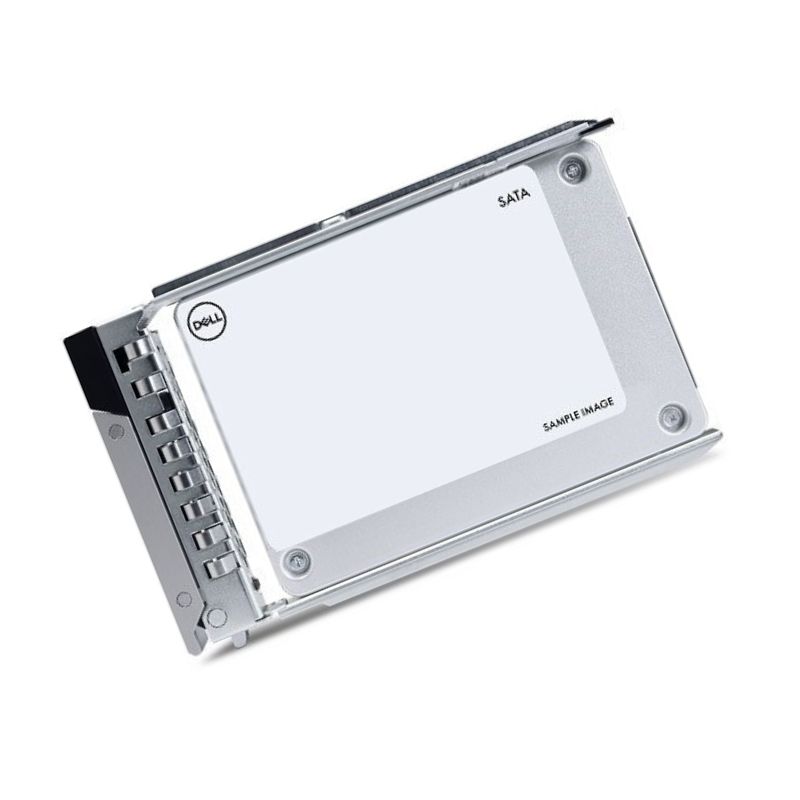
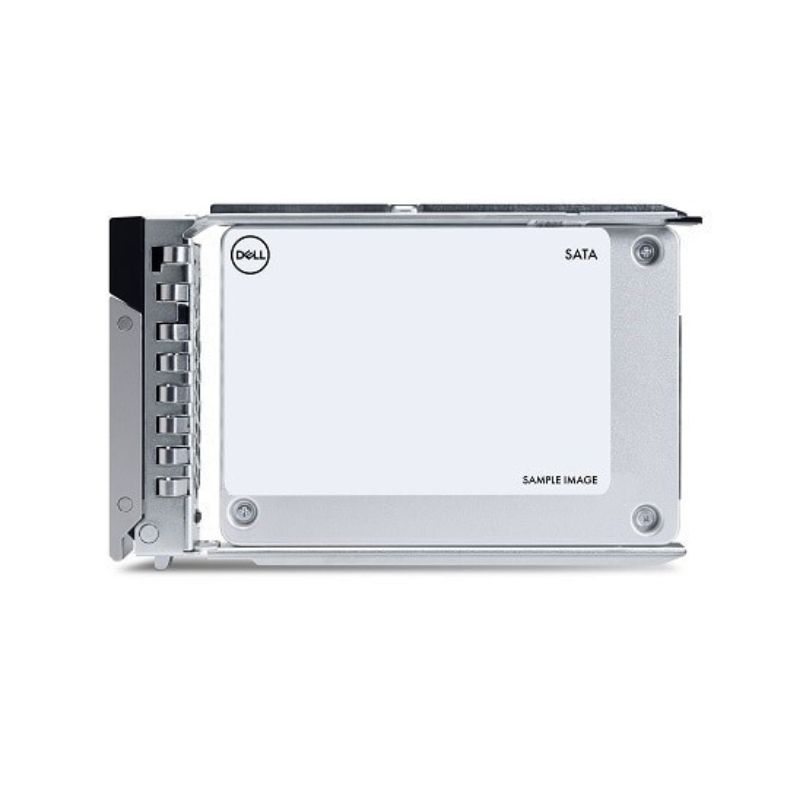
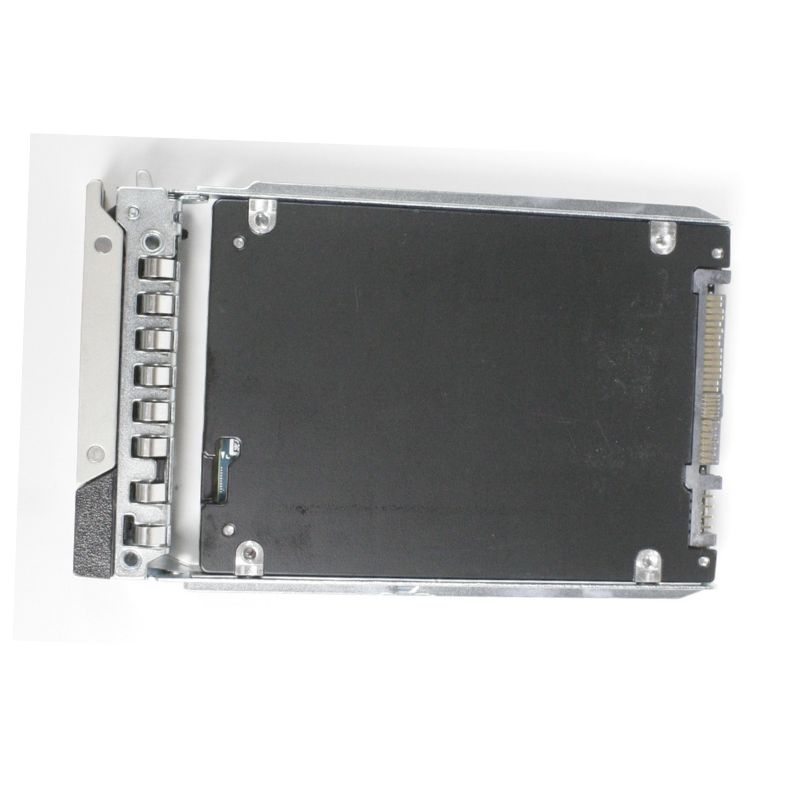
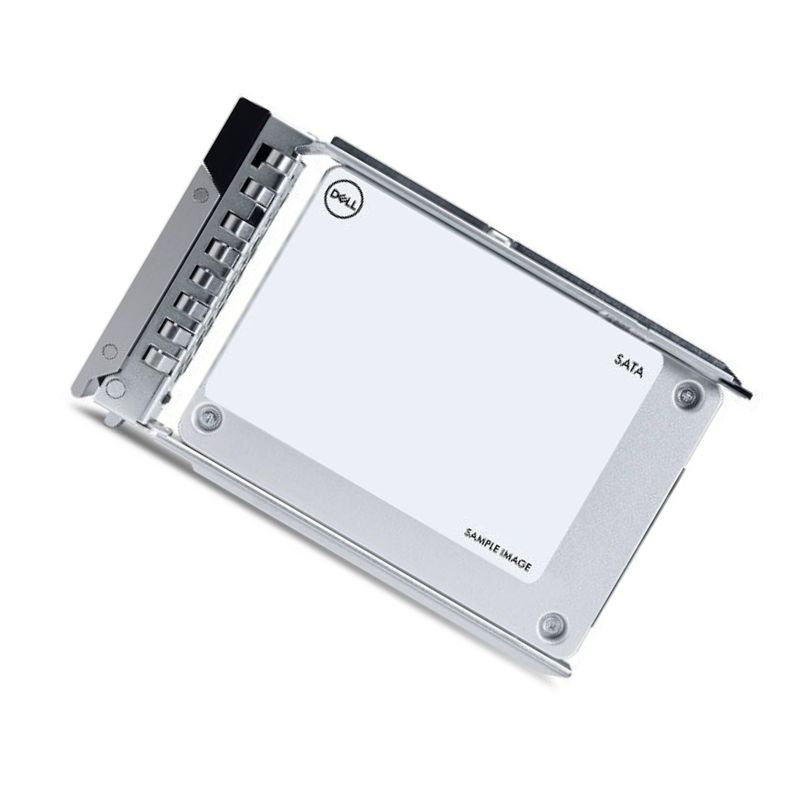
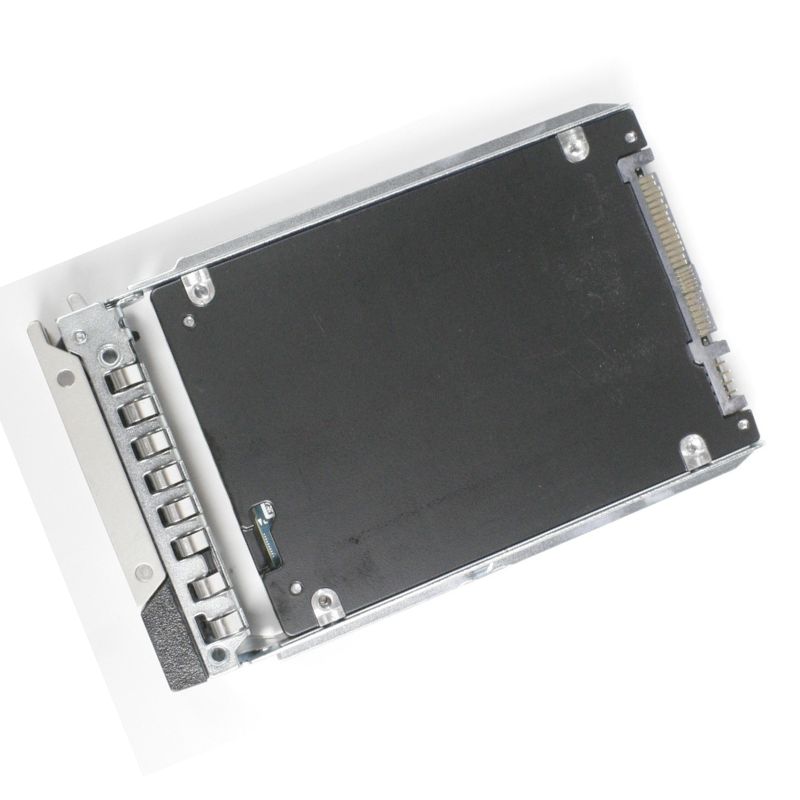
Dell PJD41 Mixed Use 1.6TB SAS 24GBPS SSD Fips Self-encrypting(sed) 512e 3wpd 2.5in Server

PJD41
* Product may have slight variations vs. image
Hover on image to enlarge

Brief Overview of PJD41

Dell PJD41 1.6TB SAS 24GBPS Mixed Use SSD Fips Self-encrypting(sed) 512e 3wpd Server. Excellent Refurbished with 1 year replacement warranty

$1,602.45
$1,187.00
You save: $415.45 (26%)
Ask a question
Price in points: 1187 points
+
Quote
Additional 7% discount at checkout
SKU/MPNPJD41Availability✅ In StockProcessing TimeUsually ships same day ManufacturerDell Manufacturer WarrantyNone Product/Item ConditionExcellent Refurbished ServerOrbit Replacement Warranty1 Year Warranty
Google Top Quality Store Customer Reviews
Our Advantages
Payment Options
  • — Visa, MasterCard, Discover, and Amex
  • — JCB, Diners Club, UnionPay
  • — PayPal, ACH/Bank Transfer (11% Off)
  • — Apple Pay, Amazon Pay, Google Pay
  • — Buy Now, Pay Later - Affirm, Afterpay
  • — GOV/EDU/Institutions PO's Accepted 
  • — Invoices
Delivery
  • — Deliver Anywhere
  • — Express Delivery in the USA and Worldwide
  • — Ship to -APO -FPO
  • For USA - Free Ground Shipping
  • — Worldwide - from $30
Description

Enterprise SAS SSD for PowerEdge: 1.6TB 24Gb/s, SED, 512e, 2.5" Hot-Plug

Optimized for modern data centers, this Dell 1.6TB SAS solid-state drive (PJD41 / 345-BGNK) pairs 24Gb/s SAS bandwidth with FIPS-capable self-encrypting (SED) protection and 512e Advanced Format. Purpose-built for mixed-use workloads, it delivers consistent throughput, low latency, and up to 3 DWPD (three drive writes per day) endurance in a compact 2.5-inch hot-plug form factor with tray for 14G, 15G, and 16G Dell PowerEdge servers.

Technical Profile

Core Specifications

  • Device Type: Solid State Drive (SSD), hot-plug capable
  • Capacity: 1.6TB
  • Interface: SAS 24Gb/s (dual-port)
  • Form Factor: 2.5-inch
  • Media Class: Mixed-use (balanced read/write)
  • Format: 512e Advanced Format
  • Hardware Encryption: Yes — Self-Encrypting Drive (SED), FIPS capable
  • Mfg Part Number: PJD41
  • Dell Part Number: 345-BGNK
  • Product Line: Solid State Drive

Expansion & Connectivity

  • Port Configuration: 1 × SAS 24Gb/s (dual-port capable through backplane/HBA)
  • Bay Compatibility: 1 × 2.5-inch hot-plug bay


At-a-Glance Advantages

  • Capacity: 1.6TB usable for databases, VMs, analytics tiers, and line-of-business apps.
  • Interface: Dual-port SAS 24Gb/s for high concurrency and reliable failover paths.
  • Format: 512e Advanced Format for broad OS and RAID controller compatibility.
  • Security: Hardware-level SED encryption with FIPS capability for policy-driven data protection.
  • Endurance: Mixed-use media rated for sustained read/write cycles (≈3 DWPD).
  • Form Factor: 2.5" hot-plug with Dell tray for tool-less serviceability.
  • Integration: Designed for Dell PowerEdge 14G / 15G / 16G platforms.

Why 24Gb/s SAS for Mixed-Use Workloads

SAS at 24Gb/s doubles lane throughput compared to previous generations and preserves the proven dual-port topology. This makes it a dependable choice for virtualized clusters, transactional databases, and scalable application tiers where multiple hosts need consistent access to shared storage backplanes.

  • Predictable I/O: Stable latency under queue depth and multi-initiator loads.
  • High Availability: Redundant paths reduce downtime risk during cable, HBA, or expander events.
  • Scale with Confidence: Smoothly adds capacity to existing SAS backplanes without redesign.

Security & Compliance, Built In

The drive’s self-encrypting (SED) hardware protects data at rest with minimal CPU overhead. Paired with FIPS support, it helps organizations meet strict compliance frameworks when data sanitization and cryptographic erase are mandated.

  • Instant Cryptographic Erase: Rapid repurposing or decommissioning without lengthy overwrites.
  • Policy Alignment: Supports regulated industries and zero-trust strategies.
  • Transparent Operation: No application changes required for encryption at rest.

Serviceability & Uptime

  • Hot-Plug Design: Replace or add drives without powering down the server.
  • Dell Tray Included: Pre-mounted for quick swaps in PowerEdge drive carriers.
  • Consistent Fit: 2.5-inch bay compatibility streamlines fleet-wide maintenance.

Endurance & Workload Fit

Engineered for sustained duty in write-intensive mixed patterns, this model targets environments that balance transactional updates with frequent reads.

  • 3 DWPD Design Point: Suitable for OLTP databases, virtualization storage, and Dev/Test cycles.
  • Consistent Performance: Tuned for predictable latency across varying queue depths.
  • Steady State Reliability: Enterprise-grade wear leveling and firmware governance.

Deployment Guidance

Ideal Use Cases

  • Virtual Infrastructure: VM datastores where dense I/O streams require dependable throughput.
  • Database Tiers: Transactional systems (ERP/CRM) that merge frequent writes with fast reads.
  • Analytics & Indexing: Mixed read/write pipelines with periodic ingest and query bursts.
  • Application Servers: Microservices, message brokers, and container hosts on PowerEdge.

Performance Alignment

  • 24Gb/s SAS: Leverages modern HBAs/RAID controllers to reduce bottlenecks.
  • Dual-Port Access: Redundant paths via multipath I/O for HA clusters.
  • 512e Format: Broad compatibility with enterprise operating systems and RAID volumes.

Data Protection Strategy

  • SED & FIPS: Enforce encryption policies at the drive level.
  • Array Integration: Combine with RAID for resiliency against single-drive failures.
  • Lifecycle: Use crypto-erase for swift retirement or reassignment.

Compatibility Matrix

Validated for Dell PowerEdge 14G, 15G, and 16G families. The following models are supported:

Dense Compute & Modular (C-Series)

  • PowerEdge C6420
  • PowerEdge C6520
  • PowerEdge C6525
  • PowerEdge C6615
  • PowerEdge C6620

Hyperscale & Cloud (HS-Series)

  • PowerEdge HS5610
  • PowerEdge HS5620

1U & 2U Rack Servers (R-Series)

  • PowerEdge R260, R350, R360
  • PowerEdge R440, R450, R550
  • PowerEdge R640, R650, R650xs
  • PowerEdge R6515, R6525
  • PowerEdge R660, R660xs
  • PowerEdge R6615, R6625
  • PowerEdge R740, R740xd
  • PowerEdge R750, R750xa, R750xs
  • PowerEdge R7515, R7525
  • PowerEdge R760, R760xa, R760xs
  • PowerEdge R7615, R7625

High-Density & Mission-Critical (R8xx / R9xx)

  • PowerEdge R840, R860
  • PowerEdge R940, R940xa
  • PowerEdge R960

Tower Servers (T-Series)

  • PowerEdge T550, T560

Rugged & Edge

  • PowerEdge XR7620

Configuration Notes

Backplane & Controller Considerations

  • Match Interface: Use with SAS-capable backplanes and 24Gb/s SAS HBAs/RAID for best results.
  • Dual-Pathing: Enable multipath I/O where supported for HA deployments.
  • Mixed Media: When combining media classes, align tiers by workload (e.g., MU SSD for databases, read-intensive SSD for archives).

Firmware & Formatting

  • 512e Format: Ideal for broad compatibility; verify RAID stripe size and filesystem alignment.
  • Lifecycle Updates: Keep controller and drive firmware aligned to recommended baselines.

Cooling & Power

  • Balanced Airflow: Populate bays to maintain even cooling across the chassis.
  • Power Budgeting: Account for SAS enterprise SSD draw during rapid rebuilds or scrubs.

Procurement Checklist

Before You Buy

  • Confirm server generation (14G / 15G / 16G) and 2.5" bay availability.
  • Verify 24Gb/s SAS controller support to unlock full bandwidth.
  • Assess DWPD needs; mixed-use (≈3 DWPD) suits balanced read/write profiles.
  • Plan encryption policy to leverage SED and FIPS capabilities.

Included With This Drive

  • Dell 1.6TB SAS SSD — Mixed-use, SED, 512e
  • Pre-installed Dell tray for 2.5" hot-plug bays
  • Part References: PJD41 (Mfg) / 345-BGNK (Dell)

Use-Case Blueprints

Virtualization Hosting

  • Profile: Multiple VMs with steady transactional writes and frequent reads.
  • Why This Drive: Mixed-use endurance, dual-port SAS, and predictable latency.

OLTP / OLAP Blended

  • Profile: Write bursts from ingest paired with intensive read queries.
  • Why This Drive: 24Gb/s throughput keeps queues short; 512e ensures compatibility.

Secure Multi-Tenant

  • Profile: Regulated workloads requiring data-at-rest encryption and rapid sanitization.
  • Why This Drive: Hardware SED with FIPS capability and crypto-erase workflows.

Keyword-Rich Feature Recap

Differentiators

  • 1.6TB SAS 24Gb/s enterprise SSD for Dell PowerEdge servers
  • Self-Encrypting Drive (SED) with FIPS support for compliance
  • 512e Advanced Format for OS and hypervisor compatibility
  • Mixed-use endurance—approximately 3 DWPD
  • 2.5-inch hot-plug carrier—tool-less swaps and fast service

Part Numbers & Lineage

  • Manufacturer: Dell
  • Mfg Part #: PJD41
  • Dell Part #: 345-BGNK
  • Product Line: Dell Enterprise Solid State Drive

FAQ-Style Details

What does “mixed-use” mean?

A mixed-use SSD is engineered for a balance of reads and writes—ideal when daily write volumes are substantial but not extreme. The ~3 DWPD rating aligns to many primary application tiers, from virtualization to line-of-business databases.

Is 512e compatible with my stack?

Yes—512e Advanced Format is widely supported by enterprise operating systems, hypervisors, RAID controllers, and monitoring tools. It simplifies migrations from legacy disks while enabling modern alignment and efficiency.

Why choose SAS over SATA here?

  • Dual-Port Redundancy: Keeps I/O available if one path fails.
  • Backplane Ecosystem: Mature expanders and HBAs for dense servers.
  • Deterministic Performance: Consistent behavior under load versus consumer-grade interfaces.

Model Compatibility — Full List

C-Series Compute Nodes

  • C6420, C6520, C6525, C6615, C6620

HS-Series Platforms

  • HS5610, HS5620

R-Series 1U/2U & Performance Systems

  • R260, R350, R360
  • R440, R450, R550
  • R640, R650, R650xs
  • R6515, R6525
  • R660, R660xs
  • R6615, R6625

Dell PJD41 1.6TB SAS 24Gbps Mixed Use SSD — Core Attributes and Positioning

The Dell PJD41 1.6TB SAS 24Gbps Mixed Use SSD is engineered for enterprise servers that demand predictable latency, strong mixed-read/write performance, and robust data protection. With a 2.5-inch hot-plug form factor complete with the official Dell tray, this drive integrates cleanly into 14th, 15th, and 16th Generation PowerEdge systems. Its 24Gbps SAS interface (SAS-4) maximizes backplane bandwidth while maintaining dual-port high availability. The 512e sector format ensures broad OS and RAID controller compatibility, and the mixed-use endurance profile—rated up to 3 DWPD (Drive Writes Per Day)—balances read-centric efficiency with sustained write durability for databases, virtualization stacks, and transactional applications. The built-in FIPS self-encrypting (SED) capability helps organizations standardize on hardware-based data-at-rest protection and streamline secure lifecycle workflows.

Key Takeaways

  • Capacity & Format: 1.6TB usable capacity in a 2.5-inch hot-plug carrier designed for Dell 14G, 15G, and 16G PowerEdge server bays.
  • Interface: 24Gbps SAS dual-port with backward awareness to legacy SAS link speeds through the server backplane and controller.
  • Workload Class: Mixed-use profile supporting balanced read/write duty cycles with up to approximately 3 DWPD, suitable for databases, VMs, and line-of-business apps.
  • Security: FIPS SED functionality for hardware-level encryption and secure erase workflows, aiding compliance initiatives.
  • Sectoring: 512e (512-byte emulation) for wide OS support and straightforward migration of legacy block sizes.
  • Deployment: Hot-plug ready with Dell tray, validated for PowerEdge 14G/15G/16G drive slots and RAID backplanes.

Where This Drive Fits in a Modern Data Center Stack

Position this SSD as a dependable tier for applications that need consistent latency under mixed I/O pressure. It is ideal as a primary datastore for virtualized clusters, transactional databases, collaboration platforms, and edge analytics nodes where uptime, encryption, and predictable performance matter. By leveraging 24G SAS, administrators can unlock additional headroom on newer backplanes and controllers—especially important when many drives share the same path or when multipath configurations and failover considerations are central to the design.

Representative Use Cases

  • Virtualization & VDI: Consolidate multiple VMs and session hosts with steady performance under concurrent mixed reads and writes.
  • OLTP & Operational DBs: Serve low-latency transactional workloads where consistency and endurance are crucial.
  • Application Servers: Power line-of-business apps, microservices, and middleware layers with reliable throughput.
  • Edge & ROBO: Provide encrypted, hot-swappable capacity in branch offices with limited onsite IT support.
  • Backup Acceleration Tiers: Improve ingest speed for incremental backups or fast restore staging in mixed I/O scenarios.

Performance Personality

The mixed-use tuning is intended for a 70/30 or 60/40 read/write blend over the life of the drive, where bursts of writes occur alongside frequent random reads. The 24Gbps SAS link can reduce the risk of controller or backplane bottlenecks when multiple drives push concurrent I/O, and dual-porting offers redundant paths for high-availability topologies. Queue-depth efficiency, consistent latency envelopes, and sustained performance under steady-state write pressure are hallmarks of this category.

Why Mixed-Use Over Read-Intensive?
  • Endurance headroom: Up to ~3 DWPD allows more frequent updates, logs, and temp-table activity without premature wear concerns typical of read-heavy SKUs.
  • Balanced design: Predictable behavior under changeable workloads common to multi-tenant virtualization and container platforms.
  • Cost/performance sweet spot: A middle ground between premium write-intensive devices and budget read-centric options.

Interface, Media, and Data Path Technologies

With SAS-4 (24Gbps), the PJD41 leverages a mature ecosystem comprising enterprise backplanes, HBAs, and RAID controllers. Dual-port functionality enables active-active or active-standby paths depending on the host stack, enhancing resilience during controller failovers or SAS expander events. The 512e format broadens OS and hypervisor compatibility and simplifies migrations from legacy 512-byte logical block environments.

Hot-Plug Design for Operational Agility

The hot-plug tray aligns drive insertion with PowerEdge carrier mechanics, LED signaling, and tool-less serviceability. This minimizes maintenance windows and enables live replacement or capacity expansion in clustered environments. For change-control workflows, administrators can coordinate disk swaps during rolling updates without stopping critical services, provided the storage layer (e.g., RAID or SDS replication) is in a protected state.

PowerEdge Backplane Synergy

  • 14G/15G/16G validation: The mechanical and electrical fit targets the latest PowerEdge generations for in-chassis compatibility.
  • Controller flexibility: Operates with commonly deployed Dell HBA and RAID controllers, enabling both pass-through and array-based setups where supported.
  • Service indicators: Integrated LEDs assist with fault isolation, locate functions, and rebuild visibility during maintenance.
Multipath and Redundancy

In dual-controller JBOD shelves or server designs with path redundancy, the dual-port SAS link maintains access during controller resets or cable issues. Proper MPIO configuration at the OS/hypervisor level allows automated path failover, which is particularly valuable for mission-critical applications demanding continuous access to their primary datastore.

Security: FIPS Self-Encrypting Drive (SED) Advantages

The PJD41’s FIPS SED capability brings hardware-based encryption to the front line of compliance and data governance strategies. Encryption is applied in the drive’s controller, helping protect data at rest without the overhead typical of software-only encryption. When paired with supported controllers and management frameworks, organizations can enforce key management, secure erase, and controlled cryptographic operations as part of standardized procedures.

Compliance-Friendly Building Block

  • Hardware encryption at rest: Protects against risks from drive loss, improper disposal, or unauthorized removal.
  • Streamlined retirement: Cryptographic erase workflows can render data unreadable without lengthy multi-pass overwrites.
  • Policy alignment: Helps meet internal security baselines and external regulatory expectations that call for strong encryption controls.

Operational Security Practices

  1. Use controller-integrated or enterprise key managers where available to centralize key lifecycle operations.
  2. Document secure erase procedures for decommissioning, RMA handling, and repurposing events.
  3. Integrate audit trails and access controls so only authorized operators can alter cryptographic states.
Physical and Logical Protections

Beyond encryption, the drive is built with enterprise-class components, vibration tolerance suitable for dense chassis, and power-loss awareness. Administrators should pair these measures with system-level protections such as bezel locks, access-controlled racks, and firmware signing policies to maintain a defense-in-depth posture.

Endurance and Lifecycle Planning

Mixed-use endurance around the 3 DWPD mark provides a generous write budget for environments that experience regular transactional updates, metadata churn, compaction, and logging. Right-sizing is essential: allocate enough drives and distribute write-heavy activities (e.g., database logs) across members to avoid concentration of wear. Modern RAID controllers and SDS platforms often expose SMART wear indicators; administrators can track remaining life to schedule replacements proactively.

DWPD Explained for Capacity Planners

DWPD—Drive Writes Per Day—expresses how much data can be written to the entire capacity of the drive every day over the warranty period. A 1.6TB SSD at ~3 DWPD implies the platform can sustain heavy write cycles reliably in production provided workloads remain within the intended profile. To extend service life, consider segregating sequential log streams and temporary scratch areas across multiple SSDs to distribute program/erase counts evenly.

Best Practices to Maximize Longevity

  • Align and size volumes thoughtfully: Avoid overly fragmented partitioning that complicates wear leveling.
  • Enable TRIM/UNMAP where supported: Let the drive reclaim invalidated blocks to maintain steady performance.
  • Use RAID levels suited to write intensity: RAID10 or erasure-coding schemes can reduce write amplification versus parity-heavy layouts for certain workloads.
  • Set realistic cache policies: Match controller write-back caching and battery/flash-backed units to workload risk tolerance.
Monitoring Signals

Track SMART attributes, controller-reported media wear indicators, and latency percentiles. Spikes in write amplification, frequent background media management events, or widening latency tails are cues to evaluate workload balance, firmware, or array policies.

Performance Architecture and Workload Patterns

While exact IOPS and throughput figures vary by firmware and queue depth, administrators can expect consistent latency and good mixed-I/O behavior across queue depths common to hypervisor and database stacks. The 24G SAS fabric helps sustain aggregate throughput when many drives are active, and dual-porting ensures that path failover does not unduly impact application SLAs under properly tuned MPIO configurations.

Queue Depth and Latency Discipline

Enterprise SAS stacks excel when queue depths are tuned to prevent saturation and keep latency predictable. Use benchmarking tools in controlled windows to identify the knee of the curve—where additional concurrency ceases to deliver meaningful throughput and begins to increase tail latency. Translate those findings into hypervisor storage policies and database connection pool limits.

Random vs. Sequential Streams

  • Random reads: Benefit from low access times typical of enterprise SSDs, ideal for VM boot storms and metadata.
  • Random writes: Mitigated by over-provisioning and controller write-handling; keep within DWPD envelope.
  • Sequential transfers: Achieve strong streaming rates; consider queue coalescing or larger I/O sizes for backup/restore windows.
Cache and Controller Synergy

Pairing the PJD41 with RAID controllers featuring protected write-back cache can further smooth bursty write behavior. Ensure battery or flash-backed modules are healthy so caching remains enabled; degraded cache states can unexpectedly throttle performance during maintenance cycles.

Compatibility, Integration, and Migration

Because the drive is delivered with a Dell tray and 512e formatting, it aligns well with mainstream OSes, hypervisors, and PowerEdge management tooling. Backward awareness of SAS link speeds means it can interoperate in mixed backplanes, but the best results will come from 24G SAS controllers and expanders in current-generation platforms.

Supported Server Generations

  • 14G PowerEdge: Common in established data centers; ensure the latest controller firmware for optimal stability.
  • 15G PowerEdge: Broad deployment for modern virtualization and HCI; pairs cleanly with 24G enablement where fitted.
  • 16G PowerEdge: The newest generation with advanced PCIe lanes, faster backplanes, and improved thermals that complement high-bandwidth SAS drives.

Migrating from Legacy Drives

  1. Validate firmware baselines across controllers and backplanes; schedule non-disruptive updates ahead of drive swaps.
  2. Use RAID rebuilds or SDS replicas to introduce PJD41 members gradually, maintaining data protection at each step.
  3. Confirm 512e alignment and file system block sizes; test in staging to ensure application assumptions are met.
Interoperability Notes

When mixing media types, isolate read-intensive and mixed-use groups to avoid uneven wear and policy conflicts. Keep matched firmware within an array to reduce behavioral variance, and align controller cache and disk write policies across the group.

Data Protection, PLP, and Resiliency Considerations

Enterprise SSDs in this class are designed with rigorous data integrity paths. Power-loss awareness and enterprise buffer handling help ensure in-flight data is protected during unexpected outages when used with proper controller-side protection. Combine the drive with redundant paths, smart RAID levels, and periodic integrity scrubs to maintain a clean storage fabric.

Array Layout Strategy

  • RAID10 for low latency: Excellent for heavy write workloads and latency-sensitive databases.
  • RAID5/6 for capacity efficiency: Fit for read-dominant or mixed profiles with strong controller cache and adequate spares.
  • Hot spares & rebuild readiness: Keep like-for-like spares to minimize rebuild time and thermal stress.

Scrubbing and Patrol Reads

Enable controller patrol reads and consistency checks during low-traffic windows. Periodic scrubs help surface latent media issues before they affect data, and they keep arrays in a ready state for rebuilds.

Backups and Snapshots

Even with robust enterprise media, immutable backups and orchestrated snapshot chains remain non-negotiable. Use the PJD41’s consistent performance to speed backup ingestion and accelerate restores, particularly when snapshot merges and rollbacks are part of routine operations.

Thermals, Power, and Mechanical Design

In dense chassis, airflow and temperature stability are key. The Dell tray channels airflow according to PowerEdge design targets, and the 2.5-inch form factor allows high spindle/drive counts in limited rack space. Monitor inlet temperature, exhaust deltas, and fan policies to ensure the drive remains within recommended operating ranges, especially during rebuilds when sustained activity elevates heat output.

Environmental Tips

  • Respect the chassis population guidelines; leave recommended gaps if mixing different thermal profiles.
  • Review fan redundancy policies; during single-fan failure, restrict heavy maintenance to limit thermal spikes.
  • Document safe handling and ESD protocols for hot-swap operations.

Acoustics and Vibration

While SSDs are less sensitive to chassis vibration than HDDs, multi-node racks and shared rails can still transmit vibration. Use proper mounting hardware and avoid makeshift cable tension that could stress the tray alignment.

Power Budgeting

Map drive power envelopes into the server’s PSU budget with headroom for peak activity, rebuilds, and firmware updates. Maintain UPS coverage with adequate runtime to allow graceful shutdowns and avoid prolonged brownout conditions.

Management, Telemetry, and Lifecycle Operations

Enterprises benefit from consistent, vendor-validated telemetry across server fleets. The PJD41 integrates with PowerEdge management tooling and controller utilities, exposing health, wear, and temperature indicators. This visibility enables proactive maintenance, capacity forecasting, and policy compliance checks without intrusive downtime.

Health Monitoring Checklist

  • Track remaining life and media wear indicators weekly or as part of standard monitoring dashboards.
  • Alert on temperature excursions, excessive reallocation events, or sudden performance degradation.
  • Correlate storage events with OS logs and hypervisor alerts to detect multi-layer issues quickly.

Firmware Stewardship

Plan firmware updates during maintenance windows where arrays retain redundancy. Keep a changelog tied to each storage pool, noting controller and drive firmware pairings. After updates, run a short validation test set to confirm stability before returning the system to full production load.

Documentation and SOPs

Create concise, step-by-step standard operating procedures for drive replacement, secure erase, and RMA preparation. Ensure teams know how to identify a specific slot, interpret LED states, and confirm post-swap rebuild progress in the management console.

Capacity Planning and Right-Sizing

1.6TB per drive enables fine-grained scaling and balanced pool design. Rather than jumping to very large SSDs, administrators can shape performance and protection levels by adding more 1.6TB members to a pool, striking a balance between aggregate IOPS, usable capacity, and rebuild times. Smaller per-drive capacities often mean faster array rebuilds and shorter exposure windows when a member fails.

Balancing IOPS, Capacity, and Protection

  • IOPS scaling: More drives generally equal higher parallelism; choose counts that meet peak demand without excessive headroom.
  • Rebuild time considerations: Moderate capacities reduce rebuild duration compared to very large SSDs, improving resilience.
  • Erasure coding vs. mirroring: Consider the interplay between usable capacity goals and write-amplification in your workload profile.

Growth Roadmaps

Start with a core set sized for current workloads. As adoption rises or applications become more write-intensive, expand pools incrementally to maintain low latency while staying within endurance targets. Because the PJD41 targets a mixed-use profile, it supports organic expansion without prematurely exhausting write budgets.

Forecasting Tools

Leverage capacity trendlines, VM growth patterns, and database transaction telemetry to project quarterly expansion. Correlate planned headcount or application rollouts with storage additions so procurement cycles keep pace with business initiatives.

Virtualization and Container Ecosystems

In hypervisor environments, the PJD41’s combination of mixed-use endurance and predictable latency allows dense consolidation of VM fleets. Storage policies can be tuned to assign appropriate IOPS shares, enforce thin provisioning prudently, and use snapshots within retention windows that avoid excessive background merge pressure.

Hypervisor Policy Guidance

  • IOPS reservations and limits: Establish per-VM floor/ceiling to prevent “noisy neighbor” effects.
  • Snapshot hygiene: Keep snapshot trees shallow; schedule merges during low-traffic periods.
  • Datastore placement: Separate log-heavy VMs or DB components across multiple arrays for optimal wear distribution.

Containers and Stateful Services

For container-native databases and message queues, pair the SSD with storage classes that map to RAID or SDS policies tuned for sustained writes. Use volume expansion features to add PJD41 capacity without disrupting pods, and keep replica counts aligned with failure domain boundaries so storage and orchestration layers agree on resilience expectations.

HCI and SDS Platforms

Hyperconverged infrastructure benefits from the drive’s steady mixed-IO behavior and encryption capabilities. In SDS stacks, enable compression/deduplication thoughtfully; while they can amplify usable capacity, they also alter write patterns. Validate the net effect on endurance by observing wear indicators over several duty cycles.

Database, Analytics, and Log-Heavy Workloads

Operational databases, real-time analytics, and logging pipelines often produce continuous write streams intermixed with index reads. The PJD41 is tuned to handle this duality. For OLTP systems, place transaction logs and primary data on separate virtual disks or RAID groups when possible. For analytics nodes, stage intermediate results on dedicated volumes to prevent bursts from colliding with primary query paths.

Schema and File Layout Tips

  • Split data, indexes, and logs across logical volumes aligned to distinct drive groups.
  • Apply appropriate block sizes; larger blocks can benefit sequential scans, while smaller sizes aid random access patterns.
  • Use write-behind and buffer tuning in the DB engine to harmonize with controller caching.

Observability

Watch p95 and p99 latencies during peak transaction windows. Rising tail latencies can point to snapshot merges, compaction tasks, or background checksum operations competing for I/O. Stagger maintenance jobs and align them with business calendars.

Resilience Under Pressure

Test failover events: simulate controller resets, path failures, and drive pulls during maintenance windows. Validate that dual-port access, MPIO policies, and RAID rebuild behavior meet your SLA targets with real application traffic—not just synthetic benchmarks.

Data Governance and Secure Lifecycle Handling

The FIPS SED functionality simplifies data governance across the drive lifecycle. From initial provisioning to decommissioning, encryption is persistent, and access control is built into the hardware boundary. When retiring the drive, cryptographic erase workflows can rapidly invalidate data, aiding compliance without long wipe cycles.

Provisioning Checklist

  1. Confirm encryption policy and key management approach supported by your controller stack.
  2. Record the drive’s position, serial, and logical assignment in your CMDB for traceability.
  3. Enable audit logging for state changes (lock/unlock, secure erase, ownership transfer).

Decommissioning Steps

  • Place the affected array in a protected state; migrate data as needed.
  • Execute cryptographic erase via approved tools; retain logs for compliance evidence.
  • Remove the drive using hot-swap procedures and package for return, recycle, or secure storage per policy.
Chain of Custody

Use tamper-evident packaging, documented handoffs, and access-controlled storage locations to maintain chain-of-custody from removal to final disposition. Retain records consistent with your regulatory environment and corporate ITAD (IT asset disposition) standards.

Procurement, Sparing, and Fleet Standardization

Standardizing on the Dell PJD41 for mixed-use tiers simplifies procurement (single SKU class), firmware consistency, and spares management. Stocking a small pool of hot spares that exactly match your active arrays can compress rebuild initiation time and streamline RMA handling. Align purchase cadence with quarterly wear assessments and capacity growth projections.

Sparing Policy

  • Maintain at least one like-for-like spare per array or per chassis group, depending on criticality.
  • Rotate spares periodically to ensure firmware parity and verify shelf life.
  • Document spare locations and reservation status in your CMDB.

Budgeting Perspectives

Mixed-use SSDs typically deliver favorable total cost of ownership compared to write-intensive SKUs when workload write percentages are moderate. Factor in the operational savings from hot-swap serviceability, encryption-assisted decommissioning, and stable performance that reduces firefights during peak cycles.

Vendor and Warranty Alignment

Keep purchase records, warranty terms, and drive identifiers consolidated. Align support channels (server, controller, and drive) so escalations are efficient, and maintain a known-good firmware stack across the fleet.

Deployment Patterns and Reference Topologies

Below are sample patterns illustrating how the PJD41 can be organized within typical PowerEdge infrastructures. Adjust counts and RAID levels to your performance, resilience, and capacity objectives.

Pattern A: Virtualization Cluster Datastore

  • Multiple nodes with 8–16 x 1.6TB PJD41 per host in RAID10 for low latency.
  • Controller write-back cache with protection module enabled.
  • Separate smaller RAID1 set for hypervisor boot and logs.

Pattern B: OLTP Database Pair

  • Primary/standby servers with dual-path SAS and MPIO configured.
  • Data volumes on RAID10; logs on a dedicated RAID1/10 set to minimize contention.
  • Snapshot and backup windows staggered to avoid peak business hours.
Pattern C: Edge/ROBO Node
  • Compact chassis populated with 4–6 x 1.6TB PJD41 in RAID5 or RAID6 for capacity efficiency.
  • FIPS SED enabled by policy; remote key management integrated with central IT.
  • Automated health alerts routed to a central NOC or ITSM tool.

Operational Checklists and Field Tips

Consistent, repeatable processes lower risk and accelerate recovery when something goes wrong. Use these checklists to standardize operations across teams and sites.

Drive Replacement (Hot-Swap) Checklist

  1. Confirm the correct slot with LED identification and management console validation.
  2. Verify array protection state and pause heavy background jobs if feasible.
  3. Eject the failed drive using the tray latch; avoid touching exposed connectors.
  4. Insert the replacement PJD41 firmly until it seats; confirm LED/activity states.
  5. Monitor rebuild progress and verify return to optimal state before closing the change ticket.

Performance Troubleshooting Flow

  • Check controller cache status (write-back vs. write-through) and battery/FBWC health.
  • Inspect queue depths and latency percentiles at host and hypervisor layers.
  • Validate that firmware versions match the known-good baseline.
  • Review concurrent jobs (snapshots, scrubs, compactions) that may impact I/O.
  • Run a short synthetic test during a window to isolate storage from application behavior.
Security and Compliance Audit Pointers
  • Demonstrate encryption policy enforcement with logs from the controller or key manager.
  • Maintain evidence of secure erase for retired or RMA’d drives.
  • Restrict privileges to cryptographic operations and monitor for anomalous state changes.

Why Choose 24Gbps SAS for Mixed-Use Tiers

As drive counts rise and datasets grow, backplane bandwidth and path redundancy significantly influence real-world performance. The 24G SAS ecosystem delivers higher link speeds, improved expander behavior, and cleaner scaling under contention than legacy generations. For organizations refreshing from 12G SAS, this SSD’s interface provides room to grow while maintaining the operational familiarity of SAS tooling and management practices.

Dual-Porting: Continuous Access under Maintenance

With dual-port SAS, storage paths can be serviced or failed over without disconnecting volumes. This is critical for high-availability clusters where maintenance windows overlap with business operations. Properly configured MPIO ensures I/O reroutes seamlessly, and the drive’s enterprise controller logic preserves performance stability during transient events.

512e Flexibility

512e allows legacy software stacks expecting 512-byte blocks to operate transparently, while underlying media management uses efficient internal block sizes. This eases migration from older platforms and reduces friction during phased modernization projects.

Mixed-Use Economics

Compared with write-intensive SSDs, mixed-use models like the PJD41 offer solid endurance without the cost premium of ultra-high DWPD units. Compared with read-intensive drives, they provide the write headroom necessary for dynamic, real-world applications that seldom remain purely read-heavy throughout the day.

Preparation, Staging, and Pilot Testing

Before a full rollout, run a pilot with representative workloads. Capture baseline latency, throughput, and wear indicators against the PJD41 pool. Validate secure erase workflows in a lab setting so production staff can execute them confidently during decommissioning. Ensure documentation covers identification of drive bays, LED codes, and management console conventions specific to your PowerEdge generation.

Test Plan Essentials

  • Include mixed 4K random and larger sequential I/O tests to reflect real application behavior.
  • Exercise snapshots, backups, and scrubs to view their impact on latency tails.
  • Simulate controller failover and path loss to verify dual-port continuity.

Acceptance Criteria

Define quantitative thresholds (e.g., p95 latency under target load, maximum rebuild duration) and qualitative checks (ease of replacement, clarity of LEDs, clean logging). A clear pass/fail plan accelerates sign-off and reduces surprises during production adoption.

Runbook Integration

Once validated, embed the results into your runbooks—what indicators to watch, how to react when thresholds are crossed, and who to notify. This ensures that frontline and on-call engineers have concise guidance when seconds matter.

Sustainability and Responsible Operations

SSDs reduce power and cooling compared with traditional spinning media at comparable IOPS targets, and faster rebuilds reduce time spent in degraded states. Pair the PJD41 with power-aware server policies to trim consumption during off-peak windows. At end of life, follow responsible ITAD processes—leveraging cryptographic erase first—to support environmental and data governance goals simultaneously.

Efficiency Levers

  • Consolidate underutilized arrays where feasible, leveraging the SSD’s steady performance for denser workloads.
  • Schedule heavy maintenance during cooler ambient periods in facilities with variable conditions.
  • Use right-sized capacities to avoid over-provisioning that idles unused power.

Lifecycle Transparency

Maintain clear records for procurement, deployment, and retirement. Transparent lifecycle accounting reinforces governance, simplifies audits, and supports sustainability reporting frameworks.

Disposal Confidence

With FIPS SED capabilities and proper cryptographic erase, organizations can decommission drives confidently before recycling, reducing risk while accelerating turnaround time.

Summary of Benefits for the Dell PJD41 1.6TB SAS 24Gbps Mixed Use SSD

  • Enterprise resilience: Dual-port SAS, hot-plug design, and integration with PowerEdge serviceability.
  • Balanced performance: Mixed-use tuning for predictable latency under real-world I/O blends.
  • Security built-in: FIPS self-encrypting drive functionality for robust data-at-rest protection and streamlined sanitization.
  • Flexible compatibility: 512e formatting and alignment with 14G/15G/16G server ecosystems.
  • Operational efficiency: Clear telemetry, straightforward hot-swap, and fleet standardization advantages.
  • Endurance headroom: Up to ~3 DWPD to handle sustained writes, logs, and frequent updates common to modern applications.

Quick-Reference Specifications

  • Model: Dell PJD41
  • Capacity: 1.6TB
  • Interface: SAS 24Gbps (dual-port)
  • Form Factor: 2.5-inch, hot-plug with Dell tray
  • Workload Class: Mixed use (up to ~3 DWPD)
  • Security: FIPS SED, hardware-based data-at-rest encryption
  • Logical Block Format: 512e
  • Server Compatibility: Dell PowerEdge 14G, 15G, 16G (varies by controller/backplane configuration)

Administrator-Friendly Highlights

  • Designed for predictable performance under mixed workloads.
  • Hot-swap capability with clear LED signaling and tray ergonomics.
  • Strong alignment with enterprise RAID and HBA ecosystems.
  • Policies and tooling to simplify secure erase and retirement.
Final Notes for Deployment Teams

Validate firmware parity, confirm encryption policies, and test failover paths before moving mission-critical data onto new arrays. Monitor wear and latency tails regularly, and schedule capacity expansions ahead of demand. The PJD41 1.6TB SAS 24Gbps Mixed Use SSD offers a compelling combination of endurance, security, and manageability for PowerEdge environments targeting stable performance and strong governance outcomes.


Features
Manufacturer Warranty:
None
Product/Item Condition:
Excellent Refurbished
ServerOrbit Replacement Warranty:
1 Year Warranty