(7% discount is applied at checkout)
Cart is empty
Your go-to destination for cutting-edge server products
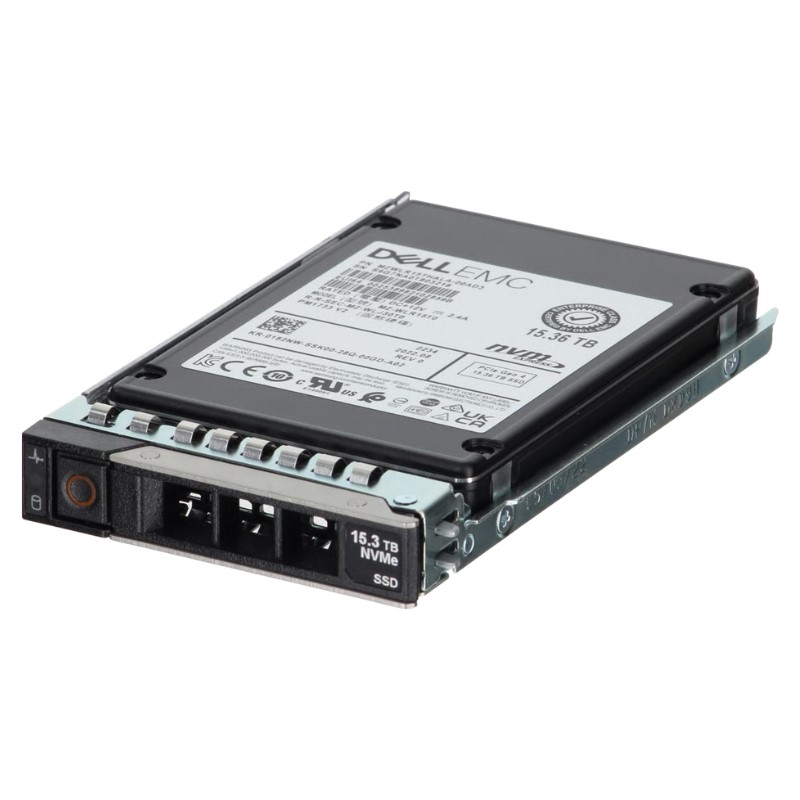


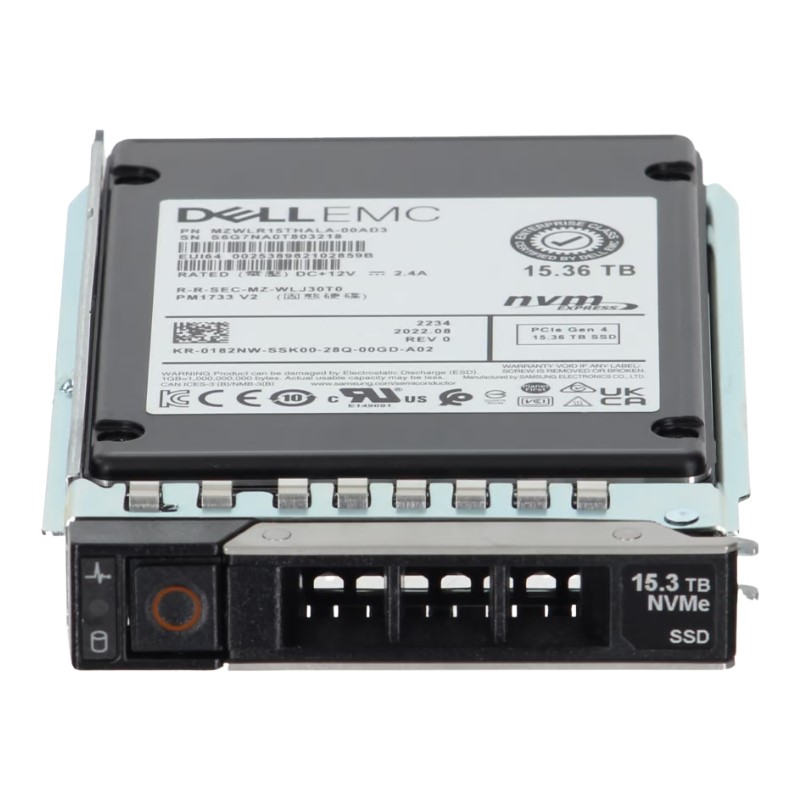
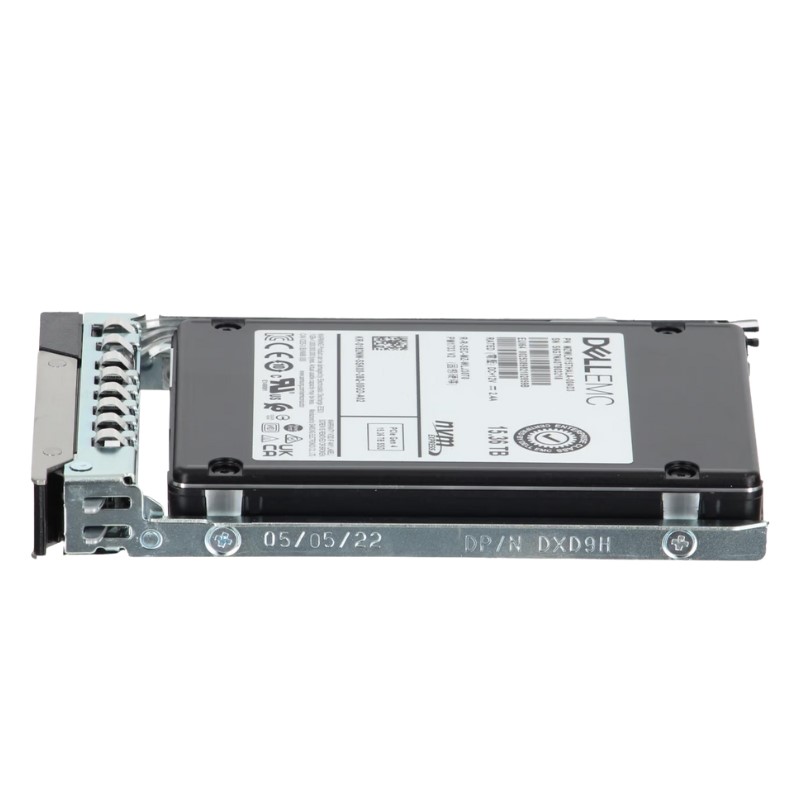
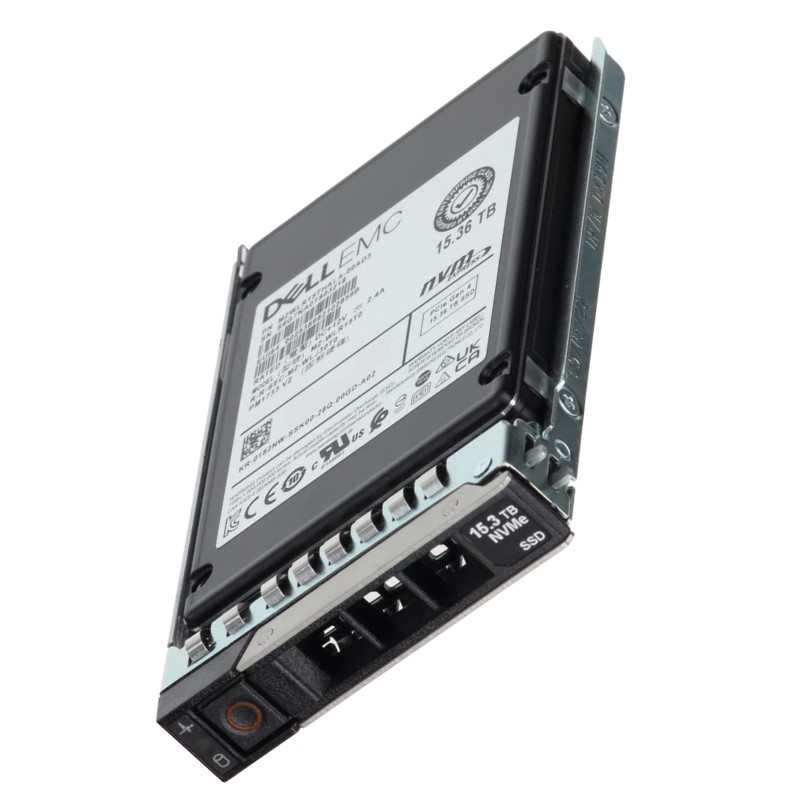
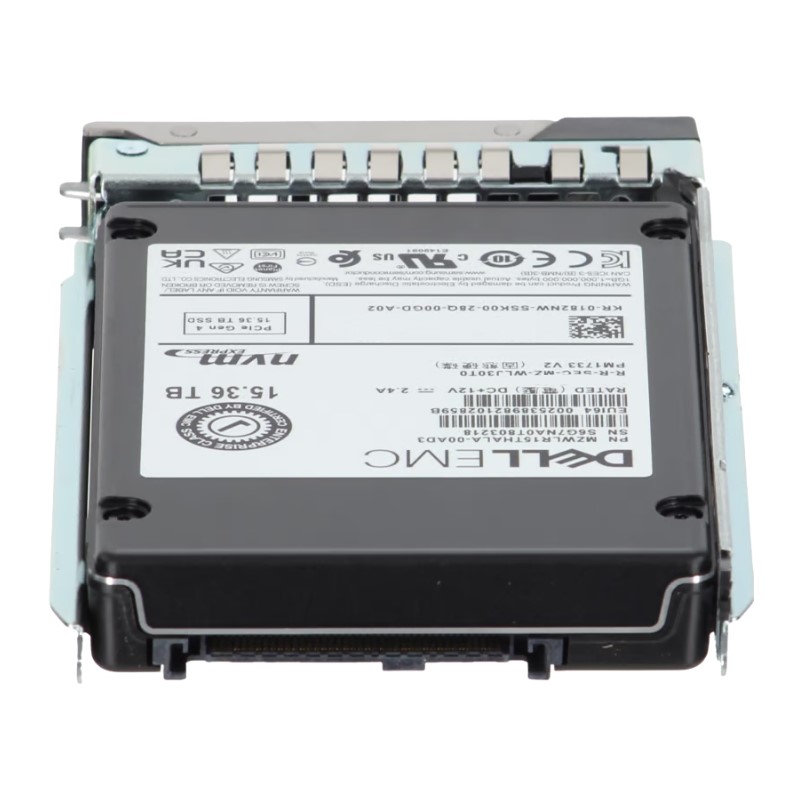
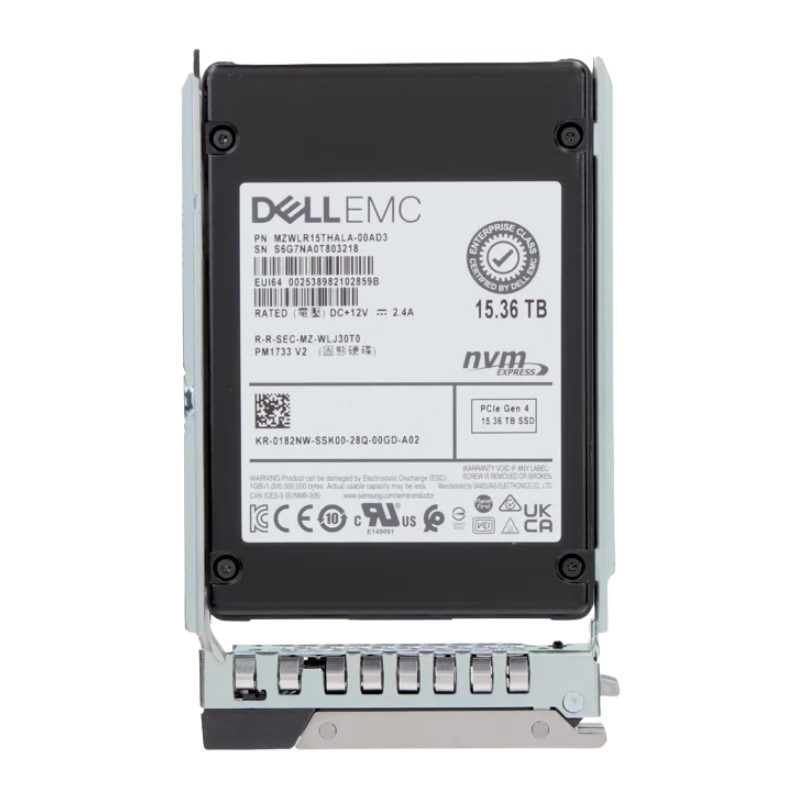
Dell 400-BQTB 15.36TB PCI-E Gen4 NVMe U.2 SFF Read Intensive 1dwpd Enterprise Solid State Drive. New Sealed in Box (NIB) with 1 year Warranty
The Dell 400-BQTB is a high-density enterprise-grade solid state drive engineered to deliver sizeable capacity and dependable read-focused performance in data-center environments. Presented in a U.2 2.5-inch small form factor with a hot-pluggable tray, this 15.36TB PCIe Gen4 NVMe SSD is tailored for read-intensive workloads on Dell PowerEdge 14G, 15G, 16G and 17G platforms.
Architected for environments where reads dominate, this drive emphasizes sustained sequential and random read throughput while maintaining minimal access latency. The combination of PCIe Gen4 bandwidth and NVMe efficiency reduces queue times and accelerates data retrieval—beneficial for analytics, caching layers, content delivery, and index-heavy databases.
As a read-intensive device rated around 1 Drive Write Per Day (DWPD), the 400-BQTB is designed to tolerate occasional large writes while prioritizing read longevity. Use cases that infrequently modify data or rely on write-caching strategies to offload heavy write cycles will extract maximum value from this endurance profile.
Deploy multiple units in RAID configurations or NVMe-over-Fabric topologies to scale capacity and throughput linearly. The U.2 2.5″ footprint allows dense packing in server bays and shared storage arrays for consolidated, high-capacity pools.
This drive is validated for use with Dell PowerEdge server generations 14G through 17G. The included tray simplifies insertion into native drive bays and ensures the drive conforms to Dell rack and server mechanical standards.
Leverage Dell OpenManage tools to monitor health, firmware revisions, and SMART attributes. Staying current with vendor firmware releases improves reliability, corrects edge-case behavior, and may enhance performance under specific workloads.
Enterprise SSDs like the 400-BQTB provide superior mean time between failures (MTBF) compared with commodity drives. The robust design and enterprise-grade components reduce the risk of unscheduled maintenance and downtime.
High capacity in a compact U.2 form factor reduces rack space footprint and can dramatically lower watts consumed per terabyte versus equivalent HDD-based tiers—an important factor for space-constrained or energy-sensitive deployments.
With NVMe queuing and modern controllers, the drive delivers predictable read latency under typical production loads—helpful for latency-sensitive applications like online transaction processing (OLTP), metadata stores, and content delivery.
For write-heavy databases, logging systems, or sustained heavy write caching, consider drives with higher DWPD ratings or write-optimized tiers. The 400-BQTB is optimized for read throughput and cost-effective capacity rather than maximal write endurance.
Ensure adequate airflow in drive bays; U.2 drives perform best when ambient temperatures remain within manufacturer recommended ranges. Use Dell mounting trays and follow server airflow guidelines to avoid thermal throttling.
Employ RAID or erasure coding to shield against individual device failures. For read-intensive deployments, RAID mirrors or parity configurations help maintain service continuity with minimal performance impact on reads.
Purchase through Dell or authorized resellers to preserve warranty coverage and access certified support. Confirm warranty duration and service terms in your order documentation, and register the drive if required to activate support.
Track cumulative writes and SMART wear indicators to plan replacements before drives approach their endurance limits. Maintain a spare pool of identical or compatible units to expedite hot-swap replacement and minimize recovery windows.
Enterprise SSDs commonly include advanced error correction, power-loss protection, and secure erase functions. Confirm the 400-BQTB’s supported integrity and cryptographic features with Dell documentation to meet your compliance needs.
Use vendor-recommended secure erase and sanitization procedures when decommissioning drives to ensure sensitive data is irretrievably removed in accordance with organizational policies.
The Dell 400-BQTB 15.36TB PCIe Gen4 NVMe U.2 SSD combines large capacity with read-oriented performance in a compact enterprise form factor. It is engineered for modern PowerEdge servers and suits deployments that prioritize fast, consistent reads, reduced rack footprint, and cost-effective terabyte density. When used in appropriate read-dominant scenarios and managed with recommended firmware and monitoring practices, it offers a compelling option for scaling storage performance while optimizing space and power.
For exact performance figures, firmware revision details, and official support statements, consult Dell product documentation and support pages. Always test firmware updates and integration within a controlled staging environment before rolling changes into production.
The Dell 400-BQTB 15.36TB PCI‑E Gen4 NVMe U.2 SFF Read Intensive 1dwpd Enterprise Solid State Drive is engineered for data centers, high-performance storage arrays, and enterprise servers where read-dominant workloads demand consistent low latency, exceptional throughput, and high capacity. This category captures drives designed to optimize read-heavy applications—analytics, virtualization, content distribution, caching layers, and database query acceleration—while providing the durability and manageability enterprises require.
Read-intensive SSDs occupy a specific niche in the enterprise storage ecosystem. Unlike mixed- or write-intensive models, a read-focused drive like the Dell 400-BQTB prioritizes:
These characteristics make this SSD ideal as a front-line tier in hybrid storage architectures, a high-speed cache for spinning disks, or a primary drive for read-heavy virtual desktop infrastructure (VDI) pools and content delivery networks (CDNs).
Leveraging the PCI‑Express Gen4 interface, the Dell 400-BQTB delivers double the bandwidth of Gen3 PCI‑E lanes per route, enabling substantial improvements in raw throughput. The NVMe protocol minimizes host overhead and unlocks the intrinsic performance of modern NAND by enabling parallel I/O queues and lower CPU cycles per operation.
The drive’s U.2 Small Form Factor (SFF) design offers hot-swap server compatibility and mechanical interchangeability in enterprise chassis, while maintaining a standard power and cooling profile. U.2 enables dense drive bay utilization in 1U/2U/4U systems without requiring specialized adapters.
With a capacity of 15.36 terabytes, this SSD consolidates more data per bay than many traditional disk-based solutions. Large capacity reduces the number of devices needed for a given dataset, simplifying management, lowering power consumption, and decreasing rack space requirements.
The endurance class of 1dwpd (one drive write per day) indicates that the drive is tuned for workloads where reads vastly outnumber writes. This endurance rating aligns with use-cases such as cold-to-warm data stores, media repositories, and read-dominant database instances.
PCI‑E Gen4 plus NVMe protocol allows for high sequential and random read throughput. While exact I/O numbers depend on controller, firmware, and system configuration, drives in this class typically provide:
Because the drive is read-intensive, write performance may be comparatively lower than mixed-use enterprise SSDs; however, firmware-level optimizations ensure writes remain predictable and safe within the specified endurance envelope.
Low and consistent latency is crucial for enterprise applications. Gen4 NVMe drives reduce controller queuing delays and provide faster command completion, translating to measurable improvements in transaction processing and web service responsiveness.
Enterprise SSDs such as the Dell 400-BQTB include robust data protection mechanisms: end-to-end CRC, power-loss protection, and advanced ECC (error-correcting code). These features help prevent silent data corruption and ensure write consistency during unexpected power events or system interrupts.
Smart wear-leveling algorithms distribute program/erase cycles across NAND media, maximizing usable life. Factory-configured over-provisioning reserves spare blocks for background management, reducing write amplification and improving sustained performance under heavy read and occasional write patterns.
These drives expose vital telemetry through NVMe namespaces and SMART attributes. Administrators can monitor metrics such as remaining life percentage, power-on hours, temperature, media errors, and namespace utilization. Integration with Dell management suites and common storage monitoring tools supports proactive maintenance and firmware updates.
Use the Dell 400-BQTB as a high-speed tier in a tiered storage architecture. Placing read-heavy datasets, metadata, and frequently accessed content on this SSD can dramatically reduce access times for end-users and offload I/O pressure from HDD tiers.
Databases with read-heavy query patterns—reporting, analytical OLAP workloads, and read-replica nodes—benefit from the drive’s low-latency read operations. Consider using this drive for read replicas, index stores, or analytics scratch space where transient performance matters more than constant write endurance.
When serving multimedia, large object retrieval, or streaming content to end users, the Dell 400-BQTB can improve throughput and mitigate bottlenecks associated with concurrent reads. Use it for origin storage in CDN nodes or as a local cache in media transcoding farms.
Because the drive uses the U.2 SFF interface, it integrates with a wide range of enterprise servers, rack-mount storage trays, and Dell PowerEdge systems. Check the server’s NVMe backplane compatibility and BIOS/firmware support for PCI‑E Gen4 to fully unlock Gen4 performance.
Maintain up-to-date firmware to benefit from performance optimizations, bug fixes, and security improvements. Use vendor-supplied tools and drivers to ensure reliable NVMe namespace handling, secure erase operations, and compatibility with RAID or software-defined storage layers when applicable.
In dense deployments, thermal management is critical. Under sustained drive-intensive operations, the SSD may reduce performance to protect the NAND and controller from thermal stress. Adequate airflow, chassis cooling, and adherence to vendor-recommended ambient temperature ranges mitigate thermal throttling and preserve sustained throughput.
NVMe SSDs consume less power per IOPS than comparable HDD arrays, especially when measured in read-dominant workloads. The energy savings scale across rack deployments—reducing operational costs and improving data center PUE when replacing older disk tiers with high-capacity SSDs.
Enterprise drives commonly support hardware-based encryption (e.g., TCG Opal or FIPS-certified variants). When enabled, hardware encryption secures data-at-rest without imposing a CPU overhead similar to software encryption, which helps maintain low latency and high throughput.
Proper sanitization methods—secure erase commands and cryptographic erase where supported—enable secure decommissioning or repurposing of drives. Follow organizational data retention and disposal policies along with vendor guidance to ensure regulatory compliance.
Read‑intensive SSDs such as the Dell 400-BQTB typically offer a balance between high capacity, lower cost-per-GB, and moderate endurance. Mixed‑use drives target balanced workloads and deliver higher TBW (terabytes written) ratings, while write‑intensive drives provide exceptional endurance for heavy logging, caching, and transactional write loads. Selecting the right class depends on workload characteristics and total cost of ownership.
Enterprise-grade SSDs come with warranty coverage and support options tailored for data center customers. Typical warranties cover manufacturing defects, provide limited TBW guarantees, and offer advanced replacement services depending on the vendor contract. Review Dell’s product documentation or reseller terms for RMA procedures, warranty durations, and service-level options.
Plan drive replacement cycles based on SMART telemetry and workload projections. Because read‑intensive SSDs wear differently than write-heavy devices, lifecycle forecasting should incorporate actual write patterns, not theoretical peak rates. Regular monitoring, combined with predictive failure analysis, reduces unplanned downtime.
Adjusting over-provisioning within system or orchestrator-level tools can improve write performance consistency and extend usable life. For read-dominant workloads, a moderate over-provisioning ratio typically yields improved background housekeeping and lower latency variability.
Some platforms allow tuning of power management and NVMe autonomous power states. Configure these settings to balance power savings against peak performance requirements, particularly for latency-sensitive applications where deeper power states could add unacceptable wake latency.
Set alert thresholds for critical SMART attributes: media and non-media errors, spare block availability, and remaining life percentage. Implementing automated alarms ensures administrators can act before drives reach critical thresholds and schedule graceful replacements.


 Contact Us
 Information
 Catalog
 Solid State Drives (SSD)
 Network Switches
 Hard Disk Drives
 HBA & Controllers
 PC & Servers
 PC & Server Memory
 CPU & Processors
 Network Routers
 Power Supplies
 Tape Drives & Libraries
 Network Devices
 Computer & Network Cables