(7% discount is applied at checkout)
Cart is empty
Your go-to destination for cutting-edge server products
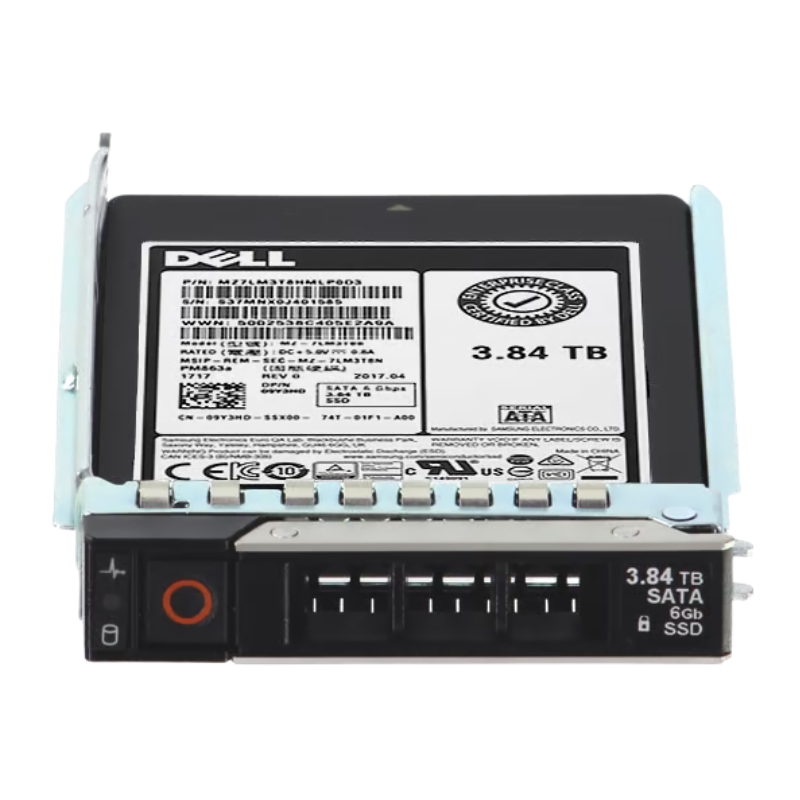


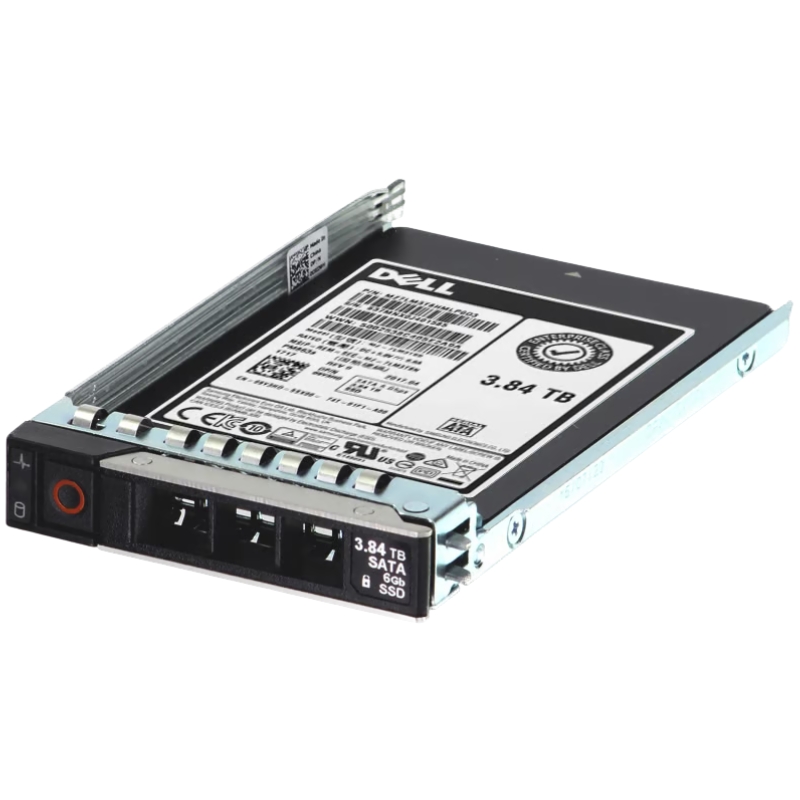
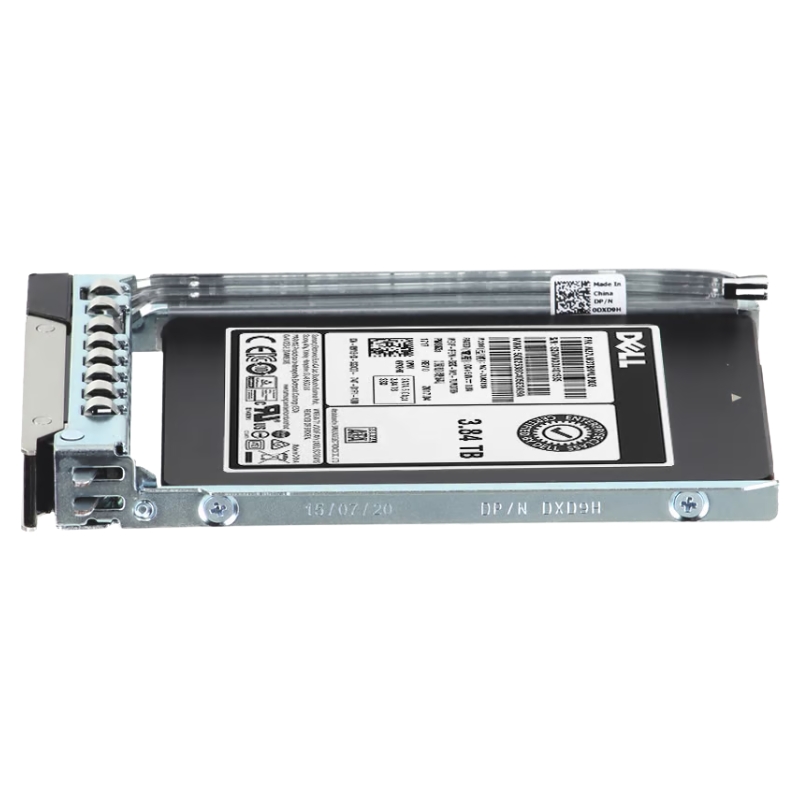
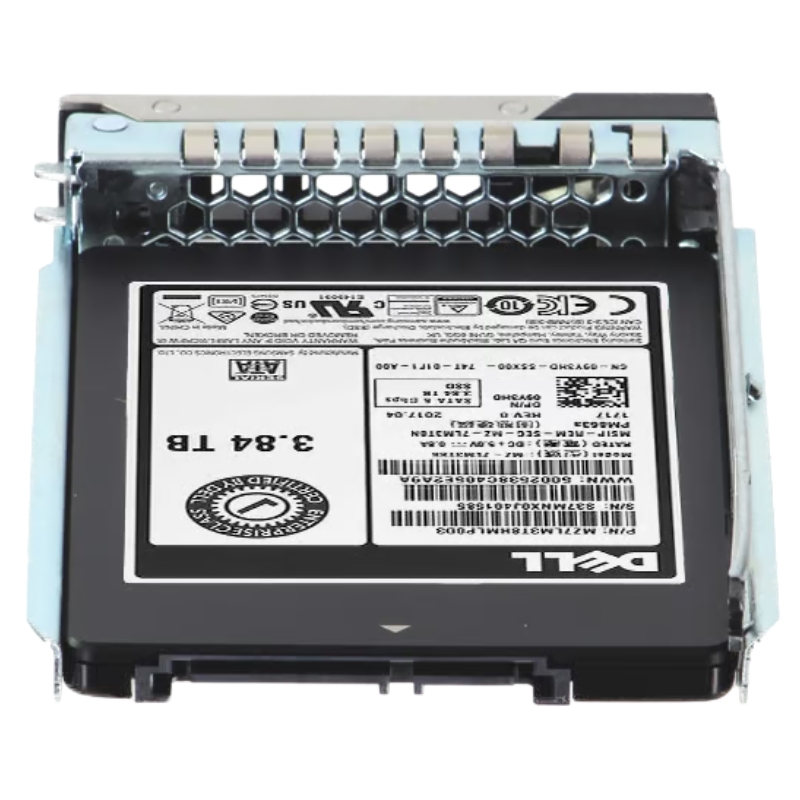
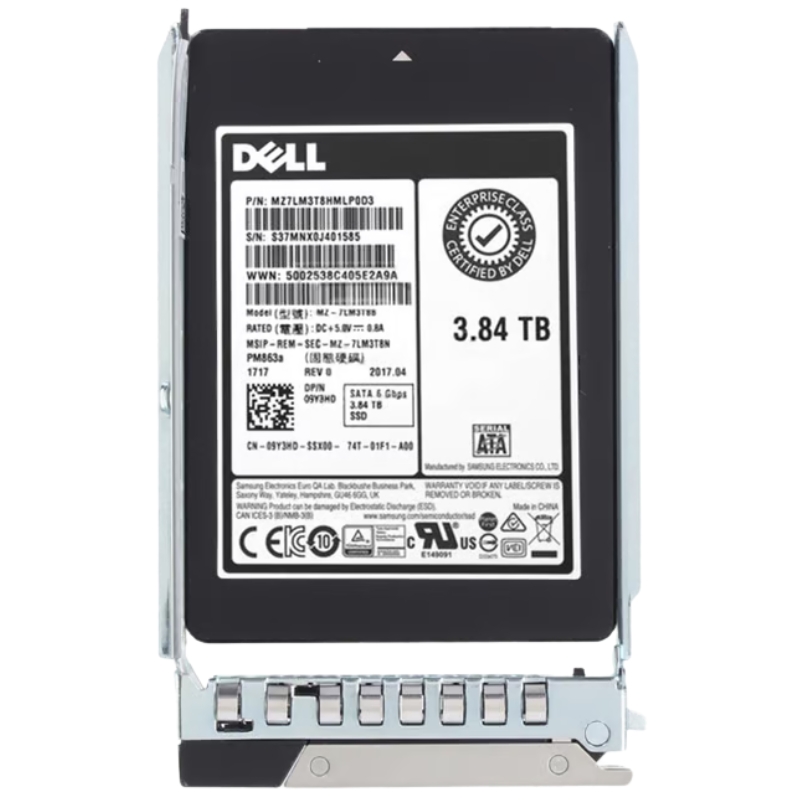
Dell 572Y6 3.84tb SATA 6GBPS 2.5inch SFF Mixed Use 3 TLC Hot Swap Enterprise Solid State Drive. New Sealed in Box (NIB) with 1 year Replacement Warranty
| SKU/MPN | Warranty | Price | Condition | You save |
|---|---|---|---|---|
| 572Y6 | 1 Year Warranty | $1,235.00 | Excellent Refurbished | You save: $432.25 (26%) |
| 572Y6 | 1 Year Warranty | $2,470.00 | New Sealed in Box (NIB) | You save: $864.50 (26%) |
The Dell 572Y6 3.84TB SATA 6Gbps 2.5-Inch SFF Solid State Drive is a highly reliable, enterprise-grade storage option engineered for Dell PowerEdge 14G, 15G, and 16G servers. Designed for mixed-use workloads, this hot-swappable SSD ensures fast data processing, secure encryption, and consistent performance in demanding IT environments.
The Dell 572Y6 is a high-capacity, enterprise-grade solid state drive engineered for mainstream and mixed workload datacenter environments. Offered in a 3.84TB capacity and a 2.5-inch small form factor (SFF), this drive uses the ubiquitous SATA 6Gbps interface and TLC (Triple-Level Cell) NAND to balance cost, endurance, and performance. Designed as a Mixed Use (MU) 3-class drive, the 572Y6 targets workloads that combine read-intensive and write-moderate operations such as virtualization hosts, database caching, mail servers, and general-purpose tiering. Its hot-swap compatibility, enterprise-grade firmware, and durable hardware make it suitable for RAID arrays in storage enclosures and direct-attach server bays.
The Dell 572Y6 conforms to the 2.5-inch SFF standard with a height profile suitable for 7mm and 15mm drive bays depending on carrier. The drive communicates over SATA III (6.0 Gbps), ensuring broad compatibility with legacy and current server motherboards, storage controllers, and backplanes. Its hot-swap design integrates with drive trays and caddies commonly used in Dell PowerEdge servers and many third-party chassis.
At 3.84 terabytes of raw capacity, the 572Y6 provides a high-density option for enterprise arrays. The drive employs TLC NAND, which stores three bits per cell to deliver cost-effective high capacity. To offset the endurance limits of higher-density NAND, this SSD implements advanced firmware-level wear-leveling, dynamic over-provisioning, and error correction algorithms to maintain consistent performance and longevity for Mixed Use workloads.
Typical performance targets for a Mixed Use enterprise SATA SSD like the 572Y6 emphasize steady sustained throughput and reasonable random I/O capability. Expect sustained sequential read/write throughput suitable for streaming data and backup tasks, while random read IOPS are optimized for multi-user virtualization and database access patterns. While absolute numbers depend on platform and queue depth, the drive is tuned to deliver enterprise-quality latency and predictable tail latencies under mixed I/O conditions.
The Mixed Use classification indicates a middle-ground endurance rating—higher than client/Tier consumer drives but lower than heavy-duty datacenter drives. Endurance is expressed in drive writes per day (DWPD) or total terabytes written (TBW) over the warranty period. The 572Y6 includes robust error-correcting code (ECC), power-loss protection mechanisms, and a firmware stack designed for low bit error rates and high mean time between failures (MTBF). These characteristics reduce unplanned downtime and help maintain data integrity in RAID configurations.
Virtualized server hosts and Virtual Desktop Infrastructure (VDI) deployments benefit from the balanced performance profile of the Dell 572Y6. Mixed I/O patterns with bursts of random reads and writes are common in consolidated guest environments; this SSD’s firmware and NAND management strategies enable predictable latency and high availability for dozens to hundreds of virtual machines depending on the host architecture.
Databases that require low-latency random reads—such as caching layers or read-mostly OLTP workloads—will find the 572Y6 a capable option. In caching or tiering scenarios, the SSD can serve hot data with significantly lower latency than spinning disks while providing better cost-per-GB than NVMe options when large cache sizes are required.
Mail servers, web application servers, and other multi-user applications with mixed sequential and random traffic patterns are natural fits. The drive’s balance of capacity and mixed-use endurance enables large mailboxes and multi-tenant application stacks to maintain responsiveness under sustained user load.
Using the 572Y6 as a boot/system drive provides rapid OS and application startup times and reduces the overhead of mechanical drive seeks. For environments that require dense storage while maintaining fast host boot and service restart times (e.g., stateless compute nodes), this SSD delivers an economical, high-capacity boot medium.
Enterprise SSDs frequently receive firmware updates that improve reliability, performance, or compatibility. Always consult Dell’s support portal for the latest firmware files and apply updates in maintenance windows. Some storage controllers and operating systems may require driver updates to fully support error reporting, temperature monitoring, and SMART attributes exposed by the SSD.
The 572Y6 typically includes features to reduce the risk of data loss during unexpected power events—such as internal capacitors or firmware flush sequences that protect in-flight data. When deploying in multi-drive arrays, ensure the chassis and PSU redundancy meet your RPO/RTO objectives, and combine SSD-level protections with controller-level cache protection where available.
When using the 572Y6 in RAID, prefer RAID levels that offer a balance between performance and redundancy (e.g., RAID10 for write-intensive workloads, RAID6 for capacity with parity protection). Be mindful of rebuild times: while SSD rebuilds are typically faster than HDDs, rebuilds still increase endurance stress on remaining drives—monitor SMART metrics and plan for preemptive replacements when warranted.
For latency-sensitive applications, optimize queue depths and I/O thread models to avoid creating large pending queues that can increase tail latency. Balance parallelism across vCPUs and storage channels to spread I/O evenly. Benchmark in your environment—synthetic load tools can help but always validate with workload-specific traces to ensure real-world behavior.
Regularly monitor SMART attributes such as media wear indicators, uncorrectable sectors, spare capacity, and temperature. Many datacenters integrate these metrics into monitoring systems (Nagios, Zabbix, Prometheus) to create alert thresholds for pre-failure replacement. Ensure that SNMP or management tools in your servers can surface SSD-specific metrics for centralized health reporting.
Over-provisioning—reserving a portion of the drive for firmware-level operations—can improve endurance and performance consistency. While the OEM may ship a default over-provisioned configuration, advanced users can configure additional over-provisioning at the logical level (where supported) to extend drive life in write-heavy environments.
The Mixed Use label implies a design target for a specific range of DWPD (Drive Writes Per Day) suitable for environments that mix read-dominant and write-moderate workloads. Consult the official Dell product documentation to find the drive's published TBW or DWPD and align procurement with your workload’s write profile to avoid premature wear-out.
Enterprise SSDs generally carry multi-year warranties and may include proactive replacement programs. Check the exact warranty duration (commonly three to five years for this class) and the RMA process with Dell or authorized resellers. Note that warranty coverage may depend on proper use, firmware updates, and not exceeding specified operating conditions (e.g., temperature and shock).
SSDs experience wear that is predictable with proper telemetry. Establish EOL policies based on both age and endurance indicators: schedule replacements based on TBW thresholds, SMART wear metrics, and production schedules to avoid asset failures during critical windows. Maintain spares and a consistent firmware baseline to simplify replacements.
When comparing drives, factor raw capacity, usable capacity after RAID and over-provisioning, warranty, and expected lifespan. The effective cost per usable gigabyte is influenced by how many TBW the drive can deliver over its warranty period and the operational costs associated with power, cooling, and replacements. A higher upfront cost for drives with superior endurance or firmware support can reduce TCO through fewer replacements and less administrative overhead.
For large-scale deployments, negotiate bulk pricing and consider maintaining a pool of pre-staged spare drives with matching firmware to reduce rebuild times. Matching part numbers reduces compatibility problems and makes RMA handling smoother. Keep track of serial numbers and firmware versions across deployed fleets for efficient asset management.
SSDs typically consume less power and generate less heat than HDDs, translating to savings in power and cooling. For high-density deployments, the energy savings from using enterprise SSDs like the 572Y6 can be significant over time—factoring into TCO calculations when comparing to other storage options.
Handle SSDs with care—use ESD wrist straps and anti-static packaging to protect the drive’s electronics. Avoid exposing the drive to excessive shock or vibration during transport and installation to prevent mechanical damage to connectors or the PCB.
The 572Y6 supports hot-swap operations when used in doors or trays designed for hot-swapping. Follow server vendor procedures for drive replacement: move affected virtual machines or volumes, mark the drive as offline in the OS or controller, and then use the drive tray latch to physically remove the drive. After insertion, confirm the drive is recognized, check SMART data, and allow RAID controllers to integrate the drive before placing it into production.
When repurposing or decommissioning drives, use certified secure erase procedures recommended by the vendor to ensure all data is irrecoverably removed. For highly sensitive data, consider physical destruction or NIST-compliant sanitization methods. Also ensure firmware-level security features (if available) like secure-erase and cryptographic erase are supported by your management workflow.
Add SSD health metrics to your enterprise monitoring stack: spare capacity, percentage used, TBW counts, temperature, and SMART attributes should be polled and trended. Use alert thresholds to flag drives approaching defined wear levels. Predictive alerts reduce unplanned downtime by enabling scheduled maintenance and replacement.
Not all SMART warnings require immediate action; correlate multiple signals (rising bad sector counts, accelerating reassignments, and wear percentage) to determine urgency. Track trends rather than single-point anomalies—sudden increases in reallocated sectors or a sharp rise in uncorrectable errors should prompt immediate replacement.
On the category page, surface technical specs in a concise specification table, place customer reviews and warranty information prominently, and provide clear procurement options (single unit, bulk pricing, OEM vs. third-party refurbished). Provide contextual content—use-case guides, compatibility matrices, and quick-install videos—to reduce friction for technical buyers.
The same physical drive may appear under different part numbers and firmware revisions depending on whether it is sold as a Dell OEM part, an OEM-branded replacement, or a third-party compatible SSD. OEM firmware often includes validation and platform-specific optimizations—verify firmware part numbers when replacing drives in production servers.
Refurbished drives can offer cost savings, but careful vetting is essential. Check TBW counters, prior usage patterns, and refurbisher certification. Prefer refurbished units with warranty and documented test results; avoid drives that have exhausted a meaningful portion of their endurance budget.


 Contact Us
 Information
 Catalog
 Solid State Drives (SSD)
 Network Switches
 Hard Disk Drives
 HBA & Controllers
 PC & Servers
 PC & Server Memory
 CPU & Processors
 Network Routers
 Power Supplies
 Tape Drives & Libraries
 Network Devices
 Computer & Network Cables