(7% discount is applied at checkout)
Cart is empty
Your go-to destination for cutting-edge server products
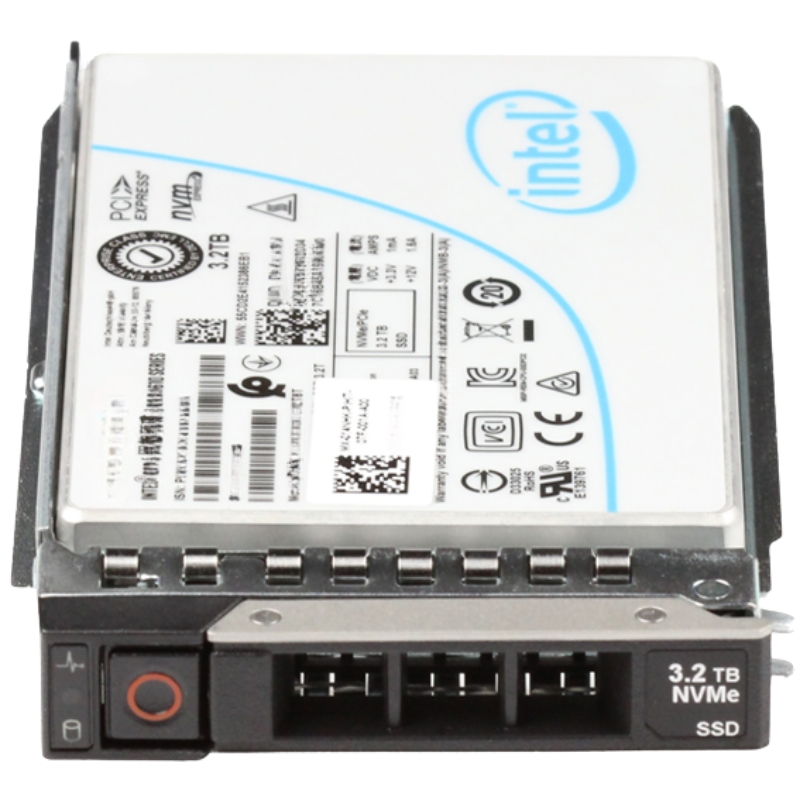


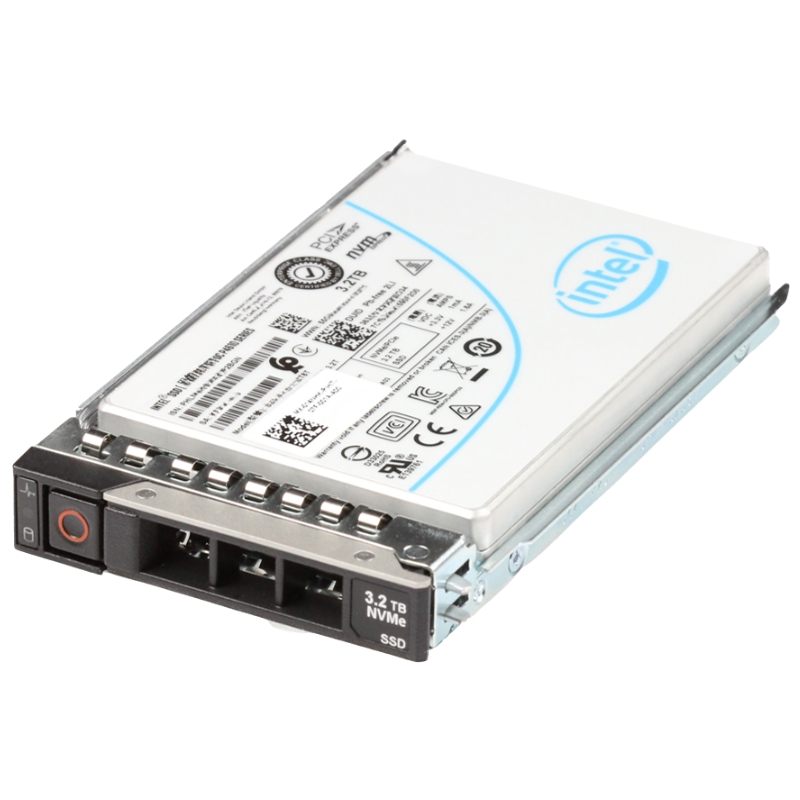
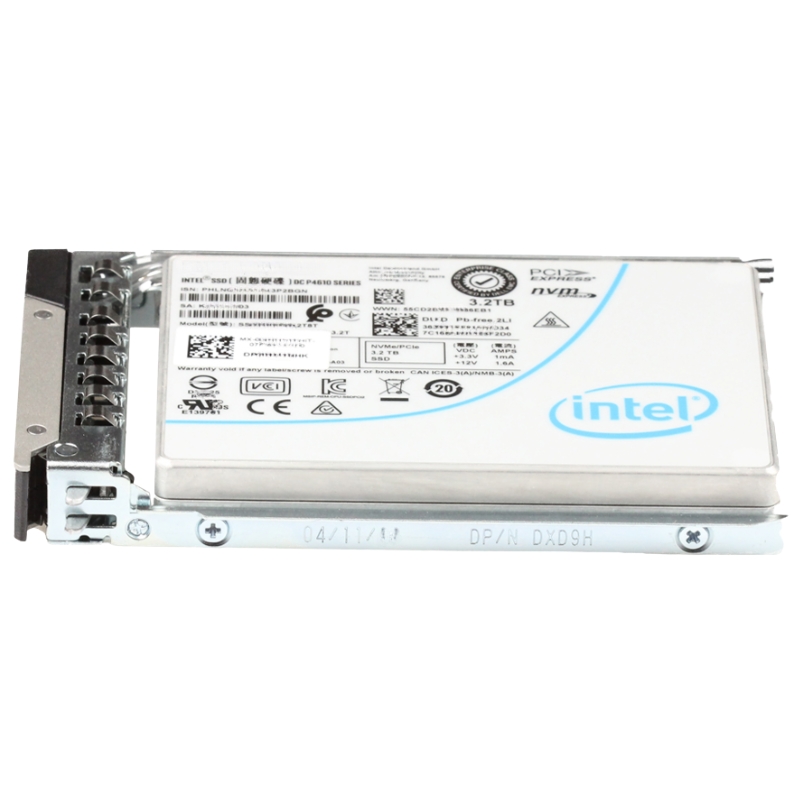
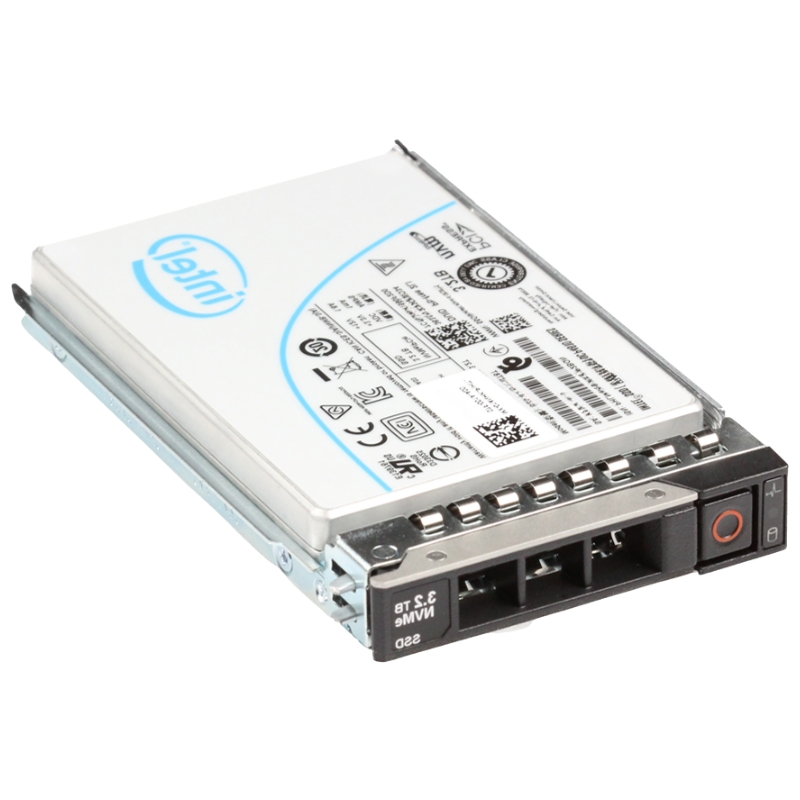
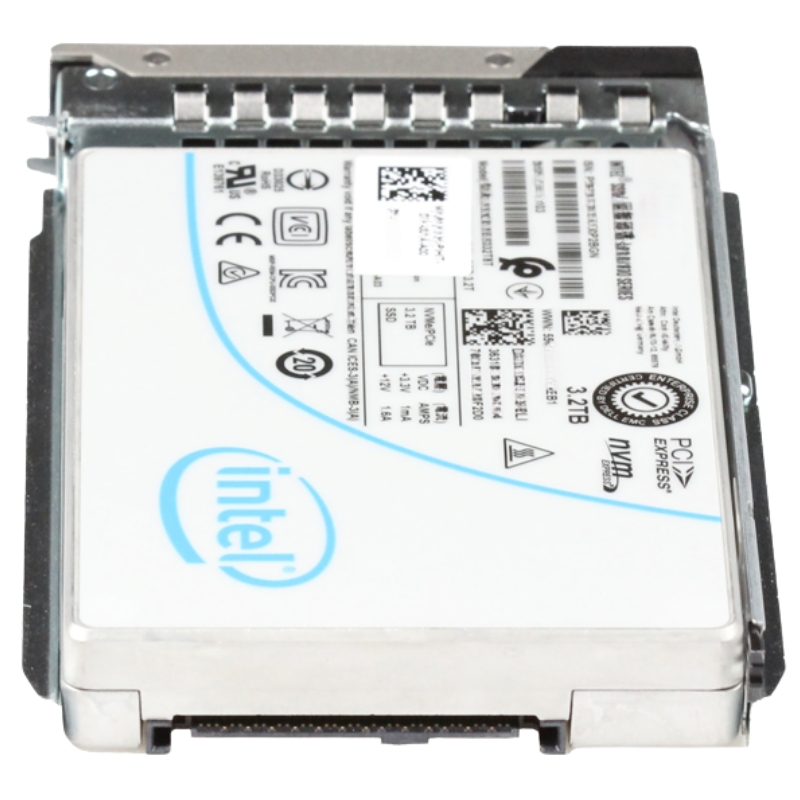
Intel SSDPF2KE032T1O 3.2TB 2.5Inch D7-P5620 U.2 PCI-E Mixed Use NVMe SSD. Excellent Refurbished with 1 year replacement warranty
Engineered for high-performance data centers, the Intel D7-P5620 (model SSDPF2KE032T1O) represents a pinnacle of storage technology, delivering exceptional speed and reliability for demanding server environments.
This internal solid-state drive is designed to tackle intensive workloads with its advanced architecture and cutting-edge components.
The drive achieves remarkable throughput and input/output operations per second, setting a high bar for enterprise storage solutions.
Drives in this category use the NVMe protocol over PCI-Express lanes and are packaged in a 2.5-inch U.2 enclosure. The U.2 interface provides hot-swap capability and mechanical compatibility with many enterprise bay designs and server sleds. Compared with legacy SATA drives, NVMe offers significantly lower protocol overhead, higher concurrency, and better utilization of PCIe bandwidth — all of which translate to higher IOPS per device and lower latency under mixed workloads.
The D7-class controller architecture — exemplified by the D7-P5620 designation — emphasizes features important to enterprise customers: consistent quality of service, strong error detection and correction, and firmware optimized for durability and steady performance when handling a blend of random and sequential reads and writes. Enterprise firmware typically includes wear-leveling algorithms, bad block management, and sophisticated background tasks that maintain performance without impacting foreground I/O.
“Mixed-use” is the defining workload profile for this category. These drives are engineered to handle both read-heavy and write-heavy activities without severe throughput degradation. That makes them an excellent fit for environments where the workload profile changes over time — for instance, virtual desktop infrastructure (VDI) combined with occasional heavy writes, or OLTP databases with analytical reporting windows.
One of the most important performance attributes for enterprise NVMe SSDs is consistency: consistent I/O latency under load and predictable performance as the drive fills and ages. Drives in the Intel SSDPF2KE032T1O category are tuned to reduce variance, providing administrators with reliable response times that simplify SLA planning and capacity modeling.
These devices provide sustained bandwidth for long sequential transfers (useful for large data ingestion, backups, or stream processing) while also offering burst capability to handle short, intense I/O spikes common in transactional systems. The NVMe stack and D7-class controller manage parallelism (multi-queue operation) so that multi-threaded server applications can fully benefit from the device’s throughput.
NVMe’s multiple I/O queue support allows data center software to scale across cores and threads without being bottlenecked by a single command queue. This is especially useful on NUMA systems and multi-socket servers where parallel access patterns exist. For developers and architects, exploiting NVMe queueing brings better throughput and less contention compared to older interfaces.
Enterprise NVMe drives in this class are characterized by endurance ratings designed to support sustained mixed workloads over long operational lifetimes. Endurance is managed through over-provisioning, wear-leveling, and sophisticated garbage collection. In practical terms, that translates to a predictable service life when the drive is used according to the intended workload profile.
Drives intended for enterprise deployment include mechanisms to protect user data during unexpected power events and to maintain metadata integrity. These protections reduce the risk of corruption and help ensure that in-flight data and mapping tables are preserved or recoverable. Many drives in this category implement power-loss protection circuitry combined with controller firmware logic to safely flush internal caches.
Error correction (ECC), cyclic redundancy checks (CRC), and end-to-end checksum schemes assist in detecting and recovering from bit errors that can occur during transfer or while data is stored. These safeguards operate in conjunction with the host’s stack, providing another layer of reliability for critical enterprise data.
Virtualized server hosts and desktop virtualization deployments require high IOPS and low latency with unpredictable mixed access patterns. The Intel SSDPF2KE032T1O category supports dense VM consolidation and shortened boot storms by maintaining steady responsiveness even when many virtual machines contend for storage.
Relational and NoSQL databases benefit from mixed-use NVMe drives because they frequently perform random reads and writes with strict latency expectations. Whether used for primary database storage or as a fast cache tier, these SSDs reduce query response time and improve transaction throughput.
Analytics nodes and logging systems that ingest high-volume streams and then perform indexed queries require both throughput and a durable write path. The mixed-use profile helps these systems ingest data quickly while retaining query responsiveness for downstream analysis.
The U.2 2.5-inch form factor is widely supported in enterprise servers, storage arrays, and dedicated NVMe enclosures. When planning a deployment, confirm that chassis backplanes, drive bays, and server firmware (BIOS/UEFI) support NVMe booting and hot-swap operations. Many systems also allow U.2 drives to be connected via adapters to M.2 or PCIe slots — check vendor compatibility and recommended cabling for performance impact.
Proper operation depends on up-to-date host firmware and NVMe driver stacks. Enterprise systems should track vendor firmware advisories and test firmware updates in staging environments. System firmware updates can unlock improved interoperability, address edge cases, and sometimes enable advanced features such as enhanced power management.
High-performance NVMe SSDs generate heat under sustained load. Effective cooling—most commonly via chassis airflow, heatsinks, or drive sled designs—prevents thermal throttling that reduces throughput. When planning rack layouts, leave sufficient airflow around hot trays and consider temperature monitoring to trigger operational safeguards or migrate workloads if thermal thresholds approach limits.
For customers with regulatory or privacy requirements, enterprise drives often support hardware-accelerated encryption and secure erase capabilities. Confirm whether the device supports industry encryption standards and whether key management can be integrated with existing enterprise KMS solutions. Hardware encryption offloads cryptographic work from the host CPU and simplifies compliance workflows when properly managed.
Firmware maintains drive features, security, and interoperability. Implement a change control process for firmware updates: test in a non-production environment, validate workloads against the updated firmware, and schedule updates during maintenance windows. Good firmware lifecycle management reduces downtime and avoids unexpected incompatibilities.
Match drive endurance and capacity to workload profiles. Mixed-use NVMe drives are flexible, but accurate workload profiling helps maximize return-on-investment. For write-intensive databases, choose higher-endurance tiers or reserve extra capacity for over-provisioning. For read-heavy caches, prioritize throughput and latency. Right-sizing also ensures predictable spare capacity for background maintenance tasks.
Using mixed-use NVMe SSDs as a hot or warm tier within a tiered storage architecture optimizes cost and performance. Frequently accessed data can reside on the NVMe tier while colder datasets move to high-capacity HDDs or lower-cost SSDs. Automated tiering or software-defined storage solutions can dynamically move data based on access patterns.
While drives are highly reliable, they should be deployed within a redundant storage topology such as RAID or erasure coding for fault tolerance and availability. When using RAID with NVMe drives, consider controllers and software that can handle high IOPS without becoming a bottleneck. Also account for rebuild times and performance impact during degraded operation.
In database systems, using dedicated NVMe drives for write-ahead logs (WAL) or commit logs can dramatically reduce commit latency. Similarly, NVMe can be used as a write or read cache in front of larger capacity storage tiers. The category’s mixed-use profile allows these drives to serve either role effectively without being constrained to purely read or write scenarios.
Select capacity according to dataset size and growth expectations; 3.2TB is a common high-density option that balances usable space with enterprise endurance. When calculating the needed pool of drives, factor in over-provisioning, RAID overhead, and the anticipated write amplification of your workload. Always model expected terabytes-written (TBW) over drive lifetime and compare against vendor endurance specifications.
Verify that the drive model is listed on server and storage vendor compatibility matrices. Compatibility extends beyond physical fit: it also includes firmware interoperability with RAID controllers, NVMe fabrics, and hypervisors. Maintaining an approved parts list reduces integration risk and simplifies support escalations.
Secure erase capabilities allow drives to be sanitized at end-of-life or when repurposing hardware. Follow organizational data governance and regulatory requirements when retiring drives, and ensure that secure erase methods are certified for compliance needs.
If hardware-based encryption is used, integrate drive keying with your enterprise key management infrastructure. That integration ensures that data remains protected even if a drive is physically removed from the platform. Understand how keys are handled during warranty replacements and whether the vendor supports rekeying or key revocation features.
U.2 drives offer hot-swap convenience and server bay compatibility, whereas M.2 modules are more compact but generally not hot-swappable. Add-in cards (AIC) can provide direct PCIe connectivity with greater lane counts but require available PCIe slots and don’t fit standard drive bays. Choose the form factor that aligns with your chassis and serviceability requirements.
Mixed-use devices are versatile for changing workload profiles, while read-intensive drives optimize cost per GB for read-dominated workloads and write-intensive drives are optimized for high write endurance. Analyze your workload to determine whether a mixed-use drive is the appropriate middle ground or whether a workload-specific drive class yields better TCO.
If performance varies, check telemetry for thermal throttling, firmware health, host driver versions, and queue saturation. Test with synthetic and real workloads to pinpoint whether bottlenecks are on the device, host bus, or application layer. Use vendor diagnostic tools to collect telemetry and run health checks before opening support cases.
Implement scheduled reporting for SMART attributes and telemetry. Plan for periodic maintenance windows to update firmware and test failover procedures. Keep a replacement inventory for critical deployments and automate provisioning to reduce mean time to recovery in case of device removal.
Follow vendor-recommended hot-swap procedures when removing or inserting U.2 drives to avoid system hangs. Ensure the operating system and storage stack are configured to gracefully handle device removal. For high availability systems, verify failover behavior during planned and unplanned removals before performing swaps in production.
In a consolidated virtualization cluster, deploying mixed-use NVMe drives as the primary storage tier reduces VM IO latencies and improves boot storm resilience. This configuration is particularly effective when combined with hypervisor features like host local caching, thin provisioning, and policy-driven storage placement.
Databases with both heavy transactional loads and periodic analytic queries can benefit from mixed-use NVMe drives. Placing transaction logs and hot indexes on NVMe reduces commit latency and improves query performance, enabling denser consolidation and faster reporting windows.
For edge compute and telco infrastructure that needs robust storage in constrained spaces, U.2 NVMe SSDs provide enterprise endurance and dependability while fitting into standard 2.5-inch drive bays. This enables consistent performance for caching, local data aggregation, and real-time processing at the edge.
Include downloadable assets—spec sheets, whitepapers, and performance validation reports—to improve trust and assist technical decision makers. Display warranty information, supported firmware, and links to vendor support articles for credibility. Customer testimonials and real deployment examples also aid conversion for enterprise purchasers.
Non-Volatile Memory Express (NVMe) — a protocol designed to fully leverage the low latency and parallelism of solid-state media across the PCIe bus.
A 2.5-inch form factor interface enabling NVMe over a hot-swappable connector commonly used in enterprise servers and storage enclosures.
A workload profile that includes a blend of reads and writes, requiring balanced endurance and performance characteristics from the storage device.
A designation for a class of enterprise controllers and firmware focused on performance consistency, endurance, and enterprise feature sets.
Before widescale purchase, conduct lab benchmarks using representative workloads: application-level tests for databases, VM consolidation profiles, and mixed read/write patterns. Combine synthetic tests with production-like trace replay to validate that the drive meets latency and throughput requirements under realistic conditions.
Deploy in phases, starting with non-critical workloads or a pilot cluster. Monitor behavior and iterate on configuration: queue depths, over-provisioning, RAID settings, and cooling adjustments. Phased rollouts reduce risk and enable tuning for real operation before scaling to mission-critical systems.
Work with vendor support to obtain best practices, firmware advisories, and recommended deployment architectures. Vendor presales and technical resources can provide validation test results, reference architectures, and tips to optimize configuration for your specific environment.


 Contact Us
 Information
 Catalog
 Solid State Drives (SSD)
 Network Switches
 Hard Disk Drives
 HBA & Controllers
 PC & Servers
 PC & Server Memory
 CPU & Processors
 Network Routers
 Power Supplies
 Tape Drives & Libraries
 Network Devices
 Computer & Network Cables