(7% discount is applied at checkout)
Cart is empty
Your go-to destination for cutting-edge server products
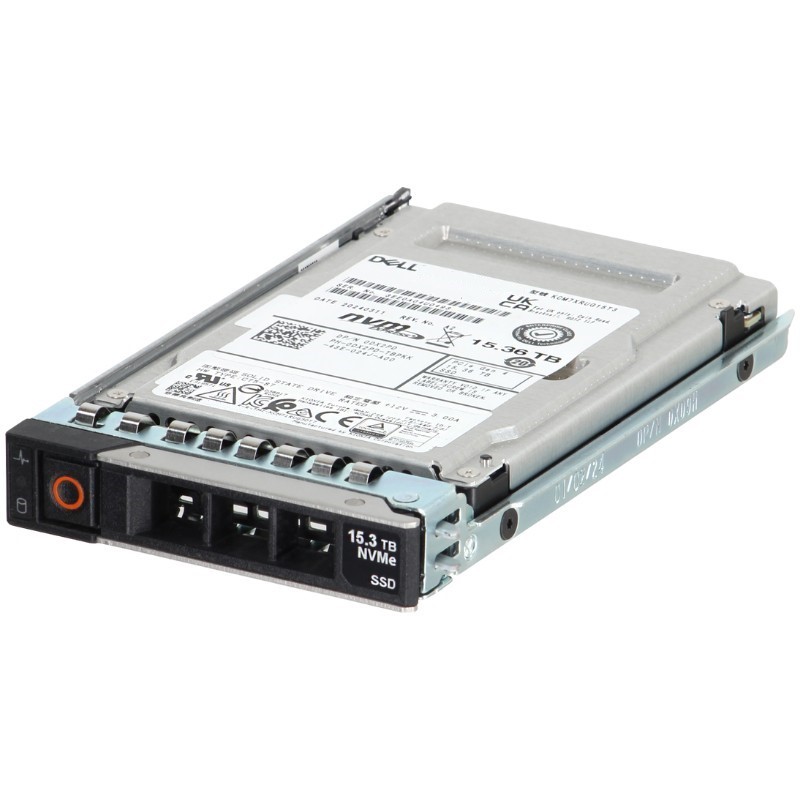


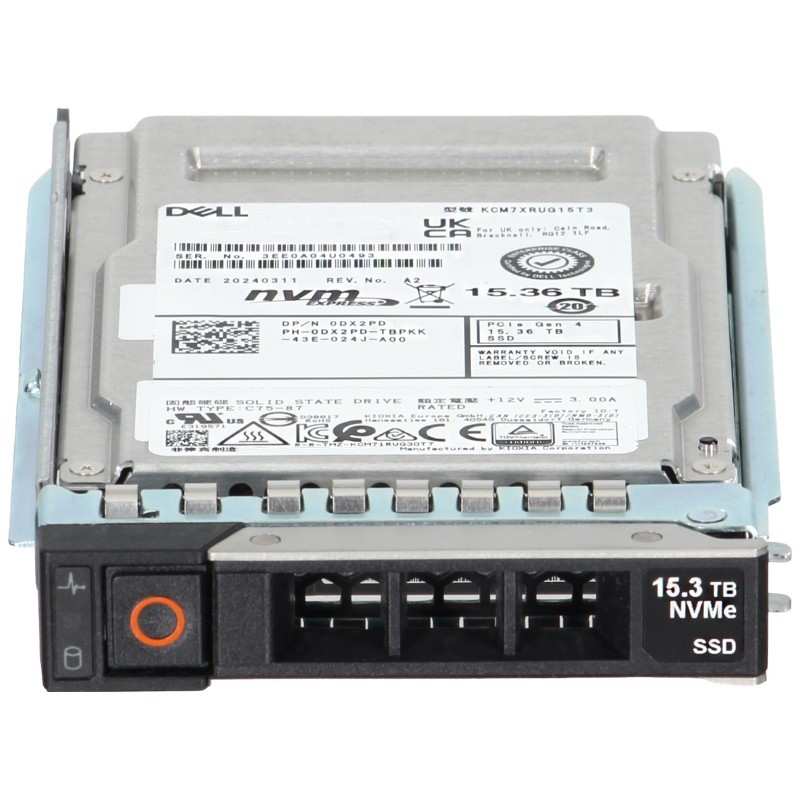
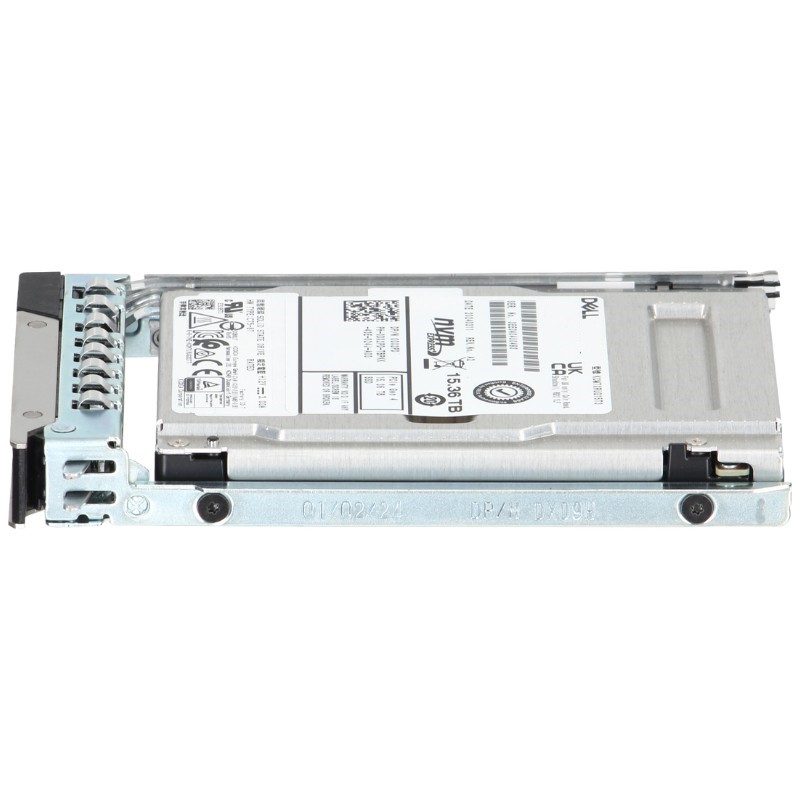
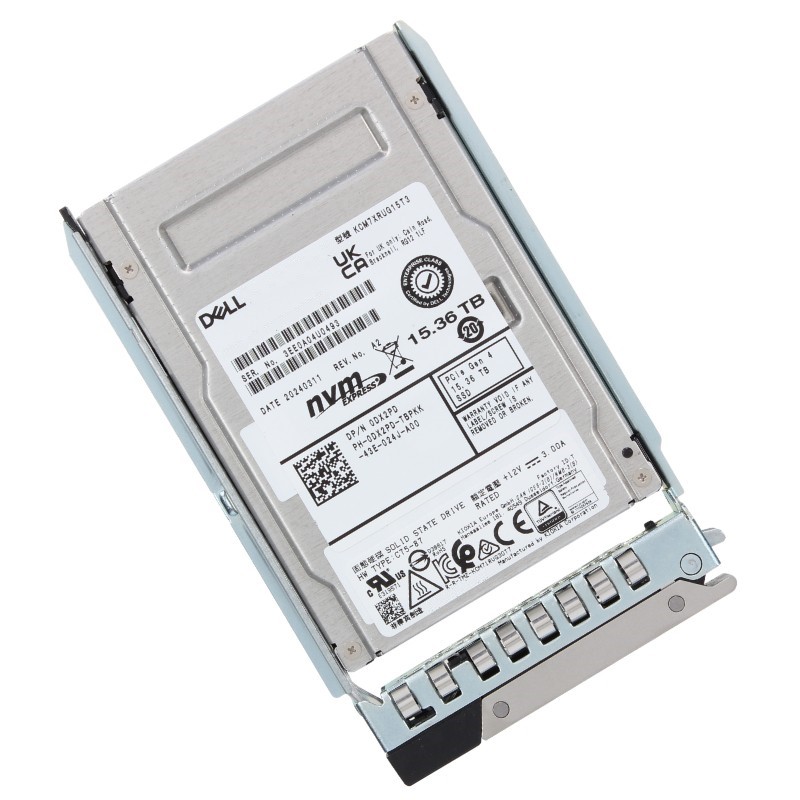
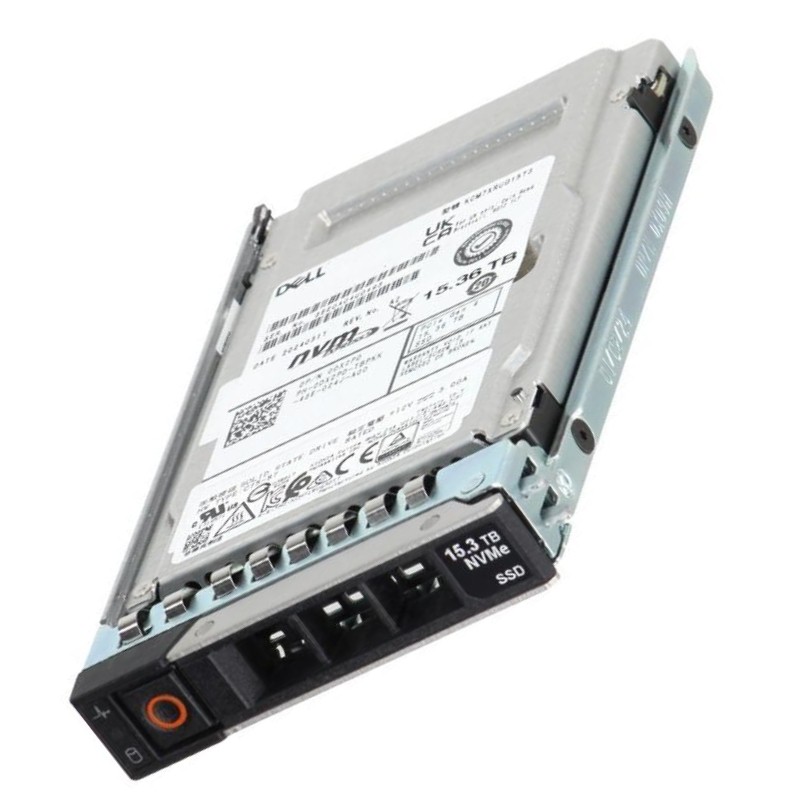
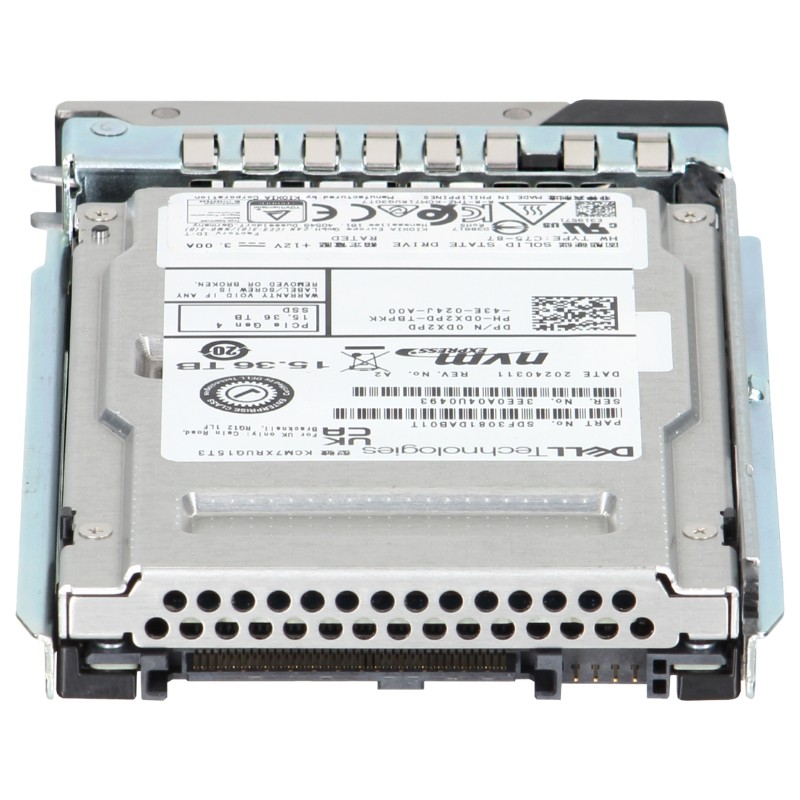
Dell 400-BMVR 15.36TB PCI-E Gen4 NVMe 3D TLC Nand U.2 Read Intensive 1DWPD SFF Enterprise Solid State Drive. New Sealed in Box (NIB) with 1 year Warranty
Elevate your data center's performance with this high-capacity enterprise-grade solid state drive, engineered for demanding server environments.
The Dell 400-BMVR 15.36TB PCIe Gen4 NVMe 2.5-inch U.2 Read Intensive 1DWPD Enterprise SSD with Tray represents a high-capacity, enterprise-focused storage option designed for modern Dell PowerEdge servers (14G, 15G, 16G, and 17G). This category description unpacks the drive’s technical foundation, its suitability across data center workloads, deployment patterns, and the operational best practices for storage architects, system administrators, and procurement teams. The 400-BMVR model belongs to a class of Read-Intensive NVMe U.2 SSDs aimed at maximizing read throughput and low-latency performance while offering enterprise-grade data integrity, predictable endurance (1 drive write per day), and compatibility with Dell’s hot-swap trays and server backplanes.
At the core of this category is the 15.36TB capacity in a compact 2.5-inch U.2 (SFF) form factor. This large capacity allows consolidation of high-read datasets onto fewer devices, reducing rack space and simplifying storage tiering. The U.2 interface ensures compatibility with standard enterprise server bays and sleds used in Dell PowerEdge lines, enabling hot-swap replacement and straightforward integration into existing server chassis without adapter modifications.
The SSD uses PCIe Gen4 x4 lanes with NVMe protocol — a modern interface combination that delivers substantial improvements in throughput and IOPS compared to legacy SATA/SAS drives. PCIe Gen4 doubles the per-lane bandwidth of Gen3, and NVMe minimizes protocol overhead for parallel, low-latency access. For read-dominant workloads, Gen4 NVMe drives provide much faster response times and higher sustained throughput, making them ideal for caching, analytics, content delivery, and database read acceleration.
Classified as Read Intensive (1 DWPD), this drive is tuned for applications where the majority of activity is read operations and where write volumes remain moderate. Endurance rating of 1 DWPD (Drive Writes Per Day) across the warranty period gives IT teams predictable lifecycle behavior for capacity planning and replacement scheduling. This rating makes the 400-BMVR a cost-effective choice for read-heavy applications such as web services, OLAP queries, search indexes, virtualization read caches, and media streaming.
As an enterprise-class SSD, this product category emphasizes data integrity and uptime. Typical enterprise features that you should expect from drives in this family include end-to-end data protection, power-loss protection mechanisms, configurable namespaces (when supported), advanced SMART telemetry for predictive failure analysis, and firmware designed for consistent performance under sustained workloads. Integration with Dell server management tools ensures firmware updates and drive health reports remain centrally visible and actionable.
The 400-BMVR is purpose-built to work with Dell PowerEdge 14th through 17th generation platforms. Compatibility spans models that support U.2 / NVMe bays and sleds and may require the correct drive tray (included) for mechanical and electrical fit. When planning upgrades, verify that the server’s backplane and BIOS/UEFI support NVMe boot and passthrough modes if you intend to use the drive as a system boot volume. For scale-out deployments, ensure firmware parity across drives and servers to maintain predictable behavior.
The supplied tray streamlines installation into Dell chassis that use toolless drive sleds. Hot-swap capabilities are preserved, which is crucial for high-availability data centers where replacing a failed drive without powering down a host is mandatory. Always follow Dell’s documented insertion/removal sequence and observe carrier-specific latch positions; incorrect seating can lead to detection issues or backplane pin damage.
For optimal operation, keep server BIOS/UEFI, backplane firmware, and Dell OpenManage agents up to date. NVMe drives and NVMe boot require specific support in system firmware, and updating to recommended Dell firmware levels enhances compatibility, performance, and security. Additionally, operating system drivers — particularly on older OS versions — may require vendor-supplied NVMe drivers to ensure correct power management and queue handling. Always test firmware updates in a staging environment prior to wide production release.
The category emphasizes read performance: low single-digit microsecond latencies and high random read IOPS. These attributes directly benefit real-time analytics, database index lookups, and high-concurrency web workloads. Because NVMe supports massively parallel command queues, multi-core servers can exploit the drive’s full I/O concurrency — translating to higher application throughput under scaling load.
Sequential read throughput on a Gen4 NVMe 400-BMVR drive reaches much higher sustained megabytes-per-second rates compared to SATA alternatives, enabling rapid ingest and data migration tasks. This is particularly valuable in scenarios such as streaming large archives, scanning massive datasets for analytics, and high-speed backup/restore operations.
Enterprise NVMe SSDs are engineered to maintain QoS under mixed workloads. The 400-BMVR line typically includes firmware mechanisms to prevent performance cliffs under long-running operations and to preserve predictable tail latency — crucial for SLA-bound services. Monitoring tail latency (99.9th and 99.99th percentiles) is a best practice when deploying these drives for latency-sensitive applications.
Large-scale OLAP deployments, search indexes, and read-mostly OLTP read-replicas benefit from the high random-read IOPS and low latency of this NVMe category. When used as primary storage for read-heavy tables or as dedicated index stores, response times for queries and lookups improve significantly. For databases with mixed read/write profiles, architects should evaluate write amplification and endurance objectives versus the cost-of-ownership to determine if the 1 DWPD rating meets lifecycle goals.
VDI deployments often exhibit highly skewed read patterns as users load OS images and applications. Positioning 15.36TB read-intensive NVMe drives in the caching tier accelerates boot storms and application launches while reducing pressure on slower block-storage tiers. This improves user experience while optimizing cost by avoiding premium endurance drives where unnecessary.
Organizations running large media libraries for streaming or distribution will find the high sequential throughput and low access latency of this SSD category useful for serving content to many concurrent clients. The U.2 format enables dense packing of capacity within server nodes, consolidating library storage without sacrificing access speed.
Feature stores and inference caches for machine learning pipelines often require fast, repeatable reads to feed models. The 15.36TB size supports large feature sets close to compute, reducing network hops and improving overall model throughput. For training datasets that are read-heavy, these drives shorten data access time and accelerate experimental iteration.
When comparing total cost of ownership, consider how consolidating larger-capacity NVMe drives reduces the number of devices, backplane slots, and accompanying power/cooling overhead. The read-intensive class balances a lower price-per-GB compared to higher-endurance enterprise SSDs while still delivering NVMe performance. TCO calculations should include expected device lifetime based on workload write rates, power consumption, and replacement costs to produce realistic lifecycle expenditures.
Always stage new drives in a test cluster to validate firmware compatibility with your server models, RAID controllers (if used in software RAID gateways), and management tools. Test boot sequences — NVMe boot support can be sensitive to firmware versions. Validate SMART telemetry, Dell OpenManage integration, and alerting thresholds for predictive failures.
Even enterprise SSDs benefit from redundancy. For critical workloads, consider RAID or distributed-redundancy strategies appropriate for NVMe drives and your software stack. Software-defined storage platforms that natively manage NVMe media (for example, NVMe-over-Fabrics or SDS clusters) can perform better at scale than legacy RAID appliances because they are optimized for parallel NVMe access and device-level failure modes.
PCIe Gen4 NVMe SSDs can produce significant heat under sustained throughput. Ensure chassis airflow, server fan profiles, and device spacing account for thermal load. High ambient temperatures or constrained airflow can result in thermal throttling that reduces sustained performance. Employ Dell’s recommended cooling policies, and monitor drive temperature telemetry to avoid prolonged thermal events.
Many enterprise NVMe drives support hardware-based encryption and secure erase commands. When handling regulated or sensitive data, enable drive-level encryption (if supported) and ensure key management aligns with corporate security policies. Use secure erase features as part of data-centre decommissioning workflows to meet compliance requirements for data sanitization.
Maintain a strict firmware update policy to address discovered vulnerabilities quickly. Only apply firmware from verified Dell channels and follow documented update procedures. For security-conscious deployments, track supply chain provenance and purchase through authorized distributors to minimize the risk of counterfeit or tampered devices.
When migrating data from older media or expanding capacity, leverage procedures that minimize downtime: live replication, synchronous mirroring, and shrink/expand operations in virtualization layers. The drive’s high throughput accelerates migration windows but always validate application behavior during data rebalance operations to prevent transient performance degradation.
Compared to higher-endurance NVMe SSDs rated for multiple DWPD, the 400-BMVR’s 1 DWPD rating trades write endurance for lower cost per gigabyte and higher usable capacity. For read-optimized tiers (cache, content delivery, indexes), this is often the most cost-effective approach. However, write-heavy transactional databases or write-centric logging systems may be better served by higher-endurance drives to avoid premature wear and increased replacement cycles.
While SATA and SAS SSDs and HDDs can offer lower upfront costs or higher capacity per device, they cannot match the latency, parallelism, or throughput of PCIe Gen4 NVMe drives. For workloads where latency and IOPS are essential, the upgrade to NVMe yields substantial application-level performance improvements and can simplify system architecture by reducing the need for complex caching appliances.
The 15.36TB Gen4 NVMe U.2 category is ideal for the performance tier of a multi-level storage hierarchy: hot or warm data that requires fast read responses but does not need the highest write endurance. Cold archives and infrequently accessed backups remain appropriate for high-capacity HDDs or low-cost QLC devices, while tiered caching and hot datasets live on NVMe devices like the 400-BMVR.
Service providers running multi-tenant virtualization often allocate NVMe-backed datastores for read-heavy tenant workloads. The 400-BMVR’s capacity reduces the number of devices needed per host and simplifies datastore management while preserving tenant performance isolation through QoS controls and careful provisioning.
While NVMe drives deliver superior performance, they also consume more power at peak throughput than SATA SSDs. Efficient data center design — right-sizing cooling and server fans, consolidating workloads — reduces overall energy footprint. Consider power profiles provided by Dell and OS-level power management to optimize energy consumption without compromising critical performance.
Follow corporate and regional regulations for secure disposal of storage media. Use hardware-supported secure erase features or DoD/NIST-compliant sanitization procedures for drives that leave operational use. Maintain chain-of-custody documentation for decommissioned devices to satisfy audits and compliance checks.
As NVMe-over-Fabrics gains traction, architect your infrastructure so that NVMe drives can be easily repurposed as local or remote fabric-attached storage. This flexibility allows you to build hybrid models where NVMe resources are pooled across nodes for elasticity while maintaining low-latency access.
Use a mix of capacity drives and higher-endurance drives across tiers to balance cost and performance. Implement automation to re-balance workloads as capacity expands, and maintain capacity headroom to accommodate sudden growth or bursty workloads.
Always validate server compatibility (BIOS, backplane, driver stack) before production deployment. Test firmware updates and monitor telemetry centrally.
Use RAID or distributed redundancy patterns suitable for NVMe, keep spares on hand, and implement predictive monitoring to schedule non-disruptive replacements.
Ensure adequate airflow and monitor thermal telemetry to prevent throttling. Use power management wisely to balance energy efficiency with performance needs.
Match the 1 DWPD read-intensive profile to read-heavy workloads and evaluate TCO against higher-endurance alternatives for write-dominant scenarios.
Enable encryption where applicable, manage firmware updates through trusted channels, and follow certified sanitization procedures for decommissioned media.


 Contact Us
 Information
 Catalog
 Solid State Drives (SSD)
 Network Switches
 Hard Disk Drives
 HBA & Controllers
 PC & Servers
 PC & Server Memory
 CPU & Processors
 Network Routers
 Power Supplies
 Tape Drives & Libraries
 Network Devices
 Computer & Network Cables