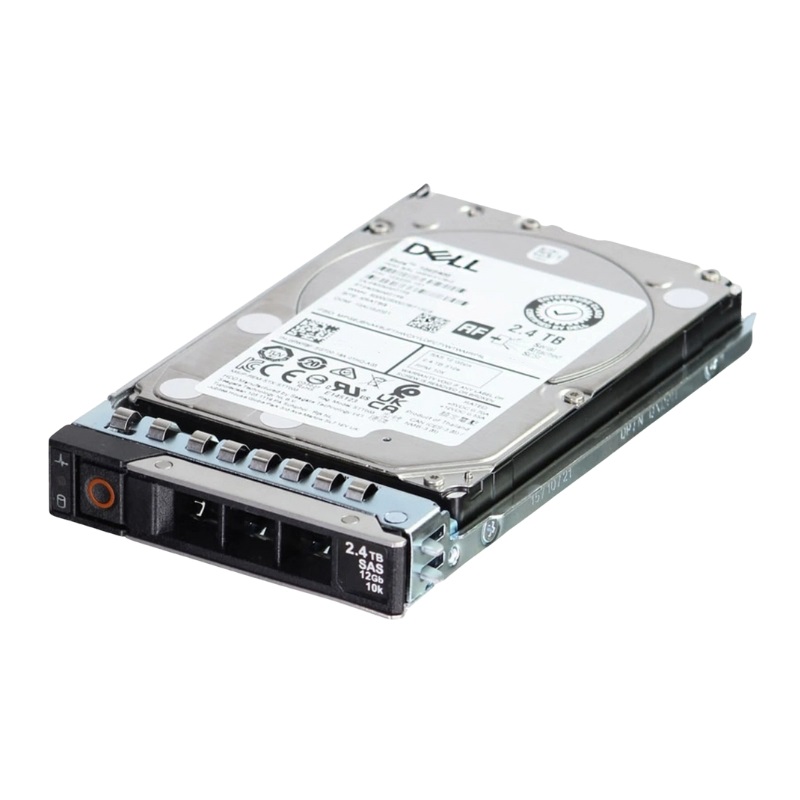
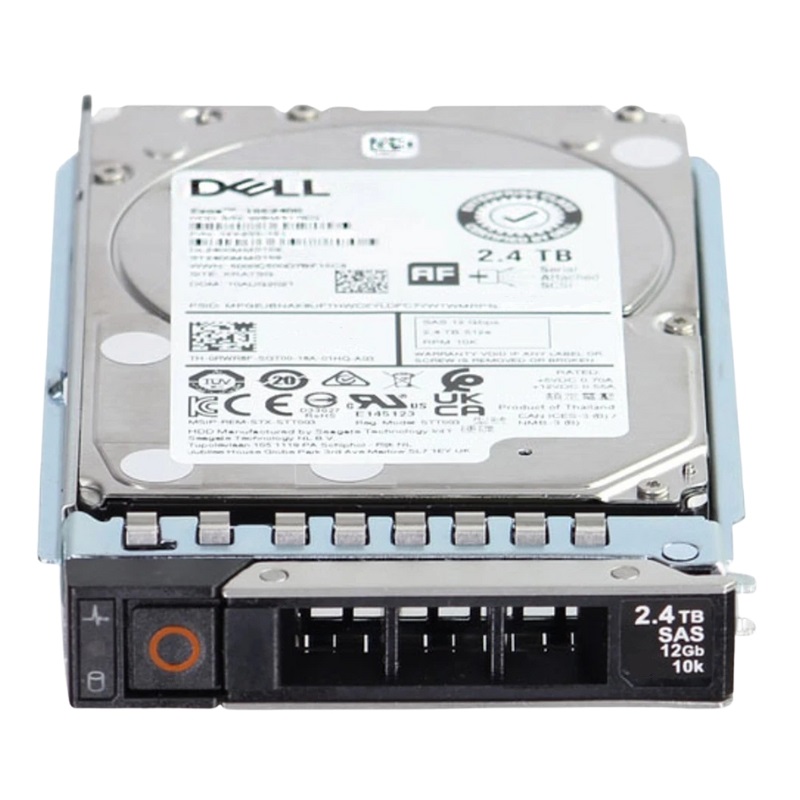
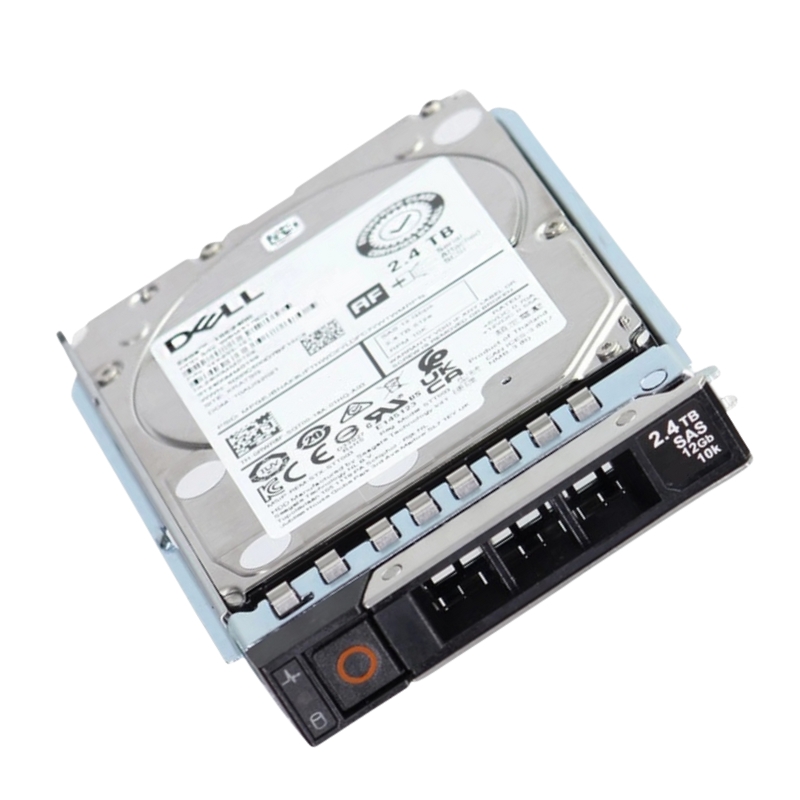
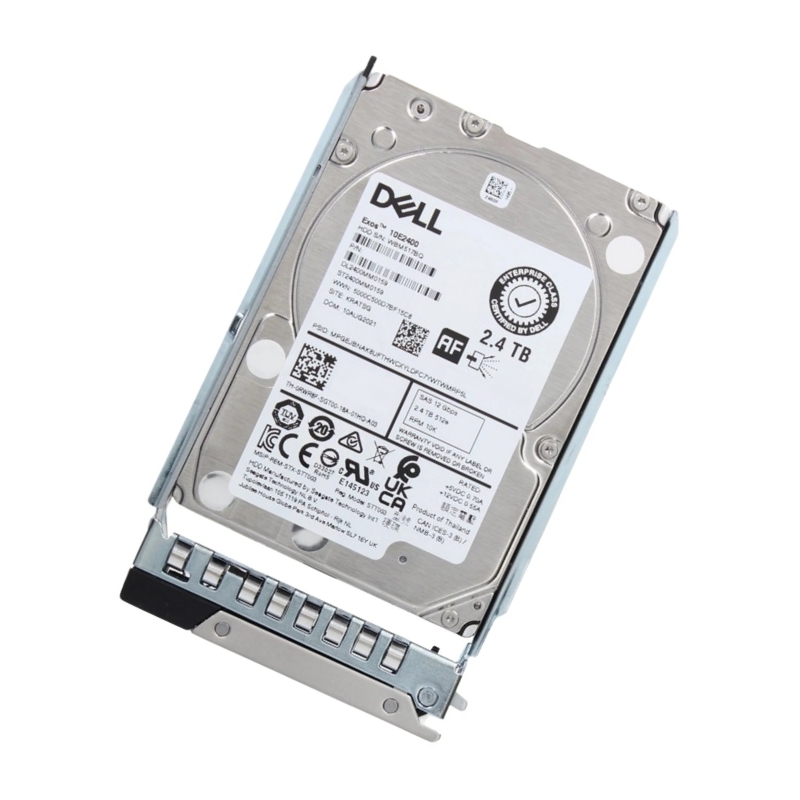
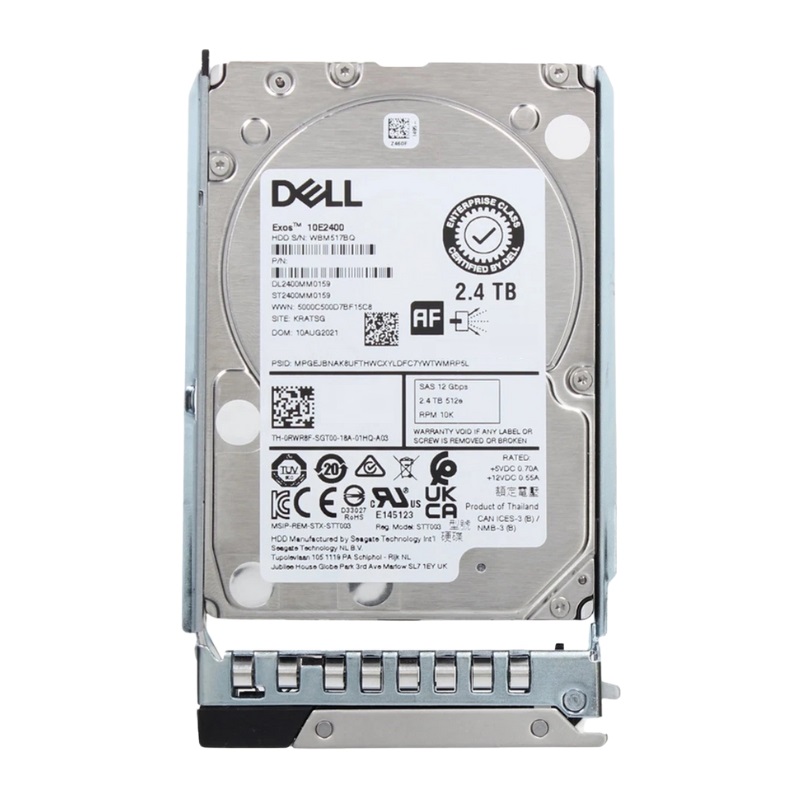
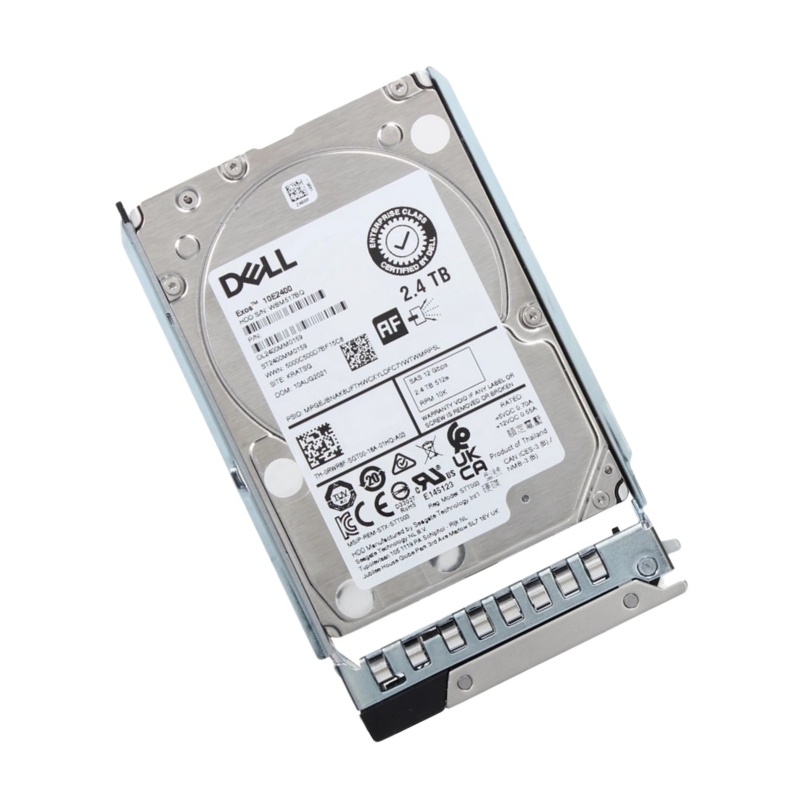
AC892273 Dell 2.4TB SAS 12GBPS 2.5inch 10K 512e Hard Disk Drive
- — Free Ground Shipping
- — Min. 6-month Replacement Warranty
- — Genuine/Authentic Products
- — Easy Return and Exchange
- — Different Payment Methods
- — Best Price
- — We Guarantee Price Matching
- — Tax-Exempt Facilities
- — 24/7 Live Chat, Phone Support
- — Visa, MasterCard, Discover, and Amex
- — JCB, Diners Club, UnionPay
- — PayPal, ACH/Bank Transfer (11% Off)
- — Apple Pay, Amazon Pay, Google Pay
- — Buy Now, Pay Later - Affirm, Afterpay
- — GOV/EDU/Institutions PO's Accepted
- — Invoices
- — Deliver Anywhere
- — Express Delivery in the USA and Worldwide
- — Ship to -APO -FPO
- — For USA - Free Ground Shipping
- — Worldwide - from $30
Dell AC892273 2.4TB 10K SAS Enterprise HDD Overview
The Dell AC892273 is a high-performance 2.5-inch enterprise-class hard disk drive engineered for PowerEdge and PowerVault servers across multiple generations, including 12G, 13G, 14G, 15G, 16G, and 17G systems. Built with Dell firmware and enterprise-grade reliability, this HDD combines impressive rotational speed, advanced caching, and SAS-12Gbps interface technology to ensure seamless data throughput and stability for mission-critical workloads.
Key Specifications at a Glance
- Manufacturer: Dell
- Part Number: AC892273
- Storage Capacity: 2.4TB
- Form Factor: 2.5-inch SFF
- Interface: SAS 12Gbps
- Cache: 256MB multisegmented
- Sector Format: 512e
- Spindle Speed: 10,000 RPM
Performance Characteristics
This Dell 2.4TB 10K RPM SAS drive is designed for consistent data delivery and reduced latency. With an average latency of just 2.9 milliseconds, it provides faster access to frequently used data while ensuring stable throughput across enterprise storage infrastructures.
- Average Latency: 2.9ms
- Sustained Transfer Rate: 270 MB/s (outer) to 117 MB/s (inner)
- External Transfer Rate: 1200 Mbps
- Optimized Caching: 256MB segmented cache
Key Specifications
- Capacity: 2.4TB class
- Interface: SAS 12Gbps, dual-port
- Form Factor: 2.5-inch SFF, hot-swap capable (with appropriate carrier)
- Spindle Speed: 10,000 RPM
- Sector Format: 512e (advanced format with 4K physical sectors)
- Intended Use: Enterprise workloads, 24x7 duty cycle
- Typical Environments: Virtualization clusters, databases, collaboration suites, logging, secondary storage
Advanced Caching and NAND Technology
The drive leverages enhanced caching mechanisms with I/O acceleration features to deliver reliable and optimized performance. Dell integrates enterprise-grade eMLC NAND flash with a capacity of 16GB to improve endurance and efficiency in high-demand server environments.
- I/O Acceleration: Enabled
- Response Time Optimization: Active
- NAND Type: eMLC
- NAND Flash Size: 16GB
- Endurance Management: Intelligent monitoring for long lifecycle
Enterprise Reliability and Compatibility
The Dell AC892273 2.4TB SAS HDD is validated for use with Dell PowerEdge and PowerVault servers. Its compatibility extends across several generations, making it a versatile choice for enterprises upgrading or expanding their storage infrastructure.
Compatible Server Platforms
- Dell PowerEdge 12G – 17G servers
- Dell PowerVault storage arrays
- RAID controller integration for redundancy and scalability
This Dell AC892273 2.4TB SAS Drive
Optimized for Enterprise Workloads
With its balance of capacity, speed, and reliability, this HDD is tailored for enterprise-level tasks such as database applications, virtualization environments, and transactional workloads.
Enhanced Data Integrity
Features like Dell firmware optimization and intelligent NAND endurance management ensure high data accuracy and minimal risk of corruption, even in demanding 24/7 operations.
Scalability and Flexibility
The small form factor and compatibility across multiple generations of Dell servers allow businesses to scale their storage needs without compromising rack space or performance.
Detailed Feature Breakdown
Storage Efficiency
Designed with a 2.5-inch SFF form factor, the Dell AC892273 allows data centers to maximize storage density. Its 2.4TB capacity ensures sufficient space for business-critical files while maintaining compact design efficiency.
Data Transfer and Throughput
Thanks to its SAS 12Gbps interface and advanced multisegmented cache, the drive provides seamless input/output operations. The sustained transfer rates of up to 270 MB/s make it ideal for performance-oriented workloads.
PowerEdge Server Optimization
As an original Dell component with official firmware, this drive is pre-certified for integration with PowerEdge servers, ensuring plug-and-play deployment, reduced downtime, and guaranteed compatibility.
Bullet Point Highlights
- 2.4TB storage capacity for enterprise-class workloads
- 10,000 RPM spindle speed with 2.9ms latency for responsive performance
- SAS-12Gbps interface for high-speed connectivity
- 256MB segmented cache for intelligent data handling
- eMLC NAND flash (16GB) for enhanced endurance
- Designed for Dell PowerEdge and PowerVault servers
- Compatible with multiple generations (12G–17G)
- Optimized for database, virtualization, and high-transaction workloads
- Trusted Dell firmware for maximum reliability and lifecycle management
Data Warehousing
Ideal for large-scale data storage while maintaining high-speed access to frequently queried datasets.
Enterprise Backup and Archival
Provides reliable long-term data retention with endurance features that safeguard integrity across heavy workloads.
Dell AC892273 2.4TB SAS 12Gbps 2.5-Inch 10K 512e Hard Disk Drive: Category Overview and Positioning
The Dell AC892273 2.4TB SAS 12Gbps 2.5-inch 10K 512e hard disk drive represents a dependable class of enterprise-grade storage designed for balanced performance, density, and durability. Within the broader category of small form factor (SFF) 2.5-inch Serial Attached SCSI drives, this model sits at the intersection of throughput-oriented rotational media and high-capacity needs, offering predictable latency, dual-port redundancy, and a host of data-integrity technologies that make it well-suited for virtualized infrastructures, core business applications, and mixed-workload storage arrays. With a 10K RPM spindle speed, 12Gbps SAS interface, and advanced format 512e sector emulation, the drive provides sustained performance and wide compatibility across modern servers and storage backplanes, while maintaining a lower power profile than legacy 3.5-inch alternatives.
Key Takeaways for the Category
- Interface and Throughput: SAS 12Gbps connectivity supplies robust bandwidth, command queuing, and dual-port failover for mission-critical environments.
- Form Factor Density: 2.5-inch SFF enables higher drive-per-U density, reducing rack footprint and optimizing airflow and power draw.
- Performance Tier: 10K RPM targets transactional and mixed workloads where steady IOPS and consistent latency matter.
- Advanced Formatting: 512e improves capacity efficiency while maintaining broad OS and controller compatibility.
- Enterprise Reliability: Rotational vibration tolerance, error-correction features, and firmware-level safeguards safeguard data continuity.
Understanding SAS 12Gbps and Why It Matters
Serial Attached SCSI (SAS) is the interface of choice for many enterprise arrays and servers because it provides full-duplex communication, robust error detection, expanded command set support, and multi-initiator topologies. At 12Gbps per lane, SAS improves link efficiency and reduces protocol overhead compared to older 6Gbps SAS generations. For the Dell AC892273 category, the interface allows a queue depth that keeps the drive fed under heavy multitasking, while dual-port architecture enables path redundancy. In a high-availability design, each port connects to a separate controller or expander. If a path fails, the second maintains connectivity, minimizing downtime.
Another practical benefit is interoperability. SAS backplanes typically support both SAS and SATA drives (via SAS controllers), but SATA controllers cannot host SAS drives. In enterprise deployments where flexibility, hot-swap capability, and wide support for enclosure management (SES) and expanders are essential, SAS remains the standard. The 12Gbps link also pairs well with modern RAID controllers that leverage cache, write-coalescing, and predictive algorithms to smooth out random I/O patterns common in virtualized and database-heavy environments.
Dual-Port Redundancy and Multi-Path I/O
The dual-port capability in this category is especially valuable for clusters and SAN-attached hosts using Multi-Path I/O (MPIO). Administrators can configure active/active or active/passive paths, balance traffic, and perform maintenance without impacting data access. This contributes to better service-level objectives (SLOs) and allows for resilient scaling, where arrays add shelves or channels while preserving consistency and throughput.
512e Advanced Format for Broad Compatibility
512e (512-byte emulation) drives use a 4K physical sector internally while presenting 512-byte sectors to the host. This enhances capacity utilization and error correction efficiency without requiring every component in the stack to support native 4Kn. Most modern operating systems and RAID controllers are 512e-aware, and even legacy software typically works as expected. The result is a category that blends modern media efficiency with cross-generational interoperability—a critical advantage in mixed fleets with diverse hypervisors, filesystems, and backup tools.
Enterprise Reliability and Data Integrity Features
In this category, Dell’s enterprise-class firmware usually incorporates extensive SMART diagnostics, error recovery limits tailored for RAID, and time-limited error recovery (TLER)-like behavior to avoid controller timeouts. Rotational vibration (RV) sensors enhance head tracking in multi-drive enclosures. Media defect management, on-the-fly ECC, and background media scans reduce the likelihood of latent sector errors. These characteristics ensure that the Dell AC892273 2.4TB 10K SAS drive is a reliable member of RAID groups in dense, high-vibration chassis.
Moreover, many enterprise SAS drives support persistent reservations, crucial for clustered filesystems and shared-disk environments. Power loss protection strategies within the drive’s write cache, coupled with controller-level battery or supercapacitor-backed cache, add layers of protection against unexpected outages. The net effect is a category defined by conservative durability assumptions, tuned for 24x7, 365-day operation under sustained workloads.
Mean Time Between Failures and Duty Cycle
While exact MTBF figures vary by sub-model and generation, this category targets multi-million hour MTBF ratings under enterprise duty cycles. By design, the thermal envelope, start/stop profiles, and error recovery parameters assume constant service in climate-controlled racks. Adhering to vendor-recommended temperature and airflow guidelines helps maintain these reliability targets over the drive’s lifetime.
Use Cases Suited to 2.4TB SAS 10K SFF Drives
The Dell AC892273 category shines in a wide array of application profiles where capacity, performance, and reliability must be balanced:
- Virtualization Hosts: Ideal for VMware, Hyper-V, and KVM clusters employing a mix of SSD caching and 10K SAS for the warm data tier.
- Transactional Databases: Serves OLTP and mid-tier analytics where predictable latency is essential but full-flash economics are not justified.
- Email and Collaboration Platforms: Scales well for mailbox databases, collaboration suites, and team file stores with steady IOPS demands.
- Log Aggregation and Monitoring: Handles sequential logging with bursts of random I/O for indexing and queries.
- VDI and Departmental Apps: Supports pooled desktops or application layers with caching policies that keep hot blocks on SSDs.
- Backup Staging and Secondary Storage: Useful as a landing zone before deduplication or off-site replication, especially with compression.
Optimizing for Mixed Workloads
In mixed-use environments, tuning cache policies, stripe sizes, and read-ahead settings can unlock additional throughput. Pairing the 10K SAS pool with flash-based write-back caching reduces write latency spikes. Administrators can segment volumes by I/O profile—keeping random-heavy services on smaller, tightly packed RAID groups and sequential workloads on wider stripes to maximize streaming performance.
RAID Strategies and Best Practices
Choosing the right RAID level significantly affects the category’s performance and resilience. 10K SAS drives perform well in RAID 10 for transactional workloads due to mirrored reads and favorable rebuild dynamics. RAID 5 and RAID 6, common in capacity-oriented layouts, can be effective when augmented with controller cache and appropriate stripe sizes. Modern controllers that implement fast rebuilds, background patrol reads, and unrecoverable read error (URE) mitigation help maintain array health as capacities grow.
Stripe Size, Cache, and Patrol Reads
For databases with small random I/O, smaller stripe sizes can reduce read-modify-write overhead. For sequential workloads, larger stripes are better. Enabling patrol reads (periodic background scans) allows early detection of latent errors, increasing the success rate of rebuilds when a disk eventually fails. Write-back cache with battery/flash-backed protection smooths bursts and reduces host latency, particularly in RAID 5/6 sets.
Hot Spares and Rebuild Windows
Deploying global hot spares or pooled hot spares reduces the time to start rebuilds and shortens exposure windows. Because 2.4TB is a sizable capacity for spinning media, plan for rebuild times under real workloads, not just lab conditions. Consider proactive drive replacement policies based on SMART indicators and increased error rates, rather than waiting for hard failures.
Capacity Planning with 2.4TB 10K SAS
Effective capacity planning requires more than raw terabytes. For this category, consider RAID overhead, filesystem overhead, snapshots, replicas, and anticipated growth. If employing thin provisioning across a virtualized storage stack, manage alarms and thresholds to avoid overcommit scenarios. Track data reduction from compression and deduplication (if applied by the array or backup software), and segment workloads into storage tiers to allocate the right media for the right data temperature.
Compatibility and Integration in Dell Ecosystems
The AC892273 category is typically qualified for use in a broad range of Dell PowerEdge servers and Dell storage platforms that accept 2.5-inch SAS drives. Matching drive firmware to the host’s HBA/RAID controller firmware is a best practice to ensure maximum stability. Enclosure services (SES), smart backplanes, and OpenManage tooling help track drive health, firmware levels, and predictive failure alerts. For SAN environments, the drives integrate behind RAID controllers that present logical volumes to Fibre Channel, iSCSI, or NVMe/TCP front-ends, depending on the storage architecture.
Backplane and Cage Considerations
Use the correct drive carriers and interposers specified for the server generation. Avoid mixing different interface speeds on the same backplane when it creates bottlenecks; while SAS is backward-compatible, uniformity helps maintain predictable performance. Ensure cabling from the backplane to the RAID/HBA adheres to the recommended topology and length limits, especially when expanders are involved.
Firmware, Monitoring, and Lifecycle Operations
Enterprise drives benefit from periodic firmware updates that address corner cases, improve error handling, or enhance compatibility. Coordinate drive firmware updates with planned maintenance windows, using Dell’s lifecycle tools or the controller vendor’s utilities. Implement continuous monitoring: ingest SMART data, patrol read findings, and error counters into your logging stack or SIEM. Set thresholds for reallocation count, pending sectors, and medium errors. When trends indicate rising risk, migrate data off the affected drive promptly.
Proactive Health Policies
- SMART and Predictive Alerts: Integrate with email, Slack, or ticketing to ensure timely intervention.
- Baseline Benchmarks: Post-deployment, record baseline latency and throughput by volume to detect regressions.
- Regular Scrubs: Schedule patrol reads and filesystem scrubs during low-traffic windows.
- Capacity Headroom: Keep free space margins to prevent fragmentation and write amplification.
Security and Data Protection Features
Many enterprise SAS drives in this category support security features such as secure erase commands and, in some sub-models, self-encrypting drive (SED) options. Even when not using SED variants, pairing the drive with controller-level encryption or OS-based encryption helps protect data at rest. Secure drive retirement procedures should include cryptographic erase for SEDs or multiple-pass overwrites for non-SED units, depending on policy and regulatory requirements.
Chain of Custody and Wipe Procedures
Documented, auditable wipe processes and asset tags simplify compliance. Before decommissioning, validate that all logical volumes are removed, metadata is cleared, and the wipe results are verified. For sensitive environments, physically destroy platters when policy mandates—using certified shredding or degaussing services after logical sanitization.
Performance Tuning Tips for the Category
The Dell AC892273 10K SAS category responds well to a few practical tuning steps:
- Right-Size RAID Groups: Avoid excessively wide parity groups for random I/O; prefer mirrored or moderate-width parity sets.
- Leverage Cache: Enable write-back with protection to smooth small random writes.
- Align Partitions: Ensure 1MB alignment to harmonize with 4K physical sectors behind 512e.
- Tune Queue Depth: Match HBA/OS queue depth to workload characteristics and controller capabilities.
- Separate Workloads: Isolate heavy sequential streams from random-intensive LUNs to reduce contention.
Filesystem and Database Considerations
Choose filesystems and mount options that reflect workload patterns. For databases, size transaction logs and tempdb on volumes optimized for sequential I/O characteristics. Consider enabling write barriers or journaling modes that balance safety with throughput, and monitor checkpoint behavior to avoid bursty I/O that can exceed array cache during peak periods.
When to Choose Each Tier
Use SSDs for the hottest data requiring millisecond-to-microsecond latency. Select 10K SAS for steady mixed use when budgets or data temperature do not justify all-flash. Reserve 7.2K nearline for capacity-oriented archival or sequential workloads. The best outcomes often arise from tiering policies that automatically move blocks between these tiers based on access frequency.
Procurement, Spares, and Lifecycle Strategy
Plan for a consistent part number strategy and maintain a buffer of spares. Align the drive’s lifecycle with server refresh cycles to maintain homogenous pools, simplifying firmware management and performance predictability. When mixing multiple sub-models in one array, confirm that rotational characteristics, cache sizes, and firmware behaviors are similar to reduce jitter in performance metrics.
Deployment Scenarios and Architectural Patterns
Common blueprints for this category include:
- Hybrid SAN: SSD tier for hot data, 10K SAS for warm, NL-SAS for cold, exposed to hosts over Fibre Channel or iSCSI.
- Hyperconverged Nodes: Cache-accelerated local storage where 10K SAS forms the capacity tier under a distributed filesystem.
- Departmental File Services: 10K SAS volumes with snapshots and replication for business continuity between sites.
- Backup and Recovery Tiers: Staging area on 10K SAS before dedupe and long-term archival to object storage or tape.
Data Protection and Business Continuity
Integrate snapshot schedules and discrete replication targets to meet RPO/RTO goals. Test restore procedures regularly. For multi-site deployments, consider asynchronous replication for distance and synchronous replication only where network latency and budget support it. The 10K SAS category’s predictable performance aids scheduling of backup windows without oversizing the all-flash footprint.
Operational Excellence and Day-2 Practices
Operational excellence revolves around observability, change control, and documentation. Track drive slot mappings, firmware versions, and RAID layouts. Use change windows for firmware upgrades and array tuning. Keep a runbook for replacing failed drives, including steps to verify rebuild progress and post-rebuild patrol reads. Standardize alert severities so on-call engineers can triage effectively.
Documentation and Knowledge Sharing
Maintain living documentation covering drive models, firmware, RAID policies, and recovery procedures. New team members onboard more quickly when diagrams, runbooks, and FAQs are readily available. Over time, this reduces misconfigurations, shortens incident duration, and creates a predictable environment that extracts maximum value from the 10K SAS category.
Environmental Stewardship and Sustainability
Beyond technical metrics, sustainability matters. The 2.5-inch form factor consumes less material and power than legacy 3.5-inch high-RPM drives. Consolidating onto fewer, denser 2.5-inch 10K units reduces cooling requirements and rack space. As arrays evolve, consider responsible e-waste programs and vendor take-back initiatives. Lower power draws during off-peak windows, combined with intelligent workload scheduling, contribute to greener data center operations without compromising SLAs.
Future-Proofing and Migration Paths
While NVMe continues to gain traction for ultra-low-latency tiers, SAS remains a fixture for resilient, scalable capacity with enterprise features. This category provides a comfortable path forward for organizations modernizing from older SAS generations or SATA while retaining predictable behavior and management models. Over time, hybrid arrays may allocate more to flash, but 10K SAS remains relevant wherever cost per GB, predictable performance, and dual-port reliability are decisive.
Quality Assurance
Proper handling is essential. Use antistatic precautions, avoid hard shocks, and insert drives only in qualified carriers. When hot-adding into a live array, ensure appropriate drive slot and RAID group mapping. After insertion, verify the controller detects the drive at 12Gbps link speed and confirm that SMART attributes, temperature, and firmware version match expectations. Initialize and format according to the array’s recommended workflow—fast initialization followed by background parity initialization for parity-based RAID, where applicable.
Post-Deployment Validation
Run light synthetic tests to validate throughput and latency against baselines. Confirm monitoring captures the new drive’s telemetry. For mirrored sets, measure read distribution; for parity sets, observe write coalescing behavior. Document the results and file them under the system’s asset record.