(7% discount is applied at checkout)
Cart is empty
Your go-to destination for cutting-edge server products
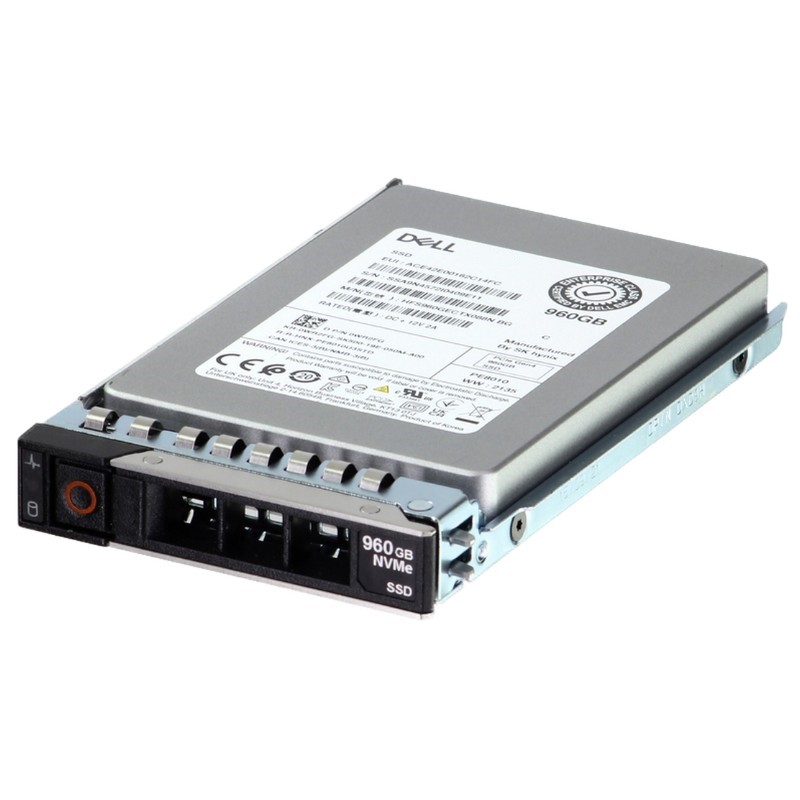


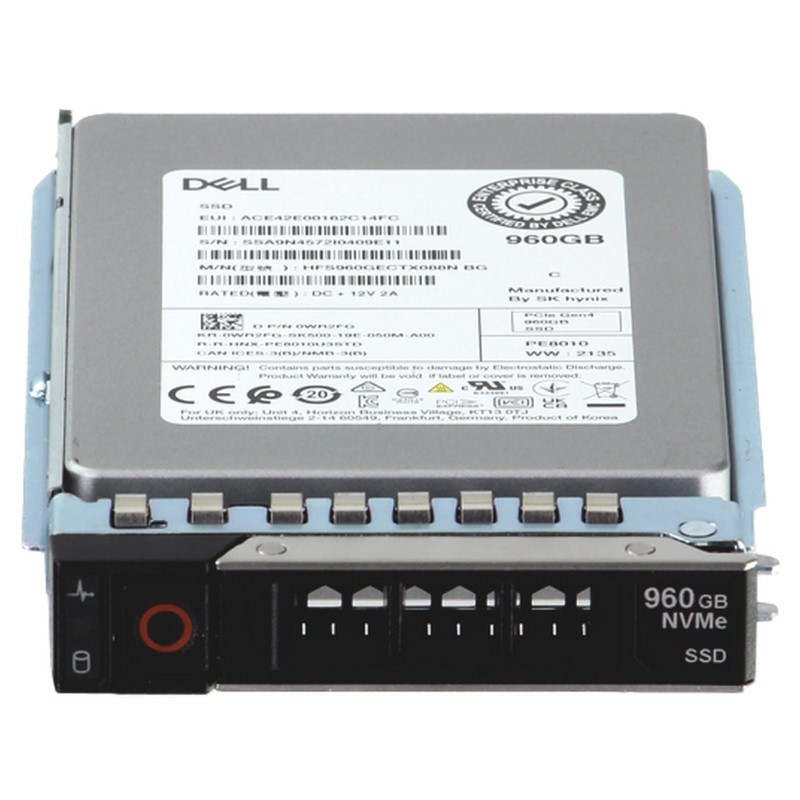
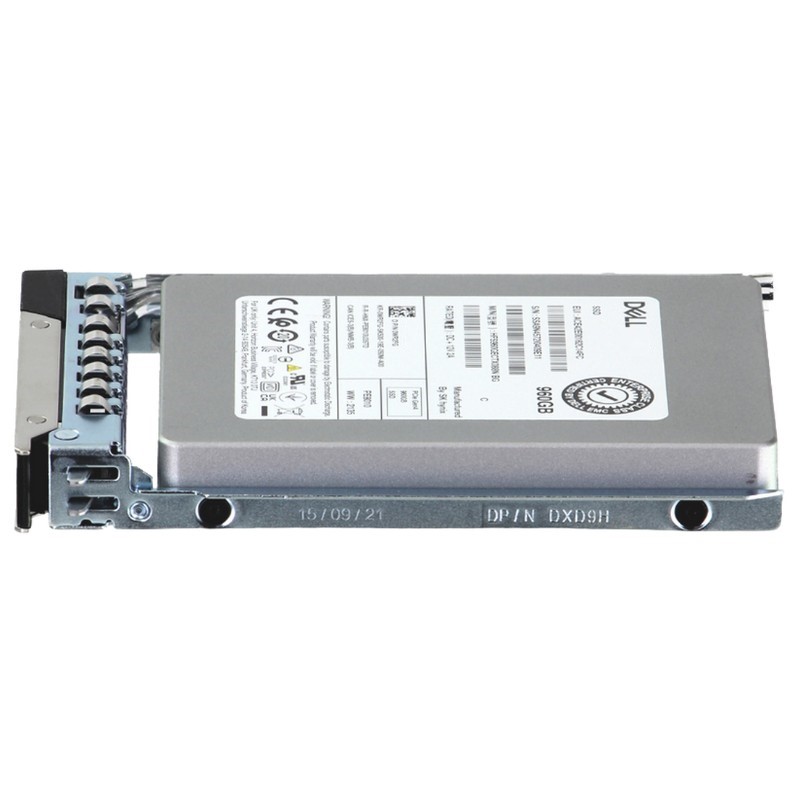
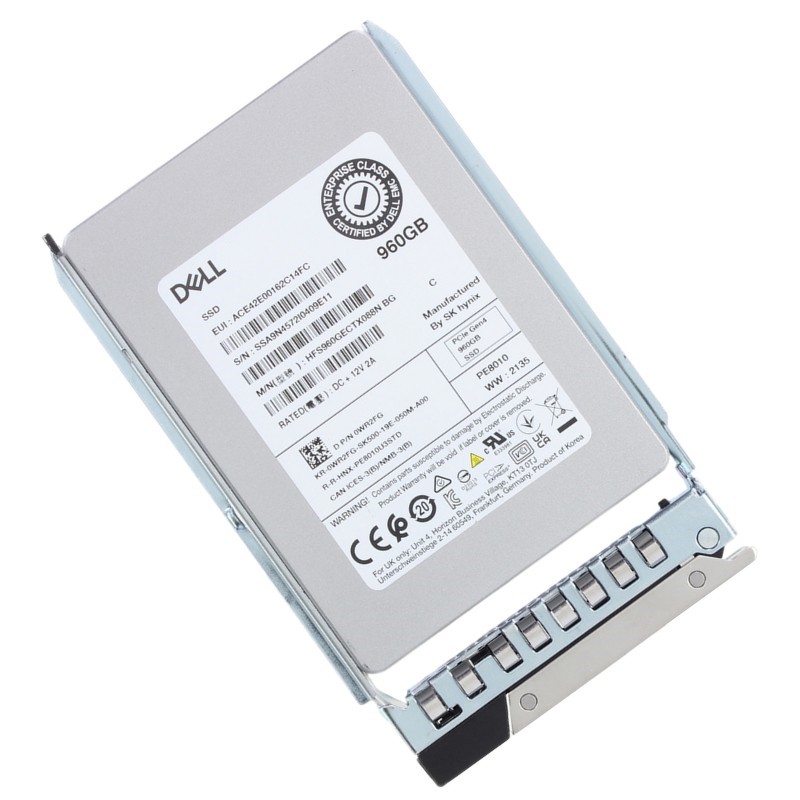
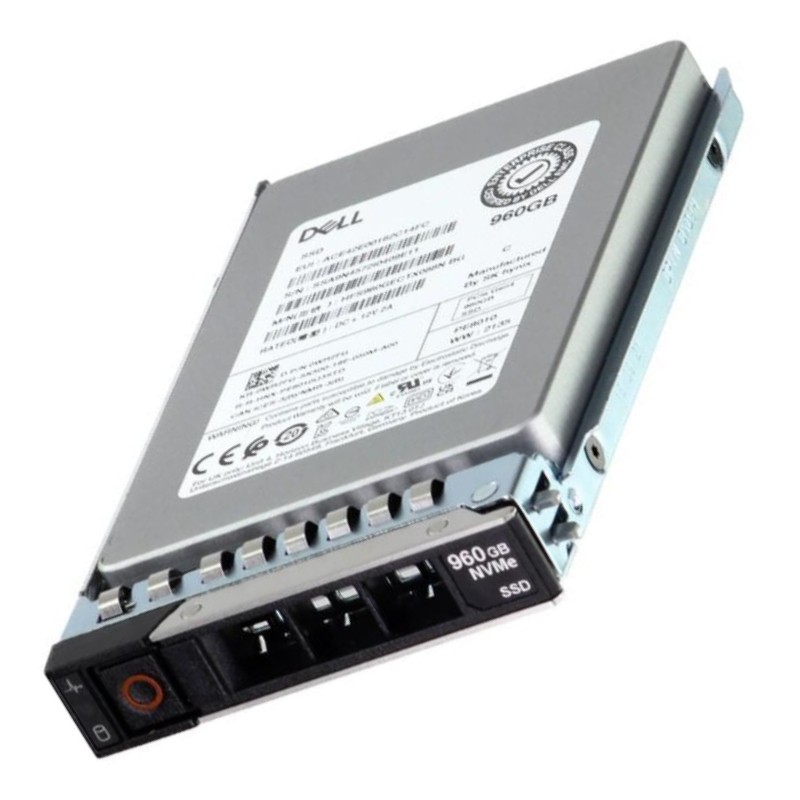
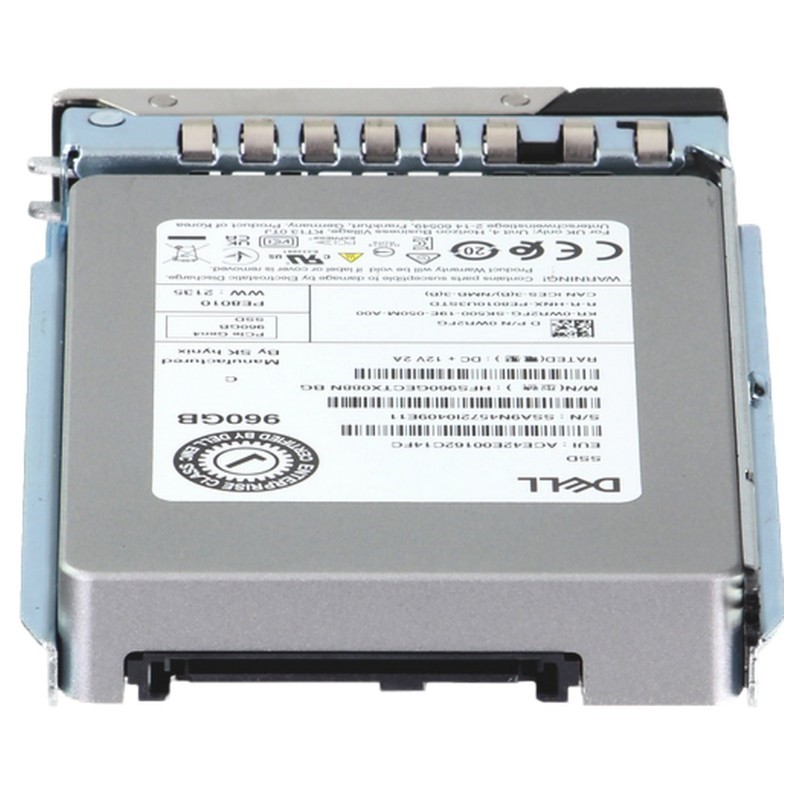
Dell 400-BOLW 960GB PCI-E Gen4 NVMe Data Center Read Intensive U2 SFF Enterprise Solid State Drive. New Sealed in Box (NIB) with 1 year Warranty
Engineered for data center operations, this internal solid-state drive delivers exceptional performance and reliability for enterprise storage solutions.
The Dell 400-BOLW 960GB PCIe Gen4 NVMe Data Center Read-Intensive U.2 2.5" Solid State Drive (SSD) with carrier is positioned for enterprise-class storage tiers where consistent read performance, low latency, and datacenter-grade reliability are essential. This category covers the 960GB capacity variant and closely related U.2 NVMe form factors tailored for Dell PowerEdge servers (14G, 15G, 16G, 17G). The description below expands on technical attributes, deployment scenarios, compatibility considerations, operational best practices, and commercial buying advice to help IT teams, storage architects, and procurement specialists choose, compare, and deploy these drives in production environments.
The 400-BOLW series typically denotes Dell-branded or Dell-qualified drive SKUs built to the U.2 (2.5") NVMe specification and operating over PCIe Gen4 x4 lanes. Important terms to keep in mind:
PCIe Gen4 x4 NVMe devices like the Dell 400-BOLW 960GB deliver substantial sequential and random performance improvements over Gen3 predecessors. Typical sequential read bandwidth can approach the theoretical limits of a Gen4 x4 link in well-optimized server configurations, with sequential read speeds commonly measured in the multiple GB/s range depending on the controller and NAND generation. Random IOPS (4K read) are often a key metric for databases and virtualization workloads; Gen4 NVMe U.2 drives show strong multi-queue performance, scaling well under concurrent host threads and multi-core server environments.
NVMe devices reduce protocol overhead, delivering lower latency than SATA/SAS SSDs. For read-intensive U.2 parts, deterministic latency and predictable tail-latency are as important as raw throughput. In multi-tenant or latency-sensitive deployments (e.g., front-end databases, search indexes, virtual desktop infrastructure), the 400-BOLW series is chosen for consistent read responsiveness and predictable QoS behavior under sustained load.
Read-intensive classification means drive endurance specifications target workloads dominated by reads; rated drive writes per day (DWPD) or terabytes written (TBW) are sized accordingly. Enterprise-grade features typically include robust wear-leveling, power-loss protection capacitors or firmware-managed safe states, end-to-end data path protection, and SMART telemetry for proactive health monitoring. These attributes make the SKU suitable for:
The U.2 2.5" form factor and Dell carrier ensure physical and electrical compatibility with PowerEdge servers from 14th to 17th generation that support U.2 NVMe bays. The carrier makes the drive hot-pluggable in Dell backplanes and aligns drive mounting, while maintaining appropriate airflow channels and thermal profiles.
Dell-qualified firmware is an integral part of product compatibility. The 400-BOLW SKU typically ships with controller firmware validated by Dell for specific PowerEdge server BIOS versions and RAID/HBA/boot-controller configurations. When upgrading server firmware or system BIOS, consult Dell release notes and the drive firmware compatibility matrix to ensure the SSD firmware does not conflict with system firmware updates.
Some PowerEdge models use NVMe-optimized backplanes or direct-attach configurations. Confirm that the target server bay supports NVMe passthrough (not just SATA/SAS). When using RAID controllers, be aware that many traditional RAID modes do not present best-in-class NVMe performance; native NVMe NVMe-oF or NVMe passthrough is preferred for low latency. If a RAID solution is required, examine Dell's NVMe RAID or software-defined storage recommendations.
Workloads such as OLAP queries, search indexes (Elasticsearch / Solr), key-value stores, and analytics platforms benefit from read-optimized SSDs. The 960GB capacity balances density and cost while providing high read throughput to accelerate query times and indexing operations.
In VDI deployments where users mainly pull data (boot storms aside), read-optimized NVMe drives speed login times, application launches, and profile loads. They can be deployed as primary storage for user virtual disks or as a cache in front of larger-capacity backend arrays.
CDNs, media servers, and edge caching nodes often store hot read-set content that is accessed far more frequently than it is written. U.2 NVMe drives with carriers integrate easily into rack servers intended for edge nodes and points-of-presence.
At 960GB, the 400-BOLW sits in the mid-density bracket. Capacity planning should consider the working set size, required headroom for wear-leveling, and RAID parity overhead. For deployments requiring high-availability, the choice of RAID level (or distributed filesystem strategy) will influence usable capacity. For example, RAID1 mirror halves usable capacity but provides simple redundancy; erasure coding across nodes preserves more usable capacity at the expense of complexity.
These drives fit naturally in tiered storage designs: keep hot read sets on the 400-BOLW NVMe tier, use higher-capacity SATA/SAS SSDs or HDDs for cold data. A caching layer architecture using NVMe as an accelerator in front of slower media offers a cost-effective way to boost read performance without overprovisioning NVMe capacity.
When designing large clusters, calculate rack-level density, power budgets, and cooling requirements. Each U.2 NVMe drive has a thermal profile that must be accounted for in 1U/2U server configurations. Drive inclusion in hot aisles requires proper server airflow management and possibly additional intake/exhaust strategies to maintain optimal drive temperatures.
Understand warranty coverage and Dell's RMA policies. Enterprise SSDs typically include multi-year warranties, and Dell's asset tracking and support portal help manage RMAs. When drives are degraded, ensure secure erasure of sensitive data prior to disposal or return, following company data sanitization policies and regulatory requirements.
NVMe drives produce heat under sustained workload. Confirm the thermal specifications provided by the vendor (operating range, throttling thresholds) and ensure server chassis airflow is sufficient. In dense deployments, consider adding blanking panels, baffles, or targeted airflow improvements to maintain temperature within specified operating limits.
Gen4 NVMe drives may consume more power at peak than Gen3 equivalents due to higher performance capability. Include drive power draw in data center power planning to ensure PDU and UPS capacities are not exceeded. For energy-conscious designs, weigh the performance gains against incremental power and cooling costs.
Many enterprise SSDs offer hardware encryption and SED features compliant with TCG Opal standards. If the 400-BOLW SKU includes encryption, administrators can enforce drive-level encryption policies with minimal performance overhead. Evaluate whether SED meets your organization’s compliance and data-at-rest protection requirements or if software encryption layers are preferred.
When decommissioning drives, follow industry-standard secure erase procedures to ensure sensitive data is unrecoverable. Use firmware-provided secure erase commands or Dell’s certified sanitization workflows. Maintain documentation and audit trails for compliance regimes that require demonstrable data destruction.
Read-intensive SSDs strike a balance: they cost less than write-intensive parts yet provide excellent read throughput for workloads dominated by reads. Choose read-intensive when the expected write volume is low to moderate—typical for caching, content delivery, and many virtualization read patterns.
If high sustained write throughput or endurance is required (e.g., heavy transactional databases, logging, or data ingestion pipelines), consider mixed- or write-intensive classes. Those drives are engineered for higher DWPD and include stronger write endurance guarantees, albeit at higher cost per GB.
NVMe U.2 drives serve as excellent cache or primary tiers in software-defined storage (SDS) stacks like Ceph or VMware vSAN. In SDS use cases, the combined attributes of low latency and high IOPS produce better cluster performance for metadata operations and small-block random reads. Properly configure the SDS policies to use NVMe tiers for hot data, and monitor health across nodes.
Container platforms (Kubernetes, OpenShift) with CSI drivers can expose NVMe-backed persistent volumes to pods. For stateful container apps that are read-heavy (e.g., search microservices, analytics), a 960GB NVMe PV can substantially reduce query latencies and improve user experience. Ensure your orchestration layer respects topology and storage class policies for locality and performance.
Synthetic benchmarks show theoretical ceilings but are not replacements for representative workload testing. Use production-like traces when possible to translate results into real-world expectations. Pay special attention to stall behavior and emergency thermal throttling thresholds during long-duration tests.
Maintain adequate free space for wear leveling and performance headroom. Over-provisioning (reserving a percentage of capacity) improves consistency and endurance; follow vendor recommendations for optimum over-provisioning ratios for your workload.
Keep server firmware, NVMe drivers (NVMe driver stack, OS kernel), and device firmware aligned with Dell’s interoperability matrix. Mismatched versions are a common cause of performance regressions or degraded device recognition.
Even with enterprise SSD reliability, always implement backup, replication, or redundancy strategies. For critical data, maintain multiple replicas across nodes or sites to protect against drive, node, or site-level failures. For read-dominant data, replication strategies can be tuned to favor availability and read throughput.
Ensure drives subject to retention policies are retained and tracked. For disposal or RMA, follow certified erasure or physical destruction methods required by regulations (e.g., GDPR, HIPAA) and document sanitization procedures.
Enable logging and maintain records for firmware changes, RMAs, drive replacements, and data erasures to support audits. Dell management tools and SIEM integrations can centralize logs for easier compliance reporting.
Low-latency reads accelerate market data caches, reference data queries, and analytical engines. Read-optimized NVMe drives lower query times in trading analytics and back-office reconciliation tasks that are read-dominant.
Content caches that serve high volumes of read requests (streaming or file delivery) benefit from the throughput density of NVMe drives. Use these SSDs for hot media sets and fast content distribution tasks.
CSPs delivering IaaS/PaaS can use read-intensive NVMe drives for caching layers, image stores, and read-heavy tenant workloads to reduce latency and improve tenant satisfaction without the higher cost of write-intensive drives.
Enterprise controllers manage parallelism across NAND channels, implement advanced error correction (LDPC), and orchestrate wear leveling and garbage collection. A modern controller in Gen4 NVMe drives supports efficient multi-queue operations, hardware-assisted encryption, and robust telemetry telemetry endpoints for management planes.
The underlying NAND (e.g., TLC vs QLC) affects endurance and cost. TLC provides better endurance and performance consistency compared to QLC; vendors choose NAND types to meet the endurance and price targets of the read-intensive class.
Firmware is responsible for optimizing read/write patterns, minimizing write amplification, and providing features like background data refresh, media health tracking, and advanced error managers. Vendor firmware enhancements can significantly impact long-term performance and reliability.


 Contact Us
 Information
 Catalog
 Solid State Drives (SSD)
 Network Switches
 Hard Disk Drives
 HBA & Controllers
 PC & Servers
 PC & Server Memory
 CPU & Processors
 Network Routers
 Power Supplies
 Tape Drives & Libraries
 Network Devices
 Computer & Network Cables