(7% discount is applied at checkout)
Cart is empty
Your go-to destination for cutting-edge server products
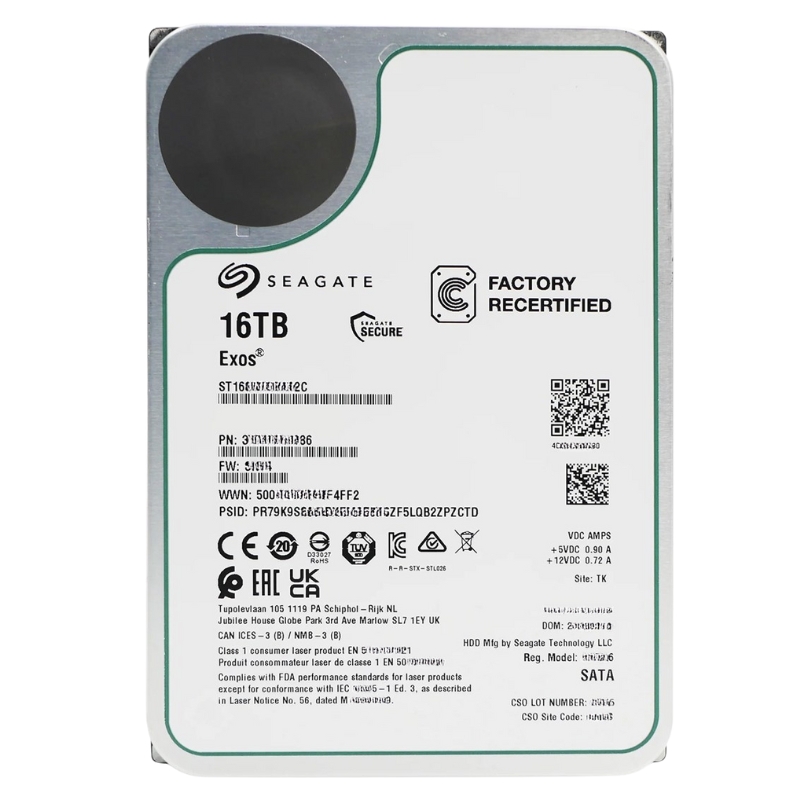


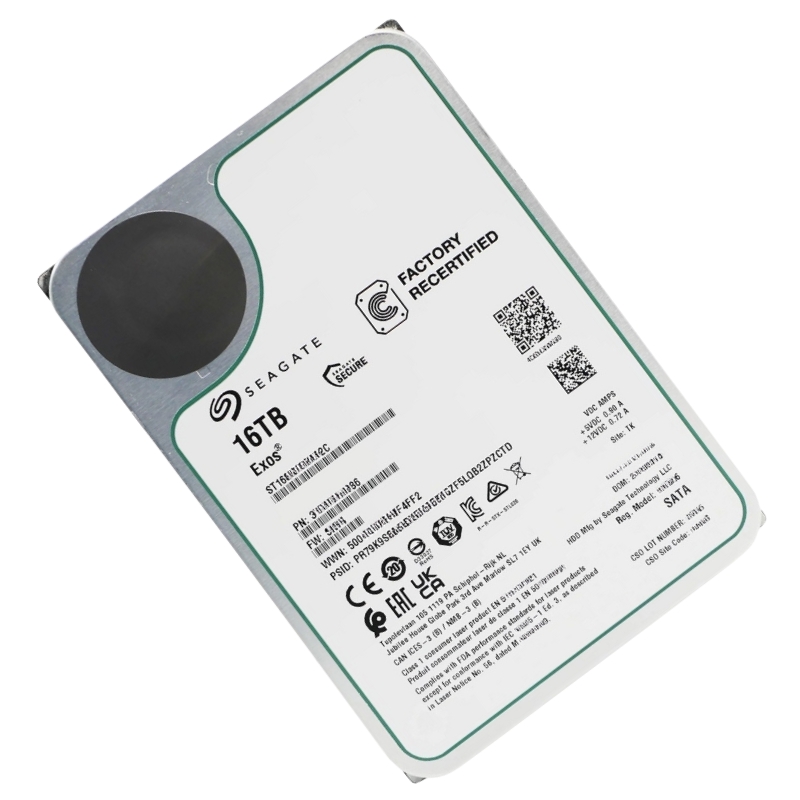
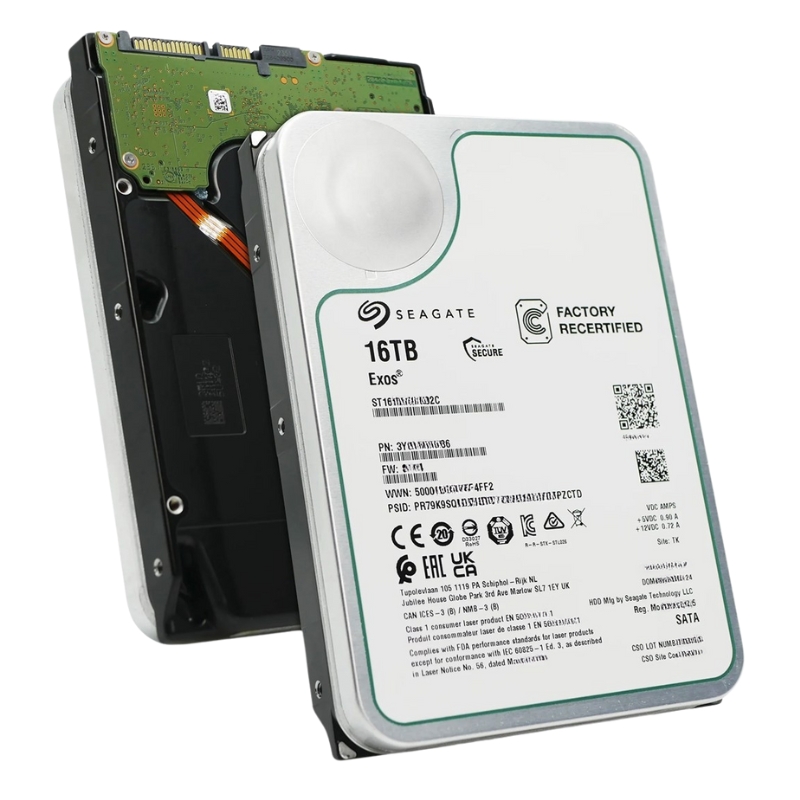
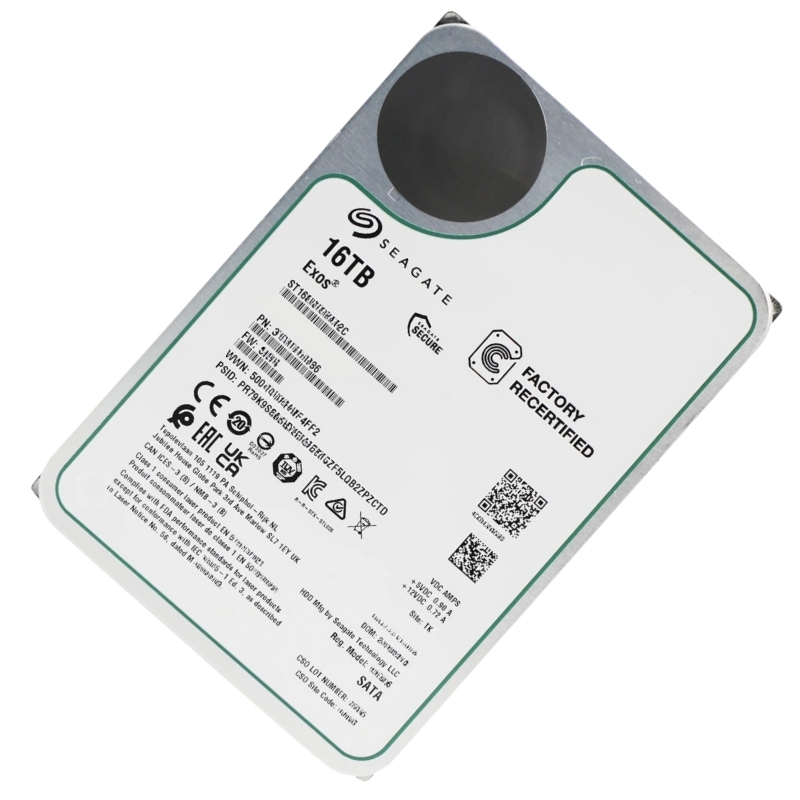
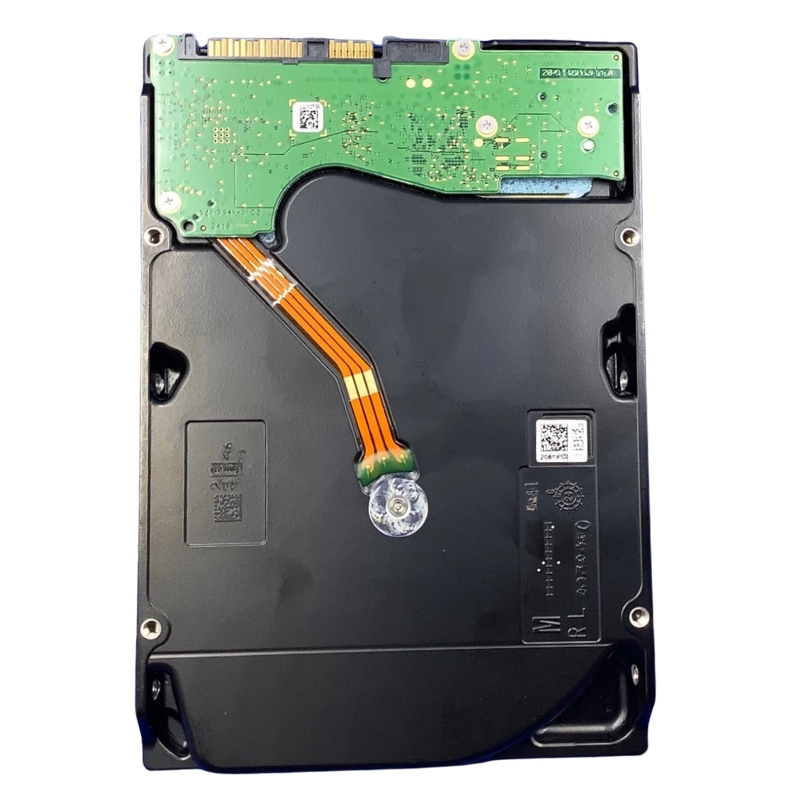
Seagate 3YG103-886 16TB 7200RPM EXOS SATA 6GB/s CMR 3.5Inch HDD. Excellent Refurbished with 1 year replacement warranty
Engineered for data centers and demanding server environments, the SEAGATE Exos 20TB internal hard drive delivers exceptional capacity and unwavering reliability. This 3.5-inch SATA solution is built for round-the-clock operation, offering a robust storage foundation for your most critical applications and vast data archives.
Gain a complete understanding of this enterprise-grade component's core identity and manufacturing details.
High-Value Keywords
Use these search phrases in product metadata, technical specs, and page headings to improve discoverability for buyers searching for enterprise-grade, high-capacity SATA storage solutions.
This section outlines the fundamental features that define the drive's capabilities and place within the storage market.
Discover the impressive velocity and efficiency that this high-capacity drive delivers during active read/write operations.
The drive's mechanical design ensures seamless integration into standard enterprise server bays and storage enclosures.
The Seagate 3YG103-886 16TB 7200RPM EXOS SATA 6GB/s CMR 3.5Inch HDD sits at the intersection of high capacity, sustained performance, and enterprise-class durability. This category focuses on high-density 3.5-inch SATA hard disk drives designed for data centers, rack-mounted servers, RAID arrays, and high-end network-attached storage (NAS) appliances. Shoppers landing on this category are usually searching for drives that deliver consistent sequential throughput, robust write endurance for heavy workloads, and predictable behavior when used in multi-drive enclosures and large-scale storage clusters.
The 16TB capacity addresses the need for consolidated storage where maximizing capacity per bay reduces physical space, power, and cooling requirements. For database snapshots, long-term archival, backup sets, virtual machine stores, and large media repositories, a single 16TB drive reduces the number of spindles required, simplifying rack planning and lowering total cost of ownership (TCO).
A 7200RPM spindle speed delivers better sustained throughput and lower average latency than lower-speed desktop drives. In multi-drive RAID arrays and scale-out storage systems, the increased rotational speed translates to improved sequential read/write rates and faster rebuild times when drives are replaced. This makes 7200RPM 3.5-inch drives a practical choice where performance matters but SSD-level pricing is not feasible.
The SATA 6Gb/s (SATA III) interface ensures compatibility with most server and NAS controllers while supporting fast burst transfers for data-heavy tasks. SATA remains the dominant standard for many enterprise environments where mixed-drive ecosystems (HDD + SSD caching) are common, and where controllers and backplanes are optimized for SATA link speeds.
CMR (also called PMR in some contexts) delivers consistent random write performance and predictable latency compared to SMR (Shingled Magnetic Recording) designs. For RAID environments, databases, virtualization, and write-intensive workflows, CMR is usually preferred because it avoids the performance cliffs and rebuild complications associated with SMR drives.
In hyperscale and enterprise deployments, large-capacity drives reduce overhead in space, cabling, and maintenance. The Seagate 3YG103-886 16TB EXOS-class drives are ideal for object storage nodes, cold tier capacity in hybrid systems, backup repositories, and log storage where many terabytes per node improve economics.
These drives are commonly deployed in RAID configurations (RAID 5/6/10 and erasure-coded clusters). When used in RAID, the benefits are twofold: fewer drives are needed to reach the required capacity and rebuild times are shortened compared to using lower-capacity spindles—assuming adequate throughput is available. Always follow controller recommendations for drive compatibility and rebuild policies.
High-capacity 3.5-inch SATA drives are a staple in NAS devices. For businesses running file services, archival systems, or media servers, choosing a CMR 16TB drive ensures smoother handling of mixed read/write workloads and compatibility with multi-bay NAS systems that manage daily access from multiple users.
Video producers, media libraries, and surveillance setups benefit from large sequential bandwidth and capacity. Multiple streams of HD/4K video, raw footage storage, and long retention surveillance footage are typical workloads where the sustained throughput of a 7200RPM 16TB drive is valuable.
Verify that your chassis, drive bays, and backplane support 3.5-inch SATA drives and can accommodate the drive’s physical dimensions and power connectors. Confirm the controller supports SATA 6Gb/s and the drive’s Advanced Power Management features if you plan on mixed-drive arrays.
When deploying large-capacity HDDs, account for rebuild times and I/O impact during rebuilds. Modern RAID controllers and distributed storage platforms can throttle rebuild IOPS to maintain service responsiveness; however, longer per-drive rebuild times for 16TB drives require planning. Consider hot spares, proactive monitoring, and staggered firmware updates to minimize correlated failures.
High-capacity, enterprise-grade drives generally have higher spin-up and operating power characteristics compared to lower-capacity consumer drives. Ensure your power supply and backplane meet spin-up current requirements and that there is adequate airflow in dense enclosures to maintain temperatures within manufacturer-specified ranges.
Vibration control is important in multi-bay systems. Enterprise drives are often built with sensors and firmware tuned for operating in dense environments. Still, choose chassis with vibration isolation and ensure proper drive caddies and mounting to minimize performance degradation due to mechanical resonance.
Use SMART monitoring tools and vendor management utilities to track drive health indicators such as reallocated sectors, pending sector counts, and UDMA CRC errors. Keep drive firmware up to date to maintain compatibility with storage platforms and to benefit from reliability improvements or performance tweaks that manufacturers release.
Enterprise SATA HDD subcategory includes high-capacity drives optimized for consistent performance and longevity. Typical buyers here prioritize sustained throughput, long-term reliability, and compatibility with server-grade controllers and RAID systems.
This subcategory groups products by the 3.5-inch form factor and large capacity tiers (8TB and above), making it easy to compare per-terabyte costs, power envelopes, and intended workloads. The 3.5-inch format remains the industry standard for balancing capacity and cost for spinning media.
CMR drives like the Seagate 3YG103-886 are favored in write-intensive environments and RAID arrays. A separate subcategory for SMR drives exists for archival and read-heavy use where higher areal density at lower cost per TB is valued. When choosing, match the recording technology to workload patterns—CMR for predictable write performance, SMR for dense, sequential archival storage.
Many product lines are marketed as “NAS Ready” or “Server Grade”; this subcategory highlights drives tested and validated for multi-drive, 24/7 operations and compatibility with popular NAS vendors. Look for vendor compatibility lists and user reviews when selecting drives for appliance deployment.
The 7200RPM spindle combined with enterprise-grade firmware is tuned for sustained sequential throughput—important for backup windows, large file copies, and media streaming. Expect predictable MB/s performance in sustained transfers, especially when drives are attached to controllers that support SATA 6Gb/s without bottlenecks.
While HDDs cannot match SSDs for random IOPS or sub-millisecond latency, 7200RPM enterprise drives reduce rotational latency and can provide acceptable random read performance for moderate I/O workloads. Use caching strategies (SSD cache or RAM cache in controllers) to mitigate HDD random access limitations for latency-sensitive applications.
Modern enterprise drives employ on-drive caches and sophisticated servo algorithms to reduce seek times and improve sustained performance. When combined with well-configured RAID controllers and proper queue depth settings, these drives deliver efficient throughput for heavy sequential and mixed workloads.
Enterprise drives built for 24/7 operation typically include higher manufacturing tolerances, endurance testing, and firmware that anticipates the behavior of multi-drive arrays. While mechanical failures can happen, proactive monitoring and proper environmental controls (temperature, humidity, vibration) significantly extend operational life.
Even enterprise-class drives require redundancy. Implement multi-layered data protection: hardware RAID or erasure coding for drive failures, off-site replication for site-level failures, and regular integrity checks to detect latent sector degradation. For archival retention, consider multiple copies across different media types to mitigate correlated risks.
Calculate capacity needs with headroom for snapshots, growth, and parity overhead. For RAID 6 or erasure-coded clusters, allocate additional capacity for parity stripes and future expansion. Factor in hot spares and predictable expansion slots when designing scalable storage nodes.
Check HBA and RAID controller compatibility lists. Some controllers may have drive-specific firmware blacklists or performance idiosyncrasies. Also ensure that backplane power distribution and SATA cabling are rated for the spin-up currents and cumulative power draw of multiple 3.5-inch spindles.
High-density drive deployments require attentive cooling plans. Drive health and reliability are temperature-sensitive; ensure front-to-rear airflow and unobstructed ventilation paths. Use chassis with appropriate fans and monitor inlet and internal temperatures under realistic load conditions.
When ordering multiple drives, try to source from the same production batch where possible. Mixed batches can present subtle behavioral differences during rebuilds or under extreme thermal/vibration conditions. Maintain a firmware update schedule and test updates in a non-production environment first.
Use SMART telemetry to monitor attributes like reallocated sector count, reported uncorrectable errors, and load cycle counts. Integrate these metrics into centralized monitoring systems with alert thresholds and automated escalation to support rapid proactive replacement.
Document and rehearse drive replacement and rebuild procedures. Ensure technicians know the difference between hot-swap and cold-swap bays, and confirm that replacement drives match interface, form factor, and recording technology (CMR vs SMR) as required by the array.
Schedule periodic surface scans, consistency checks, and integrity verification to catch developing issues early. For enterprise environments, incorporate automated scrub jobs that verify parity correctness and highlight drives with increasing error counts.
Choose this class of drive if your priority is high-capacity, cost-effective storage with predictable write performance suitable for mixed workloads and RAID arrays. This option is often ideal for capacity-tier storage, backup repositories, and media archives where SSD economics are prohibitive.
If your workload demands very high IOPS or ultra-low latency (e.g., databases with many random transactions, high-frequency trading, latency-sensitive virtualization), evaluate enterprise NVMe or SAS SSDs. However, for large bulk storage, combining SSD cache layers with high-capacity HDDs delivers a balanced cost-per-performance compromise.
If your use case is strictly sequential archival with infrequent writes, high-density SMR drives may provide a lower cost per TB. For mixed read/write systems, and especially for RAID setups, CMR is typically the safer and more predictable choice.


 Contact Us
 Information
 Catalog
 Solid State Drives (SSD)
 Network Switches
 Hard Disk Drives
 HBA & Controllers
 PC & Servers
 PC & Server Memory
 CPU & Processors
 Network Routers
 Power Supplies
 Tape Drives & Libraries
 Network Devices
 Computer & Network Cables