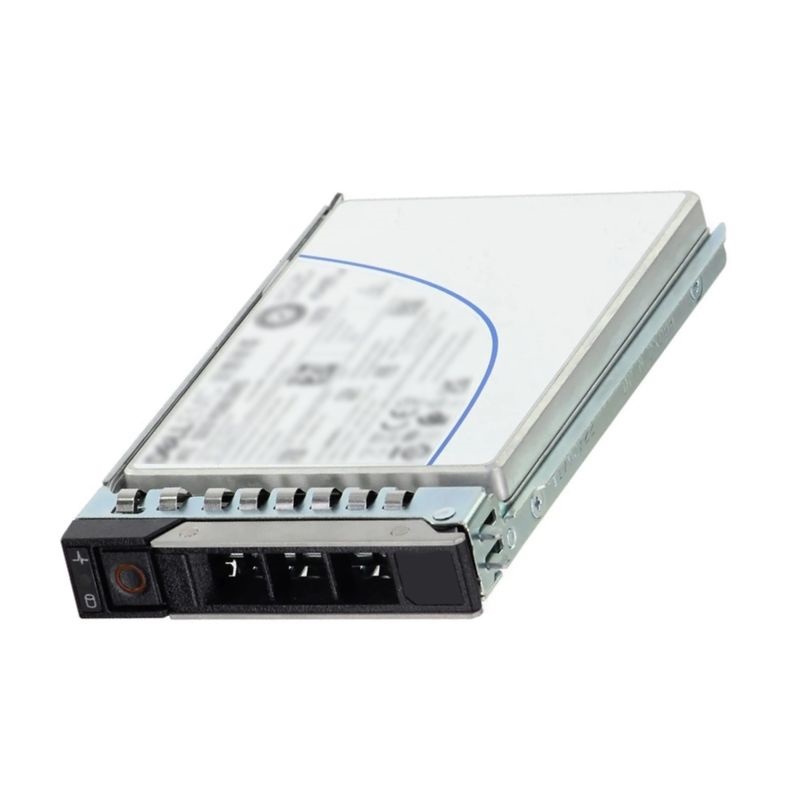
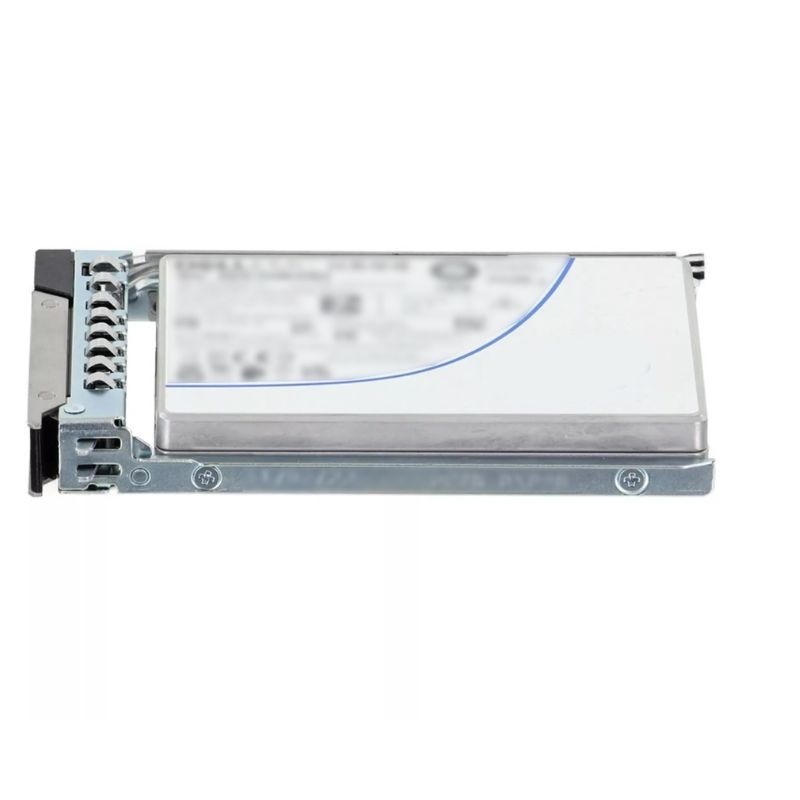
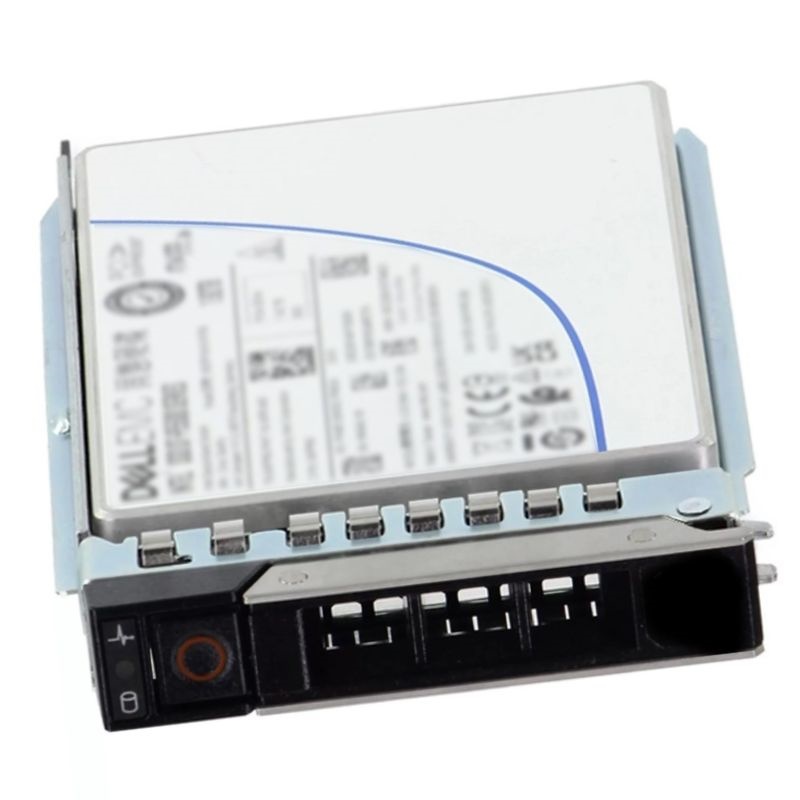
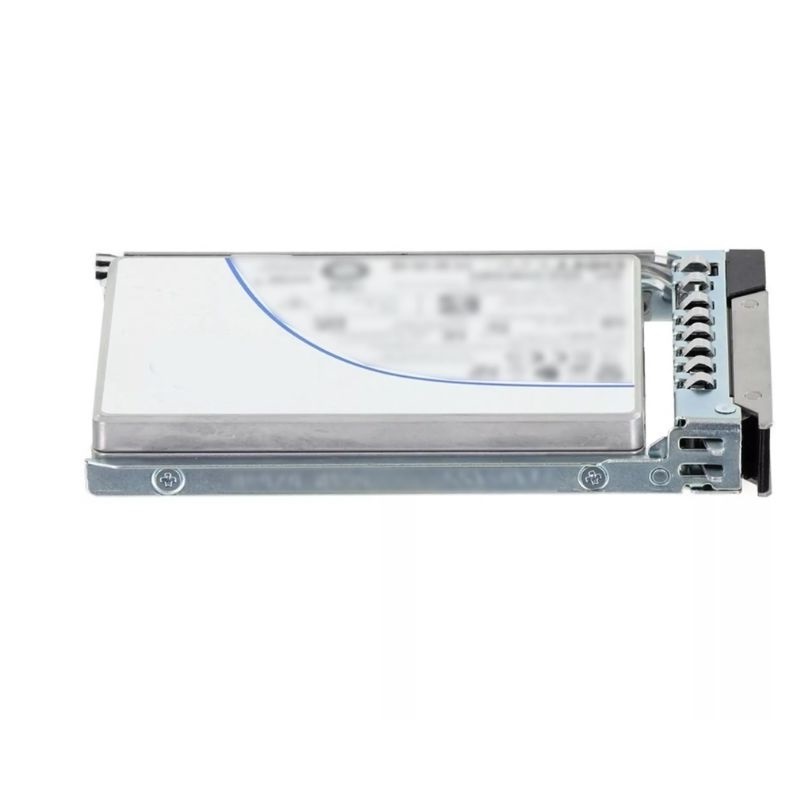
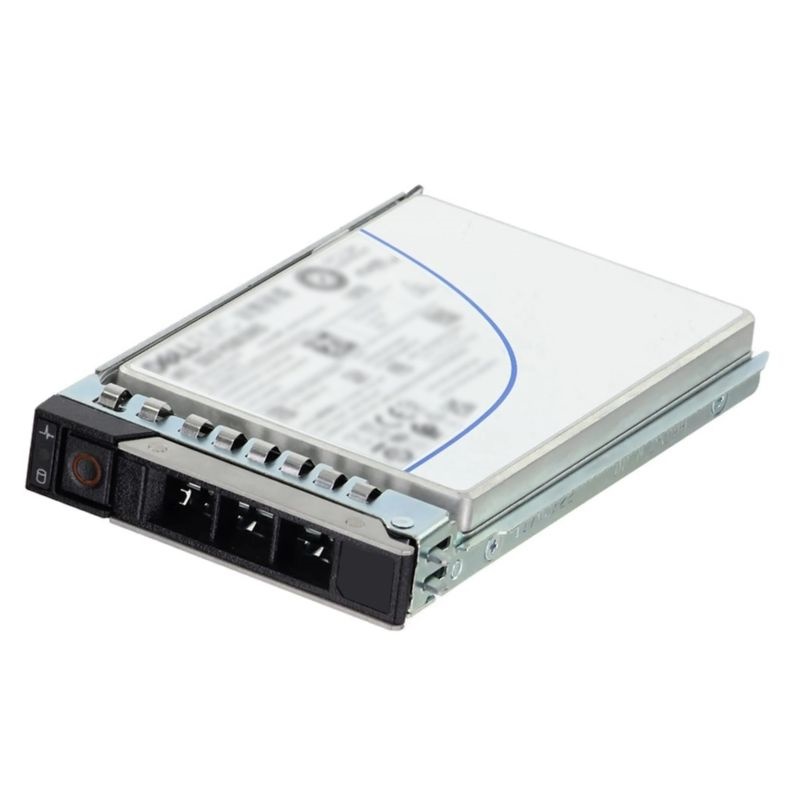
The Dell N18Y7 1.92TB PCIe 4.0 x4 NVMe U.2 15mm 2.5-inch Read Intensive SSD delivers reliable,
high-speed storage designed for enterprise workloads. Built with 3D TLC NAND and Express Flash
technology, this internal drive ensures optimal performance for demanding server environments,
offering excellent read efficiency and consistent throughput.
Manufacturer Information
- Brand: Dell Technologies
- Manufacturer Part Number: N18Y7
- Dell Part Number: 400-BKFI
- Device Type: Internal Solid-State Drive
Drive Specifications
This Dell enterprise-class storage solution is tailored for data-driven organizations. Below are its detailed specifications:
- Product Category: Enterprise Solid State Drive
- Capacity: 1.92TB
- Interface: PCI Express Gen 4.0 x4 (NVMe protocol)
- Form Factor: 2.5-inch U.2, 15mm height
- Technology: 3D3 TLC NAND Flash
- Performance Type: Read Intensive workloads
Outstanding Features of the Dell 1.92TB NVMe SSD
High-Performance PCIe Gen4 Technology
Engineered with PCIe Gen4 x4 bandwidth, this SSD accelerates data transfers, minimizing latency
and maximizing application responsiveness. Enterprises handling high IOPS workloads benefit from
faster query processing and optimized server operations.
U.2 15mm 2.5-Inch Design
Its compact 2.5-inch U.2 form factor makes it suitable for modern rack servers, ensuring
efficient cooling and seamless installation. The 15mm profile integrates perfectly into dense
data center deployments.
Read Intensive Optimization
Built for read-heavy applications, the drive supports workloads like virtualization, business
analytics, content delivery, and database acceleration. It provides consistent read speeds while
maintaining endurance tailored to enterprise needs.
Compatibility Across Dell PowerEdge Servers
The Dell N18Y7 SSD supports a wide range of PowerEdge server models, offering plug-and-play
functionality across 14th, 15th, and 16th generation platforms. Below are compatible servers:
14th Generation PowerEdge Systems
- PowerEdge C6420
- PowerEdge R440
- PowerEdge R640
- PowerEdge R740xd
- PowerEdge R7425
- PowerEdge R840
- PowerEdge R940 / R940xa
15th Generation PowerEdge Models
- PowerEdge C6525
- PowerEdge R650 / R650xs
- PowerEdge R6515 / R6525
- PowerEdge R660 / R660xs
- PowerEdge R750 / R750xa
- PowerEdge R7515 / R7525
- PowerEdge R760 / R760xa
- PowerEdge R7615 / R7625
- PowerEdge T550
16th Generation & Specialized Servers
- PowerEdge C6620
- PowerEdge R960
- PowerEdge Xe9680
- PowerEdge Xr7620
Advantages of Dell N18Y7 Enterprise SSD
Reliable Storage Solution
Enterprise-grade design ensures durability, with endurance optimized for read-intensive tasks.
The SSD delivers predictable performance without compromising data integrity.
Scalable for Data-Centric Workloads
Ideal for cloud computing, virtualization, and AI-driven platforms, the Dell N18Y7 enables
enterprises to scale effortlessly while handling large volumes of data with ease.
Energy Efficient
Designed for data centers prioritizing performance-per-watt, the drive reduces power
consumption, helping businesses cut operational costs while boosting performance.
Key Features at a Glance
- High-speed PCIe Gen4 x4 NVMe interface for rapid data transfers
- 1.92TB storage capacity with enterprise-grade reliability
- Compact U.2 15mm form factor for optimized server integration
- Read-intensive tuning for database and analytic workloads
- Seamless compatibility with multiple Dell PowerEdge generations
- Carrier included for simplified installation
- Durable 3D3 TLC NAND technology
Use Cases for Dell N18Y7 SSD
Database Acceleration
Delivers fast query responses, supporting enterprises running SQL, Oracle, or NoSQL databases
requiring low latency and high throughput.
Virtualization and Cloud Platforms
Enhances virtual machine density and cloud efficiency by improving I/O performance and reducing
application load times.
Content Delivery Networks (CDN)
Perfect for streaming services and content providers that need rapid access to frequently
requested files with minimal delays.
AI and Big Data Analytics
Designed for enterprises handling predictive modeling, machine learning, and analytics requiring
consistent read performance across large datasets.
Overview and Use Cases of Dell N18Y7 1.92TB
The Dell N18Y7 1.92TB PCI-E Gen4 NVMe U.2 15mm 2.5-inch Read-Intensive Internal SSD belongs to a class of data-center-focused and enterprise-ready solid-state drives designed to deliver high throughput, low latency, and predictable quality of service under read-dominant workloads. With its U.2 (SFF-8639) interface, 15mm z-height, and NVMe 1.x compliance over PCIe Gen4, this drive integrates cleanly into modern servers, hyperconverged nodes, and storage arrays that require hot-swap 2.5-inch bays, front-accessible serviceability, and consistent performance for applications like content delivery, analytics queries, VDI boot storms, and large-scale virtualization.
- Capacity class: 1.92TB usable (raw capacity may vary by vendor formatting and over-provisioning).
- Form factor: 2.5-inch U.2 (SFF-8639), 15mm thickness for enterprise drive bays.
- Interface: PCIe Gen4 x4 link operating NVMe protocol for reduced command overhead.
- Workload profile: read-intensive with optimized endurance for mostly read traffic.
- Integration: drop-in compatibility with Dell PowerEdge and similar enterprise platforms that support U.2 NVMe drives.
Read-Intensive U.2 NVMe SSD for Enterprise Workloads
Read-intensive NVMe SSDs, like the Dell N18Y7, offer a sweet spot of cost, power efficiency, and performance for environments where the ratio of read to write operations is high. They are ideal for system boot volumes, web front-ends, media libraries, query-heavy databases, log analytics, and content repositories. The emphasis is on sustaining multi-queue random read IOPS and fast sequential reads while maintaining consistent latency and strong QoS under mixed concurrency.
- Cost efficiency: Endurance is tuned for read-dominant patterns, often reducing cost compared to mixed-use or write-intensive models while still providing enterprise safeguards.
- Predictable performance: NVMe’s streamlined command set and deep parallelism lower CPU overhead and keep tail latencies tight.
- U.2 convenience: Standard 2.5-inch hot-swap bays simplify serviceability, cabling, and scaling in dense racks.
Form Factor and Interface Details
The U.2 2.5-inch form factor with 15mm z-height is prevalent in server and storage backplanes because it brings NVMe speed to a familiar, hot-swappable drive envelope. The Dell N18Y7 leverages a PCIe Gen4 x4 link, which substantially increases available bandwidth over PCIe Gen3 while preserving cross-generation compatibility in supported systems.
Mechanical and Connector Considerations
- 2.5-inch U.2, 15mm: Fits enterprise trays designed for NVMe/U.2 drives; check clearance in chassis with front-bezel airflow paths.
- Backplane compatibility: Requires a U.2/NVMe-capable backplane and PCIe wiring to host; SATA/SAS backplanes are not interchangeable.
- Serviceability: Tool-less carriers on many servers enable quick swaps, aiding rapid maintenance and minimizing downtime.
Target Workloads for the Dell N18Y7 1.92TB Read-Intensive SSD
Organizations commonly deploy this class of 1.92TB U.2 NVMe drive in performance-sensitive but read-skewed scenarios. The goal is sustainable throughput, consistent latency under bursty access, and enterprise-grade reliability features without over-investing in write endurance that isn’t needed for the profile.
- Virtualized boot and golden images: VDI, stateless compute nodes, and template-based server farms benefit from fast read throughput and strong QoS during boot storms.
- Microservices and API gateways: Read-heavy caching layers, service manifests, and container images load quickly, reducing cold-start penalties.
- Real-time analytics queries: Columnar stores and search indices often read hot segments repeatedly with periodic refresh writes.
- Media streaming and content delivery: Large sequential reads dominate, with occasional metadata updates.
- Edge and ROBO deployments: Compact 2.5-inch U.2 format simplifies field service while delivering NVMe performance for local processing.
Performance Characteristics and Tuning Concepts
Although exact figures vary by firmware and platform, the Dell N18Y7 read-intensive NVMe design focuses on maximizing read IOPS and sequential read bandwidth while delivering predictable service times under mixed but read-skewed loads. Administrators should consider queue depths, NUMA placement, and NVMe driver parameters to fully realize benefits.
Practical Tips for Achieving Consistent Throughput
- Align queue depths with cores: Utilize multiple submission/completion queues mapped to application threads to reduce lock contention.
- Use modern NVMe drivers: Ensure up-to-date NVMe drivers and firmware; platform updates often include latency and stability improvements.
- Consider I/O schedulers: For Linux, noop or none schedulers with NVMe typically minimize overhead. Validate in staging.
- Leverage read-ahead and caching: For sequential workloads, OS and application read-ahead can increase hit ratios and reduce I/O amplification.
Latency, QoS, and Tail Behavior
Enterprise applications care about tail latency as much as average latency. NVMe U.2 devices like the Dell N18Y7 are engineered for steady QoS, but administrators should avoid excessive background activity that could create interference, such as concurrent heavy write benchmarking on the same drive used for latency-sensitive reads.
- Isolate logs and temp writes: Move ephemeral writes to separate volumes if possible to preserve read determinism.
- Maintain headroom: Avoid 100% saturation; target 60–80% utilization for critical services to keep latency budgets predictable.
- Monitor queue latency: Instrument p99/p999 metrics to detect contention early.
Endurance Profile and Media Management
As a read-intensive class SSD, the endurance of the Dell N18Y7 is tuned for environments where writes are limited relative to reads. This offers an attractive cost profile while still supporting enterprise features like power-loss data protection and robust error correction. For mixed or heavy write scenarios, an organization may complement read-intensive drives with mixed-use or write-intensive models in the same fleet.
Best Practices to Extend SSD Longevity
- Right-size the workload: Choose read-intensive drives for read-skewed datasets; avoid write-heavy logs or high-frequency temp stores on the same device.
- Over-provisioning and free space: Leave 10–20% free capacity where feasible to give the FTL (flash translation layer) room for wear leveling and garbage collection.
- Trim/Discard support: Enable TRIM where supported by OS and file system to help reclaim stale blocks promptly.
- Firmware currency: Keep device firmware updated to receive endurance and stability enhancements.
Reliability Features for Enterprise Continuity
Enterprise NVMe SSDs typically include a stack of protections and telemetry designed for uptime and data integrity. The Dell N18Y7 read-intensive 1.92TB model is designed to align with these expectations, enabling operators to detect issues early and maintain SLAs.
- Power-loss protection (PLP): Helps protect in-flight data during unexpected power events.
- End-to-end data path protection: Detects and corrects errors from host to media with layered ECC.
- SMART telemetry: Provides health statistics, temperature, media wear, and lifetime indicators for proactive maintenance.
- Secure erase options: Supports rapid sanitization workflows during repurposing or decommissioning, subject to platform tooling.
Capacity Planning and Tiering Strategies
The 1.92TB capacity point is widely adopted for boot, application, and hot-data tiers. Many operators deploy multiple 1.92TB U.2 NVMe drives per node to scale aggregate throughput and to maintain simple, symmetric configurations across clusters.
Example Planning Approaches
- Mirror for boot volumes: Two drives in RAID1 for OS and hypervisor yield quick recovery and resilience.
- NVMe cache with capacity tier: Use read-intensive NVMe as a caching layer in front of larger SATA/SAS capacity drives for hybrid economics.
- Per-VM or per-container volumes: Isolate critical services onto dedicated NVMe LUNs to enhance QoS.
RAID, Multipath, and High Availability
While NVMe offers strong single-device performance, many environments still employ RAID or erasure coding across multiple drives to protect against single-device failure. Consult your server’s NVMe RAID or software-defined storage capabilities for supported configurations. The U.2 format simplifies replacement procedures and reduces MTTR during drive swaps.
- RAID1/10 for performance: Protects data while sustaining high read IOPS and fast rebuild times.
- Software-defined storage: Leverage replication and erasure coding at the cluster layer for flexible fault domains.
- Hot-swap operations: U.2 enables non-disruptive replacement when supported by platform and OS workflows.
Platform Compatibility and Integration Notes
The Dell N18Y7 1.92TB PCI-E Gen4 NVMe U.2 15mm 2.5-inch Read-Intensive Internal SSD is designed for servers and storage arrays with NVMe-capable U.2 backplanes. Administrators should verify slot mappings, BIOS/UEFI settings, and PCIe bifurcation policies to ensure the drive links at the expected speeds and lanes.
Deployment Checklist
- Backplane: Confirm U.2/NVMe connectivity and PCIe wiring from each bay to CPU/PCIe switch.
- Firmware & drivers: Update system BIOS, NVMe driver stack, and BMC for the target OS.
- Thermals: Validate airflow and add blank fillers to maintain designed pressure across the drive zone.
- Hot-plug policies: Ensure OS supports NVMe hot-plug and has udev/driver rules to handle add/remove events cleanly.
File System and Block-Level Considerations
High-performance NVMe storage benefits from modern file systems and tuned block sizes. Align partition boundaries, choose appropriate mount options, and test with production-representative workloads rather than synthetic defaults.
- Alignment: Use tools that align partitions to 1MB boundaries to minimize write amplification.
- Mount options: For Linux, consider
noatime or relatime to reduce metadata writes when appropriate.
- Queue management: Map application threads to dedicated I/O queues for NUMA locality.
- TRIM scheduling: Use periodic fstrim or online discard if recommended for your stack.
Security and Data Governance
Enterprise NVMe SSDs commonly participate in broader security architectures that include role-based access control, encrypted at-rest volumes, and audit trails. While platform specifics vary, a consistent approach helps maintain compliance.
Security Practices
- Encryption: Utilize OS or hypervisor-level encryption modules; verify hardware acceleration compatibility for minimal performance overhead.
- Firmware governance: Sign and verify firmware updates from trusted sources; document version changes.
- Sanitization workflows: Define standard operating procedures for secure erase before repurpose or return.
Thermal Design and Power Considerations
NVMe U.2 SSDs are passive devices relying on chassis airflow to dissipate heat. Sustained performance assumes adequate front-to-back airflow, clean intakes, and correct fan curves. In dense configurations or warm environments, ensure that all bays are populated with drives or blanks to prevent air recirculation.
Operational Tips
- Airflow integrity: Use the recommended bezel, blank fillers, and cable management to protect airflow channels.
- Thermal logging: Track drive temperatures and correlate with ambient changes and workload spikes.
- Power budgeting: Aggregate per-drive power across peak usage to size PSU and thermal headroom.
Migration and Data Placement Strategies
Moving from SATA/SAS to NVMe U.2 often requires both physical migration planning and logical data placement changes to exploit performance. Treat the Dell N18Y7 as a fast tier for hot datasets and indexes while colder data can remain on capacity media.
Staged Adoption
- Pilot critical paths: Start with the hottest read paths—indexes, catalogs, or frequently accessed binaries—to demonstrate latency wins.
- Refactor layouts: Separate write-heavy logs to mixed/writ-intensive tiers to preserve read-tier longevity.
- Automate policies: Use ILM (information lifecycle management) to promote/demote data based on access heuristics.
Benchmarking and Validation
Before production rollout, validate the environment with realistic tools and workload models. Microbenchmarks are useful but can misrepresent performance under application conditions.
- Replay traces: Use workload capture/replay where possible to mirror real access patterns.
- A/B comparisons: Measure end-user latency, not just device IOPS, to quantify business impact.
- Soak tests: Run extended tests to observe thermal stability and any throttling behavior.
Optimization Patterns for Virtualization and Containers
Virtualized and containerized environments amplify I/O concurrency. The Dell N18Y7’s NVMe design benefits from multi-queue implementations and careful CPU pinning to reduce cross-NUMA penalties.
Recommendations
- vCPU/I/O affinity: Keep I/O threads close to the PCIe root complex serving the U.2 controller.
- Paravirtual drivers: Use modern paravirtual storage drivers to reduce overhead between guest and host.
- Storage class orchestration: In Kubernetes or similar, define storage classes for NVMe tiers with IOPS/latency hints to guide scheduling.
- Thin provisioning awareness: Ensure monitoring alerts on back-end capacity to avoid surprise throttling from thin pools.
Data Protection and Backup Integration
Even with RAID or replication, backup remains essential. NVMe speed accelerates backup windows when paired with efficient snapshotting and change-block tracking.
- Snapshot cadence: Align schedules with RPO/RTO goals, ensuring minimal disruption to latency-sensitive apps.
- Off-host processing: Where possible, offload compression/dedup to backup targets to preserve host CPU cycles for workloads.
- Test restores: Periodically validate restores to ensure end-to-end integrity and performance.
Sustainability and Operational Efficiency
Consolidating read-heavy workloads onto NVMe U.2 drives can reduce rack footprint and power per transaction. The 1.92TB capacity strikes a balance between density and drive count, supporting efficient scaling without sacrificing serviceability.
Efficiency Highlights
- Higher performance per watt: NVMe architecture delivers more work per joule than legacy spinning media for read-dominant tasks.
- Right-sizing tiers: Avoid over-provisioning expensive write endurance where it’s not required; reserve write-intensive SSDs for matching workloads.
- Lifecycle management: Predictable refresh cycles and telemetry reduce unplanned replacements and truck rolls.
Comparing Read-Intensive NVMe to Other Storage Tiers
When placing the Dell N18Y7 within a storage hierarchy, consider the tradeoffs across NVMe, SAS/SATA SSDs, and HDD capacity tiers. Read-intensive U.2 NVMe offers the best fit where low latency reads, hot data access, and high concurrency dominate.
Positioning in a Multi-Tier Architecture
- Top tier (NVMe U.2): Hot data, indices, golden images, and performance-critical application components.
- Mid tier (SAS/SATA SSD): Mixed workloads with moderate latency sensitivity and balanced read/write patterns.
- Capacity tier (HDD/Cloud object): Cold archives, backups, and infrequently accessed datasets.
Key Takeaways for the Dell N18Y7 Read-Intensive 1.92TB U.2 NVMe SSD
- Enterprise-ready design: U.2 2.5-inch 15mm form factor with hot-swap convenience and NVMe performance.
- Read-optimized profile: Ideal for VDI, analytics queries, API gateways, media delivery, and boot volumes.
- Operational simplicity: Familiar service model in front-accessible bays; robust telemetry for proactive care.
- Scalable building block: 1.92TB capacity fits evenly across nodes for balanced performance and easy growth.





 Contact Us
 Information
 Catalog
 Solid State Drives (SSD)
 Network Switches
 Hard Disk Drives
 HBA & Controllers
 PC & Servers
 PC & Server Memory
 CPU & Processors
 Network Routers
 Power Supplies
 Tape Drives & Libraries
 Network Devices
 Computer & Network Cables