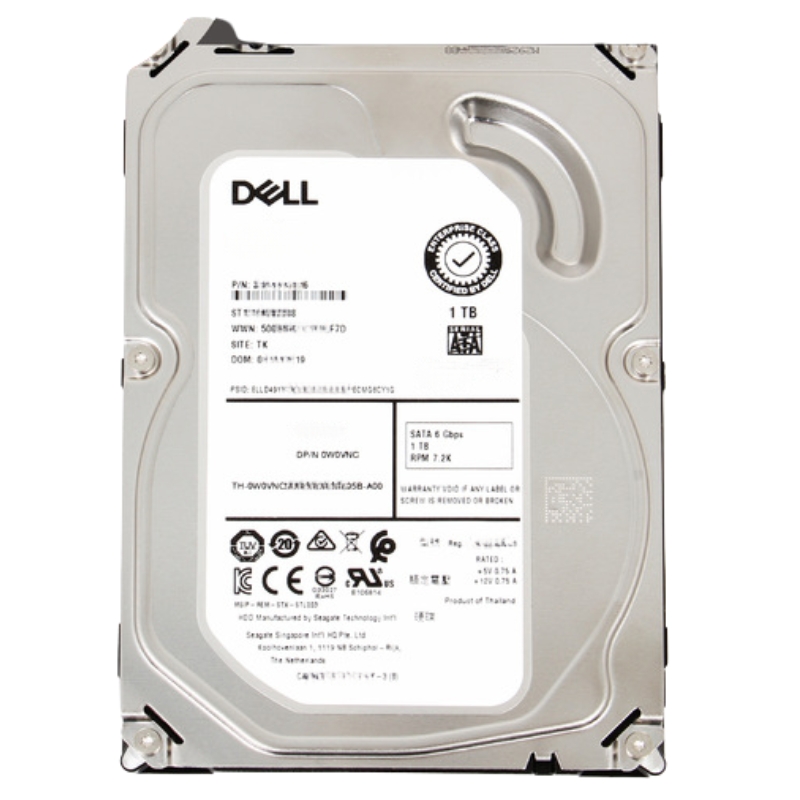
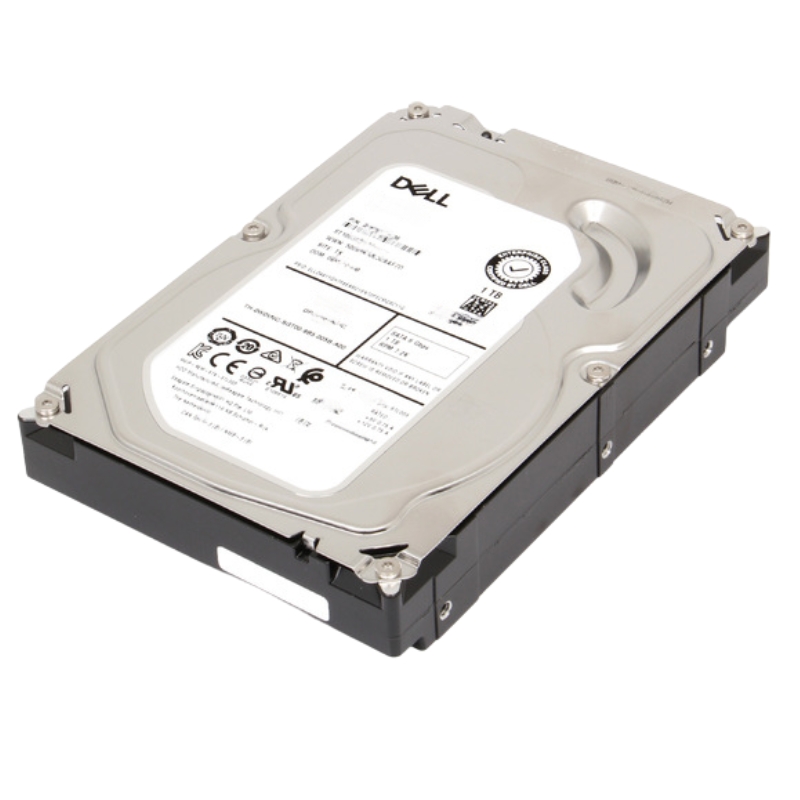
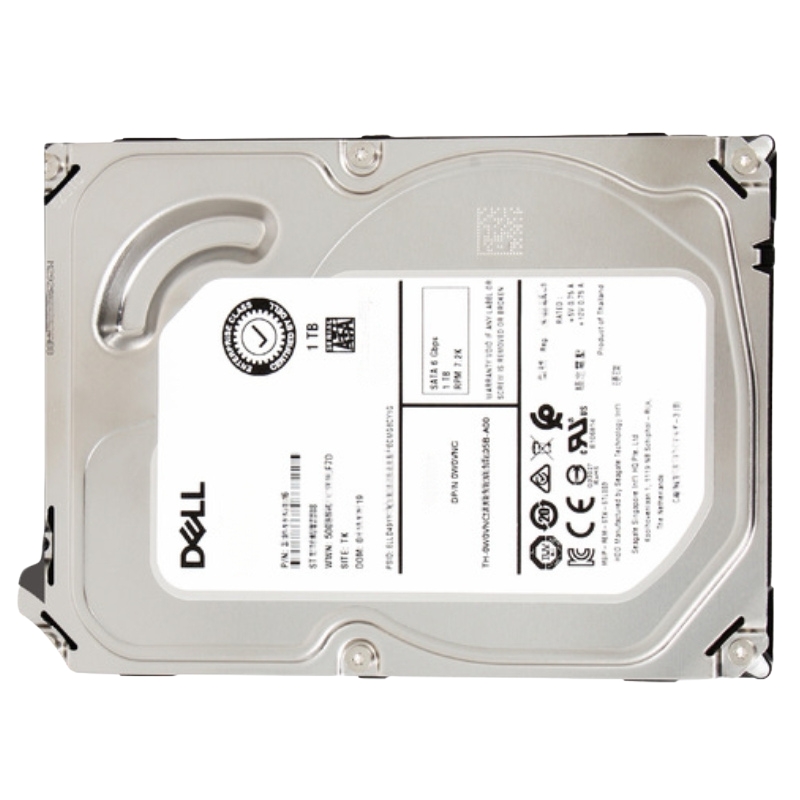
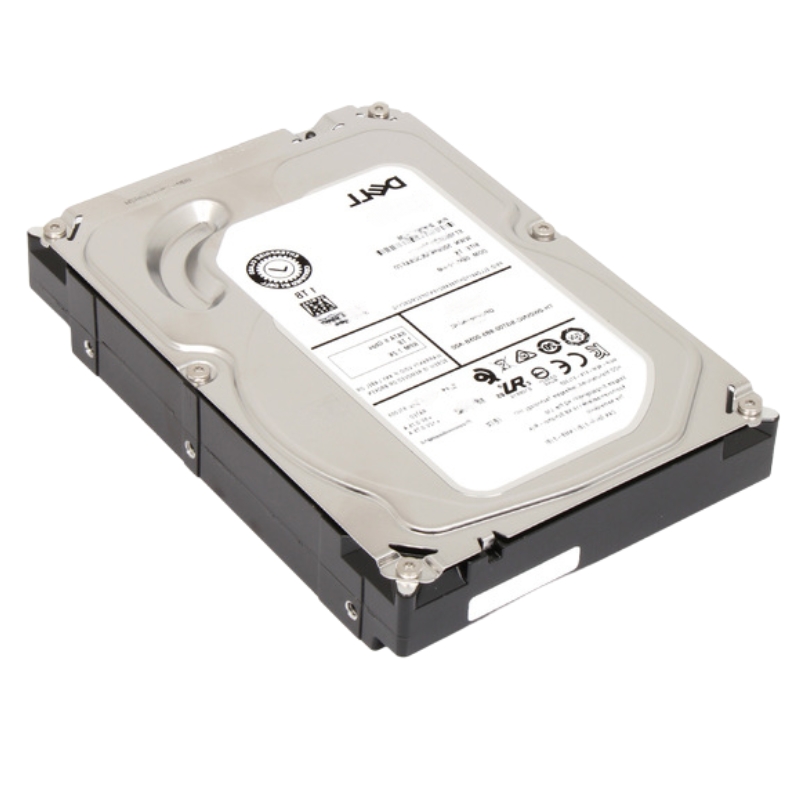
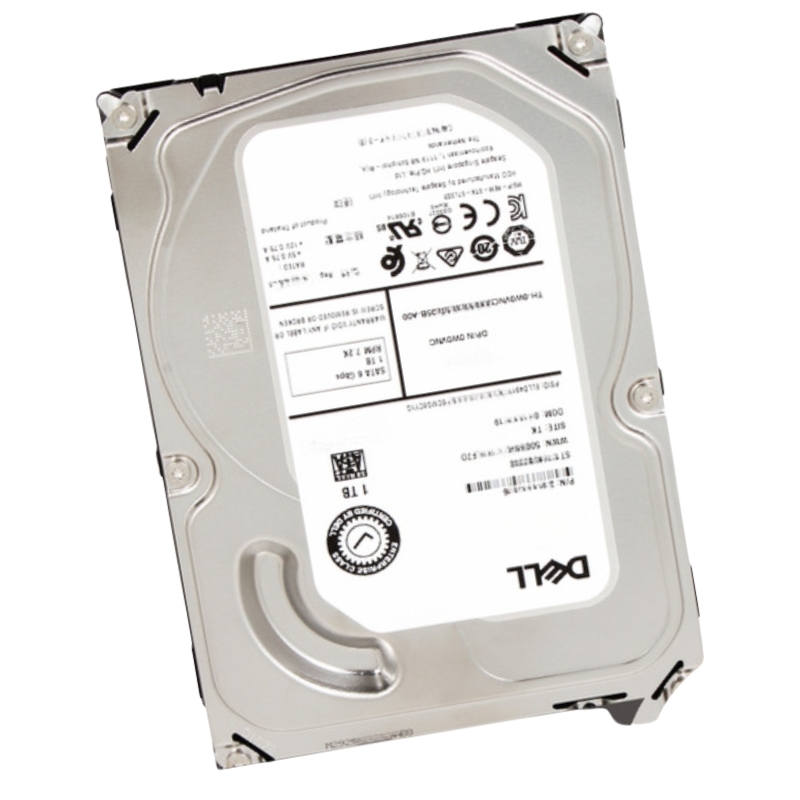
400-AEEZ Dell 1TB 7200RPM SATA 6GBPS 3.5Inch Form Factor Hot Plug HDD
- — Free Ground Shipping
- — Min. 6-month Replacement Warranty
- — Genuine/Authentic Products
- — Easy Return and Exchange
- — Different Payment Methods
- — Best Price
- — We Guarantee Price Matching
- — Tax-Exempt Facilities
- — 24/7 Live Chat, Phone Support
- — Visa, MasterCard, Discover, and Amex
- — JCB, Diners Club, UnionPay
- — PayPal, ACH/Bank Transfer (11% Off)
- — Apple Pay, Amazon Pay, Google Pay
- — Buy Now, Pay Later - Affirm, Afterpay
- — GOV/EDU/Institutions PO's Accepted
- — Invoices
- — Deliver Anywhere
- — Express Delivery in the USA and Worldwide
- — Ship to -APO -FPO
- — For USA - Free Ground Shipping
- — Worldwide - from $30
Same product also available in:
| SKU/MPN | Warranty | Price | Condition | You save |
|---|---|---|---|---|
| 400-AEEZ | 1 Year Warranty | $80.00 | Excellent Refurbished | You save: $28.00 (26%) |
| 400-AEEZ | 1 Year Warranty | $160.00 | New Sealed in Box (NIB) | You save: $56.00 (26%) |
DELL 400-AEEZ Enterprise Hard Drive Specifications
This high-performance 3.5-inch hard disk drive is engineered for reliability and rapid data access in demanding server environments.
Core Technical Attributes
Storage Performance and Capacity
The unit provides a substantial 1 terabyte (1000 GB) of storage space, operating at a rotational velocity of 7200 revolutions per minute to ensure swift data retrieval and efficient performance.
Detailed Specification Highlights
Below is a concise set of attributes typically associated with the Dell 400-AEEZ 1TB 7200RPM SATA 6Gbps 3.5-inch hot-plug HDD category. Exact values can vary by manufacturing run and carrier, but this outline captures the essential traits administrators evaluate during selection.
Core Specifications
- Capacity: 1TB
- Interface: SATA 6Gbps
- Form Factor: 3.5-inch hot-plug compatible
- Spindle Speed: 7200RPM
- Intended Use: Enterprise nearline and general-purpose server storage
Operational Characteristics
- Hot-Plug Support: Yes, in supported Dell servers and enclosures
- RAID Compatibility: Commonly used in RAID 0/1/5/6/10/50/60 via Dell PERC
- Monitoring: SMART telemetry, controller event logging
- Serviceability: LED indicators and tool-less carrier design in many platforms
Management and Firmware
- Firmware Updates: Per vendor guidance to maintain stability and compatibility
- Controller Integration: Works with Dell RAID controller utilities and OpenManage stacks
Interface and Physical Design
Featuring a Serial ATA-600 (SATA-6Gbps) interface, this hot-plug capable drive is designed for seamless integration and removal without powering down the system. Its 3.5-inch form factor comes pre-mounted within a convenient hot-swap tray.
Connectivity and Integration
Expansion Ports and Bays
- Host Interface: Single Serial ATA-600 port
- Bay Compatibility: Fits one 3.5-inch hot-swap bay
Dell 400-AEEZ 1TB 7200RPM SATA 6Gbps 3.5-Inch Hot-Plug HDD Overview
The Dell 400-AEEZ 1TB 7200RPM SATA 6Gbps 3.5-inch form factor hot-plug hard drive serves as a dependable, enterprise-ready storage option for organizations that require consistent performance, simplified maintenance, and broad server compatibility. Built on proven SATA technology, this 3.5-inch hot-plug HDD balances capacity, reliability, and total cost of ownership, making it an excellent choice for data archiving, nearline storage, file servers, backup targets, and mixed-use workloads where predictable throughput and easy serviceability matter. Its hot-plug design allows technicians to swap drives while systems remain online in supported Dell PowerEdge platforms, minimizing downtime, conserving IT resources, and delivering a smooth lifecycle experience for both planned upgrades and unplanned replacements.
With 1TB of capacity and a 7200RPM spindle speed, the Dell 400-AEEZ provides a practical middle ground between large-scale capacity drives and ultra-high-performance media. The SATA 6Gbps interface ensures adequate bandwidth for sequential reads and writes, while advanced firmware and error correction features support data integrity over long duty cycles. Whether deployed in a standalone configuration, within a RAID array, or integrated into a tiered storage topology, this drive can anchor the storage layer for a wide range of Dell server and storage chassis environments.
Key Attributes of the Dell 400-AEEZ Category
- Capacity: 1TB of formatted storage for documents, logs, VM backups, and departmental datasets.
- Rotation Speed: 7200RPM delivers steady sequential throughput for file and backup workflows.
- Interface: SATA 6Gbps provides widespread compatibility and straightforward cabling.
- Form Factor: 3.5-inch drive size with hot-plug carrier support in compatible Dell systems.
- Use Cases: Nearline storage, archival repositories, disk-to-disk backup, NAS shares, and general-purpose data stores.
- Serviceability: Hot-plug capability in supported Dell servers for reduced downtime and simplified maintenance.
The 3.5-Inch Hot-Plug Form Factor
The 3.5-inch chassis is a mainstay in enterprise and SMB storage because it accepts high-capacity disks while offering robust mounting and cooling characteristics. In the context of the Dell 400-AEEZ 1TB 7200RPM SATA 6Gbps drive, the 3.5-inch form factor integrates directly into many PowerEdge hot-plug backplanes and Dell storage enclosures. The hot-plug feature means the drive is secured within a carrier—often with tool-less mechanisms—that slides into a server bay and mates with the backplane connector without manual cable attachment. This setup ensures quicker swaps, clean cable management, and fewer opportunities for human error.
Beyond mechanical convenience, hot-plug readiness implies firmware and hardware support for drive insertion and removal while the host is running. Complementary server features—such as RAID controller recognition, LED activity and failure indicators, and system management hooks—allow IT teams to perform live replacements in high-availability environments. The result is a storage tier that behaves predictably, supports operational resiliency, and reduces mean time to repair (MTTR) when a drive reaches end-of-life.
How Hot-Plug Improves Uptime
- Online Replacement: Technicians can remove and insert the Dell 400-AEEZ in a populated array without powering down the chassis in supported platforms.
- Controller Awareness: RAID controllers flag failed members, rebuild onto spares, and accept new drives for rebuilds without manual re-cabling.
- Indicator LEDs: Clear drive slot LEDs reduce mistakes and guide precise service steps, especially in dense racks.
- Shorter Maintenance Windows: Critical systems remain available to users, avoiding disruption to operations and SLAs.
Performance Characteristics of a 7200RPM SATA 6Gbps HDD
A 7200RPM mechanical disk balances throughput and cost. While solid-state media can outpace HDDs in random I/O, a 7200RPM disk like the Dell 400-AEEZ shines in sequential workloads and capacity-focused scenarios. Typical performance traits include steady linear reads and writes, predictable latency curves compared to lower-RPM archival drives, and energy profiles that are manageable for large arrays. The SATA 6Gbps link provides ample headroom for the drive’s native speed and facilitates standardization across many server generations.
Workloads That Align Well
- File and Object Stores: Shared drives, departmental home directories, and object gateways that prioritize capacity.
- Backup and Archive: Disk-based backup targets and snapshot repositories where sequential writes are common.
- Log Retention: Security, application, and audit logs consolidated over long retention periods.
- Media Libraries: Photo, audio, and video collections with streaming or batch transfer characteristics.
- Test and Dev Environments: Cost-efficient capacity for labs and sandboxes that don’t demand SSD-level IOPS.
Balancing Capacity and TCO
At 1TB, the Dell 400-AEEZ gives organizations the flexibility to scale storage incrementally. Teams can start with a modest number of drives and expand as data footprints grow, avoiding up-front overprovisioning. The use of SATA helps maintain approachable pricing while still delivering reliable enterprise duty cycles when combined with robust RAID strategies and disciplined monitoring. This equilibrium keeps total cost of ownership in check without sacrificing the essential features IT expects in a server-grade drive.
Sequential vs. Random Behavior
Sequential transfers leverage the platter’s continuous motion for sustained throughput, making the Dell 400-AEEZ a strong candidate for streaming, backups, and large file handling. Random access patterns will inevitably be slower than flash; however, pairing the drive with controller caching or tiering can mitigate performance gaps for mixed workloads.
Compatibility Within Dell Ecosystems
The Dell 400-AEEZ 1TB 7200RPM SATA 6Gbps 3.5-inch hot-plug HDD is designed for seamless integration with many Dell PowerEdge servers and Dell storage enclosures that accept 3.5-inch SATA hot-plug carriers. Compatibility includes recognition by Dell RAID controllers, integration with OpenManage monitoring stacks, and support for standard LED signaling on the front panel for activity and fault conditions. While specific model support depends on server generation and backplane, the hot-plug carrier and SATA interface ensure that deployment follows well-documented patterns, simplifying procurement and lifecycle operations.
Interoperability With RAID Controllers
In Dell architectures, PERC (PowerEdge RAID Controller) adapters provide RAID levels such as 0, 1, 5, 6, 10, 50, and 60. The Dell 400-AEEZ operates as a compatible member disk within these arrays, benefiting from features like online capacity expansion, background initialization, consistency checks, and cache-accelerated reads/writes. Administrators can set up hot spares, define rebuild priorities, and monitor predictive failure indicators through the management console, enabling proactive maintenance and intelligent capacity planning.
Operating System and Filesystem Considerations
- Windows Server: NTFS/ReFS volumes for file shares, Hyper-V backup repositories, and bare-metal recovery targets.
- Linux Distributions: Ext4/XFS for shared file systems, object gateways, and snapshot/backup targets.
- Virtualization: Compatible with hypervisors when presented via RAID/LVM, suitable for secondary datastores and archival VMs.
- NAS/SAN Gateways: Integration with SMB/NFS exports and iSCSI targets for scalable networked storage.
Use Cases and Deployment Patterns
Choosing the Dell 400-AEEZ 1TB 7200RPM SATA 6Gbps drive often hinges on matching business needs with workload profiles. Below are common deployment patterns that align well with the drive’s strengths and enterprise-focused serviceability.
Branch Office File Servers
Organizations with distributed locations can populate compact PowerEdge servers with multiple Dell 400-AEEZ drives to provide local file storage and fast restores for branch employees. Pairing the disks in RAID 1 or RAID 5 offers resilience against single-disk failures, while central IT manages quotas, snapshots, and backup workflows from headquarters. The hot-plug design simplifies on-site drive swaps without requiring specialized tools or extensive local expertise.
Backup to Disk Repositories
For disk-to-disk backup strategies, 7200RPM SATA capacity drives are highly effective. The Dell 400-AEEZ can serve as the foundation for a cost-conscious backup target where nightly or weekly jobs write large data streams. When combined with deduplication software and offsite replication policies, this architecture supports quick restores for recent recovery points while maintaining budget discipline.
Security and Compliance Logging
Compliance frameworks often mandate retention of logs and audit trails. The Dell 400-AEEZ’s capacity and reliability make it suitable for log aggregation nodes that store structured and unstructured logs. While ingestion might be bursty, the dominant pattern is sequential writes at sustained rates—an ideal match for 7200RPM HDD behavior. Administrators can rotate volumes, archive older logs to slower tiers, and keep recent months online for faster investigations.
Media and Creative Departments
Creative teams handling photography and video typically require spacious volumes to stage raw assets, renders, and exports. The Dell 400-AEEZ lets teams keep active projects on a performant yet economical medium, moving only the highest-velocity workloads to SSD caches. Versioning, project archiving, and collaborative sharing benefit from the predictable nature of 7200RPM sequential performance.
Test, Development, and Lab Environments
Non-production systems are cost-sensitive yet still need stable storage. Populating lab servers with Dell 400-AEEZ drives provides sufficient capacity for VM templates, test datasets, and CI artifact storage. Hot-plug serviceability cuts down on lab downtime when cycling through experiments or hardware tests.
RAID Configuration Guidance
RAID choices influence performance, fault tolerance, and usable capacity. When deploying the Dell 400-AEEZ, administrators weigh protection against costs and performance requirements. Below are common patterns using 1TB 7200RPM SATA drives.
RAID 1 (Mirroring)
Ideal for small, critical volumes that need straightforward redundancy. With two Dell 400-AEEZ drives mirrored, read performance can improve through controller optimizations while write performance remains consistent. Mirroring is a favorite for boot volumes, minimal branch-office shares, and localized application data.
RAID 5 (Striping With Parity)
RAID 5 balances usable capacity with single-drive fault tolerance. With three or more Dell 400-AEEZ drives, organizations gain enhanced read performance via striping and efficient capacity utilization. RAID 5 is popular for general-purpose file shares and backup repositories. Rebuild times are manageable with 1TB members, helping maintain availability during fault events.
RAID 6 (Dual Parity)
RAID 6 offers an additional protection layer by tolerating two concurrent drive failures at the array level. This is attractive for arrays with higher drive counts or for environments that prioritize resilience. The tradeoff is reduced usable capacity and additional parity calculations; however, the safety margin can be worthwhile for compliance and long-retention stores.
RAID 10 (Striped Mirrors)
For workloads craving a mix of redundancy and better write characteristics than parity-based RAID, RAID 10 is a go-to. Though it reduces usable capacity, it yields strong, predictable performance and simplifies rebuilds, which can be advantageous in latency-sensitive backup windows or mixed-use departmental shares.
Hot Spares and Rebuild Considerations
Adding one or more hot spares to an array with Dell 400-AEEZ drives reduces exposure to a second failure during rebuilds. Smart policies can trigger automatic rebuilds, and administrators can schedule background tasks to minimize performance impact during business hours.
Installation and Integration Best Practices
Successful deployment of the Dell 400-AEEZ starts with verifying server compatibility, ensuring the correct hot-plug carrier, and confirming firmware baselines on both the drive and the RAID controller. Proper airflow is critical for 3.5-inch disks; open filler panels should be replaced with blanks, and cable obstructions should be avoided. During installation, drives should be evenly distributed across backplane zones to maintain thermal balance and to align with controller channel architectures.
Step-by-Step Hot-Plug Process (Typical)
- Confirm the target slot status via the server management console, marking the failed or planned-replacement drive.
- Release the drive latch and gently slide out the old carrier/drive assembly.
- Mount the new Dell 400-AEEZ into the supported carrier (if not pre-installed), ensuring proper screw torque or tool-less alignment.
- Insert the carrier fully until the latch clicks; verify activity and status LEDs.
- Monitor RAID events for recognition; initiate or confirm rebuild operations if part of an array.
- Validate the OS or hypervisor sees the updated logical volumes and that SMART and controller health metrics are nominal.
Partitioning and Filesystem Tips
- Use GPT for volumes exceeding legacy MBR limits; even at 1TB, GPT standardizes disk labeling across environments.
- Align partitions to 1MB boundaries to optimize performance and avoid misaligned writes.
- Enable periodic filesystem checks and SMART polling within your monitoring stack.
Monitoring and Health Management
Integrate the Dell 400-AEEZ into your server monitoring with controller events, SMART thresholds, and temperature tracking. Alerts for reallocated sectors, high error rates, or abnormal temperatures enable preemptive action. Regular consistency checks on parity arrays help surface latent issues before they impact data integrity.
Backup Architecture Pointers
- 3-2-1 Method: Maintain at least three copies of data, on two different media, with one offsite.
- Staggered Snapshots: Hourly, daily, and weekly schedules balance RPO/RTO objectives against storage consumption.
- Immutable Copies: Protect against ransomware and insider threats with write-once or immutable snapshots where supported.
Archival and Tiering
For long-term retention, pair Dell 400-AEEZ arrays with object storage tiers or tape archives. Frequently accessed datasets live on 7200RPM HDDs; older, rarely touched data moves to a colder tier. This approach optimizes cost while preserving accessibility.
End-of-Life Handling
When the time comes to retire a Dell 400-AEEZ, follow secure data sanitization practices. Cryptographic erasure (if encryption was used) or multiple overwrite passes can mitigate data remanence. Physically defective drives should be processed through approved destruction channels to maintain compliance with privacy and data protection regulations.
Reliability, Error Handling, and Firmware Considerations
Enterprise-grade SATA drives incorporate error recovery controls, vibration tolerance, and SMART telemetry suitable for multi-drive enclosures. The Dell 400-AEEZ is designed for steady operation in these conditions, especially when adequate cooling and vibration mitigation are in place. Keep drive and controller firmware updated per vendor recommendations to unlock compatibility improvements and stability fixes. During scheduled maintenance, review logs for recovered errors and track trends across arrays to identify outliers.
Thermals and Acoustic Management
3.5-inch HDDs require consistent airflow. Ensure that fan profiles align with thermal loads and that drive bays remain filled with either disks or blanks to preserve airflow pathways. Acoustic considerations matter in edge deployments; adequate mounting and enclosure design help keep mechanical noise within tolerable limits.
Vibration and Shock in Dense Racks
In high-density deployments, rotational vibration from neighboring drives can influence performance and longevity. Using manufacturer-approved carriers, placing drives evenly across cages, and maintaining chassis integrity reduce adverse effects. RAID controllers that support proactive throttling during high vibration events can further protect data integrity.
SMART Metrics to Watch
- Reallocated sector count and pending sector count for surface health.
- Uncorrectable error rate as a lagging indicator of media issues.
- Spin retry counts and start/stop cycles for mechanical wear.
- Temperature and airflow metrics to prevent thermal-induced errors.
Capacity Planning With 1TB Members
When modeling capacity with Dell 400-AEEZ drives, consider the tradeoffs between RAID levels and usable space. Smaller 1TB members encourage faster rebuilds compared to very large disks, reducing exposure during fault events. For file servers, estimate growth based on historical expansion, retention policies, and compression/deduplication ratios. Leaving headroom—typically 20–30% free—improves filesystem behavior and supports maintenance operations like defragmentation or snapshot pruning.
Scaling Strategies
- Horizontal Expansion: Add additional Dell 400-AEEZ drives to existing enclosures and expand arrays online where supported.
- Tiering: Keep hot data on SSD or NVMe caches and spill over to 7200RPM pools for economical capacity.
- Archival Offload: Move rarely accessed data to colder tiers to sustain performance for active shares.
Estimating Backup Windows
Determine backup duration by combining throughput expectations for 7200RPM media with network bandwidth and deduplication factors. Stagger full and incremental backups to fit within maintenance windows, and test restores periodically to validate RTO claims against real-world performance.
Snapshot Frequency and Retention
Frequent short-term snapshots ease quick restores for user errors, while weekly or monthly cold copies protect against catastrophic events. Align snapshot retention with compliance rules and storage budgets. The Dell 400-AEEZ’s dependable sequential performance supports snapshot creation and consolidation tasks on predictable schedules.
Comparing the Dell 400-AEEZ to Other Drive Classes
Enterprises often compare 1TB 7200RPM SATA drives to both higher-capacity HDDs and SSDs. Each class has unique strengths. The Dell 400-AEEZ fits squarely in the capacity-per-dollar sweet spot for secondary storage while preserving hot-plug server serviceability.
Versus Larger HDD Capacities
Larger HDDs can reduce slot counts for the same usable capacity; however, rebuild times scale with capacity, extending exposure during failure events. The 1TB Dell 400-AEEZ, when used in moderate-count arrays, often rebuilds faster and simplifies risk management. For environments prioritizing quick rebuilds and manageable parity operations, 1TB members remain attractive.
Versus SSD and NVMe
Solid-state storage excels in random I/O and latency-sensitive workloads but commands a higher cost per TB. Many organizations deploy hybrid models: SSD/NVMe for primary databases and VM boot sets; Dell 400-AEEZ SATA pools for backups, file archives, and media libraries. This layered approach optimizes budget allocation while delivering the right performance envelope to each application tier.
Versus 5400RPM Nearline Drives
Compared to lower-RPM archival drives, the 7200RPM Dell 400-AEEZ offers stronger sequential throughput and improved responsiveness for active archives and mixed-use shares. If access patterns involve regular reads/writes rather than write-once, read-rarely models, 7200RPM can produce meaningful productivity gains.
Choosing Based on Workload Profiles
Assess read/write ratios, sequential versus random access, daily ingest sizes, and concurrency. For steady, predictable streams and periodic bursts, the Dell 400-AEEZ aligns with cost-conscious performance targets. For highly transactional datasets, consider SSD tiers complemented by this HDD for capacity.
Energy-Aware Policies
Some environments leverage spin-down for cold volumes during off-hours. While not always suitable for arrays that need rapid readiness, measured use of power policies can extend drive life and reduce energy consumption. Pair these policies with monitoring to avoid unintended latency spikes when volumes transition from idle states.
Noise Profiles in Office-Adjacent Racks
For branches with equipment closets near workspaces, acoustics matter. The Dell 400-AEEZ’s 7200RPM operation produces predictable acoustic characteristics; proper enclosure dampening and isolation prevent noise from becoming disruptive.
Physical Security
Lockable bezels, controlled access to racks, and audit trails for hardware changes protect the integrity of the storage layer. Document drive serial numbers and bay positions to streamline incident response and warranty claims.
Procurement and Stocking Recommendations
Maintaining a small buffer stock of Dell 400-AEEZ drives ensures fast recovery from failures. Because arrays often require matched characteristics, standardize on consistent drive models for each pool. Label carriers with deployment dates and firmware baselines, and rotate older spare stock into production to prevent prolonged shelf time. When purchasing, verify part numbers, carrier types, and backplane compatibility to avoid delays during installation.
Cost Optimization Tips
Consolidate purchasing cycles to leverage volume pricing, but align buys with real growth. Avoid overprovisioning in advance of actual need; the incremental nature of 1TB members makes gradual scaling feasible. Measure deduplication and compression results in your environment to forecast actual effective capacity.
Spares Strategy
As a rule of thumb, keep at least one spare per array or a small percentage of fleet size, whichever is greater. In geographically dispersed sites, consider per-location spares to reduce replacement times and shipping dependencies.
Management and Automation
Automation streamlines provisioning and monitoring for fleets of Dell 400-AEEZ drives. Leveraging scripts and orchestration tools to query controller health, export SMART summaries, and generate capacity reports reduces manual labor and ensures consistency. Infrastructure-as-code patterns can version control RAID layout templates and alerting thresholds, enabling reproducible storage configurations across multiple sites.
Alerting and Escalation Policies
Define clear thresholds for warnings versus critical alarms. For example, a single predictive failure indicator might trigger an automated ticket and an email to on-call staff, while an array degradation event escalates immediately via paging. Document on-call rotations and provide runbooks with slot maps to speed physical interventions.
Periodic Validation
Schedule recurring restore drills and integrity checks. Practice replacing a drive in a non-critical array to validate hot-plug procedures and confirm documentation accuracy. These exercises build muscle memory and reduce risk during real incidents.
Reporting and Analytics
Monthly dashboards should summarize capacity utilization, rebuild incidents, SMART anomalies, and thermal behavior. Use these insights to adjust RAID levels, expand arrays, or alter backup strategies. Over time, analytics inform procurement cycles and justify budget allocations with evidence.
Security and Data Governance
Storage security encompasses physical access, logical protections, and process safeguards. On the logical side, volume-level encryption, access control lists, and audited share permissions mitigate risk. Complement the Dell 400-AEEZ deployment with endpoint protection on servers, network segmentation for storage traffic, and strict change control practices. Data governance policies should define retention schedules, classification levels, and deletion workflows to prevent unnecessary data sprawl.
Ransomware Resilience
Immutable snapshots and offline copies are crucial. Even though the Dell 400-AEEZ is a capacity-oriented device, the strategic use of snapshots and isolated backup tiers means recovery points remain safe from malicious encryption. Test these mechanisms regularly and ensure administrative credentials follow least-privilege principles.
Access Management
Centralize authentication for storage shares via directory services. Implement multi-factor authentication for administrative logins, and review access logs for anomalies. Regular permission audits prevent privilege creep, which can complicate incident response.
Secure Disposal
At decommissioning, sanitize data to standards appropriate for the data classification level. Maintain certificates of destruction where policy requires, and ensure chain-of-custody for drives transported to third-party recyclers.
Troubleshooting Common Scenarios
Even robust environments encounter issues. A structured approach to troubleshooting helps isolate root causes quickly and safely.
Drive Not Recognized
- Verify the carrier is fully seated and latch engaged.
- Check front-panel LEDs and the RAID controller logs for insertion events.
- Confirm the slot is enabled and not reserved for a hot spare.
- Review firmware compatibility and update if the controller requires a newer baseline.
Array Degraded After Insertion
If a replacement Dell 400-AEEZ is inserted and the array remains degraded, confirm that the drive is in an Unconfigured Good state and permitted for rebuild. Ensure capacity is equal to or larger than the failed member and that the policy does not restrict media types. If necessary, clear foreign configurations following standard procedures to allow a clean rebuild.
Unexpected Performance Drops
Performance dips can stem from background tasks like parity checks or from thermal throttling. Review controller tasks, inspect airflow, and check for vibration events logged by the system. Confirm that other components—network links or hypervisor overhead—aren’t masking storage performance. If snapshots or deduplication jobs run concurrently with backups, consider rescheduling to reduce contention.
SMART Alerts and Predictive Failures
When SMART alerts arise, schedule a controlled replacement. Ensure a current backup exists and that a spare is available. After replacement, monitor the rebuild and run consistency checks. Retain the failed drive for analysis if required by incident procedures.
Optimization Techniques for Mixed Workloads
While the Dell 400-AEEZ 1TB 7200RPM SATA drive is oriented toward capacity and sequential tasks, mixed environments can extract more value by designing around its strengths and compensating for limitations.
Caching and Tiering
Introduce SSD caches to absorb bursts of random I/O or small-file activity. Present the combined pool to applications, allowing hot data to benefit from low-latency media while the bulk resides on 7200RPM HDDs. Monitor cache hit rates to verify that the architecture aligns with workload behavior.
Filesystem Tuning
Adjust allocation sizes to match predominant file sizes. For media libraries, larger block sizes reduce fragmentation and metadata overhead. For log stores, optimize for write amplification by aligning logs to filesystem and RAID stripe sizes. Enable background defragmentation where appropriate to sustain sequential performance.
Backup Job Scheduling
Stagger backup jobs to avoid concurrency spikes. Combine deduplication pre-processing with off-peak windows to flatten resource utilization. If backups compete with production workloads on the same array, consider isolating backup targets on a dedicated set of Dell 400-AEEZ disks.
Network Considerations
Ensure that network throughput matches storage capabilities. Gigabit links may bottleneck sequential transfers; bonding or 10GbE uplinks can unlock the full benefit of 7200RPM sequential performance in multi-stream scenarios, especially for NAS exports and backup ingestion.
Best Practices Checklist
Before Deployment
- Verify server model compatibility with hot-plug 3.5-inch SATA carriers.
- Update controller firmware to recommended baselines.
- Plan RAID levels and hot spares aligned to RPO/RTO and capacity targets.
- Establish monitoring thresholds for SMART and thermal metrics.
During Installation
- Use correct carriers and ensure proper seating with latch confirmation.
- Distribute drives to balance thermal zones and controller channels.
- Align partitions and configure filesystems for workload characteristics.
After Provisioning
- Run initial consistency checks for parity arrays.
- Document slot mapping, serials, and firmware versions.
- Validate backup and snapshot jobs against capacity and throughput expectations.
Ongoing Operations
- Review monthly health reports and adjust alert thresholds as needed.
- Test restores quarterly to validate recovery objectives.
- Assess array growth and plan incremental expansions with more Dell 400-AEEZ members.
Editorial Guidance for Category Discovery
Shoppers browsing this category are typically evaluating consistency, serviceability, and value. Clear emphasis on hot-plug convenience, RAID flexibility, and predictable sequential performance helps visitors align the Dell 400-AEEZ with their real-world needs. Provide visual cues for compatible server generations, link to RAID configuration guides, and offer capacity calculators to forecast growth. Buyers appreciate transparent, workload-centric guidance—mapping the 1TB 7200RPM profile to file storage, backup, and media use cases ensures that the category page resonates with practical outcomes rather than abstract specs.
Decision Aids That Help
- Compatibility matrices or selectors for server models.
- RAID level explainer tiles outlining protection, capacity, and performance tradeoffs.
- Throughput expectations for sequential workloads to set realistic planning baselines.
- Checklists for hot-swap procedures and safety notes for live replacements.
Language That Converts
Use clear, benefit-forward phrasing: hot-plug to trim downtime, 7200RPM for steady transfers, SATA 6Gbps for straightforward integration, and 3.5-inch carriers for quick, tool-less swaps. Emphasize how the drive supports resilient infrastructures—especially when combined with RAID and disciplined backups.
Reducing Buyer Friction
Provide guidance for selecting the right quantity of Dell 400-AEEZ drives based on desired usable capacity and RAID overhead. Offer preconfigured bundles for typical arrays—pairs for mirrors, trios for RAID 5, and quartets for RAID 10—while linking to spare drive recommendations for fast recovery from failures.
Operational Scenarios and Examples
Departmental Share on a Small PowerEdge Tower
A finance department needs a reliable share for spreadsheets, PDFs, and periodic exports from ERP systems. Four Dell 400-AEEZ 1TB drives in RAID 10 yield a balance of redundancy and throughput. Nightly backups land on a separate Dell 400-AEEZ pool, and weekly offsite replication satisfies compliance. Hot-plug capability simplifies maintenance during fiscal close when uptime is critical.
Media Team Staging Server
A creative team maintains raw footage and project files on a rackmount server populated with eight Dell 400-AEEZ drives in RAID 6. SSD cache accelerates previews and small project metadata, while the HDD tier holds the bulk media. The team benefits from large sequential writes during ingest and predictable reads during export. The array’s dual-parity design reduces risk during disk replacement windows.
Branch Office Backup Target
In a remote site with limited WAN bandwidth, nightly backups land on a local pool comprising six Dell 400-AEEZ HDDs in RAID 5 plus a hot spare. Weekly replication sends deduplicated data to central storage over the weekend. Hot-plug serviceability empowers an on-site technician to replace a flagged drive following a simple runbook, preserving the backup schedule without interrupting daytime operations.
Security Logging Node
For SIEM ingestion, the operations team deploys a mirrored pair of Dell 400-AEEZ drives for fast recovery and a larger parity array for longer retention. This split-tier approach keeps recent logs quickly accessible while providing economical capacity for six to twelve months of historical data.
Internal Linking Suggestions
- Link to server compatibility resources and backplane carrier guides.
- Link to RAID best practices and parity check scheduling advice.
- Link to backup strategy overviews and snapshot configuration walkthroughs.
- Link to monitoring setup guides for SMART and controller alerts.
Schema and Metadata Ideas
Use structured data to clarify product attributes and availability at scale. For example, ensure the product name, capacity, interface, and form factor are clearly surfaced in metadata. Consistent naming—“Dell 400-AEEZ 1TB 7200RPM SATA 6Gbps 3.5-inch hot-plug HDD”—reinforces relevance and helps search engines match user queries with on-page content.
Readable, Skimmable Design
Employ headings, concise bullet lists, and short paragraphs to make dense technical information accessible. Pair specifications with real-world guidance—like rebuild timing considerations and airflow tips—so buyers connect specs to outcomes.
Documentation Hygiene
Maintain accurate slot diagrams, drive serials, and drive age. Tag enclosures with QR codes linking to runbooks and inventory sheets. Clear documentation accelerates incident response and reduces the likelihood of a mistaken removal of a healthy drive.
Change Management
Use change tickets for array expansions and firmware updates. Peer review planned actions, include rollback steps, and schedule changes during low-traffic windows. Following disciplined processes turns routine maintenance into a predictable, low-risk operation.
Post-Incident Reviews
After a rebuild or unexpected outage, capture lessons learned: Was the spare inventory sufficient? Did alerts route to the right team? Did documentation match reality? Feeding insights back into runbooks elevates operational maturity over time.