(7% discount is applied at checkout)
Cart is empty
Your go-to destination for cutting-edge server products
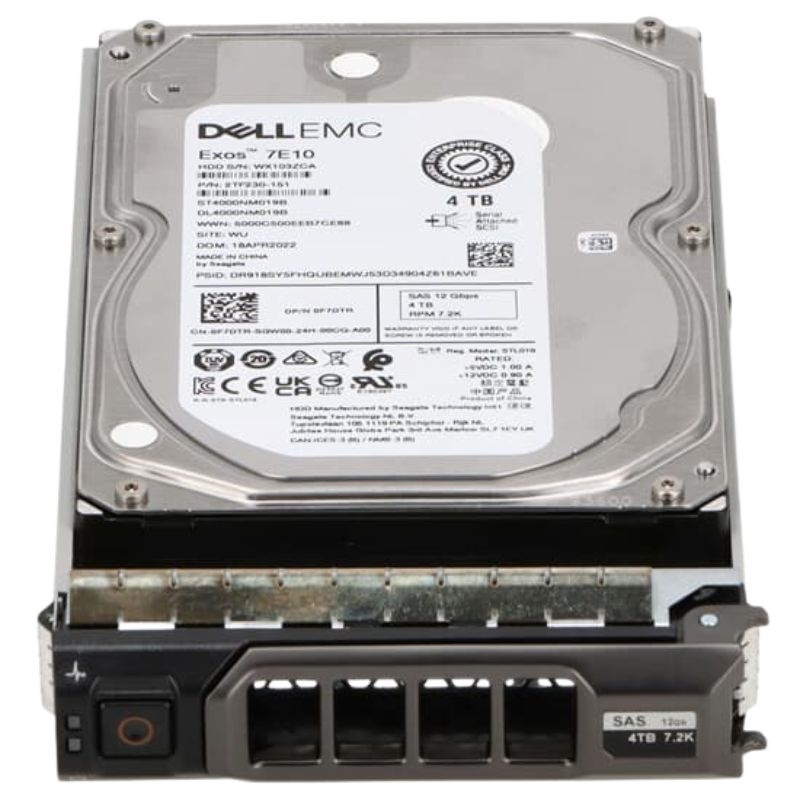


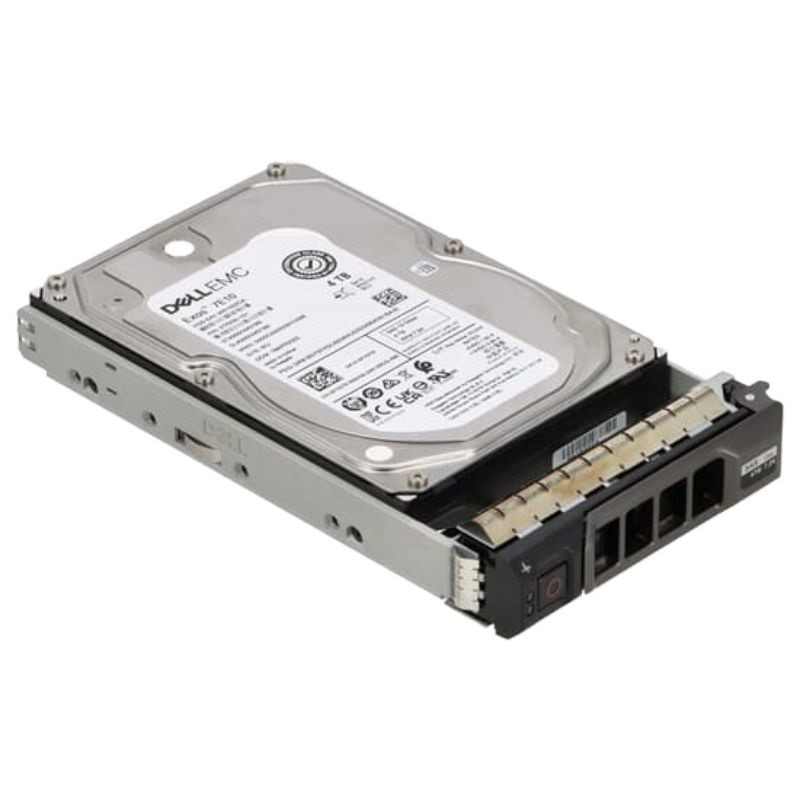
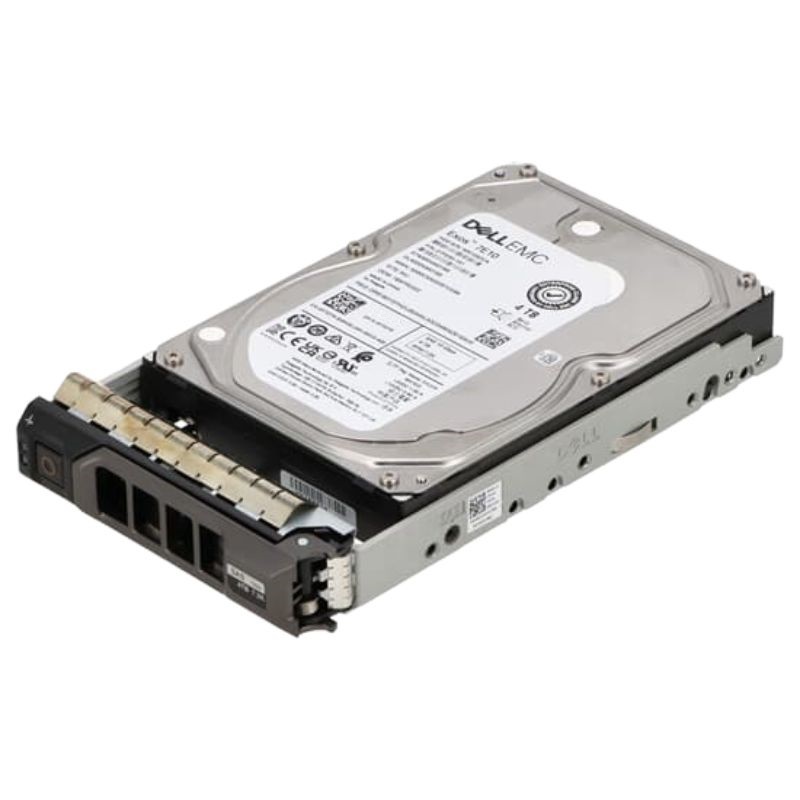
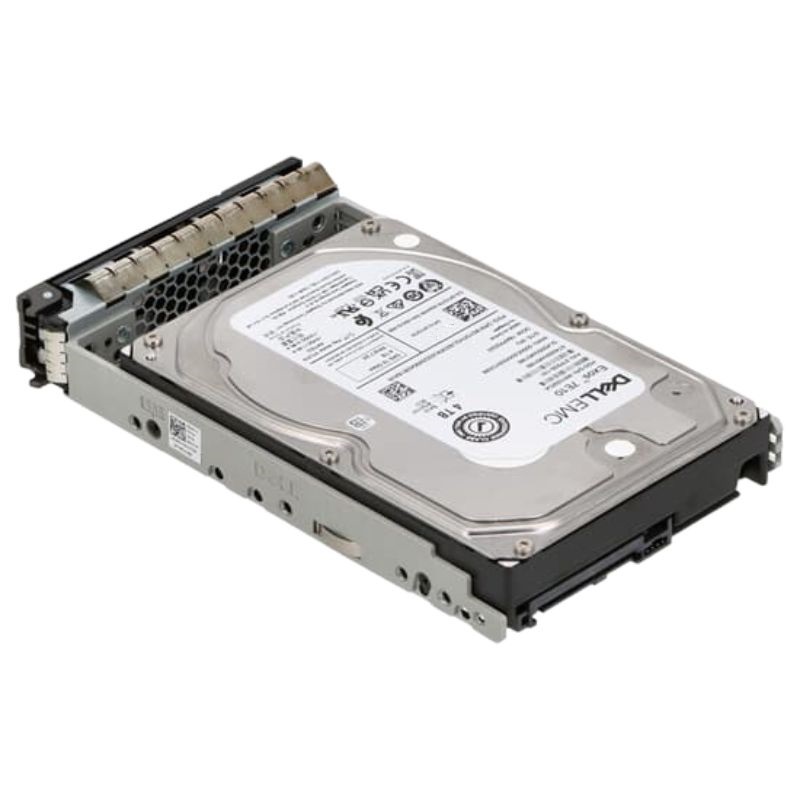
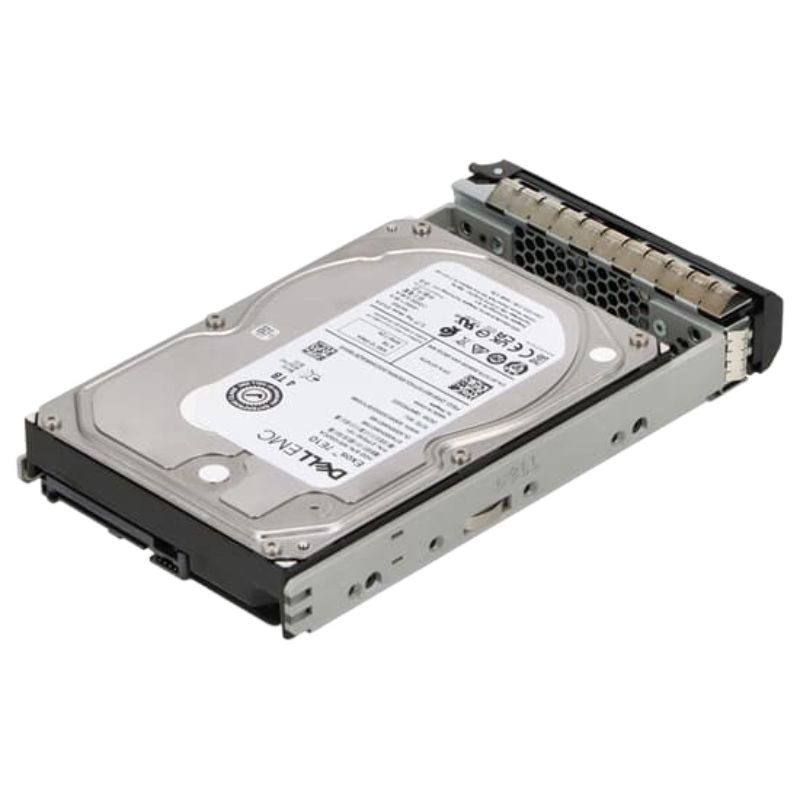
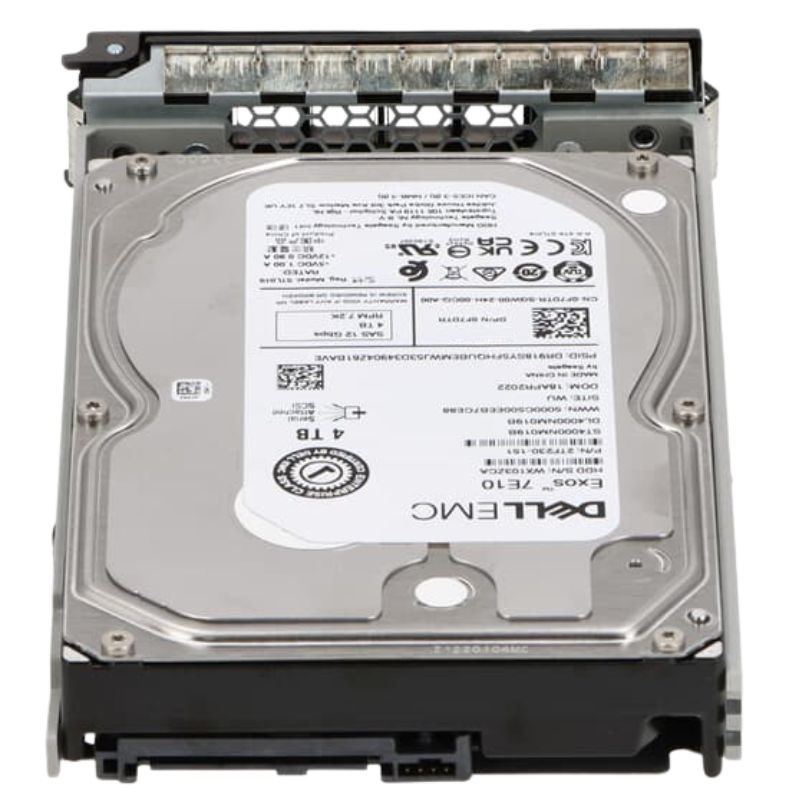
Dell 400-BPDP SAS 12GBPS 4TB 7.2K Near Line 512n 3.5inch Hot-Plug HDD. New Sealed in Box (NIB) with 1-Year Warranty
The Dell 400-BPDP 4TB Near Line SAS hard drive with a 3.5-inch hot-plug design offers reliable enterprise-grade storage with consistent performance. Designed with a 7200 RPM spindle speed, 256MB cache buffer, and 12Gbps SAS interface, this drive is built for long-term dependability and optimized for Dell PowerEdge 14G, 15G, 16G, and 17G servers.
The 400-BPDP Dell SAS 12Gbps 4TB 7.2K Nearline 512n 3.5-inch Hot-Plug HDD category covers enterprise-grade hard disk drives designed specifically for data center, rack-mounted servers, and storage arrays that require a balance of capacity, reliability, and cost-efficiency. This category is centered on 3.5-inch nearline SAS drives that operate at 7,200 RPM, offer 4 TB of usable raw capacity, present a 12 Gbps SAS interface for high throughput, and use 512-byte emulation (512n) sector formatting for broad compatibility with legacy and modern systems. These drives are hot-pluggable—meaning they can be removed or inserted while the system remains powered—and are commonly sold under OEM SKUs and model families such as the Dell-branded 400-BPDP or equivalent part numbers and firmware variations.
The 12 Gb/s SAS (Serial Attached SCSI) interface provides a robust, full-duplex connection that supports enterprise command sets, multi-pathing, and error reporting. SAS is optimized for redundancy and sustained workloads; compared to SATA, SAS provides better command queuing and dual-port options in some models, allowing storage controllers and HBAs to achieve higher throughput and greater fault tolerance. The 12Gbps bandwidth is particularly helpful when multiple drives are operating concurrently in a dense array or when the drive is used for sequential read/write tasks such as backups, large file delivery, and cold storage retrievals.
At 4 TB, these nearline drives are positioned as high-capacity building blocks for tiered storage architectures. The 3.5-inch format maximizes platter area and typically yields better $/GB economics than 2.5-inch counterparts. These drives are commonly used in dense enclosures, JBODs (Just a Bunch Of Disks), and as archival layers behind faster caching tiers (SSDs or 10K/15K RPM SAS drives).
A spindle speed of 7,200 RPM strikes a balance between power consumption, acoustics, and latency. While not as low-latency as 10K or 15K drives, 7.2K nearline HDDs are optimized for sequential throughput and steady-state workloads. The 512n (512 bytes per sector, native 512) sector formatting ensures compatibility with many legacy operating systems and storage stacks that expect 512B sectors, making integration simpler in mixed-environment deployments.
Hot-plug capability is essential for enterprise operations that demand maximum uptime. These drives are designed with connectors and carriers that allow for tool-less removal in most modern Dell chassis and many third-party racks. Rotational vibration protection, shock tolerance during insertion/removal, and advanced error recovery behaviors are engineered to reduce the risk of drive failure during live operations.
In tiered storage designs, 4 TB 7.2K nearline SAS drives typically function as the bulk store behind caching layers. Flash-based SSD tiers handle random I/O and hot data, while nearline HDDs store colder, larger datasets. Proper caching policies—such as LRU (least recently used) migration, write-back caching, or read caching—let organizations capitalize on the low-cost density of nearline drives without sacrificing responsiveness for end users.
Many systems rely on OEM firmware to unlock vendor-specific features like integrated drive health telemetry, predictive failure alerts compatible with Dell Open Manage or iDRAC, and guaranteed interoperability with Dell RAID controllers. When buying, confirm the exact Dell part number (PN) or chassis-verified SKU to avoid mismatched firmware that could reduce manageability.
Hot-plug backplanes must be matched to the drive form factor and physical keying. Many Dell PowerEdge servers and modular storage enclosures come preconfigured for specific drive types; mixing enterprise 3.5-inch drives into consumer-oriented cages can lead to fitment or airflow problems. Check compatibility matrices, part guides, and vendor documentation prior to large rollouts.
These nearline SAS drives typically excel at sequential throughput—reading and writing large contiguous files. Typical sequential read/write throughput in real-world configurations will vary by firmware and controller but often ranges in the hundreds of MB/s per drive when operating at 12 Gbps link rates and with sustained queue depths. For bulk backups, content streaming, and sequential analytics loads, you can expect consistent sustained transfer rates that make these drives an economical choice.
For mixed or random small-block I/O, 7.2K HDDs have higher latency and lower IOPS than their 10K/15K or SSD counterparts. When designing systems where metadata-intensive operations and OLTP workloads are present, consider placing metadata or index shards on faster media while keeping large object data on nearline drives.
SMART (Self-Monitoring, Analysis, and Reporting Technology) attributes are critical for pre-failure warnings. Dell-flashed drives may expose additional vendor-specific SMART fields that integrate with iDRAC and Open Manage for predictive failure alerts. Regularly scheduled health scans and integrating drive telemetry into monitoring platforms can catch early signs of degradation such as increasing reallocated sectors, rising read error rates, or anomalous temperature trends.
Unlike SSDs where TBW (Terabytes Written) is a focal metric, HDD endurance is more a function of mechanical wear and thermal environment. Manufacturers supply workload ratings (e.g., 180 TB/year, 550 TB/year) that help administrators match drives to expected annual writes. Oversubscribing drives beyond their intended workload can shorten service life.
Firmware updates can improve drive stability, error handling, and compatibility with certain controllers. Use vendor-provided update utilities and apply updates in maintenance windows, following best practices like performing one update at a time and keeping a recovery plan if a batch update shows unexpected behavior.
Follow manufacturer processes for hot-swap replacements: mark the drive as offline in your RAID management interface, wait for rebuild policies to start, then remove the failed drive and insert the replacement. Be cognizant of rebuild times and the increased risk exposure to data loss during reconstruction—consider spare pool sizing and RAID level choices (RAID6 or erasure coding in distributed storage) to protect against rebuild-related failures.
Evaluate both initial acquisition cost and ongoing operational costs. Nearline drives save purchase dollars per terabyte but may increase power, cooling, and rebuild time costs. Factor in replacement warranties, failure rates, service contracts, and the administrative overhead of maintaining large disk fleets.
When decommissioning drives, follow industry-standard sanitization methods such as multiple-pass overwrites, DoD 5220.22-M-style erasure, or physical destruction depending on compliance needs. Many enterprise drives support secure erase commands that can be invoked to cryptographically or logically erase data, but always verify the method against regulatory and organizational policies.
If regulatory frameworks require encryption at rest, look for SED variants or plan to implement controller-level encryption. SEDs can reduce the burden of data sanitization since crypto-erase (destroying the encryption key) is a rapid way to make data irrecoverable.
Enterprise HDDs have specified operating temperature and humidity ranges—typically up to 60°C for short periods depending on model and vendor guidance, but recommended to operate within 5–35°C for long-term reliability. Ensure your data center cooling and airflow design maintain temperatures well within manufacturer-recommended thresholds to avoid accelerated wear and increased risk of failure.
3.5-inch nearline drives consume more power than smaller form factors or SSDs when active, especially during sustained sequential operations and spin-up. Acoustic noise at 7.2K RPM can be noticeable in open-air racks—plan for enclosure sound dampening or place noisy arrays in purpose-built racks to reduce noise impact on operations staff.
Plan for lifecycle replacement cycles based on workload intensity, failure rates, and warranty windows. A proactive replacement program—where drives are rotated out after a defined service period rather than waiting for failure—can reduce unplanned downtime. Maintain a healthy pool of certified spares and track fleet health using telemetry dashboards to identify drives nearing thresholds.
Within the 3.5-inch enterprise HDD families, some units offer dual-port SAS functionality enabling redundant data paths and advantages in SAN environments. Confirm whether your targeted SKU is single-port or dual-port depending on your redundancy and multipath needs.
While this category emphasizes 512n (native 512-byte sectors) for compatibility, modern drives may also be available in 4Kn (4,096-byte native sectors) or 512e (512-byte emulation over 4K blocks). Choosing the correct sector size is crucial for compatibility with some operating systems, partitions, and certain RAID controllers—align the sector format with your environment to avoid performance penalties or alignment issues.
The 4TB point is a common capacity, but manufacturers and Dell part families offer higher-density drives (6TB, 8TB, 10TB, 12TB, and beyond) as technology progresses. When planning expansion, consider the interplay between per-drive rebuild times, RAID stripe widths, and the likelihood of encountering latent sector errors during long rebuilds—larger drives increase rebuild windows and may shift the recommended fault tolerance strategy.
Always double-check OEM part numbers, revision codes, and firmware identifiers. OEM labels and Dell SKUs help ensure that the drive will be fully supported by the vendor's management tools and that warranty coverage is valid.
Refurbished enterprise drives can provide cost savings but often come with shorter warranties and uncertain prior usage. For critical production workloads, new drives or certified refurbished units with clear refurbishment certificates and tested health metrics are a safer bet.
For category pages, include primary keywords naturally: "400-BPDP Dell SAS 12Gbps 4TB 7.2K Nearline 512n 3.5-inch Hot-Plug HDD", plus shorter variants like "Dell 4TB SAS 12Gbps 7.2k HDD", "nearline 4TB SAS", and "3.5-inch hot-plug enterprise HDD." Use schema markup for product lists, include canonical tags, and place high-value technical details near the top of the description to improve relevancy signals for search crawlers.
Use Product and Offer schema (JSON-LD) on category and product pages, including attributes for sku, mpn, brand, capacity, interface, rpm, and availability. Add technical specification lists that search engines can parse and present as rich snippets. Include breadcrumb markup and ensure pages are mobile-friendly to satisfy search ranking factors.
Link to relevant subcategory pages (e.g., "SAS 12Gbps Drives", "Nearline HDDs 3.5-inch", "Dell OEM Hard Drives") and to supporting resources like compatibility matrices, firmware downloads, and knowledge-base articles. Offer downloadable spec sheets and quick comparison tables to keep users engaged and reduce bounce rates.
When deploying fleets of 4TB nearline drives, factor in rack densities, power distribution, cooling capacity, spare inventory, and automated asset tracking. Architect for graceful failure modes: faster rebuild strategies, spare capacity thresholds, and alerting workflows reduce the operational risk of operating large-scale HDD collections.


 Contact Us
 Information
 Catalog
 Solid State Drives (SSD)
 Network Switches
 Hard Disk Drives
 HBA & Controllers
 PC & Servers
 PC & Server Memory
 CPU & Processors
 Network Routers
 Power Supplies
 Tape Drives & Libraries
 Network Devices
 Computer & Network Cables