(7% discount is applied at checkout)
Cart is empty
Your go-to destination for cutting-edge server products
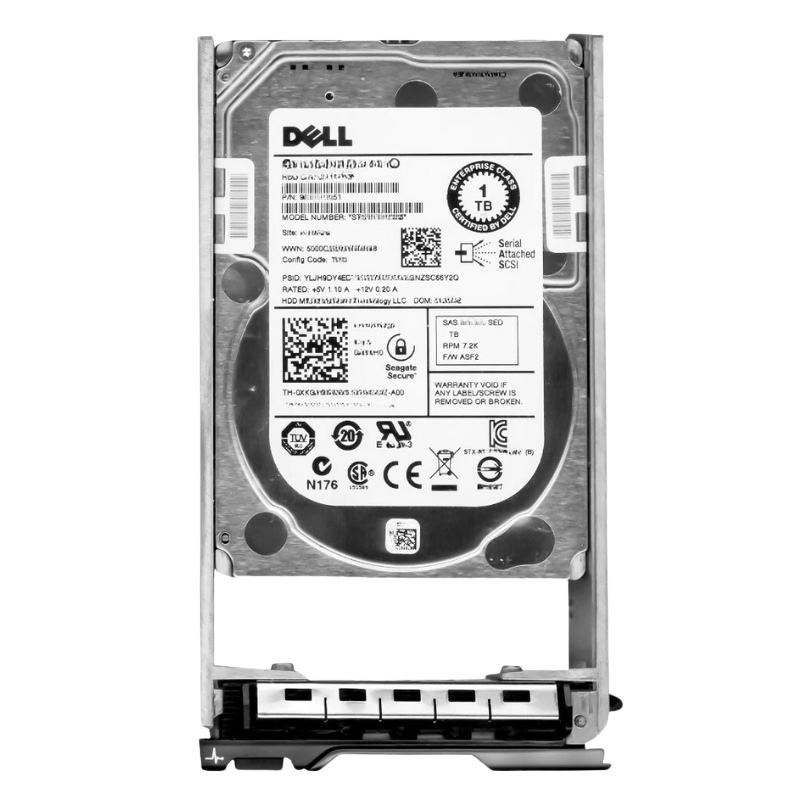


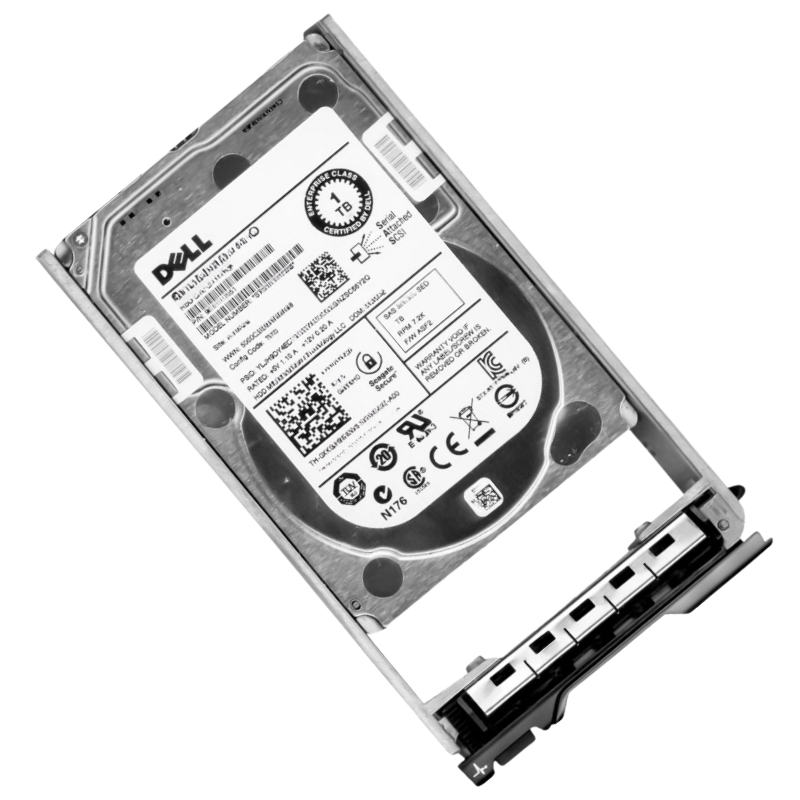
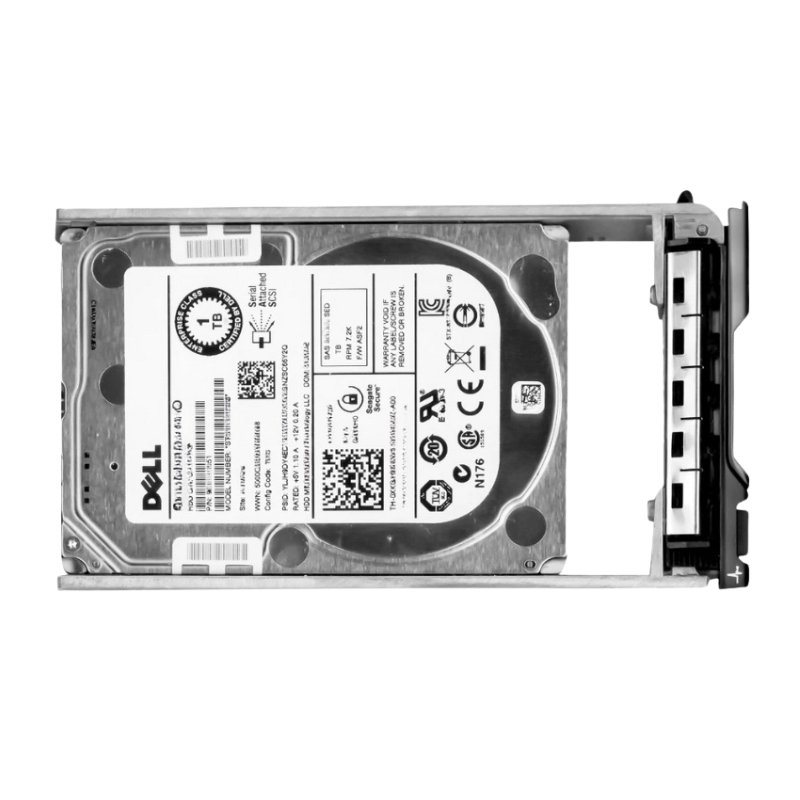
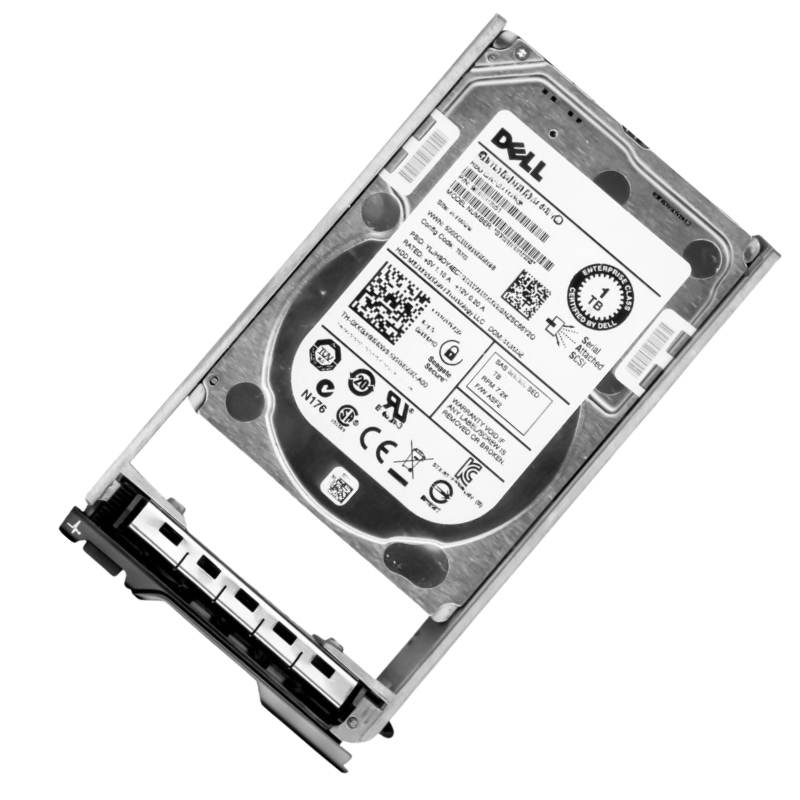
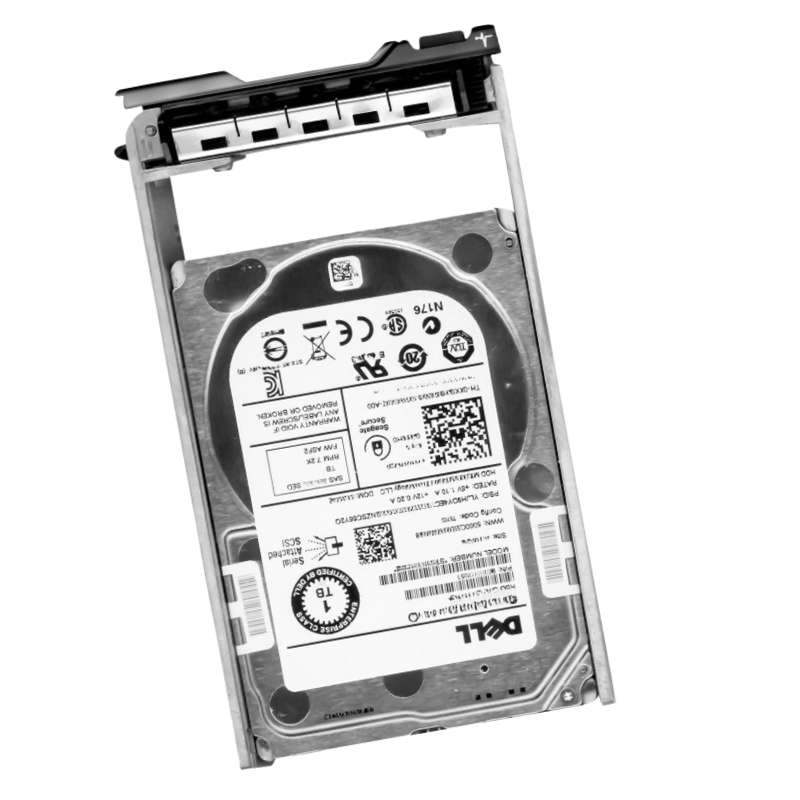
Dell 400-ALUK 1TB 7.2K RPM Near Line SAS 12GBPS 2.5Inch (In 3.5Inch Hybrid Carrier) HDD. New Sealed in Box (NIB) with 1 Year Warranty.
The Dell 400-ALUK 1TB Near Line SAS Hard Disk Drive is a high-capacity enterprise storage solution designed for reliability, scalability, and consistent performance in demanding server environments. Built for Dell PowerEdge and Power Vault systems, this 2.5-inch drive housed in a 3.5-inch hybrid carrier delivers efficient data management for business-critical workloads.
The Dell 400-ALUK 1TB 7.2K RPM Near Line SAS 12Gbps 2.5-inch in 3.5-inch hybrid carrier hard disk drive belongs to a specialized enterprise storage category engineered for high-density data center environments where reliability, scalability, and cost-efficient capacity expansion are critical. This category of nearline SAS hard drives is designed to bridge the gap between high-performance enterprise SAS drives and high-capacity archival SATA storage systems. Within modern IT infrastructures, these drives are widely deployed in server arrays, storage enclosures, and virtualization clusters that demand consistent performance under continuous workloads. The integration of 2.5-inch mechanical drive technology within a 3.5-inch hybrid carrier enables seamless compatibility with a wide range of Dell server chassis designs, particularly those optimized by grade storage efficiency and modular expansion.
Nearline SAS storage architecture represents a critical evolution in enterprise hard drive design, combining the affordability of high-capacity storage with the reliability and interface robustness of SAS connectivity. The Dell 400-ALUK 1TB SAS 12Gbps HDD is positioned within this architecture to support workloads that require frequent access but do not demand ultra-low latency performance levels typical of 10K or 15K RPM drives. Instead, it is optimized for sustained throughput, predictable latency, and high endurance in multi-user environments.
The 12Gbps SAS interface is a defining feature of this storage category, providing a significant improvement in data transfer efficiency compared to previous generation SAS and SATA interfaces. In enterprise environments, this bandwidth capability ensures that multiple simultaneous read and write operations can be processed without creating bottlenecks. The Dell 400-ALUK leverages this interface to maintain consistent performance across RAID arrays and distributed storage systems, supporting workloads such as virtualization hosting, database management, and large-scale backup processing.
Enterprise SAS drives are engineered to handle deep command queues, allowing storage controllers to optimize data request ordering for maximum efficiency. The Dell 400-ALUK 1TB drive benefits from advanced command processing logic that reduces latency under heavy workloads. This ensures that even when multiple virtual machines or applications are accessing storage simultaneously, performance remains stable and predictable.
One of the most distinctive characteristics of the Dell 400-ALUK drive is its hybrid carrier design, which allows a 2.5-inch hard disk drive to be deployed within a 3.5-inch drive bay. This design approach is essential in modern enterprise infrastructure, where storage density and hardware compatibility must be balanced efficiently. The hybrid carrier enables organizations to standardize server chassis configurations while maintaining flexibility in drive selection and deployment.
Hybrid carrier systems are designed to ensure physical stability, vibration reduction, and thermal alignment between the smaller drive form factor and the larger server bay structure. The Dell 400-ALUK is integrated into a carrier that provides structural reinforcement, ensuring that the drive remains securely mounted during continuous operation. This is particularly important in high-density server environments where vibration from adjacent drives can impact performance and reliability.
Thermal management is a critical factor in enterprise storage design. The hybrid carrier structure of the Dell 400-ALUK ensures that airflow is properly directed across the drive surface, preventing localized heat accumulation. In large-scale deployments, consistent thermal conditions are essential for maintaining long-term drive reliability and preventing premature hardware degradation.
Vibration is one of the most significant environmental challenges in dense storage arrays. The hybrid carrier system used in the Dell 400-ALUK incorporates vibration dampening features that minimize mechanical interference between adjacent drives. This ensures consistent read/write head alignment and reduces the risk of performance degradation caused by physical oscillations within server racks.
The 7,200 RPM rotational speed of the Dell 400-ALUK 1TB drive positions it within the nearline storage category, which is optimized for high-capacity, cost-effective enterprise storage rather than ultra-low latency transactional workloads. This rotational speed offers a balanced approach, enabling efficient data retrieval while maintaining energy efficiency and mechanical durability.
Nearline SAS drives are widely used in environments where large datasets must be stored and accessed regularly without requiring the performance overhead of high-RPM enterprise drives. The Dell 400-ALUK achieves this balance by optimizing firmware-level caching strategies and read-ahead algorithms that improve sequential access performance. This makes it particularly suitable for backup repositories, archival systems, and large-scale content storage platforms.
Latency in 7.2K RPM drives is managed through a combination of rotational speed optimization and intelligent data placement strategies. The Dell 400-ALUK reduces perceived latency by leveraging SAS interface efficiencies and optimized controller integration, ensuring that data access remains consistent even under variable workloads.
The 1TB capacity of the Dell 400-ALUK SAS drive is designed for modular scalability within enterprise storage systems. While individual capacity may appear modest compared to modern high-capacity drives, its true value lies in scalability and density optimization when deployed across large arrays. Enterprise environments often prioritize balanced capacity distribution rather than single-drive maximization to ensure redundancy and performance consistency.
In RAID configurations, multiple Dell 400-ALUK drives are combined to create resilient and high-performance storage pools. This approach enables data redundancy while improving read performance through parallel processing. The 1TB capacity per drive allows for granular expansion of storage systems, making it easier to scale infrastructure in controlled increments.
Virtualized infrastructures benefit significantly from distributed storage models. The Dell 400-ALUK supports these environments by providing stable and predictable storage performance across multiple virtual machines. This ensures that hypervisors can allocate resources efficiently without encountering storage bottlenecks.
Reliability is a core requirement for enterprise SAS storage devices, and the Dell 400-ALUK 1TB drive is engineered to meet strict operational endurance standards. These drives are designed for continuous 24/7 operation in data centers, where downtime can result in significant operational and financial impact.
The workload rating of nearline SAS drives is optimized for sustained read and write cycles over extended periods. The Dell 400-ALUK maintains performance consistency under heavy workloads by utilizing firmware-level error correction and predictive maintenance features. This ensures that data integrity is preserved even under demanding operational conditions.
Thermal resilience is essential in dense server environments. The Dell 400-ALUK is designed to operate within a controlled thermal envelope, supported by server-level cooling systems. This ensures that the drive maintains optimal operating temperatures, reducing the risk of thermal-induced performance degradation.
Modern enterprise storage systems rely on SMART monitoring to predict potential drive failures before they occur. The Dell 400-ALUK integrates these monitoring capabilities to provide real-time health metrics, enabling administrators to perform proactive maintenance and reduce system downtime risks.
Firmware synchronization between drives and server controllers ensures consistent performance across storage arrays. The Dell 400-ALUK benefits from optimized firmware configurations that enhance command processing efficiency and reduce latency variations across workloads.
Backup systems rely heavily on stable and high-capacity storage solutions to ensure data preservation and recovery capabilities. The Dell 400-ALUK is well-suited for these environments due to its ability to handle sustained write operations and large-scale data ingestion workloads.
In hybrid cloud environments, nearline SAS drives are often used as intermediate storage layers between high-speed SSD caches and long-term archival storage systems. The Dell 400-ALUK supports this model by providing balanced performance and cost efficiency.
The drive utilizes advanced error correction technologies to ensure that data is accurately written and retrieved across its storage surface. This minimizes the risk of corruption and ensures consistency across enterprise workloads.
In RAID configurations, the Dell 400-ALUK contributes to system-level redundancy by enabling data reconstruction in the event of drive failure. This ensures that enterprise systems remain operational even under hardware degradation scenarios.
Effective workload distribution ensures that no single drive becomes a bottleneck within a storage array. The Dell 400-ALUK supports balanced data distribution through RAID configurations that optimize read and write performance across multiple drives.
Hybrid storage tiering strategies utilize nearline SAS drives like the Dell 400-ALUK as intermediate storage layers, balancing performance and cost efficiency. This approach ensures that frequently accessed data remains readily available while less critical data is stored efficiently.
Enterprise IT departments rely on predictable storage expansion models to manage data growth effectively. The Dell 400-ALUK enables scalable infrastructure planning by providing consistent capacity units that can be deployed incrementally.


 Contact Us
 Information
 Catalog
 Solid State Drives (SSD)
 Network Switches
 Hard Disk Drives
 HBA & Controllers
 PC & Servers
 PC & Server Memory
 CPU & Processors
 Network Routers
 Power Supplies
 Tape Drives & Libraries
 Network Devices
 Computer & Network Cables