Your go-to destination for cutting-edge server products
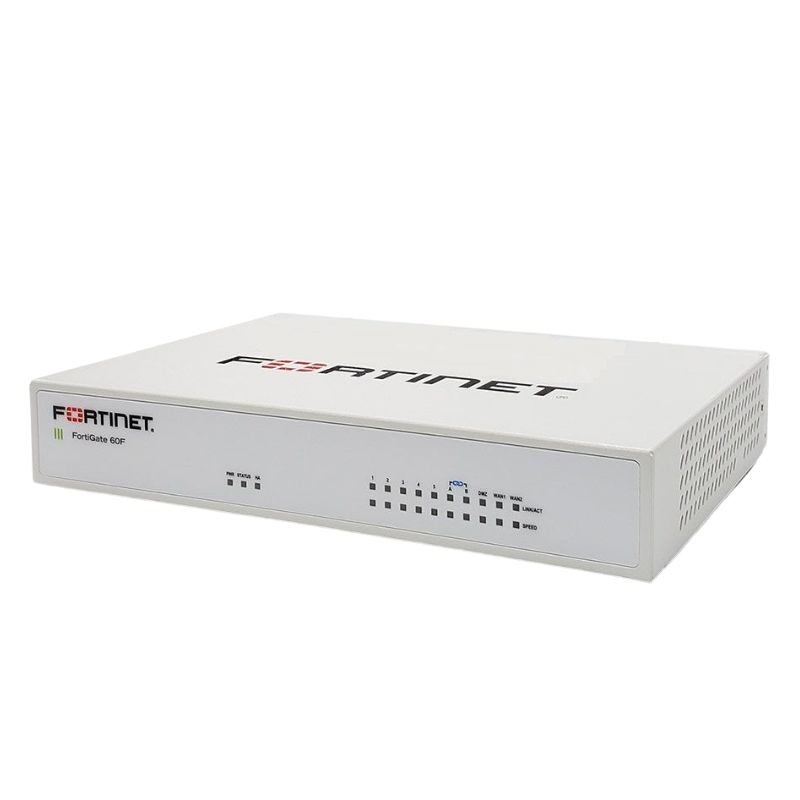
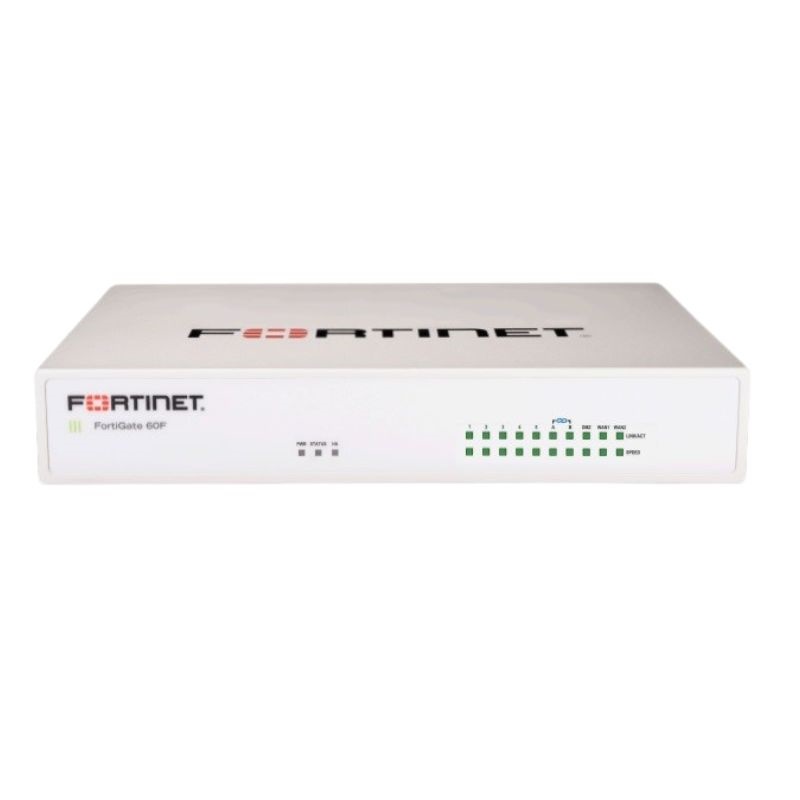
AA881028 Dell 9 Ports Fortinet Fortigate 60F Ethernet Security Appliance

AA881028
* Product may have slight variations vs. image
Hover on image to enlarge

Brief Overview of AA881028

Dell AA881028 Fortinet Fortigate 60F 9 Ports Security Appliance. Factory-Sealed New in Original Box (FSB)

$1,949.40
$1,444.00
You save: $505.40 (26%)
Ask a question
Price in points: 1444 points
+
Quote
Additional 7% discount at checkout
SKU/MPNAA881028Availability✅ In StockProcessing TimeUsually ships same day ManufacturerDell Manufacturer WarrantyNone Product/Item ConditionFactory-Sealed New in Original Box (FSB) ServerOrbit Replacement Warranty1 Year Warranty
Google Top Quality Store Customer Reviews
Our Advantages
Payment Options
  • — Visa, MasterCard, Discover, and Amex
  • — JCB, Diners Club, UnionPay
  • — PayPal, ACH/Bank Transfer (11% Off)
  • — Apple Pay, Amazon Pay, Google Pay
  • — Buy Now, Pay Later - Affirm, Afterpay
  • — GOV/EDU/Institutions PO's Accepted 
  • — Invoices
Delivery
  • — Deliver Anywhere
  • — Express Delivery in the USA and Worldwide
  • — Ship to -APO -FPO
  • For USA - Free Ground Shipping
  • — Worldwide - from $30
Description

DELL AA881028 Fortinet FortiGate 60F Security Appliance

The DELL AA881028 Fortinet FortiGate 60F is a compact yet powerful security appliance designed to safeguard networks with advanced protection, high throughput, and dependable performance. Built with Fortinet’s custom SOC4 processor, it ensures fast, efficient, and reliable defense for businesses of all sizes.

Core Highlights

  • Device Category: Next-Generation Security Appliance
  • Service Package: 3 Years FortiCare 24x7 Support + 3 Years FortiGuard Enterprise Protection
  • Processor Type: 1 × Fortinet FortiASIC SOC4

Key Specification

  • Manufacturer: Dell
  • Part Number: AA881028
  • Product Type: Fortinet Security Appliance

Networking Capabilities

With multi-gigabit performance and wide compatibility, this unit is engineered to handle diverse network demands:

  • Form Factor: Desktop design
  • Connection Mode: Wired
  • Supported Protocols: Ethernet, Fast Ethernet, Gigabit Ethernet, 10 Gigabit Ethernet
  • Transport Layer: IPsec for secure communications

Performance Benchmarks

  • VPN IPsec Throughput (512-bit): 6.5 Gbps
  • Next-Gen Firewall Speed: 1 Gbps
  • SSL Inspection Rate: 750 Mbps
  • Intrusion Prevention System (IPS): 1.4 Gbps
  • Firewall Packet Handling: 9 million packets per second
  • Threat Protection: 700 Mbps
  • Application Control (AVC): 1.8 Gbps
  • SSL VPN Performance: 900 Mbps

Capacity & Scalability

  • Concurrent Sessions: 700,000
  • New Sessions Per Second: 35,000
  • Firewall Rules: Up to 5,000
  • IPsec VPN Tunnels: 200 (Gateway-to-Gateway) and 500 (Client-to-Gateway)
  • Supported Virtual Domains (VDOMs): 10
  • Compatible FortiSwitches: 16
  • Registered FortiClients: 200
  • Concurrent SSL VPN Users: 200
  • SSL Inspection Sessions: 55,000

Security Functions

The device delivers an extensive suite of protection features:

  • Comprehensive Firewall Security
  • Advanced Antivirus Scanning
  • Intrusion Prevention System (IPS)
  • IPsec VPN for encrypted networking
  • Web Threat Defense
  • Silent Fanless Operation
  • Support for SSL and TLS 1.3 encryption standards

Interfaces & Connectivity

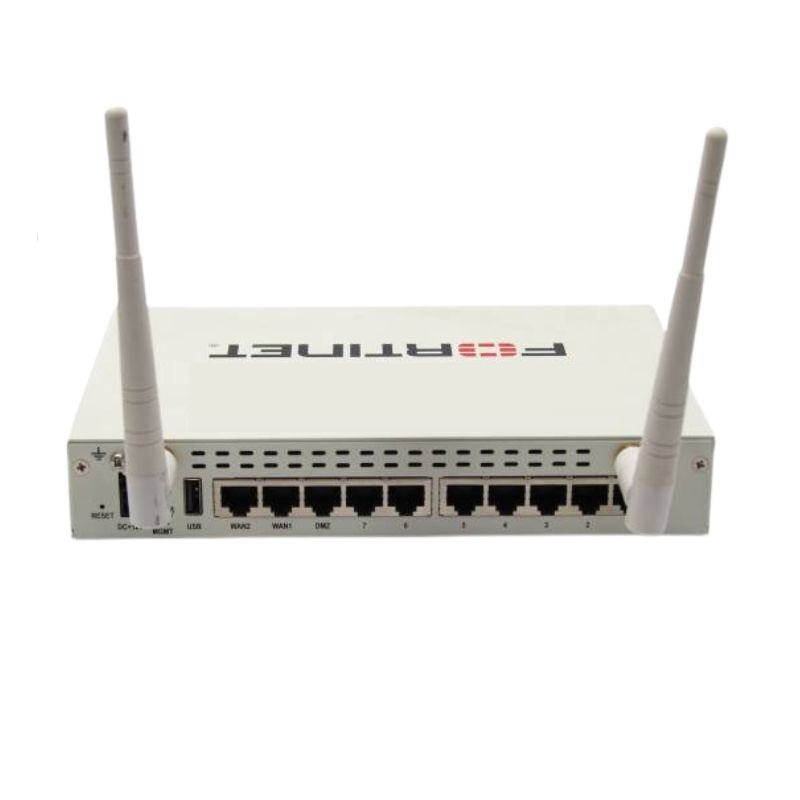
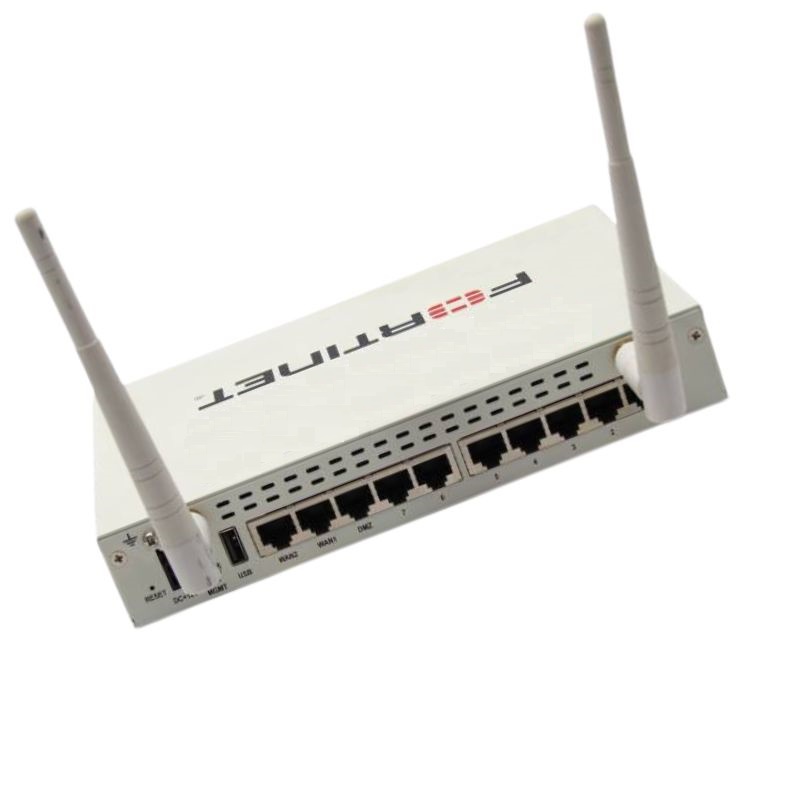
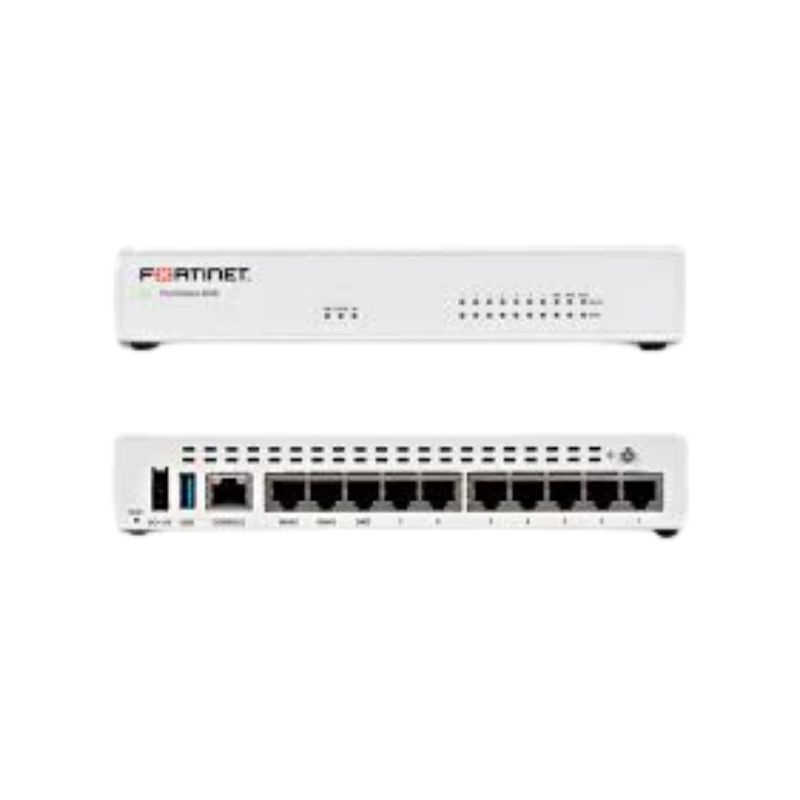
  • 5 × 1000Base-T (RJ-45)
  • 2 × 1000Base-T (RJ-45)
  • 2 × 1000Base-T WAN/DMZ (RJ-45)
  • 1 × Console Port (RJ-45)
  • 1 × USB 3.0 Type-A

Power Specifications

  • External Power Adapter Included
  • Input Voltage: AC 120/230 V (50–60 Hz)
  • Power Usage: 18.5 W (Operational)

Dell AA881028 Fortinet FortiGate 60F 9-Port Security Appliance Overview

The Dell AA881028 Fortinet FortiGate 60F 9 Ports Security Appliance is a compact, branch-ready firewall and unified threat management platform designed for organizations that want enterprise-grade protection without the footprint or operational complexity of larger chassis. Positioned for small and midsize businesses, distributed enterprises, clinics, retail locations, and work-from-anywhere hubs, this appliance consolidates advanced security controls into a single, easy-to-deploy form factor. It brings together next-generation firewalling, application visibility, web filtering, secure SD-WAN, and VPN capabilities while maintaining an intuitive management experience. The 9-port layout provides flexible network segmentation, WAN redundancy options, and the ability to scale from a single-LAN scenario to multiple isolated VLANs and guest networks with confidence.

As a category, the FortiGate 60F class is celebrated for reliable performance, streamlined licensing, and tight integration with cloud security services. The Dell AA881028 part designation helps buyers reference the exact hardware bundle in procurement workflows, asset catalogs, and replenishment systems. Whether you are refreshing legacy firewalls, standardizing branch security, or launching a greenfield office, this appliance category is engineered to shorten time to protection and reduce total cost of ownership through consolidated controls, simplified updates, and central policy orchestration.

Key Value Propositions for This Category

  • All-in-one security stack: Next-generation firewalling, intrusion prevention, web filtering, and application control in a single appliance.
  • Flexible 9-port design: Multiple copper interfaces to segment traffic, create DMZs, support guest access, and build high-availability topologies.
  • Secure connectivity: Site-to-site and remote-access VPNs, SD-WAN features for link resiliency and traffic optimization, and policy-driven routing options.
  • Operational simplicity: Profile-based policies, graphical dashboards, and support for centralized management reduce configuration sprawl.
  • Scalable protection: Works well as a branch node today and integrates with larger ecosystems tomorrow—without forklift upgrades.

Hardware Design and 9-Port Interface Layout

A hallmark of the FortiGate 60F category is a space-efficient chassis with enough I/O to carve out clean security zones. The 9-port copper layout supports common small-site patterns—dual WAN for redundancy, a dedicated DMZ, plus multiple internal segments for staff, guest, IoT, and voice. This enables precise policy boundaries and streamlined troubleshooting. The compact size fits neatly on a desk, shelf, or small rack tray, while the fanless or quiet-cooling design (model-dependent) helps maintain office-friendly acoustics. LED indicators provide at-a-glance status for power, link, and activity, reducing the time required to verify cabling and connectivity.

Typical Port Role Examples

  • WAN 1 / WAN 2: Primary and secondary uplinks (broadband, fiber ONT, or cellular gateway) to ensure continuity during provider outages.
  • LAN Segments: Two to five ports assigned to staff, server, voice, and IoT networks with per-segment security profiles.
  • DMZ Zone: A designated port for public-facing services (e.g., web, mail relay, or remote management jump box) with tight inbound restrictions.
  • Guest Access: An isolated interface mapped to a captive portal policy with bandwidth shaping to preserve critical business traffic.

Benefits of Physical Segmentation

While VLANs are versatile, many organizations value the clarity of physical segmentation for critical assets. With nine interfaces to work with, administrators can commit certain functions to dedicated copper ports—simplifying audit trails, clarifying packet paths, and limiting the blast radius of misconfigurations. This also aids compliance documentation because it is clear which jack serves which trust zone.

Practical Cabling Tips
  • Label each port with both the configured zone name (e.g., LAN-Staff) and the switch trunk or access role to align physical and logical maps.
  • Use color-coded patch leads for WAN, LAN, and DMZ so field technicians can quickly distinguish critical links.
  • Document any passive PoE injectors or media converters used in the path, as they can influence link negotiation and power.

Core Security Capabilities

The FortiGate 60F category is designed to consolidate modern defenses into a single policy engine. Administrators gain granular control over who can access what, when, and how, with deep visibility into application usage and threats. The following capabilities form the backbone of its protective posture:

Next-Generation Firewalling (NGFW)

NGFW features enable identity-aware and application-aware policies. Instead of relying solely on ports and protocols, policies can restrict traffic by application family or specific app signatures, control risky behaviors (like file sharing), and enforce encrypted traffic inspection according to business and compliance requirements. This ensures that sanctioned tools function smoothly while shadow IT encounters strict scrutiny.

Intrusion Prevention and Threat Detection

Inline inspection leverages continuously updated signatures and behavioral analysis to detect exploitation attempts, lateral movement, and command-and-control callbacks. Administrators can operate in “monitor only” during initial rollout to baseline detections, then progressively shift to “protect” modes as confidence grows. Logging provides the detail needed to trace the chain of events for incident response.

Web Filtering and DNS Security

URL classification and domain reputation services block access to malicious, phishing, or inappropriate sites. Custom categories and allowlists/denylists tailor enforcement for different roles—marketing might need broader social media access than finance, while a kiosk might require only a handful of whitelisted domains. DNS filtering further reduces risk by intercepting attempts to resolve known-bad hosts.

Application Control and Bandwidth Shaping

Application control policies can prioritize business-critical SaaS, throttle recreational streaming during peak hours, or outright block unsanctioned proxies. Paired with QoS, the firewall ensures that voice, videoconferencing, and line-of-business apps remain responsive, particularly at sites with asymmetric broadband links.

SSL/TLS Inspection Options

Encrypted traffic inspection is crucial but must be applied thoughtfully. The device supports selective inspection based on risk, category, user group, destination, certificate reputation, or SNI. Organizations often adopt a tiered model—full inspection for unknown destinations, certificate pinning exemptions for certain apps, and privacy-conscious bypass for personal banking or healthcare sites—documented in governance policies.

Secure Connectivity and Branch Networking

Branch security is both about protection and reliable connectivity. The FortiGate 60F category integrates flexible VPN options and SD-WAN features so sites stay online and performant even when one provider suffers an outage. Policy-based path selection, health checks, and analytics ensure critical applications follow the best available link without manual intervention.

Site-to-Site and Remote-Access VPN

  • IPsec Tunnels: Build resilient overlays to headquarters, data centers, and cloud VPCs with route-based designs and dead peer detection.
  • SSL VPN: Provide remote employees client-based or clientless access with granular portal profiles and MFA integration.
  • Split-Tunnel Design: Preserve bandwidth by sending only corporate subnets through the tunnel while internet traffic exits locally under security policies.

SD-WAN Traffic Steering

SD-WAN capabilities allow the appliance to evaluate circuit health (latency, jitter, packet loss) and dynamically route voice, video, or transactional workloads to the optimal path. For example, a voice VLAN can prefer a low-latency fiber link while file sync uses a broadband connection. If one circuit degrades, policies fail over gracefully, and dashboards reveal when and why paths changed.

Zero-Touch Provisioning

Distributed enterprises benefit from zero-touch workflows: ship the appliance to a site, connect it to the internet, and have it automatically enroll with a controller or cloud management service. Prebuilt templates assign security profiles and SD-WAN rules, reducing onsite time and variation. This is especially helpful for high-volume retail rollouts and seasonal pop-up locations.

Management and Automation

Operational excellence in this category centers on predictable policy structures, readable logs, and helpful automation. Administrators can manage a single device locally or on-board it to a centralized console for fleet-wide oversight. Role-based access ensures help desk staff can handle routine tasks—like user VPN resets—without full administrative privileges.

Policy Objects and Profiles

Security profiles—including intrusion prevention, application control, antivirus, and web filtering—are assembled into reusable packages. Policies then reference these profiles, shrinking rule counts and improving consistency. Object-oriented design makes it simple to update protections once and propagate across many rules and sites.

Logging and Visibility

Real-time dashboards surface top talkers, blocked threats, web usage, and VPN status. Administrators can drill into events to view the destination category, threat signature, user identity, and action taken. For long-term retention or cross-device correlation, logs can be forwarded to a SIEM or cloud analytics platform, enabling compliance reports and incident timelines.

Automation Hooks

  • Event-based actions: Trigger alerts or quarantine responses when specific threats or anomalies are detected.
  • API integrations: Sync with inventory systems, identity providers, ticketing tools, and provisioning pipelines.
  • Scheduled tasks: Rotate backups, rotate admin credentials, and run health checks at defined intervals.

Use Cases and Deployment Scenarios

The Dell AA881028 Fortinet FortiGate 60F 9-port category fits numerous real-world scenarios where compact, capable security is needed at the edge. The examples below illustrate how different organizations take advantage of its features.

Retail and Hospitality Sites

Brick-and-mortar stores and boutique hotels rely on the appliance for PCI-conscious segmentation: POS traffic is isolated from guest Wi-Fi and staff devices, while web filtering keeps browsing family-friendly in public lounges. SD-WAN ensures payment authorization continues even when one ISP blips, and application control limits bandwidth drains from non-business streaming.

Healthcare Clinics and Labs

Small medical practices segment EHR systems, imaging stations, and guest networks into separate zones with stringent policies. DNS and web filtering reduce phishing risk, while site-to-site VPNs connect securely to hospital networks or cloud-hosted healthcare applications. Role-based access allows IT service providers to manage security without exposing patient systems.

Professional Services and Remote Offices

Law firms, accounting practices, and engineering satellite offices leverage SSL VPN with MFA for staff who work on the go. Data-sensitive groups can enforce stricter inspection and application rules, while less sensitive teams enjoy more permissive browsing with productivity-friendly guardrails. Backup links over 5G/LTE routers maintain continuity during wireline outages.

Education and Nonprofits

Schools and nonprofit branches appreciate the cost efficiency of a multi-function appliance. Category-based controls keep inappropriate content at bay, and analytics dashboards help demonstrate policy effectiveness to boards and grant committees. Centralized management streamlines policy synchronization across campuses or program sites.

Performance Planning and Right-Sizing

Selecting the right unit within this category involves balancing throughput needs, inspection depth, and growth expectations. While the 9-port layout offers generous segmentation, performance depends on factors like SSL inspection, IPS policies, and the number of concurrent VPN users. The best approach is to estimate peak traffic with and without deep inspection, then size with headroom to accommodate seasonal spikes and new applications.

Assessment Checklist

  • Peak internet bandwidth and expected growth over 24–36 months.
  • Percentage of traffic requiring full SSL inspection versus certificate-based bypass.
  • Number of VLANs, physical segments, and guest networks needed on day one.
  • Concurrent remote users for SSL VPN, and number of site-to-site tunnels.
  • Critical applications sensitive to latency and jitter (voice, video, VDI).
  • Logging retention requirements and whether a SIEM is in use.

Inspection Strategy

Performance is often influenced most by encrypted traffic inspection. A pragmatic plan might apply full inspection to unknown or risky categories while allowing known-good business SaaS to use certificate checks and SNI-based rules. This strikes a balance between security and user experience, and limits the computational load during busy hours.

Security Best Practices for the 60F Category

Strong security outcomes stem from consistent, well-documented practices. The following guidelines align to common frameworks and auditing expectations, adapted to the capabilities of a compact branch appliance.

Baseline Hardening

  • Disable unused admin services on all interfaces; allow management only from a dedicated admin VLAN or jump host.
  • Enforce multifactor authentication for all administrative and remote user logins.
  • Apply least-privilege roles to admin accounts and log every configuration change.
  • Rotate local admin and IPsec pre-shared keys on a schedule; escrow backups securely.

Policy Hygiene

  • Prefer object-based policies with descriptive names and comments for audit clarity.
  • Group rules by zone pairs (e.g., LAN → WAN, Guest → WAN, DMZ → LAN) to simplify troubleshooting.
  • Use identity-based policies for sensitive groups and service accounts that access critical systems.
  • Enable logging on all rules with at least summary level; increase verbosity for privileged segments.

Threat Prevention Profiles

  • Tune IPS policies to your environment; begin in monitor mode and progressively enforce.
  • Activate web filtering with safe search enforcement for general user networks.
  • Enable DNS security to block known-malicious domains and curb command-and-control traffic.
  • Deploy sandbox submission for suspicious files if available in your subscription tier.

High Availability and Resilience

Even at branch scale, downtime is costly. The 60F category supports resilient designs that keep business services online through link failures or hardware events. Depending on needs, administrators can implement dual WAN, policy-based failover, or full appliance redundancy with configuration synchronization.

Dual-WAN and Cellular Backup

A straightforward way to improve availability is to pair a primary wired link with a secondary broadband or cellular gateway. Health probes measure availability and performance; if the primary path fails, traffic automatically reroutes. For critical applications like POS or telemedicine, policy routes can keep them on the most reliable path at all times.

Appliance Redundancy Patterns

  • Active/Passive: A standby unit mirrors configuration and assumes traffic if the primary fails.
  • State Synchronization: Session information can be shared (model-dependent), minimizing disruptions during switchover.
  • Out-of-band Management: A separate management path allows administrators to repair or upgrade without touching production links.

Segmentation, VLANs, and Identity-Aware Access

Security outcomes improve when networks are carved into zones aligned to business risk. The 9-port 60F category makes this practical even for small sites. Pair physical segmentation with VLANs to scale beyond the available copper, and use identity-aware policies to tailor access based on user groups and device posture.

Common Zone Patterns

  • LAN-Staff: Regular endpoints with full internet access under inspection and EDR integration.
  • LAN-Servers: Restricted egress rules and tight east-west controls to limit lateral movement.
  • Voice: QoS-prioritized traffic with limited web access, protecting call quality.
  • IoT/OT: Constrained policies with device allowlists and outbound DNS restrictions.
  • Guest: Captive portal and rate-limited bandwidth, isolated from corporate resources.

Identity and Posture Controls

Integrate with directory services to create policies targeting specific groups—contractors, finance, HR, developers. When combined with device posture checks from endpoint agents, administrators can enforce stricter controls for unmanaged laptops or outdated operating systems, reducing risk without sacrificing usability.

Migration and Refresh Strategies

Upgrading from legacy firewalls or consolidating point products is simpler with careful planning. Begin by documenting current subnets, NAT policies, VPNs, and security services. Translate these into object-based constructs, then stage changes in a lab or maintenance window. For multi-site rollouts, use templates to enforce consistency and reduce per-site variance.

Cutover Checklist

  • Validate ISP credentials, VLAN tags, and static routes prior to the window.
  • Preconfigure admin access, time sync, and log forwarding to your SIEM or analyzer.
  • Stage VPN tunnels with test peers; confirm DPD and failover timing.
  • Clone rules into a monitor first posture where practical to baseline detections.
  • Notify stakeholders of expected brief interruptions during NAT ARP updates.
  • Keep the previous gateway powered but isolated for quick rollback if needed.

Post-Migration Validation

After cutover, run synthetic tests—DNS resolution, SaaS logins, voice calls, and file transfers—across each zone. Review logs for unexpected blocks or inflated latency under inspection. Adjust policies and shaping rules, then capture a “golden backup” as your new baseline.

Ecosystem Integrations and Future-Proofing

The FortiGate 60F category integrates with a broader security fabric—endpoint agents, wireless access points, switches, and cloud security services—to extend policy and telemetry. Over time, organizations can add components as needs evolve: identity providers for SSO, NAC platforms for device compliance checks, or cloud posture tools to align edge and cloud policies.

Identity, SSO, and MFA

Tie firewall authentication to your directory (e.g., via LDAP or SAML) and enforce MFA for administrative and remote-access sessions. Group mapping allows nuanced policy, like granting developers access to code repositories while restricting contractors to project portals.

Endpoint and Network Access Control

Pairing endpoint protection with firewall-level visibility gives security teams an end-to-end view of device posture and network behavior. Non-compliant devices can be steered into remediation VLANs or given restricted internet access until they meet patch and antivirus requirements.

Optimization Tips After Deployment

Once deployed, a few optimizations can improve performance and user satisfaction without sacrificing security. Treat the first month as a tuning phase: gather feedback, review logs, and iterate on policies.

Practical Optimizations

  • Use application-based policies for major SaaS tools to ensure reliable identification and prioritization.
  • Refine SSL inspection exemptions for well-known financial and healthcare domains where privacy policies require it.
  • Apply bandwidth shaping to guest networks to preserve resources for mission-critical apps.
  • Schedule security database updates during off-peak windows and enable differential updates where available.
  • Export logs to a central platform for long-term analytics and faster incident correlation..

Sample Configuration Patterns

To spark design ideas, the following patterns illustrate how networks can be arranged using the 9-port layout while leaving room for growth. Use them as a starting point and adapt to your ISP, switching, and authentication environment.

Small Office with Redundant Internet

  • WAN1: Primary fiber handoff.
  • WAN2: Secondary broadband or LTE gateway.
  • LAN-Staff: Workstations and printers with standard web access and IPS.
  • LAN-Voice: Phones and call controllers with QoS priority.
  • Guest: Isolated VLAN with captive portal on a dedicated port.
  • DMZ: Public-facing remote support jump host with tight inbound rules.

Retail Branch with POS Segmentation

  • WAN1/WAN2: Dual ISPs with SD-WAN health checks.
  • POS: Segmented VLAN mapped to its own port with strict egress rules and DNS filtering.
  • Back-Office: Manager PCs and printers under application control policies.
  • Guest Wi-Fi: Bandwidth-limited and isolated from POS and back-office networks.

Healthcare Clinic with Partner Connectivity

  • WAN1: Primary business internet.
  • VPN: Route-based IPsec to hospital network with DPD and BGP.
  • EHR Zone: Restricted egress; logging at detailed level for audit.
  • IoT Medical: Medical devices in an isolated zone with limited outbound access.
  • Guest: Internet-only browsing with family-friendly filtering categories.

Change Management and Version Control

Treat firewall configuration like code. Use formal change requests with peer review for significant edits, attach rule diffs to the ticket, and maintain snapshots. When multiple administrators share duties, adopt a branching strategy—stage, review, and then merge changes during maintenance windows. This discipline prevents unintended side effects and keeps audit trails intact.

Backup and Recovery

  • Schedule daily encrypted backups to an off-device repository.
  • After major policy overhauls, create a manual “golden” snapshot.
  • Test restore procedures quarterly to ensure backups are usable.

Capacity Growth and Lifecycle Planning

As organizations add new cloud services, remote staff, or IoT devices, demands on the edge evolve. Plan for growth by monitoring utilization trends and revisiting inspection policies periodically. When traffic consistently runs near planned limits, consider adding circuits, offloading certain services, or introducing a larger firewall at aggregation points while keeping the 60F class at branches.

Reevaluate

  • Large SaaS adoptions (e.g., company-wide video collaboration or VDI rollout).
  • Significant headcount or device increases at a site.
  • New compliance mandates requiring deeper logging or stricter inspection.
  • Voice quality complaints during busy hours despite shaping policies.

Sustainability and Cost Efficiency

The compact footprint and consolidated feature set help reduce rack space, cabling, and power draw compared with running multiple point solutions. Longer subscription terms lower per-year costs and reduce administrative overhead from frequent renewals. Centralized management reduces truck rolls and accelerates troubleshooting with at-a-glance dashboards.

Operational Savings

  • Fewer devices to patch and monitor translates to less risk and lower labor.
  • Templates shrink the time required to deploy and document new sites.
  • Unified logging simplifies incident response and audit preparation.

Standardize on the Dell AA881028 Identifier

Standardization matters. Using the Dell AA881028 part reference in internal catalogs ensures purchasing teams order the exact appliance and service bundle you vetted. This avoids delays from SKU mismatches, accelerates onboarding for new sites, and simplifies inventory tracking and RMAs. For distributed organizations, this single source of truth helps global teams work from the same playbook.

Documentation and Onboarding

Include the identifier in site runbooks, installation checklists, and diagrams so field technicians can verify they’re installing the right unit. For managed service engagements, share this reference with partners so replacement stock stays consistent across locations and regions.

Template: Branch Policy Bundle

Administrators can accelerate rollouts using a baseline policy bundle. Adjust names and thresholds to your environment, but keep the structure consistent to simplify training and audits.

Baseline Profiles

  • IPS-Balanced: Blocks high-confidence signatures; logs medium-confidence detections.
  • WebFilter-Business: Allows business tools; blocks malware, phishing, and adult categories.
  • AppControl-Standard: Prioritizes collaboration apps; restricts proxies and risky utilities.
  • AV-Gateway: Scans downloads and blocks executables from unknown sources.

Example Rules

  • LAN-Staff → WAN: Allow with IPS-Balanced, WebFilter-Business, AppControl-Standard.
  • LAN-Servers → WAN: Allow only required destinations and services; log in detail.
  • Guest → WAN: Allow HTTP/HTTPS with bandwidth limits; block risky categories.
  • IoT → WAN: Allow NTP/DNS to approved resolvers; block arbitrary outbound traffic.
  • DMZ → LAN: Restrict to management jump host; require MFA for access.
Features
Manufacturer Warranty:
None
Product/Item Condition:
Factory-Sealed New in Original Box (FSB)
ServerOrbit Replacement Warranty:
1 Year Warranty