(7% discount is applied at checkout)
Cart is empty
Your go-to destination for cutting-edge server products
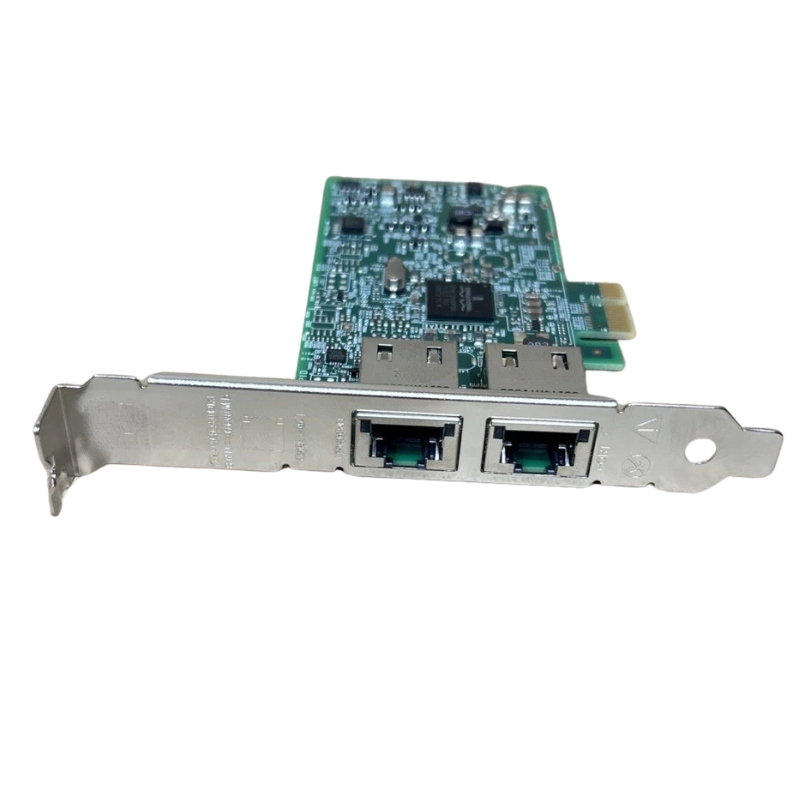


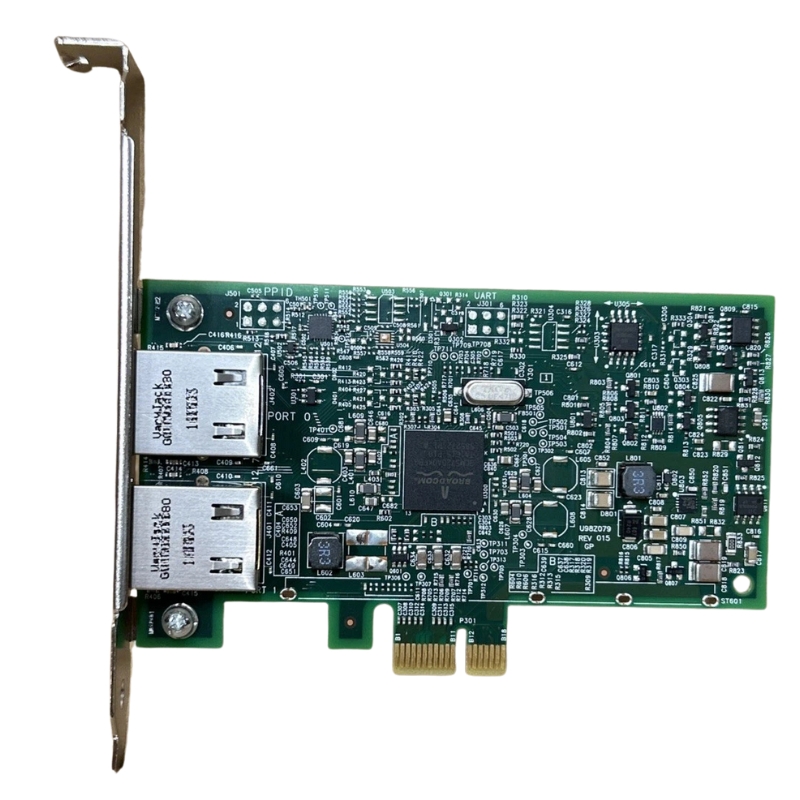
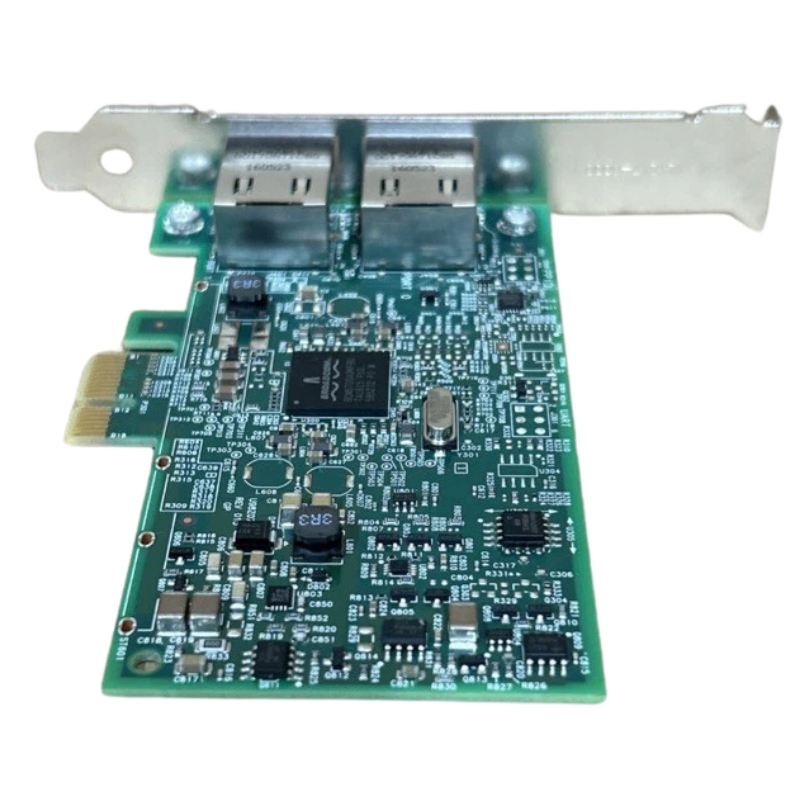
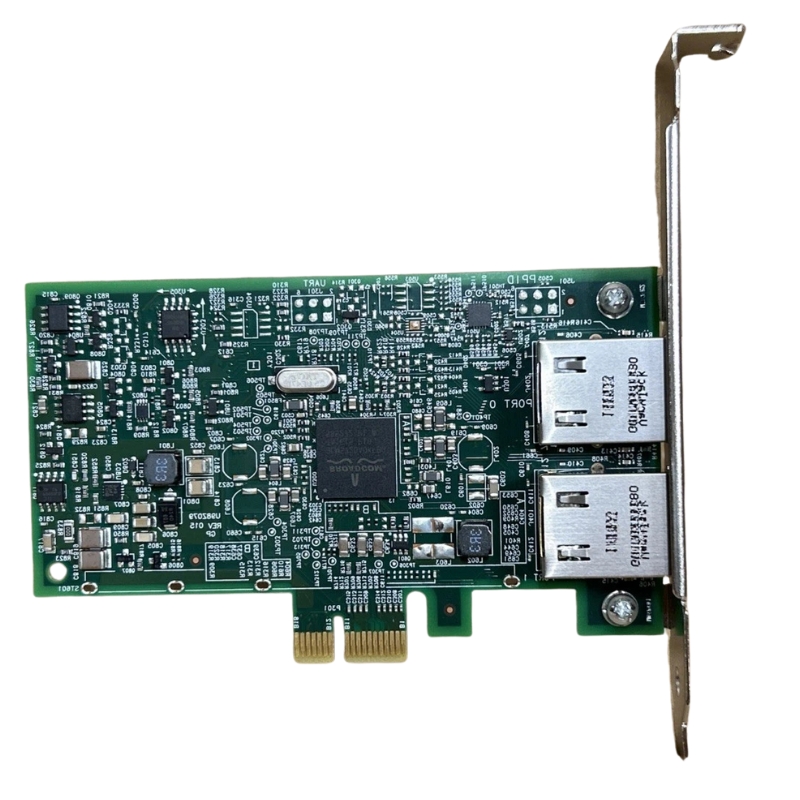
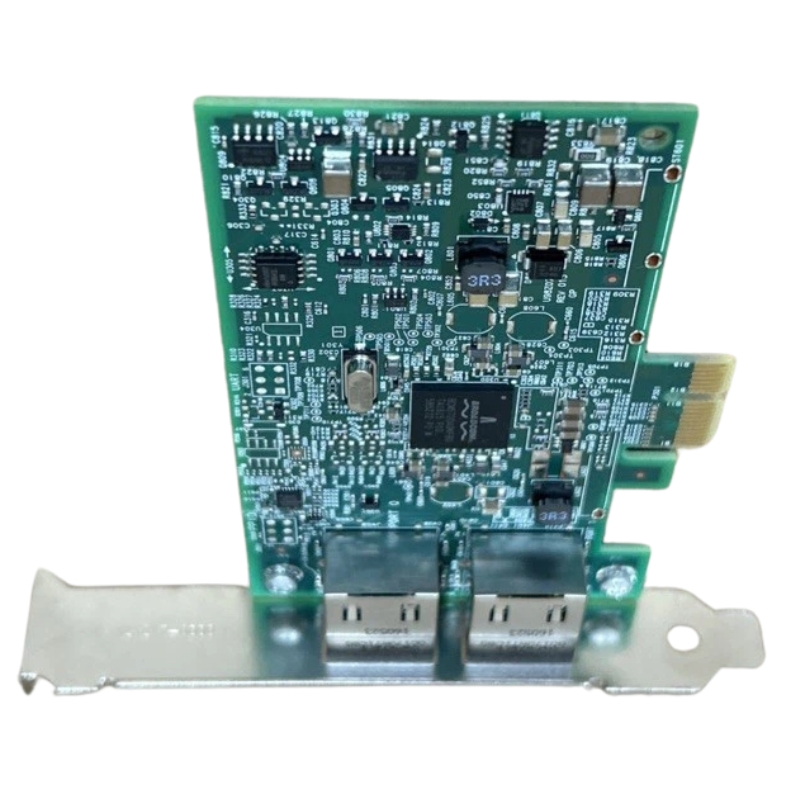
Broadcom BCM95720A2003AC Dual Ports NetXtreme BCM5720-2P PCI-E 2.0 Ethernet Network Adapter. New Sealed in Box (NIB) with 3 Years Warranty
The Broadcom BCM95720A2003AC Dual Ports NetXtreme BCM5720-2P PCI-E 2.0 Ethernet Network Adapter is a reliable, high‑performance solution designed for modern x86 and x64 server environments. It delivers robust Gigabit connectivity, advanced offload features, and energy‑saving technologies ideal for data centers, virtualization platforms, and enterprise networks.
The Broadcom BCM95720A2003AC Dual Ports NetXtreme BCM5720‑2P PCI‑E 2.0 Ethernet Network Adapter represents a highly reliable and enterprise‑grade networking component engineered for servers, data centers, and demanding IT infrastructures. This category focuses on the architecture, performance capabilities, deployment scenarios, and long‑term operational value of the BCM5720‑based dual‑port adapters. As organizations continue to scale their digital ecosystems, the need for stable, low‑latency, and energy‑efficient network adapters becomes increasingly essential. This adapter family is designed to meet those expectations by delivering consistent throughput, hardware‑level acceleration, and robust compatibility with modern server platforms. Its PCI‑E 2.0 interface ensures dependable bandwidth allocation, while the dual‑port configuration enhances redundancy, link aggregation, and multi‑network segmentation.
At the heart of the Broadcom BCM95720A2003AC lies the BCM5720 controller, a proven and widely adopted Ethernet chipset known for its stability and efficiency. The engineering behind this controller emphasizes optimized packet handling, reduced CPU overhead, and advanced offloading capabilities. These features allow servers to maintain high performance even under heavy network loads. The adapter’s PCI‑E 2.0 x4 interface ensures that both ports can operate at full capacity without bottlenecks, supporting sustained gigabit throughput across multiple simultaneous connections. This architecture is particularly beneficial for virtualization environments, where network traffic from numerous virtual machines must be processed concurrently.
The BCM5720 chipset integrates several hardware‑based enhancements that improve overall network efficiency. These include TCP segmentation offload, checksum offload, and large receive offload, all of which reduce the processing burden on the host CPU. By shifting these tasks to the adapter itself, system resources remain available for applications, virtualization workloads, and database operations. The chipset also supports advanced flow control mechanisms, ensuring smooth data transmission even during peak traffic periods. These enhancements contribute to a more stable and predictable network environment, which is critical for enterprise‑level deployments.
Energy efficiency is a key consideration in modern data centers, and the BCM5720‑2P platform incorporates several features designed to minimize power consumption. The adapter supports Energy Efficient Ethernet (EEE), which dynamically adjusts power usage based on network activity. This reduces energy waste during periods of low traffic without compromising performance when demand increases. Additionally, the adapter’s thermal design ensures consistent operation in high‑density server environments. Its components are engineered to dissipate heat effectively, reducing the risk of thermal throttling and extending the lifespan of the hardware.
The Broadcom BCM95720A2003AC Dual Ports NetXtreme BCM5720‑2P PCI‑E 2.0 Ethernet Network Adapter is suitable for a wide range of deployment scenarios. Its dual‑port configuration makes it ideal for environments requiring redundancy, load balancing, or network segmentation. Organizations can deploy this adapter in rack servers, tower servers, or blade systems to enhance connectivity and ensure continuous uptime. The adapter’s compatibility with major operating systems and hypervisors further expands its versatility, making it a dependable choice for both legacy and modern infrastructures.
Virtualization platforms rely heavily on network performance, and the BCM5720‑2P adapter is optimized for such environments. Its hardware offloading capabilities and multi‑queue support enable efficient handling of virtual machine traffic. Administrators can configure each port to serve different virtual networks, improving security and traffic management. The adapter’s compatibility with VMware ESXi, Microsoft Hyper‑V, and Linux‑based hypervisors ensures seamless integration into cloud and hybrid infrastructures. This makes it a valuable component for organizations transitioning to virtualized or containerized workloads.
High‑availability environments require network components that can maintain connectivity even in the event of hardware failures. The dual‑port design of the BCM95720A2003AC allows administrators to configure failover mechanisms, ensuring uninterrupted service. Link aggregation can also be implemented to increase bandwidth and provide redundancy. These features are essential for mission‑critical applications such as financial systems, healthcare platforms, and enterprise resource planning solutions. By deploying this adapter, organizations can significantly reduce the risk of downtime and maintain consistent service delivery.
Data centers demand network adapters capable of handling large volumes of traffic with minimal latency. The BCM5720‑2P platform excels in these environments due to its robust architecture and efficient packet processing. It supports advanced networking protocols and integrates seamlessly with enterprise‑grade switches and routers. Whether used for storage networking, cluster communication, or general server connectivity, this adapter provides the reliability and performance required for large‑scale operations. Its compatibility with major server brands further enhances its utility across diverse infrastructures.
One of the strengths of the Broadcom BCM95720A2003AC category is its broad compatibility with server hardware and operating systems. The adapter supports Windows Server editions, Linux distributions, and virtualization platforms. Its drivers are regularly updated to ensure optimal performance and security. The PCI‑E 2.0 interface ensures compatibility with both older and newer server motherboards, making it a flexible option for upgrades and replacements. This adaptability allows organizations to extend the life of their existing hardware while improving network performance.
The BCM5720‑2P adapter includes stable and well‑maintained drivers that support a wide range of operating systems. These drivers are optimized for performance and security, ensuring reliable operation in production environments. Administrators can easily configure advanced features such as VLAN tagging, jumbo frames, and flow control through standard OS tools. The adapter’s consistent driver support contributes to its reputation as a dependable networking solution for enterprise deployments.
The adapter is compatible with numerous server models from leading manufacturers. Its PCI‑E 2.0 interface ensures smooth integration into systems that support earlier or later PCI‑E generations. This makes it an excellent choice for organizations upgrading older servers or expanding their existing infrastructure. The adapter’s compact form factor allows it to fit into various chassis designs, including low‑profile and full‑height configurations. This flexibility simplifies deployment and ensures that the adapter can be used across multiple server generations.
Performance is a defining characteristic of the BCM5720‑2P platform. The adapter delivers consistent gigabit speeds across both ports, even under heavy workloads. Its hardware offloading capabilities reduce CPU usage, allowing servers to allocate more resources to applications and services. The adapter also supports advanced networking features that enhance throughput, reduce latency, and improve overall efficiency. These performance characteristics make it suitable for demanding applications such as database servers, virtualization hosts, and high‑traffic web servers.
Low latency is essential for applications that require real‑time data processing. The BCM5720‑2P adapter is engineered to minimize latency through optimized packet handling and efficient data paths. Its high throughput capabilities ensure that large volumes of data can be transmitted without delays. This combination of low latency and high throughput makes the adapter ideal for environments where performance is critical. Whether used for storage networking, cluster communication, or application hosting, the adapter delivers reliable and predictable performance.
The adapter supports a wide range of networking protocols and features that enhance performance and reliability. These include VLAN tagging, jumbo frames, flow control, and link aggregation. These features allow administrators to optimize network configurations based on specific workload requirements. The adapter’s support for advanced protocols ensures compatibility with modern networking equipment and enhances overall network efficiency. This makes it a valuable component for organizations seeking to optimize their network infrastructure.
Reliability is a key factor in selecting network adapters for enterprise environments. The BCM95720A2003AC is built with high‑quality components designed to withstand continuous operation. Its robust construction ensures long‑term durability, even in demanding data center environments. The adapter’s thermal management features prevent overheating, while its energy‑efficient design reduces operational costs. These characteristics contribute to the adapter’s long‑term value and make it a cost‑effective solution for organizations seeking dependable network connectivity.
The adapter is constructed using high‑grade materials that ensure consistent performance over time. Its components are tested to meet stringent quality standards, ensuring reliability in mission‑critical environments. The adapter’s design minimizes the risk of hardware failures, reducing maintenance costs and downtime. This level of reliability is essential for organizations that depend on continuous network connectivity to support their operations.
Thermal stability is crucial for network adapters operating in high‑density server environments. The BCM5720‑2P platform incorporates efficient heat dissipation mechanisms that prevent overheating. This ensures consistent performance even during extended periods of heavy network activity. The adapter’s ability to maintain stable temperatures contributes to its longevity and reduces the risk of performance degradation. This makes it a dependable choice for data centers and enterprise environments where continuous operation is required.
The adapter supports remote management features that allow administrators to diagnose and troubleshoot network issues without physical access to the server. These capabilities are particularly valuable in large data centers or distributed environments. Administrators can monitor link status, adjust settings, and perform diagnostics through standard management interfaces. This enhances operational efficiency and reduces the time required to resolve network issues.
The BCM5720‑2P adapter integrates seamlessly with enterprise monitoring systems, providing real‑time insights into network performance. These systems can track metrics such as throughput, latency, and error rates, allowing administrators to identify potential issues before they impact operations. The adapter’s compatibility with industry‑standard monitoring tools ensures that organizations can maintain visibility into their network infrastructure and make informed decisions about optimization and upgrades.
Security is a critical consideration in modern network environments. The BCM5720‑2P adapter includes several features designed to enhance network security and protect against unauthorized access. These features help safeguard sensitive data and ensure compliance with security policies. By incorporating hardware‑level security mechanisms, the adapter provides an additional layer of protection for enterprise networks.
The adapter includes hardware‑based security features that protect against common network threats. These features include secure boot mechanisms, firmware integrity checks, and protection against unauthorized configuration changes. By implementing security at the hardware level, the adapter reduces the risk of attacks that target software vulnerabilities. This enhances overall network security and provides peace of mind for organizations handling sensitive data.
The BCM5720‑2P adapter supports secure networking protocols that help protect data in transit. These protocols ensure that data is encrypted and authenticated, reducing the risk of interception or tampering. The adapter’s support for secure protocols makes it suitable for environments where data security is a top priority. This includes financial institutions, healthcare organizations, and government agencies.
Scalability is essential for organizations planning for future growth. The BCM5720‑2P platform is designed to support expanding network demands through its dual‑port configuration and advanced features. Organizations can scale their network infrastructure by adding additional adapters or leveraging link aggregation. The adapter’s compatibility with modern networking equipment ensures that it remains relevant as technologies evolve. This future‑ready design makes it a valuable long‑term investment for organizations seeking to build scalable and resilient network infrastructures.
The dual‑port design of the adapter provides flexibility for network expansion. Organizations can configure each port for different network segments, improving traffic management and security. Link aggregation can be used to increase bandwidth and provide redundancy. These expansion options allow organizations to adapt their network infrastructure to changing requirements without significant hardware investments.
The BCM5720‑2P adapter is designed to remain compatible with evolving network standards. Its support for advanced networking features ensures that it can integrate with modern switches, routers, and network management systems. This compatibility allows organizations to upgrade their network infrastructure without replacing existing adapters. The adapter’s future‑ready design ensures that it continues to deliver value as networking technologies advance.


 Contact Us
 Information
 Catalog
 Solid State Drives (SSD)
 Network Switches
 Hard Disk Drives
 HBA & Controllers
 PC & Servers
 PC & Server Memory
 CPU & Processors
 Network Routers
 Power Supplies
 Tape Drives & Libraries
 Network Devices
 Computer & Network Cables