(7% discount is applied at checkout)
Cart is empty
Your go-to destination for cutting-edge server products
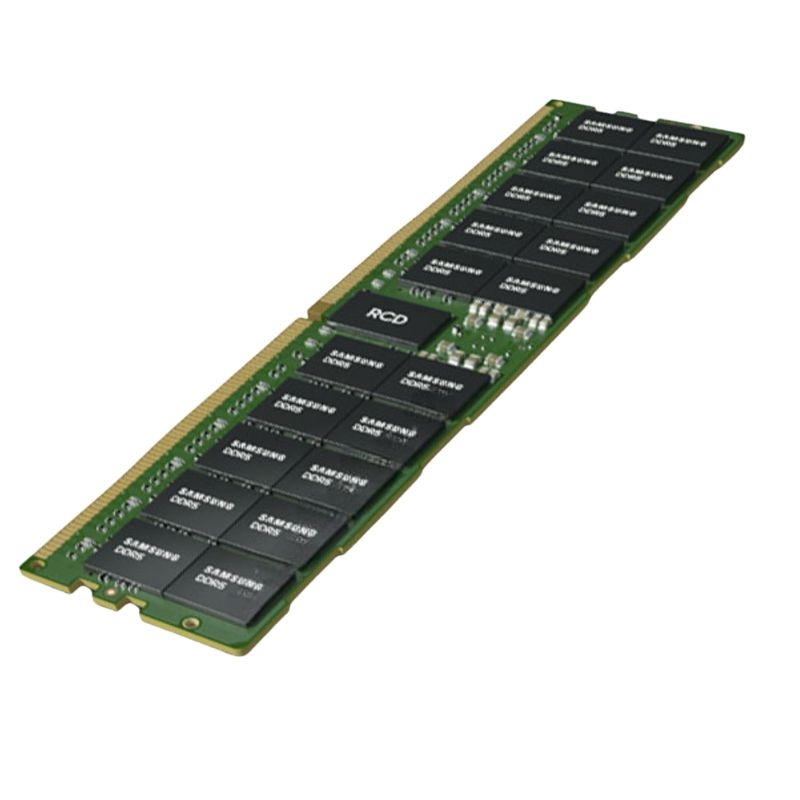


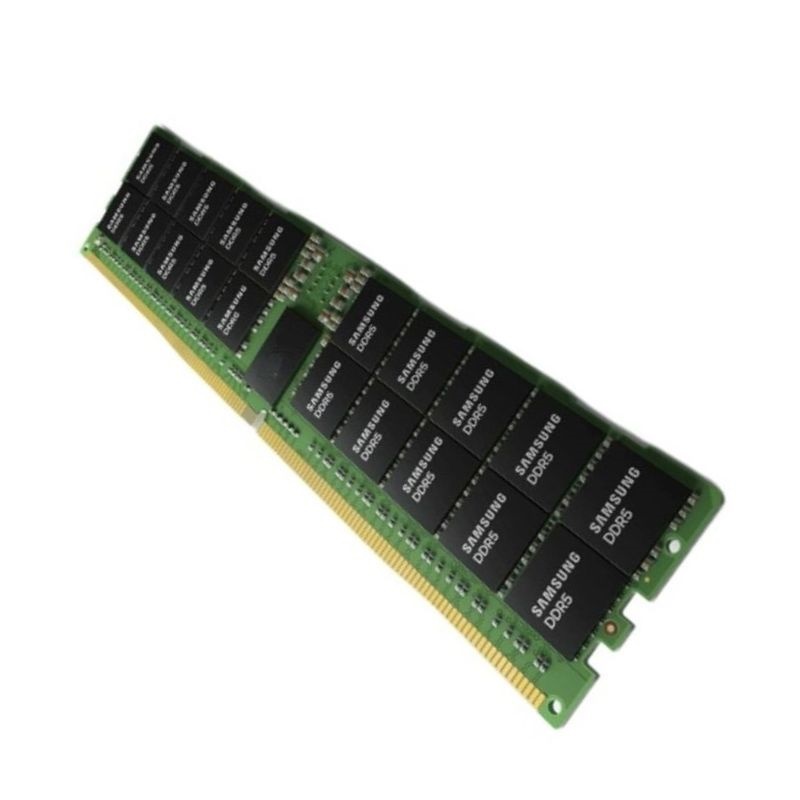
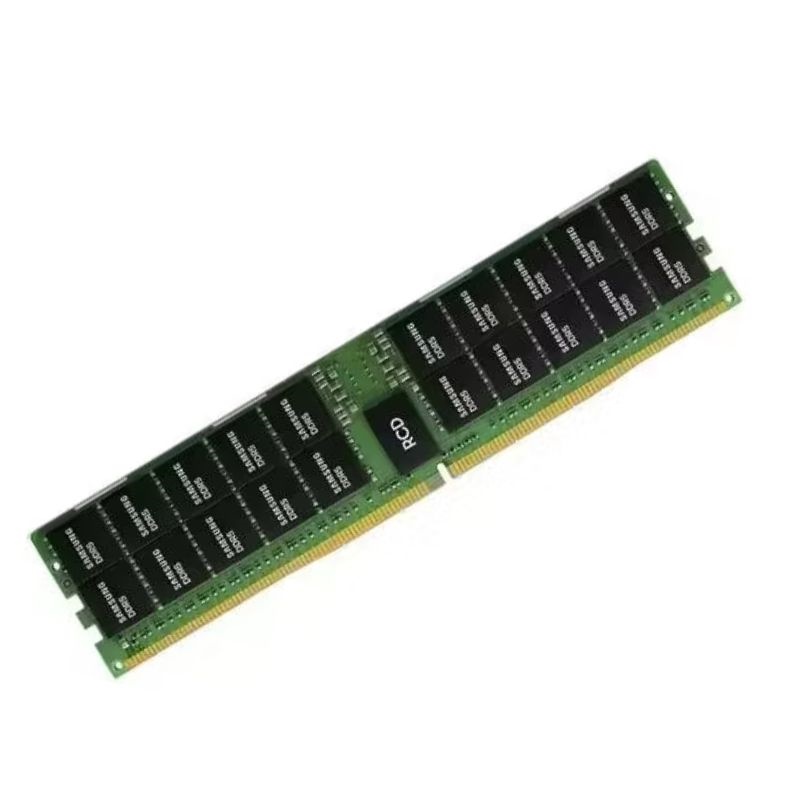
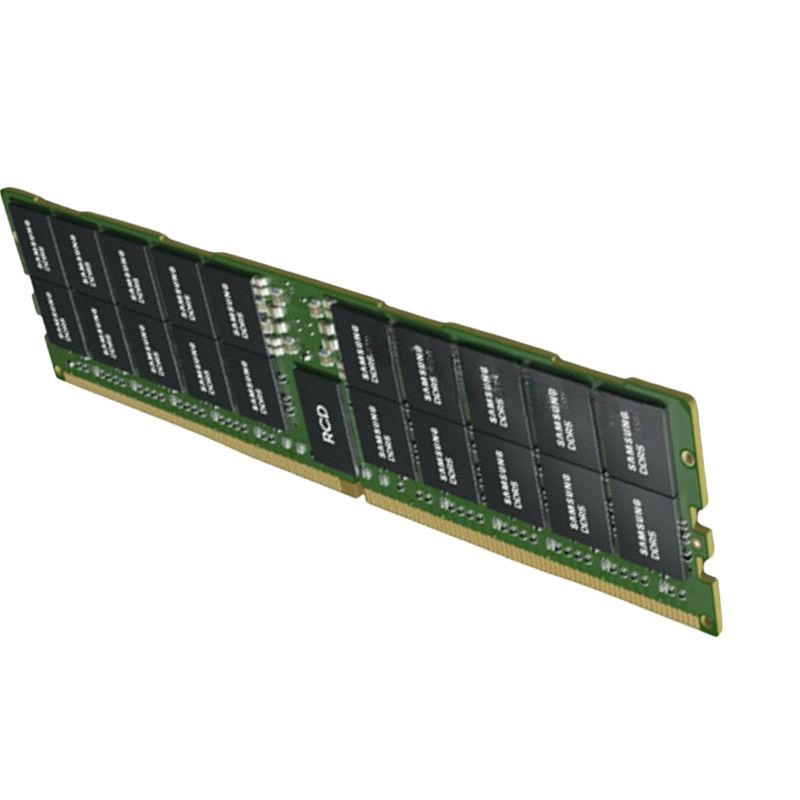
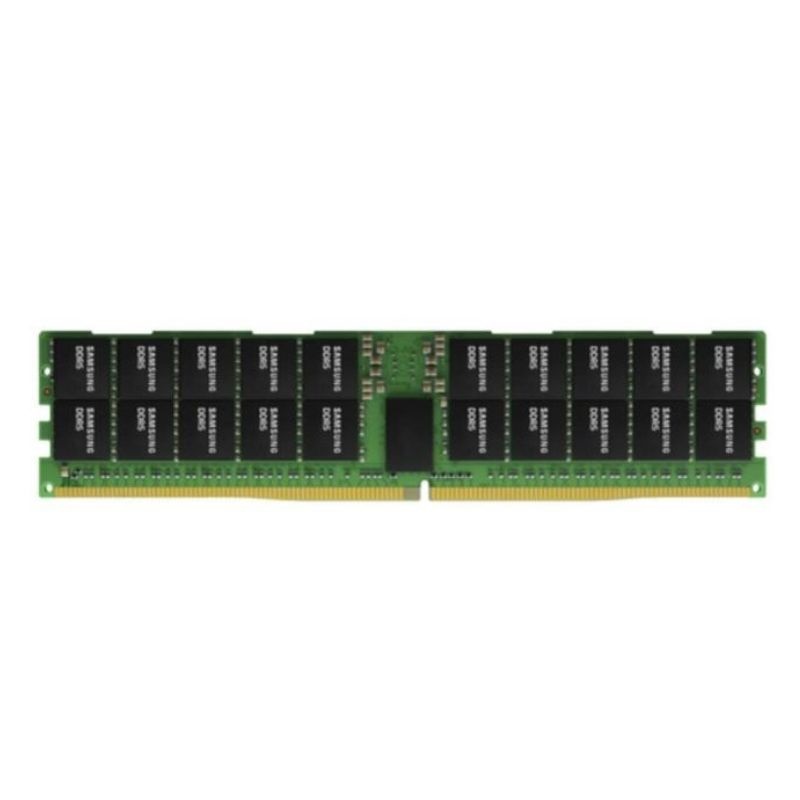
Samsung M324R4GA3DB0-CWM 32GB PC5-44800 DDR5 5600MHz 288-pin Udimm Memory Module. New Sealed in Box (NIB) with 3 Year Warranty
The Samsung M324R4GA3DB0-CWM 32GB DDR5 SDRAM UDIMM module brings cutting-edge performance for desktops that demand higher bandwidth and greater reliability. With its PC5-44800 speed grade and advanced DDR5 architecture, it ensures smoother multitasking, enhanced responsiveness, and faster load times across modern applications.
The M324R4GA3DB0-CWM is a Samsung 32GB UDIMM designed for cutting-edge desktop platforms that support DDR5 memory. Classified as PC5-44800 and rated for a data rate up to 5600MT/s, this module delivers the bandwidth, responsiveness, and efficiency expected from the latest generation of DRAM. Built on Samsung’s high-density DDR5 architecture, it integrates on-module power management, improved channel architecture, and advanced error reduction features inherent to DDR5 technology. For users building a high-performance workstation, gaming rig, or content creation desktop, this 32GB UDIMM balances capacity, speed, and reliability in a single stick that is straightforward to install and scale.
PC5-44800 denotes the theoretical peak bandwidth of a DDR5 module running at 5600 mega-transfers per second. The naming scheme “PC5” corresponds to DDR5, while “44800” expresses bandwidth in MB/s (megabytes per second). At 5600MT/s, the module can present substantial throughput advantages over preceding memory generations in memory-intensive scenarios. This translates into faster asset loading, smoother multi-tasking, and improved responsiveness when working with large datasets or complex projects.
This Samsung module adheres to the 288-pin DDR5 UDIMM standard. The pinout and key notch differ from DDR4 to prevent accidental insertion into incompatible slots. The DIMM height fits within standard desktop memory clearances, and the bare-module design ensures broad case and cooler compatibility. Users employing large tower coolers or densely packed multi-DIMM configurations can install the M324R4GA3DB0-CWM without the interference risk sometimes posed by bulky heat spreaders.
Most desktop motherboards color-code memory slots to indicate priority population order. When installing a single Samsung 32GB module, use the primary recommended slot (often labeled A2). For dual-channel operation with two modules, populate A2 and B2 first; consult the board manual for the exact designations. Proper population helps ensure the memory controller can train to its intended frequency and timings.
The M324R4GA3DB0-CWM focuses on delivering consistent throughput and responsiveness for a wide spectrum of desktop tasks. While peak benchmarks capture headline numbers, everyday performance wins often come from reduced stalls, improved multitasking, and efficient background operations.
Modern games rely on rapid access to texture data, geometry buffers, AI routines, and physics calculations. A 5600MT/s DDR5 module can help lessen CPU-bound frame time spikes in titles that emphasize world simulation and high NPC counts. Although graphics performance primarily depends on the GPU, CPU-limited scenarios—common at high frame rates—benefit from fast memory. The dual 32-bit sub-channels of DDR5 allow the memory controller to fetch and store data more nimbly, contributing to smoother frame pacing, reduced micro-stutter, and better performance in competitive eSports settings where every millisecond counts.
For creators, memory capacity and speed determine how many layers you can maintain, how quickly you can scrub through timelines, and how responsively you can compile and render. A single 32GB module lets photo editors keep extensive catalogs and high-resolution composites in memory, while video editors working at 4K or 8K can experience snappier transitions between caches, effects, and playback buffers. Software developers compiling large codebases, data analysts wrangling millions of rows, and engineers running local simulations all gain from the bandwidth and capacity uplift over older memory platforms.
Running virtual machines locally requires enough memory headroom to assign meaningful allocations to guests without starving the host OS. A 32GB DDR5 UDIMM is a solid foundation for a small lab environment: allocate several lightweight VMs for testing, spin up containerized services, or run an emulation toolchain in parallel. As demands grow, adding more M324R4GA3DB0-CWM modules is straightforward, scaling total system capacity while maintaining high transfer rates across active workloads.
As data rates increase to 5600MT/s and beyond, stable signal integrity becomes central to memory reliability. Samsung’s manufacturing process control, PCB layout, and adherence to DDR5 reference designs reinforce robust operation across compatible platforms. DDR5’s architectural choices—such as decision feedback equalization and on-die termination refinements—also bolster stability. In practice, that means smoother memory training during POST, fewer retrains, and consistent operation at manufacturer-rated speeds under continuous load.
DDR5 integrates an internal error-correction capability within each DRAM die to reduce the rate of cell-level bit errors. This mechanism is distinct from system-level ECC found on specialized ECC UDIMMs or RDIMMs; on-die ECC helps the memory chip maintain data integrity internally, contributing to overall reliability. For mainstream desktops that do not implement full end-to-end ECC, this embedded error-reduction is a meaningful advancement over DDR4.
Higher data rates necessitate comprehensive training routines that calibrate timing relationships among command, address, and data lines. DDR5 improves these procedures, enabling motherboards to achieve stable links more quickly and maintain them across temperature and voltage ranges. Enhanced refresh management reduces the performance impact of refresh cycles, allowing the controller to interleave operations and preserve throughput under heavy memory traffic.
Choosing how much memory to install depends on your workload mix and longevity goals. A single Samsung 32GB module forms a robust baseline for modern Windows or Linux desktops, providing enough headroom for productivity, gaming, and moderate professional work. Creators handling large media assets, developers compiling across multiple targets, or users running local virtualization may find benefits in scaling to 64GB or beyond using multiple identical modules. Matching capacity and speed across DIMM pairs maintains symmetry for the memory controller, which can aid stability and performance.
Samsung’s manufacturing pedigree in DRAM contributes to consistent quality and low defect rates. The DDR5 generation’s on-module power control and internal error-reduction mechanisms further support reliable service life. To maximize longevity, ensure steady case airflow, avoid unnecessary overvolting, and maintain up-to-date motherboard firmware. For mission-critical use cases that require end-to-end ECC, consult your platform documentation to determine support for ECC-specific modules; the M324R4GA3DB0-CWM is a DDR5 UDIMM intended for mainstream desktop platforms that specify unbuffered modules.
While the M324R4GA3DB0-CWM emphasizes a 5600MT/s data rate, effective performance reflects the interplay of timings, command rate, and memory controller characteristics. Motherboards often expose standardized profiles to configure speed and timing parameters. If your platform offers multiple profiles, choose the one validated for stability first; you can then fine-tune for specific workloads if desired. Because every CPU memory controller is unique, results can vary slightly among systems. The most important step is verifying stability in your own applications.
Application memory footprints increase year over year, and asset libraries grow in size and complexity. Starting with a 32GB Samsung DDR5 module ensures a comfortable baseline today while preserving a straightforward upgrade path. As prices evolve, adding another identical M324R4GA3DB0-CWM can be a cost-effective way to extend the life of your build without replacing the entire platform.
System reliability hinges on consistent environmental conditions. The Samsung 32GB DDR5 UDIMM is built to operate within standard desktop ambient temperatures. When designing small-form-factor builds, ensure the chassis provides adequate ventilation near the DIMM area. In compact cases with limited airflow, favor front intake fans with clear paths over the memory slots and avoid stacking tall add-in cards directly adjacent to the DIMM bank if the motherboard layout allows.
Beyond the raw frequency numbers, the differences between DDR5 and DDR4 influence everyday behavior. DDR5’s dual-channel-per-DIMM design improves parallelism, while the onboard PMIC stabilizes power delivery. In multitasking scenarios—switching between editing, rendering, compiling, and browsing—these improvements translate to fewer slowdowns as the system juggles competing memory demands. Upgrading from DDR4 to a DDR5 platform with the M324R4GA3DB0-CWM can therefore feel like a step forward in overall snappiness even outside of synthetic benchmarks.
DDR5 introduces on-die ECC at the chip level, which helps reduce internal bit errors. System-level ECC support depends on the module type and platform. This part is a DDR5 UDIMM intended for mainstream desktops; users requiring end-to-end ECC should verify ECC-specific module and platform compatibility.
Enthusiasts often explore memory tuning to eke out additional responsiveness. While the M324R4GA3DB0-CWM is engineered for dependable operation at its rated class, some motherboards expose granular controls for timings and voltages. If you pursue tuning, prioritize application stability over marginal gains, document changes, and validate with long-run workloads that mirror your daily use. Always maintain adequate cooling and be prepared to revert to baseline settings.
Pair one or two Samsung 32GB DDR5 UDIMMs with a high-efficiency CPU, a compact GPU, and a mid-tower or small-form-factor case with direct front-to-memory airflow. The bare-module design protects against clearance conflicts in tight builds, and the 5600MT/s data rate supports fluid timeline scrubbing and preview generation.
Streamers benefit from the extra headroom that 32GB provides while gaming, capturing, and encoding simultaneously. With DDR5’s improved memory concurrency, background tasks like overlays, chat clients, and capture software run smoothly alongside the game engine’s demands.
CPU performance today depends as much on feeding data efficiently as on raw clock speed. With multiple performance and efficiency cores, aggressive boost algorithms, and deep instruction pipelines, CPUs rely on fast, low-latency memory to keep execution units saturated. The Samsung M324R4GA3DB0-CWM furnishes the bandwidth needed to support high-thread-count workloads and reduce queuing delays in memory-bound tasks. When combined with NVMe storage and a capable GPU, it helps form a balanced system architecture that avoids common bottlenecks.
To maximize the benefits of this Samsung 32GB DDR5 module, align your entire system for balanced throughput. Enable resizable BAR and modern storage protocols if your platform supports them, keep background updaters scheduled during off-hours, and use power plans that maintain CPU responsiveness during creative sessions. With these practices, the memory subsystem is free to deliver its full potential, contributing to faster workflows and a more enjoyable computing experience.
Motherboard vendors continuously refine DDR5 support through firmware updates that improve training times, compatibility, and profile behavior. Keep an eye on release notes that reference memory stability. Community knowledge bases, QVL lists, and vendor utilities can assist in resolving niche compatibility questions. When adding more M324R4GA3DB0-CWM modules, consult the board’s recommended population order to sustain the intended data rate and channel configuration.
Initial boot after installation may take longer as the motherboard performs memory training. This is normal for DDR5 systems, particularly at higher data rates. Avoid power cycling during this period. Once training completes, the system should boot more quickly on subsequent starts. If you change population (add/remove DIMMs) or update BIOS, expect the process to repeat as the platform recalibrates timing.


 Contact Us
 Information
 Catalog
 Solid State Drives (SSD)
 Network Switches
 Hard Disk Drives
 HBA & Controllers
 PC & Servers
 PC & Server Memory
 CPU & Processors
 Network Routers
 Power Supplies
 Tape Drives & Libraries
 Network Devices
 Computer & Network Cables