(7% discount is applied at checkout)
Cart is empty
Your go-to destination for cutting-edge server products
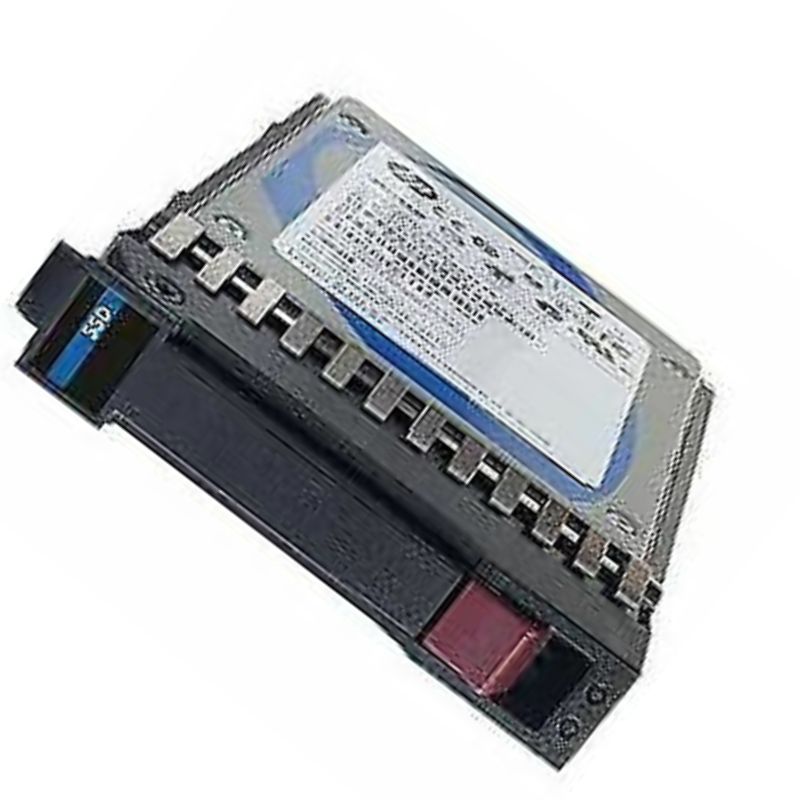


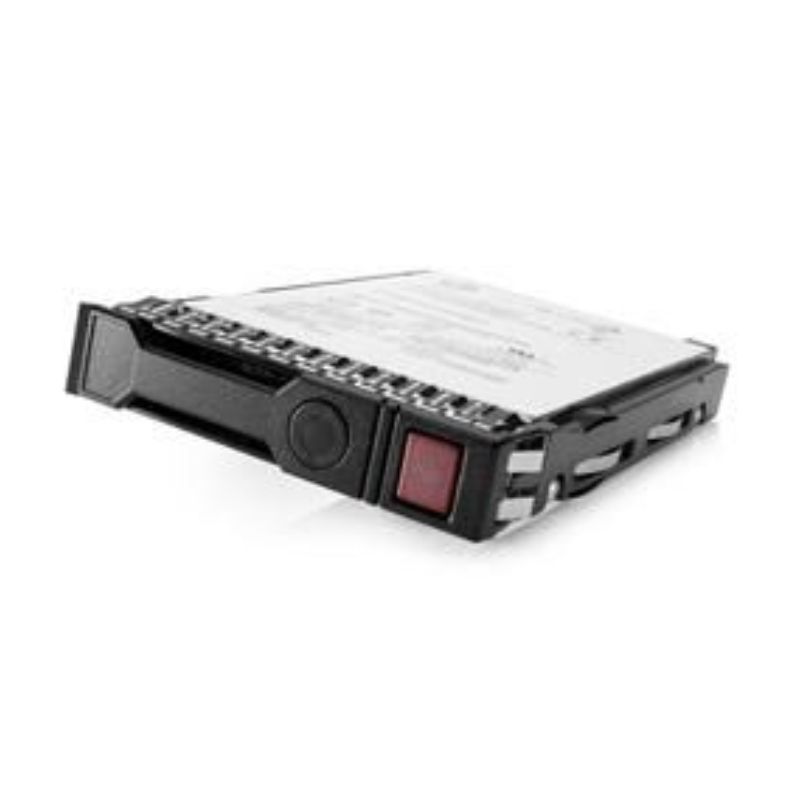
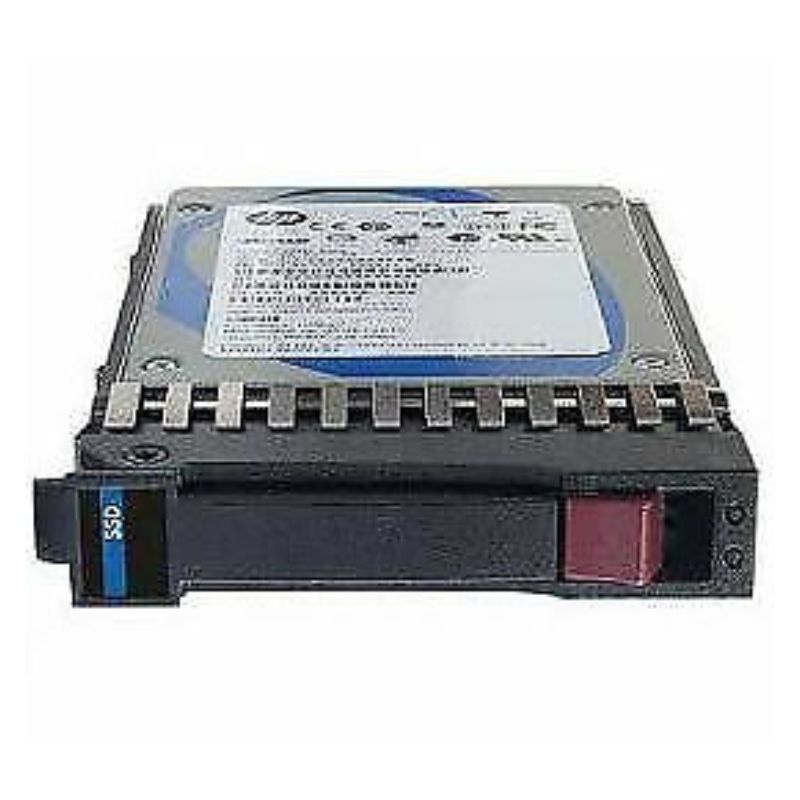
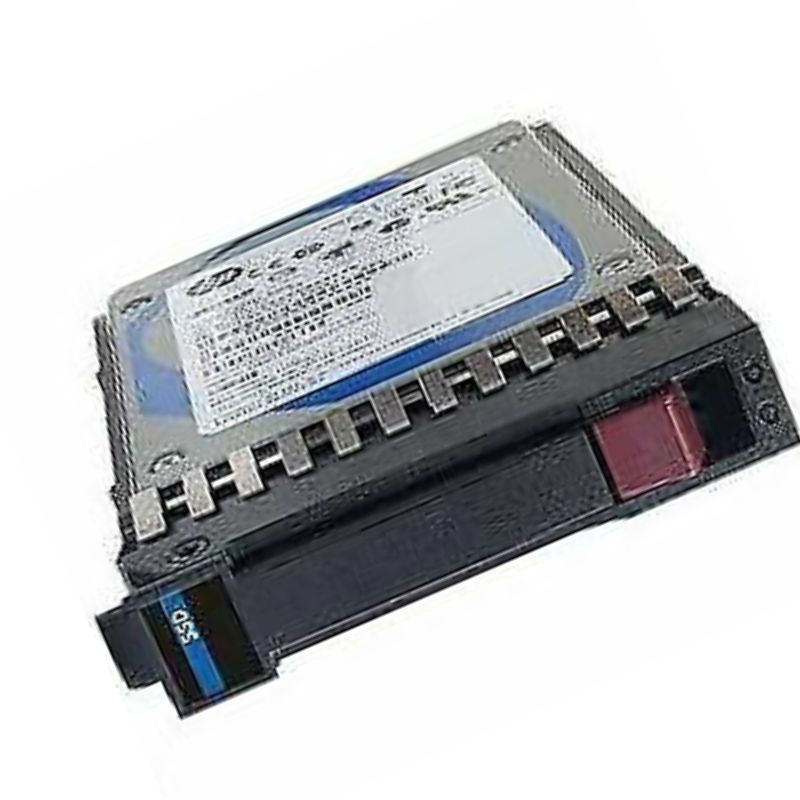
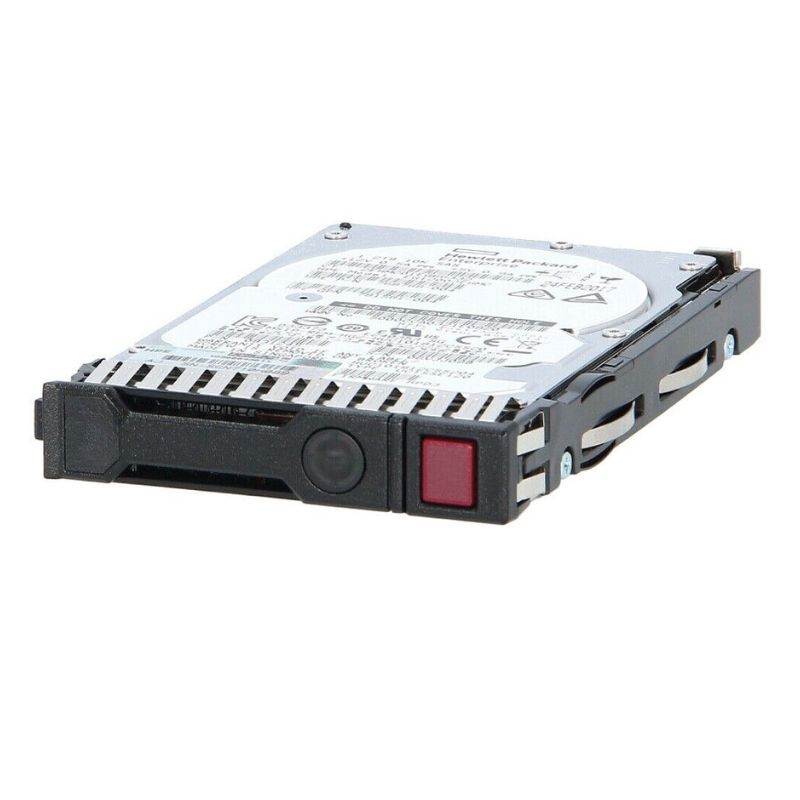
HPE MO006400KYDZU 6.4TB NVMe Gen4 MP MU SFF BC U.3 V2 MV Solid State Drive. New Sealed in Box (NIB) with 3 Years Warranty
The HPE MO006400KYDZU is a high-density, enterprise-grade NVMe SSD engineered for demanding data-center workloads. Delivered in a SFF (Small Form Factor) U.3 V2 form factor with a 6.4TB capacity, this NVMe Gen4 drive blends blistering throughput, low latency and robust endurance to support mixed application environments — from virtualization and databases to high-performance caching and analytics. Built to integrate into modern HPE server and storage platforms, the MO006400KYDZU is a solid-state solution focused on scale, reliability and predictable performance under sustained load.
The MO006400KYDZU is built to deliver consistent, low-latency I/O. Leveraging PCIe Gen4 bandwidth, the drive achieves high sequential throughput — important for large-file transfer and streaming workloads — while sustaining elevated random IOPS for database, virtualization and transactional systems.
Enterprise SSDs are judged not only by speed but by how well they protect data and endure continuous writes. The MO006400KYDZU is manufactured to enterprise endurance specifications — engineered for high TBW (terabytes written) ratings and sustained reliability over its service life.
When architecting a deployment, match drive endurance to the application’s write intensity. For heavy-write tiers, factor in TBW ratings and realistic write amplification. Reserve a percentage of drive pool capacity as spare to maintain performance and simplify rebuilds during drive retirements.
HPE supplies this part to work seamlessly within its server and storage product lines. System-level firmware compatibility, platform qualification and support are advantages of buying OEM-labeled drives such as MO006400KYDZU.
While the drive adheres to NVMe standards and will function in a wide range of servers and controllers, you should validate compatibility with non-HPE platforms. Pay attention to:
In dense deployments, thermal management is crucial. The U.3 form-factor and enterprise NVMe controller design of the MO006400KYDZU assume active cooling typical of server environments. Proper airflow and thermal throttling thresholds should be verified to avoid sustained thermal throttling.
If the drive reaches its thermal ceiling, onboard firmware may reduce clocking to maintain device integrity. To preserve predictable throughput, design chassis cooling to keep the SSD within specified operating temperatures under peak load.
Proactive monitoring and proper firmware management are essential to maintain SLA-aligned performance and reliability. HPE provides tooling and telemetry integrations that report drive health, utilization and error metrics.
The MO006400KYDZU fits multiple architectural roles — from primary storage for high-throughput applications to tiered storage combined with capacity disks. Below are recommended patterns to extract the most value.
Enterprise SSDs frequently incorporate security features to protect data at rest and to maintain compliance with organizational policies.
When storing regulated data, pair hardware encryption options with key management solutions that meet your compliance framework (e.g., FIPS, GDPR-related controls). Retain records of secure erasure operations for audit trails.
Balancing capacity, performance and total cost of ownership (TCO) is central to procurement decisions. Enterprise-grade NVMe SSDs such as the MO006400KYDZU present higher per-GB cost than HDDs but deliver superior density in performance-sensitive tiers.
MO006400KYDZU.Buying OEM-branded drives offers advantages in warranty coverage, firmware validation and vendor support. The HPE part number MO006400KYDZU will typically be covered under HPE’s hardware warranty terms when installed in supported HPE platforms.
When selecting a drive, compare raw capacity, interface generation (Gen3 vs Gen4), endurance ratings, firmware features and vendor support. The MO006400KYDZU’s Gen4 interface and 6.4TB density position it well compared to older Gen3 alternatives for bandwidth-hungry tasks.
To maximize reliability and performance over the drive’s lifecycle, implement proven operational practices.
Yes — if the target server’s BIOS/UEFI supports NVMe boot from U.3 devices. Verify platform BIOS version and NVMe boot options before designating it as a boot drive in production.
Absolutely. The drive is ideal for pooled NVMe tiers within software-defined storage or clustered filesystems, provided the cluster supports NVMe devices and the chosen RAID/erasure coding aligns with your resilience needs.
Warranty coverage is governed by HPE’s hardware warranty terms and may vary by region and reseller. Use OEM channels to preserve warranty entitlements and access HPE support services.
When evaluating the HPE MO006400KYDZU 6.4TB NVMe Gen4 for your environment, prioritize compatibility checks with your chassis and controller, validate performance under representative workloads, and adopt monitoring and firmware management processes that ensure long-term reliability. Because OEM-labeled parts often include tailored firmware and support advantages, purchasing the HPE-designated part number MO006400KYDZU is recommended for production systems where vendor support and qualification matter.
For precise electrical, thermal and endurance numbers — and platform-specific qualification matrices — consult HPE’s official technical datasheet and integration guides for the exact part number. These documents will supply absolute values for TBW, MTBF, latency curves and thermal thresholds required for a fully validated deployment.
The HPE MO006400KYDZU is a 6.4TB NVMe Gen4 enterprise-class solid state drive designed for mixed-use (MU) workloads in modern data centers. Built in an SFF (Small Form Factor) U.3 (U.3 v2) package and optimized for multi-platform server compatibility, this drive targets mid-to-high tier storage tiers where low latency, high throughput and predictable QoS matter — for example: virtualization hosts, database servers, analytics nodes, and tier-1 application storage. The model is listed among HPE’s Gen4 product family and is included in HPE firmware/service bundles and universal firmware packages for ProLiant and supported systems. :contentReference[oaicite:0]{index=0}
Because the MO006400KYDZU is specified as a mixed-use drive — balancing read and write activity with strong random I/O capability — it suits virtual machine densities and VDI pools where dozens (or hundreds) of small random reads/writes are the norm. Mixed-use endurance levels maintain performance under sustained multi-tenant workloads, making it appropriate for consolidated environments where reliability and consistent latency are required.
Transactional databases (OLTP), caching layers, and metadata stores benefit from NVMe Gen4 bandwidth and shorter I/O paths. The Gen4 interface enables higher sequential bandwidth when large transfers are needed (for snapshots, backups, or rehydration operations), while the drive’s random IOPS characteristics ensure transaction responsiveness. For database nodes that require high sustained throughput while also handling many small I/Os, this HPE drive provides a balanced profile.
Indexing engines, search clusters, and logging pipelines often demand both high write endurance and quick read access for near-real-time analysis. The MU classification signals decent endurance and steady-state performance, useful for moderate to heavy analytics workloads where both sequential ingestion and random query loads co-exist.
The MO006400KYDZU is packaged for U.3 v2 slots (SFF multi-protocol backplane), a physically hot-pluggable connector standard that allows direct replacement into many HPE ProLiant bays and third-party chassis that support U.3. U.3 v2 combines the advantages of U.2 and newer multi-protocol design, permitting NVMe performance while fitting modern server front panel bays and trays. Always confirm your server carrier/tray compatibility and any required adapter/drive sleds for third-party chassis.
Some enterprise NVMe drives used in HPE systems expose dual-port or multi-path connectivity behaviors depending on the platform and backplane. For system architects planning highly available architectures, check the server’s supported NVMe topologies and ensure firmware and driver stacks are configured for multi-path I/O (MPIO) or host multi-controller setups when applicable.
As a Gen4 NVMe drive, the MO006400KYDZU leverages PCIe Gen4 lanes to deliver substantially higher sequential bandwidth compared with Gen3 drives, benefiting large sequential transfers (backups, bulk reads). In mixed-use scenarios the Gen4 interface also helps reduce queuing delays during peak bursts. Performance figures for drives in this product family are reported in vendor and reseller listings; mixed-use models in the 6.4TB class commonly advertise sequential read and write throughput in the multi-GB/s range and random IOPS in the tens to hundreds of thousands depending on workload and queue depth. For concrete published performance ranges and validated server interoperability, consult the HPE product and support pages and validated reseller spec sheets. :contentReference[oaicite:1]{index=1}
Mixed-use enterprise SSDs prioritize consistent random I/O throughput under sustained load. Typical performance metrics for 6.4TB MU NVMe units include high sustained random reads and robust random writes, with steady-state IO latency remaining low as long as the drive’s overprovisioning and firmware garbage collection are supported by sufficient idle windows or proper workload shaping. System-level flash management (host QoS, scheduler, queue depth tuning) significantly impacts observed IOPS and latency during real-world operations.
Endurance for mixed-use drives is provisioned to support a balance of reads and writes over the warranty period. HPE and authorized resellers typically publish drive endurance in DWPD (Drive Writes Per Day) or TBW (Terabytes Written). For planning lifecycle replacement and capacity forecasting, use the manufacturer’s endurance spec plus workload write amplification estimates to compute expected lifespan. For firmware-managed, warranty-backed drives purchased through HPE channels, firmware updates and SMART metrics should be monitored for accurate wear reporting.
HPE maintains dedicated firmware packages and universal update bundles that include specific MO00-series part numbers — including MO006400KYDZU — so that drive firmware can be distributed and applied consistently across ProLiant fleets. Updating to HPE-approved firmware ensures the drive operates within validated parameters for HPE server BIOS, Smart Array and system management stacks. HPE’s support and firmware pages list the models covered in universal bundles and recommend firmware versions for compatibility with specific ProLiant releases. :contentReference[oaicite:2]{index=2}
HPE occasionally publishes advisories related to drive firmware or certificate lifecycles which can affect system boot and security postures — for instance, SPDM certificate expiration events may halt system boot if not remediated per advisory instructions. Administrators should subscribe to HPE support advisories and schedule firmware certificate checks as part of server maintenance windows to avoid unexpected boot interruptions. When deploying MO006400KYDZU drives, review HPE advisories for any model-specific actions. :contentReference[oaicite:3]{index=3}
Modern enterprise NVMe drives report extensive SMART and telemetry counters (e.g., power-on hours, unsafe shutdowns, media errors, percentage used) that are critical for proactive replacement. Integrate these NVMe SMART attributes with server monitoring suites (HPE iLO, telemetry collectors, or third-party monitoring) and set threshold alerts for metrics such as percent-used, critical media errors, and endurance burn-rate to minimize unplanned failures.
HPE validates specific drive models against particular ProLiant and Synergy platforms. Before bulk procurement, cross-check the MO006400KYDZU against HPE’s validated parts matrix and the server model’s storage compatibility list to confirm support for features like hot-plug operation, carrier sled compatibility, and firmware matching. HPE’s product selector and part matrices provide definitive compatibility guidance. :contentReference[oaicite:4]{index=4}
NVMe drivers and OS kernel support must match the server firmware level and drive firmware to achieve expected behavior. Linux kernels from certain versions include advanced NVMe features (namespace management, multipath NVMe support, NVMe-oF clients) that can be used with Gen4 enterprise drives — but always validate drivers and HPE’s supported software stacks for production deployments. For Windows Server or VMware ESXi, consult the HCL (Hardware Compatibility List) and HPE’s support documentation before wide roll-out.
Although NVMe drives deliver excellent raw throughput, system architects frequently group them into RAID-like arrays using host-based controllers, NVMe RAID solutions or software-defined storage (SDS) layers. When planning arrays that include 6.4TB MU drives, account for rebuild times, impact of rebuilds on performance, and the durability of drives during rebuild operations. For large-capacity drives, rebuild windows can be long; design for redundancy and ensure backup/replication windows consider these realities.
Higher-capacity Gen4 NVMe drives often run hotter and may draw more peak power during sustained writes. Rack and chassis cooling must be planned accordingly; review the server's thermal guide for drive bay population rules. Proper airflow and measured ambient temperatures help preserve performance and endurance, and may be required by warranty terms in some environments.
Because enterprise SSD lifecycles are tied to endurance and usage patterns, create a spare policy based on percent-used thresholds and historical failure trends. Keep at least one compatible spare per X drives (where X is determined by your RPO/RTO and procurement lead times) to minimize downtime when a drive requires immediate replacement.
Many HPE OEM enterprise NVMe drives support TCG Opal or controller-based crypto options and provide secure-erase features for end-of-life sanitization. When handling sensitive data, enable in-line encryption where supported and use HPE-approved secure erase workflows to comply with data protection policies. Confirm that encryption keys and key management align with your security architecture.
HPE recommends firmware updates from validated HPE bundles to maintain a trusted firmware chain. Some advisories highlight the need to maintain current security certificates or firmware signing keys to prevent boot or runtime issues; aligning drive firmware with server platform updates preserves the integrity of the boot chain and device authentication.
HPE enterprise drives — including MO006400KYDZU — are sold through authorized HPE channels, value-added resellers, and secondary marketplace vendors. Pricing varies based on condition (new, open-box, refurbished), warranty terms, and inclusion of carrier/tray accessories. Because supply and pricing fluctuate, procurement teams should compare authorized distributor quotes with validated reseller offerings and account for warranty transferability when buying from secondary markets. Example marketplace listings and reseller pages reflect available SKUs and pricing ranges for this model. :contentReference[oaicite:5]{index=5}
Purchasing through HPE or authorized partners provides direct RMA and warranty support. When buying from third-party or secondary markets, verify the warranty status and whether HPE will honor RMAs for drives purchased through that channel. Keep serial numbers and purchase records to speed any warranty service actions.
When selecting an NVMe drive for a workload, compare the MU class (mixed-use) with RD (read-optimized) and WI (write-intensive) variants. MU drives are a compromise: better endurance than read-optimized models but not as high as write-intensive drives. For heavy sequential logging and write-dominant backup buffers, a WI drive may be preferable; for analytics-heavy read workloads, RD drives may offer cost-per-GB advantages while still delivering high read throughput.
If your compute platform or host bus is Gen4-capable, a Gen4 NVMe drive like the MO006400KYDZU unlocks additional headroom for parallel transfers and peak throughput. However, overall system performance still depends on CPU, memory, and storage controller architecture. Where system bottlenecks exist elsewhere, a Gen3 drive may offer better TCO while delivering sufficient performance — but for future-proofing and headroom, Gen4 is the prudent choice for new installs.
Follow manufacturer guidance for carrier trays, screws, and insertion torque. In many HPE systems the tray and bezel are matched to server models; mismatch can lead to poor seating or thermal interference. Use HPE-provided trays where possible, and mark spare inventory so replacements are guaranteed to fit the target chassis.
Although U.3 drives are hot-pluggable in supported servers, follow the server OS and HPE iLO recommended steps when removing or replacing drives in production arrays: pause write-intensive jobs where possible, move workloads if supported, and verify RAID or SDS resiliency before and after replacement. Confirm that the OS and storage stack correctly rediscover the drive and that firmware remains in a supported state after installation.
HPE MO006400KYDZU, 6.4TB NVMe Gen4 SSD, HPE U.3 v2 SSD, enterprise NVMe MU drive, HPE 6.4TB NVMe.
Mixed-use NVMe SSD 6.4TB for ProLiant, Gen4 U.3 SFF enterprise SSD HPE, HPE MO006400KYDZU firmware update, HPE NVMe drive compatibility matrix, buy HPE 6.4TB NVMe open box.
A: Check the HPE compatibility matrix and product selector for your exact ProLiant/Gen server model — HPE publishes validated drive lists and carrier requirements to ensure proper fit and firmware compatibility. :contentReference[oaicite:8]{index=8}
A: HPE offers universal firmware packages and model-specific updates through the HPE Support site and Smart Components; MO006400KYDZU is included in universal firmware bundles listed by HPE. Use HPE’s recommended update procedures to apply firmware. :contentReference[oaicite:9]{index=9}
A: Use server management tools (HPE iLO, HPE InfoSight integration where available) combined with OS-level NVMe SMART collectors. Monitor percent-used, critical media errors, unsafe shutdowns, and power cycles to forecast replacements.
HPE MO006400KYDZU — 6.4TB NVMe Gen4 Mixed-Use U.3 v2 enterprise SSD. High throughput, predictable low latency, and HPE-validated firmware for ProLiant servers — ideal for virtualization, databases, and storage-dense enterprise workloads.
For official firmware downloads, compatibility matrices, and advisories affecting boot behavior and security certificates, use HPE’s support portal and product documentation. Reseller product pages and enterprise parts distributors provide supplementary performance figures and market availability while marketplace listings show typical secondary market pricing and condition variants for the MO006400KYDZU SKU. Examples of HPE firmware/compatibility references and reseller product pages include HPE support firmware listings and authorized reseller/spec pages. :contentReference[oaicite:11]{index=11}
Looking for a high-capacity Gen4 enterprise NVMe with balanced endurance and performance? The HPE MO006400KYDZU 6.4TB MU U.3 v2 SSD delivers Gen4 bandwidth and enterprise-grade firmware support — ideal when you need predictable performance across mixed workloads. Check platform compatibility, secure firmware bundles, and warranty options before buying.
HPE uses multiple MO00-series part number suffixes for similar capacity drives (for example MO006400KYDND vs MO006400KYDZU). These suffixes can denote differences in firmware, vendor sourcing, or targeted server families, so verify the exact part number when ordering spares or matching existing inventory. Reseller listings and HPE support pages list the exact part-numbers covered by firmware bundles and compatibility matrices.
Follow local regulations and HPE guidance for end-of-life disposal and recycling of SSDs. Use secure erase or cryptographic erase methods before disposal to comply with data protection regulations and internal policies.
This category description is crafted to help technical buyers, procurement teams, and site visitors quickly understand the operational profile, deployment considerations, compatibility requirements, and support lifecycle for the HPE MO006400KYDZU 6.4TB NVMe Gen4 MU U.3 v2 enterprise SSD. For the most up-to-date firmware advisories, compatibility matrices, and official HPE downloads, reference HPE support and the product’s firmware package listings as the authoritative sources.


 Contact Us
 Information
 Catalog
 Solid State Drives (SSD)
 Network Switches
 Hard Disk Drives
 HBA & Controllers
 PC & Servers
 PC & Server Memory
 CPU & Processors
 Network Routers
 Power Supplies
 Tape Drives & Libraries
 Network Devices
 Computer & Network Cables