(7% discount is applied at checkout)
Cart is empty
Your go-to destination for cutting-edge server products
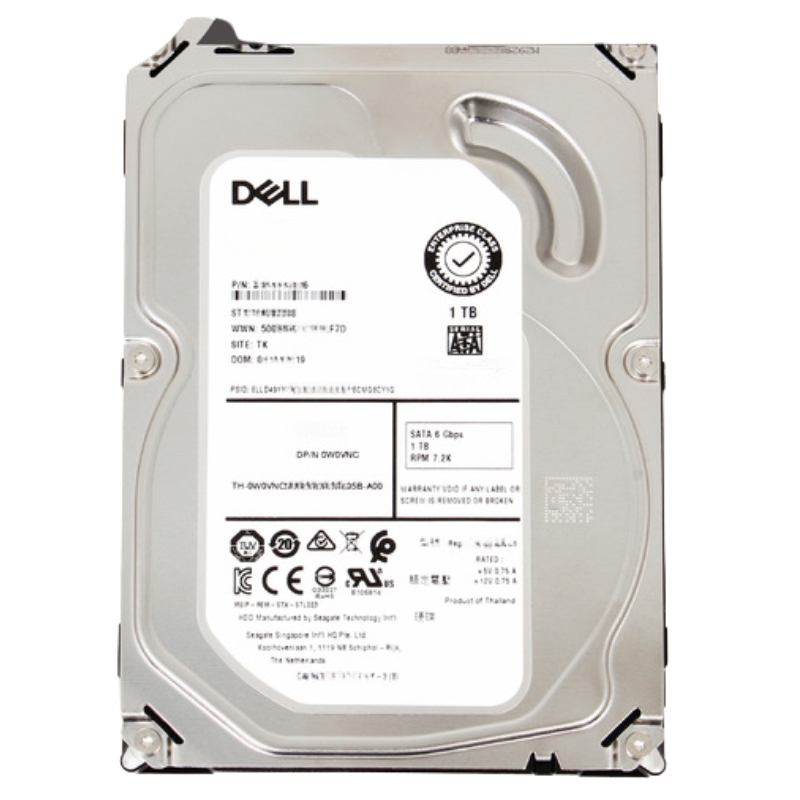


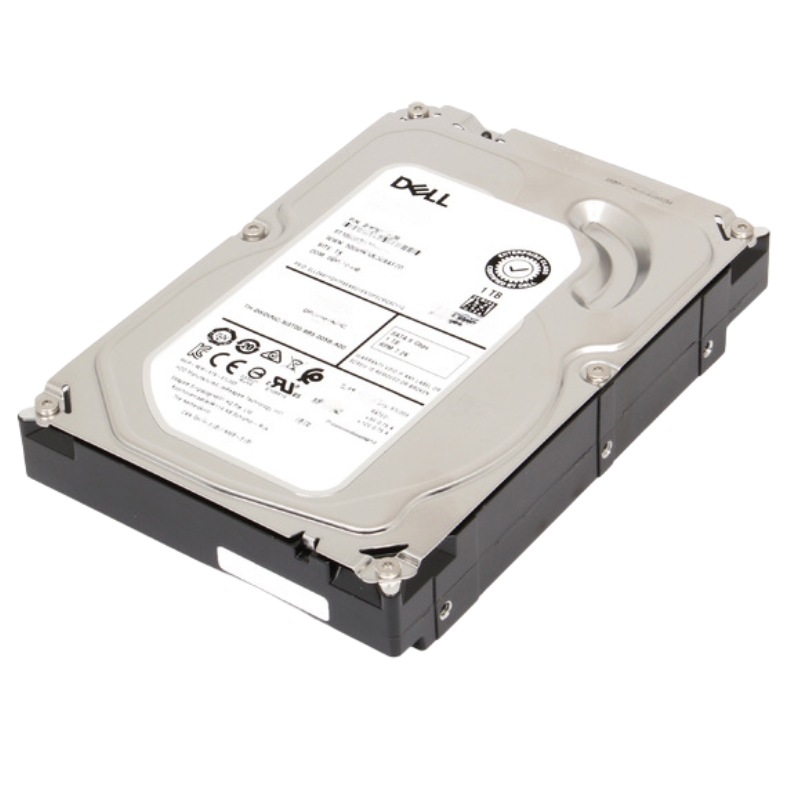
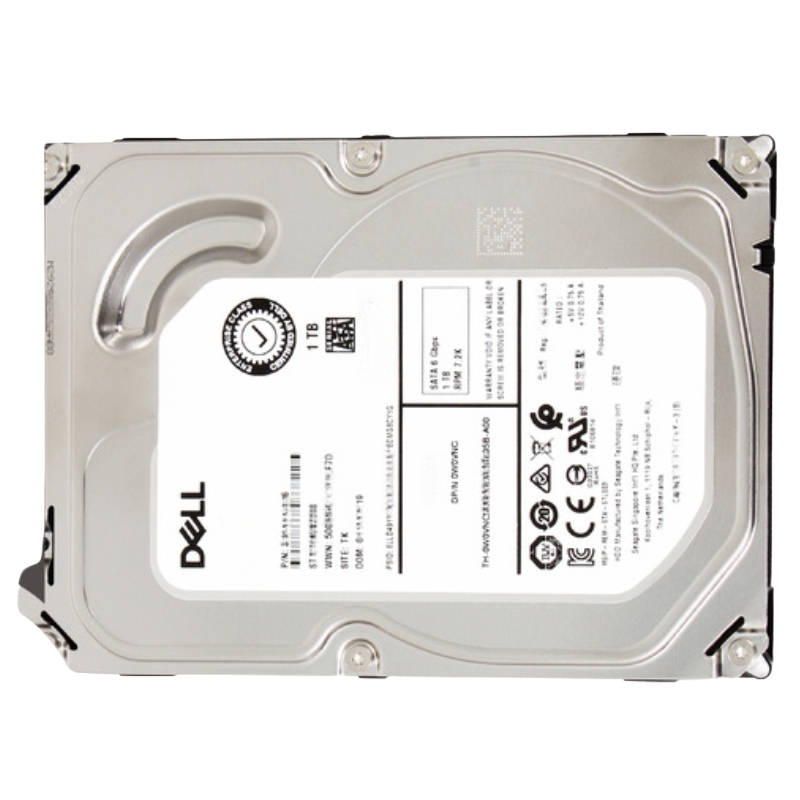
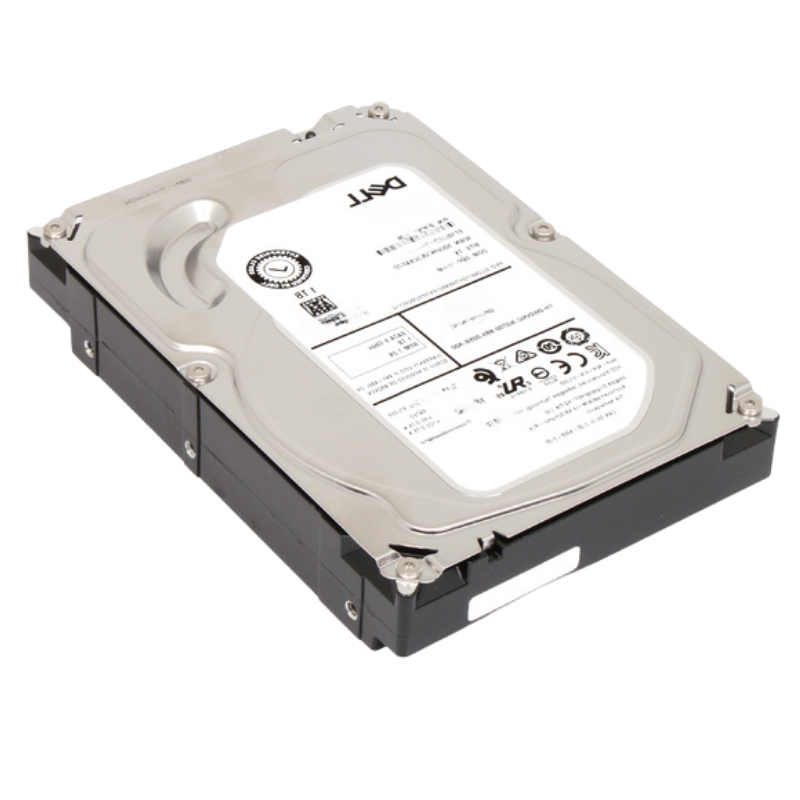
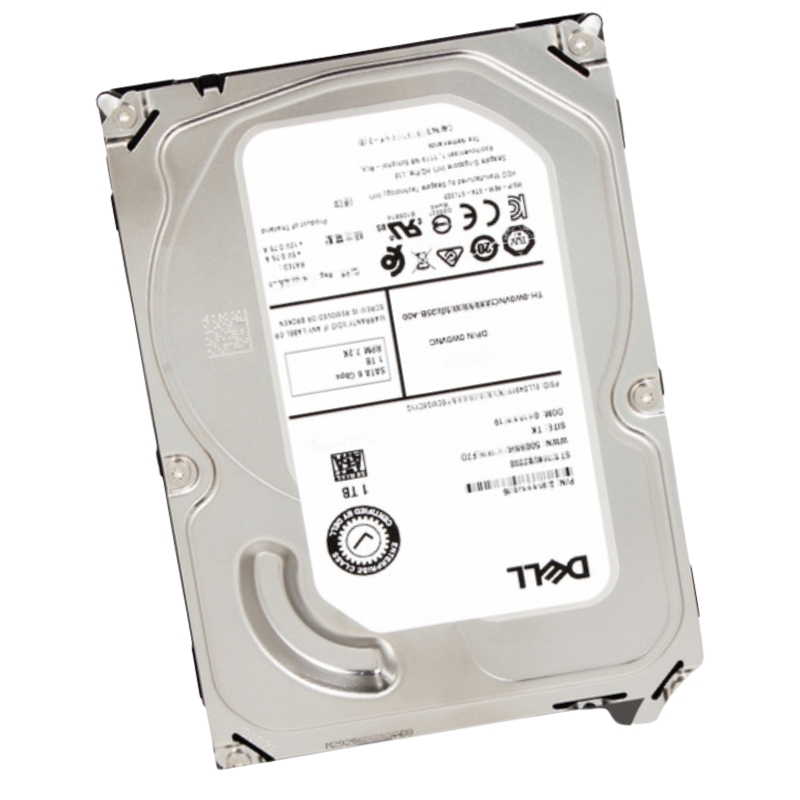
Dell 400-AEFB 1TB 7200RPM SATA 6GBPS 3.5Inch Hot Plug With Tray HDD. New Sealed in Box (NIB) with 1 year Replacement Warranty
| SKU/MPN | Warranty | Price | Condition | You save |
|---|---|---|---|---|
| 400-AEFB | 1 Year Warranty | $199.00 | New Sealed in Box (NIB) | You save: $69.65 (26%) |
| 400-AEFB | 1 Year Warranty | $70.00 | Excellent Refurbished | You save: $24.50 (26%) |
The Dell 400-AEFB 1TB hard disk drive is a dependable enterprise-class storage device designed for consistent performance, scalability, and durability. Built for server and data center usage, this 3.5-inch hot-plug HDD delivers stable operation and efficient data handling for business-critical workloads.
The Dell 400-AEFB 1TB 7200RPM SATA 6GBPS 3.5-Inch Hot Plug With Tray HDD is designed to support enterprise-level storage operations that demand reliable data access, consistent throughput, and dependable long-term performance. Built for compatibility with Dell PowerEdge servers and enterprise storage systems, this hard disk drive delivers efficient capacity management for organizations that require scalable storage infrastructure. The 1TB storage capacity provides a practical balance between performance and affordability, making it suitable for data centers, virtualization environments, cloud storage frameworks, backup repositories, and business-critical applications.
Engineered with a SATA 6GBPS interface, this Dell server hard drive enables stable communication between the storage device and server architecture. The 7200RPM rotational speed supports continuous read and write operations while maintaining optimized power consumption levels. Businesses relying on secure storage operations benefit from the dependable architecture and durable design associated with Dell enterprise-class hardware components.
The hot-plug functionality integrated into the Dell 400-AEFB HDD simplifies maintenance and replacement procedures. Administrators can remove or install the drive without shutting down the server system, minimizing downtime and ensuring uninterrupted business operations. The included tray further enhances installation convenience and hardware compatibility across multiple Dell server platforms.
The 7200RPM spindle speed incorporated into the Dell 400-AEFB hard drive ensures stable data retrieval and efficient storage operations across various workloads. Enterprise applications often require continuous access to databases, virtual machines, and file repositories, making rotational speed an important factor in overall system responsiveness. This drive provides balanced performance suitable for medium-duty and high-capacity storage tasks.
Organizations implementing centralized storage systems benefit from consistent transfer rates and dependable latency characteristics. The rotational speed supports applications including business analytics, email servers, content management systems, surveillance storage, and backup operations. The drive is optimized to handle continuous workloads in enterprise environments while maintaining operational reliability.
The SATA 6GBPS interface provides enhanced bandwidth capabilities compared to earlier SATA generations. This allows the Dell 400-AEFB HDD to support improved data throughput while maintaining broad compatibility with enterprise server infrastructure. The interface delivers dependable communication pathways that enable stable access to stored data under demanding operational conditions.
Businesses deploying Dell PowerEdge servers can integrate this hard drive into existing environments without extensive hardware modifications. The SATA interface also offers cost-effective storage expansion, making it ideal for organizations seeking reliable storage performance without the premium pricing associated with higher-tier interfaces.
Data transfer efficiency remains a crucial requirement for enterprise computing environments. The Dell 400-AEFB 1TB SATA hard drive supports optimized transfer operations for file storage, application hosting, virtualization workloads, and database management. Enterprises can maintain productivity and minimize bottlenecks through efficient read and write performance.
The drive architecture is engineered to reduce interruptions during sustained workloads. This enables stable storage operations for organizations that require dependable uptime and consistent accessibility across networked systems.
Hot-plug capability is one of the defining features of the Dell 400-AEFB HDD. In enterprise environments where server uptime is essential, the ability to replace or upgrade storage drives without powering down systems provides substantial operational advantages. Administrators can perform hardware maintenance while keeping applications and services available to end users.
This capability supports continuous business operations in industries such as healthcare, financial services, e-commerce, telecommunications, and education. Server interruptions can negatively impact productivity and revenue generation, making hot-plug storage an essential feature for mission-critical infrastructure.
The included tray simplifies drive installation and removal procedures. IT professionals can quickly integrate the Dell 400-AEFB drive into compatible server bays without requiring complicated configurations. The tray design ensures secure placement within the server chassis while supporting airflow management and thermal efficiency.
Serviceability improvements reduce maintenance time and simplify storage expansion projects. Organizations managing large-scale data centers benefit from standardized hardware procedures that improve operational efficiency.
The Dell 400-AEFB hard drive can be deployed in RAID configurations to improve data protection and system redundancy. RAID arrays allow businesses to enhance storage reliability while maintaining data accessibility during drive failures. The hot-plug functionality works seamlessly with RAID environments, enabling administrators to replace failed drives without interrupting active operations.
RAID implementation is especially important for businesses handling sensitive information, customer records, transactional databases, and operational data that must remain continuously accessible.
The 3.5-inch form factor offers substantial storage capacity advantages for enterprise systems. Larger drive dimensions enable efficient storage density while supporting durable mechanical components optimized for continuous operation. The Dell 400-AEFB 1TB HDD delivers dependable performance for storage-intensive applications requiring economical scalability.
Data centers utilizing large-capacity storage infrastructures benefit from the balance between storage availability and hardware investment costs. The 3.5-inch configuration remains widely adopted for nearline storage, backup repositories, and archival applications.
Dell enterprise servers are engineered to support seamless integration with certified storage components. The Dell 400-AEFB hard drive is designed for compatibility with multiple PowerEdge server generations and storage enclosures. This compatibility simplifies infrastructure upgrades and replacement projects.
Organizations deploying Dell-based IT environments can maintain hardware consistency while ensuring optimized performance and operational stability. The tray-mounted configuration also streamlines deployment procedures within rack-mounted server environments.
Efficient thermal performance is essential for enterprise storage systems operating continuously in data center environments. The 3.5-inch form factor supports airflow optimization and temperature regulation within server chassis. Proper cooling contributes to improved hardware longevity and operational stability.
Thermal efficiency also reduces the risk of performance degradation caused by excessive heat accumulation. Businesses relying on uninterrupted data access benefit from storage solutions engineered for consistent environmental performance.
The 1TB storage capacity provided by the Dell 400-AEFB HDD offers an effective solution for businesses requiring dependable data storage without excessive hardware costs. Organizations can store large volumes of operational files, application data, media assets, and virtual machine environments while maintaining efficient infrastructure utilization.
The storage capacity supports multiple enterprise use cases, including centralized file sharing, backup operations, business applications, and cloud-based infrastructure deployments. Companies seeking economical scalability can deploy multiple drives across server environments to increase overall storage availability.
Backup and archival storage systems require dependable hardware capable of supporting long-term data retention. The Dell 400-AEFB hard drive is engineered to provide reliable storage operations for backup repositories and disaster recovery environments. Organizations can safeguard critical business information while maintaining rapid accessibility during recovery procedures.
Archival applications benefit from the drive’s balance of performance and storage density. Businesses handling compliance-related data retention requirements can deploy this hard drive within scalable storage infrastructures.
Virtualization environments demand dependable storage resources to support multiple virtual machines operating simultaneously. The Dell 400-AEFB SATA hard drive provides stable performance characteristics suitable for virtualized server infrastructure. Businesses utilizing virtualization technologies can maintain efficient resource allocation while supporting dynamic workload requirements.
The drive’s enterprise-oriented design ensures dependable operation in environments where continuous accessibility and storage consistency are critical.
Enterprise hard drives are designed to operate continuously under demanding conditions. The Dell 400-AEFB HDD is engineered for 24/7 workloads commonly found in data centers and enterprise server environments. Durable components and optimized firmware contribute to operational stability during sustained usage.
Continuous operation capability is particularly important for organizations running critical applications, online services, and networked storage systems. Reliable hardware reduces the risk of unexpected failures and operational disruptions.
Dell enterprise storage products undergo rigorous testing procedures to ensure compatibility, reliability, and performance consistency. The 400-AEFB HDD is validated for deployment within Dell-certified server platforms, helping organizations maintain stable IT environments.
Comprehensive testing includes thermal evaluations, vibration resistance assessments, compatibility verification, and workload simulations. These quality assurance processes help ensure dependable operation across enterprise deployments.
Long-term operational consistency is essential for business-critical storage environments. The Dell 400-AEFB hard drive supports sustained performance through optimized engineering and enterprise-grade manufacturing standards. Organizations can deploy this HDD for ongoing storage operations with confidence in its durability and reliability.
Stable storage infrastructure contributes to reduced maintenance requirements and improved operational efficiency across enterprise networks.
Modern data centers require scalable storage solutions capable of supporting growing information demands. The Dell 400-AEFB HDD provides dependable capacity expansion for enterprise data center environments. Organizations can deploy multiple drives within rack servers and storage arrays to build flexible infrastructure architectures.
Efficient storage management supports cloud services, virtualization platforms, and centralized application hosting environments. Businesses benefit from scalable storage performance aligned with evolving operational requirements.
File and print server environments rely on consistent storage availability to support daily business operations. The Dell 400-AEFB SATA hard drive enables secure file storage and rapid access for shared organizational resources. Employees can access documents, media files, and collaborative data repositories efficiently.
Reliable file server storage contributes to productivity improvements while ensuring centralized data management within enterprise networks.
Organizations managing digital media assets require dependable storage infrastructure capable of handling large file sizes and continuous access operations. The Dell 400-AEFB 1TB HDD supports media libraries, video archives, graphic design repositories, and content management systems.
Stable transfer performance ensures smooth handling of multimedia content across professional production environments and enterprise media platforms.
Dell-certified storage hardware is engineered for compatibility with Dell enterprise server systems. The 400-AEFB hard drive integrates seamlessly with supported PowerEdge servers, reducing deployment complexity and minimizing compatibility concerns.
Businesses using Dell infrastructure can simplify hardware management through standardized storage solutions designed specifically for Dell platforms.
Firmware optimization enhances communication between the hard drive and server architecture. The Dell 400-AEFB HDD includes firmware configurations tailored for enterprise environments, helping improve stability, compatibility, and operational consistency.
Optimized firmware contributes to efficient error handling and dependable workload management across enterprise storage operations.
Enterprise IT departments benefit from deploying certified storage components validated for professional environments. Dell-certified hard drives reduce risks associated with unsupported hardware while ensuring access to manufacturer-tested configurations.
This compatibility supports streamlined maintenance procedures, predictable operational performance, and improved infrastructure reliability.
The Dell 400-AEFB 7200RPM hard drive is designed to balance performance and power efficiency. Enterprise data centers often manage extensive hardware infrastructures, making energy optimization an important consideration for operational cost control.
Efficient power consumption contributes to reduced cooling requirements and improved environmental sustainability within enterprise facilities.
The Dell 400-AEFB hard drive supports scalable deployment strategies across diverse enterprise environments. Businesses can implement the drive in standalone server systems, RAID arrays, storage clusters, and backup platforms. This flexibility allows organizations to adapt storage infrastructure based on evolving operational demands.
Scalable storage deployment is essential for growing enterprises managing expanding data requirements and digital transformation initiatives.
Mission-critical applications require dependable storage infrastructure capable of supporting continuous operations. The Dell 400-AEFB HDD is engineered to handle enterprise workloads associated with transactional systems, collaborative platforms, business applications, and network services.
Reliable storage access helps organizations maintain operational continuity and minimize disruptions affecting productivity and customer experience.
Enterprise organizations depend on consistent data availability to support decision-making processes and operational workflows. The Dell 400-AEFB hard drive delivers dependable storage accessibility across centralized server environments and distributed storage architectures.
Maintaining continuous access to business information supports organizational efficiency and enhances operational responsiveness.
Growing businesses require storage solutions capable of adapting to expanding infrastructure needs. The Dell 400-AEFB 1TB SATA HDD enables efficient storage expansion within existing Dell server environments. Organizations can increase storage capacity incrementally while maintaining infrastructure consistency.
This scalability supports long-term IT planning and helps businesses accommodate evolving data storage requirements efficiently.


 Contact Us
 Information
 Catalog
 Solid State Drives (SSD)
 Network Switches
 Hard Disk Drives
 HBA & Controllers
 PC & Servers
 PC & Server Memory
 CPU & Processors
 Network Routers
 Power Supplies
 Tape Drives & Libraries
 Network Devices
 Computer & Network Cables